



Kabook PTE Project Monitor
Monitor WordPress.org plugin and theme releases and translation health from a single dashboard.

Solid choice
Kabook PTE Project Monitor is a solid plugin choice in 2026, with a few things worth checking first. Was last updated 3 weeks ago, and scores 64/100 on our health check.
- Actively developed — last update 3 weeks ago
- Tested with the latest WordPress (7.1)
- Small user base (<10 active installs)
- Very few reviews so far
How does it stack up?
Side-by-side on installs, updates, ratings & support



Daily downloads
Download spikes usually follow a new release — each site that auto-updates counts as a download.
Rankings
Where Kabook PTE Project Monitor stands todayWordPress.org search rankings
Live position in the plugin search, top 100| Keyword | Position |
|---|---|
| glotpress | #46 |
| localization | >100 |
| pte | #7 |
| translation | >100 |
| wordpress.org | >100 |
About Kabook PTE Project Monitor
From the official readme · v1.2.0Description
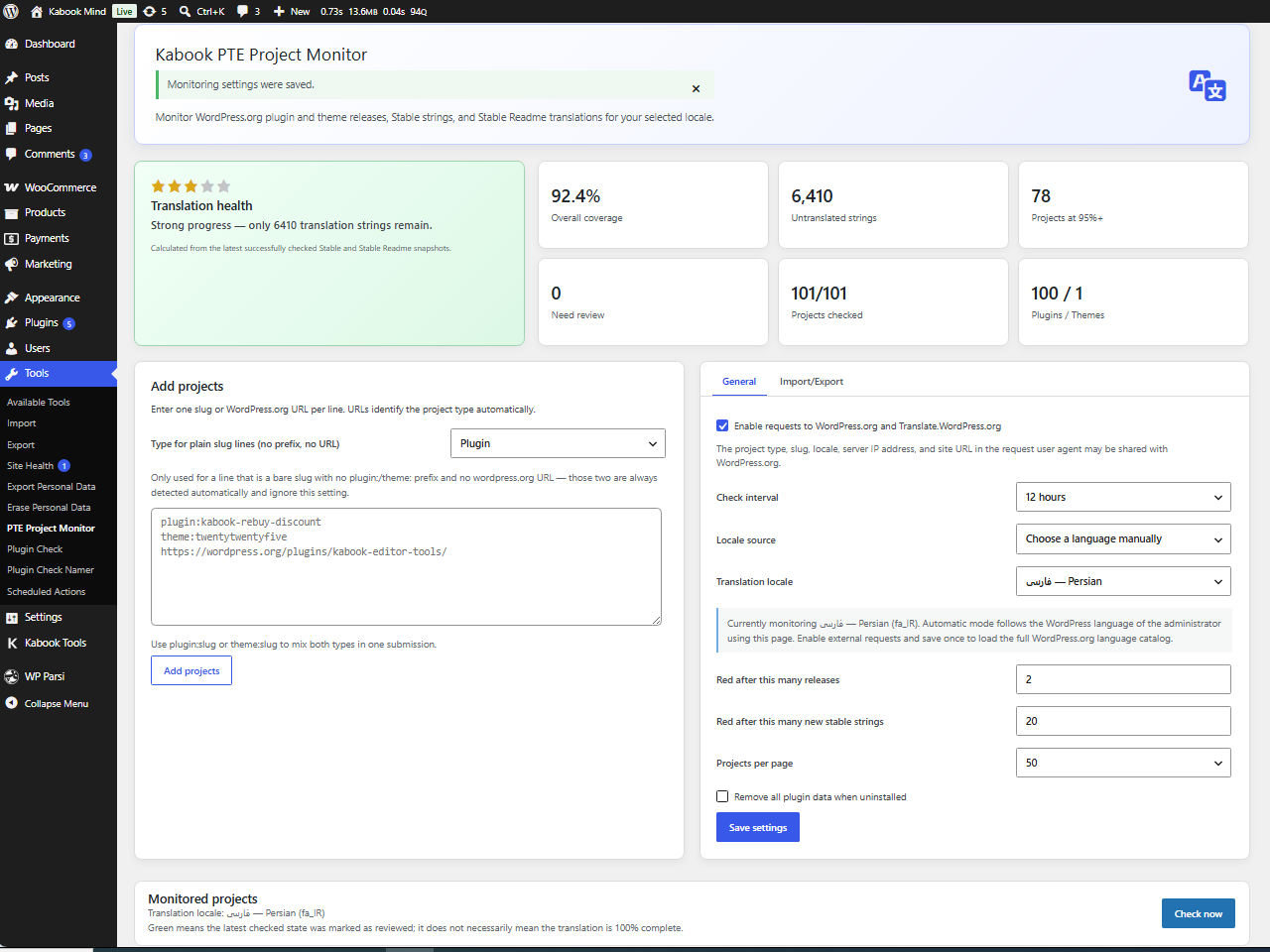
Kabook PTE Project Monitor helps Project Translation Editors and localization contributors monitor WordPress.org plugins and themes from one dashboard.
You can add project slugs or supported WordPress.org URLs, select a WordPress locale, and run checks to compare the latest release information with the last state you marked as reviewed.
The plugin is designed to help you track public release and translation-state changes for projects that are not installed on the current site.
Features
- Monitor WordPress.org plugins and themes without installing them locally.
- Detect new plugin and theme releases from WordPress.org.
- Monitor plugin Stable and Stable Readme translation projects.
- Monitor the single translation project used by WordPress.org themes.
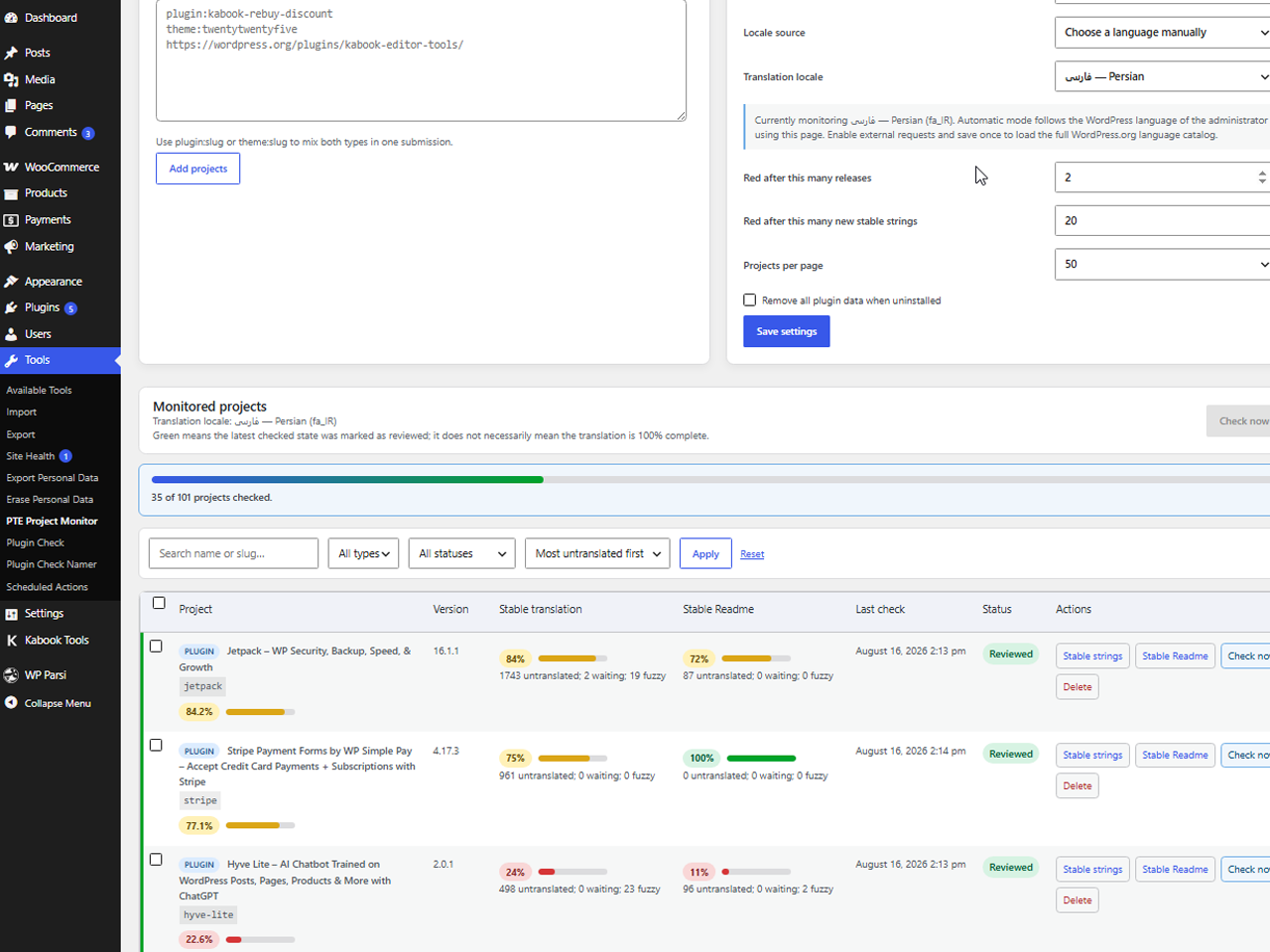
- Run a single-project check through AJAX with inline progress feedback.
- Process full checks through a resumable queue suitable for large project lists.
- Continue incomplete queues through WP-Cron when the dashboard is closed.
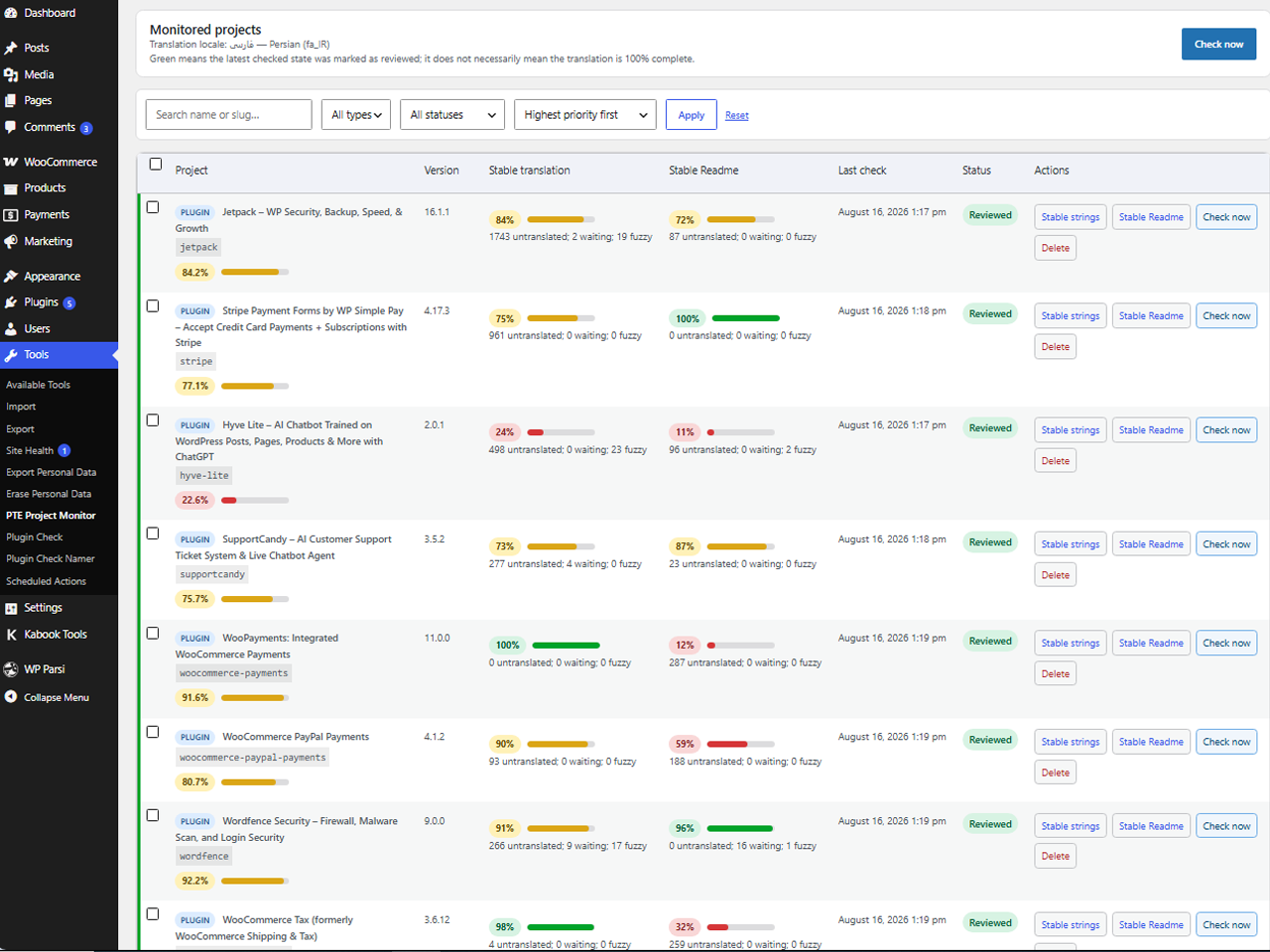
- Highlight unreviewed changes with yellow and red severity levels.
- Mark the latest checked state as reviewed through AJAX with inline progress feedback, without reloading the page or losing the active search, filter, or sort.
- Mark several selected projects as reviewed at once with a bulk action, and see who last reviewed a project and when.
- Set a project-specific check interval that overrides the plugin-wide schedule for that one project.
- Show or hide the per-project “Check interval” column on the dashboard, from Settings (hidden by default).
- Get WordPress.org suggestions while typing project names or slugs to add.
- View translation coverage, translated strings, untranslated strings, project counts, and an encouragement score.
- Search and filter projects by type or review status.
- Sort projects by priority, untranslated strings, completion, release gap, last check, or name.
- Display 20, 50, or 100 projects per page.
- Add multiple plugin and theme slugs or supported WordPress.org URLs at once.
- Export the monitored plugin and theme links and monitoring settings to a JSON file, and import them back in on this site or another.
- Follow the current administrator’s WordPress language automatically or choose a locale manually.
- Open the correct Stable, Stable Readme, or theme translation page directly, pre-filtered to untranslated, waiting, or fuzzy strings, or to the unfiltered project page — your choice.
- Configure the monitoring interval and red-alert thresholds.
- Receive a daily or weekly email digest of projects needing review, sent to the site admin email or a custom address.
- Send the same digest to a Slack-compatible webhook (Slack, Discord, and most generic chat webhook receivers).
- Automatically retry a failed email or webhook delivery on the next monitoring run.
- Send a one-off test notification to check the configured email and webhook before relying on the digest.
Review status
The first successful check establishes a baseline. A later release or translation-source change can make a project appear yellow or red.
After completing or reviewing the translation work, run the project check again to refresh the displayed statistics, then select “Mark reviewed”. This saves the current remote state as the new baseline and turns the row green.
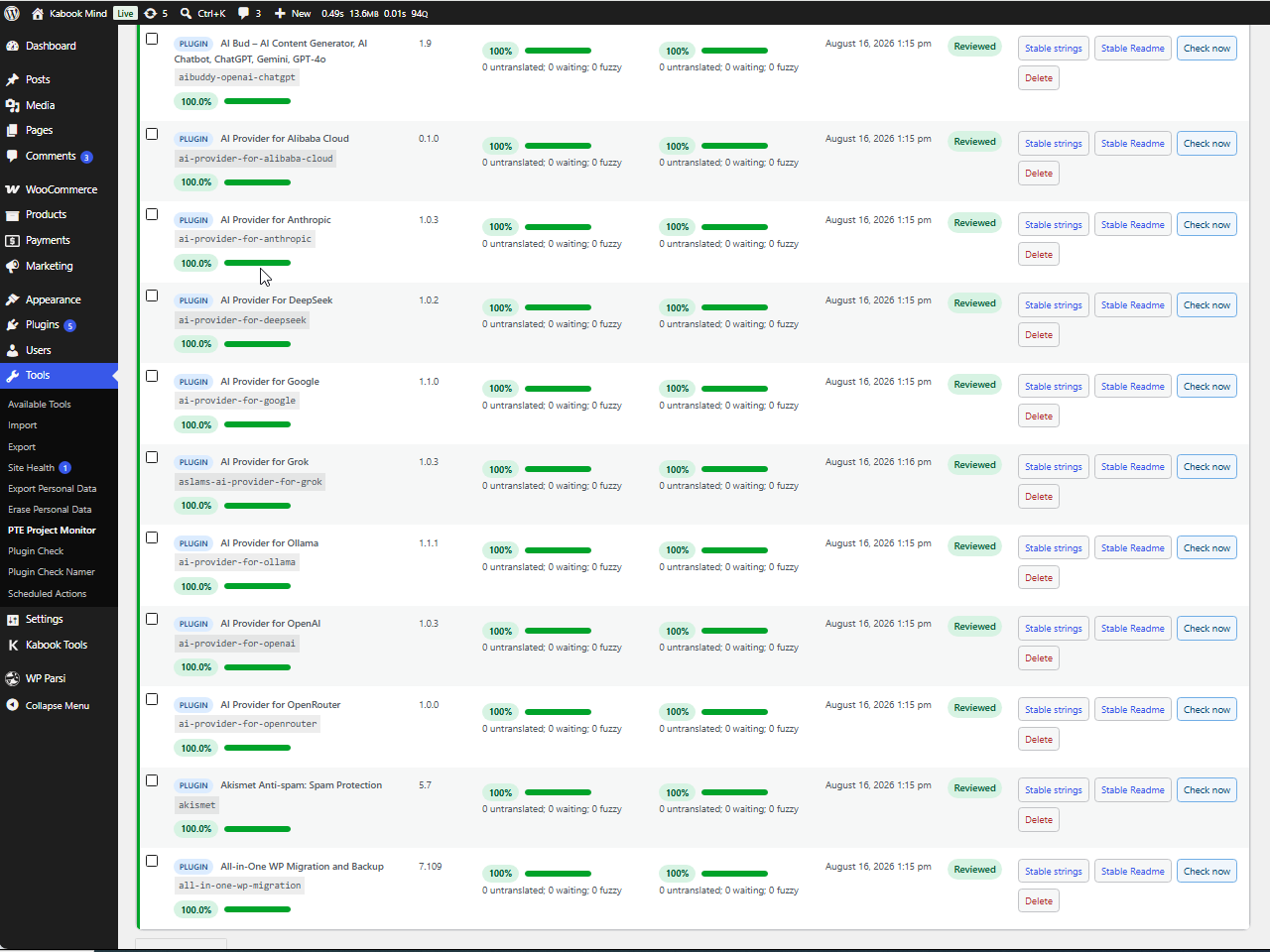
Green means the latest checked state was acknowledged as reviewed. It does not necessarily mean every translation string is complete; completion is shown separately in the translation columns and dashboard.
Supported project inputs
You can add projects using any of the following formats:
- Plain slugs
plugin:slugtheme:slug- WordPress.org plugin pages
- WordPress.org theme pages
- Locale subdomain plugin pages
- Supported Translate.WordPress.org project URLs
External services
This plugin connects only to public services operated by WordPress.org, and only after an administrator enables external monitoring requests.
It uses the official WordPress.org APIs to retrieve public project metadata and translation statistics:
-
Plugins & Themes API: Used to fetch versions, release history, and project details.
https://api.wordpress.org/ -
Translations API: Used to retrieve the standard WordPress locale catalog for mapping locales.
https://api.wordpress.org/translations/ -
GlotPress API: Used to retrieve public translation statistics from the official translation platform.
https://translate.wordpress.org/
Requests may include the project type, project slug, selected locale, the server IP address required for the network connection, and the site URL included in the request user agent.
No data is sent to Kabook or to any third-party service operated by the plugin author. All communication described above is strictly between your server and WordPress.org.
These services are governed by the WordPress.org privacy policy and terms:
https://wordpress.org/about/privacy/
https://wordpress.org/about/terms-of-service/
Optional notification webhook
If you enter a webhook URL in Settings, your server will additionally send a JSON message (a short text summary of projects needing review) to that URL whenever a digest is due, and to whichever service you send a test notification. This is disabled by default and only sends data to the URL you configure yourself; it is governed by that service’s own privacy policy, not WordPress.org’s.
The optional digest email is sent using your site’s normal wp_mail() configuration, the same as any other WordPress notification email (e.g. password resets).
Installation
- Upload the plugin files to
/wp-content/plugins/kabook-pte-project-monitor, or install the plugin through WordPress. - Activate the plugin.
- Open Tools > PTE Project Monitor.
- Review the external service disclosure and enable monitoring.
- Add plugin or theme slugs and WordPress.org URLs.
- Run the first check to establish a baseline.
Frequently asked questions
Do monitored plugins or themes need to be installed?
No. The plugin retrieves public project and translation information from WordPress.org.
Which translation projects are checked?
Plugins use Stable and Stable Readme. Themes use their single WordPress.org translation project.
Why does a completed translation remain yellow or red?
Run that project’s check to retrieve the latest statistics, then use “Mark reviewed”. The review action intentionally controls when the current state becomes the new baseline.
Can I add project URLs?
Yes. Supported inputs include plain slugs, plugin:slug, theme:slug, WordPress.org plugin and theme pages, locale subdomain plugin pages, and supported Translate.WordPress.org project URLs.
Can I move my monitored projects and settings to another site?
Yes. Use the Import/Export tab in the plugin settings to download a JSON file with your monitored plugin and theme links and monitoring settings, then upload that file on another site. Existing monitored projects and their review history are never removed or overwritten by an import.
What happens during a large full check?
The browser processes projects one at a time and displays live progress. Progress is saved between requests. A fallback WP-Cron event can continue an incomplete queue, and interrupted projects are retried before the queue moves on.
Why can background checks run late?
WordPress scheduled events rely on WP-Cron. On sites with low traffic, an event may run later than its configured interval.
Does the plugin send data to Kabook?
No. The plugin does not connect to a Kabook server and does not include telemetry.
How do notifications work?
In Settings, choose a digest frequency (Off, Daily, or Weekly) and whether it should cover red projects only or red and yellow projects. A digest is only sent when at least one matching project needs review, checked after each completed monitoring run. You can set a custom notification email (it defaults to the site admin email) and, optionally, a Slack-compatible webhook URL. Use “Send test notification” to verify both immediately. A delivery that fails is retried automatically on the next completed run, up to 3 attempts.
Changelog
1.2.0
- Split the settings screen into separate General, Notifications, Translation links open to, and Import/Export tabs, to reduce clutter on the settings screen.
- Add an optional daily or weekly email digest of projects needing review.
- Add an optional Slack-compatible webhook notification (also works with Discord and most generic chat webhook receivers).
- Automatically retry a failed digest email or webhook on the next completed monitoring run, up to 3 attempts.
- Add a “Send test notification” button to verify the configured email and webhook immediately.
- Choose whether digests cover red projects only, or red and yellow projects.
- Add a setting to show or hide the per-project “Check interval” column on the dashboard (hidden by default).
1.1.0
- Add a “Translated strings” count to the dashboard metrics, alongside the existing untranslated count.
- Add a “Mark reviewed” bulk action, next to bulk delete, to review several projects at once.
- Add a per-project check interval that overrides the plugin-wide schedule for that one project.
- Add WordPress.org suggestions while typing in the “Add projects” field, for translators less comfortable with English slugs.
- Record who last marked a project as reviewed, and when, next to its status.
- Let Stable, Stable Readme, and theme translation links open to untranslated, waiting, or fuzzy strings, or the unfiltered project page — configurable in Settings, defaulting to untranslated strings as before.
- Fix the “Overall coverage” percentage staying visually left-aligned on RTL admin screens.
1.0.0
- Initial public release.
- Monitor WordPress.org plugin and theme releases from a single dashboard.
- Compare release and translation-state changes against the last reviewed baseline.
- Support AJAX single-project checks, AJAX review marking, and resumable full queue checks.
- Add review status tracking, filtering, sorting, pagination, and monitoring controls.
- Add import and export of monitored project links and settings as a JSON file.
- Use only public WordPress.org services after administrator opt-in.
Screenshots
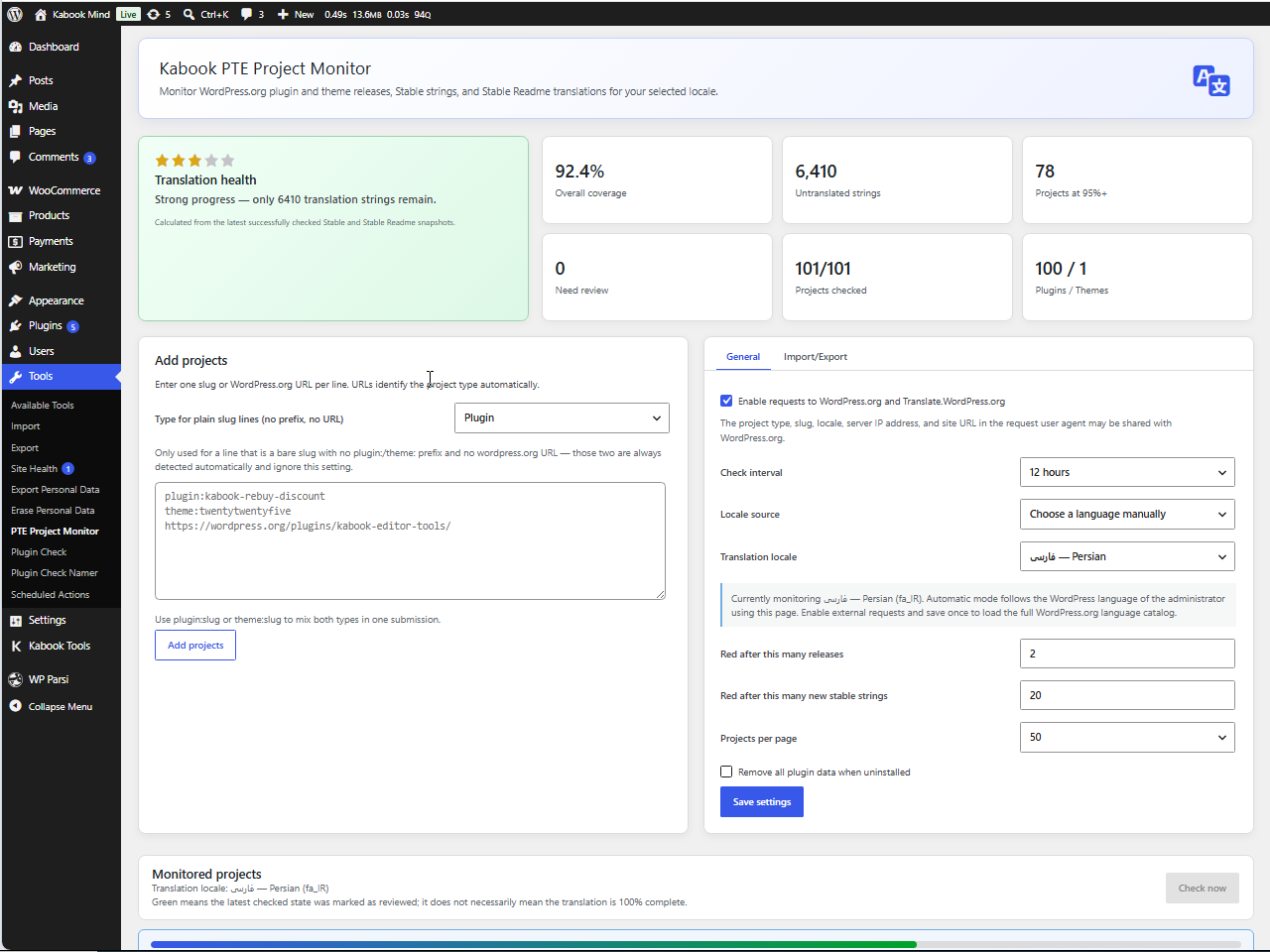
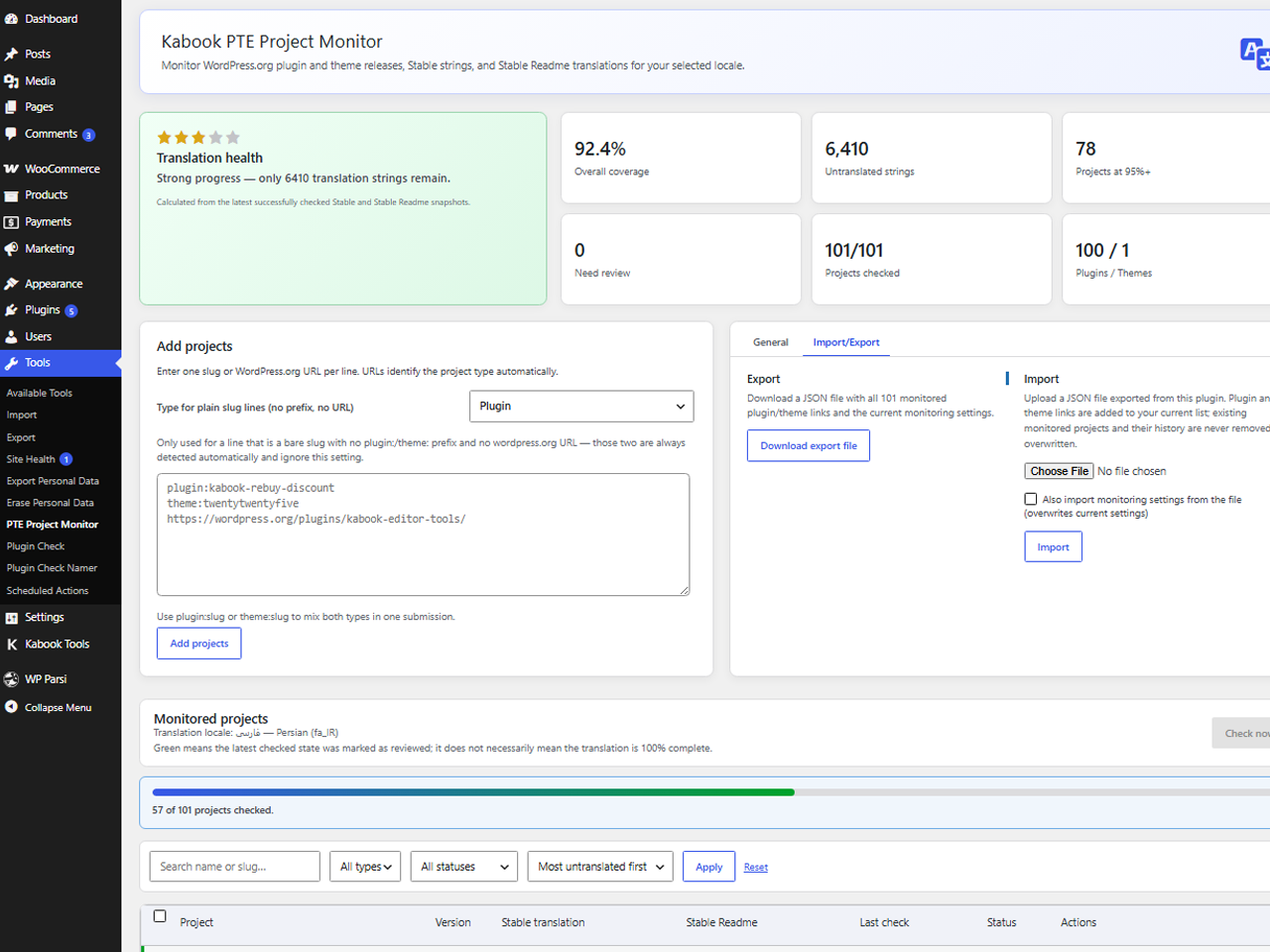
For developers
Is this your plugin? Show off the numbers.
Add a live badge to your site, docs or GitHub README. It updates on its own — no account needed.
Best Kabook PTE Project Monitor alternatives
All glotpress plugins →




FAQ
Kabook PTE Project Monitor: quick answers
Straight answers, pulled from live WordPress.org data.
Live data from WordPress.org · checked Oct 2, 2026
Is Kabook PTE Project Monitor free?
Yes. Kabook PTE Project Monitor is free to download and use from the official WordPress.org plugin directory.
Is Kabook PTE Project Monitor safe to use in 2026?
Kabook PTE Project Monitor is a solid plugin choice in 2026, with a few things worth checking first. Was last updated 3 weeks ago, and scores 64/100 on our health check.
How many websites use Kabook PTE Project Monitor?
Kabook PTE Project Monitor is active on <10 WordPress websites and has been downloaded 343 times since it launched in August 2026. It was downloaded 113 times in the last 30 days.
Does Kabook PTE Project Monitor work with WordPress 7.1?
Yes. The developer has tested Kabook PTE Project Monitor up to WordPress 7.1.2, the latest release. It requires WordPress 6.5 or newer.
What PHP version does Kabook PTE Project Monitor need?
Kabook PTE Project Monitor requires PHP 7.4 or higher. Most hosts run PHP 8.x today, so it works on any modern WordPress hosting.
When was Kabook PTE Project Monitor last updated?
The latest version, 1.2.0, was released on September 9, 2026 (3 weeks ago).
Who makes Kabook PTE Project Monitor?
Kabook PTE Project Monitor is developed and maintained by Afshari.
What are the best alternatives to Kabook PTE Project Monitor?
The most popular alternatives to Kabook PTE Project Monitor are Localize WordPress (200+ installs), WP Translation Status (100+ installs) and GP Remove Powered By (70+ installs).
Powered by PageForge
Want thousands of pages that rank like these? Build them in an afternoon.
This directory runs on the same engine as PageForge. Turn any spreadsheet, CSV or API into thousands of fast, SEO-ready WordPress pages — with schema, internal links and AI-written copy baked in.
- CSV, Google Sheets & API data sources
- AI content, schema & internal links per page
- Works with Elementor, Gutenberg, Yoast & Rank Math
- Free on WordPress.org — no credit card


