



Jobber
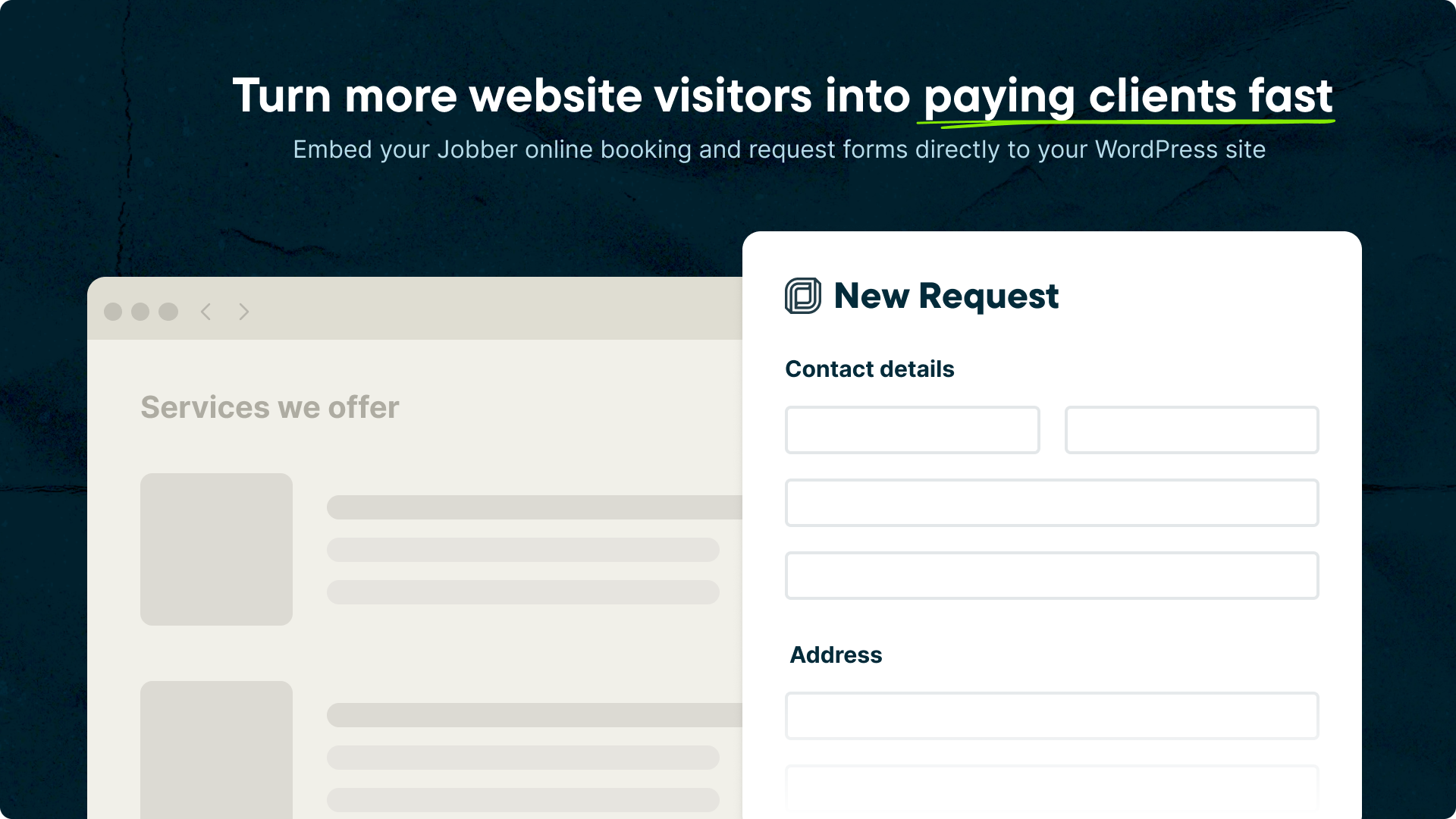
Embed Jobber's powerful online booking and request forms directly into your WordPress site.

Consider an alternative
Jobber shows warning signs in 2026 — compare the alternatives below before installing. It runs on 1K+ sites and was last updated 1 year ago, and scores 36/100 on our health check.
- Very few reviews so far
- No update in over a year
- Only tested up to WordPress 6.8 (latest is 7.1)
How does it stack up?
Side-by-side on installs, updates, ratings & support



Daily downloads
Download spikes usually follow a new release — each site that auto-updates counts as a download.
Rankings
Where Jobber stands todayWordPress.org search rankings
Live position in the plugin search, top 100| Keyword | Position |
|---|---|
| booking | >100 |
| form | >100 |
| jobber | #1 |
| request | >100 |
Version adoption
Share of active sites per release.
About Jobber
From the official readme · v1.0.0Description
Jobber keeps your home service business running, even when you’re on the move. From capturing leads to getting paid, it’s everything you need to stay organized, close jobs faster, and keep your cash flow strong—all in one place.
Together Jobber and WordPress help you get discovered, build credibility, and convert more website visitors into paying clients.
Embed Jobber’s powerful online booking and request forms directly into your WordPress site.
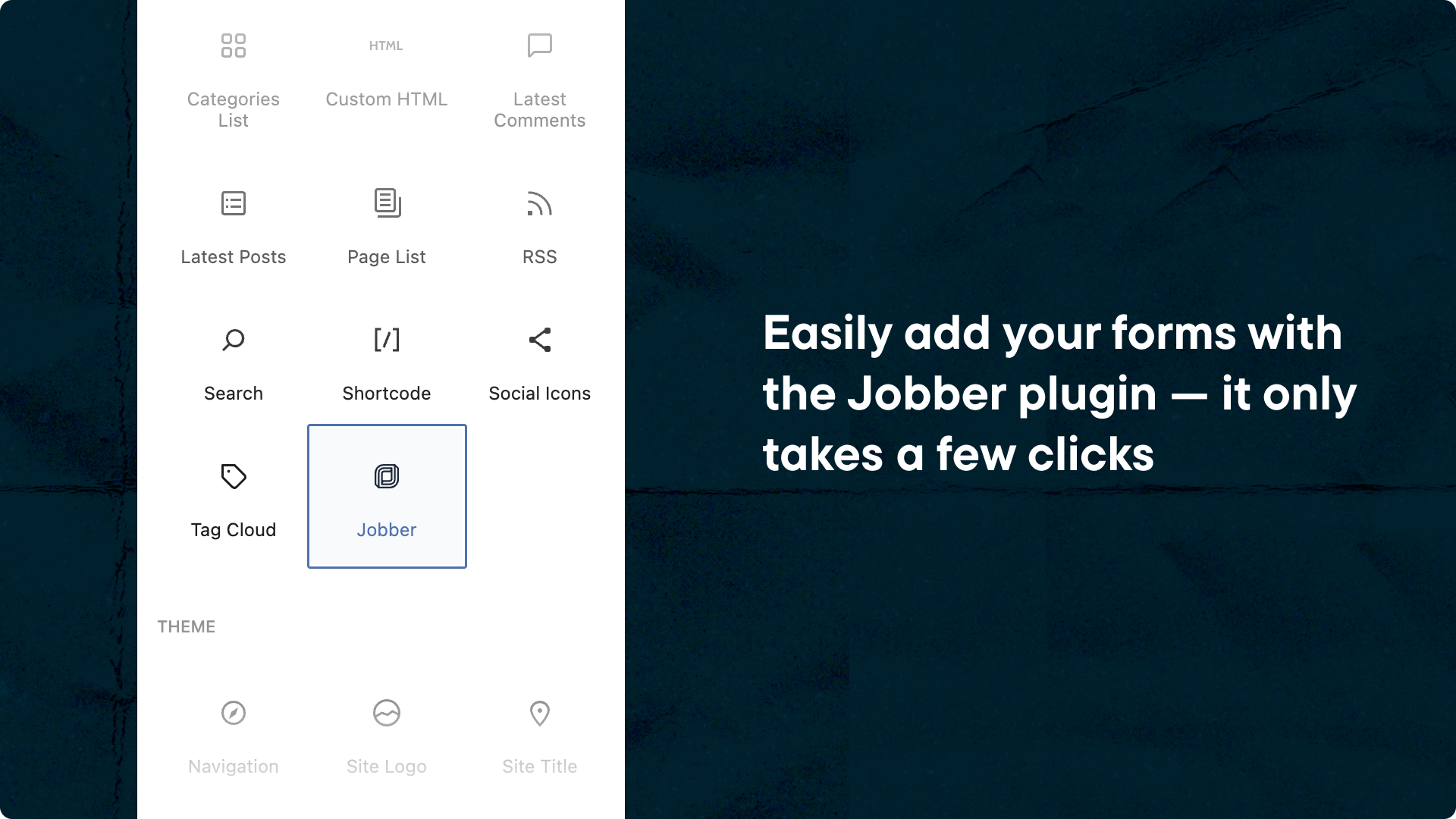
With the Jobber WordPress plugin, home service pros can add fully integrated client intake forms in just a few clicks. Choose between Booking or Request modes and turn website visitors into clients fast.
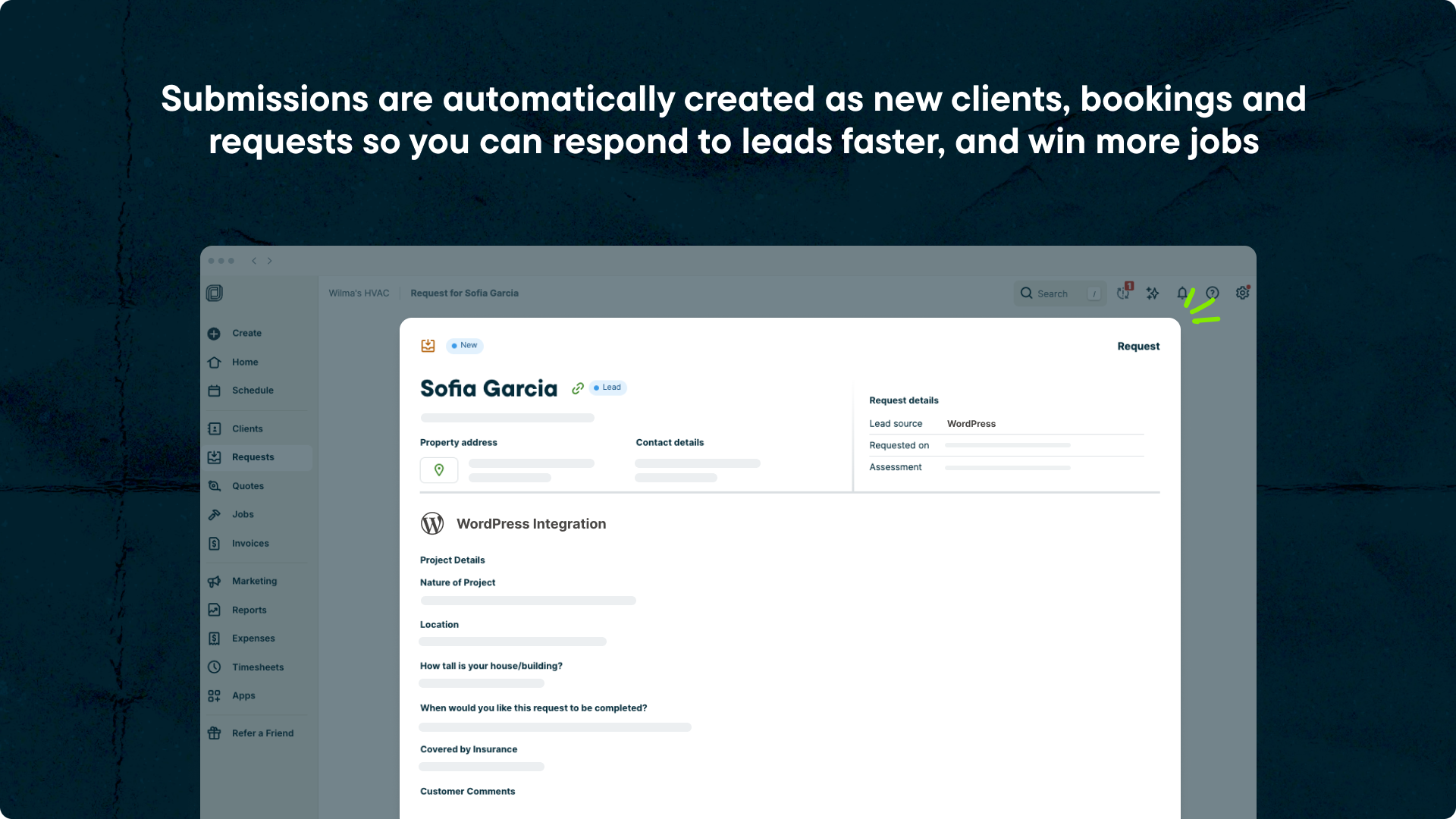
All submissions are automatically synced to Jobber to create clients, requests, and bookings, making it easy for potential customers to get a quote quickly, and book your services with confidence.
Jobber Plugin Benefits
- Easily add Jobber’s online booking or request forms to any page or post—no copy and pasting code.
- New clients, bookings, and requests are automatically created in Jobber from your WordPress submissions.
- Maintain a consistent, branded customer experience with embedded forms that match your.
- Quick and easy setup for WordPress admins—no developer needed.
Jobber Features & Benefits
Get Noticed
Make your business the first one people find, and the one they trust most. Jobber helps you build visibility, establish credibility, and turn good impressions into booked work.
- Make a great first impression online. With Jobber and WordPress, get discovered, build credibility, and convert more website visitors into paying clients.
- Build a trusted reputation. Automatically ask customers for reviews to boost your rating and outshine the competition.
- Get repeat business. Turn happy customers into loyal ones with easy email marketing and referral rewards—your best sources for repeat business.
Win Jobs
Turn interest into income quickly and professionally. Jobber makes it easy for potential customers to reach you, get a fast, accurate quote, and book your services with confidence.
- Never miss a lead. Step away from your phone without missing new business. Capture client details 24/7—over the phone, by text, or online from your WordPress site or post.
- Build your customer base and manage relationships. Organize all your customer details in one spot, so you can deliver fast, personal service that keeps them coming back.
- Send quotes that seal the deal. Create professional, easy-to-approve quotes that help you stand out and close jobs faster with less back-and-forth.
Work Smarter
Spend less time on back-and-forth, and more time delivering the high-quality work that sets you apart. Jobber takes the busywork off your plate by automating tasks, simplifying scheduling, and keeping communication effortless.
- Stay on top of every job, every time. Schedule jobs, dispatch crews, and track progress without the chaos—so nothing falls through the cracks, even when plans change.
- Keep customers in the loop. Send instant updates, reminders, and follow-ups that keep customers in the loop without the endless back-and-forth.
- Let AI and automation do the heavy lifting. From filling out job forms to chasing admin tasks, smart tools help you move faster, make fewer mistakes, and focus on real work.
Boost Profits
Get paid faster, stay in control, and keep your cash flow strong.
- Send invoices in seconds. Create and send professional invoices on the spot so you get paid faster and never miss a billing opportunity.
- Get paid faster, every time. Make it easy for customers to pay you online, in-person or automatically. Enjoy healthier cashflow and peace of mind.
- Know your numbers. Stay on top of your cash flow and business performance with real-time financial insights. Get the visibility you need to make sound decisions and plan for growth with confidence.
Jobber Plans and Pricing
Explore our pricing page for a detailed breakdown of what’s included in each plan.
Exclusive Offer for WordPress Users
Get 20% off your first 6 months, plus a 14-day free trial. Claim your offer now.
How to Install the Jobber Plugin
- Upload the plugin files to the
/wp-content/plugins/directory, or install the plugin through the WordPress plugin screen directly. - Activate the plugin through the ‘Plugins’ screen in WordPress.
- Go to the Jobber settings page in your WordPress dashboard.
- Connect your Jobber account to your site.
- Insert the Jobber block into any page or post, selecting the form type you want to use: Booking or Request.
Before You Start
Make sure you have:
- An active WordPress site where you are the admin.
- An active Jobber account with a Core or higher price plan. Don’t have a Jobber account? Sign up to receive 20% off your first 6 months, and a free 14-day trial.
Frequently asked questions
Do I need a Jobber account to use this plugin?
Yes. You’ll need an active Jobber account to authenticate the plugin and sync form submissions. Don’t have a Jobber account? Sign up to receive 20% off your first 6 months and a free 14-day trial.
Can I switch between Booking and Request forms?
Yes, you can configure the block to display either type and change it anytime.
Does the plugin match my site’s design?
Yes, forms are embedded directly into your pages and will adapt to your site’s layout and styling.
Does the plugin use any external services?
We connect to Jobber (privacy policy) to get your forms. This connection is faciliated through a middleware service hosted by Fueled (privacy policy) and located at https://jobber-prod.10upmanaged.io. Authentication is done via OAuth through this service and any Jobber API requests are also filtered through this service.
Changelog
1.0.0 – 2025-06-12
Initial release of the Jobber plugin. 🎉
- Added: Setup initial plugin structure (props @TylerB24890, @faisal-alvi, @dkotter via #3, #4, #21).
- Added: Jobber block for easily embedding Jobber booking/request forms (props @faisal-alvi, @vikrampm1, @dkotter via #7).
- Added: Full disconnect flow (props @TylerB24890, @faisal-alvi, @dkotter via #28, #38).
- Added: Disconnect your Jobber account when the plugin is deactivated (props @dkotter, @faisal-alvi via #51).
- Added: Verify our initial nonce before setting the authenticated state (props @dkotter, @faisal-alvi via #54).
- Added: Plugin documentation (props @jeffpaul, @dkotter via #37).
- Added: Link to the plugin settings page from the plugin action links (props @dkotter, @faisal-alvi via #14).
- Changed: Load Jobber form using embed code for responsive frontend display (props @faisal-alvi, @dkotter via #25).
- Changed: Always get fresh API data when rendering the block in the editor (props @dkotter, @faisal-alvi via #46).
- Changed: Improved error messaging in Jobber block with contextual help and settings link when iframe fails to load (props @dkotter, @faisal-alvi via #17).
- Changed: Update settings page with some helpful next step guidance (props @dkotter, @faisal-alvi via #15, #26).
- Changed: Update plugin copy (props @dkotter, @ankitguptaindia, @vikrampm1 via #53).
- Changed: Update middleware URL (props @dkotter, @faisal-alvi via #34).
- Changed: Instead of showing error messages, show nothing on front-end when we don’t have a proper API response (props @dkotter, @faisal-alvi via #16).
- Fixed: Request form content not fully visible in the block editor (props @faisal-alvi, @ankitguptaindia, @dkotter via #45).
- Fixed: Better error handling when an API request fails (props @dkotter, @faisal-alvi via #49).
- Fixed: Added
ABSPATHcheck to all executable PHP files to prevent direct access (props @dkotter, @faisal-alvi via #48). - Security: Bump
esbuildfrom 0.24.2 to 0.25.1 (props @dependabot, @TylerB24890, @jeffpaul, @dkotter via #5). - Security: Bump
http-proxy-middlewarefrom 2.0.7 to 2.0.9 (props @dependabot, @dkotter via #31). - Security: Bump
tar-fsfrom 2.1.2 to 3.0.9 (props @dependabot, @dkotter via #56).
Screenshots
For developers
Is this your plugin? Show off the numbers.
Add a live badge to your site, docs or GitHub README. It updates on its own — no account needed.
Best Jobber alternatives
All booking plugins →





FAQ
Jobber: quick answers
Straight answers, pulled from live WordPress.org data.
Live data from WordPress.org · checked Sep 29, 2026
Is Jobber free?
Yes. Jobber is free to download and use from the official WordPress.org plugin directory.
Is Jobber safe to use in 2026?
Jobber shows warning signs in 2026 — compare the alternatives below before installing. It runs on 1K+ sites and was last updated 1 year ago, and scores 36/100 on our health check.
How many websites use Jobber?
Jobber is active on 1K+ WordPress websites and has been downloaded 4,298 times since it launched in June 2025. It was downloaded 387 times in the last 30 days.
Does Jobber work with WordPress 7.1?
Jobber is officially tested up to WordPress 6.8.10, while the latest release is 7.1.2. It may still work, but try it on a staging site first.
What PHP version does Jobber need?
Jobber requires PHP 7.4 or higher. Most hosts run PHP 8.x today, so it works on any modern WordPress hosting.
When was Jobber last updated?
The latest version, 1.0.0, was released on July 30, 2025 (1 year ago).
Who makes Jobber?
Jobber is developed and maintained by Jobber.
What are the best alternatives to Jobber?
The most popular alternatives to Jobber are Booking for Appointments an… (90K+ installs), Online Scheduling and Appoi… (60K+ installs) and Simply Schedule Appointments (50K+ installs).
Powered by PageForge
Want thousands of pages that rank like these? Build them in an afternoon.
This directory runs on the same engine as PageForge. Turn any spreadsheet, CSV or API into thousands of fast, SEO-ready WordPress pages — with schema, internal links and AI-written copy baked in.
- CSV, Google Sheets & API data sources
- AI content, schema & internal links per page
- Works with Elementor, Gutenberg, Yoast & Rank Math
- Free on WordPress.org — no credit card


