



Jetpack Protect
Free daily vulnerability scans & WordPress security, powered by WPScan (an Automattic brand) and its 60,000+ vulnerability database. No setup needed!

Solid choice
Jetpack Protect is a solid plugin choice in 2026, with a few things worth checking first. It runs on 100K+ sites, is rated 4.6/5 and was last updated 2 months ago, and scores 70/100 on our health check.
- Proven at scale on 100K+ active sites
- Loved by users — 4.6/5 from 123 reviews
How does it stack up?
Side-by-side on installs, updates, ratings & support



Daily downloads
Download spikes usually follow a new release — each site that auto-updates counts as a download.
Rankings
Where Jetpack Protect stands todayWordPress.org search rankings
Live position in the plugin search, top 100| Keyword | Position |
|---|---|
| jetpack | #5 |
| malware | #20 |
| protect | #3 |
| scan | #15 |
| security | >100 |
Version adoption
Share of active sites per release.
Rating breakdown
★★★★★★★★★★ 4.6 from 123 reviews
About Jetpack Protect
From the official readme · v6.1.0Description
Free daily vulnerability scans & WordPress security, powered by WPScan (an Automattic brand) and its 60,000+ vulnerability database. No setup needed!
TOTAL SITE SECURITY FROM WORDPRESS EXPERTS
Jetpack Protect is a free and essential WordPress security plugin that scans your site and warns you about vulnerabilities, keeping your site one step ahead of security threats. It’s easy to use; setup requires just a few clicks!
By upgrading Protect, you also unlock malware scanning with one-click fixes for most issues and instant notifications when threats are detected. Our automated Web Application Firewall (WAF) also protects your site from bad actors around the clock.
Jetpack Protect is created by WordPress experts; our parent company Automattic is behind Jetpack, WordPress.com, WooCommerce, WPScan, and much more. There is no better company to understand the security needs of WordPress sites.
WHAT DOES JETPACK PROTECT (FREE) CHECK FOR?
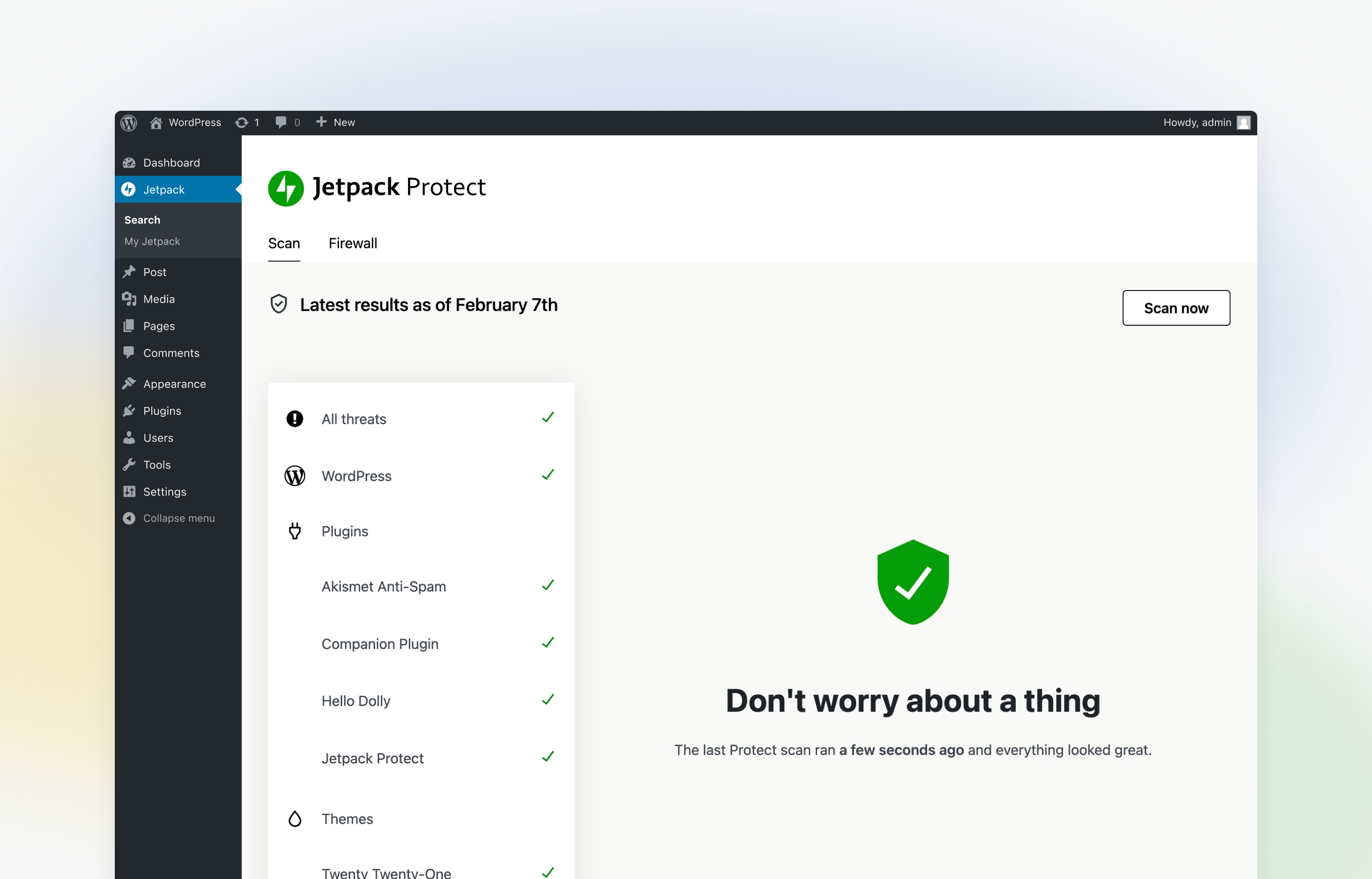
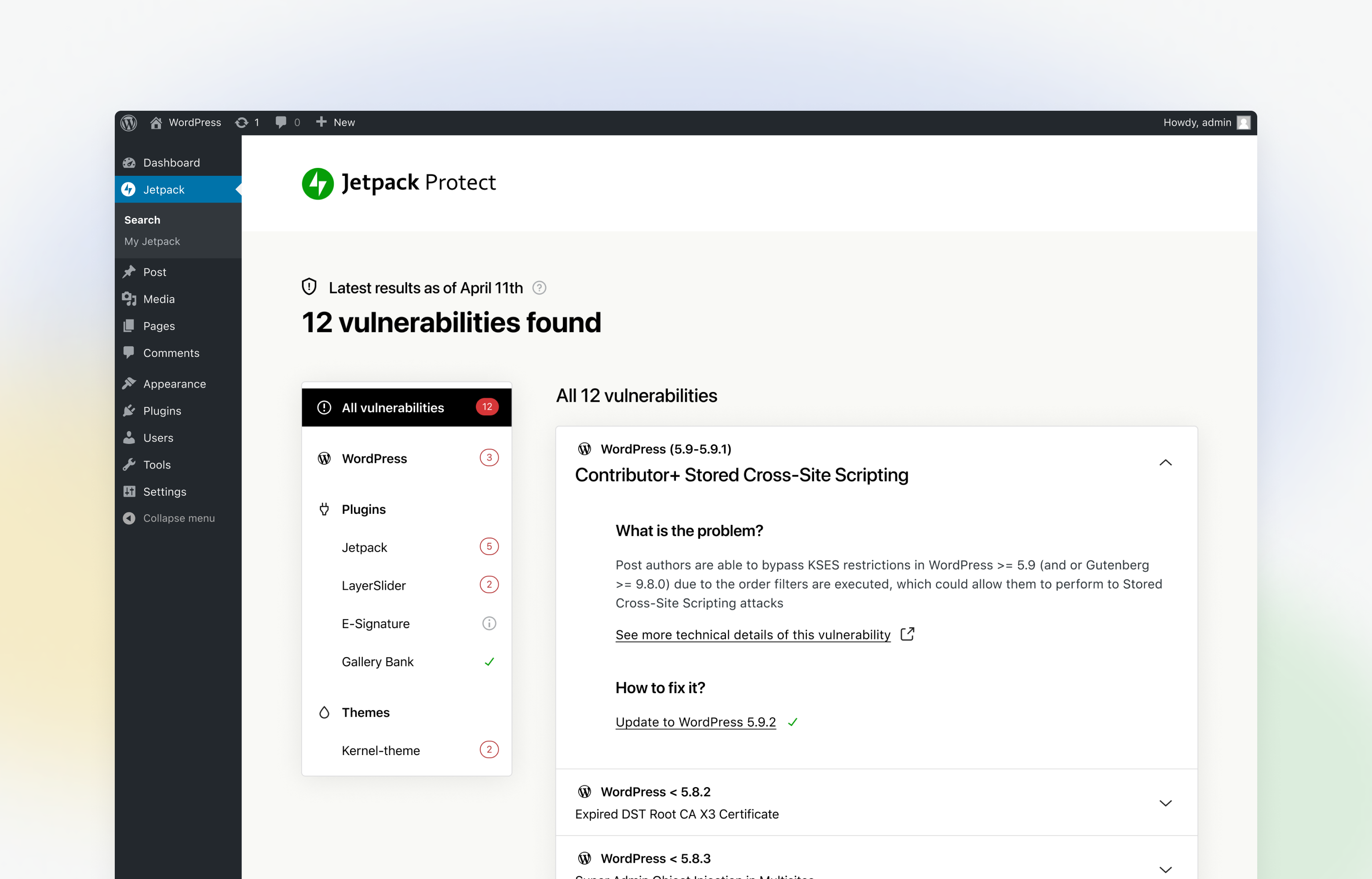
Jetpack Protect scans your site on a daily basis and warns you about:
– The version of WordPress installed, and any associated vulnerabilities
– What plugins are installed, and any related vulnerabilities
– What themes are installed, and any associated vulnerabilities
What are vulnerabilities? Why do I need to scan my site regularly?
Site vulnerabilities are flaws in a website’s code that weaken the site’s overall security. These can be introduced to a site in various ways, in most cases unintentionally.
Some of the ways vulnerabilities can be introduced to a site are:
– Poorly written site code
– Plugin and theme bugs
– WordPress version bugs
– System misconfigurations
If a bad actor detects a vulnerability on your site, they can exploit it to access sensitive information, update your site, and more to damage your business or brand.
That’s why it’s essential to use a reputable and reliable vulnerability & malware site scanner like Jetpack Protect to safeguard your site.
Can I use Jetpack Scan to fix a site that is already infected?
Jetpack Protect (Scan) detects and prevents attacks, but is not designed to fully clean up sites infected before it was active. If your site has malware, take immediate action to clean it up and remove the malicious code.
To clean up your site, we suggest using a malware removal tool, or if possible restore from a backup taken before the infection. We recommend using Jetpack VaultPress Backup in conjunction with Jetpack Scan to secure your website.
Learn more about cleaning your site
BRUTE FORCE ATTACK PROTECTION
Jetpack Protect blocks unwanted login attempts from malicious botnets and distributed attacks.
Is my site under attack?
Brute force attacks are the most common form of hacking — and hackers don’t discriminate. As the most commonly used Content Management System on the web, WordPress sites make an attractive target for hackers looking to exploit code vulnerabilities unique to WordPress.
Using large networks of computers known as botnets, hackers can try to gain access to your site by using thousands of different combinations of usernames and passwords until they find the right one.
Recently, attackers have found a way to “amplify” these attacks against the WordPress XML-RPC file – making it easier for attackers to try and break into your site.
WordPress brute force attacks can:
– Slow down your site (or cause it to stop responding) because of repeated server requests.
– Allow unauthorized access to your site for hackers to modify your code or insert spammy links.
– Put your site content and data at risk.
That’s where Jetpack Protect comes in. Our state-of-the-art security tools automatically block these attacks, protecting your WordPress site from unauthorized access.
On average, Jetpack blocks 5,193 WordPress brute force attacks over a site’s lifetime. It allows you to protect yourself against both traditional brute force attacks and distributed brute force attacks that use many servers against your site.
UPGRADE PROTECT TO REMOVE MALWARE IN ONE CLICK AND BE PROTECTED BY OUR WAF
By upgrading Protect, you unlock total site security from WordPress experts:
– Automated daily malware scanning in addition to vulnerability checks
– One-click fixes for most issues
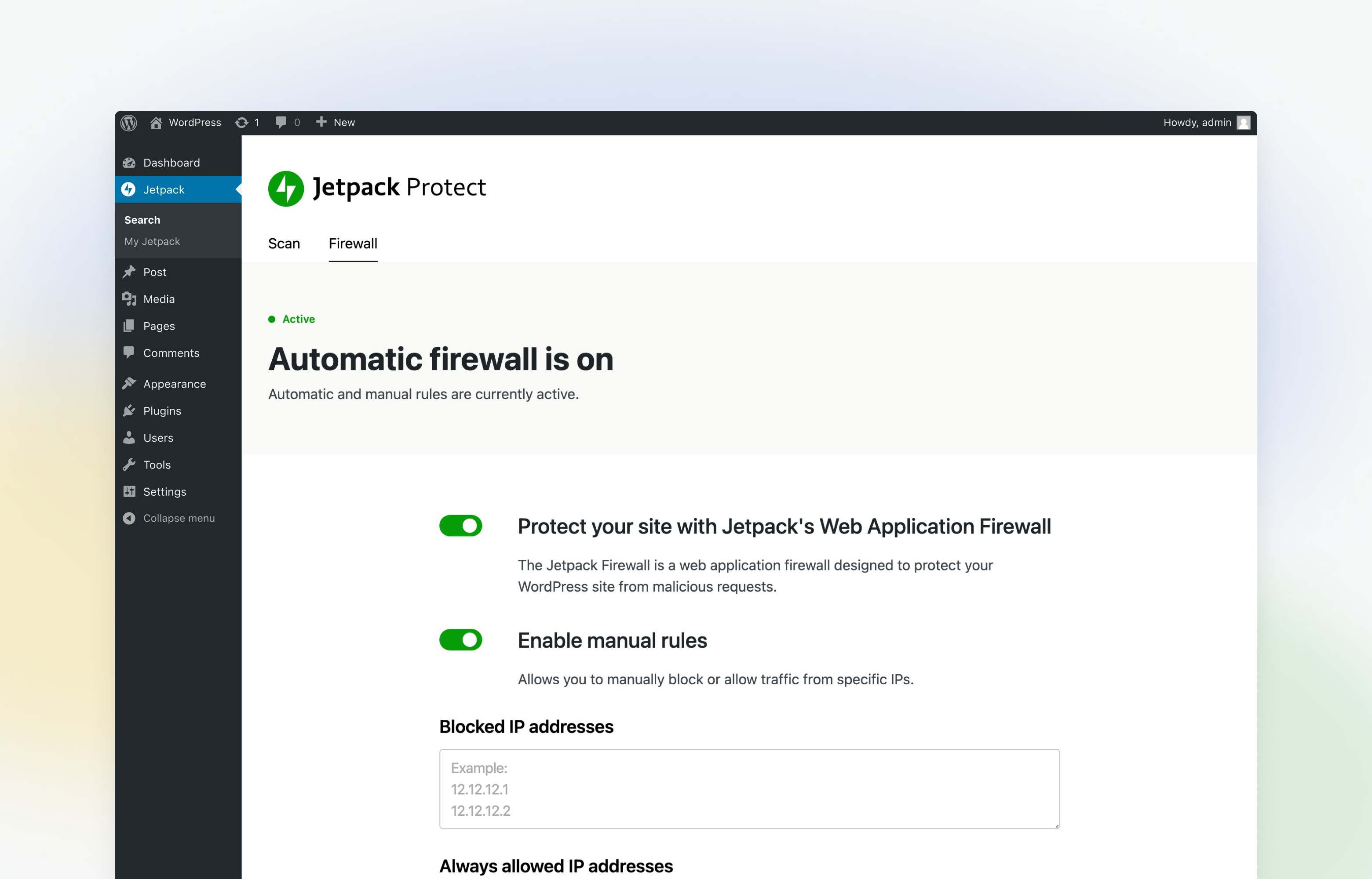
– Web Application Firewall (WAF) with automatic rule updates
– Instant email notifications when threats are detected
– Priority support from WordPress experts
What is malware? Why do I need to protect against it?
Malware is malicious code or software that has been created by bad actors to disrupt, damage, or gain access to your site. There are many ways that malware can get onto your WordPress site. The most common method is through attackers using vulnerable plugins or themes to install malware.
Similar to the vulnerabilities listed above, bad actors can use malware to capture sensitive information, damage your site, and harm your business or brand.
Jetpack Protect instantly notifies you of any threats detected, with one-click fixes for most issues.
What is a Web Application Firewall (WAF)?
A web application firewall blocks traffic and malicious requests to your site from known bad actors.
As threats are detected, new rules are added to Jetpack Protect’s firewall, which provides around-the-clock protection for your WordPress site.
OVER 53,500 REGISTERED VULNERABILITIES IN OUR DATABASE
WordPress security is something that evolves over time. Jetpack Protect leverages the extensive database of WPScan, an Automattic brand. All vulnerabilities are entered into our database by dedicated WordPress security professionals and updated constantly as new information becomes available.
JETPACK PROTECT IS EASY TO SETUP AND USE
There’s nothing to configure – the setup process is as easy as:
1. Install and activate the plugin
2. Set up it with one click.
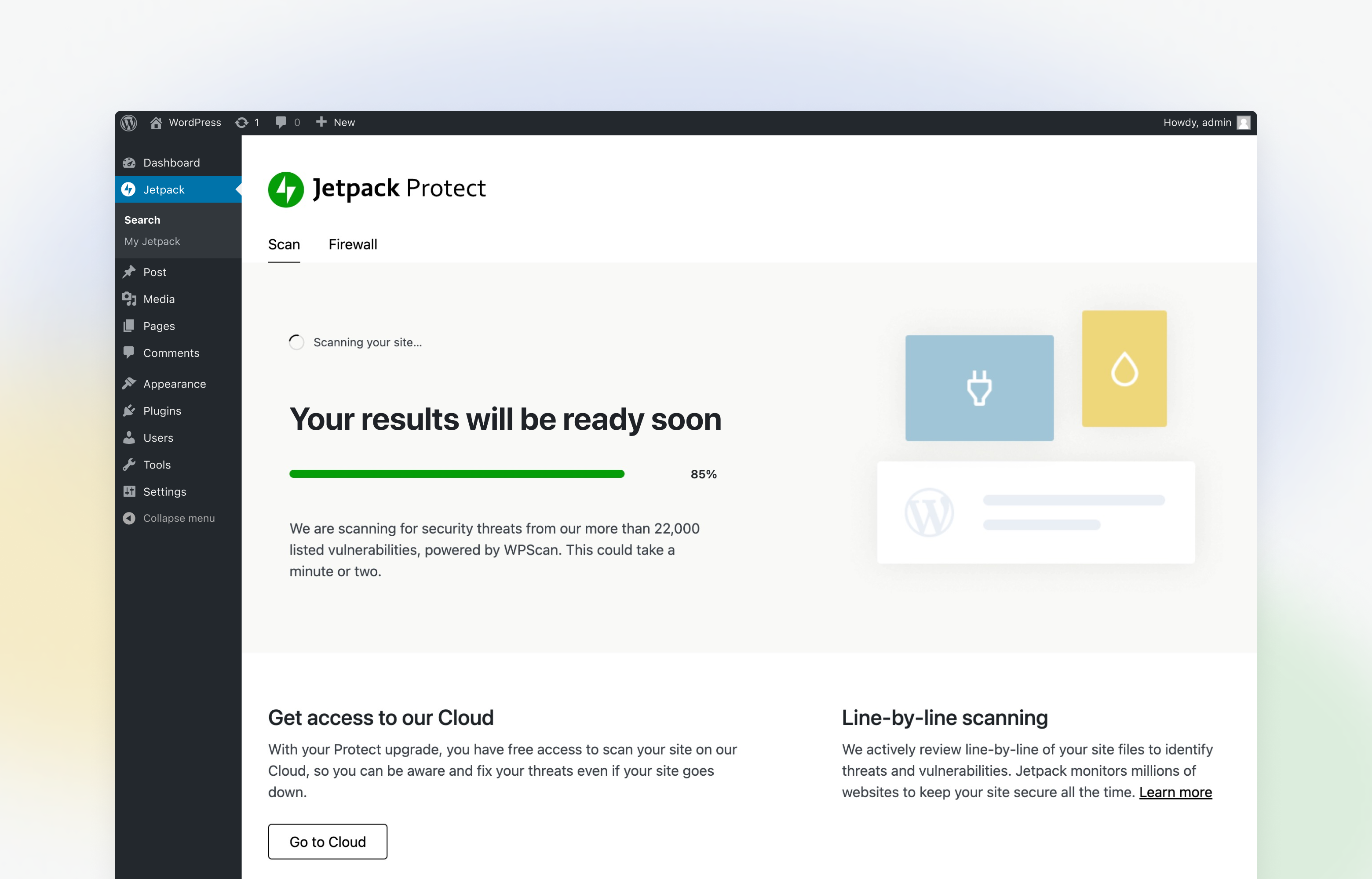
After you activate the plugin, Jetpack Protect will run daily automatic malware scans on your WordPress site and update you on vulnerabilities associated with your installed plugins, themes, and WordPress core.
WITH 💚 BY JETPACK
This is just the start!
We are working hard to bring more features and improvements to Jetpack Protect. Let us know your thoughts and ideas!
FURTHER READING
- Jetpack: Security, performance, and growth tools made for WordPress sites by the WordPress experts.
- You can follow the Jetpack Twitter account to catch up on our latest WordPress security recommendations and updates.
- WordPress Security: How to Protect Your Site From Hackers
- Should You Use Jetpack for WordPress Security?
- Jetpack Acquires WordPress Vulnerability Database WPScan
Frequently asked questions
How does Jetpack Protect help your WordPress Site security?
Protect is a free WordPress security scanner plugin that scans your site and lets you know possible vulnerability and other security threats on your installed plugins, themes, and core files. The free plan scans your site for WordPress version, plugin, and theme vulnerabilities from our extensive vulnerability database (53,500) that is powered by WPScan. By upgrading Protect, you gain access to WordPress malware scanning with one-click fixes, instant threat notifications, and our Web application Firewall (WAF) that protects your site around the clock.
Does this plugin require the Jetpack plugin to work?
Jetpack Protect does not require the Jetpack plugin to run and secure your site.
What are the differences between Jetpack Protect, Jetpack Scan, and WPScan plugins?
Jetpack Protect is a new WordPress security plugin from Jetpack containing our security features only. You can start with Jetpack Protect’s free vulnerability scanning features and upgrade Jetpack Protect to access automated malware scanning and our web application firewall. By upgrading Protect, you are enabling Jetpack Scan to the plugin. Jetpack Scan is a product that can be purchased for use in conjunction with the main Jetpack plugin or Jetpack Protect. Jetpack Scan includes automated malware scanning and our web application firewall but does not contain the vulnerability scanning…
Will Jetpack Protect work on my local site?
Jetpack Protect requires a publicly accessible site to perform the vulnerability scan.
How will I know if Jetpack Protect has found WordPress security vulnerabilities and malware?
You can visit Jetpack Protect dashboard in your WordPress admin panel to see the security threats and malware found by the integrated malware scanner.
What do I do if Jetpack Protect finds a security threat?
When the vulnerability scanner finds a security threat, you can view the recommended actions on the Jetpack Protect dashboard to secure your sites. If you have upgraded Protect, your site will also be automatically scanned for malware each day, and you will be notified instantly via email if any threats are detected. You will be able to fix most issues in one click.
Can I set the time of the daily security scan?
It is not possible to set a time for the automated daily scans run by the integrated malware scanner.
Why do I need WordPress security and malware scan?
A hacked WordPress site can cause serious damage to your business revenue and reputation. Jetpack Protect scans your site and lets you know possible malware and security threats on your installed plugins, themes, and core files.
Where can I learn more about WordPress security and malware threats?
To learn how to achieve better WordPress security, see this guide. On the Jetpack Blog, you can find many more articles written by the top WordPress security experts.
Is Jetpack Protect the same thing as the Protect feature in the Jetpack plugin?
The new Jetpack Protect plugin is different from the Jetpack feature formerly known as Protect (now renamed Brute Force Attack Protection).
Changelog
6.1.0 – 2026-08-12
Added
- Add the Activity Log page to wp-admin, so it is available without the Jetpack plugin installed.
Screenshots
For developers
Is this your plugin? Show off the numbers.
Add a live badge to your site, docs or GitHub README. It updates on its own — no account needed.
Best Jetpack Protect alternatives
All jetpack plugins →





FAQ
Jetpack Protect: quick answers
Straight answers, pulled from live WordPress.org data.
Live data from WordPress.org · checked Sep 27, 2026
Is Jetpack Protect free?
Yes. Jetpack Protect is free to download and use from the official WordPress.org plugin directory.
Is Jetpack Protect safe to use in 2026?
Jetpack Protect is a solid plugin choice in 2026, with a few things worth checking first. It runs on 100K+ sites, is rated 4.6/5 and was last updated 2 months ago, and scores 70/100 on our health check.
How many websites use Jetpack Protect?
Jetpack Protect is active on 100K+ WordPress websites and has been downloaded 2,643,781 times since it launched in May 2022. It was downloaded 28,574 times in the last 30 days.
Does Jetpack Protect work with WordPress 7.1?
Jetpack Protect is officially tested up to WordPress 7.0.6, while the latest release is 7.1.2. It may still work, but try it on a staging site first.
What PHP version does Jetpack Protect need?
Jetpack Protect requires PHP 7.2 or higher. Most hosts run PHP 8.x today, so it works on any modern WordPress hosting.
When was Jetpack Protect last updated?
The latest version, 6.1.0, was released on August 12, 2026 (2 months ago).
Who makes Jetpack Protect?
Jetpack Protect is developed and maintained by Automattic.
What are the best alternatives to Jetpack Protect?
The most popular alternatives to Jetpack Protect are Jetpack VaultPress Backup (20K+ installs), Stop XML-RPC Attacks (6K+ installs) and Gallery Carousel Without Je… (4K+ installs).
Powered by PageForge
Want thousands of pages that rank like these? Build them in an afternoon.
This directory runs on the same engine as PageForge. Turn any spreadsheet, CSV or API into thousands of fast, SEO-ready WordPress pages — with schema, internal links and AI-written copy baked in.
- CSV, Google Sheets & API data sources
- AI content, schema & internal links per page
- Works with Elementor, Gutenberg, Yoast & Rank Math
- Free on WordPress.org — no credit card


