


IWS Interactive Church Sermon Notes
Interactive sermon outlines your congregation fills in on their phone during the service, then emails or saves to themselves.

Solid choice
IWS Interactive Church Sermon N… is a solid plugin choice in 2026, with a few things worth checking first. Was last updated 1 day ago, and scores 64/100 on our health check.
- Actively developed — last update 1 day ago
- Tested with the latest WordPress (7.1)
- Small user base (<10 active installs)
- Very few reviews so far
How does it stack up?
Side-by-side on installs, updates, ratings & supportDaily downloads
Download spikes usually follow a new release — each site that auto-updates counts as a download.
Rankings
Where IWS Interactive Church Serm… stands todayWordPress.org search rankings
Live position in the plugin search, top 100| Keyword | Position |
|---|---|
| bible study | #12 |
| church | #44 |
| note-taking | #77 |
| sermon notes | #7 |
| sermons | #16 |
About IWS Interactive Church Sermon Notes
From the official readme · v3.2.1Description
IWS Interactive Church Sermon Notes turns your sermon outline into something your congregation can actually use during the service.
Created by Shane Roberson of Integrity Web Studios.
Serving churches with heart and code.
You publish the outline. Your members open it on their phone, type their own thoughts beside each point, and email the whole thing to themselves before they leave the parking lot. No app to install, no account to create, nothing to remember.
For the person in the pew
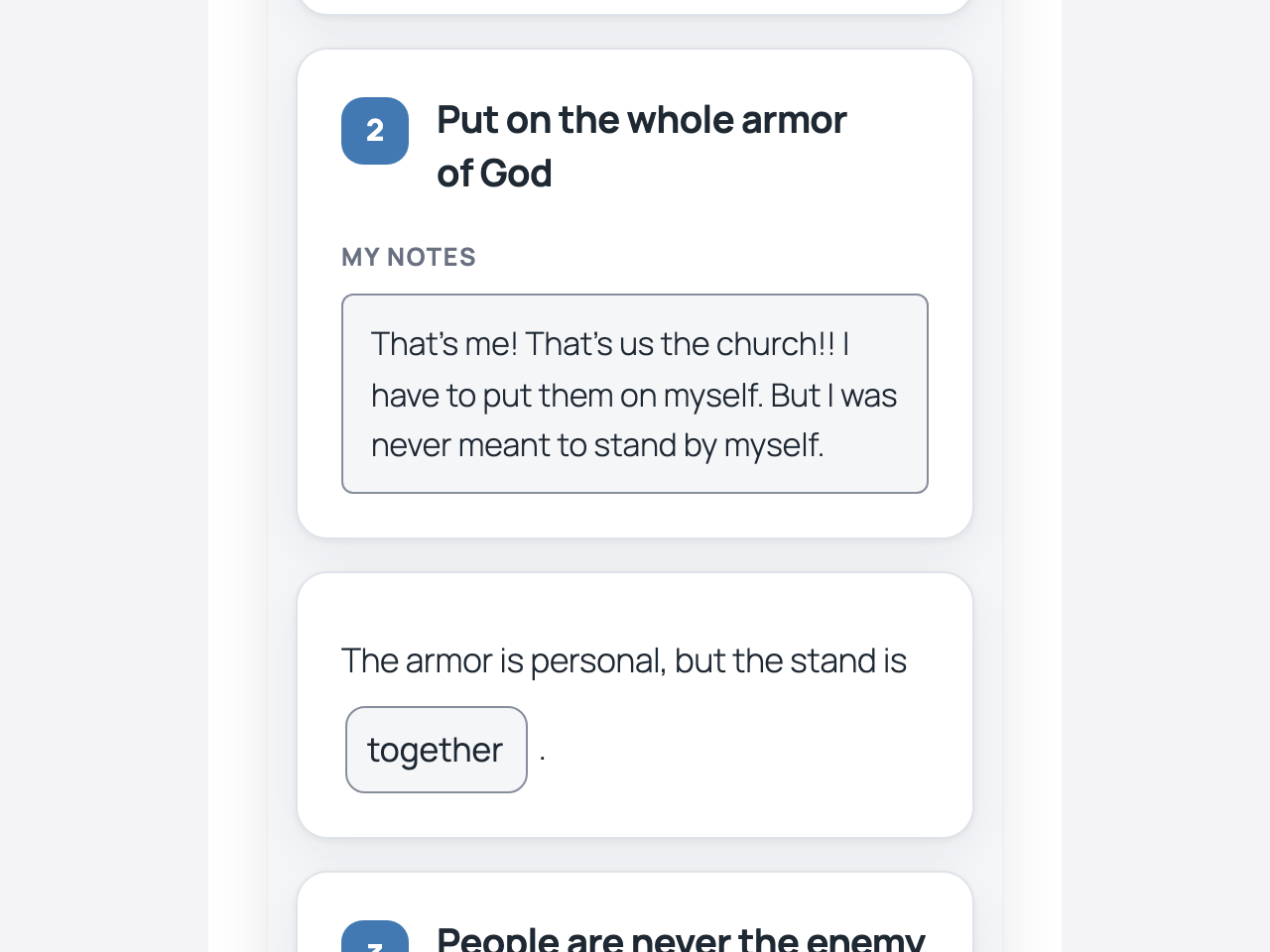
- A note box beside every point, sized for a thumb and usable one-handed on a phone
- Fill-in-the-blank sentences, with a box to tap at every gap
- Notes save themselves as they type, so a locked screen or a dropped connection never loses anything
- Adjustable text size and a dark mode for a dim sanctuary
- Email the notes to yourself, share them, save them as a PDF, or print them
- No sign-up required to take notes
For the church office
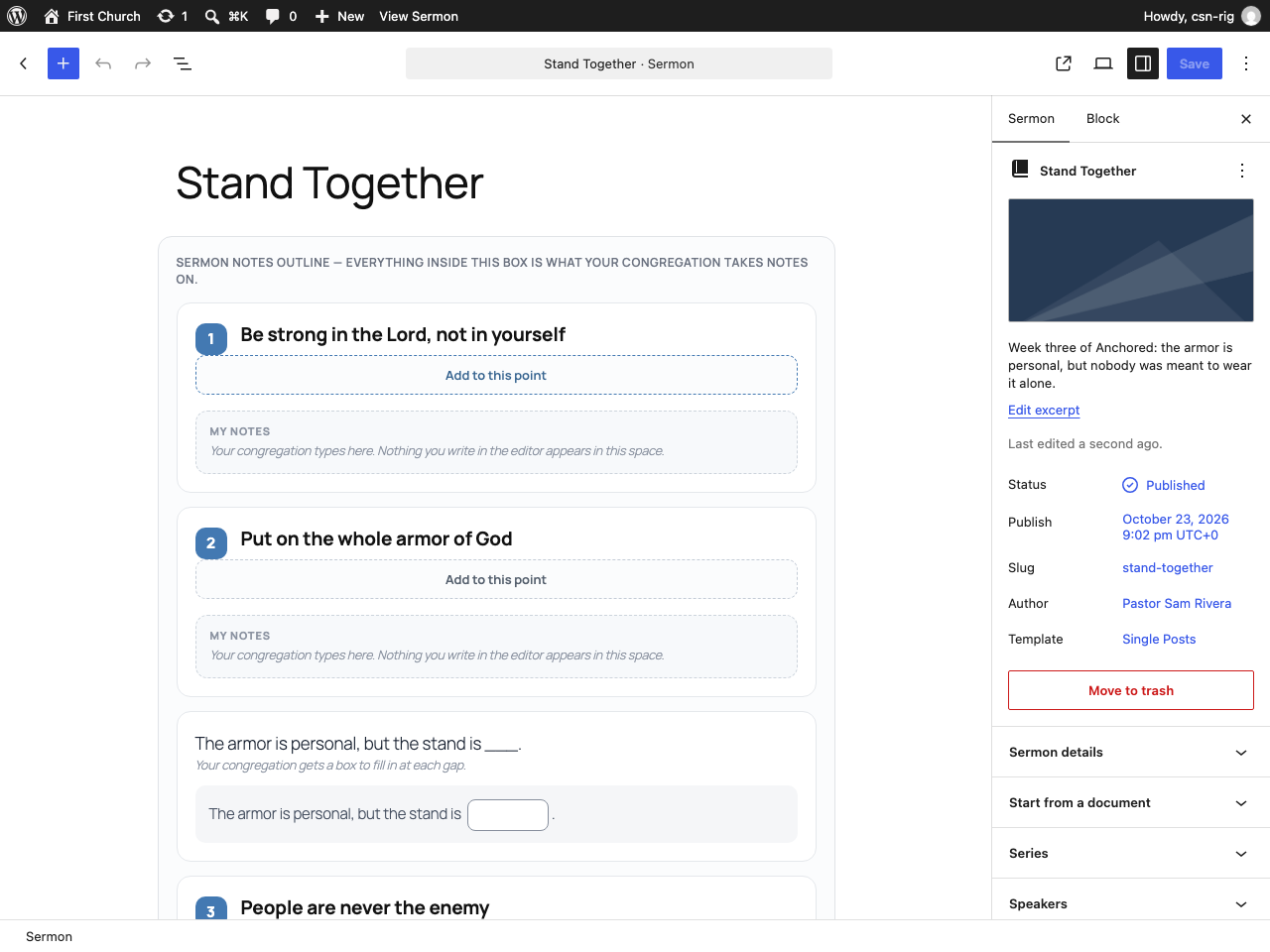
- Write sermon outlines in the normal WordPress editor — no shortcodes to memorize
- Already written it in Word or Google Docs? Paste it in, or upload the Word file, and it becomes an outline — headings become points, anything you underlined becomes a blank
- Type three underscores where you want a blank and the sentence becomes a fill-in-the-blank
- Put a sermon on any page with
[iws_church_sermon_notes id="123"], or[iws_church_sermon_notes latest="1"]for the most recent one — works in any page builder - List your sermons anywhere with the Sermon List block or
[iws_church_sermon_list]— the latest few, one series, or everything one person has preached - Give a series its artwork and a speaker their photo, and every sermon without a picture of its own borrows one
- Use a page you built as your sermons page — your header, your wording, your builder’s layout, at your own /sermons/ address
- See which sermons people are actually using — All Sermons shows the day you preached and how many people took notes, and filters by series, speaker, or whether anybody has written on it
- Duplicate last week’s sermon into this week’s draft — the whole outline, points, blanks and questions, ready to rewrite
- A QR code for your bulletin, generated on your own site and downloaded as an SVG or a PNG
- Sermons get their own section of the dashboard, with Series and Speakers built in
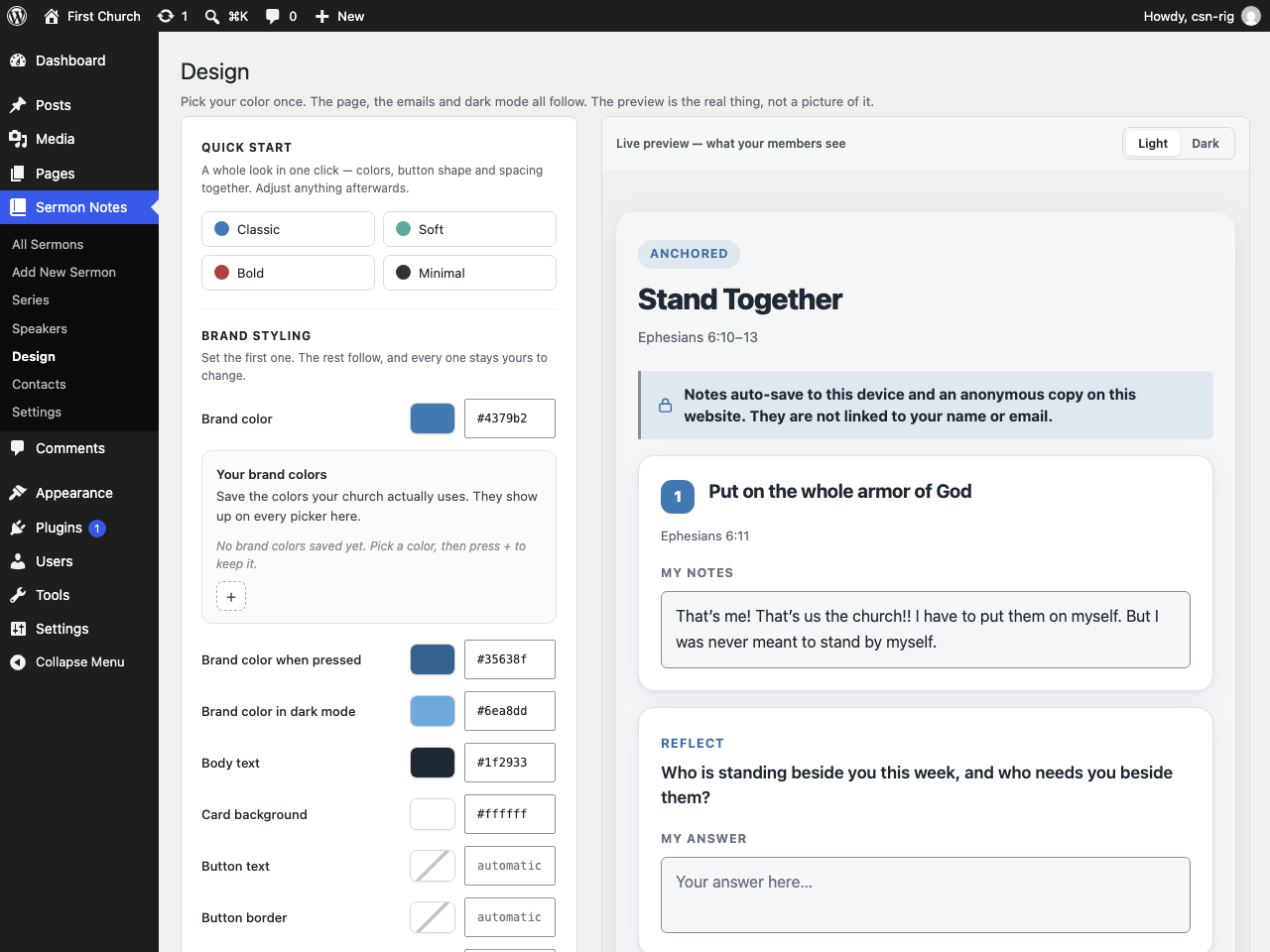
- A design panel that matches the notes to your existing brand, including button shape and spacing
- A Sermon Publisher role, so a volunteer can post sermons without touching the rest of the site
- Everything in this plugin is free — nothing is locked
Built and supported by Integrity Web Studios, church and Christian school web design since 2010. See the plugin page for a demo and setup guide.
Third-Party Libraries
This plugin bundles one third-party library, unmodified and unminified:
- qrcode-generator 2.0.4 by Kazuhiko Arase — https://github.com/kazuhikoarase/qrcode-generator — MIT license. Shipped at
libs/qrcode-generator/, with its license beside it. It draws the QR codes in your browser; it makes no network requests of its own.
“QR Code” is a registered trademark of DENSO WAVE INCORPORATED, used here only to describe what the code is.
Installation
- Upload the plugin through Plugins → Add New → Upload Plugin, or install it from the WordPress plugin directory.
- Activate it. A Sermon Notes menu appears in your dashboard.
- Go to Sermon Notes → Add New and write your first sermon outline.
- Publish it, then open the sermon on your phone to see what your congregation sees.
Changelog
Fixes the "Need help?" button covering the Screen Options and Help buttons.
3.2.1
- Fix: the “Need help?” button no longer covers WordPress’s Screen Options and Help buttons at the top right of Sermon Notes screens. It now sits just to their left.
3.2.0
- Share your design with IWS Church Manager (optional): if you also use IWS Church Manager, it can use your Sermon Notes colors and button style, and an administrator can copy an IWS Church Manager design into Sermon Notes with one button. Only colors, shapes, text size and dark mode are shared.
- One dismissible card on Settings tells administrators about IWS Church Manager. It appears nowhere else, is never shown to members, and loads nothing from other websites.
- Shared IWS toolkit: color maths, rate limiting and email delivery now come from a library bundled inside this plugin. Nothing else needs to be installed, and your sermons, emails and design look exactly as before.
- Need help? A button at the top right of every Sermon Notes screen opens the Integrity Web Studios support page in a new tab, with your site address and version shown beside it. There is also a new Getting help tab under Help.
- Wording: “Everything in this plugin is free — nothing is locked.”
3.1.5
- The Design screen’s sample sermon now uses “Stand Together” (Ephesians 6:10–13), matching the plugin’s screenshots. Sample text only; no behavior changes.
3.1.4
- Package and translation identifiers now use the requested
iws-interactive-church-sermon-notesslug. - The WordPress header, block metadata, and editor translations now agree on that slug; sermon data, notes, and canonical shortcodes keep their established identifiers.
- If an older Church Sermon Notes installation remains active, this package stays inert and shows an administrator a clear coexistence notice instead of bootstrapping a second copy.
- Shortcode-rendered block markup now passes through a final safe-HTML allowlist that preserves supported note controls and ordinary formatting while removing scripts and event handlers.
3.1.3
- Fix: Download as PDF – rounded note cards now have proper inner padding, so text no longer prints against the card edge.
- Fix: Long words and links wrap inside a card on the PDF instead of running past its edge.
3.1.2
- Canonical shortcode names only: use
[iws_church_sermon_notes]and[iws_church_sermon_list]. The former generic tags are no longer registered; replace them before updating.
Screenshots
For developers
Is this your plugin? Show off the numbers.
Add a live badge to your site, docs or GitHub README. It updates on its own — no account needed.
Best IWS Interactive Church Sermon… alternatives
All bible study plugins →| Rank | Plugin | Active installs |
|---|---|---|
| 2 |
 Georg Kloster Bible Reader
Read the Bible, compare translations, search Scripture, explore study tools, and embed… |
<10 |
FAQ
IWS Interactive Church Sermon Notes: quick answers
Straight answers, pulled from live WordPress.org data.
Source: WordPress.org
Is IWS Interactive Church Sermon N… free?
Yes. IWS Interactive Church Sermon N… is free to download and use from the official WordPress.org plugin directory.
Is IWS Interactive Church Sermon N… safe to use in 2026?
IWS Interactive Church Sermon N… is a solid plugin choice in 2026, with a few things worth checking first. Was last updated 1 day ago, and scores 64/100 on our health check.
How many websites use IWS Interactive Church Sermon N…?
IWS Interactive Church Sermon N… is active on <10 WordPress websites and has been downloaded 274 times since it launched in October 2026. It was downloaded 201 times in the last 30 days.
Does IWS Interactive Church Sermon N… work with WordPress 7.1?
Yes. The developer has tested IWS Interactive Church Sermon N… up to WordPress 7.2, the latest release. It requires WordPress 6.4 or newer.
What PHP version does IWS Interactive Church Sermon N… need?
IWS Interactive Church Sermon N… requires PHP 7.4 or higher. Most hosts run PHP 8.x today, so it works on any modern WordPress hosting.
When was IWS Interactive Church Sermon N… last updated?
The latest version, 3.2.1, was released on November 26, 2026 (1 day ago).
Who makes IWS Interactive Church Sermon N…?
IWS Interactive Church Sermon N… is developed and maintained by Shane Roberson.
What are the best alternatives to IWS Interactive Church Sermon N…?
The most popular alternatives to IWS Interactive Church Sermon N… are Georg Kloster Bible Reader (<10 installs).
Powered by PageForge
One template and a spreadsheet. A real page for every search.
PageForge turns each row of a CSV into a WordPress page with its own title, URL, SEO fields and schema, built on the layout you already designed. Free on WordPress.org.
- CSV and XLSX, plus Google Sheets on Professional and Enterprise
- Its own title, URL, SEO fields and schema for every page
- Works with the block editor, Elementor, Divi and Avada
- Free on WordPress.org, no credit card