


Iridys Palette Extender
Replace WordPress's colour pickers with a richer one — eyedropper, harmony schemes and a working palette, wherever you choose a colour.

Solid choice
Iridys Palette Extender is a solid plugin choice in 2026, with a few things worth checking first. Was last updated 1 week ago, and scores 64/100 on our health check.
- Actively developed — last update 1 week ago
- Tested with the latest WordPress (7.1)
- Small user base (<10 active installs)
- Very few reviews so far
How does it stack up?
Side-by-side on installs, updates, ratings & support



Daily downloads
Download spikes usually follow a new release — each site that auto-updates counts as a download.
Rankings
Where Iridys Palette Extender stands todayWordPress.org search rankings
Live position in the plugin search, top 100| Keyword | Position |
|---|---|
| color picker | >100 |
| color scheme | >100 |
| colour | >100 |
| eyedropper | #4 |
| palette | #94 |
About Iridys Palette Extender
From the official readme · v0.1.5Description
WordPress’s built-in colour pickers are basic — a small square, a hue slider, a hex box. Iridys quietly replaces them, everywhere you choose a colour, with a richer picker that actually helps you pick well.
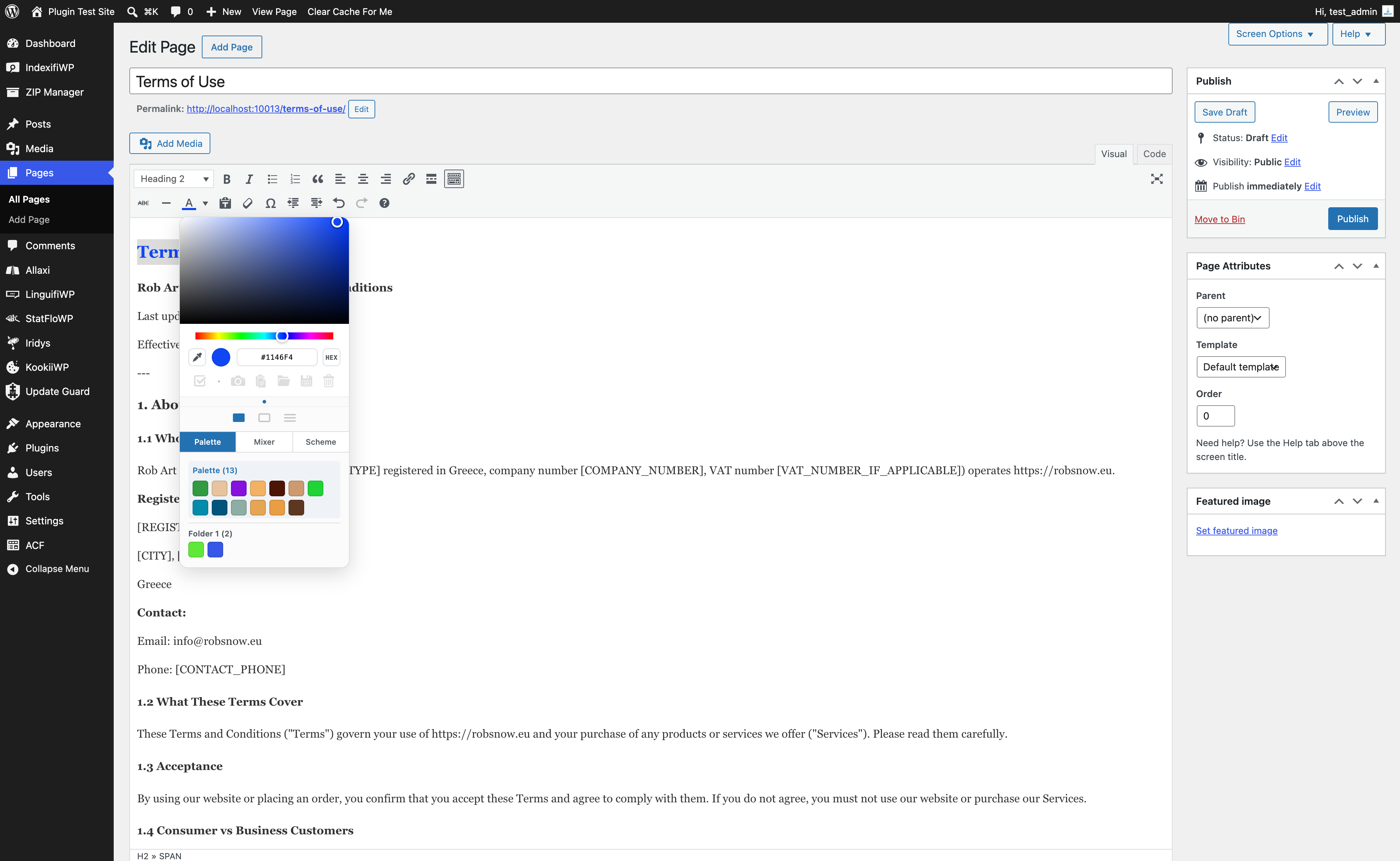
Wherever WordPress shows a colour control — the classic colour picker (Iris), native colour inputs, and the classic editor’s text-colour picker — Iridys takes over with a compact popover that adds an eyedropper, harmony schemes, a working palette, and perceptual colour tools. Nothing to shortcode, nothing to configure: activate it and your existing colour controls simply get better.
What you get
- A better picker, everywhere. Switchable Square, Hue-frame and Sliders surfaces; HEX, RGB and HSL formats; and a live nearest-colour-name read-out so you know you’ve grabbed “Striking Orange”, not just
#CE7843. - Eyedropper. Sample any colour on the page — or anywhere on screen in supported browsers.
- Harmony schemes. Generate Complementary, Analogous, Triadic, Split, Square and Tetradic sets from your current colour in one click.
- A working palette. Capture colours as you go and reuse them across every screen.
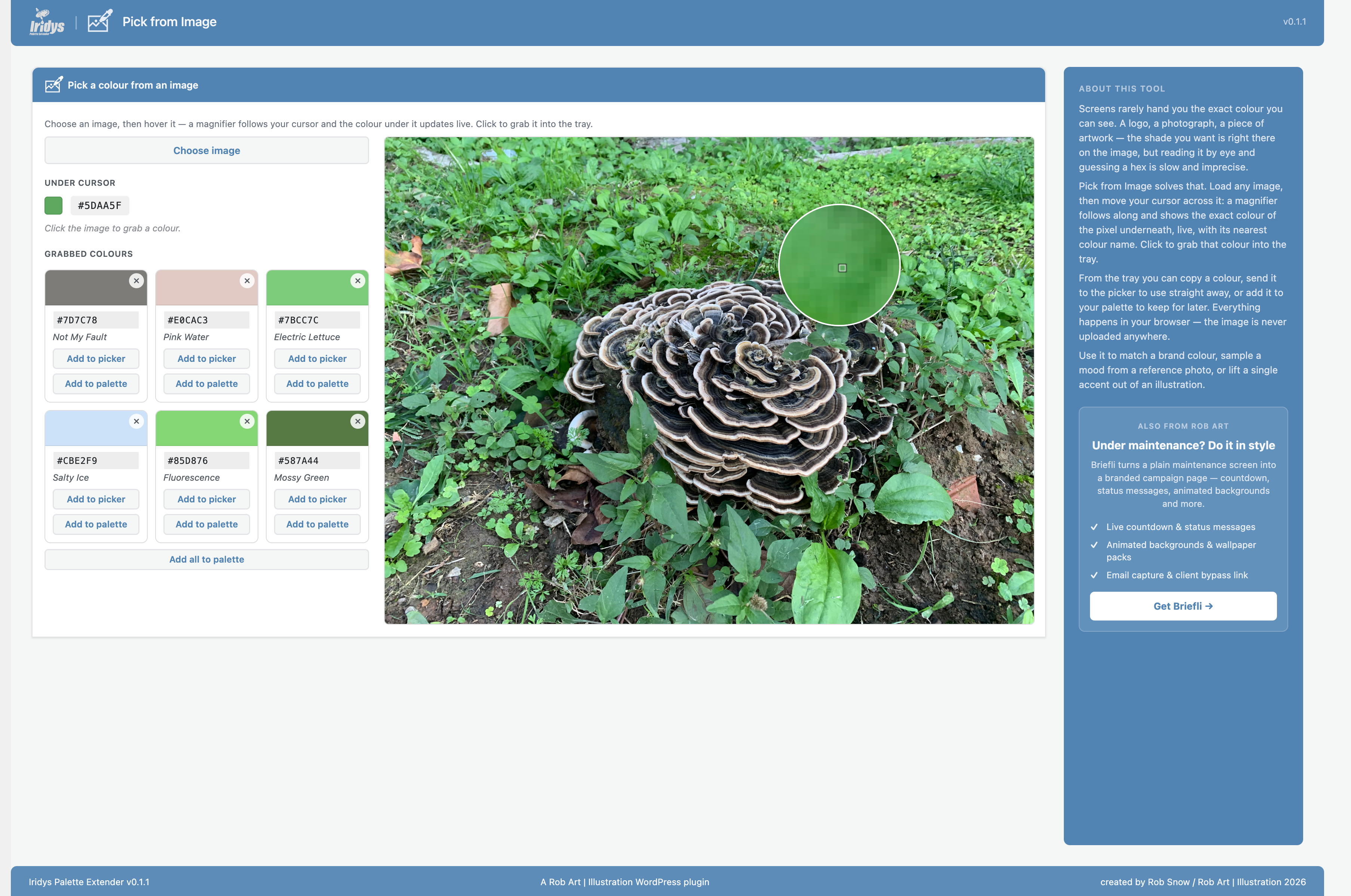
- Pick from Image. Hover an image for a live magnifier and colour read-out, and click to grab.
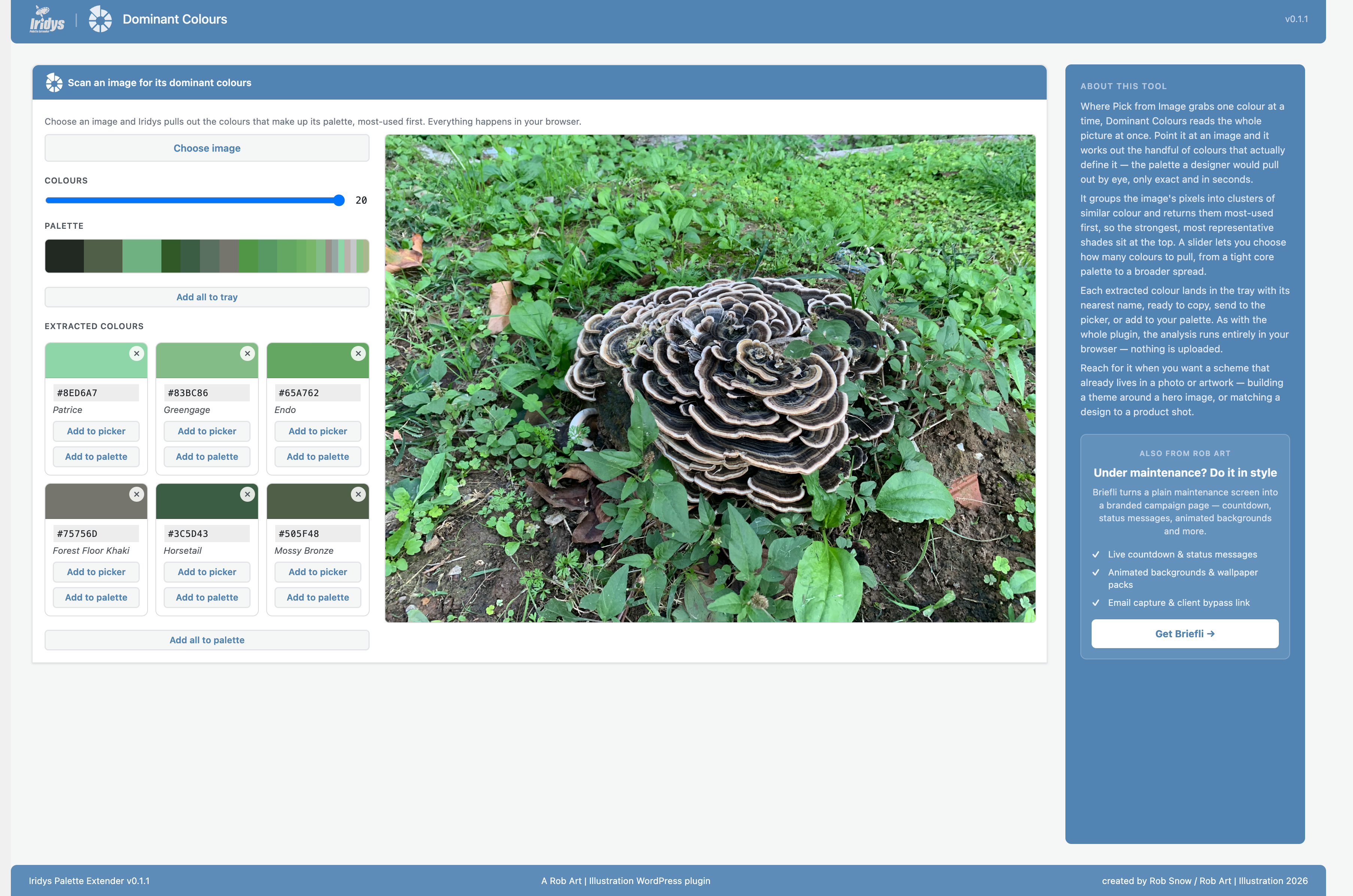
- Dominant Colours. Extract a whole palette from any image with a colour-count slider.
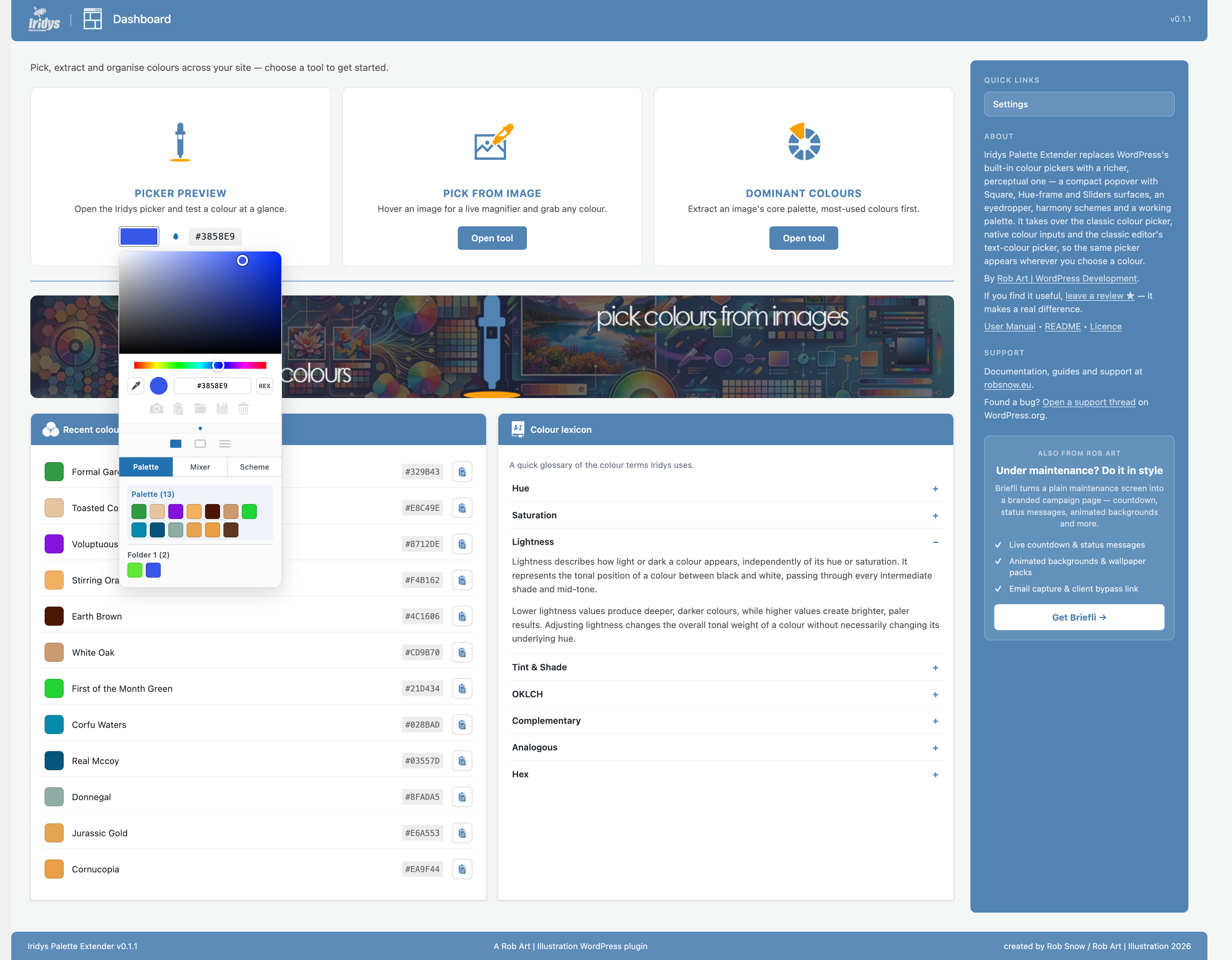
- Recent colours & Colour of the Day. The colours you pick are remembered on your dashboard, alongside a fresh named colour each day.
- A Colour Lexicon that explains the terms — hue, saturation, lightness, OKLCH, complementary, and more — in plain language.
Who it’s for
Anyone who chooses colours in WordPress and wants to do it faster and more confidently — theme builders, designers, agencies, and everyday site owners tweaking a block colour.
Free and Pro
Iridys is free and fully usable on its own. An optional Pro upgrade adds a larger palette, named colour folders, and palettes saved to your account so they travel with you across screens.
Open-source credit
Iridys bundles culori, an MIT-licensed colour-science library, used for OKLCH conversion and perceptual colour blending.
Uninstall
Iridys cleans up after itself. When you delete the plugin from the Plugins screen it removes everything it stored:
- Its settings, licence record, install date, review-prompt state and database-version marker (all stored as options).
- Its cached licence-tier value (a transient).
- Its own example database table.
It writes nothing outside your own site and leaves no orphaned data behind. Deactivating the plugin keeps your settings; only deleting it runs the clean-up.
External services
Iridys does all of its colour work locally, in your browser and on your own server. It makes no external network requests, sends no analytics or tracking data anywhere, and contacts no third-party services.
Installation
- Upload the plugin to
/wp-content/plugins/iridys-palette-extender, or install it from the Plugins screen in your WordPress admin. - Activate it through the Plugins menu in WordPress.
- That’s it — Iridys immediately takes over the colour pickers across your admin. Open the Iridys menu to explore the Pick from Image and Dominant Colours tools and adjust options on the Settings page.
Frequently asked questions
Do I have to change anything to use it?
No. As soon as you activate Iridys it takes over WordPress’s colour pickers automatically — the classic colour picker, native colour inputs, and the classic editor’s text-colour picker. There is nothing to shortcode or wire up.
Will it work with my theme or page builder?
Iridys enhances the standard WordPress colour controls (the Iris picker and native fields), so it works wherever those are used. Builders that render their own custom colour UI instead of the standard controls may not be taken over.
Does it send my data anywhere?
No. All colour work happens locally in your browser and on your own server, with no tracking and no analytics. The eyedropper samples a colour using your browser’s own built-in screen picker — the pixel value stays on your machine and is sent nowhere. The only external request Iridys ever makes is when you actively enter a Pro licence key to upgrade — see the “External services” section for the details.
What language does the picker appear in?
Iridys follows your WordPress site language (Settings → General). Its screens, and the picker panel itself, are fully translatable; French and German are included, with more to come.
What does the Pro upgrade add?
Pro adds a larger palette (32 colours instead of the free eight), named colour folders to organise schemes, and palettes saved to your account so they follow you across every screen. The free version is fully functional on its own.
Does deleting the plugin remove its data?
Yes — see the “Uninstall” section. Deleting Iridys removes all of its options, its cached tier value and its own table. Deactivating keeps your settings.
Changelog
0.1.5
- Security: internal hardening.
0.1.4
- Hardened the built-in documentation renderer: all text is HTML-escaped before formatting and links are passed through esc_url(), so the bundled help docs cannot introduce unsafe markup. Defensive hardening — the renderer only ever processes the plugin’s own documentation.
0.1.3
- Colours added from Pick from Image and Dominant Colours now stay in your working palette as you move between the plugin’s pages
- Fixed a stray colour block appearing in other plugins’ colour docks caused by the site-wide picker takeover
- Fixed the setup splash “Maybe later” button landing on a “not allowed” page
- Updated the upgrade links to the new secure checkout
- Confirmed compatible with the current version of WordPress
0.1.2
- WordPress.org compliance: the free plugin no longer contains any licence-key entry, activation or installer code — those belong to the separate Pro add-on. The Settings screen shows your current plan and a link to Pro, without a key field.
- Saving and loading palettes is now a Pro feature. In the free plugin the working palette lives in the current view only (as intended); the colour picker itself, image tools and everything else remain fully functional.
- Translations are now delivered through WordPress.org, so the plugin no longer bundles its own compiled translation files.
- The palette swatches now lay out a tidy eight per row.
0.1.1
- Prepared Iridys for the WordPress.org Plugin Directory: full readme, documented data handling and the one optional external service, and a security-hardening pass (output escaping, input sanitising and inline nonce checks) across the admin screens.
- Renamed the internal dashboard page slug for consistency; no change to how you use the plugin.
- Documentation: added a complete description, uninstall notes and FAQ.
0.1.0
- Redesigned the Iridys dashboard: three tool cards (Picker Preview, Pick from Image, Dominant Colours), an examples banner, a Recent Colours list, and a Colour Lexicon that explains the colour terms Iridys uses.
- Added a “Colour of the Day” panel to the main WordPress dashboard — a fresh named colour each day with a one-click copy.
- Recent colours: the colours you pick, grab or capture are now remembered and shown on the dashboard for quick reuse (with a Settings toggle and a count).
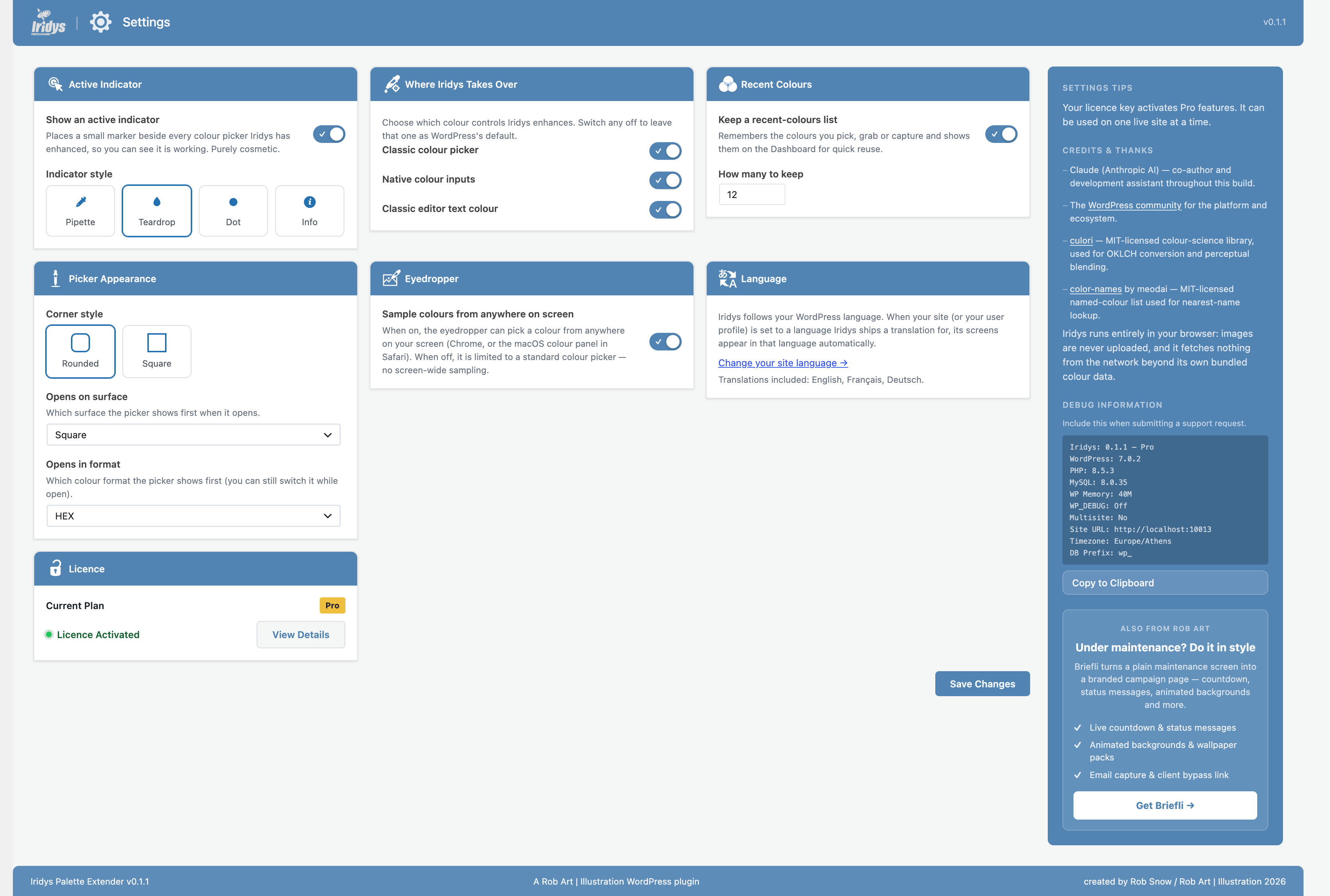
- Rebuilt the Settings screen as a single page with a clean card grid, and added new options: which surface and colour format the picker opens on, which colour controls Iridys takes over (classic picker, native inputs, classic-editor text colour), and the recent-colours controls.
- New upgrade experience: a polished upgrade panel with a site-count selector and pricing, plus a fuller Upgrade page describing what Pro adds.
- Each admin screen now has its own helpful sidebar — about, support, tool explanations, and full credits for the open-source libraries Iridys uses.
- Translations: Iridys now follows your WordPress language, and its screens — including the colour picker itself, tooltips and all — can be fully translated. French and German are included.
- Consistent naming and icons across the plugin.
Screenshots
For developers
Is this your plugin? Show off the numbers.
Add a live badge to your site, docs or GitHub README. It updates on its own — no account needed.
Best Iridys Palette Extender alternatives
All color picker plugins →





FAQ
Iridys Palette Extender: quick answers
Straight answers, pulled from live WordPress.org data.
Live data from WordPress.org · checked Oct 17, 2026
Is Iridys Palette Extender free?
Yes. Iridys Palette Extender is free to download and use from the official WordPress.org plugin directory.
Is Iridys Palette Extender safe to use in 2026?
Iridys Palette Extender is a solid plugin choice in 2026, with a few things worth checking first. Was last updated 1 week ago, and scores 64/100 on our health check.
How many websites use Iridys Palette Extender?
Iridys Palette Extender is active on <10 WordPress websites and has been downloaded 331 times since it launched in August 2026. It was downloaded 149 times in the last 30 days.
Does Iridys Palette Extender work with WordPress 7.1?
Yes. The developer has tested Iridys Palette Extender up to WordPress 7.1.3, the latest release. It requires WordPress 6.2 or newer.
What PHP version does Iridys Palette Extender need?
Iridys Palette Extender requires PHP 8.0 or higher. Most hosts run PHP 8.x today, so it works on any modern WordPress hosting.
When was Iridys Palette Extender last updated?
The latest version, 0.1.5, was released on October 8, 2026 (1 week ago).
Who makes Iridys Palette Extender?
Iridys Palette Extender is developed and maintained by Rob Art.
What are the best alternatives to Iridys Palette Extender?
The most popular alternatives to Iridys Palette Extender are ACF RGBA Color Picker (6K+ installs), ACF Color Swatches (1K+ installs) and TinyMCE Color Picker (1K+ installs).
Powered by PageForge
Want thousands of pages that rank like these? Build them in an afternoon.
This directory runs on the same engine as PageForge. Turn any spreadsheet, CSV or API into thousands of fast, SEO-ready WordPress pages — with schema, internal links and AI-written copy baked in.
- CSV, Google Sheets & API data sources
- AI content, schema & internal links per page
- Works with Elementor, Gutenberg, Yoast & Rank Math
- Free on WordPress.org — no credit card


