



IOO – Image Offload & Optimize
Server-side WebP and AVIF conversion with hosted storage and fast CDN delivery for WordPress images.

Use with caution
IOO – Image Offload & Optimize works, but test it on a staging site before relying on it in 2026. Was last updated 1 month ago, and scores 60/100 on our health check.
- Tested with the latest WordPress (7.1)
- Small user base (<10 active installs)
- Very few reviews so far
How does it stack up?
Side-by-side on installs, updates, ratings & support



Daily downloads
Download spikes usually follow a new release — each site that auto-updates counts as a download.
Rankings
Where IOO stands todayWordPress.org search rankings
Live position in the plugin search, top 100| Keyword | Position |
|---|---|
| AVIF | >100 |
| cdn | >100 |
| image optimization | >100 |
| media offload | #60 |
| webp | >100 |
About IOO – Image Offload & Optimize
From the official readme · v1.1.11Description
Image Offload & Optimize is a complete media infrastructure layer for WordPress — handling storage, optimization, and delivery in one plugin.
Most image plugins do one thing. You need three plugins to offload images, convert to WebP, and serve via CDN. Image Offload & Optimize does all three.
Why Image Offload & Optimize?
- Hosted image storage — no storage provider account or credentials to configure
- Server-side WebP and AVIF conversion — no separate optimization plugin needed
- Designed for shared hosting — image conversion runs on hosted servers instead of your WordPress host
- Gutenberg compatible — images in blocks are rewritten correctly
- One plugin instead of three — offload + optimize + deliver in one place
How It Works
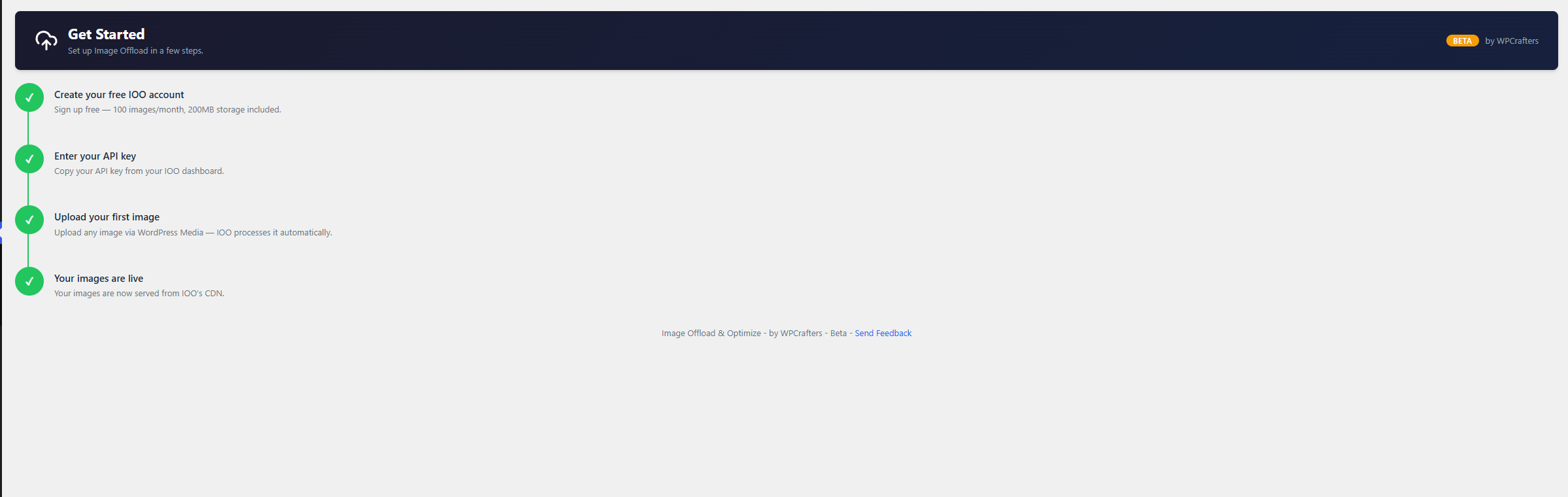
- Enter your API key in Settings
- Connect your site to the hosted service
- Upload images as normal — the service converts them to WebP (and AVIF on paid plans) and stores the results
- Frontend images are delivered through the CDN using picture tags, with AVIF and WebP sources
Gutenberg Compatible
Image Offload & Optimize rewrites image URLs inside all core Gutenberg blocks — core/image, core/gallery, core/media-text, core/cover. Images are delivered through the hosted CDN with no extra storage configuration needed.
Links
External Services
This plugin relies on a service operated by WPCrafters (Tharwa Consulting Private Limited) to convert, store and deliver your images. The plugin cannot process images without it.
Image processing API (api.imageoffload.com)
When you upload an image to your media library, the plugin sends the image’s public URL to this service. The service fetches the image from that URL, converts it to WebP (and AVIF on paid plans), stores the result, and returns URLs that your site then uses.
Data sent, and when:
– POST /api/convert on media upload and during bulk migration: the public URL of the image, its attachment ID, the names and dimensions of the image sizes registered on your site, your site domain, your API key
– GET /api/usage to display quota in the admin: site domain, API key
– POST /api/register-domain when you connect your site: site domain, API key
– DELETE /api/storage/{key} when you delete a media item: the storage key, site domain, API key
– GET /api/account to check plan status: site domain, API key
Requests to /api/convert, /api/usage and /api/storage also carry a short-lived licence token in the Authorization header once your site is connected. The plugin does not upload image files; the service retrieves each image from the URL it is given, so images must be publicly reachable.
The service address is https://api.imageoffload.com. A developer may override it with the WPCIOO_API_URL constant; the plugin does not expose this as a user setting.
Terms: https://imageoffload.com/terms
Privacy: https://imageoffload.com/privacy-policy
Image delivery CDN (cdn.imageoffload.com)
Once an image is offloaded, your pages reference it at this domain, so visitors’ browsers request images from it. Paid plans may use a custom domain set by the site owner instead.
Terms: https://imageoffload.com/terms
Privacy: https://imageoffload.com/privacy-policy
Privacy
Image URLs, attachment IDs, registered image size dimensions and your site domain are transmitted to the service described above so it can retrieve, convert, store and deliver your images.
Privacy: https://imageoffload.com/privacy-policy
Installation
- Upload the plugin files to
/wp-content/plugins/ioo-image-offload-optimize/or install via the WordPress plugin screen - Activate the plugin through the Plugins screen in WordPress
- Go to Image Offload in the admin sidebar
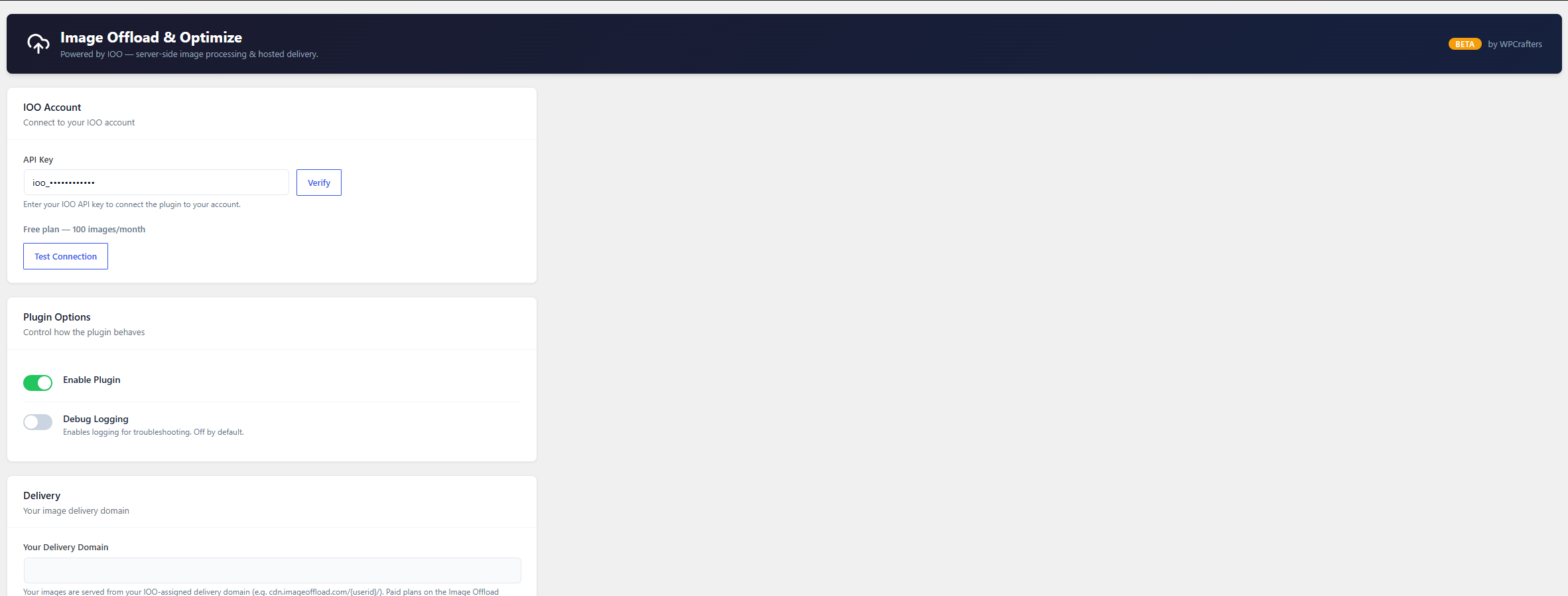
- Enter your API key in Settings
- Connect your site to the hosted service
- Upload an image — it will be converted server-side, stored and delivered through the CDN
Requirements
- PHP 7.4 or higher
- An Image Offload account and API key
Frequently asked questions
Does this work on shared hosting?
Yes. Image conversion runs on hosted servers, so no image conversion software is required on your WordPress host.
Will my existing images be offloaded?
New uploads are offloaded automatically. Existing images can be offloaded using the bulk migration tool in the plugin admin.
Does the plugin delete my local image files?
No. Your local files are left in place. The plugin sends the image’s URL to the hosted service, which fetches and converts it and stores the result; your image URLs are then rewritten to serve from the CDN. Nothing is removed from your server. On paid plans your original image is also backed up to the hosted service.
Does it work with Gutenberg?
Yes. All core image blocks are supported — core/image, core/gallery, core/media-text, and core/cover. URLs in blocks are rewritten for CDN delivery.
Does it work with WooCommerce?
WooCommerce product images use standard WordPress attachments and are handled by the same URL rewriting.
What happens if the hosted service is unavailable?
If an image has not been offloaded, or offloading failed, the original local URL is used. Once an image is offloaded, the picture markup serves AVIF where supported and WebP otherwise, both from the CDN. This does not guarantee delivery during a service or CDN outage.
How is my API key used?
Your API key is stored in the WordPress database and is sent to the hosted service to authenticate API requests. Protect access to your WordPress admin and database.
What happens if I edit or regenerate an image after it is offloaded?
The offloaded copy is not updated automatically. Editing an image in the WordPress image editor, or regenerating thumbnails, changes the local files only. To refresh the hosted copy, delete the attachment and upload it again.
Changelog
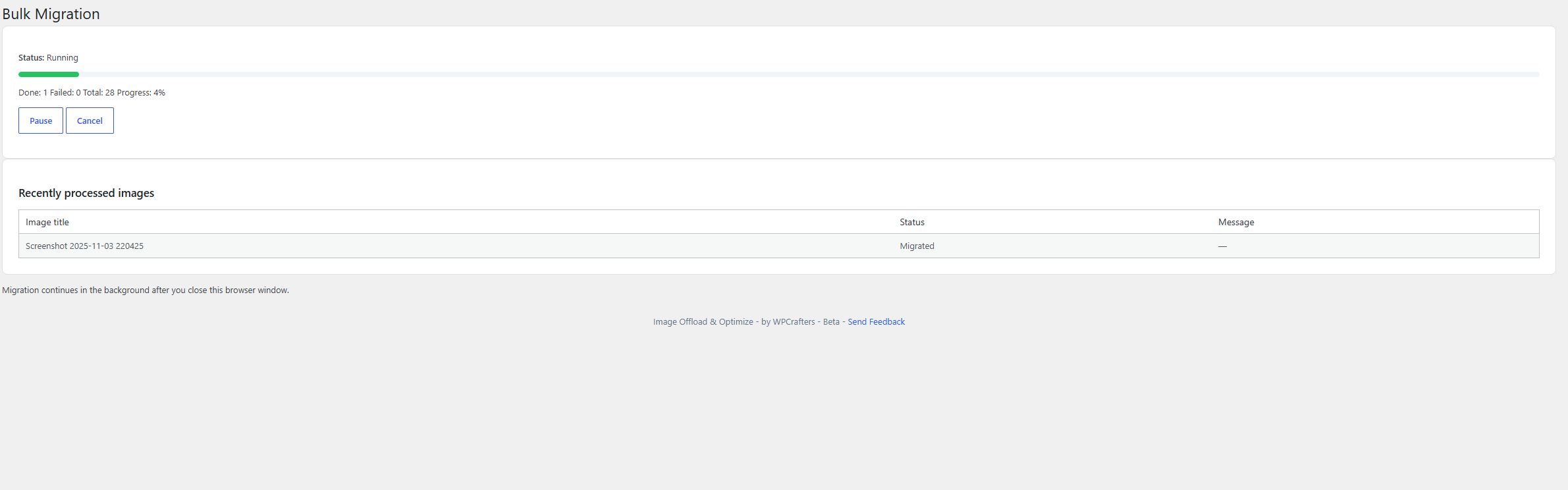
Bulk migration now runs server-side and keeps going after you close your browser.
1.1.8
- Bulk migration now runs on the server and continues after you close your browser
- Bulk migration moved to its own screen under the Image Offload menu
- Added a scheduled fallback so an interrupted migration resumes on its own
- Fixed migration not being marked complete after the final batch
- Removed unused browser-driven migration code
1.1.7
- Server-side WebP and AVIF conversion
- Hosted storage and CDN delivery
- Bulk migration for existing images
- Single endpoint resolution
1.0.1
- WordPress.org compliance fixes
0.1.0
- Initial release
- Hosted image storage and CDN delivery
- Server-side WebP conversion on upload
- Gutenberg block compatibility
- Full image size support with srcset
- Media library status badges
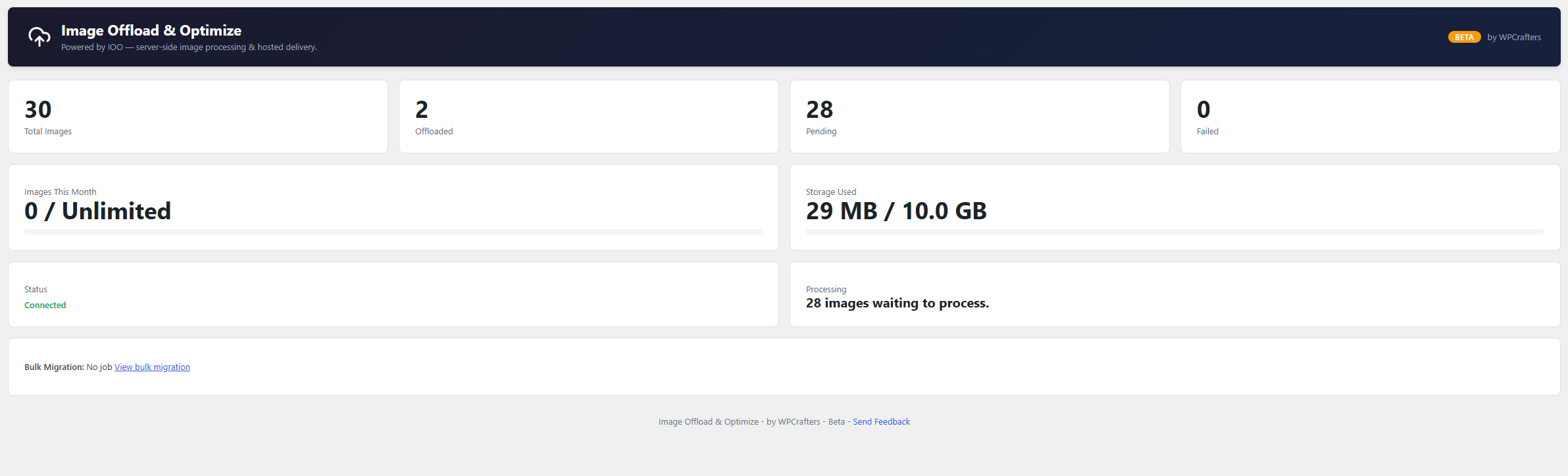
- Dashboard with storage stats
Screenshots
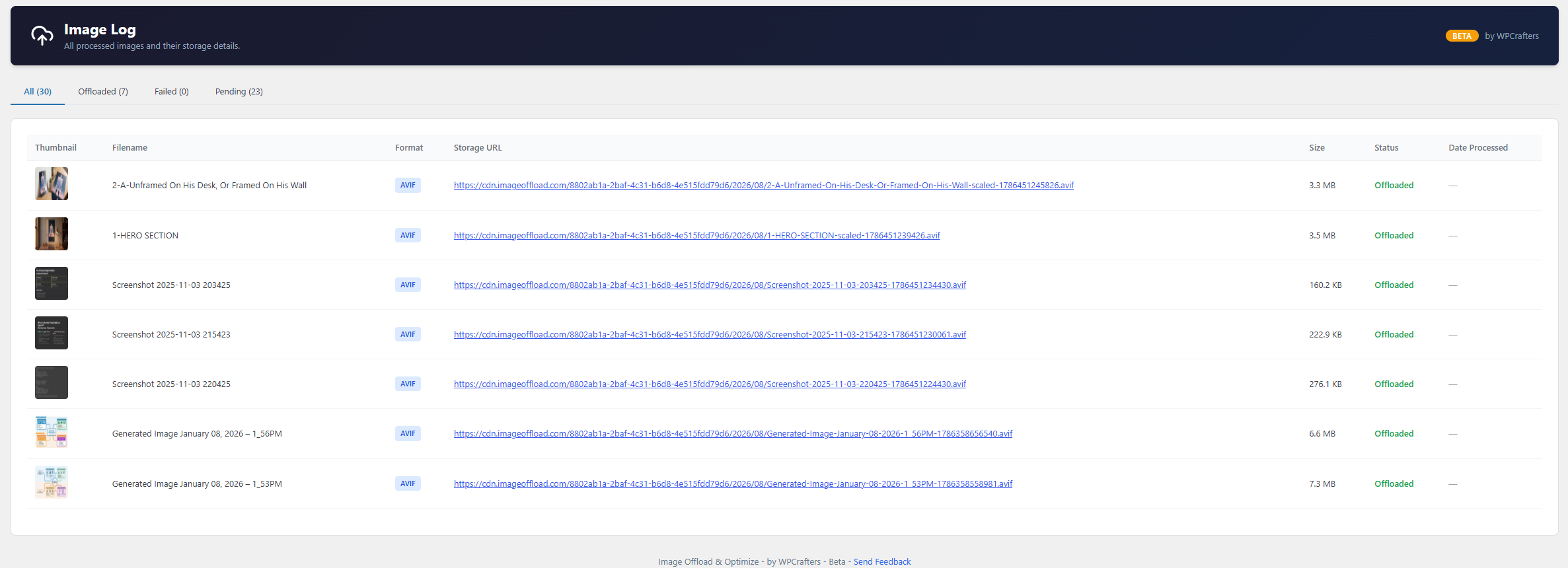
For developers
Is this your plugin? Show off the numbers.
Add a live badge to your site, docs or GitHub README. It updates on its own — no account needed.
Best IOO – Image Offload & Optimize alternatives
All AVIF plugins →





FAQ
IOO – Image Offload & Optimize: quick answers
Straight answers, pulled from live WordPress.org data.
Live data from WordPress.org · checked Oct 8, 2026
Is IOO – Image Offload & Optimize free?
Yes. IOO – Image Offload & Optimize is free to download and use from the official WordPress.org plugin directory.
Is IOO – Image Offload & Optimize safe to use in 2026?
IOO – Image Offload & Optimize works, but test it on a staging site before relying on it in 2026. Was last updated 1 month ago, and scores 60/100 on our health check.
How many websites use IOO – Image Offload & Optimize?
IOO – Image Offload & Optimize is active on <10 WordPress websites and has been downloaded 295 times since it launched in August 2026. It was downloaded 79 times in the last 30 days.
Does IOO – Image Offload & Optimize work with WordPress 7.1?
Yes. The developer has tested IOO – Image Offload & Optimize up to WordPress 7.1.3, the latest release. It requires WordPress 6.0 or newer.
What PHP version does IOO – Image Offload & Optimize need?
IOO – Image Offload & Optimize requires PHP 7.4 or higher. Most hosts run PHP 8.x today, so it works on any modern WordPress hosting.
When was IOO – Image Offload & Optimize last updated?
The latest version, 1.1.11, was released on September 6, 2026 (1 month ago).
Who makes IOO – Image Offload & Optimize?
IOO – Image Offload & Optimize is developed and maintained by wpcrafters.
What are the best alternatives to IOO – Image Offload & Optimize?
The most popular alternatives to IOO – Image Offload & Optimize are Optimole (200K+ installs), Modern Image Formats (100K+ installs) and Robin Image Optimizer (100K+ installs).
Powered by PageForge
Want thousands of pages that rank like these? Build them in an afternoon.
This directory runs on the same engine as PageForge. Turn any spreadsheet, CSV or API into thousands of fast, SEO-ready WordPress pages — with schema, internal links and AI-written copy baked in.
- CSV, Google Sheets & API data sources
- AI content, schema & internal links per page
- Works with Elementor, Gutenberg, Yoast & Rank Math
- Free on WordPress.org — no credit card


