



Invoize – PDF Invoices, Packing Slips, Quotations & WooCommerce Invoicing
Create professional PDF invoices, receipts, packing slips, quotations, and credit notes directly from WordPress and WooCommerce.

Solid choice
Invoize is a solid plugin choice in 2026, with a few things worth checking first. It runs on 30+ sites, is rated 5/5 and was last updated 4 weeks ago, and scores 62/100 on our health check.
- Actively developed — last update 4 weeks ago
- Small user base (30+ active installs)
- Very few reviews so far
- Only tested up to WordPress 6.9 (latest is 7.1)
- Needs PHP 8.1 or newer
How does it stack up?
Side-by-side on installs, updates, ratings & support



Daily downloads
Download spikes usually follow a new release — each site that auto-updates counts as a download.
Rankings
Where Invoize stands todayWordPress.org search rankings
Live position in the plugin search, top 100| Keyword | Position |
|---|---|
| invoice | #92 |
| Packing Slip | #23 |
| pdf invoice | #56 |
| quotation | #7 |
| woocommerce invoice | >100 |
Version adoption
Share of active sites per release.
Rating breakdown
★★★★★★★★★★ 5 from 3 reviews
About Invoize
From the official readme · v1.24.7Description
Invoize is a complete WordPress invoicing plugin for businesses that need clean documents, reliable payment records, and a smoother billing workflow. Create branded PDF invoices, send secure preview links, collect payments, generate receipts, and keep invoice numbering consistent from one dashboard.
It works for standalone invoicing and WooCommerce stores. You can create invoices manually, let WooCommerce generate documents from orders, convert accepted quotations into invoices, and issue credit notes or corrective invoices when a paid invoice needs to be adjusted.
What You Can Do With Invoize Free
Use Invoize Free to create professional invoices and receipts with sequential numbering, VAT or PPN, custom line items, saved clients, reusable products, secure client preview links, and mobile-friendly payment pages. It works with or without WooCommerce.
Professional PDF invoices and receipts
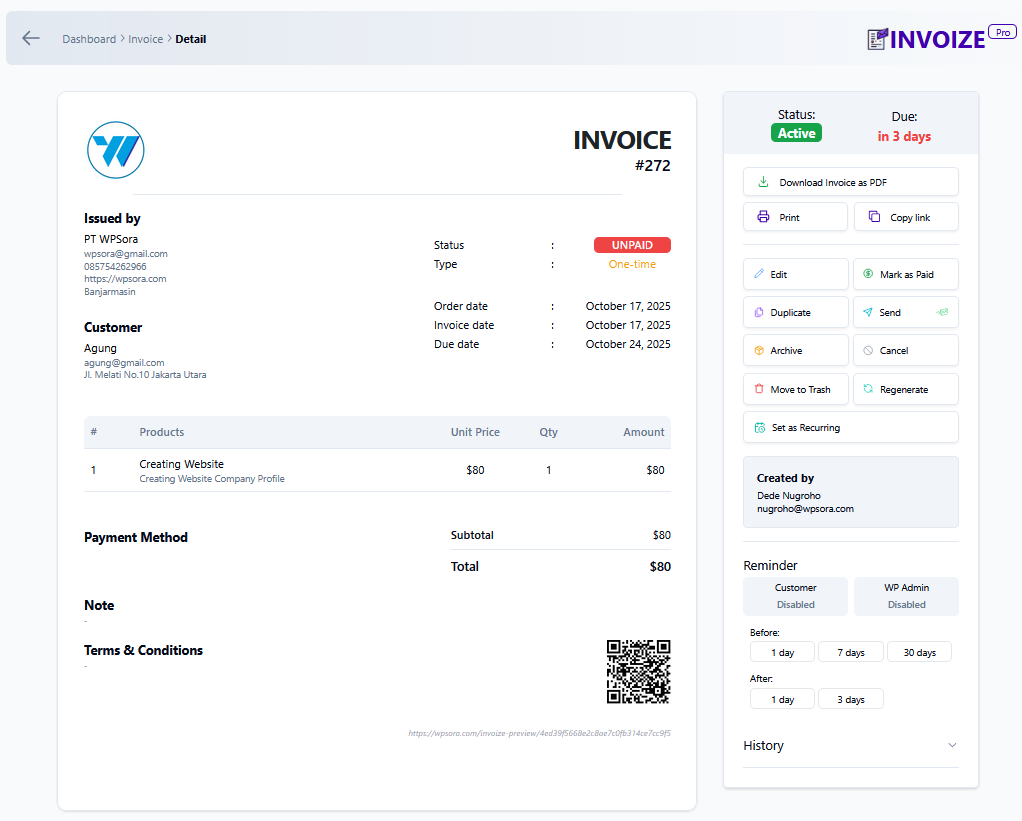
Create, edit, duplicate, regenerate, print, and download branded PDF invoices and receipts with your logo, business details, notes, terms, tax, discount, and custom item fields.
WooCommerce-ready billing
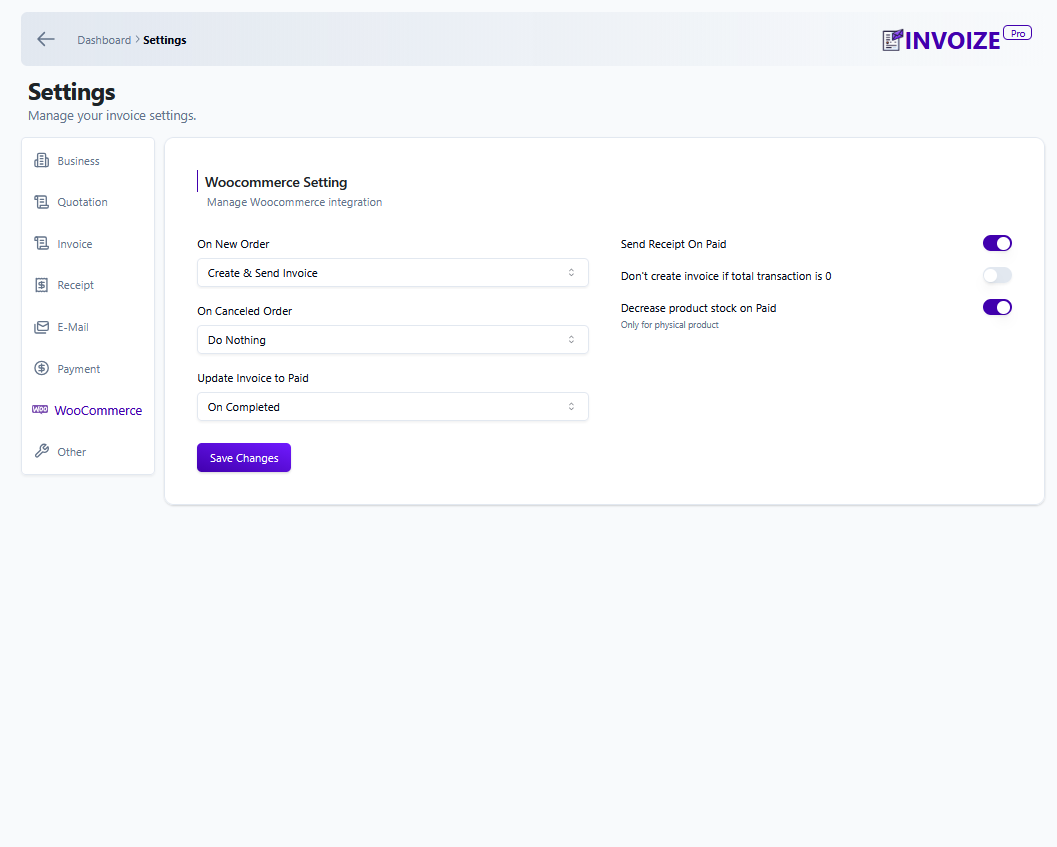
Automatically create invoices and packing slips from WooCommerce orders, sync customer and product data, map order statuses to invoice statuses, and keep store billing records organized.
Credit notes and corrections
Create credit notes or corrective invoices from paid invoices so refunds, cancellations, and adjustments can be documented cleanly without losing the original invoice record.
Payment-ready client experience
Share secure invoice preview links, let clients download documents from My Account, and offer bank transfer or PayPal payment options out of the box.
Organized clients, products, and reminders
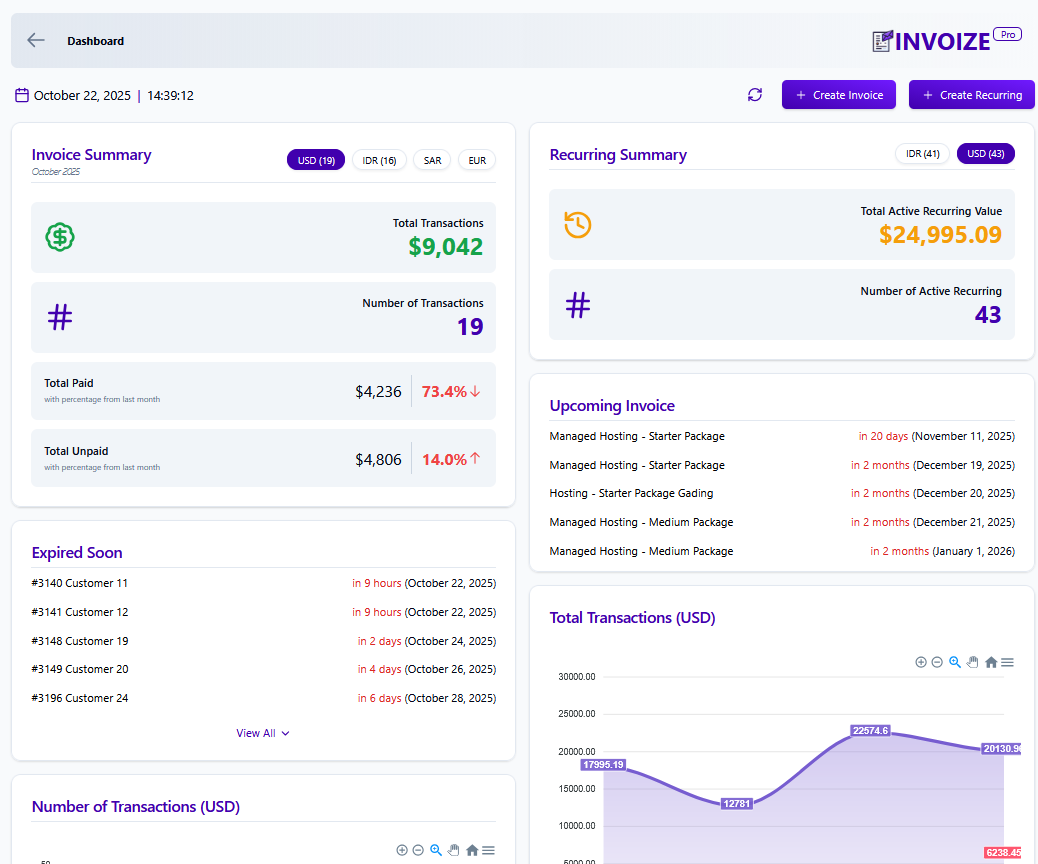
Save clients and reusable products, schedule payment reminders, track unpaid and overdue invoices, and review key revenue totals from the dashboard widget.
Features (Free Version)
- Branded PDF invoices, receipts, and packing slips
- Automatic WooCommerce invoice and packing slip generation
- Credit note / corrective invoice support for paid invoices
- Sequential invoice numbering with custom prefixes and date tags
- Secure client preview links and My Account downloads
- Mobile-friendly invoice preview and payment pages
- VAT, PPN, multiple tax rates, per-item discounts, notes, and terms
- Saved clients, products, and services
- Custom email templates with logo support
- Payment reminders and invoice status tracking
- Dashboard widget for unpaid, overdue, and revenue summaries
- Bank transfer and PayPal payment options
Premium Features (Invoize Pro)
Upgrade to Invoize Pro for advanced billing automation and online payment workflows:
* Recurring invoices for weekly, monthly, and yearly billing
* Quotations / estimates with one-click conversion to invoices
* Stripe, PayPal, and Xendit payment gateway integrations
* Automatic paid status updates after successful payment
* Multi-currency support with automatic conversion display
* Advanced analytics and cash-flow reports
* Late fees, overdue reminders, and custom email schedules
* Priority support and early access to new improvements
Additional Features
- Recurring invoices for repeat billing
- Automated reminder emails for overdue invoices
- Multi-currency invoice and payment support
- Discounts, taxes, notes, and terms on invoice line items
- Quote-to-invoice workflow for accepted quotations
- Receipt generation after invoice payment
Integrations
- WooCommerce: Generate invoices and packing slips from store orders automatically.
- PayPal: Let clients pay invoices through PayPal payment links.
- Xendit: Accept popular Indonesian payment methods, including QRIS, virtual accounts, and cards.
- Stripe: Accept card and digital wallet payments through Stripe.
Installation
- Go to Plugins > Add New
- Search for “Invoize”
- Install and activate
- Visit Invoize > Settings to add your logo, company details & numbering
- Start creating invoices or let WooCommerce do it automatically!
Frequently asked questions
Can I create credit notes or corrective invoices?
Yes. You can create a credit note from a paid invoice to document refunds, cancellations, or invoice corrections while keeping the original invoice record intact.
Can I convert a quotation to an invoice with one click?
Yes. In Invoize Pro, accepted quotations can be converted into invoices without re-entering the same client and item details.
Does Invoize generate packing slips?
Yes. Invoize can generate clean, branded packing slips for WooCommerce orders.
Does it auto-create WooCommerce invoices?
Yes. Invoize can automatically generate invoices when WooCommerce orders are created, then keep invoice and order records aligned.
Can clients pay directly from the invoice?
Free users can offer bank transfer and PayPal payment options. Invoize Pro adds Stripe, PayPal, and Xendit integrations with automatic paid status updates.
Is recurring invoicing available?
Yes. Invoize Pro supports recurring invoices for weekly, monthly, and yearly billing cycles.
Where do I get help?
Visit wpsora.com/contact for support.
Changelog
1.24.7 | 21 August 2026
- Improved: Separate Sandbox and Production credentials for Midtrans.
- Fixed: PayPal API secret visibility controls for saved credentials.
- Fixed: PayPal auto-confirmation now shows the public payment-success page instead of redirecting logged-out customers to WordPress login.
- Fixed: PayPal payments securely and reliably update invoices to Paid, including recovery after interrupted capture responses.
1.24.6 | 16 July 2026
- Added: Midtrans Snap payment gateway support for WooCommerce checkout and Checkout Blocks.
- Added: Automatic Midtrans payment status synchronization to Invoize and WooCommerce.
- Fixed: Reuse the existing Invoize invoice for the same WooCommerce order.
- Fixed: WooCommerce integration default status setting typo.
1.24.5 | 7 July 2026
- Added: Indonesian tax options for IDR invoices with PPN and PPh handling
1.24.2 | 20 June 2026
- Added: Credit Note / Corrective Invoice support for paid invoices
- Fixed: Credit note confirmation action visibility
- Fixed: Credit note redirect token handling to avoid undefined invoice URLs
1.24.1 | 5 June 2026
- Fixed: Payment page error when WooCommerce payment methods setting was never saved
1.24.0 | 20 May 2026
- Added: Midtrans payment gateway support
- Added: Edit invoice that has been marked as paid (with on/off setting)
- Added: Notes icon on invoice list for invoices that have notes or terms
- Improved: Currency conversion display before paying online
- Improved: Clearer messages during the payment process
- Improved: Customer payment page loads lighter by skipping unrelated assets
Screenshots
For developers
Is this your plugin? Show off the numbers.
Add a live badge to your site, docs or GitHub README. It updates on its own — no account needed.
Best Invoize alternatives
All invoice plugins →





FAQ
Invoize: quick answers
Straight answers, pulled from live WordPress.org data.
Live data from WordPress.org · checked Sep 29, 2026
Is Invoize free?
Yes. Invoize is free to download and use from the official WordPress.org plugin directory.
Is Invoize safe to use in 2026?
Invoize is a solid plugin choice in 2026, with a few things worth checking first. It runs on 30+ sites, is rated 5/5 and was last updated 4 weeks ago, and scores 62/100 on our health check.
How many websites use Invoize?
Invoize is active on 30+ WordPress websites and has been downloaded 2,374 times since it launched in October 2025. It was downloaded 267 times in the last 30 days.
Does Invoize work with WordPress 7.1?
Invoize is officially tested up to WordPress 6.9.9, while the latest release is 7.1.2. It may still work, but try it on a staging site first.
What PHP version does Invoize need?
Invoize requires PHP 8.1 or higher. Most hosts run PHP 8.x today, so it works on any modern WordPress hosting.
When was Invoize last updated?
The latest version, 1.24.7, was released on September 1, 2026 (4 weeks ago).
Who makes Invoize?
Invoize is developed and maintained by WPSora.
What are the best alternatives to Invoize?
The most popular alternatives to Invoize are Print Invoice & Delivery No… (30K+ installs), Sliced Invoices (5K+ installs) and Timologia for WooCommerce (3K+ installs).
Powered by PageForge
Want thousands of pages that rank like these? Build them in an afternoon.
This directory runs on the same engine as PageForge. Turn any spreadsheet, CSV or API into thousands of fast, SEO-ready WordPress pages — with schema, internal links and AI-written copy baked in.
- CSV, Google Sheets & API data sources
- AI content, schema & internal links per page
- Works with Elementor, Gutenberg, Yoast & Rank Math
- Free on WordPress.org — no credit card


