


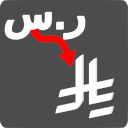
ingenidev, KSA – SAR Currency Symbol Changer مغير رمز عملة الريال السعودي
NEW Plugin! By default, WooCommerce uses the currency symbol for the Kingdom of Saudi Arabia (KSA) Riyal (SAR) as "ر.س".

Use with caution
ingenidev, KSA works, but test it on a staging site before relying on it in 2026. It runs on 40+ sites and was last updated 5 months ago, and scores 52/100 on our health check.
- Small user base (40+ active installs)
- Very few reviews so far
How does it stack up?
Side-by-side on installs, updates, ratings & support



Daily downloads
Download spikes usually follow a new release — each site that auto-updates counts as a download.
Rankings
Where ingenidev, KSA stands todayWordPress.org search rankings
Live position in the plugin search, top 100| Keyword | Position |
|---|---|
| currency | >100 |
| ksa | #2 |
| SAR | #6 |
| Saudi Arabia Riyal | #2 |
Version adoption
Share of active sites per release.
About ingenidev, KSA
From the official readme · v1.0.6Description
NEW Plugin! By default, WooCommerce uses the currency symbol for the Kingdom of Saudi Arabia (KSA) Riyal (SAR) as “ر.س”. This plugin changes it to the new official symbol (issued by the KSA Central Bank on February 20th 2025). | يغير هذا المكون الإضافي رمز الريال السعودي إلى الرمز الرسمي الجديد.
How to Change the Saudi Riyal (SAR) Currency Symbol in WooCommerce?
NEW Plugin! By default, WooCommerce uses ر.س as the symbol for the Saudi Riyal (SAR), which may not always align with your website’s branding or customer preferences. If you want to replace ر.س with the new official symbol, this plugin makes the process effortless.
Why Change the SAR Symbol in WooCommerce?
Many businesses prefer displaying SAR’s official symbol instead of ر.س for better readability, consistency, and international appeal. Some common reasons include:
–Maintaining a uniform look across your website, especially when using English as the primary language.
–Enhancing clarity for non-Arabic-speaking customers who may not recognize ر.س as SAR.
–Improving compatibility with third-party payment gateways or invoice systems that use SAR instead.
Features of the Saudi Riyal SAR Currency Symbol Changer Plugin:
✅ Instantly Replace “ر.س” with “SAR’s official symbol” across your WooCommerce store.
✅ No coding required – simple plug-and-play functionality.
✅ Works seamlessly with all WooCommerce-compatible themes and plugins.
✅ Lightweight and fast – no performance impact on your store.
How to Use This Plugin?
1.Install and activate the SAR Currency Symbol Changer plugin.
2.The plugin automatically updates the currency symbol from ر.س to SAR’s official symbol across your WooCommerce store.
3.No additional configuration is required – it just works!
Who Should Use This Plugin?
WooCommerce store owners in the KSA or those selling to customers in the KSA.
Businesses that prefer the “SAR’s official symbol” format over the Arabic “ر.س”.
Websites that use English as the primary language and want a consistent currency display.
Get Started Today!
Upgrade your WooCommerce store’s currency display with the KSA SAR Currency Symbol Changer and ensure a better shopping experience for your customers.
Privacy notices
This plugin, in itself, does not:
- track users
- write any user personal data to the database
- send any data to external servers
- make use of cookies
Our plugins
The following plugins are recommended by ingenidev :
- Code Widget for Elementor This plugin for Elementor adds a widget for a code snipet to your pages, the snipet includes code formatting and a built in copy to clipboard function.
- Cash on Delivery Shield a plugin that allows you to disable Cash on Delivery payment method for orders made by users who are not logged in.
Changelog
1.0.6 – 2026-05-21
- Fixed: SAR symbol not rendering correctly on WordPress 7.0 due to Font Library conflicts.
- Fixed: Font name case mismatch that could prevent symbol display on some systems.
1.0.5 – 2025-09-21
- Added: SAR Offical Currency Symbol (Released on February 20th 2025).
Screenshots

For developers
Is this your plugin? Show off the numbers.
Add a live badge to your site, docs or GitHub README. It updates on its own — no account needed.
Best ingenidev, KSA alternatives
All currency plugins →



FAQ
ingenidev, KSA: quick answers
Straight answers, pulled from live WordPress.org data.
Live data from WordPress.org · checked Oct 19, 2026
Is ingenidev, KSA free?
Yes. ingenidev, KSA is free to download and use from the official WordPress.org plugin directory.
Is ingenidev, KSA safe to use in 2026?
ingenidev, KSA works, but test it on a staging site before relying on it in 2026. It runs on 40+ sites and was last updated 5 months ago, and scores 52/100 on our health check.
How many websites use ingenidev, KSA?
ingenidev, KSA is active on 40+ WordPress websites and has been downloaded 1,598 times since it launched in September 2024. It was downloaded 77 times in the last 30 days.
Does ingenidev, KSA work with WordPress 7.1?
ingenidev, KSA is officially tested up to WordPress 7.0.7, while the latest release is 7.1.3. It may still work, but try it on a staging site first.
What PHP version does ingenidev, KSA need?
ingenidev, KSA requires PHP 5.2.17 or higher. Most hosts run PHP 8.x today, so it works on any modern WordPress hosting.
When was ingenidev, KSA last updated?
The latest version, 1.0.6, was released on May 21, 2026 (5 months ago).
Who makes ingenidev, KSA?
ingenidev, KSA is developed and maintained by ingenidev by Bright Vortex LLC & MetaNetSkills Lda.
What are the best alternatives to ingenidev, KSA?
The most popular alternatives to ingenidev, KSA are FOX (50K+ installs), Currency Switcher for WooCo… (10K+ installs) and YayCurrency (8K+ installs).
Powered by PageForge
Want thousands of pages that rank like these? Build them in an afternoon.
This directory runs on the same engine as PageForge. Turn any spreadsheet, CSV or API into thousands of fast, SEO-ready WordPress pages — with schema, internal links and AI-written copy baked in.
- CSV, Google Sheets & API data sources
- AI content, schema & internal links per page
- Works with Elementor, Gutenberg, Yoast & Rank Math
- Free on WordPress.org — no credit card


