



IndexMachine – Auto Indexer
IndexMachine takes the URLs you submit through its indexing pipeline so your pages get discovered and crawled sooner, then logs and DNS-verifies each Googlebot (and Bingbot) crawl of those URLs so you can confirm the…

Use with caution
IndexMachine – Auto Indexer works, but test it on a staging site before relying on it in 2026. Was last updated 2 months ago, and scores 55/100 on our health check.
- Small user base (<10 active installs)
- Very few reviews so far
How does it stack up?
Side-by-side on installs, updates, ratings & support

![[凹凸曼] 一键采集微信文章](https://ps.w.org/apoyl-grabweixin/assets/icon-256x256.png?rev=2784308)

Daily downloads
Download spikes usually follow a new release — each site that auto-updates counts as a download.
Rankings
Where IndexMachine – Auto Indexer stands todayWordPress.org search rankings
Live position in the plugin search, top 100| Keyword | Position |
|---|---|
| crawl | >100 |
| googlebot | #50 |
| indexing | >100 |
| search engine | >100 |
| seo | >100 |
About IndexMachine – Auto Indexer
From the official readme · v1.9.2Description
IndexMachine takes the URLs you submit through its indexing pipeline so your pages get discovered and crawled sooner, then logs and DNS-verifies each Googlebot (and Bingbot) crawl of those URLs so you can confirm the result yourself. This plugin connects your WordPress site to your IndexMachine account with an API key.
Features
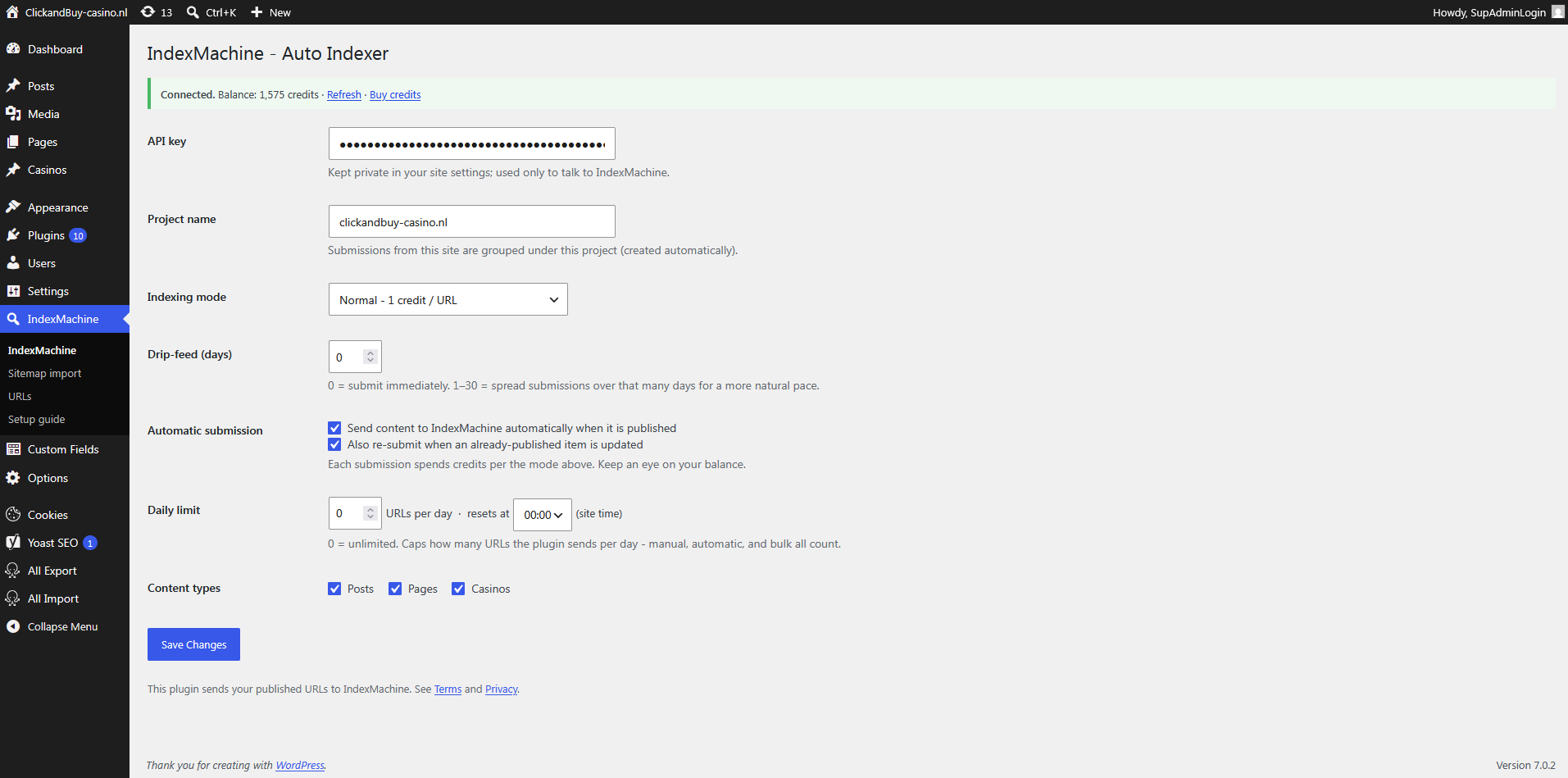
- Add your IndexMachine API key and see your live credit balance right in WordPress.
- Automatically submit new content to IndexMachine when it is published.
- Optionally re-submit when a published item is updated.
- Choose the processing tier (Standard / Priority / Maximum) and an optional scheduled-release window (spread submissions over up to 30 days).
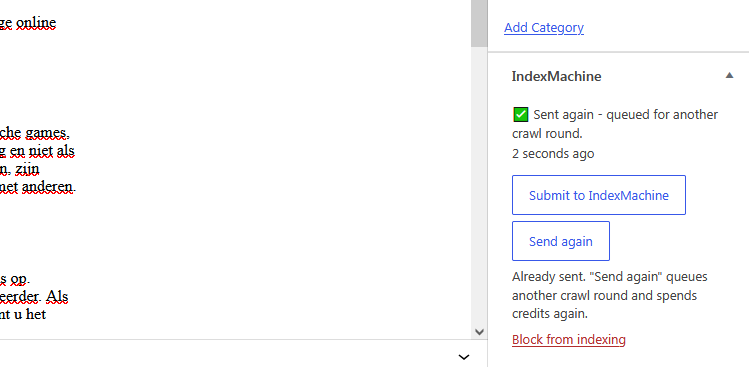
- Submit any published post or page manually from its editor, and see the last submission status in a column in your posts list.
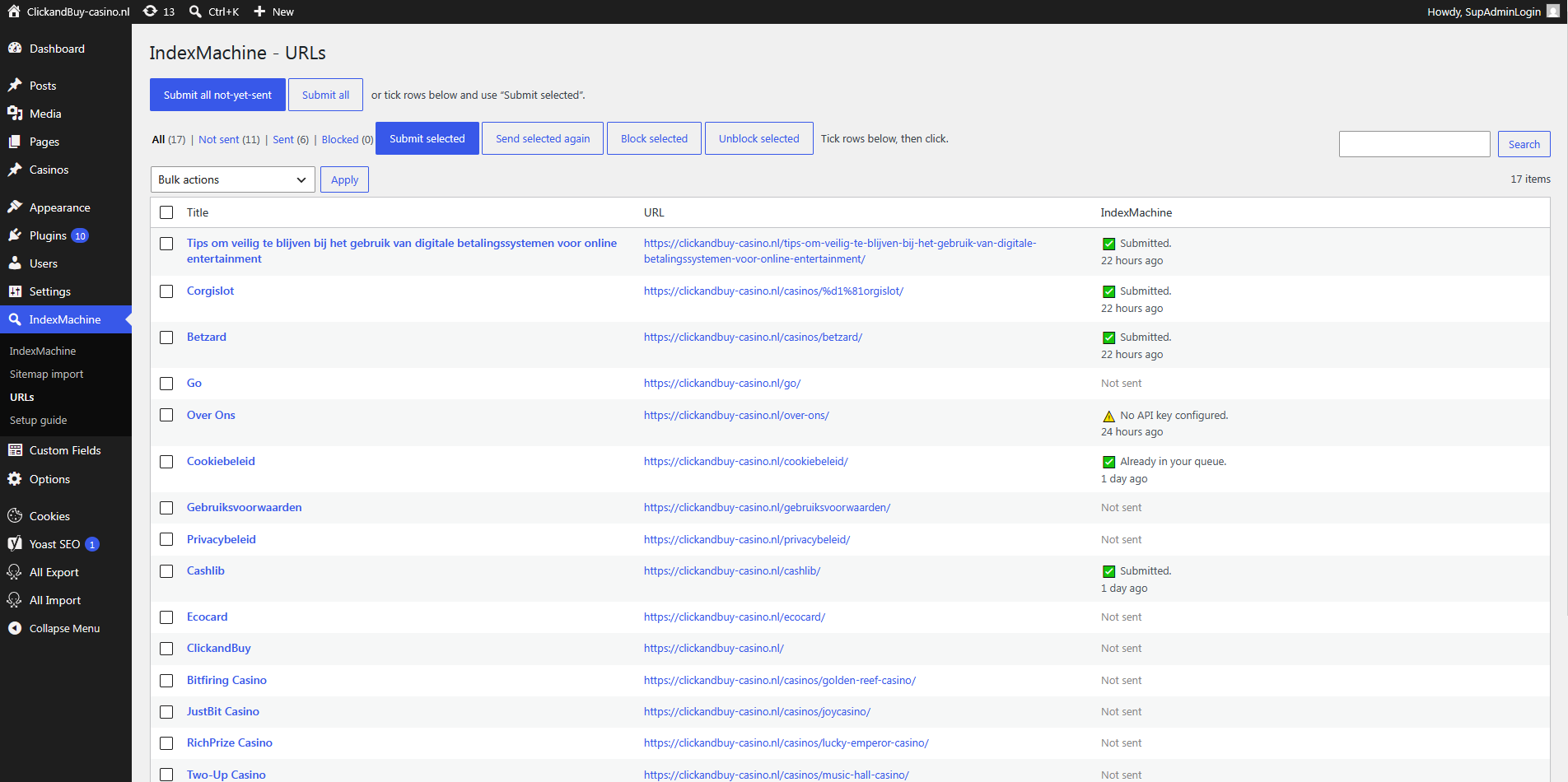
- A URLs screen listing your published content with Sent / Not-sent filters, pagination, and per-row selection – submit selected, submit all, or just the not-yet-sent ones.
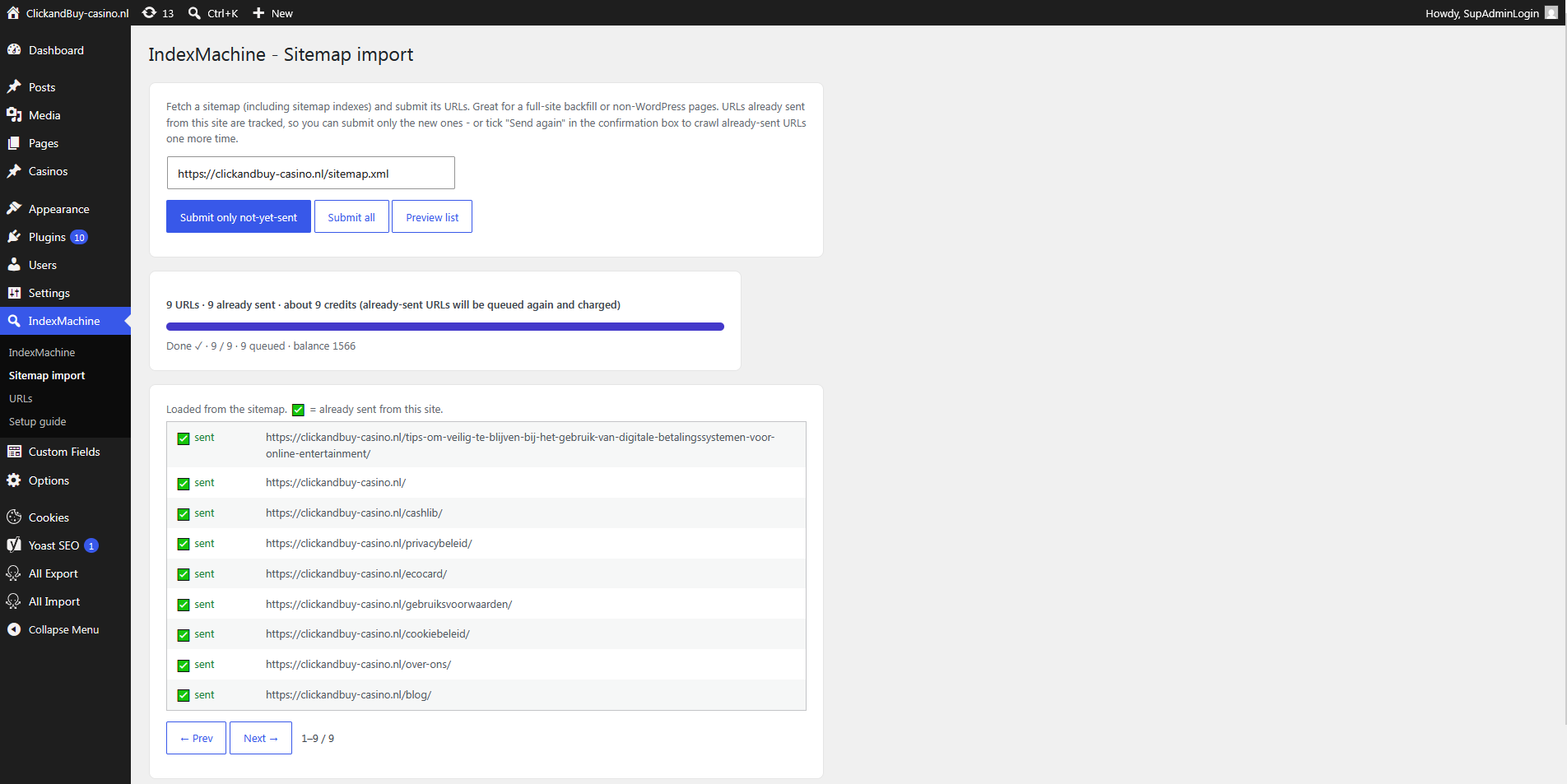
- Import URLs from a sitemap (including sitemap indexes) and submit them – with an upfront credit-cost estimate and a progress bar. Sent URLs are tracked, so you can submit only the not-yet-sent ones and preview which are already sent.
- Send again: URLs already in your queue are normally skipped and cost nothing – tick “Send again” to deliberately queue another processing round for them.
- Block any post or page so it is never submitted – not even automatically.
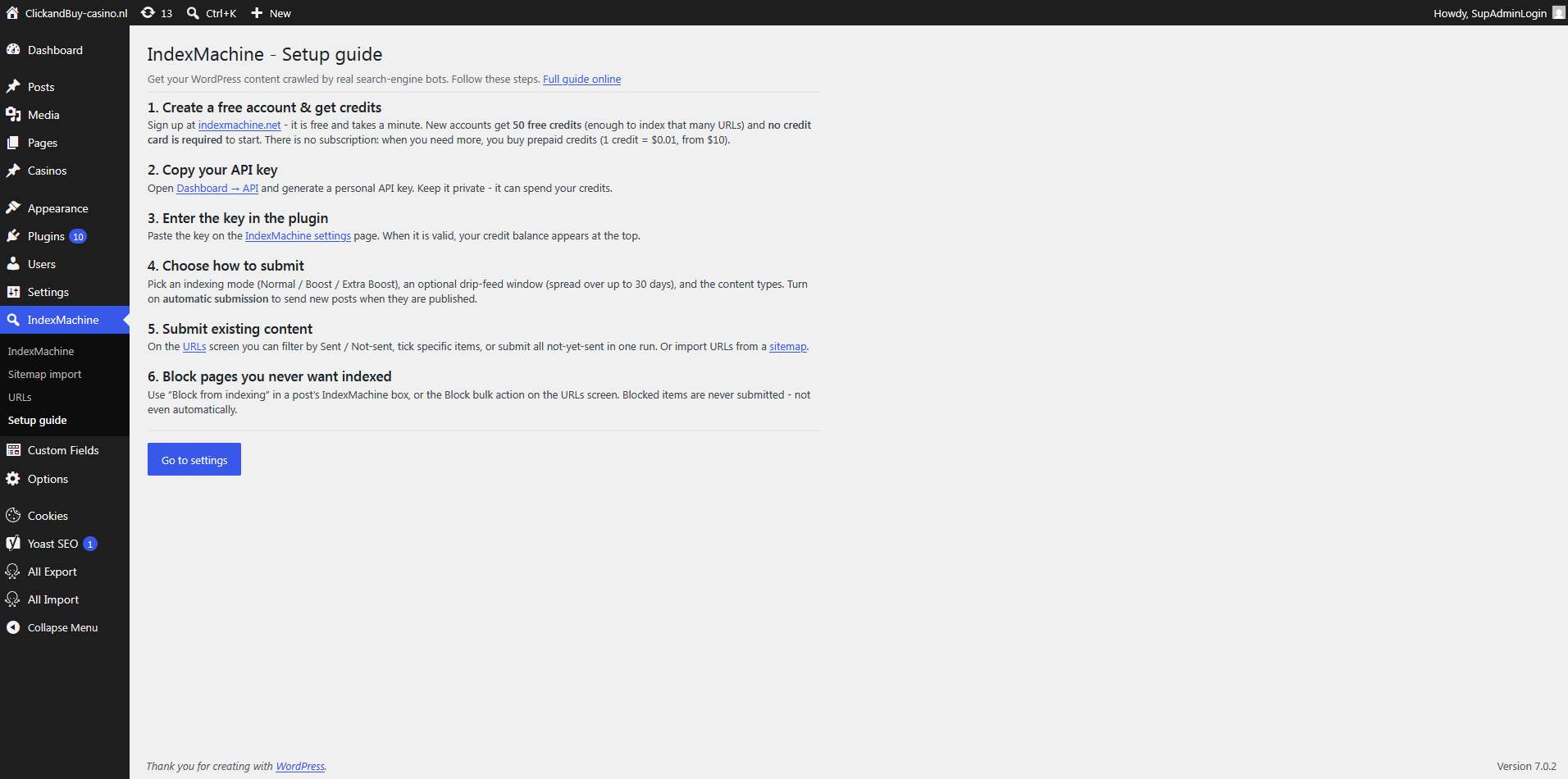
- A built-in Setup guide and a link to full instructions when the API key isn’t set yet.
- Optional daily limit: cap how many URLs are sent per day, with a configurable reset hour (default: unlimited).
- Pick which content types are eligible.
You need an IndexMachine account and credits. Signing up is free and takes a minute: new accounts get 50 free credits – enough to index 50 URLs – and no credit card is required to start. There is no subscription; when you need more, you pay per URL with prepaid credits.
External services
This plugin connects to the IndexMachine API (https://app.indexmachine.net) – a third-party service operated by IndexMachine – to submit your URLs for indexing and to read your credit balance.
- What is sent, and when: when you publish or manually submit an item (or when automatic submission is enabled), the plugin sends that item’s public URL, and your API key for authentication, to
https://app.indexmachine.net/api/v1/urls. To display your balance it sends your API key tohttps://app.indexmachine.net/api/v1/credits. - What is not sent: no post content, personal data, or visitor data is sent – only the public URL of the content you choose to submit.
- Use of the service is governed by the IndexMachine Terms of Service (https://indexmachine.net/terms/) and Privacy Policy (https://indexmachine.net/privacy/).
Installation
- Install and activate the plugin.
- Go to IndexMachine in the admin menu.
- No account yet? Create one at https://indexmachine.net – it’s free, no credit card required, and you get 50 free credits to try it out.
- Paste your API key (from your IndexMachine dashboard → API). Your balance appears when the key is valid.
- Choose your processing tier, optional scheduled release, and whether to submit automatically on publish.
- Save. New published content is now sent to IndexMachine (or submit items manually from the editor).
Frequently asked questions
Is it free to try?
Yes. Creating an account is free, takes a minute, and needs no credit card – you get 50 free credits, enough to index 50 URLs. Buy more only when you run out.
Where do I get an API key?
Create an account at https://indexmachine.net and open your dashboard → API to generate a personal key.
I submitted the same URLs again and nothing happened. Why?
By default the service skips URLs that are already in your queue, so nothing is added and no credits are spent – that is the safety net against paying twice for the same page. If you genuinely want another processing round for those URLs, tick Send again in the confirmation box (Sitemap import / URLs screen), use the Send again button in the post’s IndexMachine box, or pick the “Send again to IndexMachine” bulk action. It charges credits again.
Does it cost credits?
Yes – each submitted URL spends credits according to the selected tier (Standard = 1 credit, Priority = 1.5, Maximum = 2). Watch your balance; automatic submission spends credits as you publish.
Does it send my content?
No. Only the public URL of the item is sent, plus your API key for authentication.
What is scheduled release?
Instead of submitting everything at once, you can spread submissions over 1-30 days. It’s handy for pacing a large backlog and for spreading your credit spend.
Changelog
1.9.2
- Clearer names for what you are actually choosing. The indexing modes are now called Standard, Priority and Maximum, and they describe what each URL gets – how much processing – rather than a bot count. “Drip-feed” is now “Scheduled release”. Nothing about how the plugin works has changed and it sends the same values to the API, so your existing settings carry over untouched.
1.9.1
- The IndexMachine box in the editor now shows one action instead of two: “Submit to IndexMachine” for content that hasn’t been sent, “Send again” for content that has. It also switches over straight after a save, without reloading the page.
1.9.0
- API keys pasted with a stray space or line break are now cleaned on save and on use. Such a key made the edge reject the request with a bare “HTTP 400” that looked like a service outage.
- Failures now say what went wrong instead of showing a count of zero: a rejected key, a rate limit, an unreachable service and a malformed key each get their own message, on the settings screen, the URLs screen, the sitemap import and the posts-list bulk action.
1.8.2
- Housekeeping: the remaining Plugin Check notices about the custom table and the upgrade routine are now annotated where they actually occur.
1.8.1
- The content query no longer suppresses filters, so multilingual and other plugins can scope it.
- Renaming post meta during the upgrade now flushes the object cache, so a site with persistent caching can’t keep serving the old keys.
1.8.0
- All scripts are now registered and enqueued through the WordPress asset API instead of being printed inline, and live in their own files under assets/js/.
- Every declaration, option, transient, post meta key, AJAX action, nonce and database table now carries the full
indexmachine_prefix instead of the old two-letterim_. Existing installs are migrated automatically on upgrade: sent/blocked states, submission results and the sent-URL registry are all carried over.
Screenshots
For developers
Is this your plugin? Show off the numbers.
Add a live badge to your site, docs or GitHub README. It updates on its own — no account needed.
Best IndexMachine – Auto Indexer alternatives
All crawl plugins →




FAQ
IndexMachine – Auto Indexer: quick answers
Straight answers, pulled from live WordPress.org data.
Live data from WordPress.org · checked Sep 30, 2026
Is IndexMachine – Auto Indexer free?
Yes. IndexMachine – Auto Indexer is free to download and use from the official WordPress.org plugin directory.
Is IndexMachine – Auto Indexer safe to use in 2026?
IndexMachine – Auto Indexer works, but test it on a staging site before relying on it in 2026. Was last updated 2 months ago, and scores 55/100 on our health check.
How many websites use IndexMachine – Auto Indexer?
IndexMachine – Auto Indexer is active on <10 WordPress websites and has been downloaded 171 times since it launched in August 2026. It was downloaded 58 times in the last 30 days.
Does IndexMachine – Auto Indexer work with WordPress 7.1?
IndexMachine – Auto Indexer is officially tested up to WordPress 7.0.6, while the latest release is 7.1.2. It may still work, but try it on a staging site first.
What PHP version does IndexMachine – Auto Indexer need?
IndexMachine – Auto Indexer requires PHP 7.4 or higher. Most hosts run PHP 8.x today, so it works on any modern WordPress hosting.
When was IndexMachine – Auto Indexer last updated?
The latest version, 1.9.2, was released on August 12, 2026 (2 months ago).
Who makes IndexMachine – Auto Indexer?
IndexMachine – Auto Indexer is developed and maintained by indexmachine.
What are the best alternatives to IndexMachine – Auto Indexer?
The most popular alternatives to IndexMachine – Auto Indexer are SX No author Pagination (300+ installs), Weebly Importer Lite (70+ installs) and [凹凸曼] 一键采集微信文章 (60+ installs).
Powered by PageForge
Want thousands of pages that rank like these? Build them in an afternoon.
This directory runs on the same engine as PageForge. Turn any spreadsheet, CSV or API into thousands of fast, SEO-ready WordPress pages — with schema, internal links and AI-written copy baked in.
- CSV, Google Sheets & API data sources
- AI content, schema & internal links per page
- Works with Elementor, Gutenberg, Yoast & Rank Math
- Free on WordPress.org — no credit card


