



Import Eventbrite Events
Import Eventbrite Events into WordPress website and/or Event Calendar. Nice Display with shortcode & Event widget.

Safe pick
Yes — Import Eventbrite Events is a safe, well-maintained plugin to use in 2026. It runs on 3K+ sites, is rated 4.5/5 and was last updated 1 month ago, and scores 82/100 on our health check.
- Loved by users — 4.5/5 from 52 reviews
- Tested with the latest WordPress (7.1)
How does it stack up?
Side-by-side on installs, updates, ratings & support



Daily downloads
Download spikes usually follow a new release — each site that auto-updates counts as a download.
Rankings
Where Import Eventbrite Events stands todayWordPress.org search rankings
Live position in the plugin search, top 100| Keyword | Position |
|---|---|
| calendar | >100 |
| eventbrite | #2 |
| eventbrite event | #4 |
| events | #23 |
| import | #26 |
Version adoption
Share of active sites per release.
Rating breakdown
★★★★★★★★★★ 4.5 from 52 reviews
About Import Eventbrite Events
From the official readme · v1.8.1Description
Import Eventbrite Events into WordPress :
Import Eventbrite Events allows you to import eventbrite events into your WordPress site automatically. Automate your Event Marketing using Import Eventbrite Events plug-in. You can schedule event import so it will be imported/syncronized automatically [Pro]
📄 Documentation | ⭐ Upgrade to Pro | 🛟 Get Support | 👁️ Try Now (Admin Demo)
eventbrite events, import, eventbrite import, the events calendar, event import,events manager, import events, import event, my calendar, eventon, all in one event calendar, timely, event organiser, event management, event calendar, event manager
Features
- Eventbrite Widget to display live Eventbrite events on your site without importing (Pro).
- Upcoming Events Elementor Widget (Pro).
- Easy and seemless Event import from Eventbrite to WordPres.
- Import Eventbrite event by Event ID using Eventbrite API
- Import Eventbrite events by Eventbrite organiser ID (Pro).
- Import Eventbrite events by Eventbrite collection ID (Pro).
- Import Eventbrite events from your Eventbrite account (Pro).
- Import Eventbrite events into all WordPress leading Events plugins.
- Import multiple events using multiple event IDs at one time (Pro).
- Auto Scheduled event import (Automatic import). Import Hourly, Once a Day, Twice a day, Weekly, Monthly from account, IDs (Pro).
- Edit schedule import later on (Pro).
- Advanced Synchronization with Eventbrite Organiser Profile (Pro).
- Simple and Effective in-built Event Management.
- Powerful shortcode for render Event listing (
[eventbrite_events]) - Responsive and impresive event listing design
- Impresive design of event detail page.
- Upcoming Events widget (Pro).
- Event registration widget on single event page.
- It support One Time Import only or schedule import on regular interval from Event IDs or Organizer’s page.
- Each Event Import can be imported in different categories.
- Auto Publish, Draft Imported Events
- Get Event details like Event Title, Event Description, Event Images, Event Start Date, Event End date, Event Location (vanue), Event Organizer etc in to WordPress Database.
- Event Import History Logs when & which Events Imported
- Option to update existing Events (Syncronize Events)
- Works with leading WordPress Event Calendar Plug-ins
- Import Event using latest Eventbrite API
Eventbrite Widget Features (Pro)
- Display live Eventbrite events directly on your WordPress site without importing events first.
- No API token, OAuth setup, or Eventbrite authorization required for widget display.
- Show events by Organizer ID, Collection ID, or specific Eventbrite Event IDs.
- Choose from 7 display layouts including grid, list, masonry, timeline, ticket, minimal grid, and compact list.
- Add a ticket button with popup checkout modal or direct Eventbrite link.
- Use the visual shortcode builder to generate widget shortcodes for pages, posts, and widget areas.
- Filter widget feeds by date and time.
- Smart cache with auto refresh keeps event listings up to date.
- Pagination options including Load More and Infinite Scroll.
- Add custom CSS per feed for flexible styling.
- Upgrade to Pro for Eventbrite Widget features: Import Eventbrite Events Pro.
Import Eventbrite Events into
- The Events Calendar – Support with the event calendar 6.0
- Events manager
- Event Organiser
- EventON
- My Calendar
- EventPrime
- In-built Events
short-code example:
- [eventbrite_events] to show full events
- [eventbrite_events col=”2″] shows events in 2 column
-
[eventbrite_events category=”cat1,cat2″] Shows events from mentioned categories
Using This plugin you can import eventbrite event into below listed leading Event Management Plug-ins, which allows you to run imports from Eventbrite right from your dashboard. Import Eventbrite Events bridges the gap between your website and your Eventbrite events making event management easier.
New All in one Event Import Tool!
We’ve developed bulk event imports tool. This add-on service for The Events Calendar allows you import events from your favorite sources like Facebook, Meetup, Eventbrite, iCalendar, and ICS.Check out WP Event Aggregator now.
Our Plugins for importing events!
Contributing
You can contribute to development of the plugin on Github.
Frequently asked questions
How to install import eventbrite event free version?
This plugin can be installed directly from your site. Log in and navigate to Plugins & Add New. Type “Import Eventbrite Events” into the Search input and click the “Search” button. Locate the “Import Eventbrite Events” in the list of search results and click “Install Now”. Click the “Activate Plugin” link at the bottom of the install screen. It can also be installed manually. Download the “Import Eventbrite Events” plugin from WordPress.org. Unzip the package and move to your plugins directory. Log into WordPress and navigate to the “Plugins” screen. Locate “Import Eventbrite Events” in the…
How to install Import Eventbite Event (Pro)**
Remove basic version of this plugin if you have installed. Download the “Import Eventbrite Events Pro” plugin from your profile on https://xylusthemes.com/. Log in and navigate to Plugins & Add New. Click on Upload plugin button and upload “Import Eventbrite Events Pro” zip file and click on install now button. Locate “Import Eventbrite Events Pro” in the list and click the “Activate” link.
Where i can find more documents
More Information
Do i need to install any addtional module to import event?
No you need not to install any other module.
How can i get Eventbrite Oauth ?
Here is detail instruction on how to get [Eventbrite Oauth] (http://docs.xylusthemes.com/docs/import-eventbrite-events-plugin/configuration/)
Changelog
1.8.1
- ADDED: Export events to iCal Option.
- ADDED: Eventbrite widget to display events directly on your site. ( PRO )
- ADDED: Discount code support, applied codes in ticket section.
- ADDED: Show event images without downloading them to your media library.
- ADDED: Sensible default settings are now pre-configured on plugin activation.
- ADDED: Import events into Easy Event Calendar plugin.
- ADDED: Import and assign tags to events, with option to skip tag updates.
- FIXED: Modal layout on mobile devices now displays correctly.
- IMPROVEMENTS: Full compatibility with PHP 8.5.
- IMPROVEMENTS: Full compatibility with WordPress 7.0.
- IMPROVEMENTS: Custom post types now use the modern Gutenberg editor.
1.8.0
- ADDED: New “More Options” mode in Elementor block for enhanced display customization.
- ADDED: AJAX pagination support in shortcode for smoother event browsing.
- ADDED: Organizer parameter in shortcode to display events by specific organizer.
- ADDED: Collection taxonomy support with automatic create, update, and assignment during event import.
- ADDED: New Appearance settings for improved design control.
- ADDED: Automatic Eventbrite category create, update, and assignment option in settings.
- IMPROVEMENTS: Standard Eventbrite API integration.
1.7.9
- IMPROVEMENTS: Optimized Eventbrite API calls to significantly boost import speed and reduce server load.
- IMPROVEMENTS: Moved image imports to the background for faster event imports.
- FIXED: Import Private Events Bug
1.7.8
- ADDED: Revamped admin interface with new, user-friendly GUI
- ADDED: Added option to import events using Collection ID (Pro version)
- ADDED: Introduced Active/Pause toggle for scheduled imports (Pro version)
- IMPROVEMENTS: Optimized Eventbrite API calls to significantly boost import speed and reduce server load (Pro version)
- FIXED: Button CSS conflict issue
1.7.7
- IMPROVEMENTS: Improved security and compatibility with WordPress coding standards.
1.7.6
- ADDED: New display styles: Style 3, Style 4, Style 5, and Style 6 (Pro version)
- ADDED: Integrated support for the EventPrime plugin
- ADDED: Re-created missing schedule functionality (Pro version)
- ADDED: Implemented auto trash feature for removed events
- FIXED: date() function issue on the event details page
- FIXED: Resolved event import issue with The Events Calendar (TEC) plugin
- IMPROVEMENTS: Enhanced small image display option
- IMPROVEMENTS: Support for WP 6.8
Screenshots



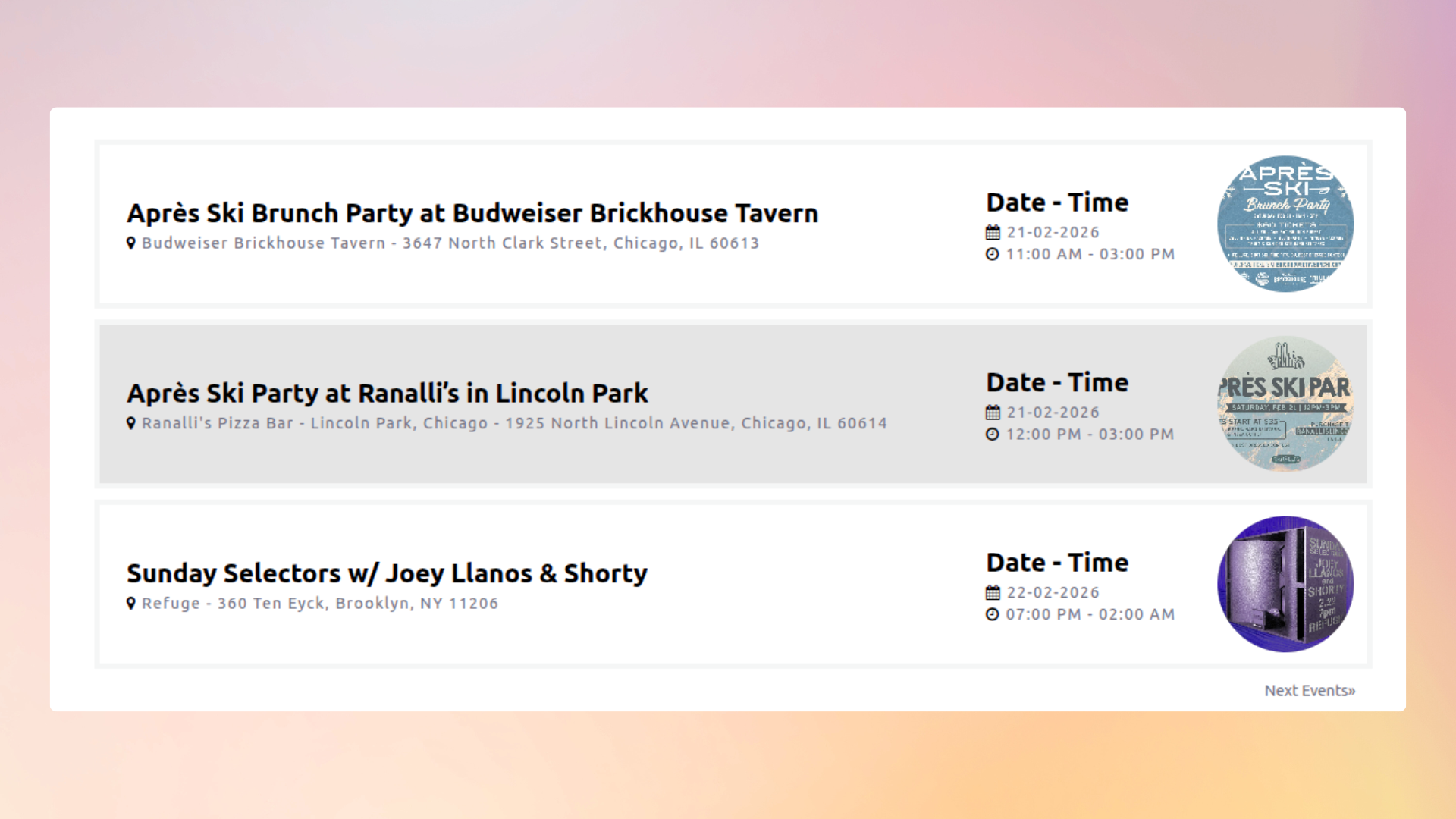


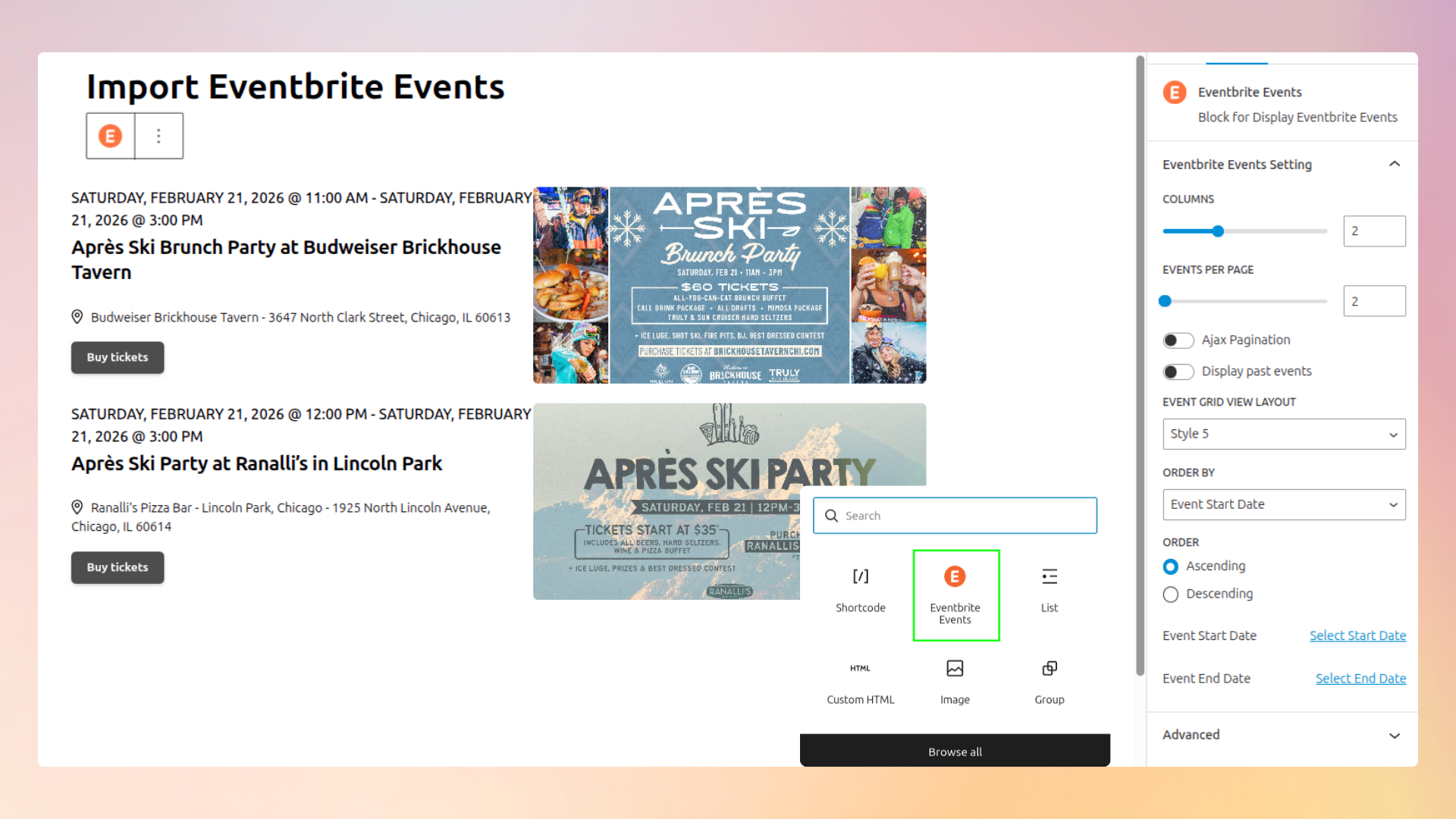
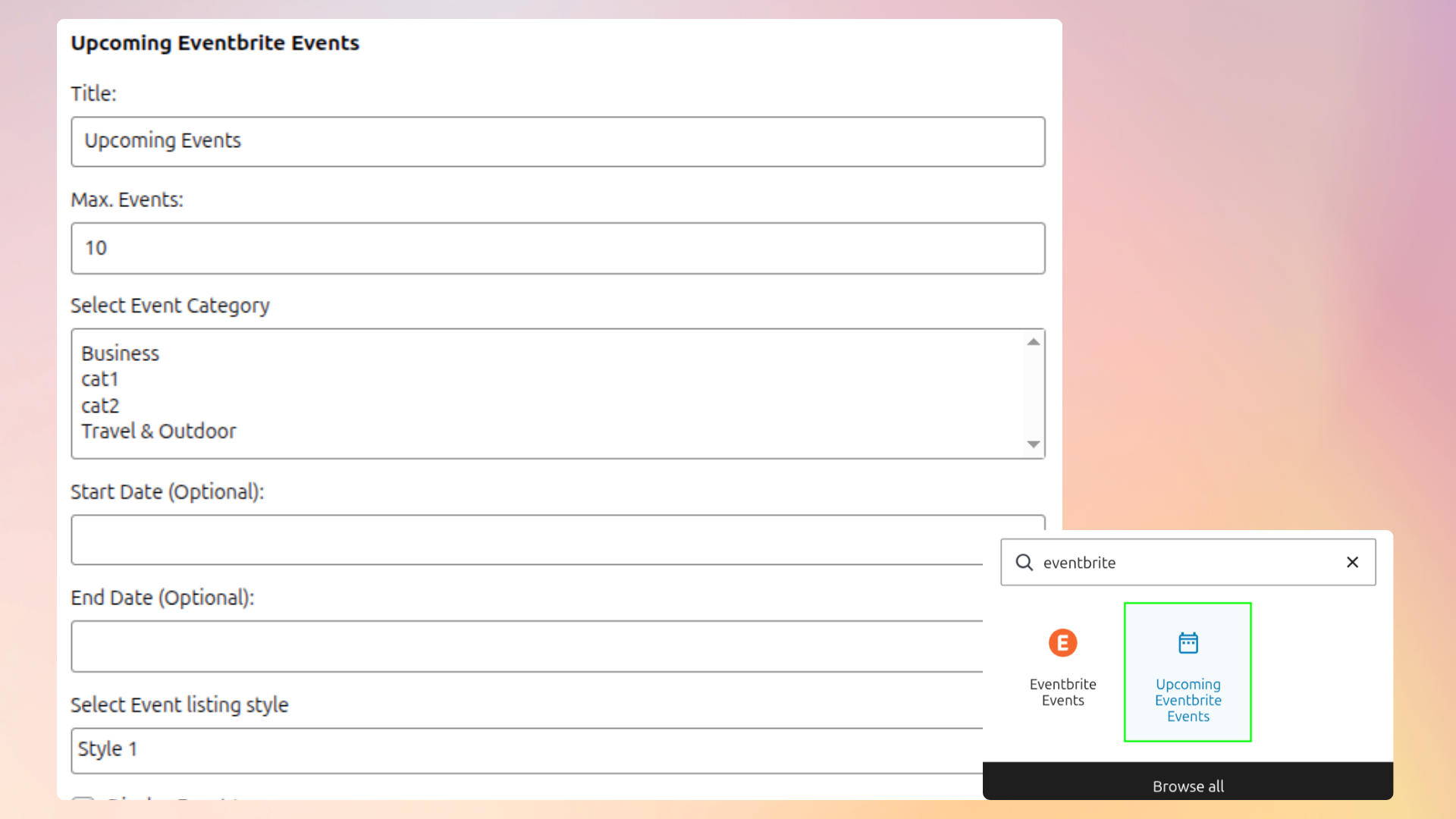

For developers
Is this your plugin? Show off the numbers.
Add a live badge to your site, docs or GitHub README. It updates on its own — no account needed.
Best Import Eventbrite Events alternatives
All calendar plugins →





FAQ
Import Eventbrite Events: quick answers
Straight answers, pulled from live WordPress.org data.
Live data from WordPress.org · checked Sep 26, 2026
Is Import Eventbrite Events free?
Yes. Import Eventbrite Events is free to download and use from the official WordPress.org plugin directory.
Is Import Eventbrite Events safe to use in 2026?
Yes — Import Eventbrite Events is a safe, well-maintained plugin to use in 2026. It runs on 3K+ sites, is rated 4.5/5 and was last updated 1 month ago, and scores 82/100 on our health check.
How many websites use Import Eventbrite Events?
Import Eventbrite Events is active on 3K+ WordPress websites and has been downloaded 189,482 times since it launched in October 2016. It was downloaded 712 times in the last 30 days.
Does Import Eventbrite Events work with WordPress 7.1?
Yes. The developer has tested Import Eventbrite Events up to WordPress 7.1.2, the latest release. It requires WordPress 4.0 or newer.
What PHP version does Import Eventbrite Events need?
Import Eventbrite Events requires PHP 5.3 or higher. Most hosts run PHP 8.x today, so it works on any modern WordPress hosting.
When was Import Eventbrite Events last updated?
The latest version, 1.8.1, was released on August 18, 2026 (1 month ago).
Who makes Import Eventbrite Events?
Import Eventbrite Events is developed and maintained by Xylus Themes.
What are the best alternatives to Import Eventbrite Events?
The most popular alternatives to Import Eventbrite Events are The Events Calendar (600K+ installs), Events Manager (60K+ installs) and Timetable and Event Schedul… (30K+ installs).
Powered by PageForge
Want thousands of pages that rank like these? Build them in an afternoon.
This directory runs on the same engine as PageForge. Turn any spreadsheet, CSV or API into thousands of fast, SEO-ready WordPress pages — with schema, internal links and AI-written copy baked in.
- CSV, Google Sheets & API data sources
- AI content, schema & internal links per page
- Works with Elementor, Gutenberg, Yoast & Rank Math
- Free on WordPress.org — no credit card


