



Image Background Remover
Allows you to access all images on the WordPress site and remove their background.

Use with caution
Image Background Remover works, but test it on a staging site before relying on it in 2026. It runs on 300+ sites, is rated 5/5 and was last updated 5 months ago, and scores 54/100 on our health check.
- Momentum — downloads up 25.6% vs the previous 30 days
- Small user base (300+ active installs)
- Very few reviews so far
- Only tested up to WordPress 6.8 (latest is 7.1)
Daily downloads
Download spikes usually follow a new release — each site that auto-updates counts as a download.
Rankings
Where Image Background Remover stands todayWordPress.org search rankings
Live position in the plugin search, top 100| Keyword | Position |
|---|---|
| ai background removal | #5 |
| image background remover | #1 |
| media | >100 |
| photo editing | #42 |
| remove background | #4 |
Version adoption
Share of active sites per release.
Rating breakdown
★★★★★★★★★★ 5 from 2 reviews
About Image Background Remover
From the official readme · v1.1.7Description
Image Background Remover is a powerful WordPress plugin that enables you to effortlessly remove backgrounds from images in your WordPress media library using advanced AI technology. This plugin integrates with an external API to process images and create new versions with the background removed.
Key Features:
* AI-Powered Background Removal: Utilize state-of-the-art machine learning models to intelligently remove backgrounds
* One-Click Processing: Easily remove backgrounds from multiple images in your media library
* High-Quality Results: Supports a wide range of image types and complex scenarios
* Seamless WordPress Integration: Works directly within your WordPress media management interface
* Image Format Conversion: Convert your images to various formats including PNG, WebP, AVIF, JPEG, and JPG
* Custom Background Colors: Replace transparent backgrounds with any color of your choice
* Output Format Selection: Choose your preferred output format for processed images
* Bulk Image Processing: Convert and optimize multiple images simultaneously
This plugin uses an external service for background removal. Please refer to the service’s terms of use and privacy policy: External Service Terms of Use.
Powered by advanced AI technology, our plugin utilizes state-of-the-art machine learning models to intelligently and precisely remove backgrounds from images. The AI-driven backend ensures high-quality background removal with minimal manual intervention, supporting a wide range of image types and complex scenarios.
Our website, https://rmbg.pro/, provides detailed information about the plugin, including advanced features, usage guides, and support. You can also purchase additional background removal credits through our website, which offers flexible credit packages to suit your needs. Visit https://rmbg.pro/pricing to explore our credit options and find the perfect plan for your workflow.
More Information and Support
For more detailed information about the Image Background Remover plugin, including advanced features, usage guides, and support, please visit our official website at https://rmbg.pro/.
If you have any questions, need assistance, or want to provide feedback, you can contact our support team directly through our contact page at https://rmbg.pro/contact.
Check out our other WordPress plugins and tools at https://rmbg.pro/plugins to enhance your website’s functionality and streamline your workflow.
Explore our standalone apps at https://rmbg.pro/apps for additional image editing and background removal solutions across different platforms and devices.
External Service Usage
The Image Background Remover plugin relies on the external service available at https://api.rmbg.pro/remove_background to remove backgrounds from images. When you select images to process, the plugin sends the image data to this service, which performs the background removal and returns the processed images back to your WordPress site.
Please be aware of the following when using this service:
– Data Privacy: Ensure that you are comfortable with the service’s data handling practices. Review their privacy policy and terms of service to understand how your data will be used.
– Service Availability: The performance and availability of the background removal feature depend on the external service. If the service is down, the background removal feature may not work as expected.
– Image Quality: The quality of the background removal may vary based on the complexity of the images being processed.
External Services
This plugin utilizes an external service to remove backgrounds from images. Here are the important details about the service usage:
Service Information
- Service Provider: Image Background Removal API
- Service URL: https://api.rmbg.pro/v1.0.1/remove_background
- Purpose: The service processes uploaded images to remove their backgrounds using AI technology
Data Transmission
- What is sent: Image files that you choose to process
- When: Only when you explicitly click to remove the background of an image
- Data security: Images are transmitted securely via HTTPS
- Data retention: Images are processed in real-time and are not stored permanently on the service
Terms and Privacy
- Terms of Service: https://rmbg.pro/terms-of-service
- Privacy Policy: https://rmbg.pro/privacy-policy
- Service Status: The plugin requires a working internet connection to process images
Important Notes
- The plugin offers basic image management features without requiring the background removal service
- Background removal is an optional feature that requires internet connectivity
- No personal data other than the images themselves are transmitted to the service
- You should ensure you have the rights to process any images you upload
Video Tutorial
For a comprehensive walkthrough of the Image Background Remover plugin, we have prepared a detailed video tutorial:
This video provides a step-by-step guide on:
* Installing the plugin
* Configuring settings
* Removing backgrounds from images
* Managing processed images
License & Warranty
This program is free software; you can redistribute it and/or modify it under the terms of the GNU General Public License as published by the Free Software Foundation; either version 2 of the License, or (at your option) any later version.
This program is distributed in the hope that it will be useful, but WITHOUT ANY WARRANTY; without even the implied warranty of MERCHANTABILITY or FITNESS FOR A PARTICULAR PURPOSE. See the GNU General Public License for more details.
Usage
- Go to the ‘Background Remover’ menu in the admin dashboard.
- Select the images you want to process.
- Click the ‘Remove Backgrounds’ button to start processing.
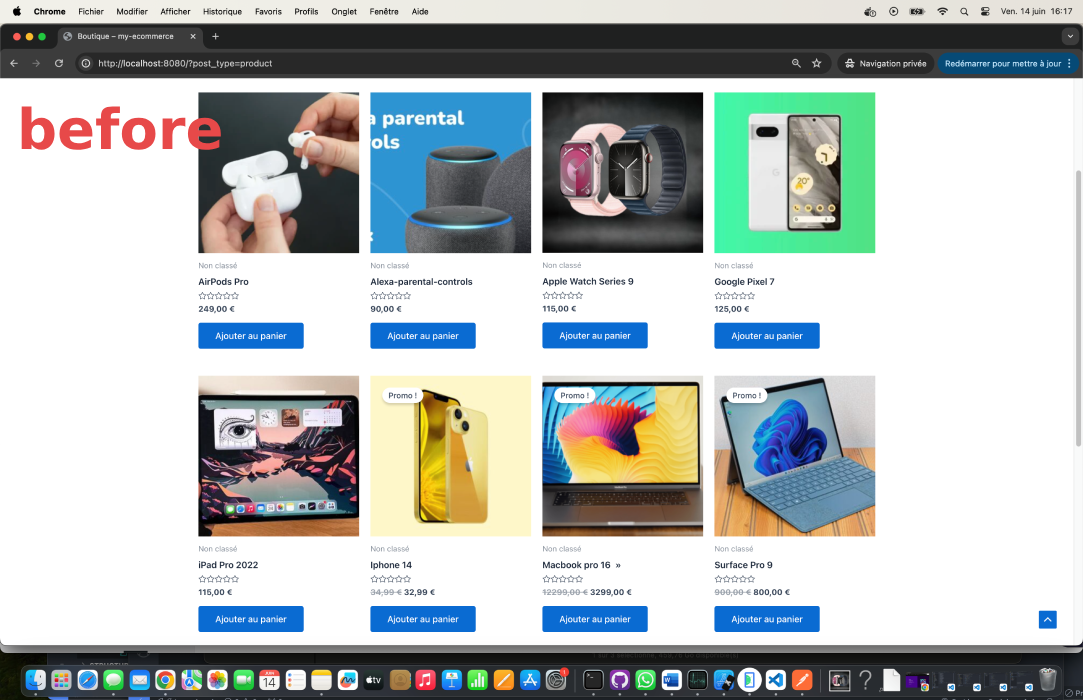
- New images with the background removed will be created and saved in your media library.
Support
For support, visit the plugin’s support page.
Installation
- Upload the
image-background-removerfolder to the/wp-content/plugins/directory. - Activate the plugin through the ‘Plugins’ menu in WordPress.
- Navigate to the ‘Background Remover’ menu in the WordPress admin area to access the plugin’s settings and functionalities.
Frequently asked questions
How does the plugin work?
The plugin uses an external API to remove backgrounds from images. You can select images from your media library and process them through the plugin’s admin page.
Are there any limitations?
The processing time might vary depending on the size and number of images. Ensure your server settings allow enough time for image processing.
Changelog
Initial release. No upgrade issues.
1.1.7
- Added advanced image badges (Posts, Pages, WooCommerce Products, Original Image, Unused Image) in the plugin image selection UI
- Added multi-select filtering toolbar with AND logic, AJAX refresh, pagination preservation, and loading spinner for large media libraries
1.1.6
- Replace mode now regenerates and replaces all attachment thumbnails after background removal
- Safely handles extension changes on replace (e.g., JPG → PNG) with correct mime type and paths
- Removes old intermediate size files before regeneration to prevent stale/mismatched thumbnails
- No changes to “Create new” mode; existing behaviors remain intact
1.1.5
- Added custom background image functionality allowing users to upload and apply custom background images during processing
- Implemented UI controls for custom background image selection with file upload and toggle checkbox
- Enhanced JavaScript handling to process custom background images in AJAX requests
- Updated server-side processing to handle custom background image data and API integration
- Improved image processing workflow to support both custom background colors and custom background images
1.1.4
- Updated image URL handling to use API server URLs (api.rmbg.pro/rm-bg/) for both original and output image links
- Replaced local WordPress URLs with consistent API server URLs across all processing modes
- Enhanced image metadata storage to use standardized API URL format with domain and filename prefixes
- Improved image display consistency for processed images in all plugin interfaces
1.1.3
- Added “View transactions” button, then you can disply all your transactions history
1.1.2
- Added “Processed Images” section displaying original and output image thumbnails for each processed image
- Implemented “Restore” functionality allowing users to replace main library images with original or output versions
- Enhanced UI layout with improved spacing and positioning of image information and action buttons
- Added external API integration for fetching processed image data from remote server
- Improved refresh confirmation messages with OS-specific cache-clearing instructions (Cmd+Shift+R for macOS, Ctrl+Shift+R for other systems)
- Enhanced image display with hover effects and better visual organization
- Added AJAX-powered restore functionality with user confirmation and error handling
Screenshots


For developers
Is this your plugin? Show off the numbers.
Add a live badge to your site, docs or GitHub README. It updates on its own — no account needed.
FAQ
Image Background Remover: quick answers
Straight answers, pulled from live WordPress.org data.
Live data from WordPress.org · checked Oct 12, 2026
Is Image Background Remover free?
Yes. Image Background Remover is free to download and use from the official WordPress.org plugin directory.
Is Image Background Remover safe to use in 2026?
Image Background Remover works, but test it on a staging site before relying on it in 2026. It runs on 300+ sites, is rated 5/5 and was last updated 5 months ago, and scores 54/100 on our health check.
How many websites use Image Background Remover?
Image Background Remover is active on 300+ WordPress websites and has been downloaded 6,752 times since it launched in December 2024. It was downloaded 570 times in the last 30 days.
Does Image Background Remover work with WordPress 7.1?
Image Background Remover is officially tested up to WordPress 6.8.11, while the latest release is 7.1.3. It may still work, but try it on a staging site first.
What PHP version does Image Background Remover need?
Image Background Remover requires PHP 7.2 or higher. Most hosts run PHP 8.x today, so it works on any modern WordPress hosting.
When was Image Background Remover last updated?
The latest version, 1.1.7, was released on May 17, 2026 (5 months ago).
Who makes Image Background Remover?
Image Background Remover is developed and maintained by Moez Cherif.
Powered by PageForge
Want thousands of pages that rank like these? Build them in an afternoon.
This directory runs on the same engine as PageForge. Turn any spreadsheet, CSV or API into thousands of fast, SEO-ready WordPress pages — with schema, internal links and AI-written copy baked in.
- CSV, Google Sheets & API data sources
- AI content, schema & internal links per page
- Works with Elementor, Gutenberg, Yoast & Rank Math
- Free on WordPress.org — no credit card


