


HTML5 Maps
Nice looking interactive responsive and mobile-friendly HTML5 Maps incl. US, World and more, with an option to customize view and behavior of the maps

Safe pick
Yes — HTML5 Maps is a safe, well-maintained plugin to use in 2026. It runs on 4K+ sites, is rated 4.6/5 and was last updated 1 month ago, and scores 83/100 on our health check.
- Loved by users — 4.6/5 from 45 reviews
- Tested with the latest WordPress (7.1)
How does it stack up?
Side-by-side on installs, updates, ratings & support


Daily downloads
Download spikes usually follow a new release — each site that auto-updates counts as a download.
Rankings
Where HTML5 Maps stands todayWordPress.org search rankings
Live position in the plugin search, top 100| Keyword | Position |
|---|---|
| clickable map | #2 |
| Geo map | #7 |
| interactive map | #19 |
| us map | #5 |
| world map | #8 |
Version adoption
Share of active sites per release.
Rating breakdown
★★★★★★★★★★ 4.6 from 45 reviews
About HTML5 Maps
From the official readme · v1.7.1.7Description
Put an interactive high-quality HTML5 map to your WordPress powered website! Choose from a number of predefined maps including World, US, UK, France, Germany, Italy etc. New maps and regions being added continuously.
This plugin allows you to embed the colorful interactive responsive map to your WordPress powered website. An interactive map is the best way to provide your website with geographically-related content or effective navigation system. Just add a special shortcode into any page and you will find the map on the website in few seconds. Spend few more seconds to add popups or informational side panels near the map.
The plugin “HTML5 Maps” is based on and uses CDN-hosted map libraries.
The free versions of the maps display the “Map by Fla-shop.com” link as required by the license agreement found here.
The Premium plugins are branding free and additionally include all required map libraries to put on your local server.
Features
- Interactive map of the given region or country
- Responsive design and custom-color regions
- Works on iPad, iPhone, Android
- Clickable regions (continents, regions, states, counties etc.)
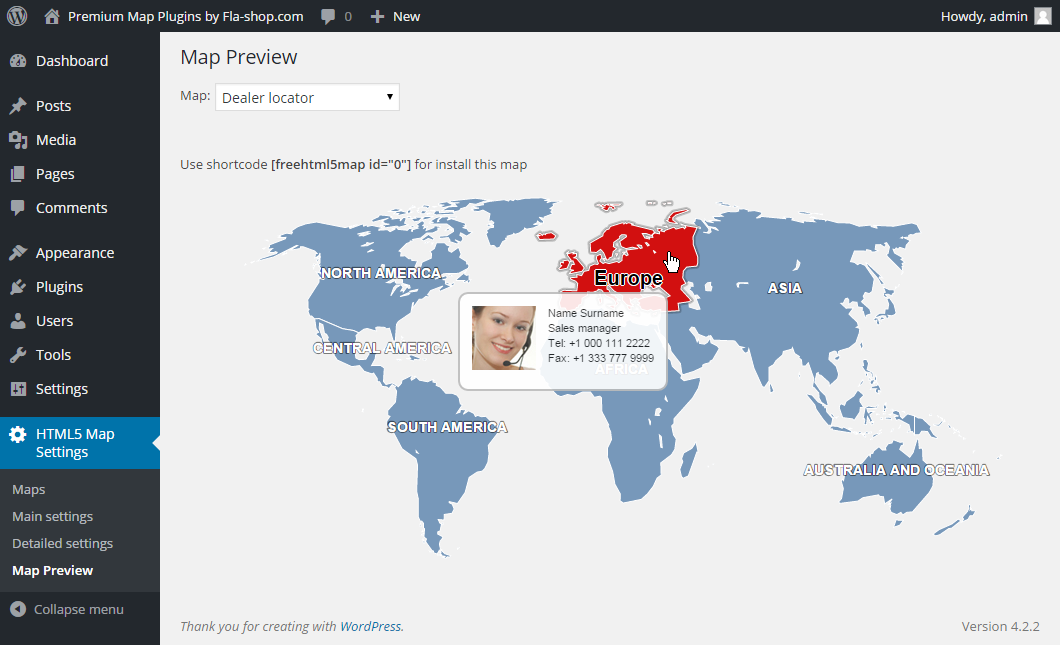
- Popup windows that show when the mouse cursor is over a region
- Customizable landing page links
- Builds into any WordPress page or post as a simple shortcode
Find premium responsive HTML5 maps at Fla-shop.com
Translations
- English – default, always included
- German
- Spanish (quierochat.com)
- French (Josette Ragni)
- Polish (jedstudio.me)
- Portuguese
- Brazilian Portuguese
- Russian
Installation
- Use the Plugins -> Add new -> Upload menu and select plugin’s zip file to open.
- Wait for the upload to complete and activate the plugin.
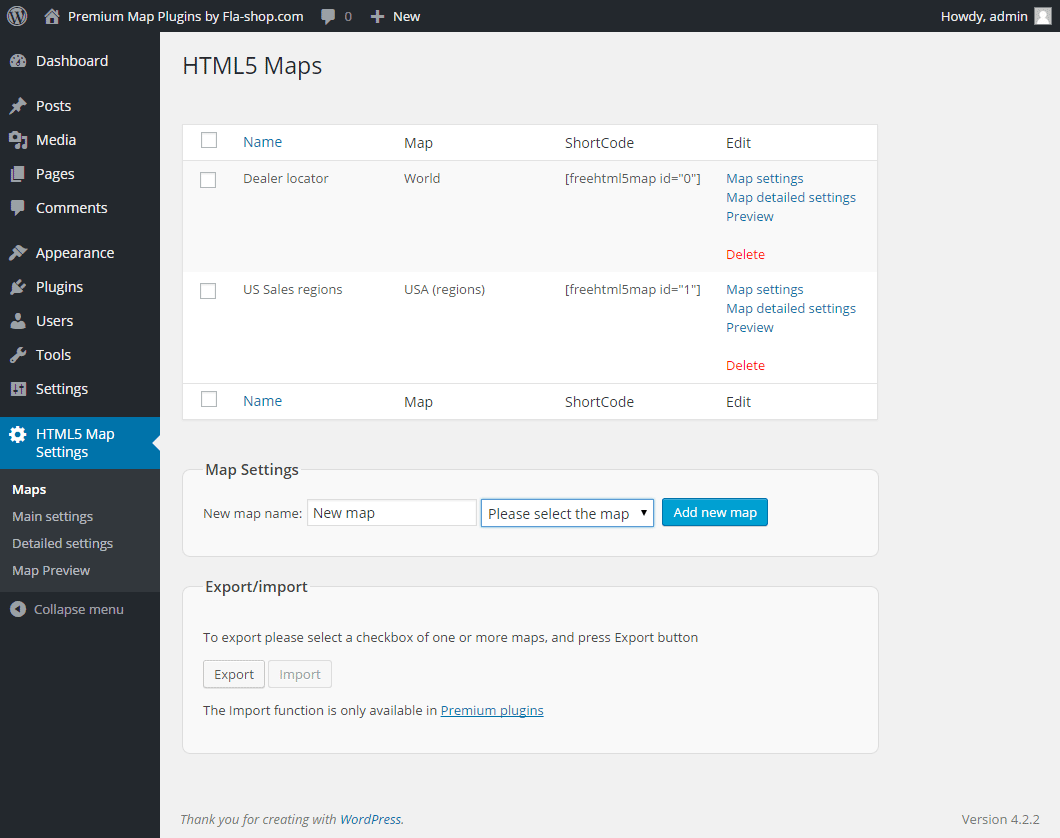
- After that create a map on the “Maps” page.
Alternatively, upload the folder of the plugin to your /wp-content/plugins/ folder then follow steps 2 and the rest as above.
Frequently asked questions
How can I insert a map to a page?
Insert the map shortcode into the text of a page or a post where you want the map to be. Short codes can be viewed on tab “Maps”.
Will I be able to visually edit settings and data?
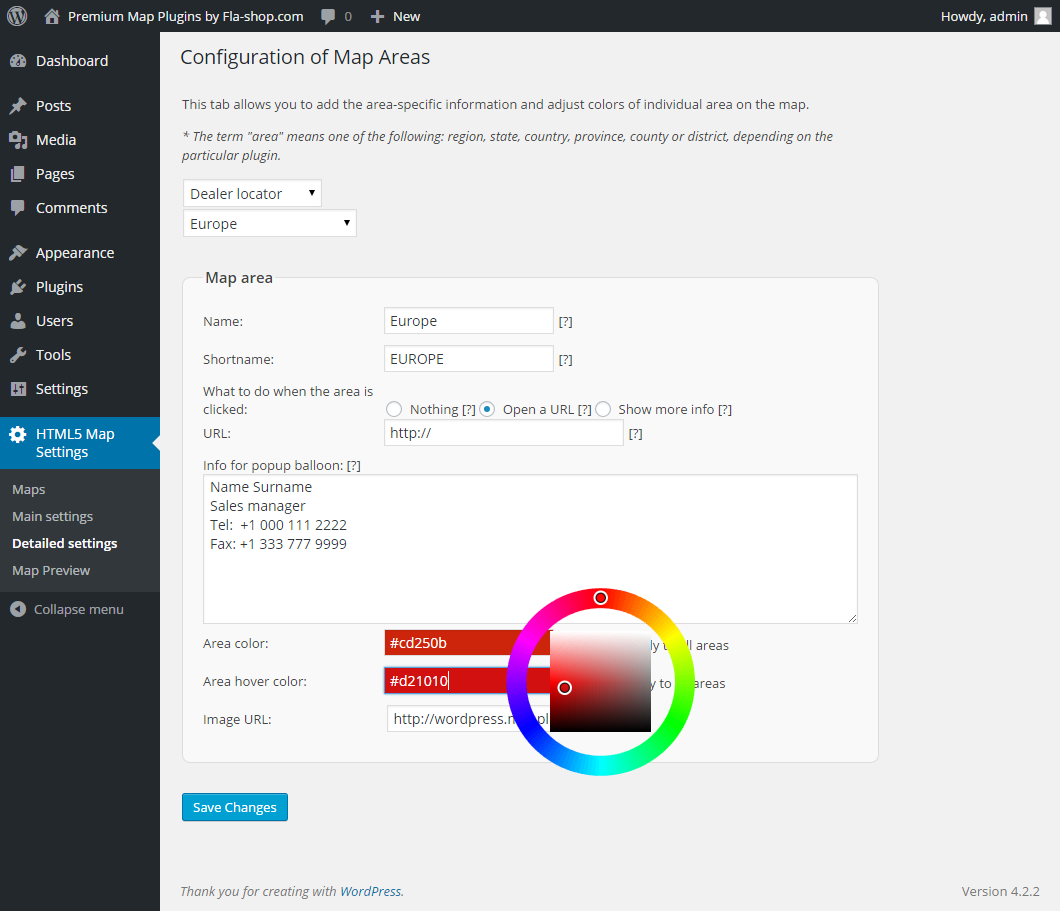
Yes. There is a built-in visual editor that allows you to tune up and configure map design, colors, popups and side info with zero coding. And to insert the map on a page, you simple paste the shortcode.
I want to execute a JavaScript instead of opening a URL when the region is clicked. Is this possible?
Yes. You can type any valid JavaScript code in the URL field of the region’s settings. Note though, that the region’s click option must be set to “Open a URL” in this case. Here is an example of the JS code executing upon a click to the region: javascript:window.alert(‘Hello, World!’);
I don’t want to use popup windows. Instead, I would like to display information below the map.
Set the region’s click option to “Show more info” in the Detailed Settings section, and type the information you would like to display, or upload media.
What kind of media can I use in the side panel displayed below the map or right of it?
Any type WordPress can deal with.
Changelog
1.7.1.7
- Minor bug fixes
1.7.1.6
- Halloween sale
1.7.1.5
- Cross Site Request Forgery (CSRF) vulnerability has been fixed.
1.7.1.4
- Added maps of Canadian provinces – Prince Edward Island, Quebec, Saskatchewan, Yukon
1.7.1.3
- Added maps of Canadian provinces – Northwest Territories, Nunavut, Ontario
1.7.1.2
- Added maps of Canadian provinces – New Brunswick, Newfoundland and Labrador, Nova Scotia
Screenshots


For developers
Is this your plugin? Show off the numbers.
Add a live badge to your site, docs or GitHub README. It updates on its own — no account needed.
Best HTML5 Maps alternatives
All clickable map plugins →FAQ
HTML5 Maps: quick answers
Straight answers, pulled from live WordPress.org data.
Live data from WordPress.org · checked Sep 27, 2026
Is HTML5 Maps free?
Yes. HTML5 Maps is free to download and use from the official WordPress.org plugin directory.
Is HTML5 Maps safe to use in 2026?
Yes — HTML5 Maps is a safe, well-maintained plugin to use in 2026. It runs on 4K+ sites, is rated 4.6/5 and was last updated 1 month ago, and scores 83/100 on our health check.
How many websites use HTML5 Maps?
HTML5 Maps is active on 4K+ WordPress websites and has been downloaded 414,204 times since it launched in June 2015. It was downloaded 1,591 times in the last 30 days.
Does HTML5 Maps work with WordPress 7.1?
Yes. The developer has tested HTML5 Maps up to WordPress 7.1.2, the latest release. It requires WordPress 3.3 or newer.
When was HTML5 Maps last updated?
The latest version, 1.7.1.7, was released on August 25, 2026 (1 month ago).
Who makes HTML5 Maps?
HTML5 Maps is developed and maintained by html5maps.
What are the best alternatives to HTML5 Maps?
The most popular alternatives to HTML5 Maps are Interactive World Map (1K+ installs), SimpleMaps (600+ installs) and MaxtDesign US Maps (<10 installs).
Powered by PageForge
Want thousands of pages that rank like these? Build them in an afternoon.
This directory runs on the same engine as PageForge. Turn any spreadsheet, CSV or API into thousands of fast, SEO-ready WordPress pages — with schema, internal links and AI-written copy baked in.
- CSV, Google Sheets & API data sources
- AI content, schema & internal links per page
- Works with Elementor, Gutenberg, Yoast & Rank Math
- Free on WordPress.org — no credit card


