



Guardlo Security & Malware Scanner with Trust Badge
Secure your WordPress site with a core malware scanner, verify server infrastructure, and display a verified trust badge to boost visitor confidence.

Consider an alternative
Guardlo Security & Malware Scan… shows warning signs in 2026 — compare the alternatives below before installing. Was last updated 6 months ago, and scores 36/100 on our health check.
- Small user base (<10 active installs)
- Very few reviews so far
- Only tested up to WordPress 6.9 (latest is 7.1)
How does it stack up?
Side-by-side on installs, updates, ratings & support


Daily downloads
Download spikes usually follow a new release — each site that auto-updates counts as a download.
Rankings
Where Guardlo Security & Malware… stands todayWordPress.org search rankings
Live position in the plugin search, top 100| Keyword | Position |
|---|---|
| hide login | >100 |
| malware scanner | #83 |
| security | >100 |
| trust badge | #63 |
| woocommerce security | >100 |
About Guardlo Security & Malware Scanner with…
From the official readme · v1.0.2Description
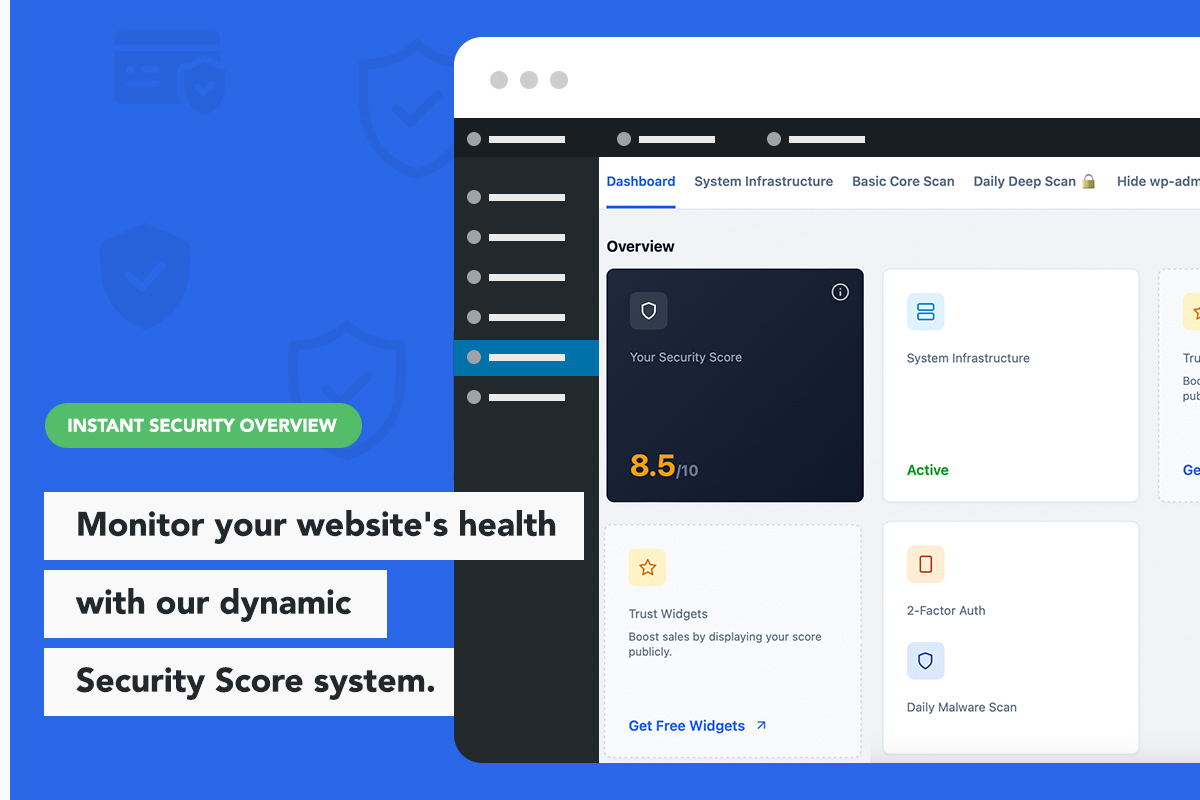
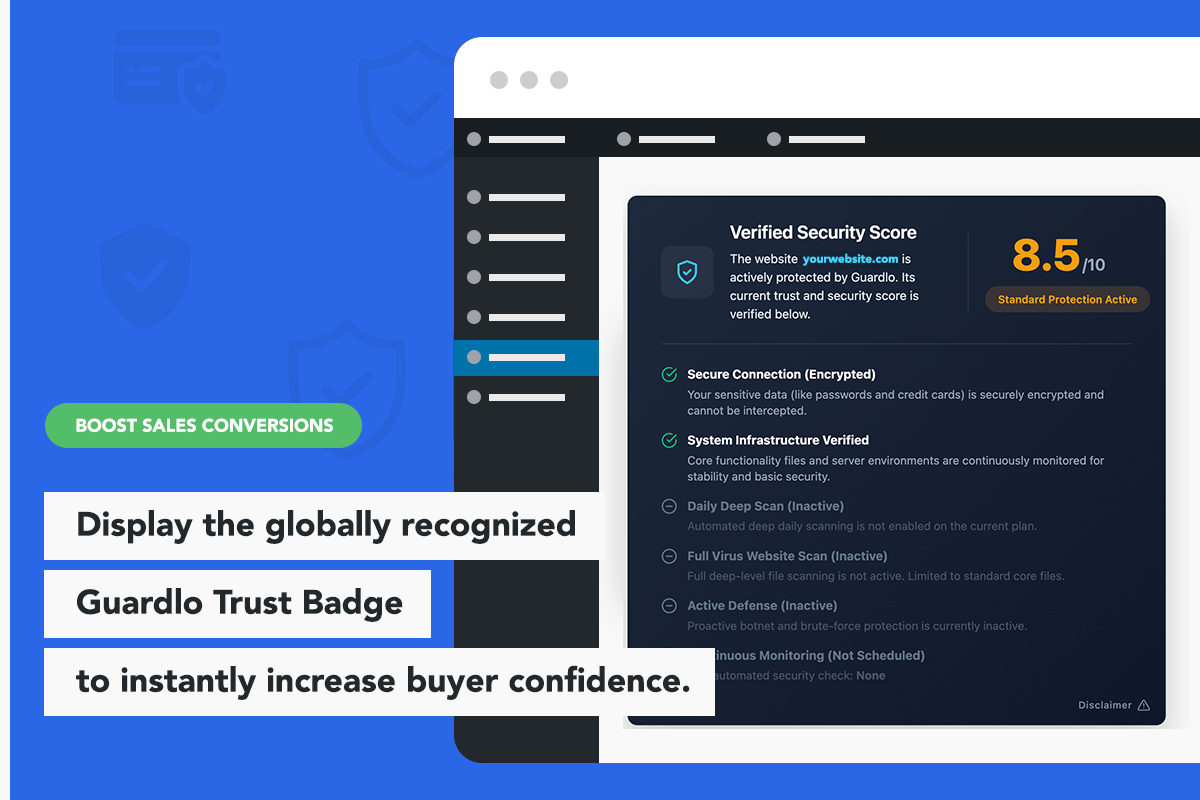
Guardlo is a powerful yet lightweight security tool designed to protect your website’s basic foundation without slowing it down. It also includes a unique Trust Badge feature that allows you to display your website’s security status to your visitors, actively increasing trust and conversions.
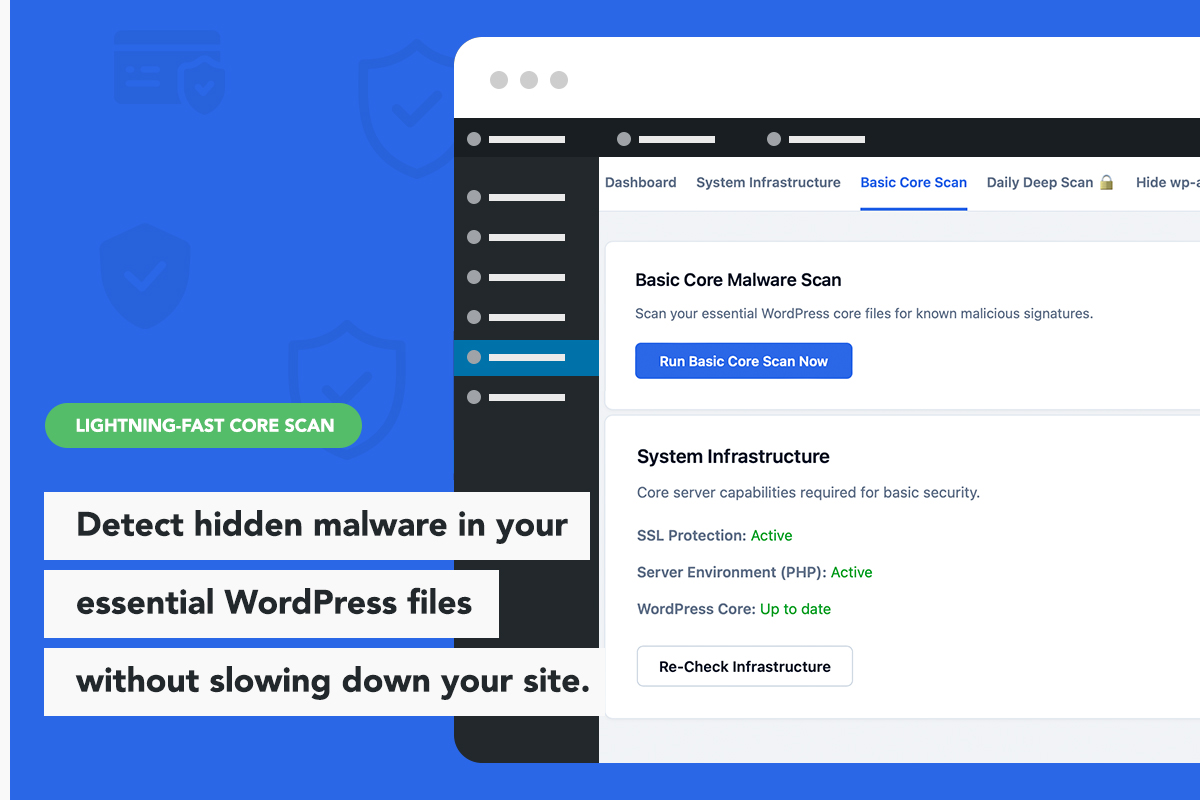
The Guardlo core scanner is built to have a zero impact on server performance by verifying essential WordPress files on demand, rather than running continuous, heavy background processes that consume resources.
The Lightweight Security Alternative
Guardlo acts as a fast, optimized alternative to heavy firewall plugins that drain your server. It provides essential security tools including a core file malware scanner, server environment checks, and seamless integration with a visual security badge.
Standard Features (Free)
- Trust Badge: Display a security badge in your website footer to show visitors that your site is actively monitored.
- Elementor Integration: Includes a native Elementor widget to easily position the Trust Badge on your pages, with 3 design layouts available.
- Basic Core Integrity Scanner: Scan critical WordPress root PHP files (including wp-config.php, .htaccess, index.php) against a database of known malware signatures.
- Infrastructure Monitor: Verify that your server is running secure and up-to-date PHP versions, and check if your website is properly routing traffic through an encrypted SSL connection.
- Localized Security Profiles: Choose from over 30 languages for your public security profile. When international visitors click your Trust Badge, they will view your safety status translated into their native language.
Premium Features
Guardlo offers a premium upgrade for administrators who require automated monitoring, WooCommerce security, and advanced login protection:
- Automated Deep Malware Scans: Deep daily scanning that checks for hidden backdoors and malicious code across core files, installed themes, and plugins.
- Hide wp-admin (Invisible Admin Mode): Change your default wp-admin login URL to a secret custom link to stop automated brute-force attempts dead in their tracks.
- Email 2FA: Add two-factor authentication via email for administrator accounts.
- Advanced Shields (WAF & File Lock): A military-grade Traffic Filter that auto-bans malicious IPs and locks your core files from remote tampering.
- Real-Time Plugin Upload Shield: Scans newly uploaded plugin ZIP files to ensure they are safe before activation.
- Smart Plugin Health Monitor: Identifies major plugin updates that require attention to ensure compatibility and keep your site running smoothly.
- Advanced Trust Badge: Upgrades the visual security score on your Trust Badge to a verified 10.0/10 when full monitoring is active.
Installation
Setting up Guardlo is straightforward:
- Upload the
guardlo-security-malware-scan-trust-badgefolder to the/wp-content/plugins/directory, or install directly through the WordPress plugins screen. - Activate the plugin through the ‘Plugins’ screen in WordPress.
- Your basic environment checks will begin, and the standard Trust Badge will be available to display.
- Navigate to the Guardlo menu in your WordPress dashboard to run a manual core scan or configure your settings.
Frequently asked questions
Will Guardlo consume a lot of server resources?
No. Guardlo is designed to be extremely lightweight. The free version runs its infrastructure and core file checks on demand, which helps ensure your frontend performance is not impacted by background scanning.
Can Guardlo hide my wp-admin login page?
Yes. The Premium version includes an “Invisible Admin Mode” feature that allows you to change your default wp-admin path to a custom link, completely hiding it from hackers and bots.
How does the two-factor authentication (2FA) work?
The Premium version secures your administrator accounts with Email 2FA. During login, after entering the correct password, administrators must also enter a unique code sent to their registered email address.
What is the difference between the Standard and Premium versions?
The Standard version allows you to run on-demand scans of your core server health and root WordPress files, and provides the basic Trust Badge widget. The Premium version adds automated deep scanning for all plugins and themes, secret login page protection, 2FA, Advanced WAF, and an upgraded Trust Badge display.
Changelog
Minor performance update. Improved caching compatibility for the Trust Badge widget to ensure zero performance drops on high-traffic websites.
1.0.2
- Performance: Improved Trust Badge loading compatibility with aggressive caching plugins (LiteSpeed, SG Optimizer, WP Rocket).
- Optimization: Refined internal security check logic for faster dashboard load times.
- SEO: Updated plugin metadata and tags to help users find the specific security modules they need.
1.0.1
- Security Update: Implemented XOR encryption for the malware signature database to prevent false-positive triggers from server-side antivirus software.
- Feature Enhancement: Expanded the Basic Core Malware Scan to automatically check all .php files in the root directory (public_html), significantly increasing basic coverage.
- UI/UX: Cleaned up the top navigation bar and added a ‘Leave a Review’ link.
- Minor bug fixes and code optimizations.
1.0.0
- Initial release on the WordPress.org repository.
- Added native Elementor Widget for Trust Badge placement.
- Implemented basic environment and SSL checks.
- Added on-demand core file malware scan.
- Integrated the Guardlo Premium security add-on options within the dashboard.
Screenshots
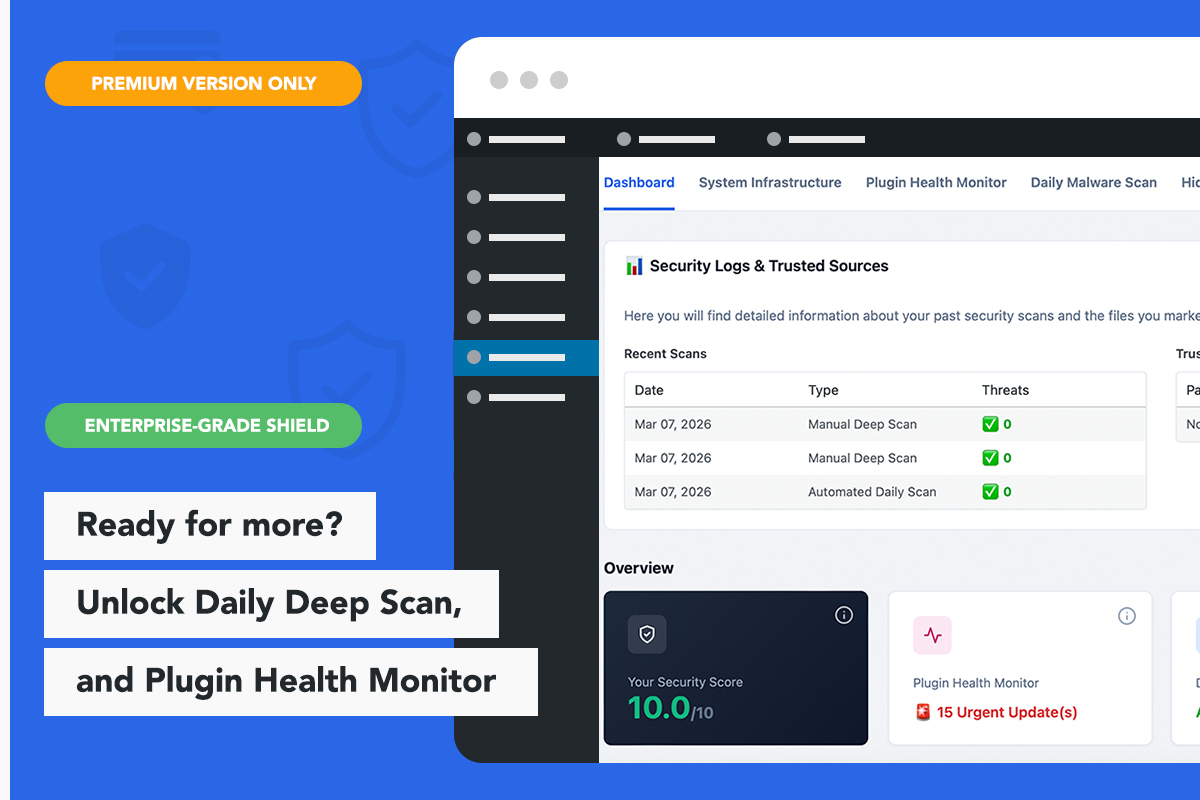
For developers
Is this your plugin? Show off the numbers.
Add a live badge to your site, docs or GitHub README. It updates on its own — no account needed.
Best Guardlo Security & Malware Sc… alternatives
All hide login plugins →




FAQ
Guardlo Security & Malware Scanner…: quick answers
Straight answers, pulled from live WordPress.org data.
Live data from WordPress.org · checked Oct 3, 2026
Is Guardlo Security & Malware Scan… free?
Yes. Guardlo Security & Malware Scan… is free to download and use from the official WordPress.org plugin directory.
Is Guardlo Security & Malware Scan… safe to use in 2026?
Guardlo Security & Malware Scan… shows warning signs in 2026 — compare the alternatives below before installing. Was last updated 6 months ago, and scores 36/100 on our health check.
How many websites use Guardlo Security & Malware Scan…?
Guardlo Security & Malware Scan… is active on <10 WordPress websites and has been downloaded 470 times since it launched in March 2026. It was downloaded 65 times in the last 30 days.
Does Guardlo Security & Malware Scan… work with WordPress 7.1?
Guardlo Security & Malware Scan… is officially tested up to WordPress 6.9.9, while the latest release is 7.1.2. It may still work, but try it on a staging site first.
What PHP version does Guardlo Security & Malware Scan… need?
Guardlo Security & Malware Scan… requires PHP 7.4 or higher. Most hosts run PHP 8.x today, so it works on any modern WordPress hosting.
When was Guardlo Security & Malware Scan… last updated?
The latest version, 1.0.2, was released on March 23, 2026 (6 months ago).
Who makes Guardlo Security & Malware Scan…?
Guardlo Security & Malware Scan… is developed and maintained by dansebastian.
What are the best alternatives to Guardlo Security & Malware Scan…?
The most popular alternatives to Guardlo Security & Malware Scan… are Easy Hide Login (20K+ installs), WPOrLogin (2K+ installs) and Block wp-login (600+ installs).
Powered by PageForge
Want thousands of pages that rank like these? Build them in an afternoon.
This directory runs on the same engine as PageForge. Turn any spreadsheet, CSV or API into thousands of fast, SEO-ready WordPress pages — with schema, internal links and AI-written copy baked in.
- CSV, Google Sheets & API data sources
- AI content, schema & internal links per page
- Works with Elementor, Gutenberg, Yoast & Rank Math
- Free on WordPress.org — no credit card


