



Guardify Firewall
Guardify is a powerful WordPress firewall plugin designed to protect your website from a wide range of threats, including brute force attacks, SQL injections, malicious bots, and unauthorized access attempts. With an…

Consider an alternative
Guardify Firewall shows warning signs in 2026 — compare the alternatives below before installing. It runs on 10+ sites, is rated 5/5 and was last updated 1 year ago, and scores 39/100 on our health check.
- Small user base (10+ active installs)
- Very few reviews so far
- No update in over a year
- Only tested up to WordPress 6.8 (latest is 7.1)
How does it stack up?
Side-by-side on installs, updates, ratings & support



Daily downloads
Download spikes usually follow a new release — each site that auto-updates counts as a download.
Rankings
Where Guardify Firewall stands todayWordPress.org search rankings
Live position in the plugin search, top 100| Keyword | Position |
|---|---|
| brute force protection | >100 |
| firewall | >100 |
| IP-blocking | >100 |
| security | >100 |
| wordpress security | >100 |
Version adoption
Share of active sites per release.
Rating breakdown
★★★★★★★★★★ 5 from 2 reviews
About Guardify Firewall
From the official readme · v1.1.2Description
Guardify is a powerful WordPress firewall plugin designed to protect your website from a wide range of threats, including brute force attacks, SQL injections, malicious bots, and unauthorized access attempts. With an intuitive dashboard, detailed statistics, and advanced settings, Guardify empowers you to secure your site effortlessly.
🔐 Key Features:
-
Advanced Web Application Firewall (WAF)
Intercepts and filters all incoming traffic before it reaches WordPress. Blocks SQL injection, XSS, RFI, LFI, and other attack vectors. -
Brute Force Attack Protection
Blocks repeated login attempts by limiting login frequency and analyzing IP reputation. -
2-Factor Authentication (2FA)
Adds an extra layer of login security for admin users, using time-based one-time passwords (TOTP). -
Real-Time Activity Logs
Track login attempts, blocked IPs, suspicious requests, and system actions with detailed logs. View statistics by day, week, or month. -
Custom IP Whitelisting & Blacklisting
Control access to your site by adding IPs or IP ranges to allow or deny lists. Includes temporary blocking for failed login attempts. -
GeoIP Blocking
Block or allow access from specific countries using the MaxMind GeoIP2 database integration. -
Bot Access Control
Detect and manage access from known bots, scrapers, and fake crawlers. Option to block non-human traffic. -
Anti-PHP Injection & File Access Blocking
Prevents direct access to PHP files in sensitive directories such as/wp-includes/and/wp-content/uploads/. -
Block Plugin and Theme Installation
Restrict installation of new plugins and themes via the WordPress dashboard — even by administrators. This helps prevent unauthorized or accidental installation of insecure components. Manual installation via FTP remains possible. -
Block Theme Editor
Disable access to the Theme Editor (/wp-admin/theme-editor.php) to prevent direct file editing. This minimizes the risk of malicious code injection or unintentional file corruption. -
Forbidden Comment Words Filter
Automatically mark comments as spam if they contain forbidden words or patterns (e.g.,http,viagra,casino,porn). Helps drastically reduce comment spam by detecting common keywords and links. -
Auto Block IPs in .htaccess
When enabled, IPs that exceed the rate limit are automatically added to the.htaccessfile for permanent blocking. This server-level block prevents any further requests. Use with care, as shared or corporate IPs may be affected. -
Email Notifications
Stay informed with email alerts about critical security events, such as admin login attempts or IP bans. -
Customizable Firewall Rules
Advanced users can fine-tune rules with regex filters, HTTP method checks, user-agent filters, and more. -
User-Friendly Admin Interface
Guardify features a modern and intuitive UI built using native WordPress design language. -
Clean Uninstall
Automatically cleans up all data, logs, and settings when uninstalled—leaving your database clean.
Installation
- Upload the
guardifyfolder to the/wp-content/plugins/directory. - Activate the plugin through the ‘Plugins’ menu in WordPress.
- Visit the Guardify Dashboard under the admin menu to configure settings.
Frequently asked questions
How does Guardify protect my site?
Guardify uses a web application firewall to filter all incoming requests, blocking malicious activity like brute force attacks, injections, and unauthorized file access.
Does it slow down my site?
No! Guardify is optimized for performance, processing requests efficiently with minimal overhead.
Can I whitelist my IP?
Yes, under Settings, you can add IPs to the whitelist to ensure uninterrupted access.
What happens when I uninstall Guardify?
All settings, logs, and files are cleanly removed from your site, leaving no trace behind.
Changelog
1.0.0
- Initial release with full firewall functionality, dashboard, stats, and settings.
Screenshots
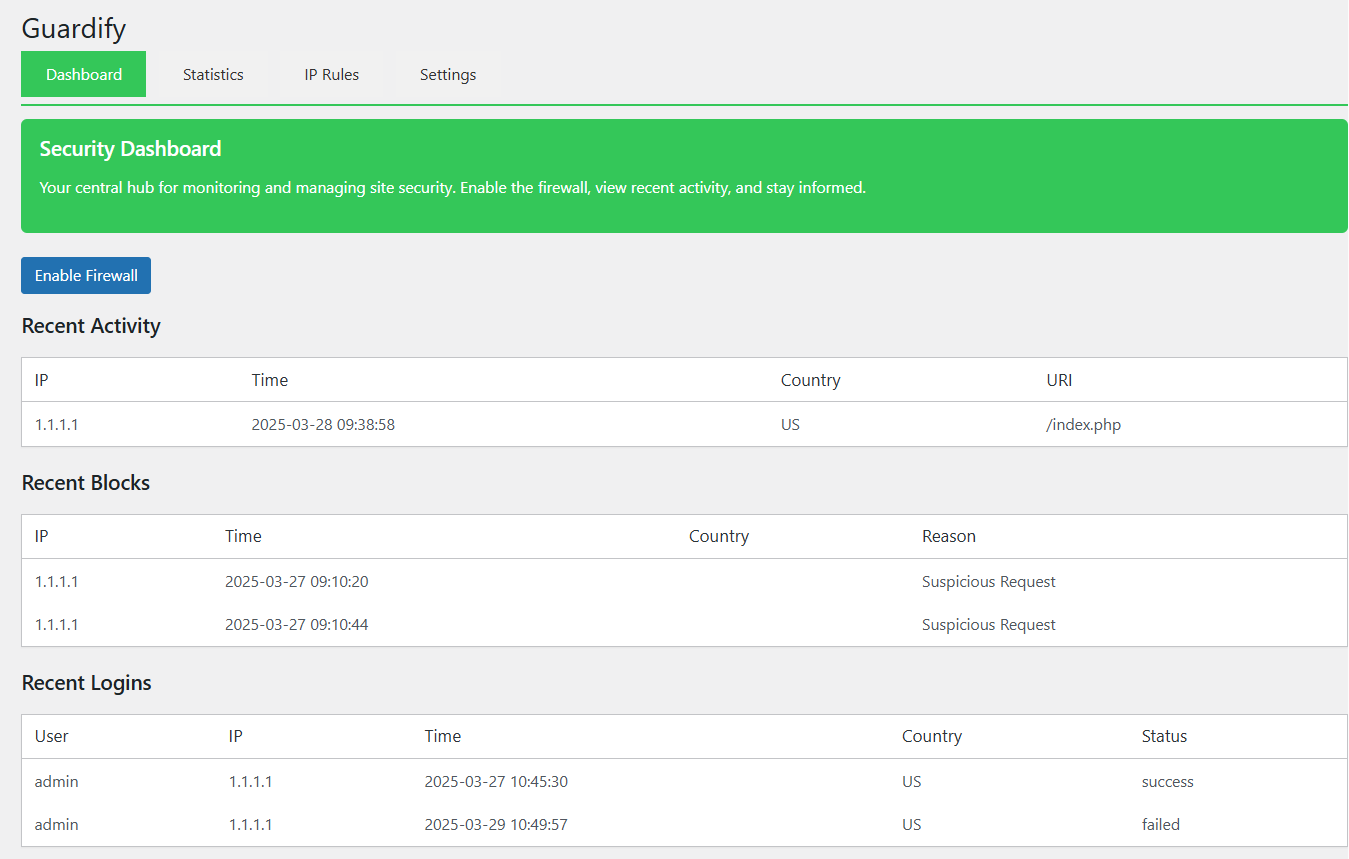
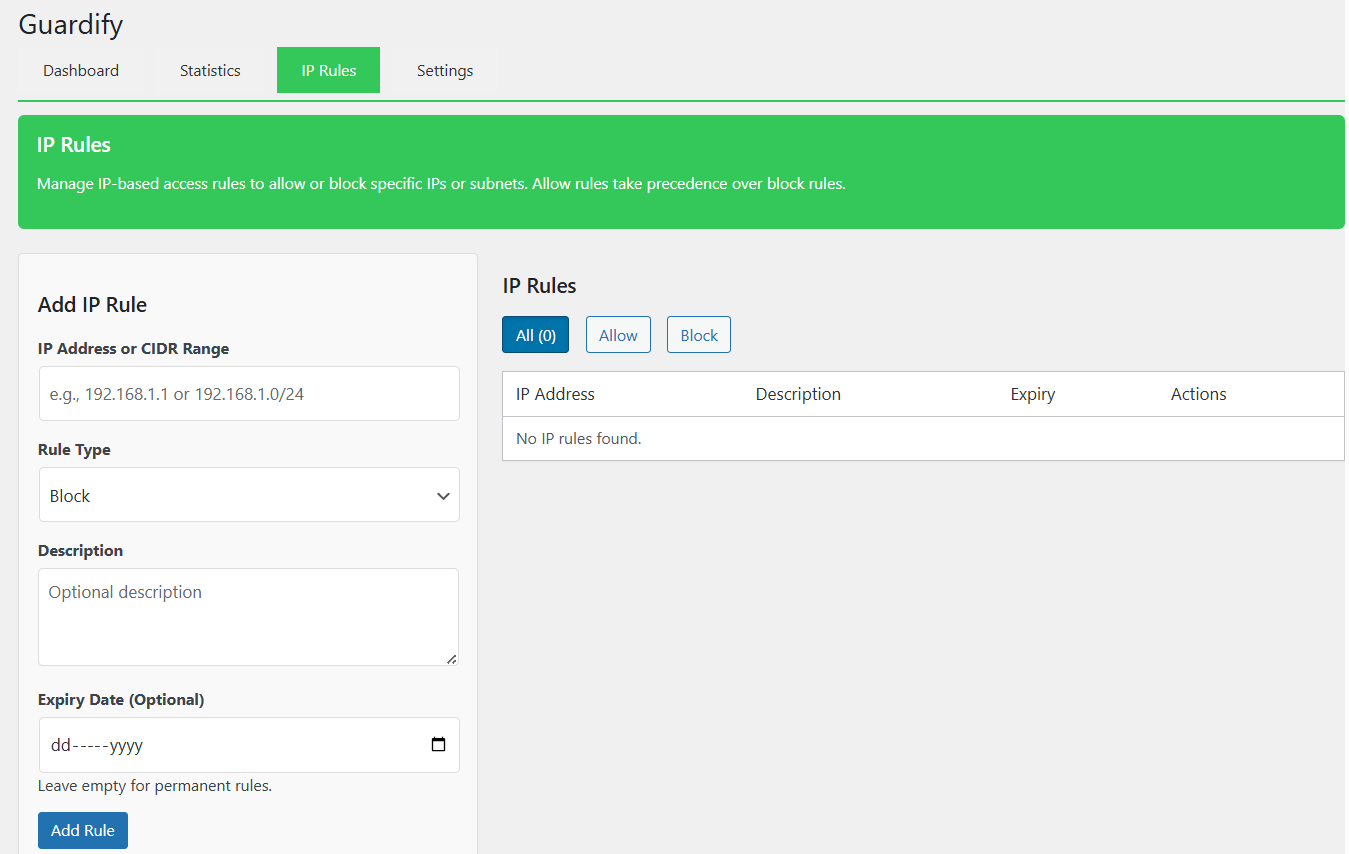
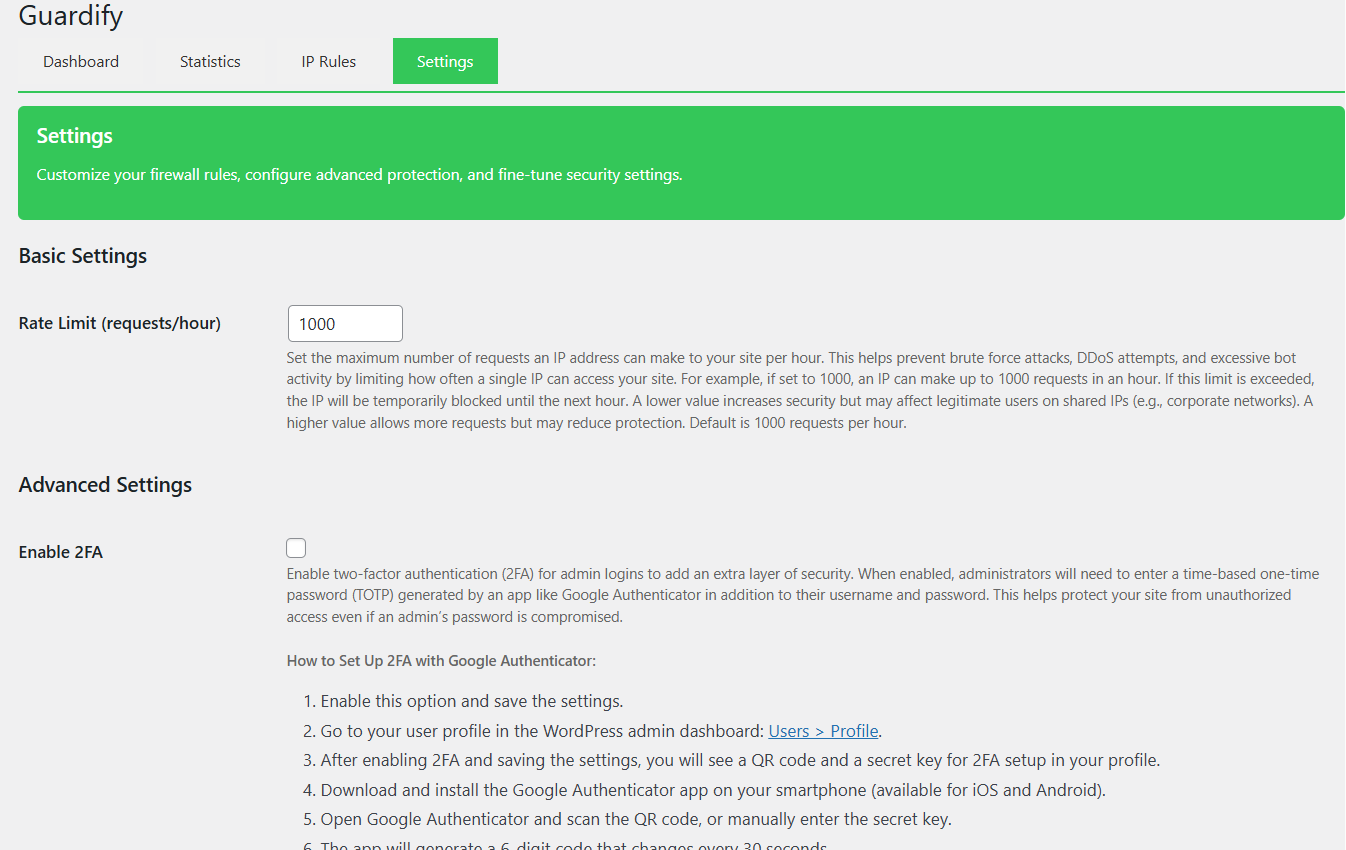
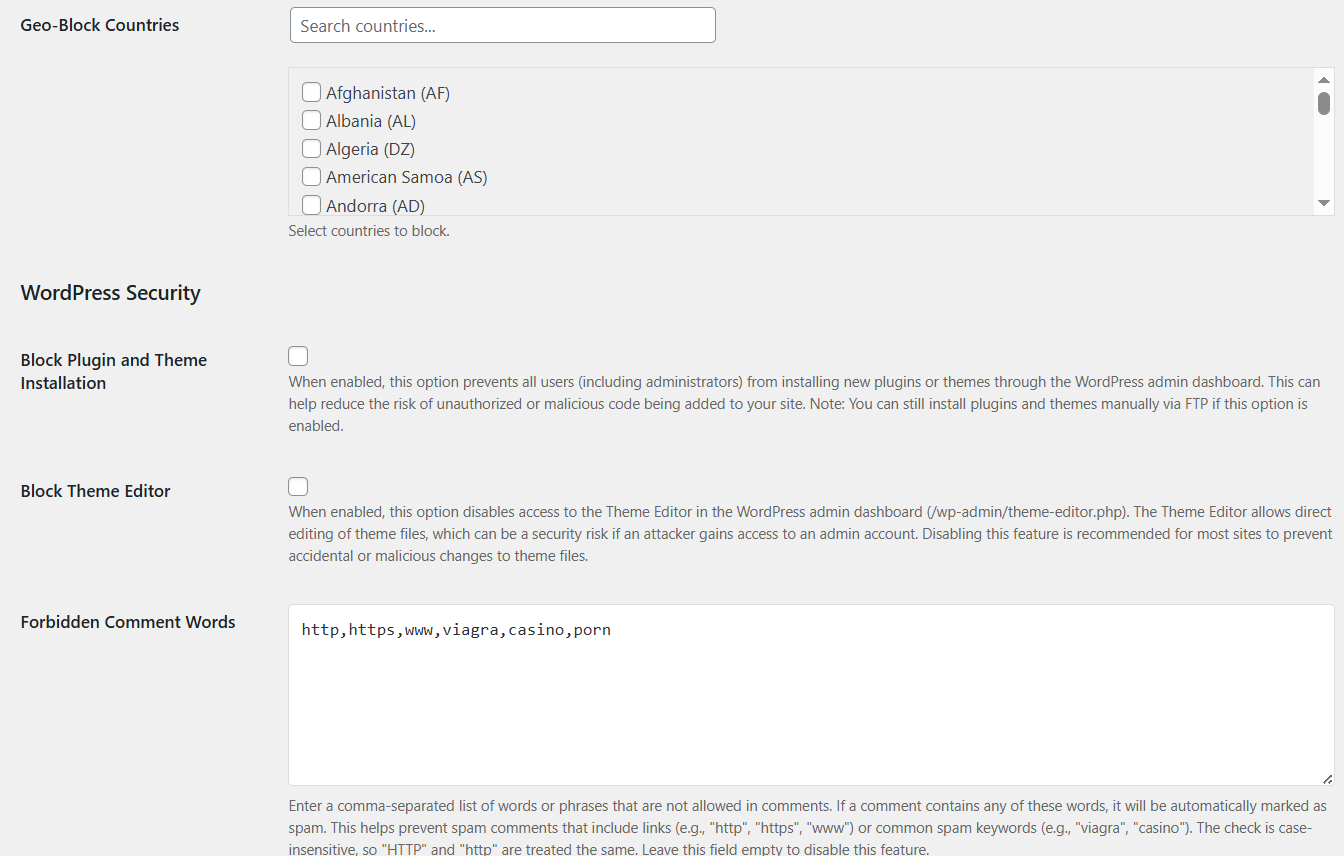
For developers
Is this your plugin? Show off the numbers.
Add a live badge to your site, docs or GitHub README. It updates on its own — no account needed.
Best Guardify Firewall alternatives
All brute force protection plugins →





FAQ
Guardify Firewall: quick answers
Straight answers, pulled from live WordPress.org data.
Live data from WordPress.org · checked Oct 5, 2026
Is Guardify Firewall free?
Yes. Guardify Firewall is free to download and use from the official WordPress.org plugin directory.
Is Guardify Firewall safe to use in 2026?
Guardify Firewall shows warning signs in 2026 — compare the alternatives below before installing. It runs on 10+ sites, is rated 5/5 and was last updated 1 year ago, and scores 39/100 on our health check.
How many websites use Guardify Firewall?
Guardify Firewall is active on 10+ WordPress websites and has been downloaded 774 times since it launched in May 2025. It was downloaded 65 times in the last 30 days.
Does Guardify Firewall work with WordPress 7.1?
Guardify Firewall is officially tested up to WordPress 6.8.10, while the latest release is 7.1.2. It may still work, but try it on a staging site first.
When was Guardify Firewall last updated?
The latest version, 1.1.2, was released on June 4, 2025 (1 year ago).
Who makes Guardify Firewall?
Guardify Firewall is developed and maintained by BitCleric.
What are the best alternatives to Guardify Firewall?
The most popular alternatives to Guardify Firewall are Kadence Security (700K+ installs), Titan Anti-spam & Security (50K+ installs) and Honeypot Toolkit (400+ installs).
Powered by PageForge
Want thousands of pages that rank like these? Build them in an afternoon.
This directory runs on the same engine as PageForge. Turn any spreadsheet, CSV or API into thousands of fast, SEO-ready WordPress pages — with schema, internal links and AI-written copy baked in.
- CSV, Google Sheets & API data sources
- AI content, schema & internal links per page
- Works with Elementor, Gutenberg, Yoast & Rank Math
- Free on WordPress.org — no credit card


