



GSheetConnector – Easy Digital Downloads Google Sheets Connector, EDD Export
Google Sheet Integration for Easy Digital Downloads Plugin, It is an Addon plugin of EDD - Easy Digital Downloads.

Solid choice
GSheetConnector is a solid plugin choice in 2026, with a few things worth checking first. It runs on 10+ sites, is rated 5/5 and was last updated 4 weeks ago, and scores 73/100 on our health check.
- Actively developed — last update 4 weeks ago
- Tested with the latest WordPress (7.1)
- Small user base (10+ active installs)
- Very few reviews so far
How does it stack up?
Side-by-side on installs, updates, ratings & support



Daily downloads
Download spikes usually follow a new release — each site that auto-updates counts as a download.
Rankings
Where GSheetConnector stands todayWordPress.org search rankings
Live position in the plugin search, top 100| Keyword | Position |
|---|---|
| easy digital downloads | #47 |
| easy digital downloads google sheet | #4 |
| edd google sheet | #5 |
| google sheet integration | #77 |
| Google Sheets | #99 |
Version adoption
Share of active sites per release.
Rating breakdown
★★★★★★★★★★ 5 from 1 reviews
About GSheetConnector
From the official readme · v1.6.12Description
This plugin is a bridge between your WordPress based Easy Digital Downloads plugin and Google Sheets.
⚡️ It helps to send orders directly to google sheets in a real time. When a New Download is purchased from your website through Easy Digital Downloads plugin, All the order details Will sent to Google Sheets.
Homepage | Documentation | Support | ✨ Upgrade to PRO
- Easy Digital Downloads Google Sheet Connector sends orders entries to Google Sheet in a real-time
🤝 INTEGRATIONS (How to Use this Plugin)
-
Step: 1 – In Google Sheets
➜ Log into your Google Sheets.
➜ Create a new Sheet and name it or select the existing sheet.
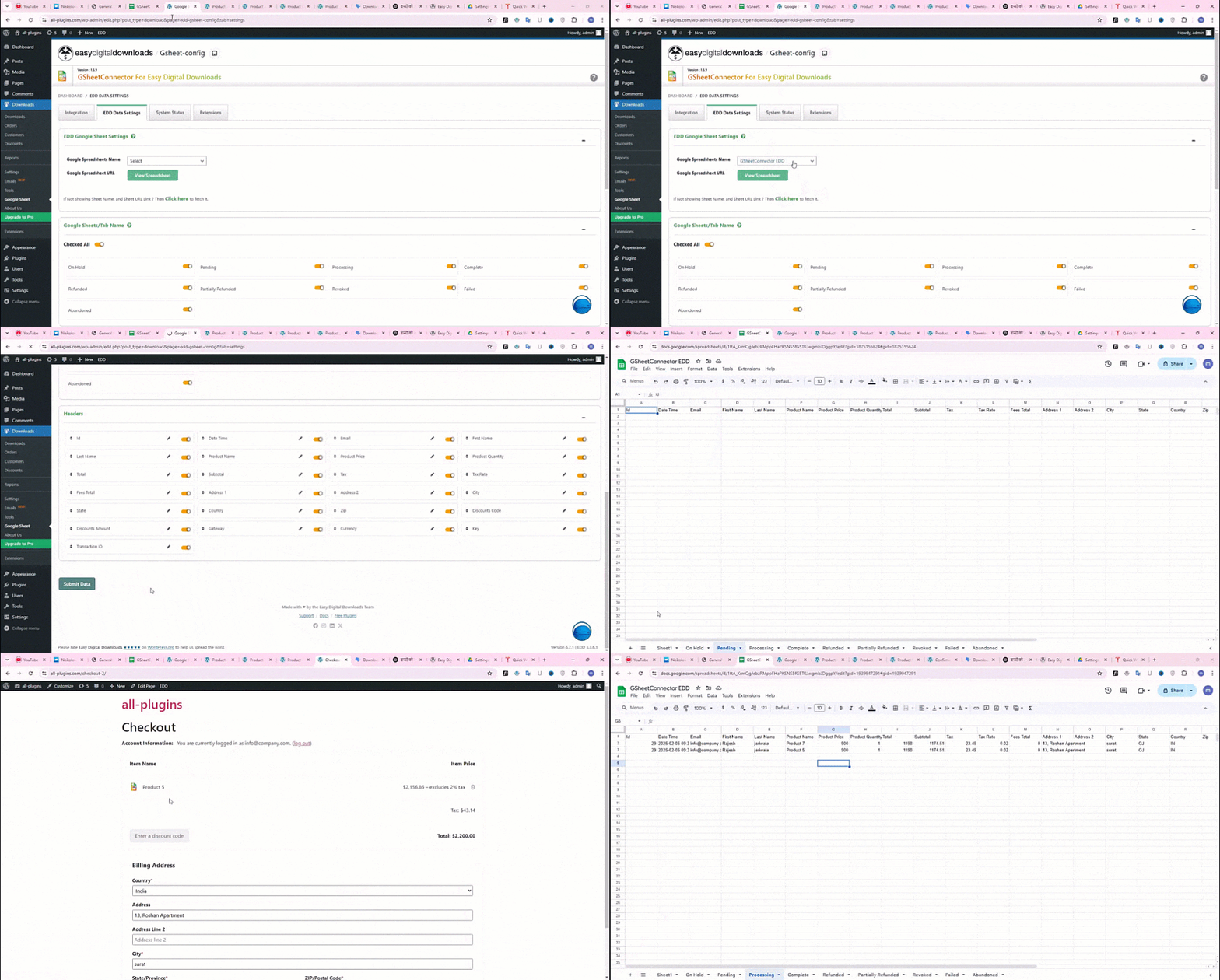
➜ Copy Sheet Name, Sheet ID, Tab Name and Tab ID (Refer Screenshots) -
Step: 2 – In WordPress Admin
➜ Navigate to Downloads > Google Sheet > Integration Tab
➜ Authenticate with Google using new “Google Access Code” while clicking on “Get Code”
➜ Make Sure to ALLOW Google Permissions for Google Drive and Google Sheets and then copy the code and paste in Google Access Code field, and Hit Save & Authenticate. -
Step: 3 – Connect with Google Sheet
➜ Navigate to Downloads > Google Sheet > EDD Data Settings.
➜ Select the appropriate Sheet from the “Google Sheet Name” dropdown box.
➜ Select EDD Order Status to create Sheet Tabs and add headers to your selected Google Sheet.
➜ Lastly test by ordering any product and putting it to a different order states
( Processing, Hold etc).
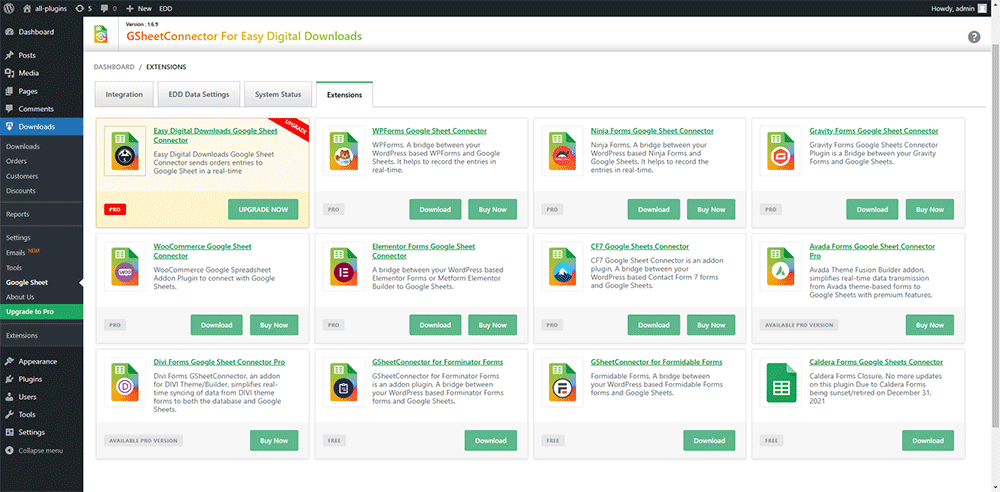
⚡️Google Sheet Connector Contact Form Addons
CF7 Google Sheet Connector
WPForms Google Sheet Connector
Gravity Forms Google Sheet Connector
Ninja Forms Google Sheet Connector
Avada Forms Google Sheet Connector
DIVI Forms Google Sheet Connector
Elementor Forms Google Sheet Connector
WooCommerce Google Sheet Connector – WooCommerce Addon Plugin
Installation
- Upload
gsheetconnector-easy-digital-downloadsto the/wp-content/plugins/directory, ORSite Admin > Plugins > New > Search > GSheetConnector Easy Digital Downloads > Install. - Activate the plugin through the ‘Plugins’ screen in WordPress.
- Use the
Admin Panel > Downloads > Google Sheet > Integrationscreen to connect toGoogle Sheetsby entering the Access Code. You can get the Access Code by clicking the “Get Code” button.
Enjoy!
Frequently asked questions
Submitted New Order Entries not showing in my Configured Sheet?
If the Entries never shows in your Sheet then one of these things might be the reason: Wrong access code or did not allowed permission to Google Drive and Google Sheets(Check debug log under Integration Tab) Please double-check those items and hopefully getting them right will fix the issue.
Changelog
1.6.12
(08-09-2026)
* Fixed the issue where the Google Sheet menu was not displayed under the EDD menu and ensured it now appears correctly.
1.6.11
(17-07-2025)
* Tested up to latest version of WordPress 6.8.1.
* Confirmed compatibility with the latest versions of Easy Digital Downloads (Free and Pro).
- 1.6.10 (06-02-2025)
- Fixed: Minor UI Changes.
-1.6.9 (04-01-2025)
* Fixed: UI Changes with responsiveness.
* Updated: Google api library update with version 2.12.6.
* Fixed: Solved conflict issues with GSheetConnector Plugins.
* Added: Added On Hold Sheet Tab and removed duplicate column.
* Added: The “Copy Log” button has been added.
* Fixed: Undefined error when clicking the “Copy to Clipboard” button in the System Info tab.
* Fixed: The issue with the Debug Log view and the close button has been fixed.
* Fixed: Dashboard widget formatting has been improved.
- 1.6.8 (08-03-2024)
- Added: For user without Google Drive and Google Sheets permissions authentication shows alert with message.
- Added: Added System Status and Error Log for improved functionality and user experience.
- Added: Done UI changes at Integration page.
- Added: Added System Status tab.
- Added: Added links for support,docs,upgrade to pro.
- Fixed: Fixed validate parent plugin exists or not then show alert message display issue.
- Fixed: Fixed uninstallation of plugin.
-
Fixed: Compatible Free version to Pro version.
-
1.6.7 (06-03-2024)
- Changed Plugin Name as per Guidelines for 3rd-Party Extensions.
-
Compatible with Easy Digital Downlods PRO.
-
1.6.6 (05-07-2023)
- Vulnerabilities issue resolved.
-
Updated Freemius SDK version to 2.5.10
-
1.6.5 (16-05-2023)
-
Fixed the issue while updating status order not update in google sheet.
-
1.6.4 (29-04-2023)
-
Vulnerabilities issue resolved.
-
1.6.3 (10-12-2022)
-
Resolved Freemius issue.
-
1.6.2 (09-12-2022)
-
Resolved Freemius issue.
-
1.6.1 (09-12-2022)
-
Resolved Freemius issue.
-
1.6 (09-12-2022)
-
Resolved Freemius issue.
-
1.5 (09-12-2022)
-
Updated Freemius SDK version to 2.5.3
-
1.4 (15-08-2022)
- New Google Integration method implemented using web app.
- Resolved some issue with auth configuration.
-
Changes UI.
-
1.3 (31-03-2022)
-
Updated Freemius SDK version to 2.4.3
-
1.2 (04-02-2022)
-
Added Compability with Required PHP 5.4 or higher & WordPress 4.4 or higher versions.
-
1.1 (13-01-2022)
-
Added : Added freemius integration.
-
1.0
- Released Initial version Functionality to send Easy Digital Download Payment Entries to Google Sheets
Screenshots


For developers
Is this your plugin? Show off the numbers.
Add a live badge to your site, docs or GitHub README. It updates on its own — no account needed.
Best GSheetConnector alternatives
All easy digital downloads plugins →





FAQ
GSheetConnector: quick answers
Straight answers, pulled from live WordPress.org data.
Live data from WordPress.org · checked Oct 6, 2026
Is GSheetConnector free?
Yes. GSheetConnector is free to download and use from the official WordPress.org plugin directory.
Is GSheetConnector safe to use in 2026?
GSheetConnector is a solid plugin choice in 2026, with a few things worth checking first. It runs on 10+ sites, is rated 5/5 and was last updated 4 weeks ago, and scores 73/100 on our health check.
How many websites use GSheetConnector?
GSheetConnector is active on 10+ WordPress websites and has been downloaded 4,302 times since it launched in December 2021. It was downloaded 218 times in the last 30 days.
Does GSheetConnector work with WordPress 7.1?
Yes. The developer has tested GSheetConnector up to WordPress 7.1.2, the latest release. It requires WordPress 4.4 or newer.
What PHP version does GSheetConnector need?
GSheetConnector requires PHP 5.6 or higher. Most hosts run PHP 8.x today, so it works on any modern WordPress hosting.
When was GSheetConnector last updated?
The latest version, 1.6.12, was released on September 8, 2026 (4 weeks ago).
Who makes GSheetConnector?
GSheetConnector is developed and maintained by WesternDeal.
What are the best alternatives to GSheetConnector?
The most popular alternatives to GSheetConnector are Bulk Edit Posts and Product… (8K+ installs), AffiliateWP (1K+ installs) and AffiliateWP (1K+ installs).
Powered by PageForge
Want thousands of pages that rank like these? Build them in an afternoon.
This directory runs on the same engine as PageForge. Turn any spreadsheet, CSV or API into thousands of fast, SEO-ready WordPress pages — with schema, internal links and AI-written copy baked in.
- CSV, Google Sheets & API data sources
- AI content, schema & internal links per page
- Works with Elementor, Gutenberg, Yoast & Rank Math
- Free on WordPress.org — no credit card


