



GoDaddy Payments for WooCommerce
A payment gateway plugin that enables your U.S. or Canadian business to accept credit card payments directly on your WooCommerce site.

Use with caution
GoDaddy Payments for WooCommerce works, but test it on a staging site before relying on it in 2026. It runs on 2K+ sites, is rated 4.3/5 and was last updated 8 months ago, and scores 56/100 on our health check.
- Only tested up to WordPress 6.9 (latest is 7.1)
How does it stack up?
Side-by-side on installs, updates, ratings & support



Daily downloads
Download spikes usually follow a new release — each site that auto-updates counts as a download.
Rankings
Where GoDaddy Payments for WooCom… stands todayWordPress.org search rankings
Live position in the plugin search, top 100| Keyword | Position |
|---|---|
| checkout | >100 |
| credit card | #65 |
| e-commerce | >100 |
| ecommerce | >100 |
| payments | #28 |
Version adoption
Share of active sites per release.
Rating breakdown
★★★★★★★★★★ 4.3 from 6 reviews
About GoDaddy Payments for WooCommerce
From the official readme · v1.7.7Description
GoDaddy Payments for WooCommerce is a payment gateway plugin that enables your U.S. or Canadian business to accept any major credit or debit card directly on your WooCommerce site.
Using GoDaddy Payments to process your WooCommerce store’s credit card payments has benefits for both your store and your customers. With GoDaddy Payments your business can:
- Start taking secure payments in minutes with a quick & easy setup, no setup fees and no contracts.
- Get paid faster – receiving your funds as early as the next business day.
- Simple transaction fee of 2.9% + 30¢ per online transaction in the U.S and 2.7% + 0¢ in Canada.
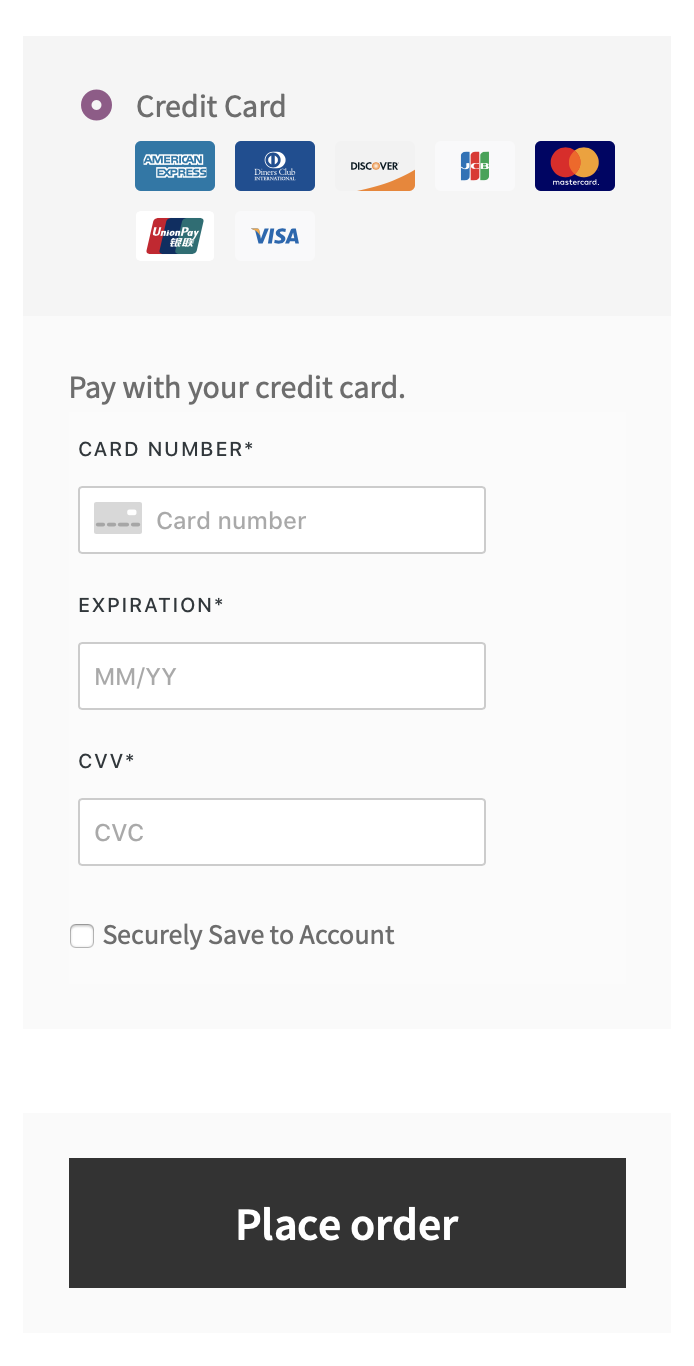
- Reduce your PCI compliance responsibility. GoDaddy Payments uses hosted iframes to ensure payment data never touches and is never stored on your site’s servers.
- Use any major credit or debit card including Visa®, MasterCard®, American Express®, Discover®, Diner’s Club®, JCB®, and UnionPay®.
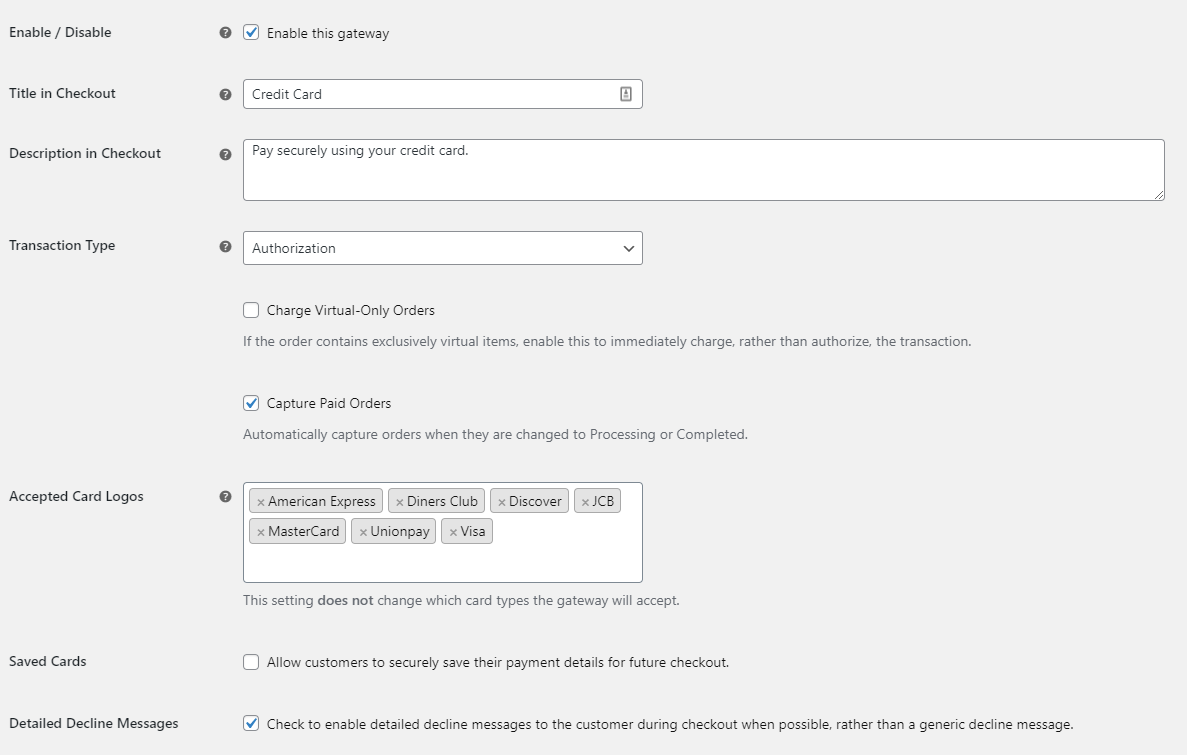
- Complete transactions quickly by authorizing charges at checkout, then capturing them later through the WooCommerce Orders page.
- Enjoy faster, easier order management, by processing refunds and voids directly through WooCommerce – with no need to log into your merchant account.
Sign-up for GoDaddy Payments today!
Frequently asked questions
What are the requirements to use GoDaddy Payments for WooCommerce?
Your site must meet the following requirements: Your business must be located in the United States or Canada. Your WooCommerce currency must be set to United States (US) dollar ($) if located in United States, or Canadian dollar ($) if located in Canada. PHP 7.4+ (you can find this under WooCommerce > Status) WordPress 5.6+ WooCommerce 4.0+
How do I find my credentials and connect my WooCommerce store to GoDaddy Payments?
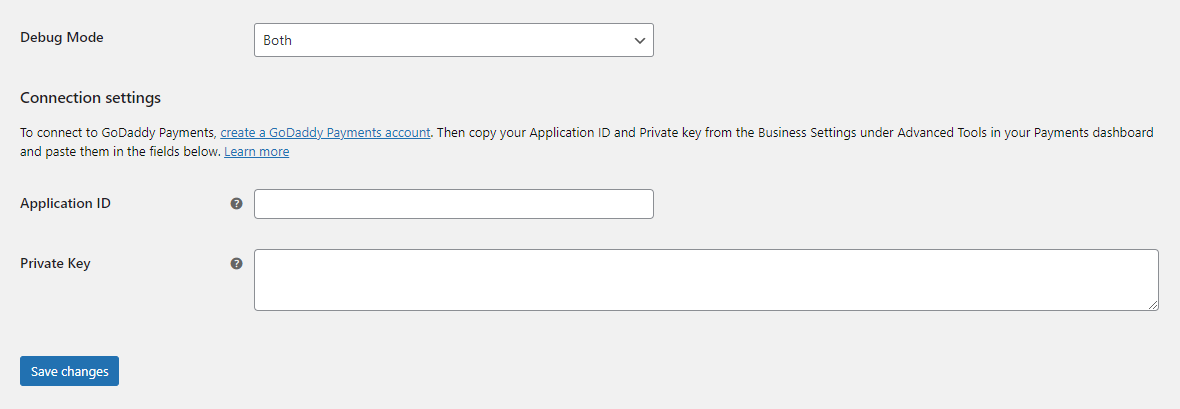
You can sign up here. You can connect to GoDaddy Payments by following these steps: Login to your GoDaddy Payments dashboard and go to Advanced Tools > Business Settings > Contact Info. Copy your Application ID and Private Key in the Poynt Collect API Settings section. In your WooCommerce store, go to WooCommerce > Settings > Payments > Credit Card and paste these credentials in the Application ID and Private Key fields. Click Save Changes. You may now enable the gateway and start processing payments with GoDaddy Payments!
Does this plugin support recurring / subscription payments?
Yes! This plugin supports tokenization, which is required for recurring payments such as those created with WooCommerce Subscriptions.
Will this plugin work with my site’s theme?
This plugin should work nicely with any WooCommerce compatible theme (such as Storefront), but some themes may require custom styling for a perfect fit. For assistance with theme customization, please visit the WooCommerce Codex.
Help! I’m having trouble with this plugin.
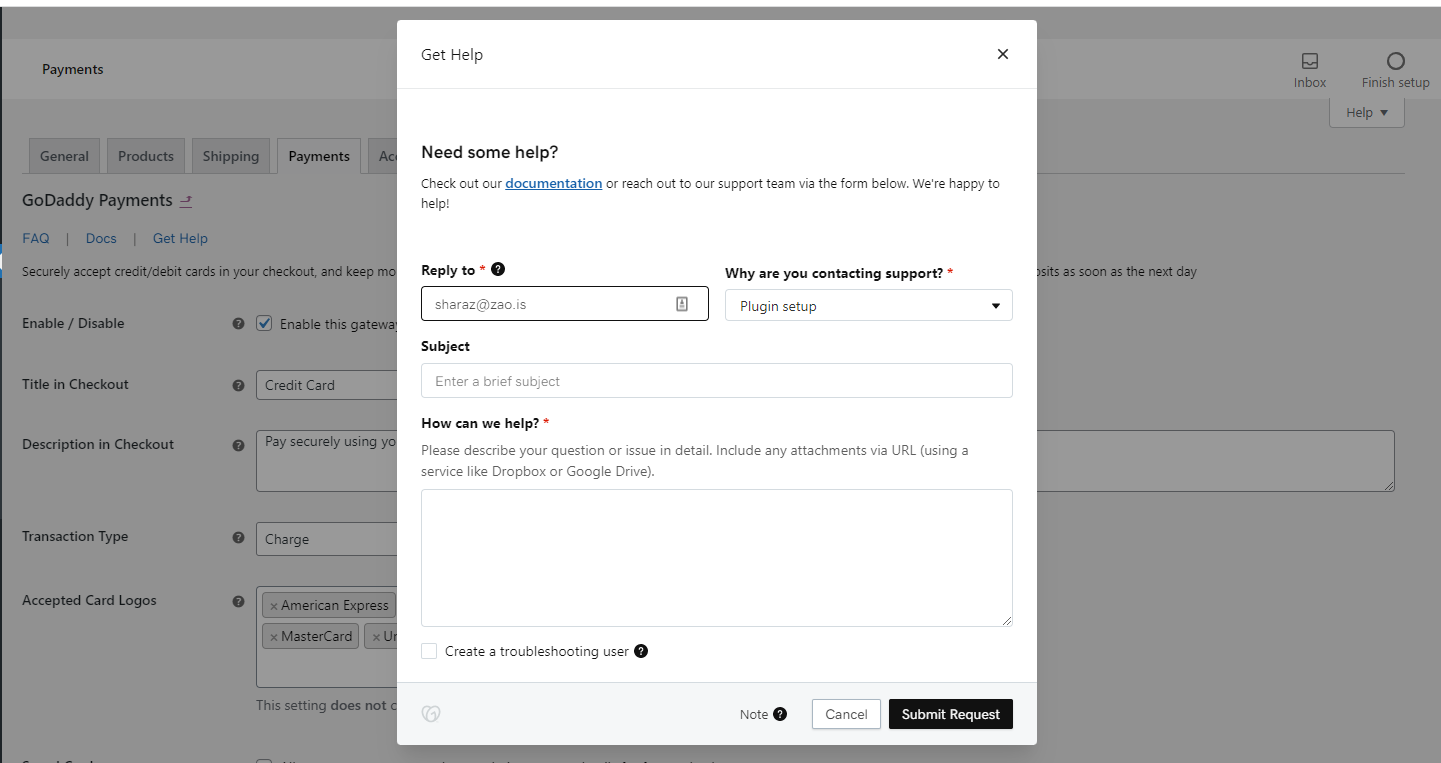
Having trouble? Follow these steps to make sure everything is setup correctly before sending a support request from the Get Help link on the settings page: Please ensure that your site meets the plugin requirements. Confirm that your credentials are correct. Review this documentation and other FAQs to see if they address your question. Enable the Debug Mode setting (under WooCommerce > Settings > Payments > Credit Card), process a test transaction, and review the error codes / messages provided by GoDaddy Payments in the logs (displayed at checkout and/or under WooCommerce > Status > Logs)…
Where can I get support, request new features, or report bugs?
First, please review this documentation to see if it addresses your question. If not, please get in touch with us through the Get Help link on the WooCommerce > Settings > Payments > Credit Card page.
Changelog
2026.01.26 – version 1.7.7
- Misc – Switch to the new collectjs urls for godaddy payments
2025.07.23 – version 1.7.6
- Fix – Checkout blocks warning was appearing unexpectedly when editing a block checkout page
- Fix – “Translations loaded too early” error
- Misc – Update the SV Framework to v5.15.12
2024.05.06 – version 1.7.5
- Tweak – Only fail orders with a postal code AVS mismatch
2024.04.03 – version 1.7.4
- Tweak – Pass Collect.js nonce to payment transactions when not using a saved payment method
- Misc – Update references to the latest processing commission fees
2024.03.04 – version 1.7.3
- Fix – Allow overriding the place order button text also when using the checkout block
- Misc – Improve the plugin compatibility with PHP 8.2+
2024.02.14 – version 1.7.2
- Fix – Ensure the changes from the previous release are also included in the block checkout
- Fix – Add sanity checks in the Pay in Person gateway to prevent errors at checkout
- Fix – Display the correct titles in the plugins’ page “Configure” links for the payment methods
Screenshots
For developers
Is this your plugin? Show off the numbers.
Add a live badge to your site, docs or GitHub README. It updates on its own — no account needed.
Best GoDaddy Payments for WooComme… alternatives
All checkout plugins →





FAQ
GoDaddy Payments for WooCommerce: quick answers
Straight answers, pulled from live WordPress.org data.
Live data from WordPress.org · checked Sep 26, 2026
Is GoDaddy Payments for WooCommerce free?
Yes. GoDaddy Payments for WooCommerce is free to download and use from the official WordPress.org plugin directory.
Is GoDaddy Payments for WooCommerce safe to use in 2026?
GoDaddy Payments for WooCommerce works, but test it on a staging site before relying on it in 2026. It runs on 2K+ sites, is rated 4.3/5 and was last updated 8 months ago, and scores 56/100 on our health check.
How many websites use GoDaddy Payments for WooCommerce?
GoDaddy Payments for WooCommerce is active on 2K+ WordPress websites and has been downloaded 49,227 times since it launched in April 2021. It was downloaded 1,065 times in the last 30 days.
Does GoDaddy Payments for WooCommerce work with WordPress 7.1?
GoDaddy Payments for WooCommerce is officially tested up to WordPress 6.9.9, while the latest release is 7.1.2. It may still work, but try it on a staging site first.
What PHP version does GoDaddy Payments for WooCommerce need?
GoDaddy Payments for WooCommerce requires PHP 7.4 or higher. Most hosts run PHP 8.x today, so it works on any modern WordPress hosting.
When was GoDaddy Payments for WooCommerce last updated?
The latest version, 1.7.7, was released on January 26, 2026 (8 months ago).
Who makes GoDaddy Payments for WooCommerce?
GoDaddy Payments for WooCommerce is developed and maintained by GoDaddy.
What are the best alternatives to GoDaddy Payments for WooCommerce?
The most popular alternatives to GoDaddy Payments for WooCommerce are Brazilian Market on WooComm… (60K+ installs), reCAPTCHA for WooCommerce (40K+ installs) and Fluid Checkout for WooComme… (20K+ installs).
Powered by PageForge
Want thousands of pages that rank like these? Build them in an afternoon.
This directory runs on the same engine as PageForge. Turn any spreadsheet, CSV or API into thousands of fast, SEO-ready WordPress pages — with schema, internal links and AI-written copy baked in.
- CSV, Google Sheets & API data sources
- AI content, schema & internal links per page
- Works with Elementor, Gutenberg, Yoast & Rank Math
- Free on WordPress.org — no credit card


