


Gobbert SVG Studio
Edit SVGs inside WordPress: trace a PNG into a vector, recolour, simplify, animate. Safe uploads and inline embedding included.

Use with caution
Gobbert SVG Studio works, but test it on a staging site before relying on it in 2026. Was last updated 2 months ago, and scores 55/100 on our health check.
- Small user base (<10 active installs)
- Very few reviews so far
Daily downloads
Download spikes usually follow a new release — each site that auto-updates counts as a download.
Rankings
Where Gobbert SVG Studio stands todayWordPress.org search rankings
Live position in the plugin search, top 100| Keyword | Position |
|---|---|
| image to svg | >100 |
| inline svg | >100 |
| SVG | >100 |
| svg upload | >100 |
| vector editor | >100 |
About Gobbert SVG Studio
From the official readme · v1.7.2Description
Other SVG plugins let you upload the file. This one lets you edit it, without leaving WordPress and without Illustrator, Figma or an online converter.
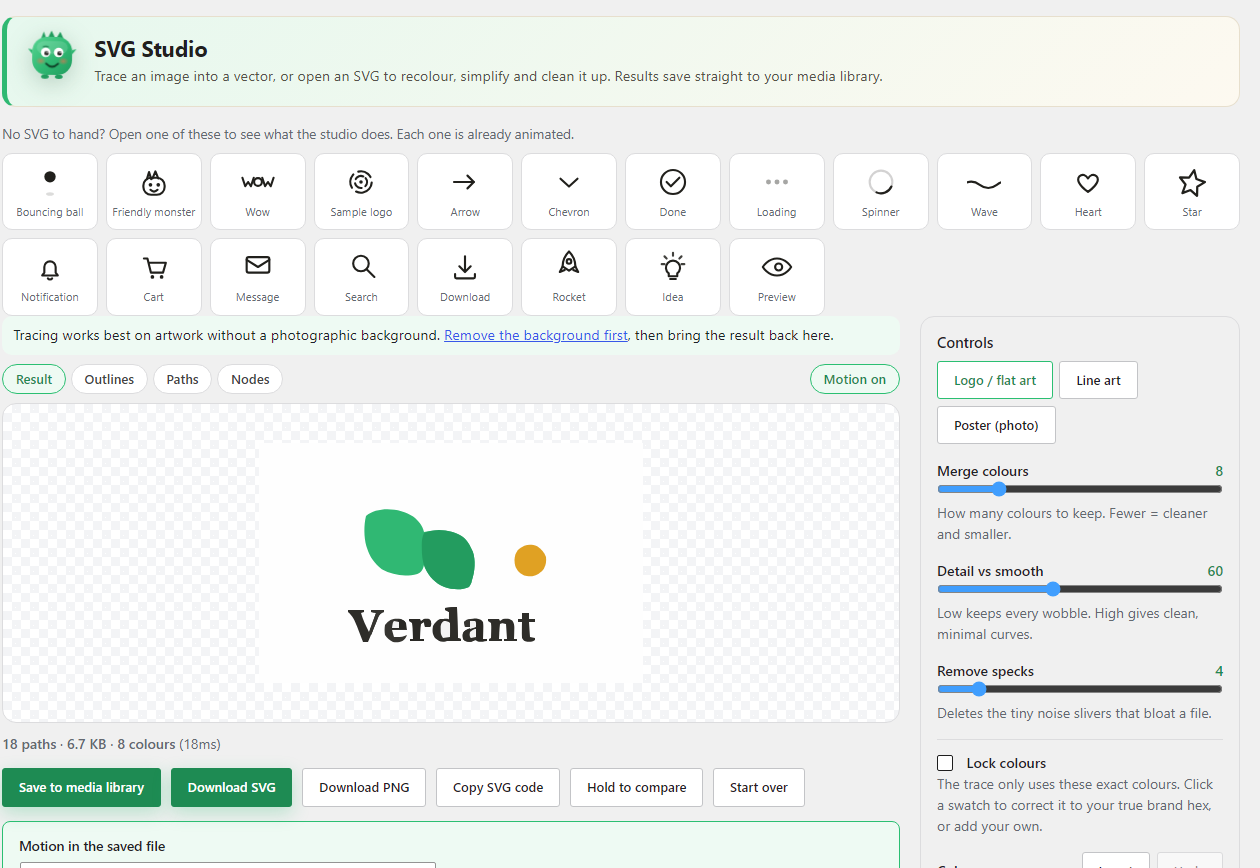
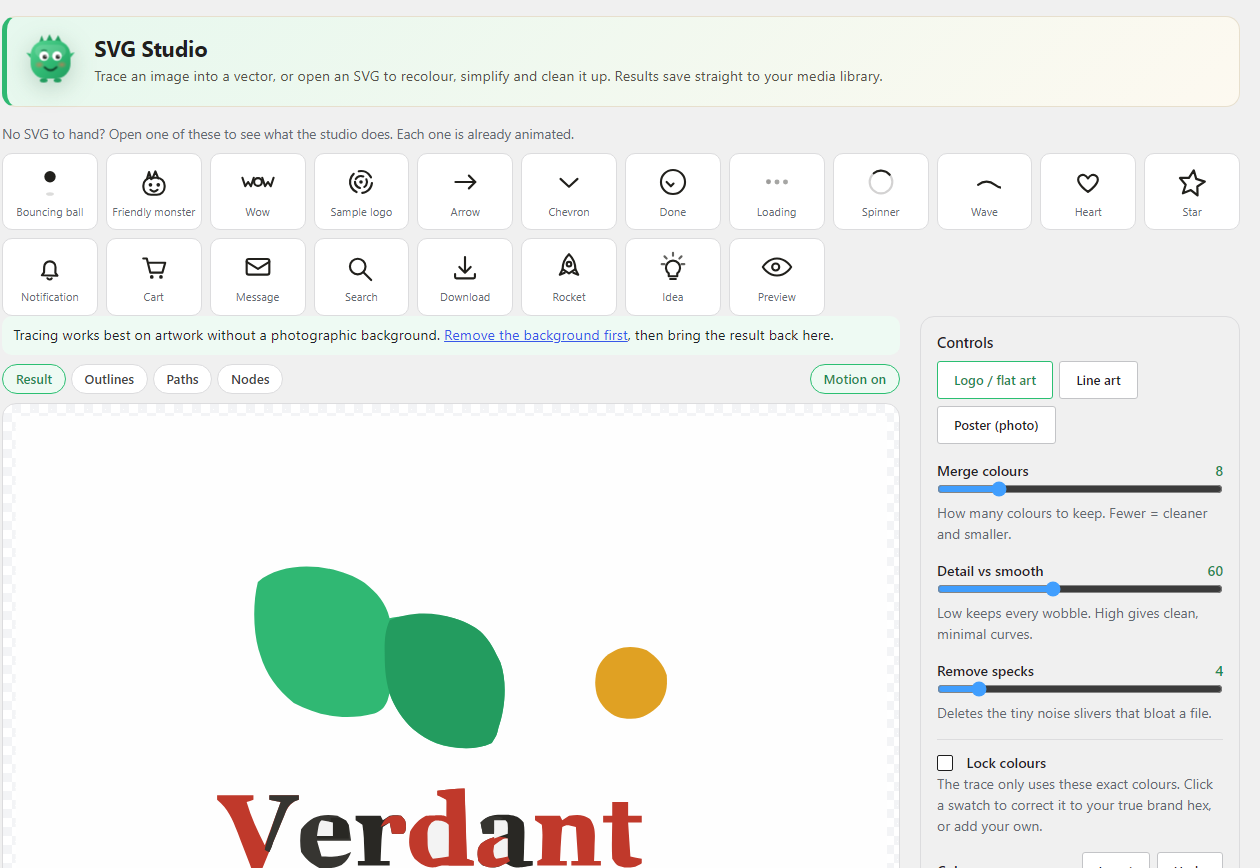
Open any SVG from your media library in a built-in studio and recolour it, merge or drop a colour across the whole graphic, simplify its curves, remove the specks left over from a trace, and inspect every path and anchor point with a live count. Drop in a PNG or JPG logo and it is traced into a clean, editable vector. All of it runs in your browser, and the result saves straight back to your own media library.
That is the part almost no other SVG plugin does. The rest of what an SVG workflow needs is here too, so you do not need a second plugin alongside it: uploads are enabled and sanitized, and graphics can be embedded inline so your theme CSS can reach inside them.
The studio is the point
- Trace a PNG or JPG logo into a clean, editable vector
- Recolour, merge two near identical colours, or drop a colour entirely
- Simplify the curves so the file draws cleaner and weighs less
- Remove stray specks left over from a trace
- Inspect outlines, individual paths, and every anchor point with a live count
- Bulk recolour across many files at once
- Save an animated copy, so a graphic can move even where a theme outputs a plain image tag
Tracing and editing run in your browser. Results save straight back to your own media library as normal attachments on your own domain.
Safe uploads
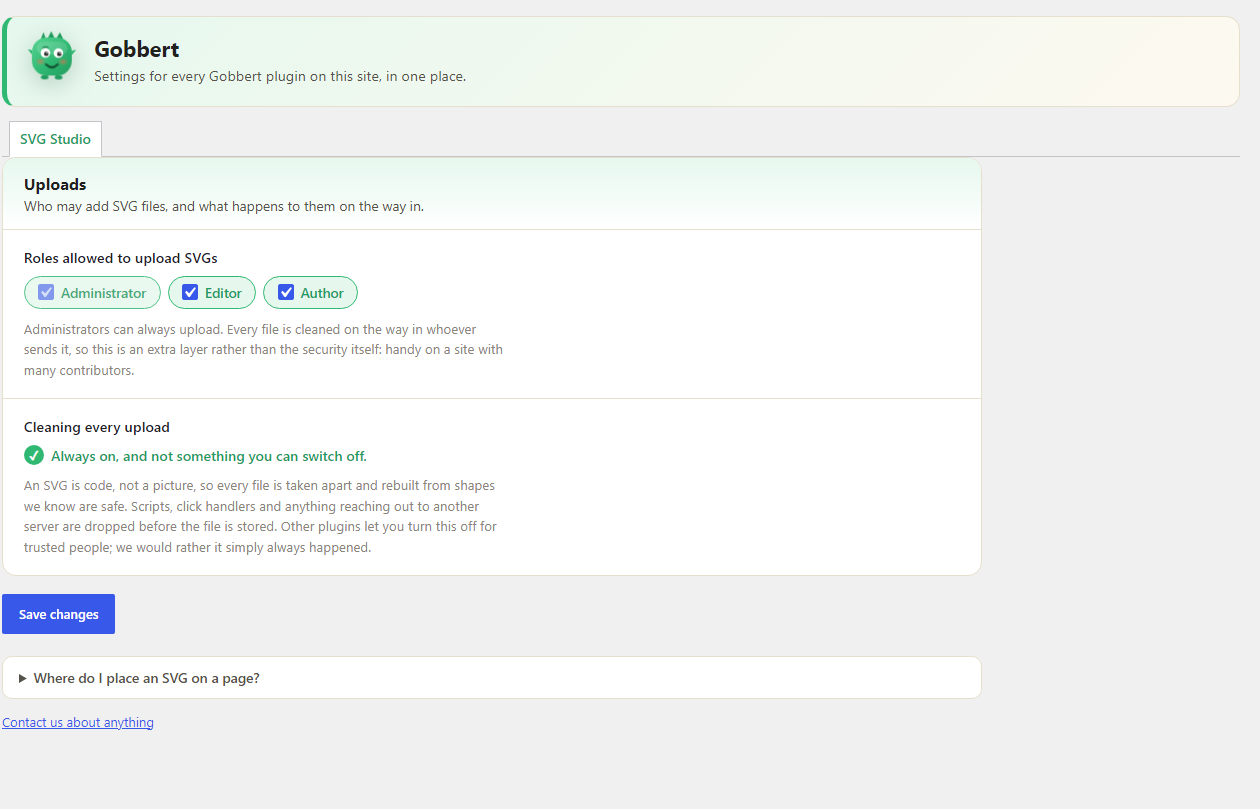
Every SVG you upload is parsed into a document and rebuilt from a strict allow list of drawing, paint and text tags. Scripts, event handler attributes, foreign objects, embedded objects and references to external resources are removed before the file is stored. Because the result is rebuilt from a clean tree rather than filtered as text, malformed or obfuscated markup has nothing to hide in. Files that cannot be made safe are refused rather than stored.
You can also restrict which roles are allowed to upload SVG files, which is worth doing on a site with many contributors.
Inline embedding
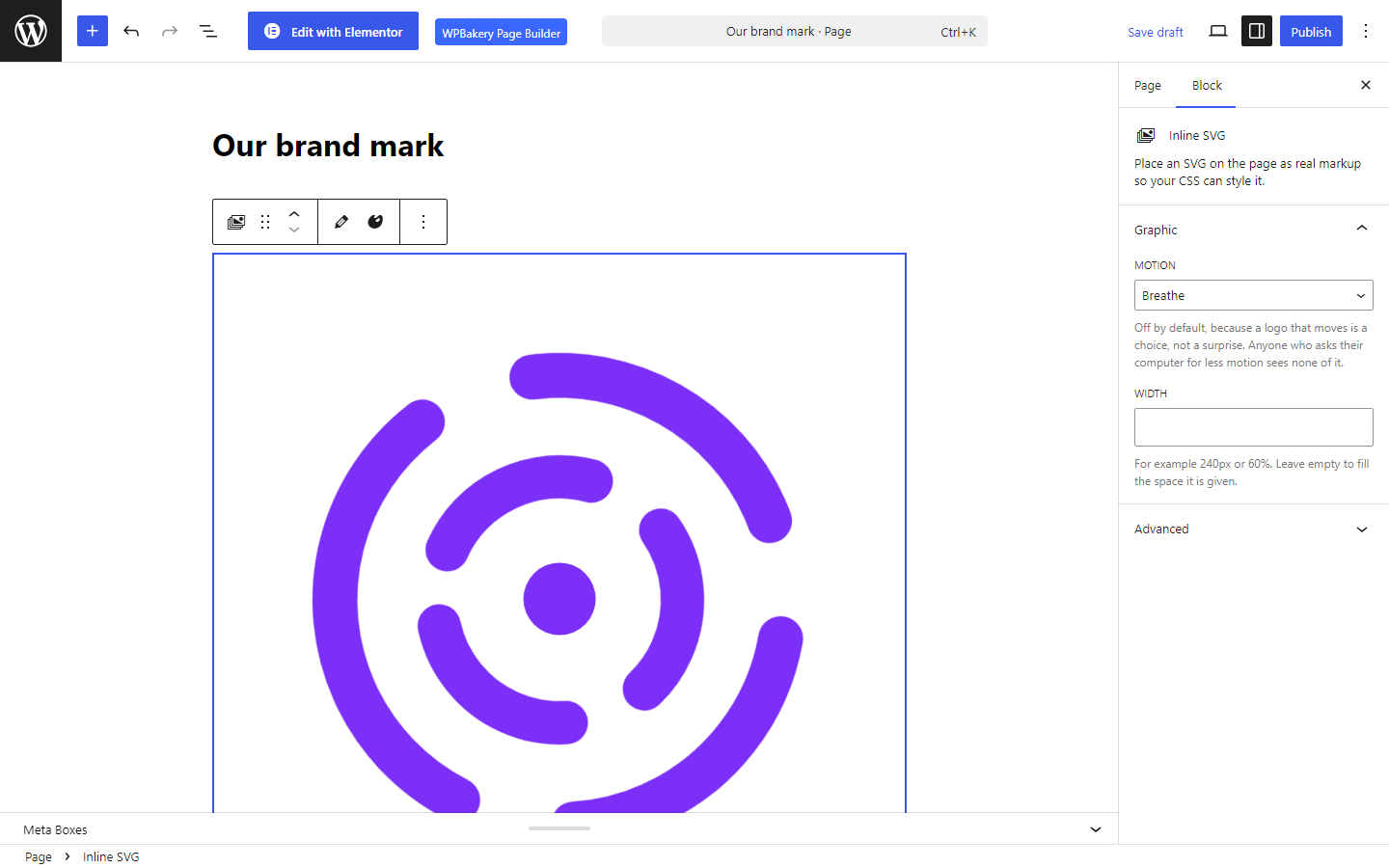
Place an SVG on a page as real markup instead of a flat image. That is what lets your CSS recolour it on hover, scale it crisply at any size, and animate individual shapes.
It is available natively in whichever editor you already use: a block in the block editor, a widget in Elementor with colour and hover colour controls, an element in WPBakery, and a shortcode for classic themes. All four produce the same standard inline SVG, so nothing is locked to one builder.
Twenty starters, included
No SVG to hand? Twenty marks are bundled with the plugin and appear in the studio: arrows, a tick,
a spinner, loading dots, a bell, a cart, a heart, a star and more, plus a bouncing ball and a
wordmark that show off what the tool does. Every one is already animated, drawn on the same grid,
and free to use and edit however you like. Nothing is fetched from anywhere.
Optional motion
An SVG placed with the block, widget, element or shortcode can use one of four motion settings: off, drift, breathe or sheen. Off is the default. Motion is applied when the page renders, so the stored file stays a clean still graphic and you can change or remove the effect at any time.
There is one deliberate exception. A theme’s own logo or image field outputs a plain image tag, which our render-time motion cannot reach, so the studio can also save an animated copy: the motion is written inside that file and plays anywhere it is shown. It is always a separate file, and your original is never changed. Visitors who have asked their system to reduce motion see a still graphic either way.
Nothing leaves your site
Sanitizing, tracing and editing all happen on your own server or in your own browser. This plugin sends nothing anywhere, contacts no other server, and has no account, no key and no sign-up.
Installation
- Upload the plugin to
/wp-content/plugins/or install it from the Plugins screen. - Activate it.
- SVG uploads are enabled immediately. Find the editor under SVG Studio in the admin menu.
- Settings live under Settings, Gobbert, shared with any other Gobbert plugin.
Frequently asked questions
Why does WordPress block SVG uploads by default?
An SVG is XML markup, not a raster picture. XML can contain a script tag, an event handler, or a link that runs when the file is opened. A PNG cannot. WordPress blocks the format rather than trust every uploaded file. This plugin unblocks it and removes that risk by sanitizing each file.
How does the sanitizer work?
It does not use pattern matching or find and replace on the text, which is easy to trick with obfuscated markup. It parses the file into a document, walks the tree, and rebuilds a fresh file from a strict allow list of safe tags. Anything not on the list is dropped, and the rebuilt file is scanned once more before it is accepted. Document type declarations and entity definitions are refused outright, which rules out entity expansion attacks.
Will sanitizing change how my SVG looks?
For a normal design file, no. Sanitizing removes things that should not be in a display graphic anyway and keeps every shape, path, gradient, colour and text element. If a file relied on a script to draw itself, that part is removed by design.
Can it turn a PNG or JPG logo into an SVG?
Yes. Drop a logo, icon or flat drawing into the studio and it traces the image into an editable vector, then saves it to your media library. Logos, icons and flat art trace best. A detailed photograph will not become a clean vector.
Does the studio upload my images anywhere?
No. Tracing and editing run in your browser, and the finished file is saved to your own media library.
What does embed inline mean?
It places the actual SVG markup on the page instead of wrapping the file in an image tag. That is what lets your CSS recolour the graphic, scale it at any size, and animate shapes inside it.
How do I place an SVG on a page?
Whichever editor you use. There is an Inline SVG block in the block editor, an Inline SVG widget in Elementor, and an Inline SVG element in WPBakery. For classic themes and anything else there is the shortcode [gobbert_svg id="123"], where 123 is the attachment ID. All of them accept a motion value of off, drift, breathe or sheen, plus an optional width and CSS class, and all of them output the same standard inline SVG.
Where are the settings?
Under Settings, Gobbert. Every Gobbert plugin adds its own panel to that one screen rather than a menu of its own, so a site running several of them still has a single place to look. The studio itself is under Media, SVG Studio.
Do I still need a separate SVG uploader plugin?
No. This plugin sanitizes every upload and lets you restrict which roles can upload. Running it alongside another SVG uploader is redundant and can cause both to handle the same upload, so pick one.
Which version of WordPress is this tested against?
The current release of WordPress 7.0. The Tested up to header above gives the major version only, which is what the directory expects. It also runs on anything from 6.0 upwards.
Does this plugin add anything to my pages?
No. It places only what you place yourself, through the block, the element or the shortcode.
Does this plugin send anything anywhere?
No. It makes no requests to any other server, at any time. There is no account, no key, no sign-up and no tracking. Sanitizing happens on your own server; tracing and editing happen in your own browser. Removing a photographic background is the one job the studio cannot do on its own, so when it would help, the studio offers a link to a free tool on gobbert.com that does it. It is an ordinary link you choose to click, in a new tab. Nothing is sent unless you go there and upload something yourself.
Where are my settings kept?
In your own WordPress database, like any other plugin’s. The only setting this plugin stores is which roles may upload SVG files, and deleting the plugin removes it.
What third party code does this plugin include?
Tracing is done by VTracer, an open source engine from VisionCortex, compiled to WebAssembly so it runs in your browser rather than on a server. It is included under the MIT or Apache 2.0 licence, at assets/vendor/, together with its licence text and a note describing where the binary comes from and how to rebuild it from source. The Rust source is at https://github.com/visioncortex/vtracer and the published package is https://www.npmjs.com/package/@visioncortex/vtracer. None of this plugin’s own JavaScript is minified or compiled. Every file it ships is the readable source.
Changelog
1.7.2
- Per-embed CSS is now added through wp_add_inline_style() instead of being printed beside the markup, so a page with several graphics carries one stylesheet rather than a style tag per embed.
1.7.1
- First public release. Safe SVG uploads, inline embedding from all three editors, the studio, bulk recolour, and twenty starter marks. See the description above for what it does.
Screenshots
For developers
Is this your plugin? Show off the numbers.
Add a live badge to your site, docs or GitHub README. It updates on its own — no account needed.
FAQ
Gobbert SVG Studio: quick answers
Straight answers, pulled from live WordPress.org data.
Live data from WordPress.org · checked Oct 16, 2026
Is Gobbert SVG Studio free?
Yes. Gobbert SVG Studio is free to download and use from the official WordPress.org plugin directory.
Is Gobbert SVG Studio safe to use in 2026?
Gobbert SVG Studio works, but test it on a staging site before relying on it in 2026. Was last updated 2 months ago, and scores 55/100 on our health check.
How many websites use Gobbert SVG Studio?
Gobbert SVG Studio is active on <10 WordPress websites and has been downloaded 186 times since it launched in August 2026. It was downloaded 68 times in the last 30 days.
Does Gobbert SVG Studio work with WordPress 7.1?
Gobbert SVG Studio is officially tested up to WordPress 7.0.7, while the latest release is 7.1.3. It may still work, but try it on a staging site first.
What PHP version does Gobbert SVG Studio need?
Gobbert SVG Studio requires PHP 7.4 or higher. Most hosts run PHP 8.x today, so it works on any modern WordPress hosting.
When was Gobbert SVG Studio last updated?
The latest version, 1.7.2, was released on August 10, 2026 (2 months ago).
Who makes Gobbert SVG Studio?
Gobbert SVG Studio is developed and maintained by gobbert.
Powered by PageForge
Want thousands of pages that rank like these? Build them in an afternoon.
This directory runs on the same engine as PageForge. Turn any spreadsheet, CSV or API into thousands of fast, SEO-ready WordPress pages — with schema, internal links and AI-written copy baked in.
- CSV, Google Sheets & API data sources
- AI content, schema & internal links per page
- Works with Elementor, Gutenberg, Yoast & Rank Math
- Free on WordPress.org — no credit card


