



Gernx Smart Shipping Zone & Cutoff Countdown for WooCommerce
Dispatch cutoff countdown and accurate EU delivery dates by zone, carrier, region, postcode and public holiday. Elementor widgets included.

Use with caution
Gernx Smart Shipping Zone & Cut… works, but test it on a staging site before relying on it in 2026. Was last updated 2 months ago, and scores 55/100 on our health check.
- Small user base (<10 active installs)
- Very few reviews so far
How does it stack up?
Side-by-side on installs, updates, ratings & support


Daily downloads
Download spikes usually follow a new release — each site that auto-updates counts as a download.
Rankings
Where Gernx Smart Shipping Zone &… stands todayWordPress.org search rankings
Live position in the plugin search, top 100| Keyword | Position |
|---|---|
| delivery date | >100 |
| dispatch cutoff | #2 |
| estimated delivery | >100 |
| eu shipping | >100 |
| shipping countdown | #85 |
About Gernx Smart Shipping Zone & Cutoff Coun…
From the official readme · v1.0.0Description
“Order within 2 hours 14 minutes for dispatch today.”
One line, and it lifts conversion, because a deadline beats a vague promise. This plugin works that deadline out properly from your real dispatch schedule, your real WooCommerce shipping zones and the public holidays of the country you ship from.
Built for European stores. A shop in Rotterdam selling into Germany, France and Poland has three different delivery realities, a Whit Monday its carrier observes and a Bastille Day it does not. The plugin handles all of that without a single line of code.
Working out of the box
Activate it and the countdown is already running. The plugin seeds a normal European setup you can then edit:
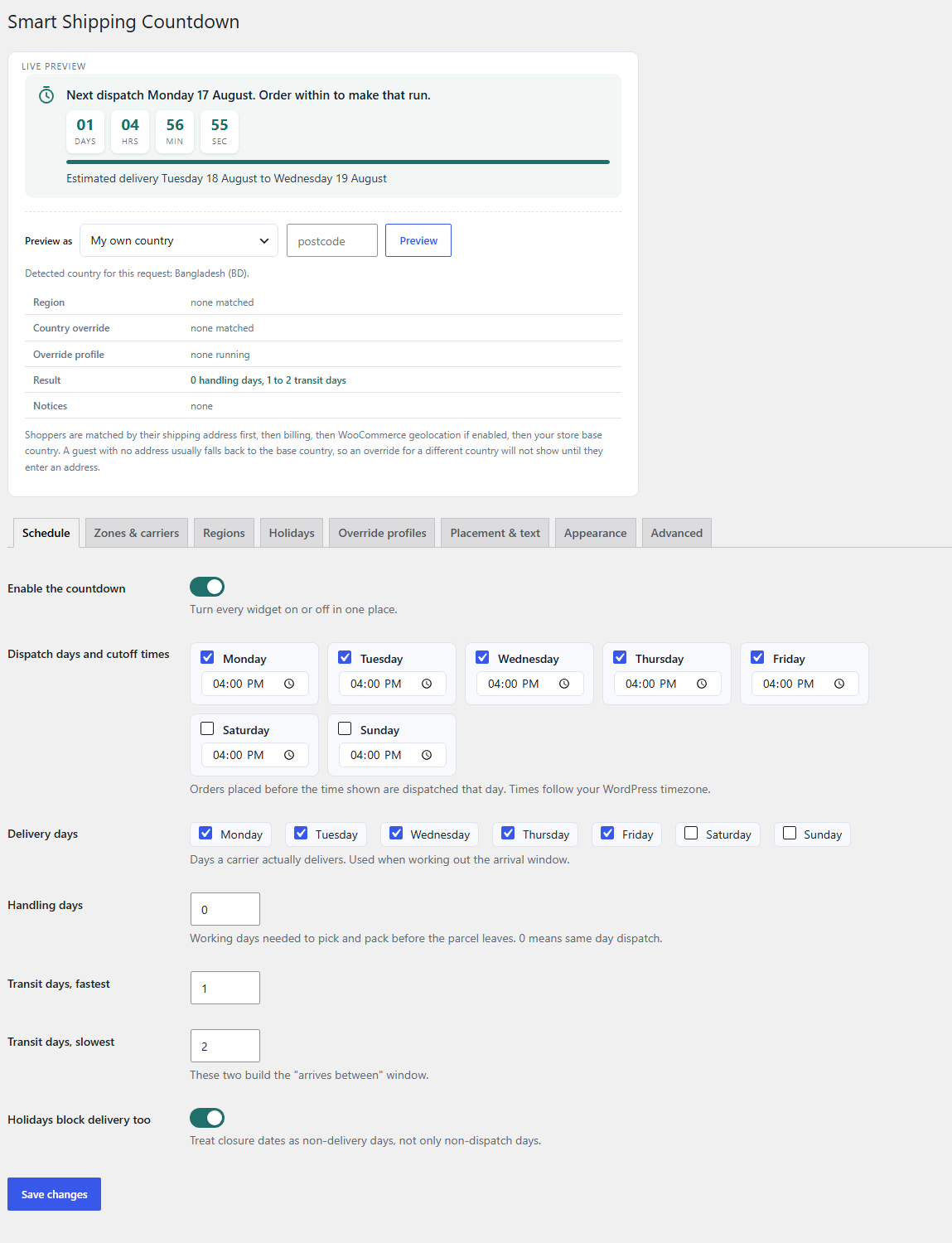
- Monday to Friday dispatch with a 16:00 cutoff.
- Monday to Friday delivery.
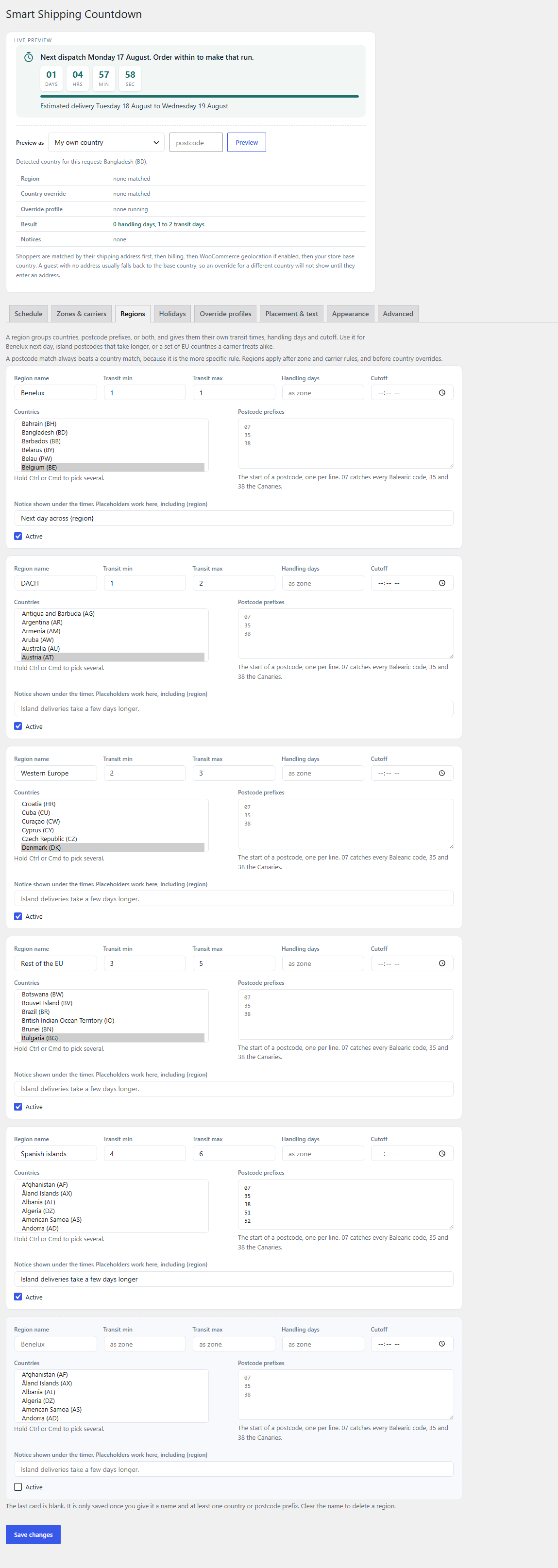
- Five regions: Benelux next day, DACH one to two days, Western Europe two to three, the rest of the EU three to five, and Spanish island postcodes four to six.
- The public holidays of your WooCommerce base country, for the next two years.
- A Friday line that reads “Order within {timer} today, or it ships on Monday”.
- An example country override for Ireland and an example Christmas profile, switched off until you want it.
Every one of those is an ordinary setting. Change them, delete them, or replace them entirely. Nothing is hard coded and nothing is touched again on later updates.
Accurate by design
Most countdown plugins subtract from a fixed clock. This one walks the calendar.
Order on Friday at five in the afternoon, with a four o’clock cutoff and a one day handling time. The plugin rolls past the missed cutoff, past Saturday and Sunday, past a Monday bank holiday, adds the handling day on Tuesday, then counts transit from Wednesday while skipping the weekend again. The shopper sees a date that will actually happen.
Every calculation follows your WordPress timezone, not the server clock, and daylight saving is handled by PHP’s own date library.
Working day logic
Dispatch days and delivery days are kept separate, because a warehouse that ships Monday to Friday may use a carrier that delivers on Saturday. Handling days count only dispatch days, transit days count only delivery days, and closure dates are skipped by both. A handling day is never spent on a Sunday or a bank holiday.
European public holidays, built in
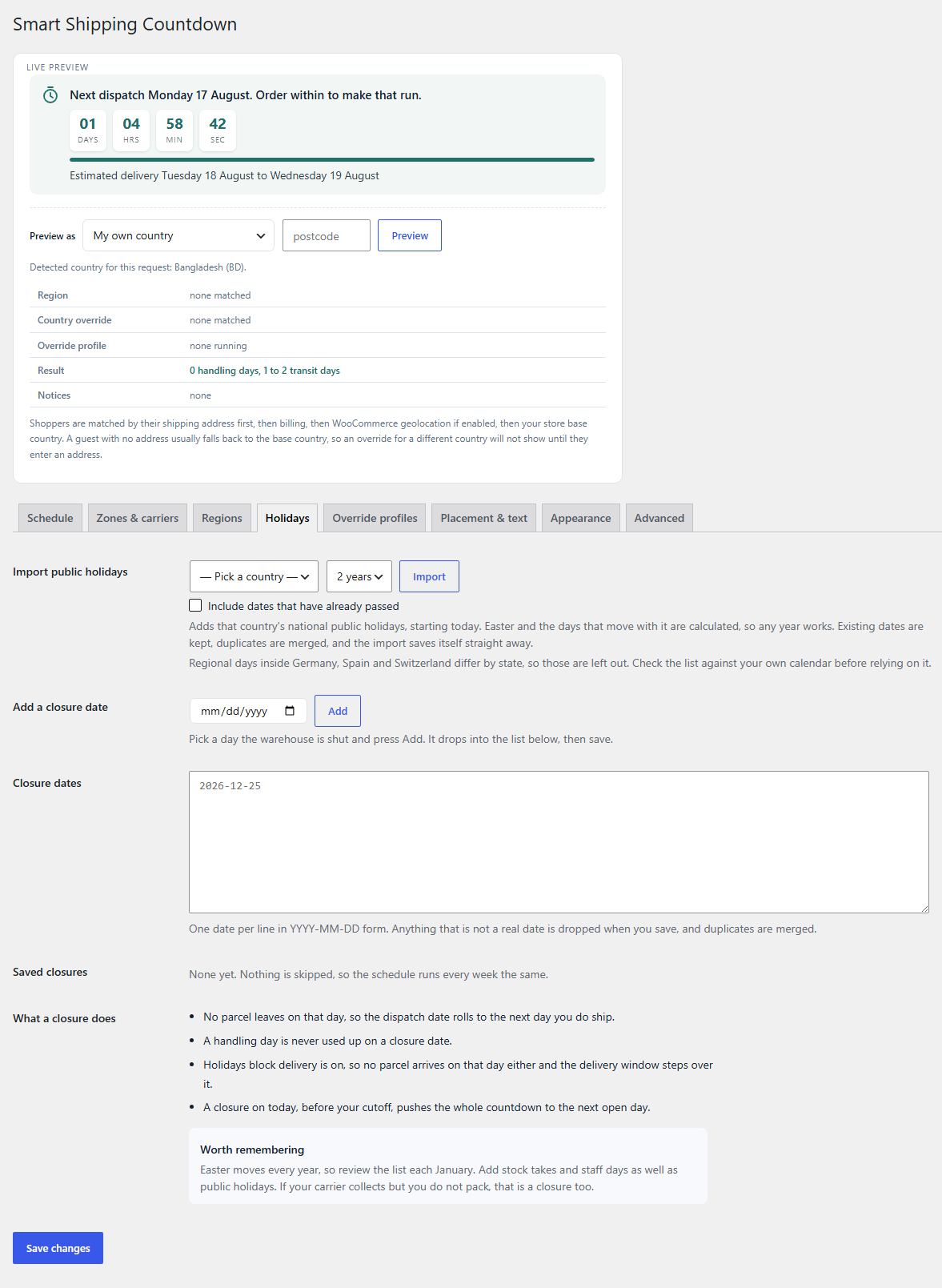
Pick a country and press Import. The list fills with that country’s national public holidays for the next one to three years. Thirty countries are covered: every large EU market plus the United Kingdom, Switzerland and Norway.
Easter and the eight days that move with it are calculated with the Gregorian algorithm rather than looked up in a table, so any year works and nothing goes stale. Good Friday, Easter Monday, Ascension, Whit Monday and Corpus Christi all land correctly. Nothing is fetched from the internet.
Regions and postcodes
A region groups countries, postcode prefixes, or both, and gives them their own transit times, handling days and cutoff. Postcode prefixes catch the awkward places inside a country: 07 for the Balearics, 35 and 38 for the Canaries, and any prefix your carrier surcharges. A postcode match always beats a country match, because it is the more specific rule.
Shipping zones and carriers
The plugin reads your WooCommerce shipping zones directly. Switch a zone on and give it its own transit range, handling days and cutoff. Inside a zone, each shipping method can carry its own rules, so an express carrier holds a later cutoff and a faster transit than the standard one. Once the customer picks a method at checkout, the estimate follows it.
Regional detection
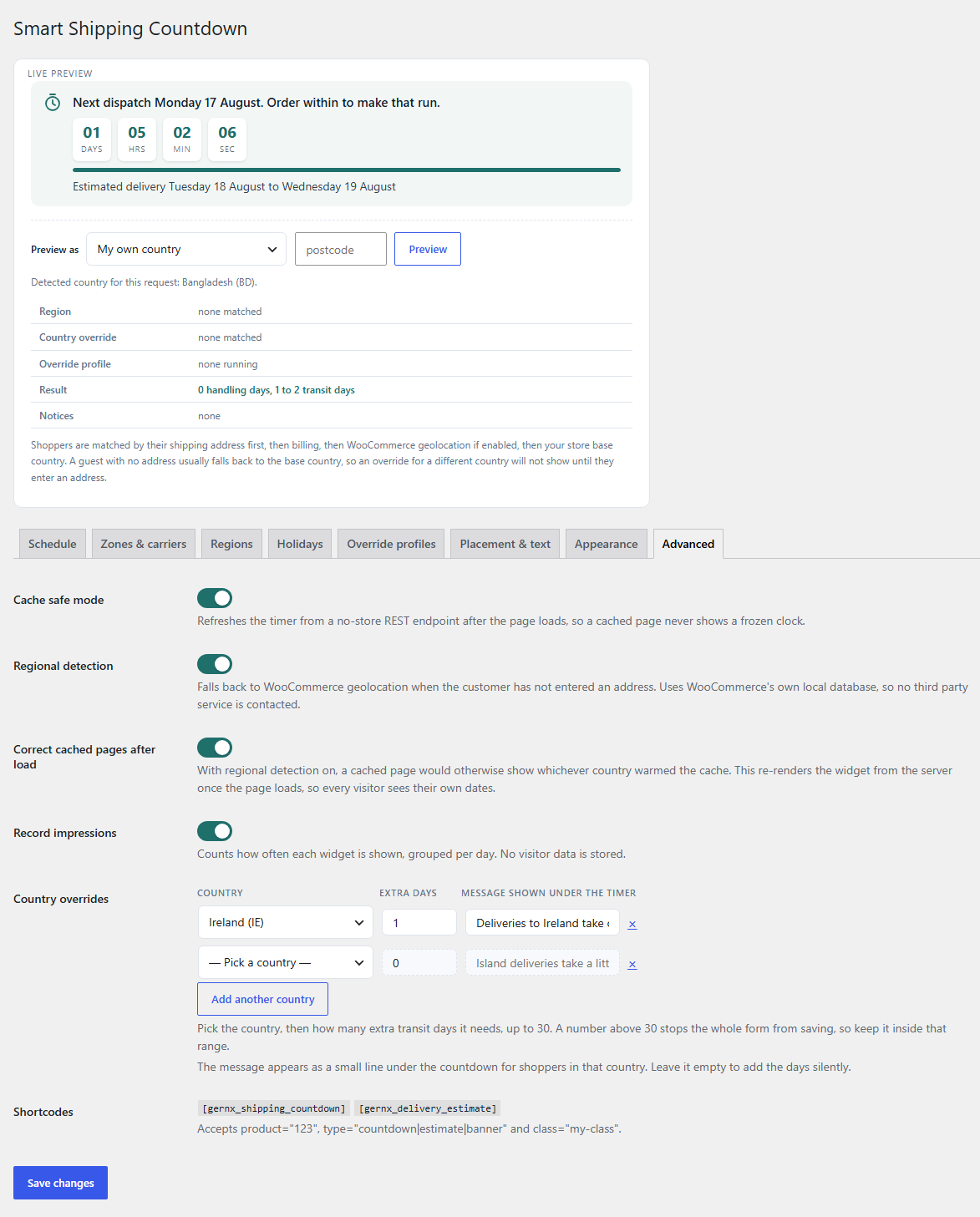
Optional, and it uses WooCommerce’s own bundled geolocation database, so no third party is ever contacted. A visitor from Munich sees the DACH window before entering any address.
Because a cached page would otherwise show whichever country warmed the cache, the widget re-renders itself from a no-store endpoint once the page loads. Every visitor gets their own dates even behind Redis, WP Rocket or Cloudflare.
Dynamic urgency
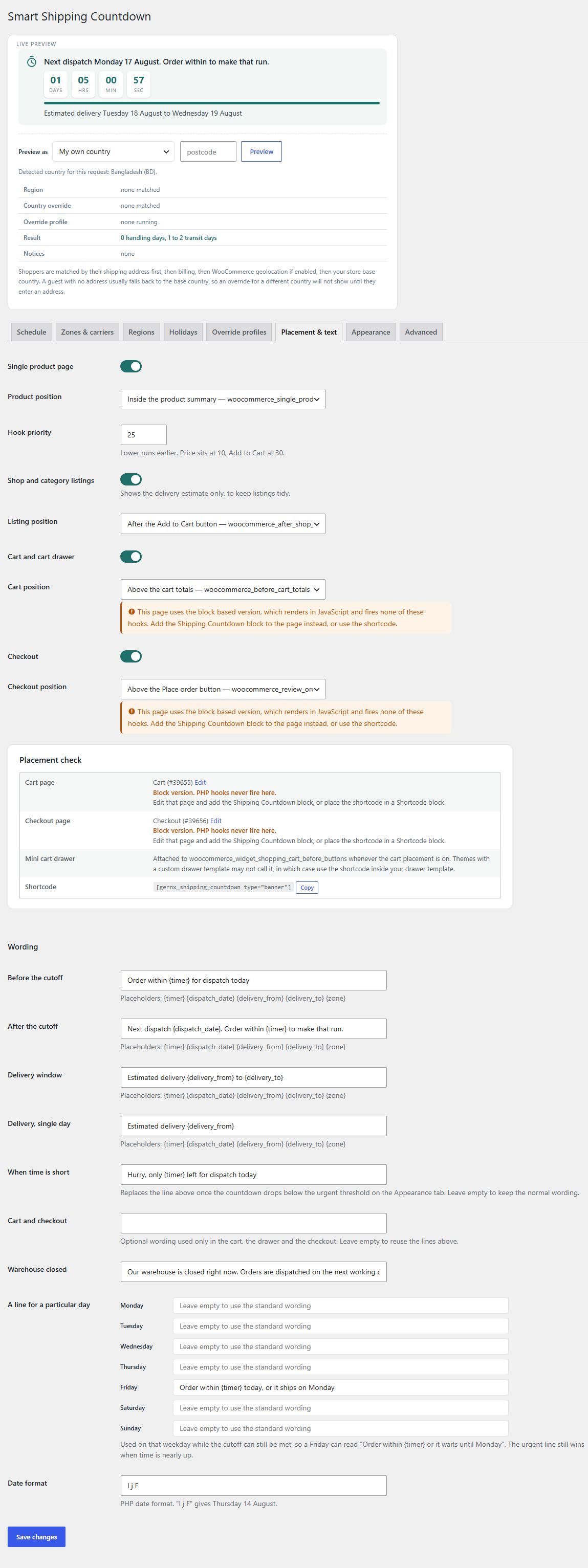
Three layers of wording, each taking over when it applies. A line of your own for any weekday, so Friday can read “Order within {timer} or it waits until Monday”. An urgent line that replaces it once the countdown drops below your threshold. And separate wording for the cart and checkout if you want a different tone there.
Placeholders: {timer} {dispatch_date} {delivery_from} {delivery_to} {zone} {region}
Override profiles
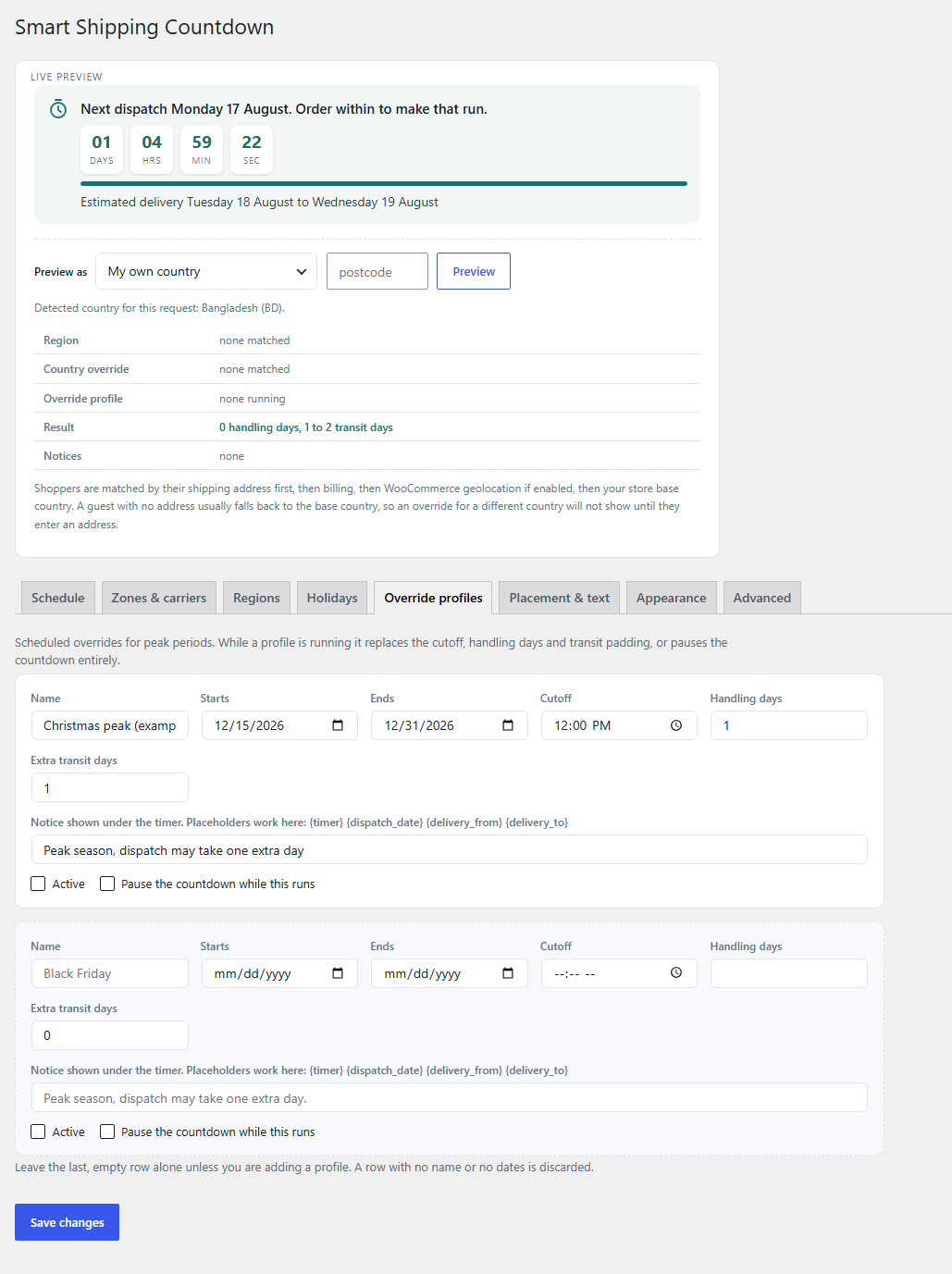
Schedule a profile for a date range and it applies itself. Bring the cutoff forward for Black Friday, add transit days over Christmas, or pause the countdown while the warehouse is shut for two weeks.
Where it appears
- Single product page, at any of nine positions.
- Shop and category listings.
- Cart page and cart drawer.
- Checkout.
- A Shipping Countdown block, which is how it reaches the block based cart and checkout.
- Three Elementor widgets: Cutoff Countdown, Delivery Estimate and Shipping Urgency Banner.
- Shortcodes
[gernx_shipping_countdown]and[gernx_delivery_estimate]. - Template tags
gernxszcw_the_countdown()andgernxszcw_get_countdown().
Appearance
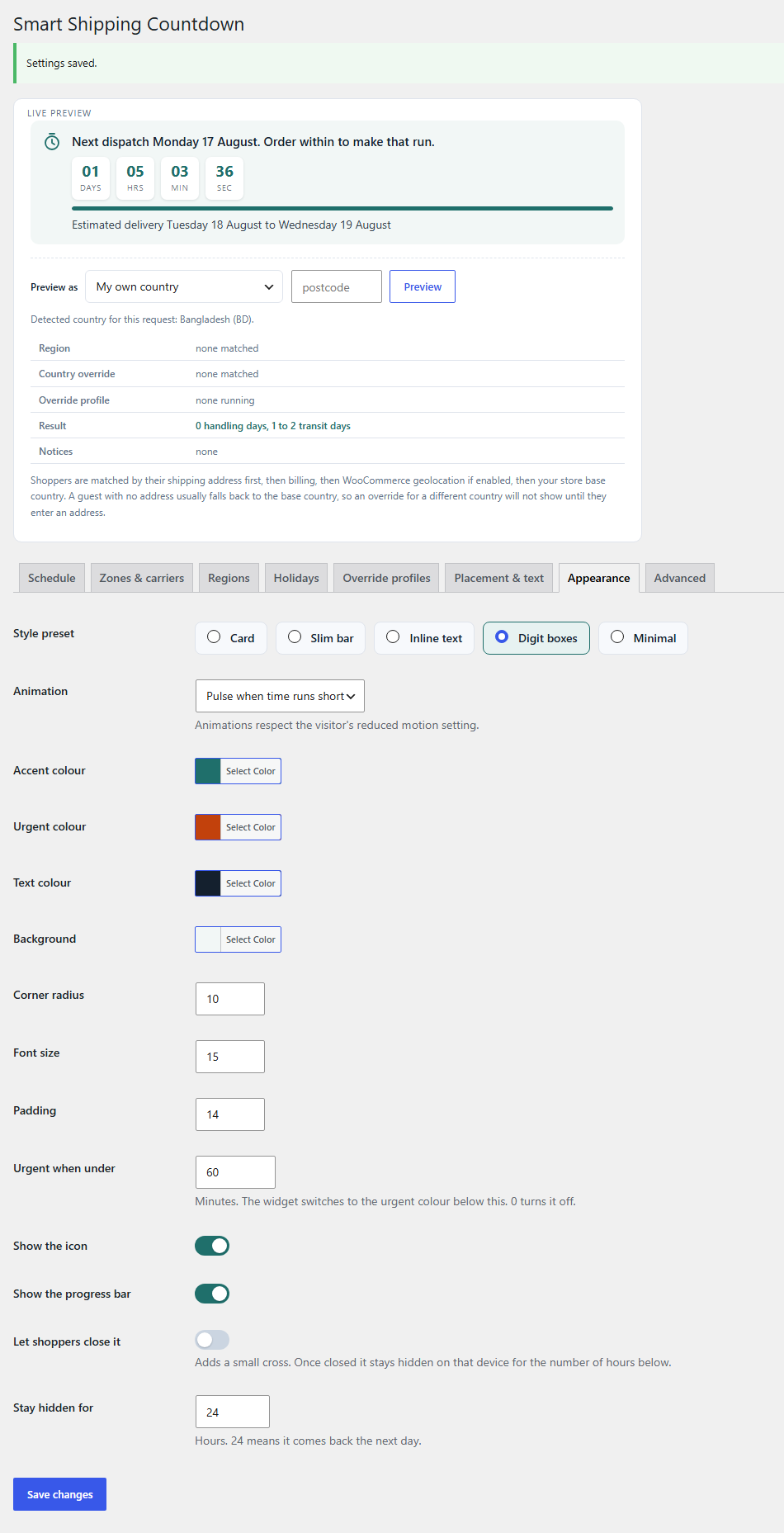
Five presets: card, slim bar, inline text, digit boxes and minimal. Colour controls for accent, urgent, text and background, plus radius, font size and padding. Pulse, flash or shine effects, all of which stop for visitors who ask for reduced motion. An optional close button that hides the widget for a set number of hours.
Per product and per category
Extra handling days for bulky, made to order or personalised items, set on the product or on a whole category. The slowest matching rule wins, and product days always add on top, so a heavy item keeps its extra time even during a sale. Any product can hide the countdown entirely.
Privacy
No external service is contacted. Public holidays are calculated locally. Regional detection uses WooCommerce’s bundled database. The impression counter stores a daily total per placement and country code and nothing that identifies a visitor.
More information
Visit gernx.com. For the latest news, follow us on LinkedIn at Gernx IT.
Get Support & Connect
- Email support: hello@gernx.com
- Support forum: WordPress.org Support
Documentation also lives inside the plugin at Shipping Countdown → Support & Docs.
Installation
- Install and activate WooCommerce.
- Upload the plugin through Plugins → Add New → Upload Plugin, or install it from the plugin directory.
- Activate the plugin. The countdown starts working immediately with European starter settings.
- Go to Shipping Countdown → Settings and change the dispatch days, cutoff times and transit days to match your warehouse.
- Check the Holidays tab. Your base country’s public holidays are already there.
Frequently asked questions
Does it need WooCommerce?
Yes. Shipping zones, carriers and the cart and checkout placements all come from WooCommerce. Settings stay saved if WooCommerce is ever deactivated, and the countdown starts again when it returns.
What is set up for me when I activate it?
A Monday to Friday week with a 16:00 cutoff, one to two transit days, five European regions, your base country’s public holidays for two years, a Friday urgency line, and one example country override. The countdown appears on the product page, the shop listing, the cart and the checkout straight away. All of it is editable and none of it is reapplied on later updates.
Will an update overwrite my settings?
No. The starter content is written once, on first activation, and only when no settings exist yet.
How do I set up EU delivery windows?
They are already there. Open the Regions tab and adjust the five that were created, or add your own. One region per speed band works best: neighbours next day, the near continent in two, the far edges in three to five, and islands by postcode.
How do closure dates work?
On a closure date nothing is dispatched, so the dispatch date rolls to the next day you ship, and a handling day is never spent on it. With Holidays block delivery switched on, the delivery window steps over the date too. Past dates are harmless and can be cleared with one button.
Why is my delivery date weeks away?
Handling days are counted in dispatch days, not calendar days. If only one weekday is ticked as a dispatch day, one handling day means a whole week. Tick every day you genuinely ship and every day your carrier genuinely delivers.
Nothing shows on my cart or checkout
WooCommerce ships two versions of those pages. The classic shortcode version fires PHP hooks, so the Placement settings work there. The block version renders in JavaScript and fires none of them. The Placement check panel says which one you use. On a block page, add the Shipping Countdown block instead.
Does it work with page caching?
Yes. Leave cache safe mode on and cache as aggressively as you like. The markup carries a deadline stamp and a no-store REST call corrects it once the page loads. Do not cache /wp-json/gernxszcw/v1/schedule itself.
The time is wrong by an hour
Check Settings → General in WordPress. Every calculation follows the site timezone. Pick a named city rather than a fixed UTC offset, otherwise daylight saving will not apply.
Can different carriers have different cutoffs?
Yes. On the Zones & carriers tab, switch on a zone and tick the specific shipping method. Give it its own cutoff, handling days and transit range. It takes over once the customer selects that method.
Does it contact any external service?
No. Public holidays are calculated locally, including Easter and everything derived from it. Regional detection is optional and uses WooCommerce’s own bundled geolocation database.
Will uninstalling delete my settings?
Uninstalling removes the plugin’s settings, its impression table and its cached data. Product and category handling days are left in place, so nothing is lost if you reinstall.
Changelog
First public release.
1.0.0
- First public release.
- Live dispatch cutoff countdown with per day cutoff times.
- Delivery window calculation counting dispatch days and delivery days separately.
- Weekend, holiday and warehouse closure handling with a date picker and a readable list.
- Public holiday import for 30 European countries, with Easter calculated rather than tabulated.
- Regions matching by country and postcode prefix, with their own transit, handling and cutoff.
- Per zone and per carrier transit times, handling days and cutoff overrides.
- Product and category handling exceptions, plus a per product hide option.
- Scheduled override profiles for peak seasons, with an optional pause.
- Country level transit padding and messages, with every matching notice shown.
- Product, shop listing, cart, cart drawer and checkout placements, each with its own position dropdown.
- A Shipping Countdown block for the block editor, including the block based cart and checkout.
- Three Elementor widgets with native style controls.
- Two shortcodes and two template tags.
- Five style presets, colour controls, optional pulse, flash or shine effects and an optional close button, all respecting reduced motion.
- Cache safe mode using a no-store REST endpoint, with resync on tab focus and WooCommerce cart updates.
- Impression reporting with a fourteen day chart.
- Support, documentation and donate screens with a copyable system report.
- European starter content seeded on first activation.
- HPOS and block cart and checkout compatibility declared.
Screenshots
For developers
Is this your plugin? Show off the numbers.
Add a live badge to your site, docs or GitHub README. It updates on its own — no account needed.
Best Gernx Smart Shipping Zone & C… alternatives
All delivery date plugins →





FAQ
Gernx Smart Shipping Zone & Cutoff…: quick answers
Straight answers, pulled from live WordPress.org data.
Live data from WordPress.org · checked Oct 2, 2026
Is Gernx Smart Shipping Zone & Cut… free?
Yes. Gernx Smart Shipping Zone & Cut… is free to download and use from the official WordPress.org plugin directory.
Is Gernx Smart Shipping Zone & Cut… safe to use in 2026?
Gernx Smart Shipping Zone & Cut… works, but test it on a staging site before relying on it in 2026. Was last updated 2 months ago, and scores 55/100 on our health check.
How many websites use Gernx Smart Shipping Zone & Cut…?
Gernx Smart Shipping Zone & Cut… is active on <10 WordPress websites and has been downloaded 141 times since it launched in August 2026. It was downloaded 59 times in the last 30 days.
Does Gernx Smart Shipping Zone & Cut… work with WordPress 7.1?
Gernx Smart Shipping Zone & Cut… is officially tested up to WordPress 7.0.6, while the latest release is 7.1.2. It may still work, but try it on a staging site first.
What PHP version does Gernx Smart Shipping Zone & Cut… need?
Gernx Smart Shipping Zone & Cut… requires PHP 7.4 or higher. Most hosts run PHP 8.x today, so it works on any modern WordPress hosting.
When was Gernx Smart Shipping Zone & Cut… last updated?
The latest version, 1.0.0, was released on August 16, 2026 (2 months ago).
Who makes Gernx Smart Shipping Zone & Cut…?
Gernx Smart Shipping Zone & Cut… is developed and maintained by Tanmoy Biswas.
What are the best alternatives to Gernx Smart Shipping Zone & Cut…?
The most popular alternatives to Gernx Smart Shipping Zone & Cut… are WPC Estimated Delivery Date… (10K+ installs), Order Delivery Date for Woo… (10K+ installs) and PiWeb Delivery & Pickup Dat… (400+ installs).
Powered by PageForge
Want thousands of pages that rank like these? Build them in an afternoon.
This directory runs on the same engine as PageForge. Turn any spreadsheet, CSV or API into thousands of fast, SEO-ready WordPress pages — with schema, internal links and AI-written copy baked in.
- CSV, Google Sheets & API data sources
- AI content, schema & internal links per page
- Works with Elementor, Gutenberg, Yoast & Rank Math
- Free on WordPress.org — no credit card


