



GEO my WP
Advanced geolocation, mapping, and proximity search plugin. Geotag post types and BuddyPress members, and create advanced proximity search forms.

Safe pick
Yes — GEO my WP is a safe, well-maintained plugin to use in 2026. It runs on 3K+ sites, is rated 4.6/5 and was last updated 2 weeks ago, and scores 80/100 on our health check.
- Loved by users — 4.6/5 from 139 reviews
- Actively developed — last update 2 weeks ago
- Tested with the latest WordPress (7.1)
- Momentum — downloads up 149.9% vs the previous 30 days
Daily downloads
Download spikes usually follow a new release — each site that auto-updates counts as a download.
Rankings
Where GEO my WP stands todayWordPress.org search rankings
Live position in the plugin search, top 100| Keyword | Position |
|---|---|
| Locations Directory | #17 |
| Members location. | #11 |
| Posts location | #21 |
| Proximity Search forms | #1 |
| Store locator | #20 |
Version adoption
Share of active sites per release.
Rating breakdown
★★★★★★★★★★ 4.6 from 139 reviews
About GEO my WP
From the official readme · v4.5.5.4Description
Welcome to the ultimate geolocation, mapping, and proximity search solution for WordPress.
Using GEO my WP plugin, and the powerful features of Google Maps API and OpenStreetMaps, you can easily geotag any of your post types, BuddyPress members and other components. Create unlimited advanced, proximity search forms to search and find any of the geotagged components of your site.
With GEO my WP, creating a real estate, events, directory, classifieds, social networking and any other type of location-based website is a simple task.
Visit GEO my WP website form more information.
Check out the live demo.
Key features of GEO my WP
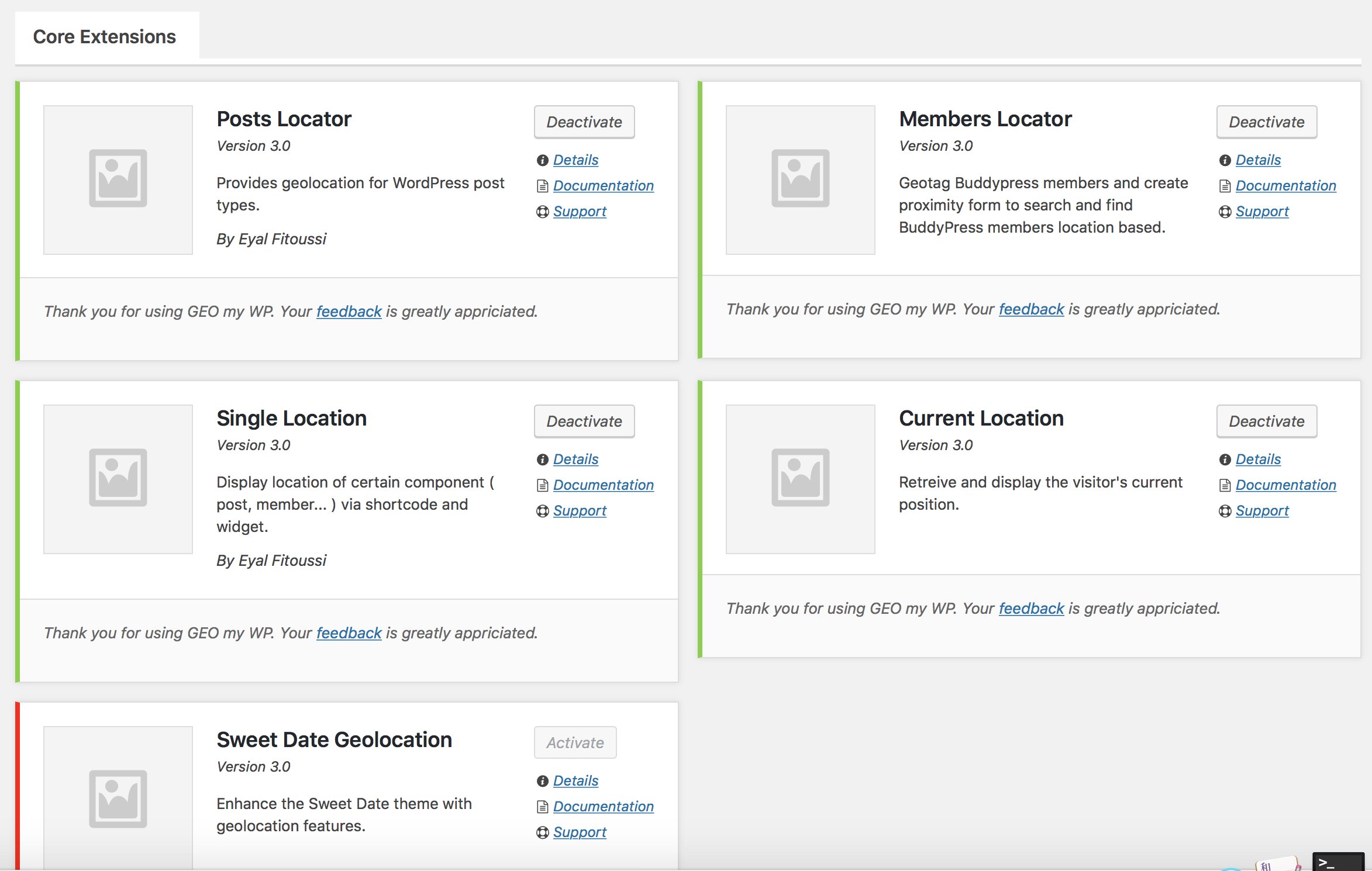
- Post Types Locator
- BuddyPress Members Locator
- Advanced location form
- Advanced Proximity Search Forms Builder
- Mashup Maps
- Single Location widget and shortcode
- Current Location Shortcode and Widget
- Can be used with Google Maps API or OpenStreetMaps and LeafLet
- Theme Flexibility
- Developer Friendly
Post Types Locator
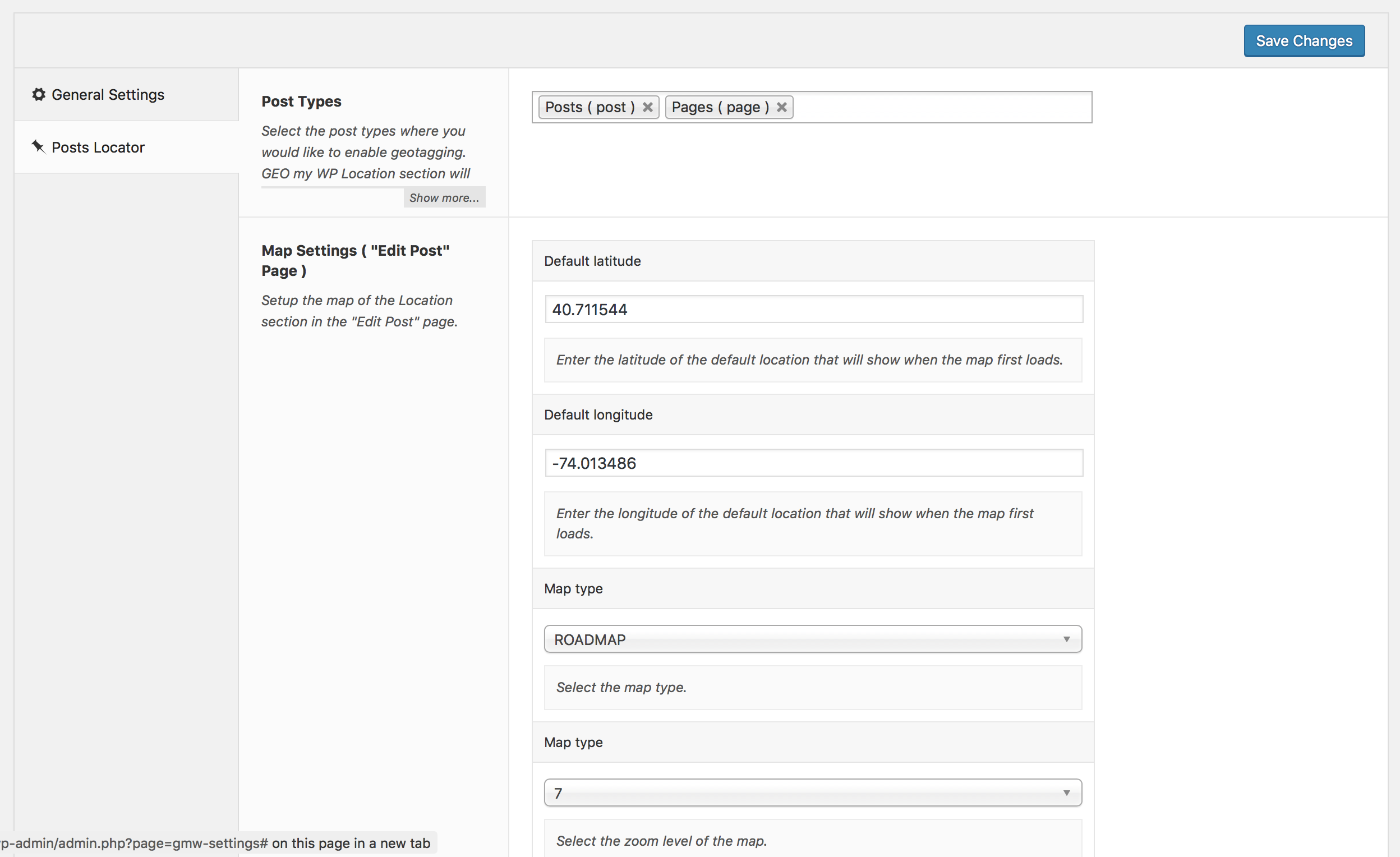
Add geographic location to any of the registered post types of your site. Display post location on a map, and create proximity search forms to search and find posts based on address, distance categories and more.
BuddyPress Members Locator
Let the BuddyPress members of your site to easily add location to their profile. Let them search and find other members near them or near any address using an advanced proximity search form.
Advanced Location Form
Add location to your posts, Buddypress members, and other components, using the advanced location form that GEO my WP provides. Drag the marker to the location on a map, pick from suggested results using Google address autocomplete while typing an address, enter coordinates, or manually enter the address fields. This is as flexible and accurate as it gets.
Advanced Forms Builder
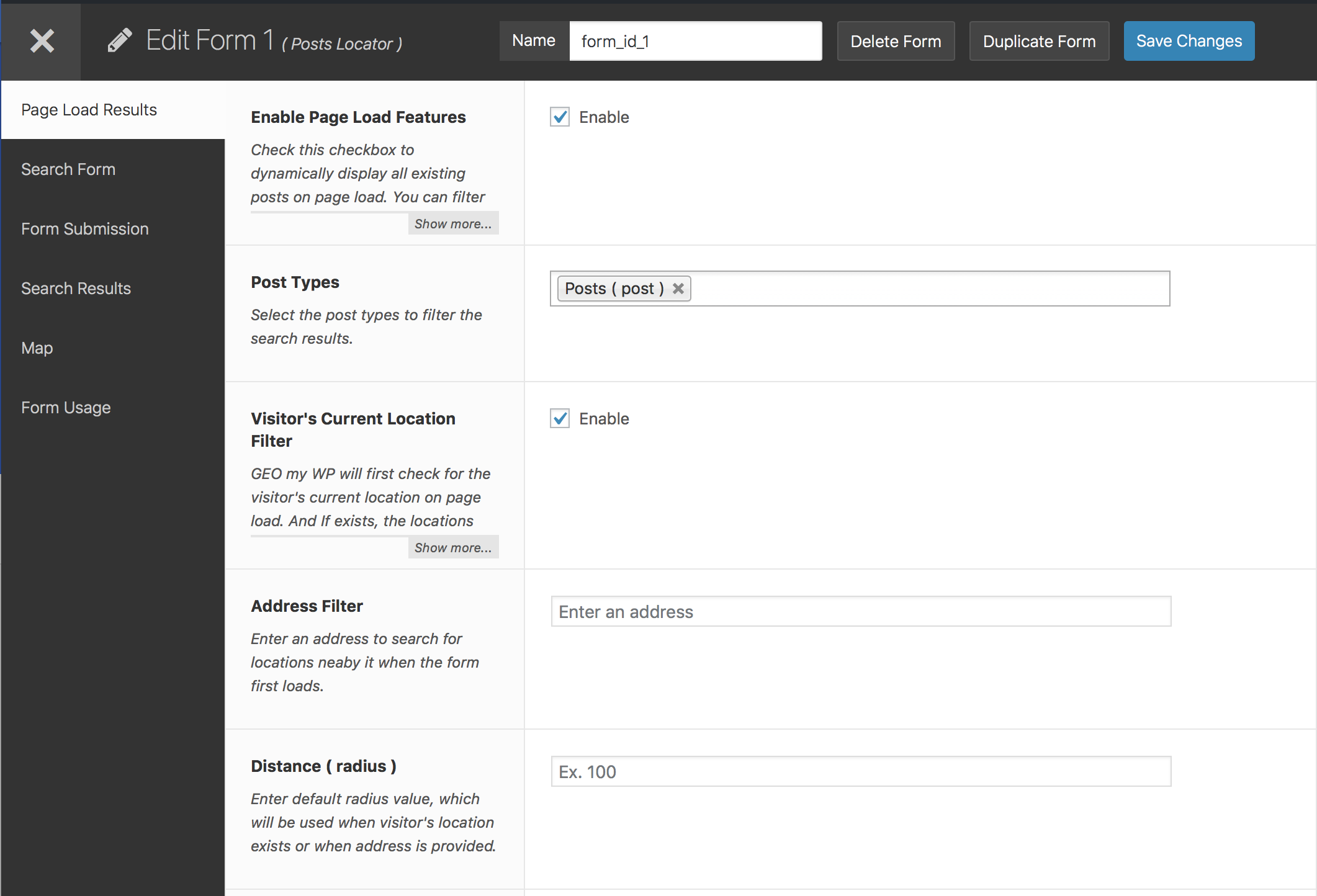
Create unlimited mashup maps and proximity search forms to search and find post types, BuddyPress members, and other components, based on an address, distance, categories, profile fields and more.
Mashup Maps
Create unlimited mashup maps to display the location of your post types, BuddyPress members and other components.
Powered By Google Maps API
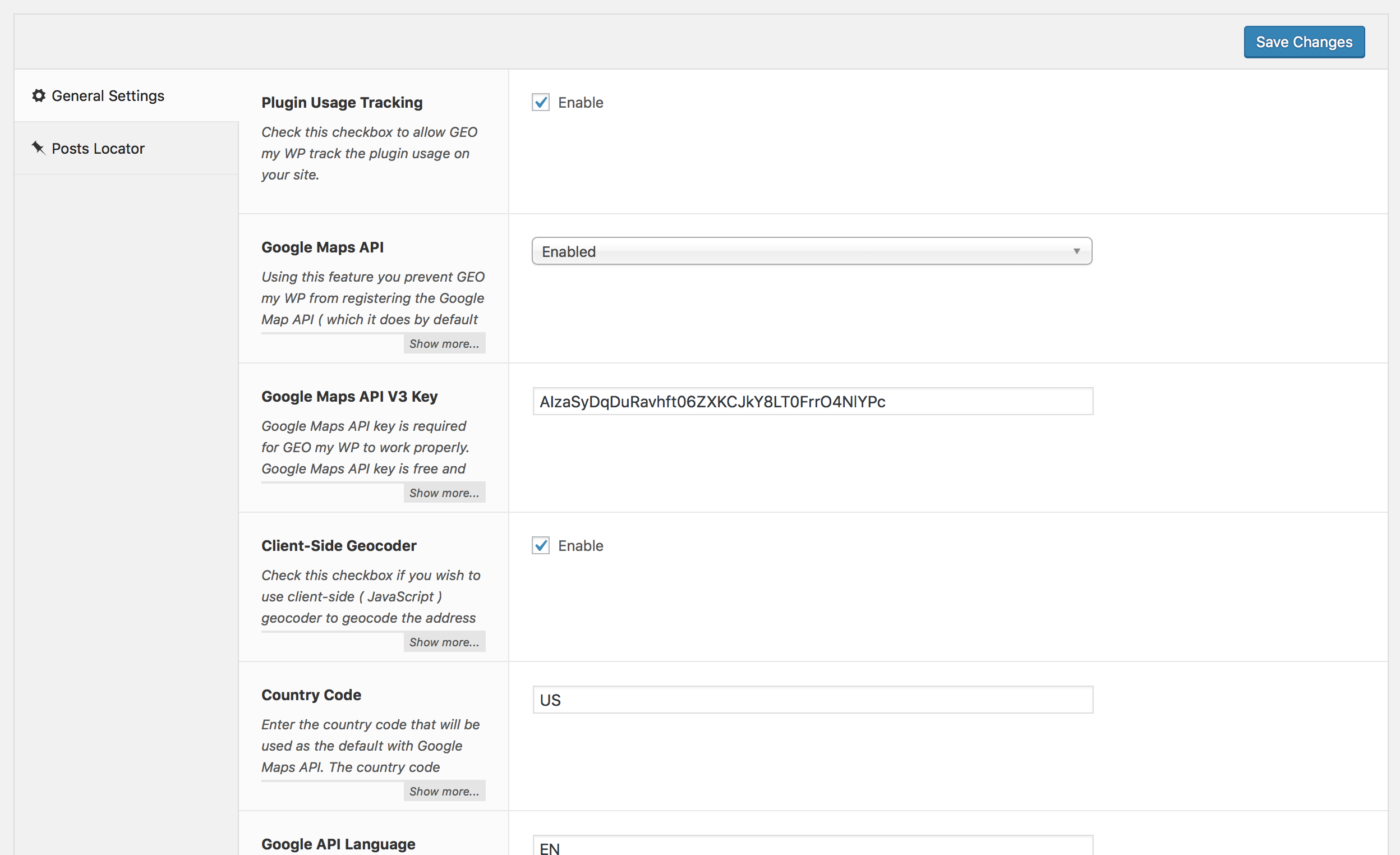
GEO my WP takes full advantage of the powerful features of Google Maps API. Allows for simple and accurate geolocation using Google maps, address autocomplete, auto-locator and more.
LeafLet and OpenStreetMaps
Out of the box GEO my WP also supports LeafLet and OpenStreetMaps, which you can use instead of Google Maps.
Single Location widget and shortcode
Display map and location details of a single component, such as a post or BuddyPress member, anywhere on a page using shortcode or widget.
Current Location Shortcode and Widget
Present the visitors of your site with a location form which allows them to add their current location.
Once added, the visitor’s current location will be saved and can be used with the different features of GEO my WP. Such as setting your proximity search forms to display locations nearby the visitor’s location.
Theme Flexibility
Why limit yourself to a specific theme? Being a shortcode based plugin, GEO my WP has no limits and you can use it with any WordPress theme.
Developer Friendly
Yes, GEO my WP is already a powerful plugin out of the box. However, together with its many action hooks and filters, the options are limitless.
Installation
Automatic Plugin Installation. To add a WordPress Plugin using the built-in plugin installer:
- Go to Plugins > Add New.
- Under Search, type “GEO my WP”.
- GEO my WP should show up on top of the results.
- Click “Install” to install GEO my WP.
- A pop-up window will ask you to confirm your wish to install the Plugin.
- Click Proceed to continue with the installation. The resulting installation screen will list the installation as successful or note any problems during the install.
- If successful, click Activate Plugin to activate it.
Manual plugin Installation. To install a WordPress plugin manually:
- Download GEO my WP Plugin to your desktop.
- The plugin will be downloaded as a zip. extract the Plugin folder to your desktop.
- With your FTP program, upload the Plugin folder to the wp-content/plugins folder in your WordPress directory online.
- Go to Plugins screen and find the newly uploaded Plugin in the list.
- Click Activate Plugin to activate it.
for detailed installation and setup guide see the documentation.
Changelog
This is a major release. You should not update before reading this post http://geomywp.com/geo-my-wp-3-0-beta-7/ before updating.
4.5.5.4
Security
* Hardened AJAX info-window template loading to prevent untrusted local files from being included.
Compatibility
* Verified compatibility with WordPress 7.1.
4.5.5.3
Security
* Tightened location form update authorization to validate existing records against the stored location owner before applying updates.
4.5.5.2
Security
* Added authorization checks before updating or deleting location form records. Props Yaswanth Reddy Sunkara for reporting the issue via WPScan.
Fixes
* Prevent PHP TypeError when submitted address or post form values are not arrays. Props SAY-5.
Tweaks
* Removed redundant echo usage before translation output helpers. Props DAnn2012.
4.5.5.1
Security
* Harden map boundary query handling for swlatlng and nelatlng:
validate finite numeric lat/lng ranges and build boundary SQL using prepared statements.
Compatibility
* Verified compatibility with WordPress 7.0.
4.5.5
Security
* Harden lat/lng distance queries against malformed input to prevent PHP type errors and query math failures. ( Fixes #81 )
Fixes
* Normalize null location fields before update.
* Marker append logic when previous locations are empty.
* Frontend CSS selectors for locator icon i/span elements.
* Use span locator markup in BP directory address field.
Compatibility
* Standardize translation text domain to geo-my-wp across plugin files.
* Update location types text domain and escaping function usage.
Tweaks
* Refactor addon bootstrap required notices flow to avoid early translation loading warnings.
* Refactor updater include loading to guarded absolute-path require_once.
4.5.4
Fixes
* Fix: Adjust ‘fields’ parameter for ‘posts_locator’ based on WordPress version to prevent conflict with WordPress 6.8.
* Fix: Deregister BuddyPress Select2 assets on GEO my WP admin pages to prevent conflicts.
* Fix: Markers not showing on map when using clusterer.
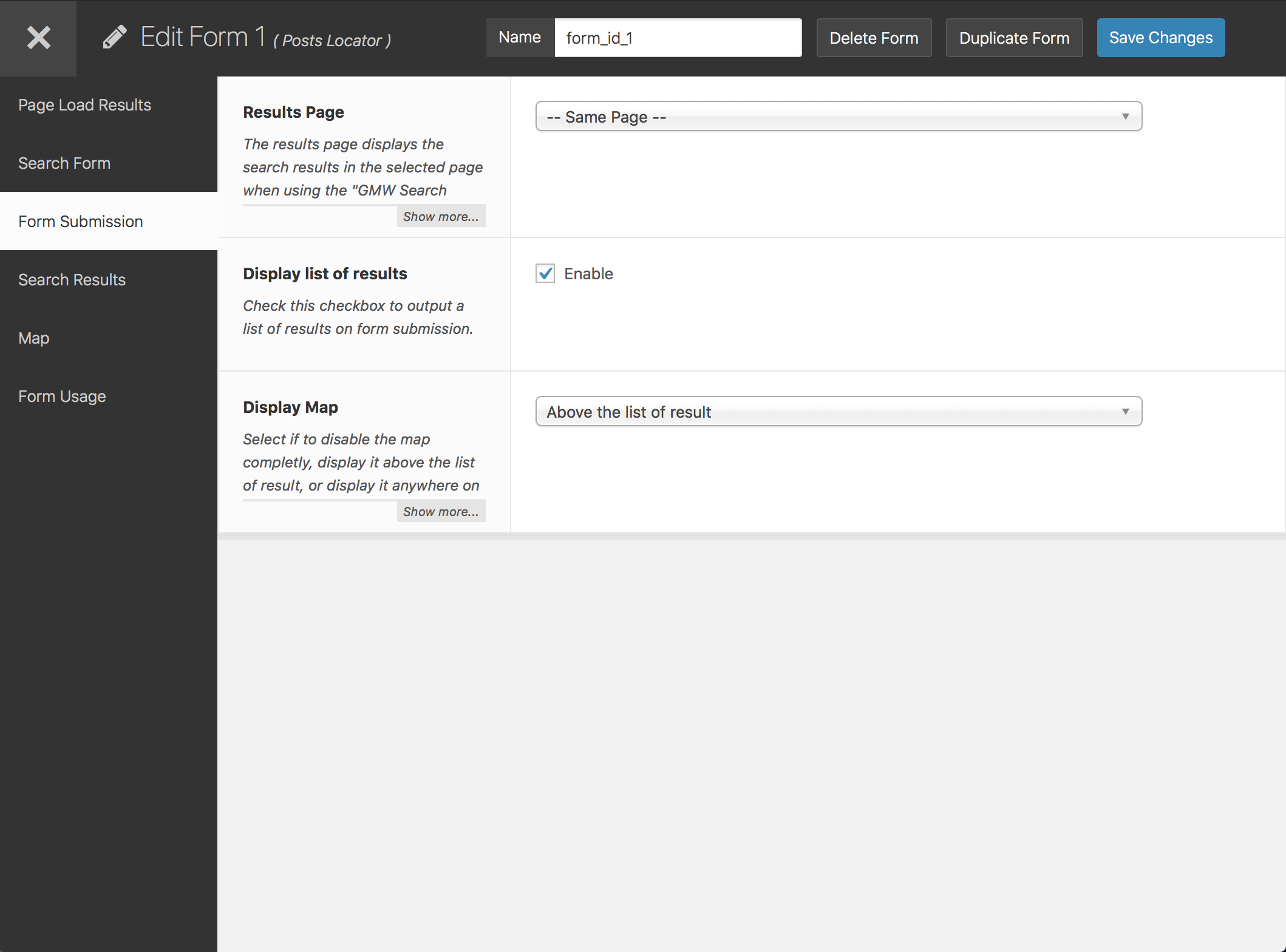
Screenshots
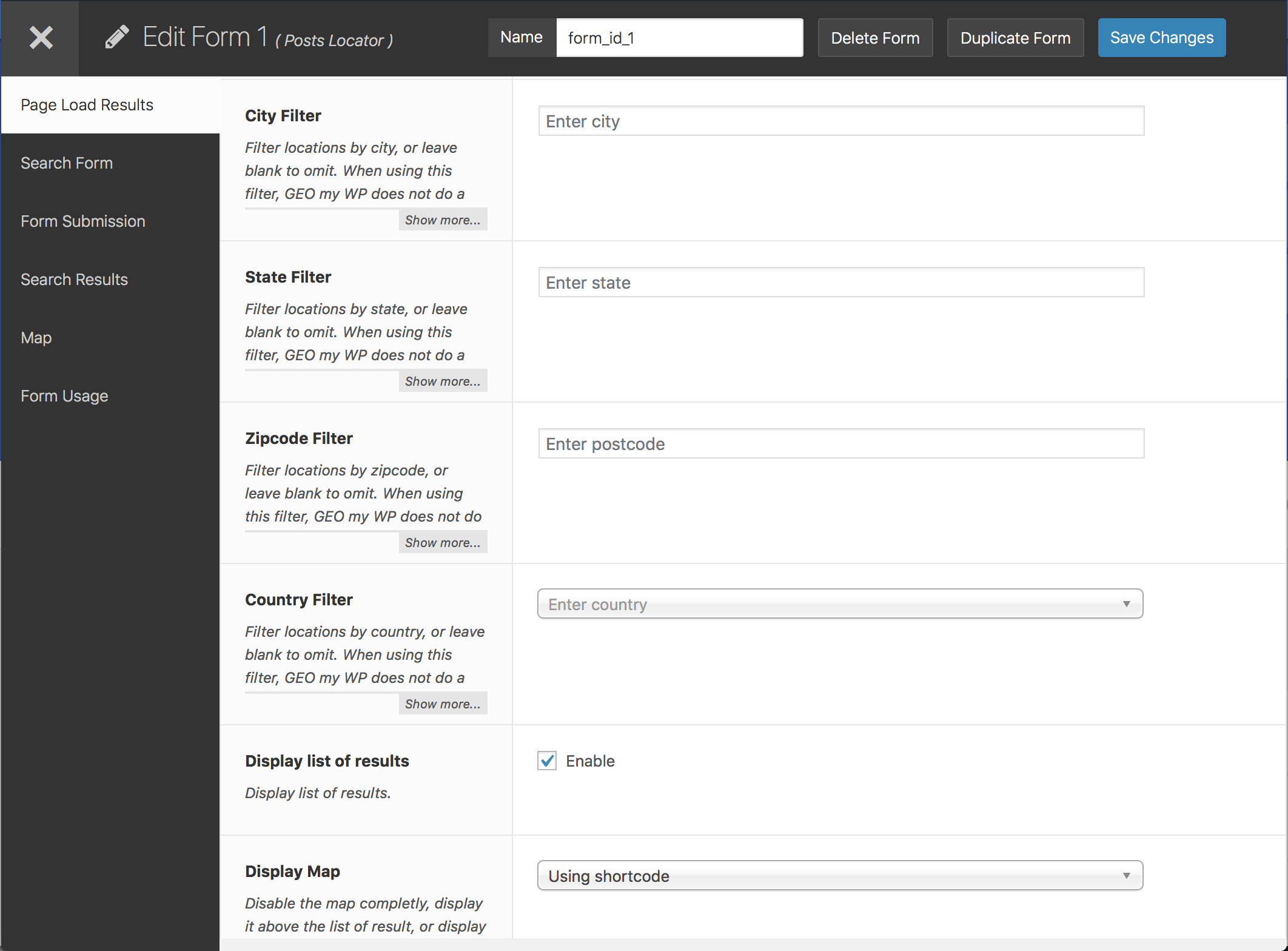
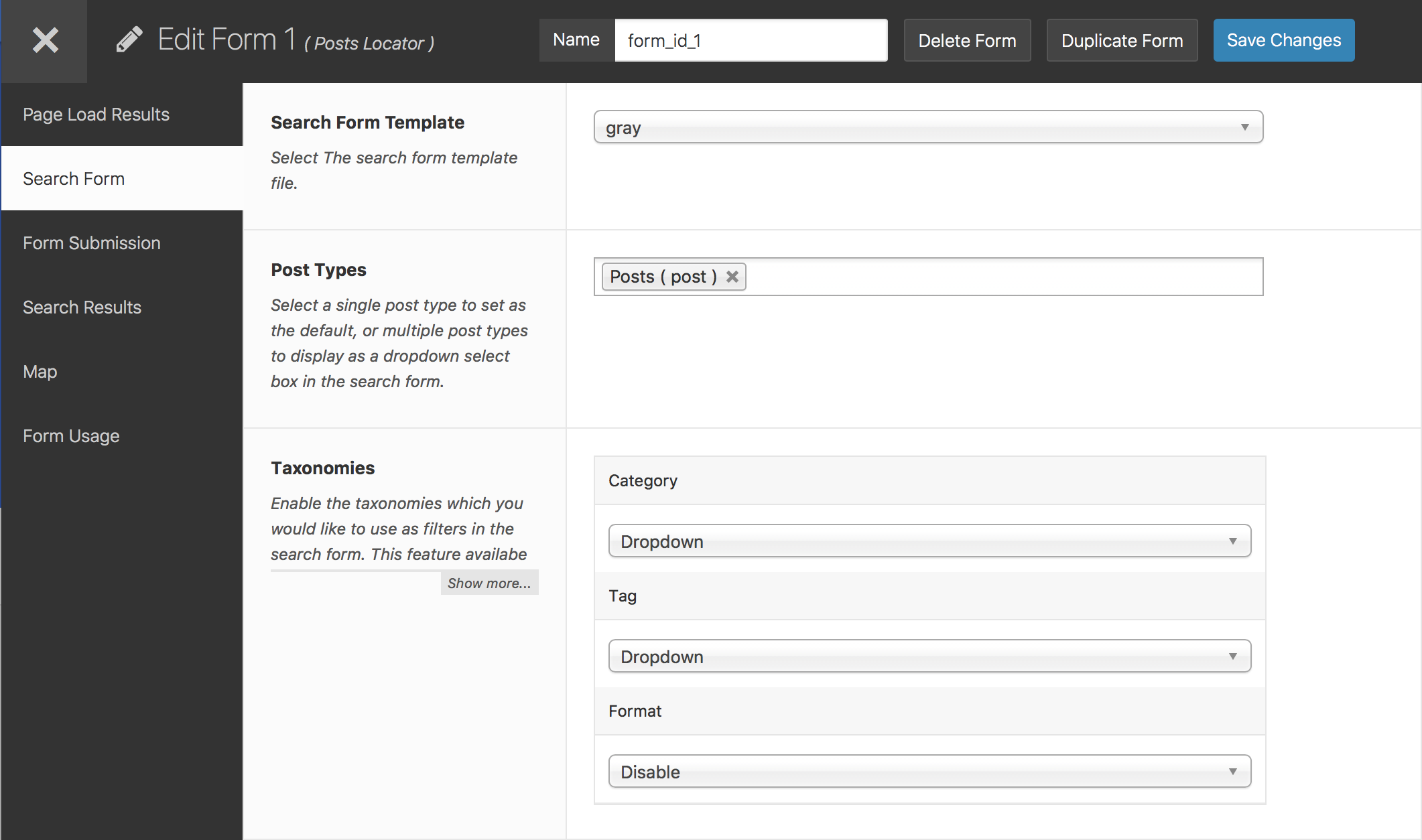
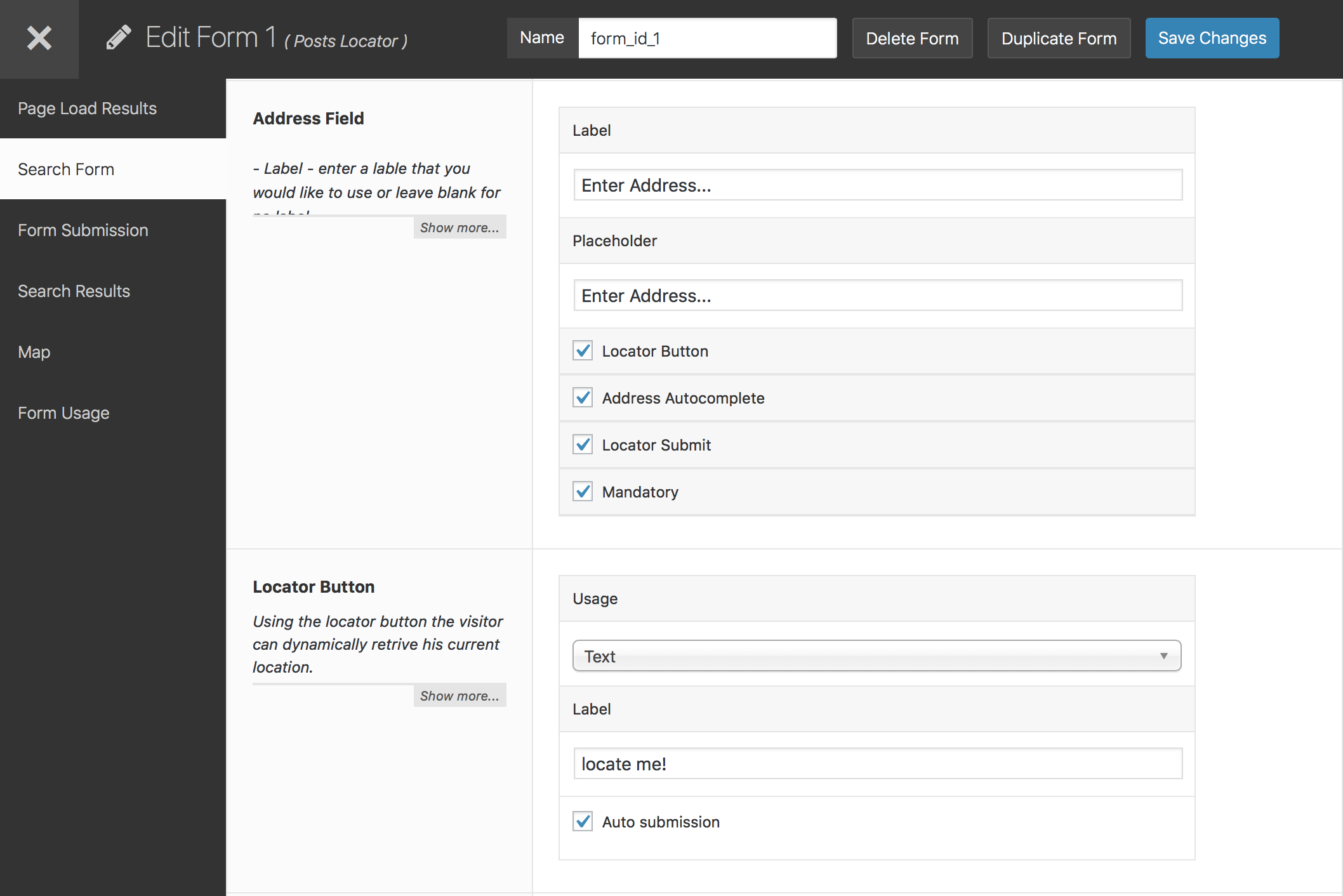
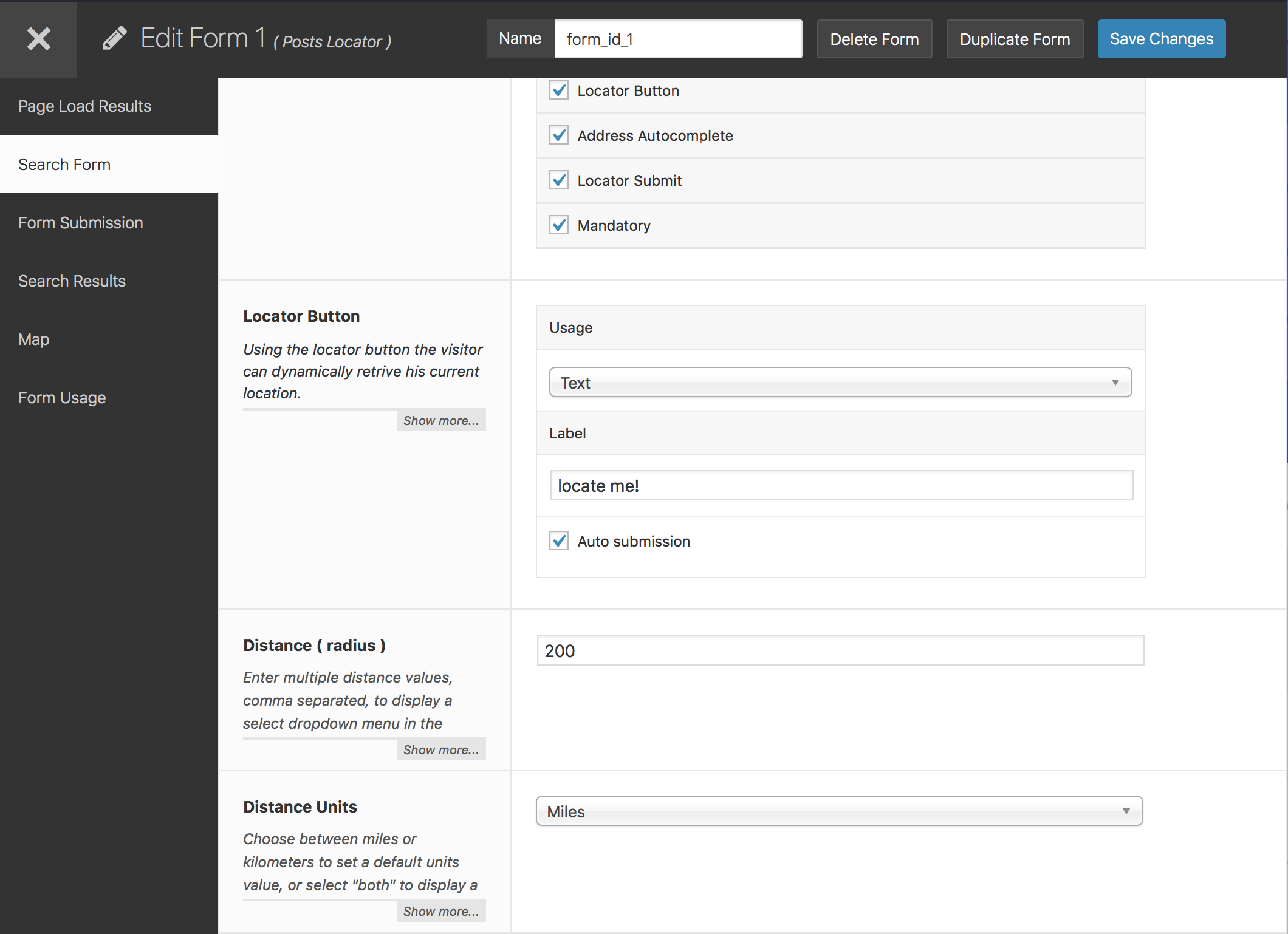
For developers
Is this your plugin? Show off the numbers.
Add a live badge to your site, docs or GitHub README. It updates on its own — no account needed.
FAQ
GEO my WP: quick answers
Straight answers, pulled from live WordPress.org data.
Live data from WordPress.org · checked Sep 26, 2026
Is GEO my WP free?
Yes. GEO my WP is free to download and use from the official WordPress.org plugin directory.
Is GEO my WP safe to use in 2026?
Yes — GEO my WP is a safe, well-maintained plugin to use in 2026. It runs on 3K+ sites, is rated 4.6/5 and was last updated 2 weeks ago, and scores 80/100 on our health check.
How many websites use GEO my WP?
GEO my WP is active on 3K+ WordPress websites and has been downloaded 353,540 times since it launched in August 2012. It was downloaded 3,466 times in the last 30 days.
Does GEO my WP work with WordPress 7.1?
Yes. The developer has tested GEO my WP up to WordPress 7.1.2, the latest release. It requires WordPress 5.6 or newer.
What PHP version does GEO my WP need?
GEO my WP requires PHP 7.0 or higher. Most hosts run PHP 8.x today, so it works on any modern WordPress hosting.
When was GEO my WP last updated?
The latest version, 4.5.5.4, was released on September 10, 2026 (2 weeks ago).
Who makes GEO my WP?
GEO my WP is developed and maintained by Eyal Fitoussi.
Powered by PageForge
Want thousands of pages that rank like these? Build them in an afternoon.
This directory runs on the same engine as PageForge. Turn any spreadsheet, CSV or API into thousands of fast, SEO-ready WordPress pages — with schema, internal links and AI-written copy baked in.
- CSV, Google Sheets & API data sources
- AI content, schema & internal links per page
- Works with Elementor, Gutenberg, Yoast & Rank Math
- Free on WordPress.org — no credit card


