



Product Gallery Slider, Additional Variation Images, Product Video, Product Image Zoom and Lightbox for WooCommerce – Reno Product Gallery (formerly WooGallery)
All-in-One WooCommerce Product Image and Video Gallery Solution to Enhance Your Customers' Shopping Experience and Boost Sales Instantly!

Safe pick
Yes — Product Gallery Slider, Additio… is a safe, well-maintained plugin to use in 2026. It runs on 20K+ sites, is rated 4.9/5 and was last updated 1 month ago, and scores 90/100 on our health check.
- Proven at scale on 20K+ active sites
- Loved by users — 4.9/5 from 161 reviews
- Tested with the latest WordPress (7.1)
Daily downloads
Download spikes usually follow a new release — each site that auto-updates counts as a download.
Rankings
Where Product Gallery Slider, Add… stands todayWordPress.org search rankings
Live position in the plugin search, top 100| Keyword | Position |
|---|---|
| additional variation images gallery | #6 |
| product featured video | #10 |
| product image zoom | #1 |
| woocommerce product gallery carousel | #8 |
| woocommerce product gallery slider | #4 |
Version adoption
Share of active sites per release.
Rating breakdown
★★★★★★★★★★ 4.9 from 161 reviews
About Product Gallery Slider, Additional Vari…
From the official readme · v3.2.0Description
All-in-One WooCommerce Product Gallery (Image and Video) Solution to Enhance Your Customers’ Shopping Experience and Boost Sales Instantly!
🖥️ Live Demo | 📖 Documentation | 🛟 Support | 🌐 Full Features List | 🏆 Upgrade To Pro!
👉 What Does the Reno Product Gallery Mainly Do?
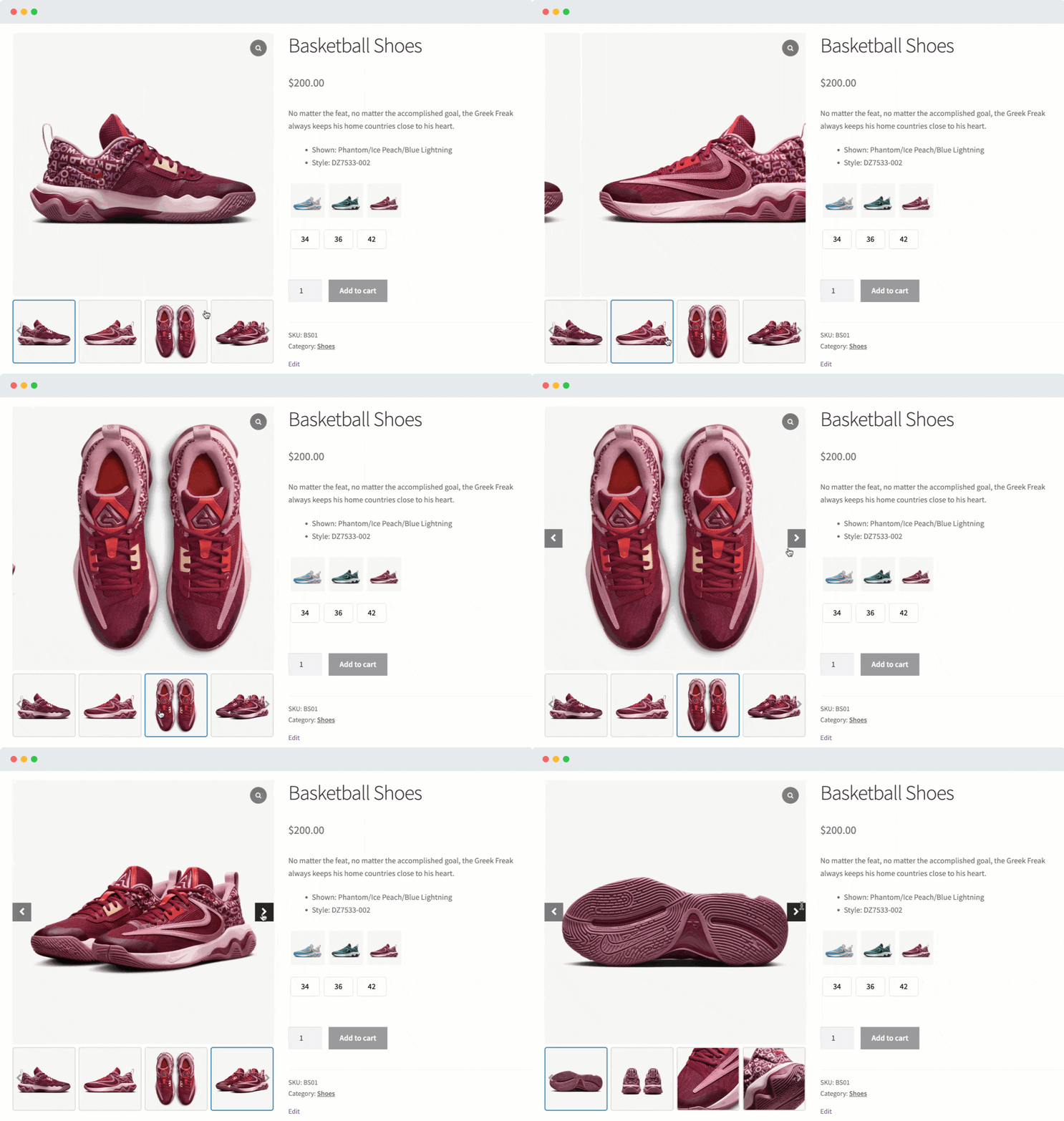
✅ Enable Product Gallery Slider on Product Page
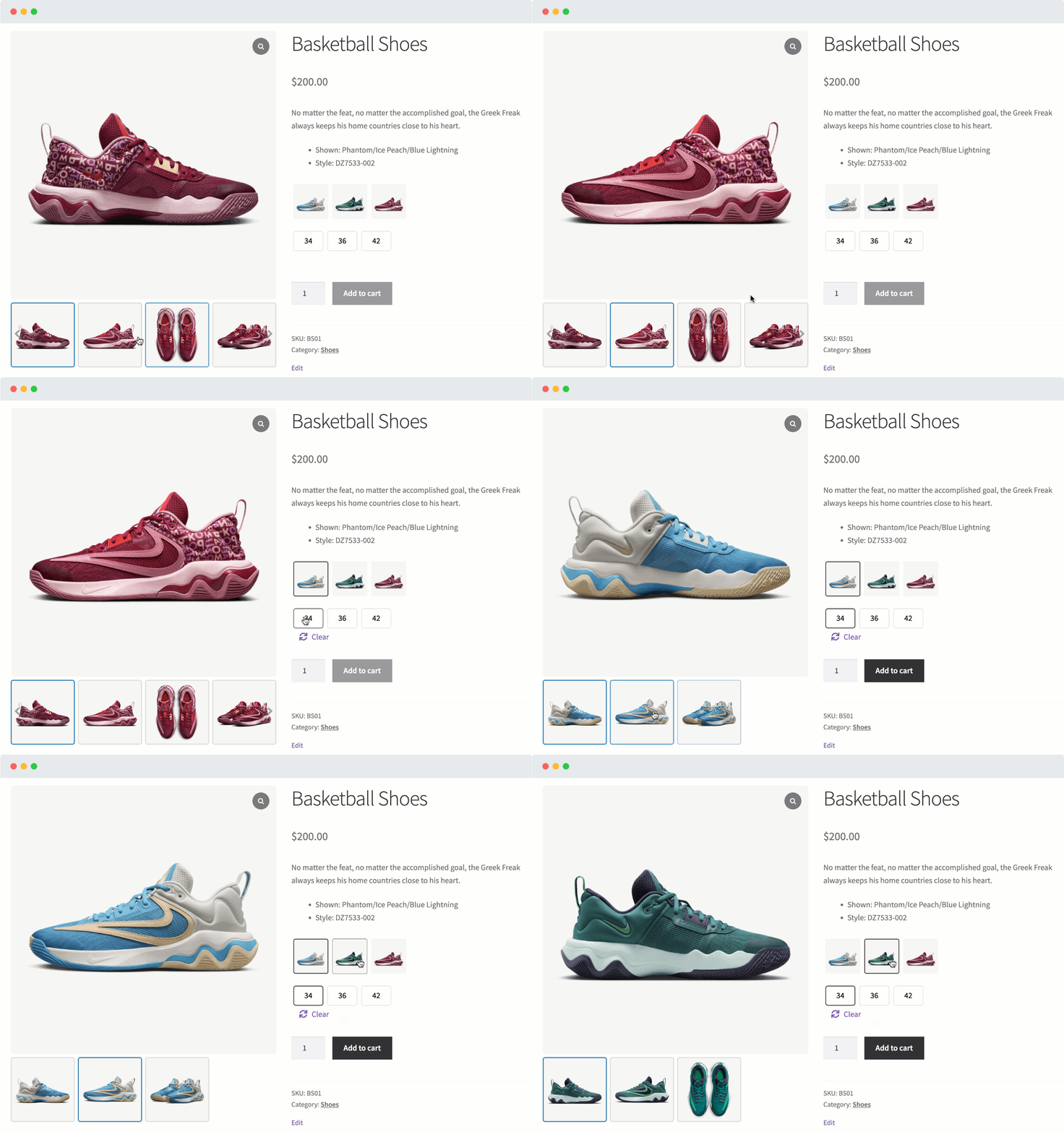
✅ Enable Additional Variation Images Gallery Slider
✅ Create Product Video Gallery 🔥
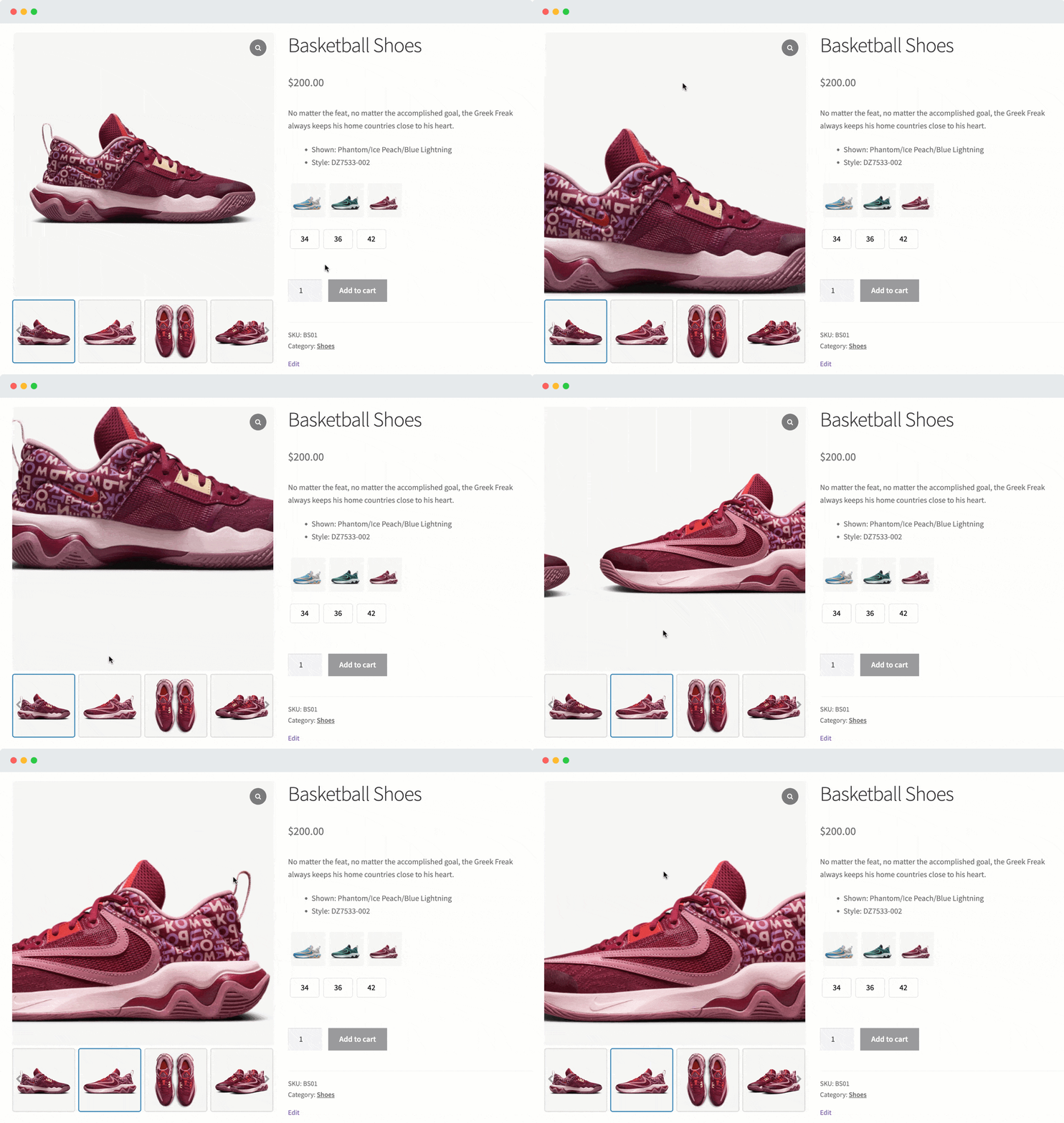
✅ Add Advanced Product Image Zoom 🔥
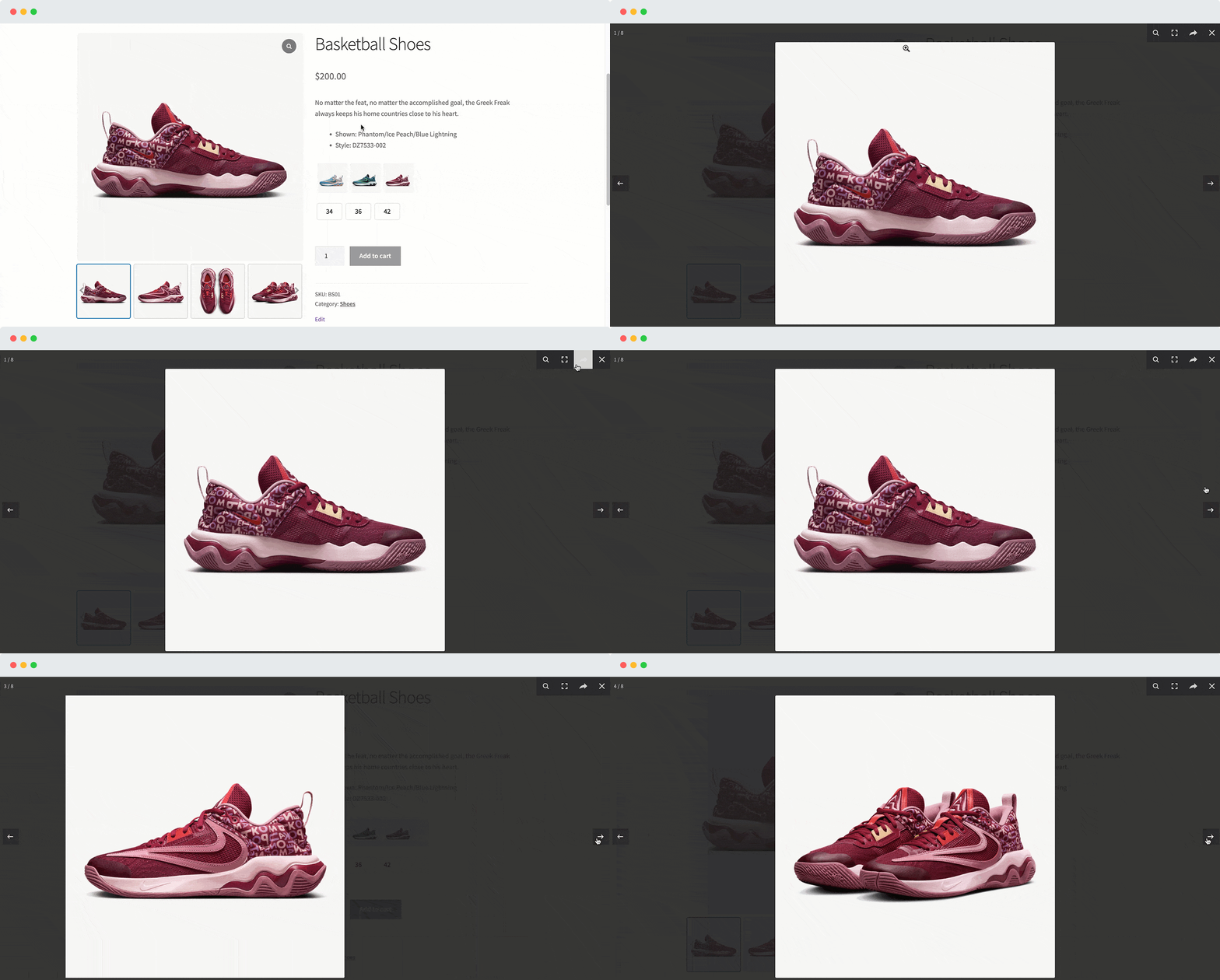
✅ Add Advanced Product Image Lightbox
✅ Add Product Featured Video on the Shop/Archive Pages 🔥
✅ Outstanding Product Gallery Slider
Do you want to boost sales by enhancing your product page design and layout? Do you have too many images of your product?
No worries, Reno Product Gallery is the perfect solution for you. This fantastic plugin can help you transform WooCommerce’s default product gallery into an eye-catching product gallery slider on your product page. By displaying your product and additional variation images in an elegant slider style, you can easily attract more customer attention and increase your sales instantly.
✅ Additional Variation Images Gallery
The plugin also allows you to insert unlimited additional images for each variation, letting potential customers see different images when switching between variations. WooCommerce offers an option to insert only one image per product variation. It means there is no option to add more than a single variation image when it is essential to show additional product images to boost sales.
To unlock this limitation, you can use the Reno Product Gallery plugin. This plugin allows you to upload multiple images for each product variation. So, by using Reno Product Gallery, you can show different sets of images to potential customers when they switch between product variations such as Color, Style, and Size simultaneously.
✅ Product Video Gallery
Effortlessly showcase videos alongside product images on your product pages. This plugin lets you embed videos directly into your product image gallery, giving customers a richer, more engaging shopping experience.
When potential customers watch a brief video of your product, the chances of selling it increase, which is an excellent way to market.
✅ Advanced Product Image Zoom
Are you looking to improve your customers’ shopping experience by allowing them to view your products in more detail and increase sales? The plugin can help you achieve this by providing advanced zooming features for your product images.
This plugin lets your customers get a closer and more detailed look at your products, which can significantly increase customer engagement and generate more sales for your business.
✅ Powerful Product Image Lightbox
Do you want your customers to open the larger product image in a full-screen window to look closely at the product details and skyrocket conversions?
The plugin offers exclusively powerful lightbox functionality to open the full-size image in a modal window, allowing your customers to look closely and efficiently at the product details and boost sales.
👉 Key Features List:
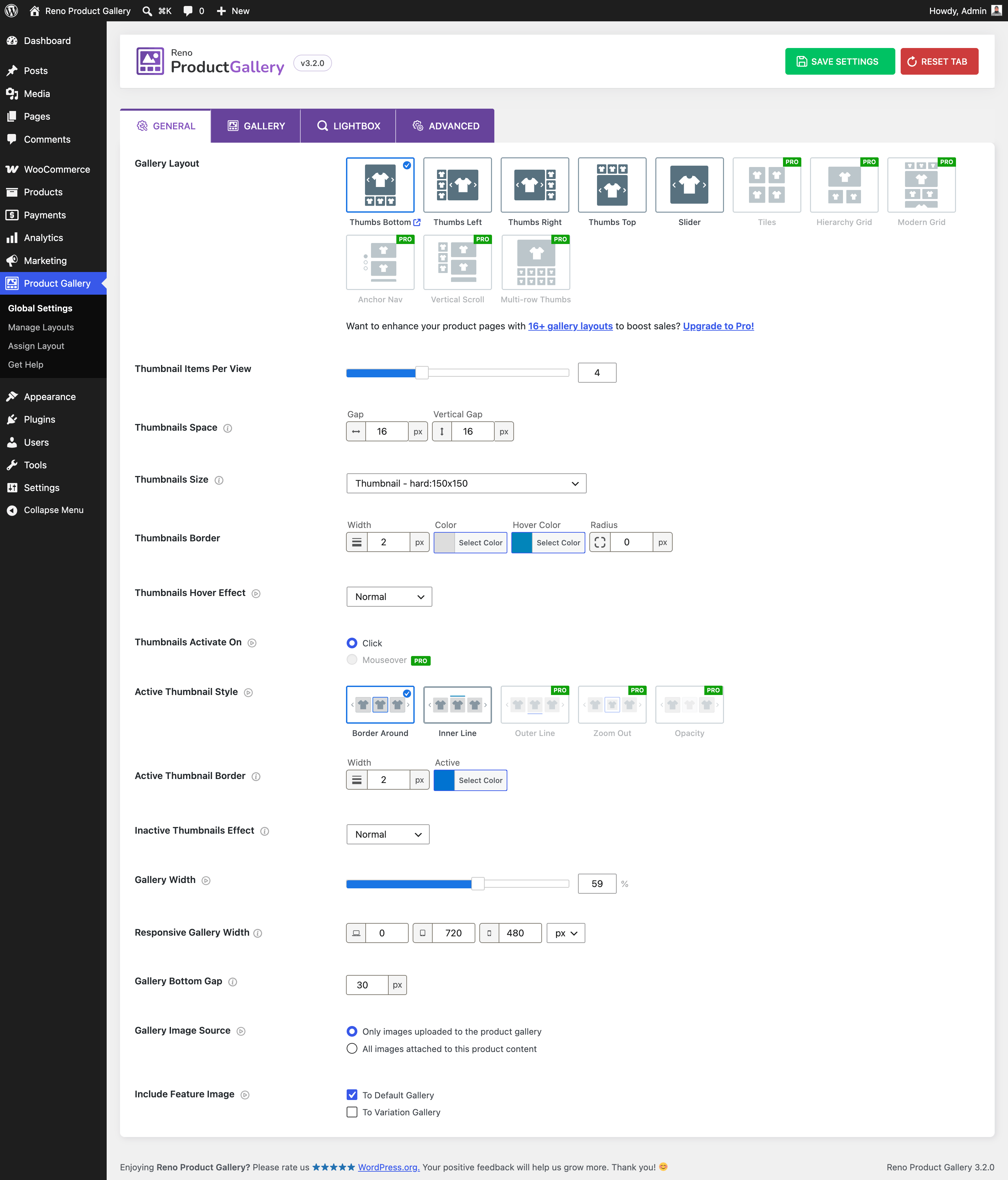
✅ Beautiful Product Gallery Layouts
Use beautiful, functional, ready layouts to deliver better product display.
- Thumbnails Left Live Demo
- Thumbnails Bottom Live Demo
- Thumbnails Top Live Demo
- Thumbnails Right Live Demo
-
Slider Live Demo
✅ Display Multiple Images Per Product Variation
By default, WooCommerce allows adding only one image per product variation. With the plugin, you can add and display multiple product images for each product variation. It is essential to show additional product images to boost sales.
✅ Drag & Drop Custom Sorting for Product Variation Images & Videos
The plugin enables you to rearrange product additional variation images through an intuitive drag-and-drop interface, facilitating custom sorting based on individual preferences.
✅ Adjust Variation Gallery Width for Desktop, Tablet, and Mobile
By specifying a gallery width value, you can ensure that product images are displayed optimally across different screen sizes, providing a consistent and visually appealing user experience of your products and variations.
✅ Embed Unlimited Videos to Your Products and Variation Images
The plugin allows you to add unlimited videos to the product images, which can significantly impact customer engagement, trust, conversions, and brand perception, ultimately driving sales and business growth.
✅ Add Videos to Simple, Group, External/Affiliate, and Variable Product Images
If you want to show YouTube videos in the Simple, Group, External/Affiliate, and Variable Product, the plugin would be an excellent option.
✅ Multiple Video Play Modes: Inline or Popup Window
Enhance your customers’ video viewing experience with our customizable video play options, including inline and pop-up window modes. You can choose how your customers watch the product video by selecting either inline or pop-up window mode.
✅ Enable the Thumbnails Gallery Slider for the Product Images
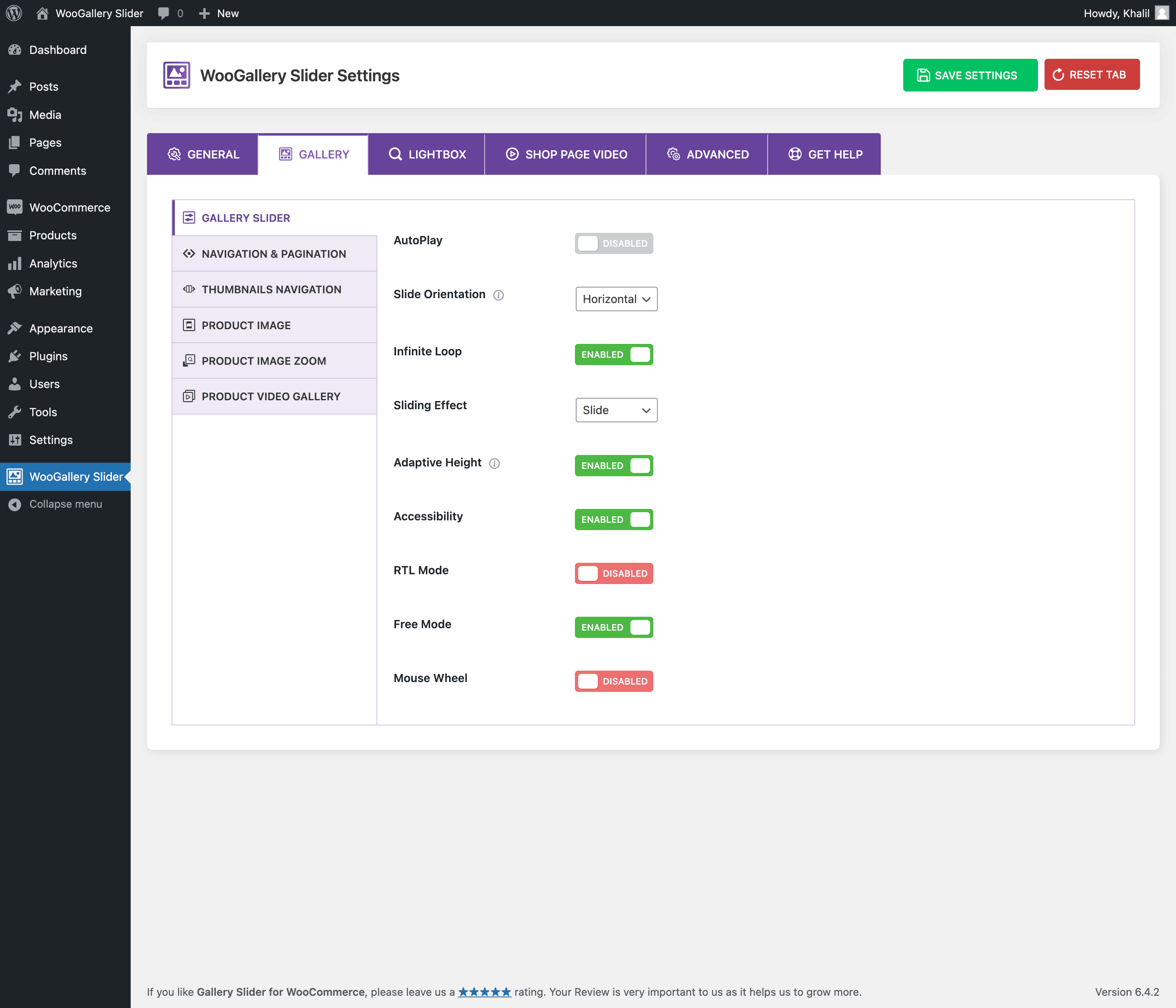
You can enable a slider if you have many images in your product and want to avoid the default gallery display method in WooCommerce. This plugin will allow you to set the number of images to show on each slide, enable autoplay, and set the slider to infinite.
It provides a convenient way for customers to view and select different product images or variations.
✅ Product Featured Image Sliding Controls
This plugin allows customers to navigate different product images or variations using sliding mechanisms. These controls often include AutoPlay Interval, Slider Speed, Direction, etc.
✅ Set Product Slider Orientation
The orientation of the slider refers to the direction in which the product images move or are displayed. It’s typically horizontal or vertical, each with advantages and considerations.
✅ Product Images Sliding Effects
Sliding effects are fancy ways the product images change in a slider. They can slide, fade, zoom
or use other cool transitions to switch between images, making the more interesting display to look at.
- Slide
- Fade
- Flip
- Cube
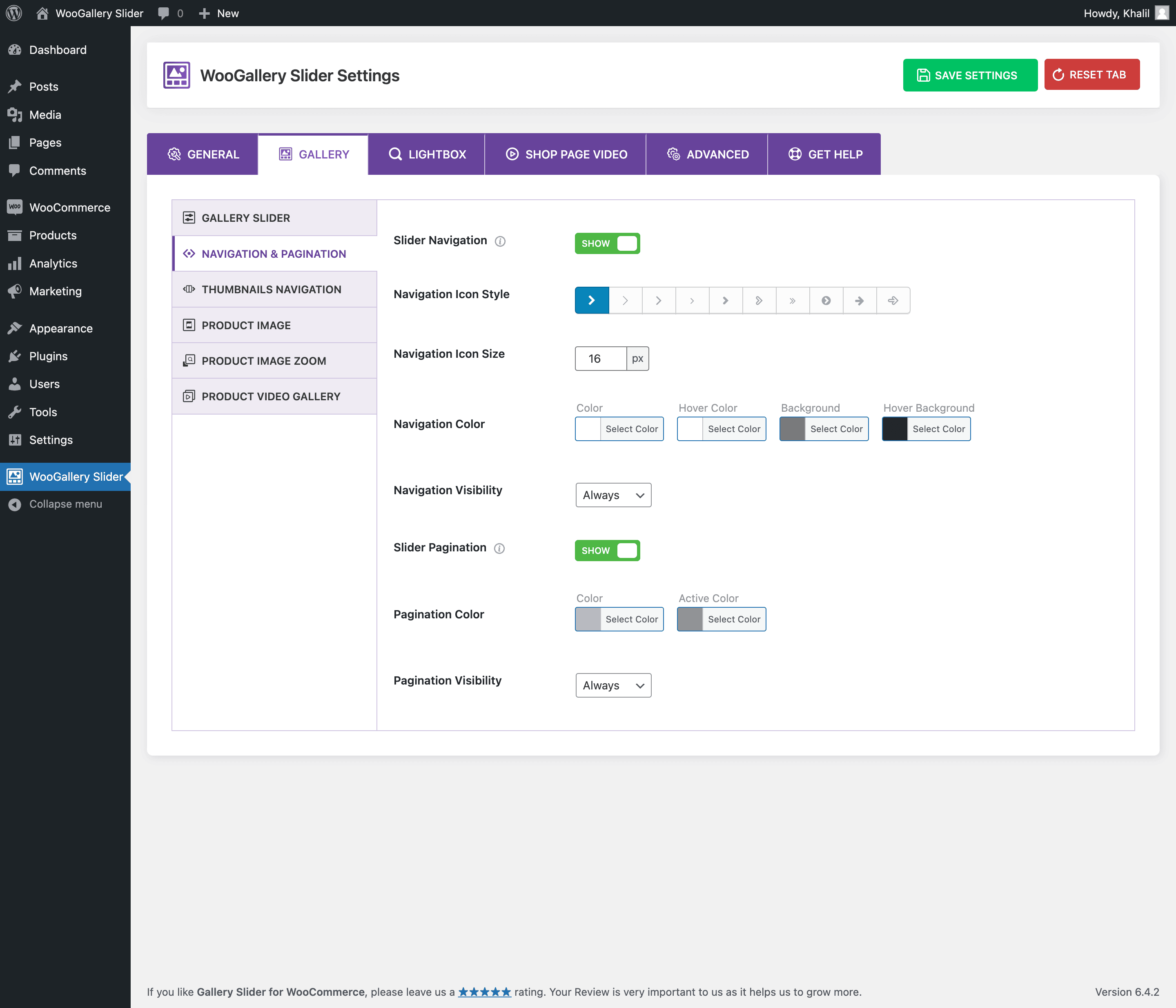
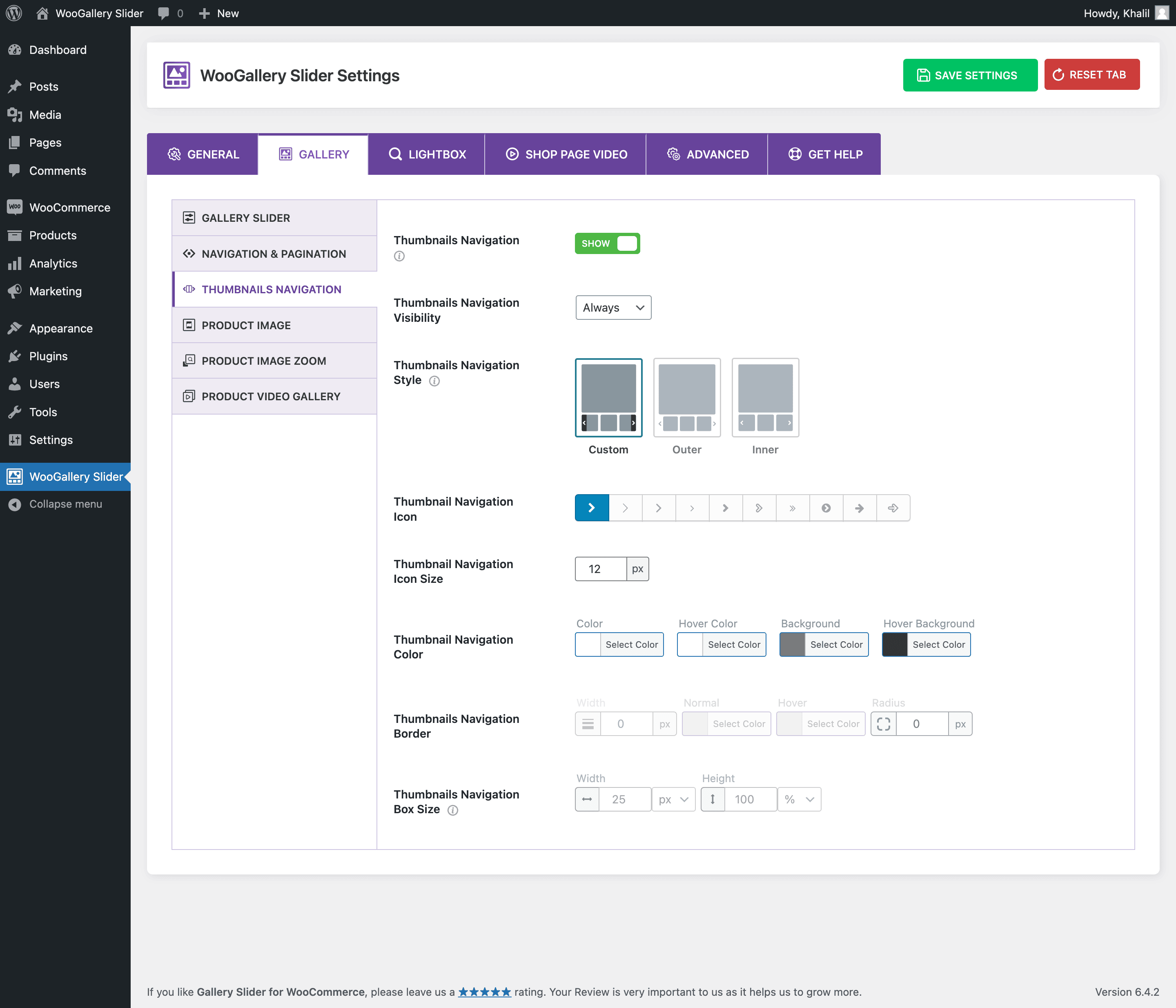
✅ Complete Navigation Control for Product Image and Thumbnails Slider
The plugin provides a comprehensive navigational arrow control for product images and thumbnails slider. It offers various customization options, including arrow style, color, and box sizes. Turning the navigation arrows on or off for both sliders is possible.
- Show/Hide thumbnails navigation
- Thumbnails navigation visibility
- Thumbnails navigation styles (Custom, Inner Right)
- Thumbnails navigation icon set
- Thumbnail navigation icon size
- Thumbnail navigation color
✅ Control Thumbnail Items Number & Gap
Enhance the visual appearance of your product images slider by customizing the number of thumbnails and the gaps between them.
Initially, the product images slider displays four thumbnails. However, you can customize the number of thumbnails to be displayed, ranging from 2 to 10. Additionally, you can adjust the gap between thumbnails easily.
✅ Product Variation Images Sorting
The plugin is built with the idea of saving time on development. You can reorder the images of your uploaded variations according to your needs.
This feature allows you to arrange variation images in a specific sequence, which can influence purchase decisions and improve user experience.
✅ Control Product Image AutoPlay and Slider Speed
Adjusting the slider speed allows customers to view product images properly. This feature will enable you to increase or decrease the sliding duration and direction based on your needs.
- AutoPlay
- AutoPlay Delay Time
- Slider Speed
✅ Essential Thumbnails Slider Settings
The plugin provides a wide range of features to enhance the functionality, usability, and accessibility of product slider.
- Infinite Loop
- Adaptive Height
- Accessibility
- RTL Mode
- Free Mode
- Mouse Wheel
- Zoom Out Hover Effects
- Slide Down Hover Effects
✅ Preloader Settings for Product Images
Enhance your product image loading speed with the powerful preloader feature. With this plugin, you can turn the preloader style on or off.
✅ Compatible with Popular WordPress Themes and Plugins
The plugin is compatible with all the popular themes and plugins, especially WooCommerce plugins and themes.
✅ Multisite Supported
The plugin is fully compatible with WordPress multisite, including network-activated and activated on individual sites.
Reno Product Gallery Pro Features 🚀
Reno Product Gallery Pro offers more robust features and easy customizations that will take your product gallery beyond limitations and boost your sales growth.
✅ Choose Modern Product Gallery Layouts
- Tiles (Pro) Live Demo
- Hierarchy Grid (New) (Pro) Live Demo
- Modern Grid – Style 1 (New) (Pro) Live Demo
- Modern Grid – Style 2 (New) (Pro) Live Demo
- Modern Grid – Style 3 (New) (Pro) Live Demo
- Modern Grid – Style 4 (New) (Pro) Live Demo
- Modern Grid – Style 5 (New) (Pro) Live Demo
- Anchor Navigation (New) (Pro) Live Demo
- Vertical Scroll (New) (Pro) Live Demo
- Multi-row Thumbs (New) (Pro) Live Demo
✅ Product Featured Video on Shop/Archive/Listing Page 🔥
Grab the attention of visitors with compelling product featured videos right on the shop, archive, category, and any listing pages to grow the conversion rate. Featured videos can be played either in a pop-up window or directly on the same page.
✅ Add Product Videos from:
- Vimeo (PRO) Live Demo
- Dailymotion (PRO) Live Demo
- Facebook (PRO) Live Demo
- Self-hosted (PRO) Live Demo
✅ Product Video Placement
Make your product video slider more engaging and dynamic by choosing a video placement. When creating a slider for a product, it’s essential to consider where to place the product video. The plugin has 3 options for setting the video:
- At Starting of the Slider
- End of the Slider
- Keep Videos in Default Position
✅ Stylize YouTube and Self-hosted Video Player Controls 🔥🔥🔥
Customize the appearance of the playback buttons, progress bar, volume controls, and other interactive elements within the video player to match your brand style.
- Main Font Color
- Control Background Color
- Video Play Progress Color
- Video Play Progress Background
- YouTube Video Player Controls
- Show/Hide YouTube Related Videos
- Video Volume
- Video Icon Color, etc.
✅ Advanced Product Image Zoom 🔥🔥🔥
Advanced image zoom functionality allows customers to view products in more detail by zooming in on specific areas. This feature enhances a super customer shopping experience by providing a closer look at the product.
Here are key zoom features you’ll love:
- Right Side and Magnific zoom styles
- 3 Additional Zooming cursor styles
- Zoom Lens Shape: Circle and Box
- Lens Color, Border
- On hover product image overlay style: Blur, Custom Color
- Custom image overlay color and opacity
- Auto and custom zoom window size
- Zoom window distance
- MouseWheel Zoom
✅ Advanced Product Image Lightbox 🔥🔥🔥
- 4 Additional Lightbox sliding effects: Fade, Rotate,
- Circular and Tube
- Lightbox overlay background
- 5 Lightbox icon display positions
- Configure lightbox icon size
- Show/Hide slideshow play button
- Show/Hide thumbnails button
- Show/Hide thumbnails visibility
- Show/Hide full-screen button
- Show/Hide product image download button
✅ Retina Ready Product Image Supported
Enhance your online store’s best product image viewing experience and attract more customers. Your customers will be amazed by the crystal-clear quality of your product images, making them more likely to purchase.
✅ Product Gallery Thumbnails Control
- Thumbnail navigation border
- Thumbnail navigation box size
✅ Thumbnails Custom Dimensions
Set specific dimensions for the thumbnails displayed in the product. This feature lets you control the height and width of the product thumbnails.
✅ Thumbnails Hover Effects 🔥🔥🔥
Thumbnail hover effects refer to interactive visual changes when customers hover their cursor over thumbnail images. Choose a hover effect from-
- Slide In
- Slide Up
✅ Excellent Active Thumbnail Styles 🔥
- Outer Line 🔥🔥🔥 It’s like a product images page of Apple
- Zoom Out
- Opacity
✅ Change the Main Image on Click or Mouseover for Product Thumbnails 🔥
The plugin offers an engaging feature that allows you to change the main image by hovering over one of the product thumbnails. This feature was inspired by the top e-commerce stores such as Amazon, Nike, Adidas, Puma, etc. It is designed to enhance usability and save customers from making extra clicks.
- On Click
- Mouseover🔥 🔥 🔥 It’s like the product images pages of Amazon, Nike, AliExpress, etc.
✅ Gallery Image Caption 🔥
When you have a product thumbnails slider, it’s essential to have an active main image with a caption that provides additional context or information about the product and the variation images.
🏆 UPGRADE TO RENO PRODUCT GALLERY PRO!
Upgrade To our Pro version Today! You’ll never regret it.✌️
Installation
This section describes how to install the plugin and get it working
AUTOMATIC INSTALLATION (EASIEST WAY)
To automatically install Reno Product Gallery, log in to your WordPress dashboard, navigate to the Plugins menu, and click Add New.
In the search field type “Reno Product Gallery” by ShapedPlugin. Once you have found it, you can install it by clicking “Install Now” and then “Activate”.
MANUAL INSTALLATION
Uploading in WordPress Dashboard
- Download gallery-slider-for-woocommerce.zip
- Navigate to the ‘Add New’ in the plugins dashboard
- Navigate to the ‘Upload’ area
- Select gallery-slider-for-woocommerce.zip from your computer
- Click ‘Install Now’
- Activate the plugin in the Plugin dashboard
Using FTP
- Download gallery-slider-for-woocommerce.zip
- Extract the gallery-slider-for-woocommerce directory to your computer
- Upload the gallery-slider-for-woocommerce directory to the /wp-content/plugins/ directory
- Activate the plugin in the Plugin dashboard
The WordPress codex contains instructions on how to install a WordPress plugin.
Frequently asked questions
When can I use this plugin?
You can use this plugin only when you have installed the WooCommerce plugin.
Is the plugin compatible with my theme?
Yes, the plugin is compatible with the most popular WooCommerce themes. We’re using this ‘woocommerce_before_single_product_summary’ hook to override the gallery. This plugin will work perfectly if your theme uses the default WooCommerce hook for the single-product.php page. Sometimes, it may require a small CSS tweak.
Changelog
Version 3.2.0 – Jul 28, 2026
- New: WooGallery is now Reno Product Gallery. Everything else remains the same — your settings, layouts, and galleries are unchanged, and no reinstallation is required.
- New: The [reno_product_gallery] shortcode to render the product gallery manually when using page builders (Divi, Elementor, Bricks, etc.).
- Updated: The admin menu label has been changed from WooGallery to Product Gallery.
- Updated: The language file (.pot) has been updated.
- Improved: Replaced unserialize() with WordPress plugins_api() for the recommended plugin section.
- Dev: The [woogallery] and [wcgs_gallery_slider] shortcodes continue to work.
- Tested: WooCommerce 10.9.4 compatibility.
Version 3.1.6 – Jun 17, 2026
- Improved: The slider navigation accessibility.
- Fix: The prev/next navigation buttons in the product gallery slider could not be activated via keyboard (Space, Enter).
- Fix: The Mousewheel scroll option not working at main image.
- Fix: the potential undefined index notices for plugin icons in help page.
- Fix: The Autoplay Interval option value visibility issue.
- Tested: WooCommerce 10.8.1 compatibility.
Version 3.1.5 – Apr 08, 2026
- Fix: Some CSS style issues found with WP 7.0.
- Fix: The pop-up close button issue.
- Tested: WordPress 7.0 compatibility.
- Tested: WooCommerce 10.6.2 compatibility.
Version 3.1.4 – Mar 24, 2026
- Fix: The variation image change issue with the Ferme theme and the variation type radio case.
- Fix: The slider navigation is not working in the initially active case
- Tested: WordPress 6.9.4 compatibility.
- Tested: WooCommerce 10.6.1 compatibility.
Version 3.1.3 – Jan 08, 2026
- Improved: Code readability and maintainability improved.
- Tested: WooCommerce 10.4.3 compatibility.
Version 3.1.2 – Oct 10, 2025
- Tested: WordPress 6.9 compatibility.
- Tested: WooCommerce 10.3.5 compatibility.
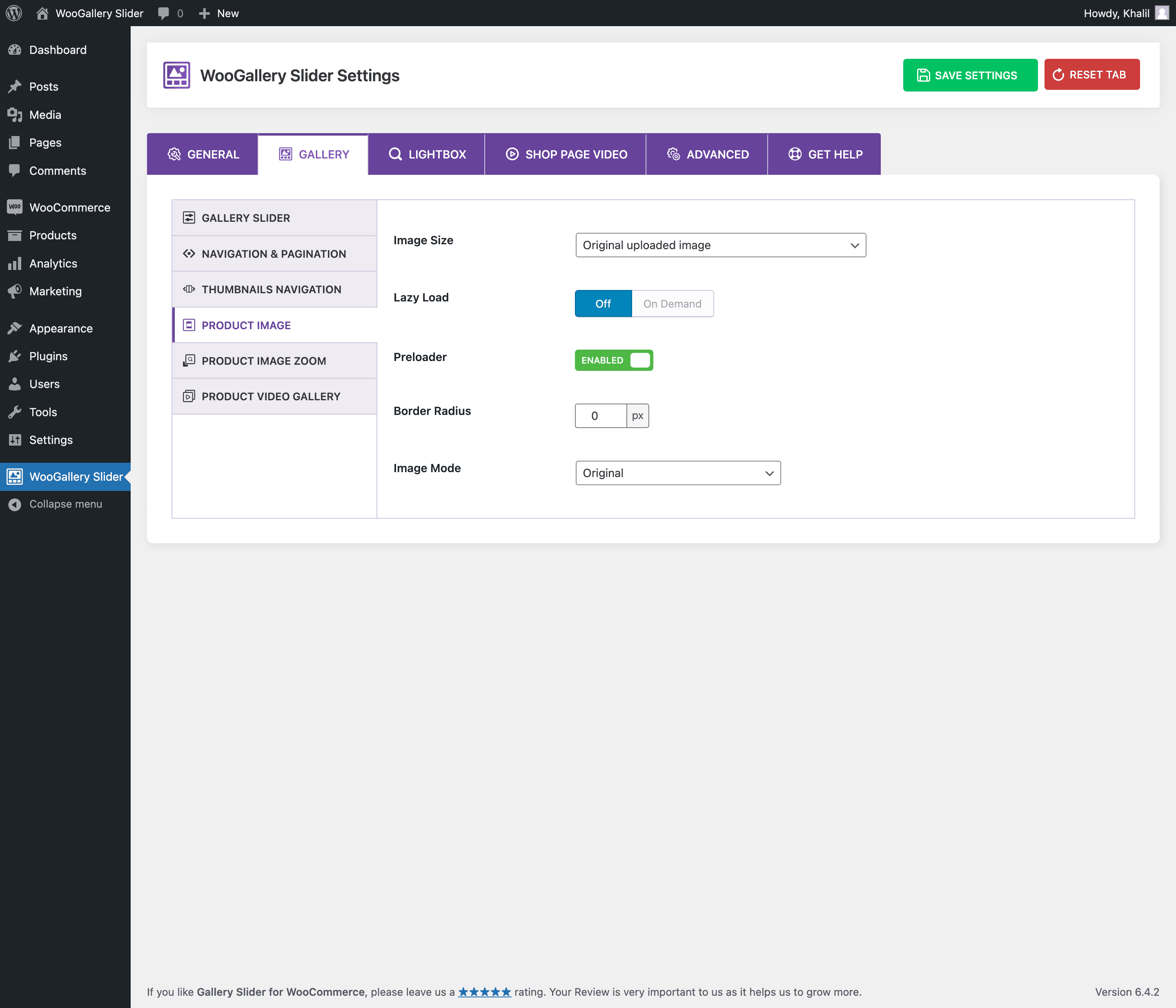
Screenshots
For developers
Is this your plugin? Show off the numbers.
Add a live badge to your site, docs or GitHub README. It updates on its own — no account needed.
FAQ
Product Gallery Slider, Additional…: quick answers
Straight answers, pulled from live WordPress.org data.
Live data from WordPress.org · checked Sep 26, 2026
Is Product Gallery Slider, Additio… free?
Yes. Product Gallery Slider, Additio… is free to download and use from the official WordPress.org plugin directory. The developer also sells premium add-ons or a Pro version with extra features.
Is Product Gallery Slider, Additio… safe to use in 2026?
Yes — Product Gallery Slider, Additio… is a safe, well-maintained plugin to use in 2026. It runs on 20K+ sites, is rated 4.9/5 and was last updated 1 month ago, and scores 90/100 on our health check.
How many websites use Product Gallery Slider, Additio…?
Product Gallery Slider, Additio… is active on 20K+ WordPress websites and has been downloaded 529,332 times since it launched in January 2021. It was downloaded 3,817 times in the last 30 days.
Does Product Gallery Slider, Additio… work with WordPress 7.1?
Yes. The developer has tested Product Gallery Slider, Additio… up to WordPress 7.1.2, the latest release. It requires WordPress 5.3 or newer.
What PHP version does Product Gallery Slider, Additio… need?
Product Gallery Slider, Additio… requires PHP 7.0 or higher. Most hosts run PHP 8.x today, so it works on any modern WordPress hosting.
When was Product Gallery Slider, Additio… last updated?
The latest version, 3.2.0, was released on August 21, 2026 (1 month ago).
Who makes Product Gallery Slider, Additio…?
Product Gallery Slider, Additio… is developed and maintained by ShapedPlugin LLC.
Powered by PageForge
Want thousands of pages that rank like these? Build them in an afternoon.
This directory runs on the same engine as PageForge. Turn any spreadsheet, CSV or API into thousands of fast, SEO-ready WordPress pages — with schema, internal links and AI-written copy baked in.
- CSV, Google Sheets & API data sources
- AI content, schema & internal links per page
- Works with Elementor, Gutenberg, Yoast & Rank Math
- Free on WordPress.org — no credit card


