


Frontend Dashboard Social Chat
This is a free add-on plugin for Frontend Dashboard. Please install and activate Frontend Dashboard (v3.0.0+) to use this plugin.

Solid choice
Frontend Dashboard Social Chat is a solid plugin choice in 2026, with a few things worth checking first. It runs on 20+ sites and was last updated 21 hours ago, and scores 67/100 on our health check.
- Actively developed — last update 21 hours ago
- Tested with the latest WordPress (7.1)
- Small user base (20+ active installs)
- Very few reviews so far
How does it stack up?
Side-by-side on installs, updates, ratings & support



Daily downloads
Download spikes usually follow a new release — each site that auto-updates counts as a download.
Rankings
Where Frontend Dashboard Social C… stands todayWordPress.org search rankings
Live position in the plugin search, top 100| Keyword | Position |
|---|---|
| customer support | >100 |
| Floating Chat | >100 |
| frontend-dashboard | #47 |
| live chat | >100 |
| >100 |
Version adoption
Share of active sites per release.
About Frontend Dashboard Social Chat
From the official readme · v3.0.2Description
Notice
This is a free add-on plugin for Frontend Dashboard. Please install and activate Frontend Dashboard (v3.0.0+) to use this plugin.
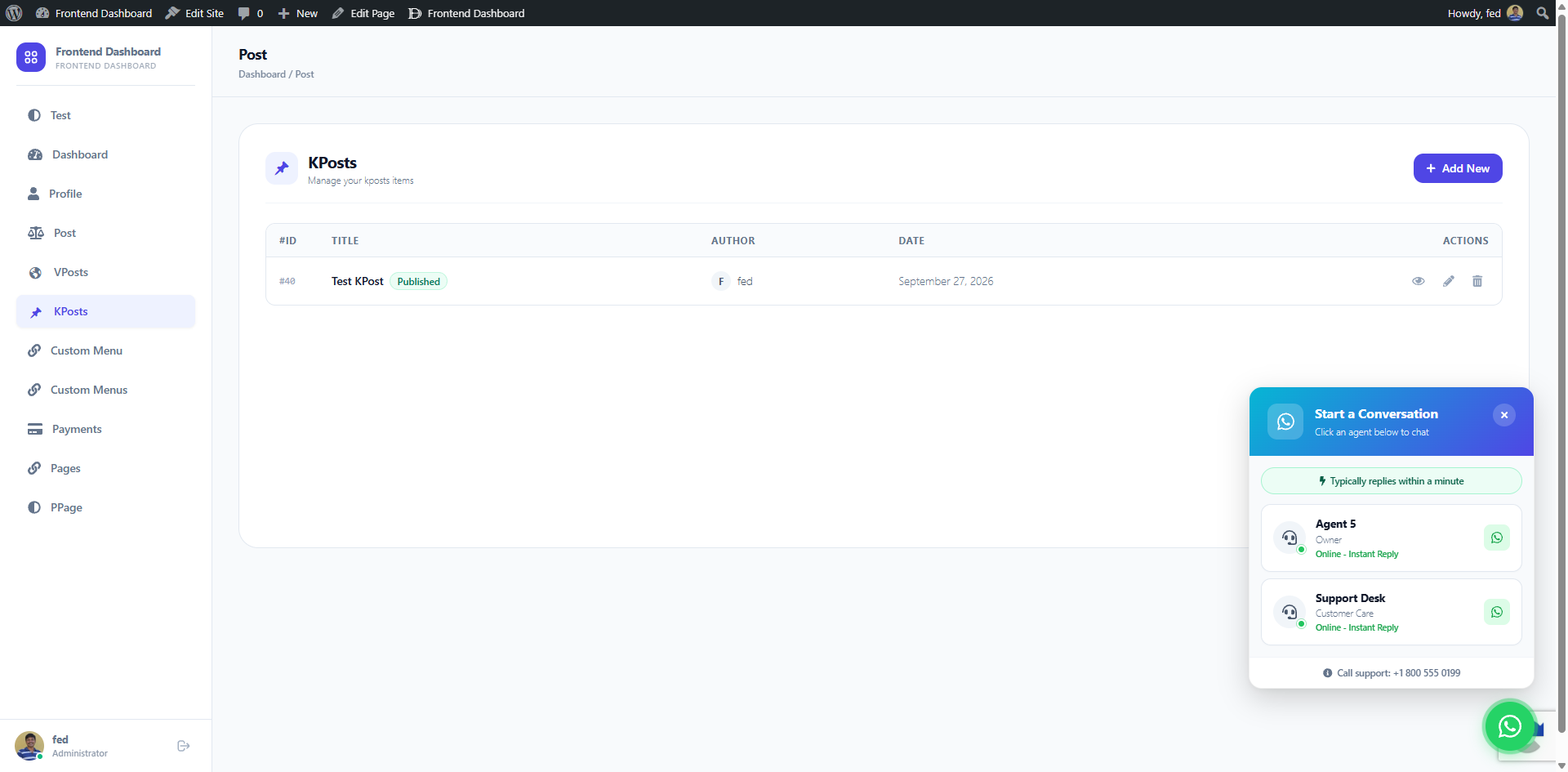
Frontend Dashboard Social Chat enables fast, direct communication between frontend dashboard users and support or technical team members via WhatsApp.
Features
- Multi-Agent Representatives: Add multiple support representatives with individual WhatsApp numbers, names, and titles.
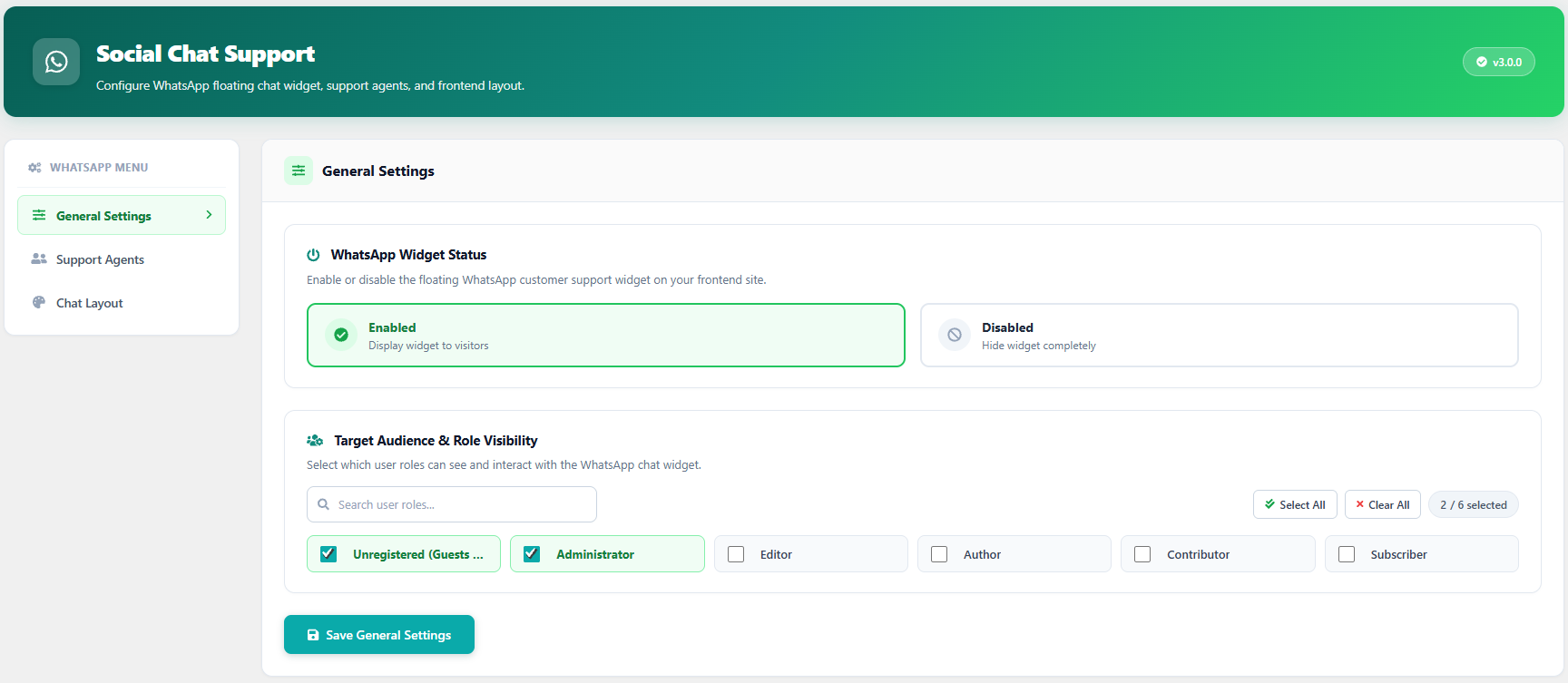
- Role-Based Visibility: Restrict chat widget visibility to specific logged-in user roles or display universally.
- Custom Layouts & Prompts: Customize pre-filled greeting messages, agent descriptions, and floating button positions.
- Theme Matching: Seamlessly blends with the Frontend Dashboard theme colors and dark/light styling.
- Mobile Optimized: Responsive chat popup designed for mobile, tablet, and desktop screens.
Installation
- Upload the
frontend-dashboard-social-chatdirectory to the/wp-content/plugins/directory. - Activate the plugin through the ‘Plugins’ menu in WordPress.
- Ensure Frontend Dashboard is also installed and active.
- Navigate to Frontend Dashboard > Social Chat to configure representatives and settings.
- Save settings.
For more documentation and FAQs, visit https://faq.frontenddashboard.com/addons-free/social-chat/overview/.
Changelog
Maintenance & dependency update: Declared official WordPress 6.5+ plugin dependency on Frontend Dashboard core.
3.0.2
- Feature: Declared official WordPress 6.5+ plugin dependency on Frontend Dashboard core (Requires Plugins header).
- Compatibility: Updated minimum WordPress version requirement to 6.5+.
3.0.1
- Fix: WordPress.org plugin review and security compliance improvements.
3.0.0
- Major Release: Full compatibility and deep integration with Frontend Dashboard 3.0.0 App Shell.
- Updated chat window styling and responsive mobile layout.
- Enhanced role permissions and agent management.
- Security: Added nonce verification on all configuration actions.
- Full compatibility with WordPress 6.7 and PHP 8.0 / 8.1 / 8.2 / 8.3.
More Changelogs:
https://faq.frontenddashboard.com/changelog/social-chat/
Screenshots
For developers
Is this your plugin? Show off the numbers.
Add a live badge to your site, docs or GitHub README. It updates on its own — no account needed.
Best Frontend Dashboard Social Chat alternatives
All customer support plugins →





FAQ
Frontend Dashboard Social Chat: quick answers
Straight answers, pulled from live WordPress.org data.
Live data from WordPress.org · checked Oct 2, 2026
Is Frontend Dashboard Social Chat free?
Yes. Frontend Dashboard Social Chat is free to download and use from the official WordPress.org plugin directory.
Is Frontend Dashboard Social Chat safe to use in 2026?
Frontend Dashboard Social Chat is a solid plugin choice in 2026, with a few things worth checking first. It runs on 20+ sites and was last updated 21 hours ago, and scores 67/100 on our health check.
How many websites use Frontend Dashboard Social Chat?
Frontend Dashboard Social Chat is active on 20+ WordPress websites and has been downloaded 10,144 times since it launched in November 2019. It was downloaded 342 times in the last 30 days.
Does Frontend Dashboard Social Chat work with WordPress 7.1?
Yes. The developer has tested Frontend Dashboard Social Chat up to WordPress 7.1.2, the latest release. It requires WordPress 6.5 or newer.
What PHP version does Frontend Dashboard Social Chat need?
Frontend Dashboard Social Chat requires PHP 8.0 or higher. Most hosts run PHP 8.x today, so it works on any modern WordPress hosting.
When was Frontend Dashboard Social Chat last updated?
The latest version, 3.0.2, was released on October 1, 2026 (21 hours ago).
Who makes Frontend Dashboard Social Chat?
Frontend Dashboard Social Chat is developed and maintained by M A Vinoth Kumar.
What are the best alternatives to Frontend Dashboard Social Chat?
The most popular alternatives to Frontend Dashboard Social Chat are Chatway Live Chat (30K+ installs), LiveChat (10K+ installs) and Zendesk Chat (10K+ installs).
Powered by PageForge
Want thousands of pages that rank like these? Build them in an afternoon.
This directory runs on the same engine as PageForge. Turn any spreadsheet, CSV or API into thousands of fast, SEO-ready WordPress pages — with schema, internal links and AI-written copy baked in.
- CSV, Google Sheets & API data sources
- AI content, schema & internal links per page
- Works with Elementor, Gutenberg, Yoast & Rank Math
- Free on WordPress.org — no credit card


