



FlyHR: HR Management & Leave Management, Unlimited Employees
Staff management, leave management and employee records, self-hosted with no per-employee fees. Every leave day sits in a double-entry ledger.

Use with caution
FlyHR: HR Management & Leave Ma… works, but test it on a staging site before relying on it in 2026. Was last updated 2 months ago, and scores 60/100 on our health check.
- Tested with the latest WordPress (7.1)
- Small user base (<10 active installs)
- Very few reviews so far
How does it stack up?
Side-by-side on installs, updates, ratings & support


Daily downloads
Download spikes usually follow a new release — each site that auto-updates counts as a download.
Rankings
Where FlyHR: HR Management & Leav… stands todayWordPress.org search rankings
Live position in the plugin search, top 100| Keyword | Position |
|---|---|
| employee management | #78 |
| HR | #88 |
| hrm | #9 |
| human resources | #87 |
| leave management | >100 |
About FlyHR: HR Management & Leave Management…
From the official readme · v0.1.0Description
FlyHR is a free HR management plugin that turns your site into a working HR system. Your employee directory, org structure, leave policies and approval workflow all live in one place, on your own server, with no per-employee fees and no data leaving your hosting.
It’s built as a single-page React application on top of a modern PHP backend, so it feels like a real HR product rather than a set of admin screens bolted onto WordPress. You can see what it looks like and read the documentation at flyhr.co.
Why FlyHR?
- It’s genuinely fast – The whole interface is a single-page React 19 app. Going from the employee directory to a leave request doesn’t reload WordPress admin every time.
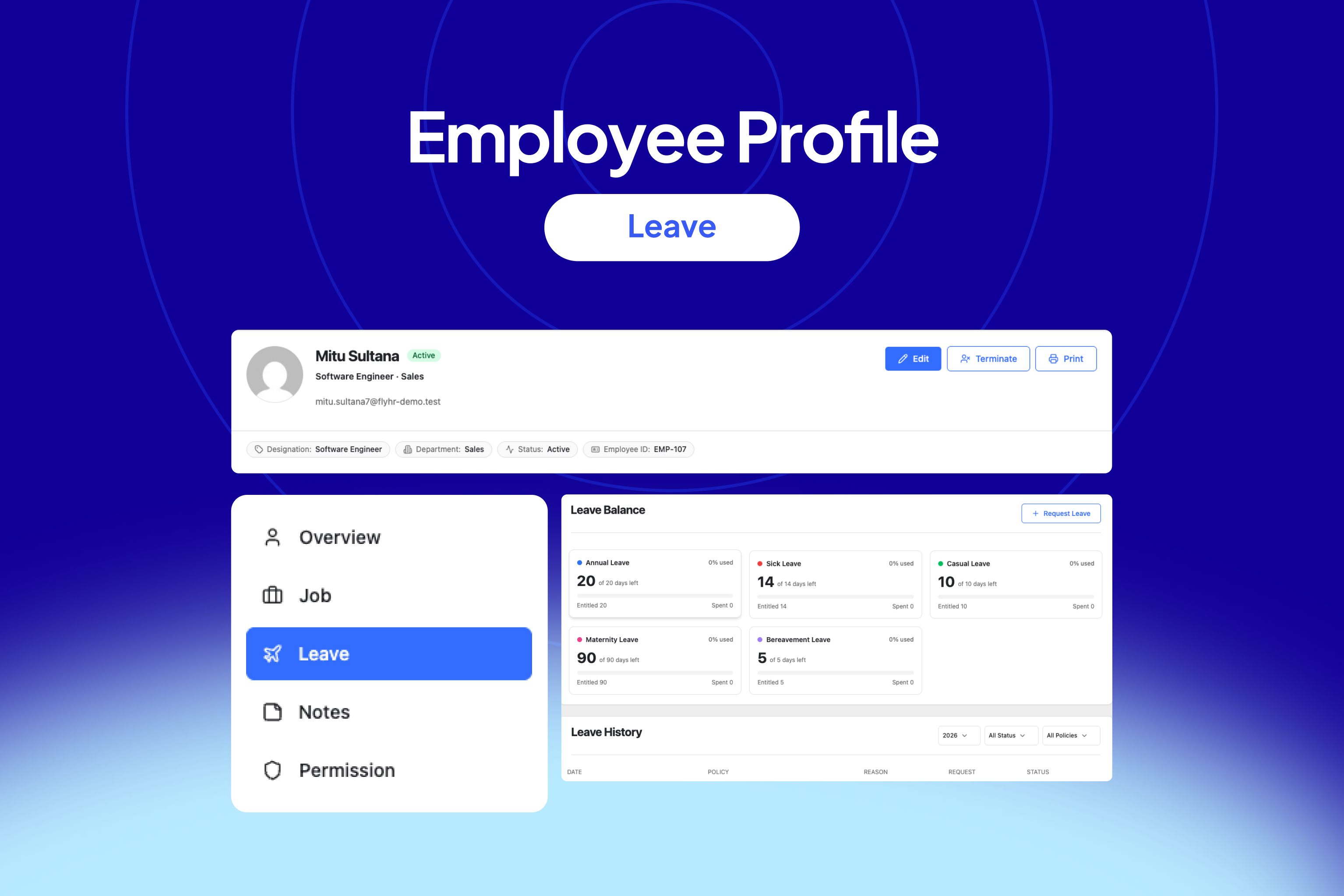
- Leave balances that actually add up – Most HR plugins track leave with a counter that gets incremented and decremented. FlyHR uses a double-entry ledger, the same approach accounting software uses, so every entitlement, deduction and refund is a recorded entry you can trace.
- Your data stays yours – FlyHR is 100% self-hosted. Salary history, termination records and personal details sit in your database, not on someone else’s cloud. FlyHR is GPL licensed.
- It doesn’t pollute your database – Everything lives in dedicated
wp_flyhr_*tables. No thousands of rows dumped intowp_postsandwp_postmeta, no slowing down the rest of your site. - It’s built to be extended – REST endpoints under the
/flyhr/v1/namespace, a PSR-11 dependency injection container, and Action Scheduler for background work.
Employee Management
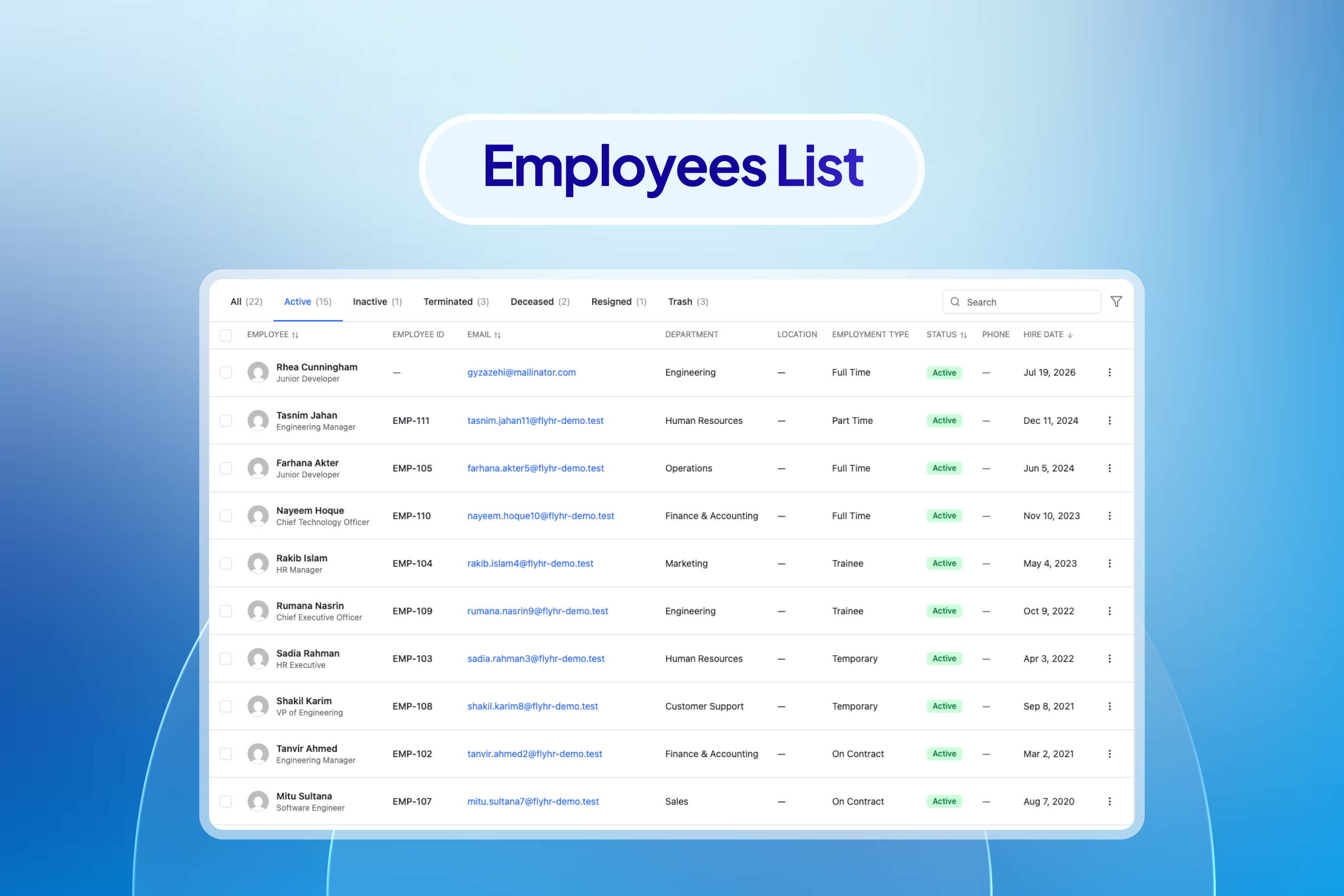
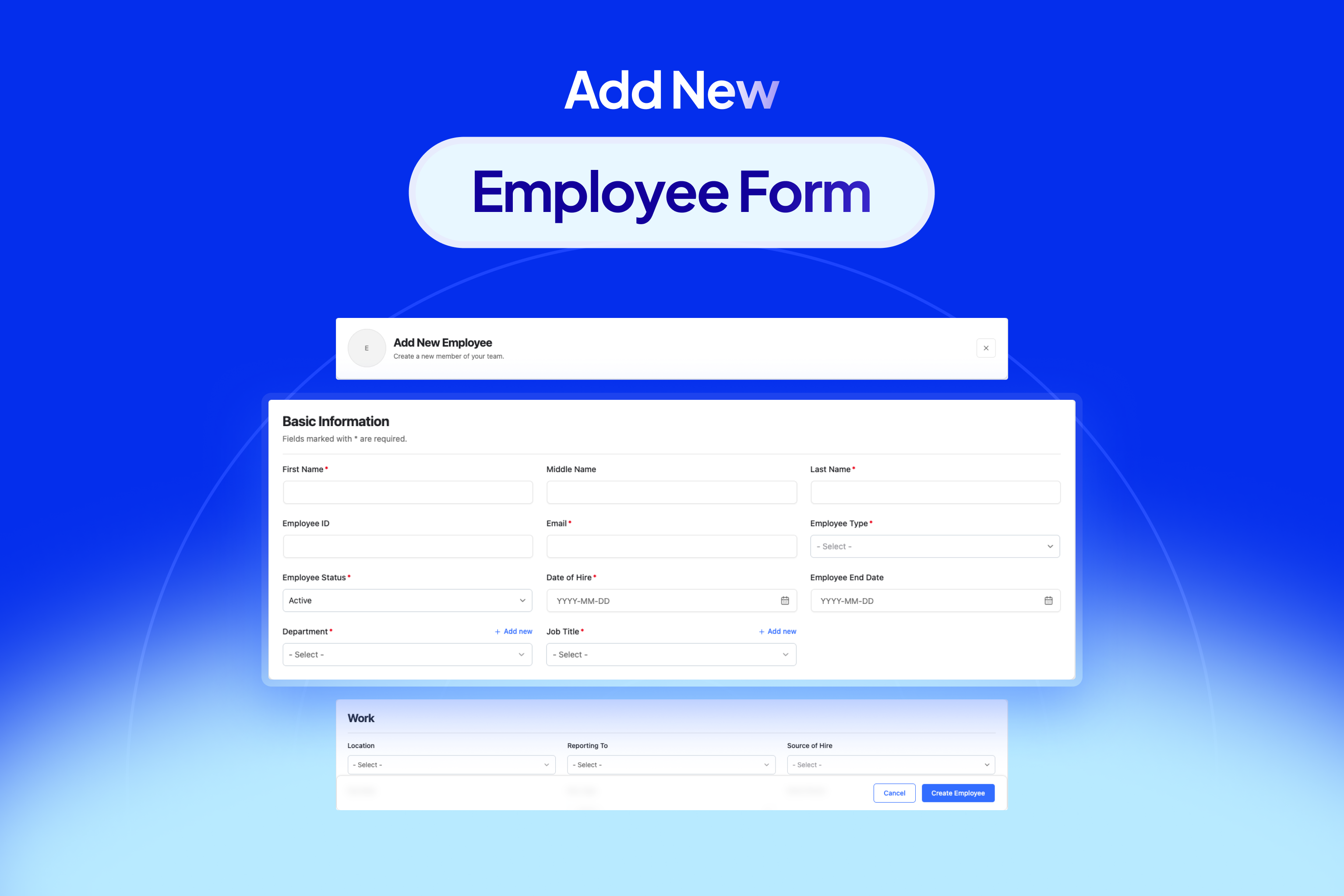
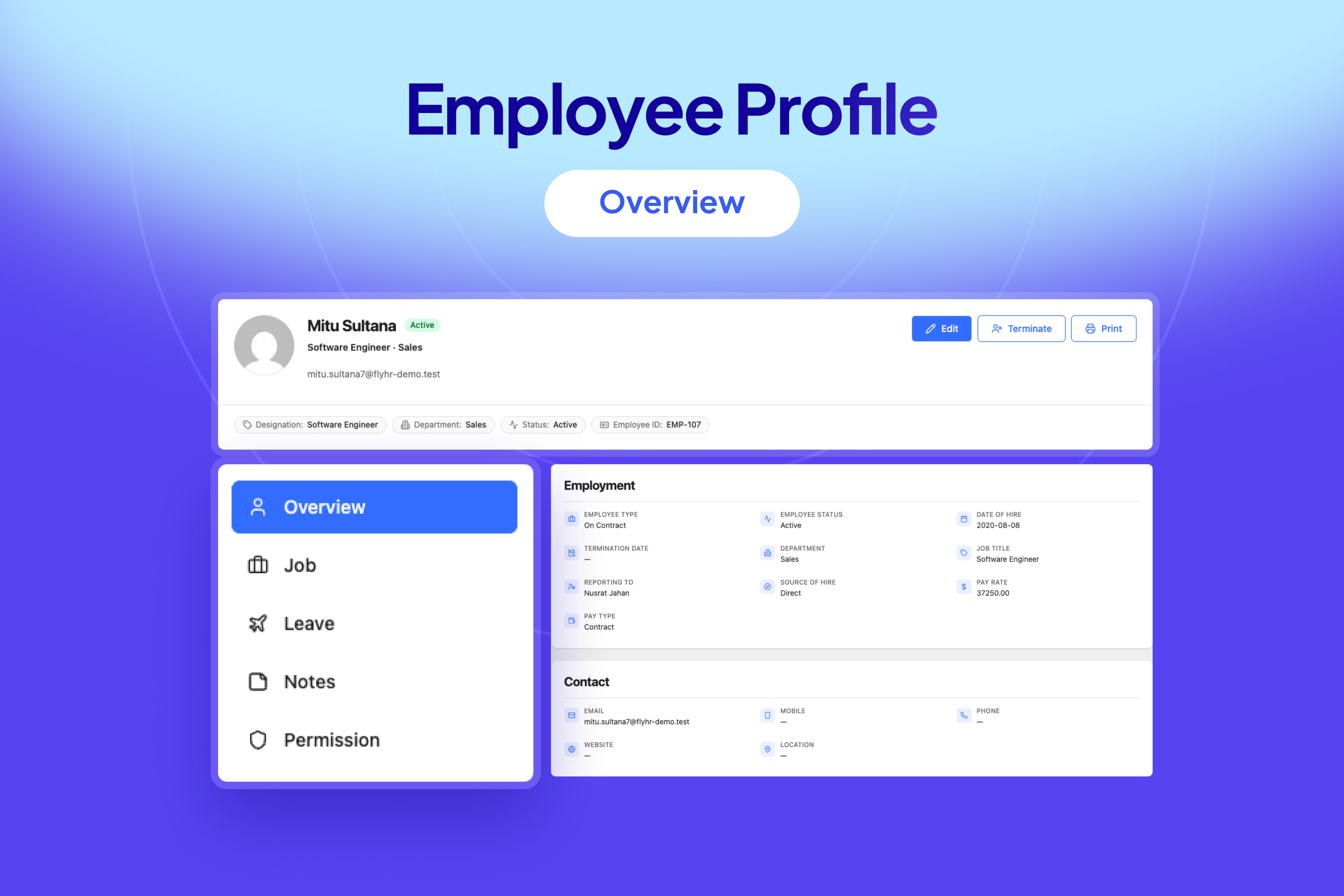
Keep every staff record in one searchable place, from the day someone is hired to the day they leave and beyond.
- Employee directory – Search and filter everyone in the company from a single screen
- Full profiles – Personal details, contact information and avatars
- Job and organizational data – Department, designation, location and supervisor on every record
- Job history ledger – Four separate categories tracked over time: employment status, employment type, compensation and job role, so you always know who changed what and when
- WordPress user conversion – Turn an employee record into a WordPress user with the right role in one step
- Email conflict detection – You never end up with two records fighting over the same address
- Private HR notes – Internal notes on an employee that regular staff can’t see
- Termination workflow – Plus reactivation and restoration for when someone comes back
- Safe delete – With a force option for when you really mean it
Departments and Designations
Build the org chart your company actually has, not the flat list most plugins give you.
- Parent and child departments – Real hierarchy, not a single flat list
- Department leads – Assign a lead who can approve leave for their own team
- Designation library – Job titles with descriptions and an active or inactive status
Leave Types and Policies
Leave rules are where most HR plugins fall apart. FlyHR lets you describe how your company actually works instead of forcing one blanket rule on everyone.
- Any leave type you need – Annual, sick, casual, maternity, paternity, unpaid, or something specific to your business
- Multi-attribute policies – Scope a policy across several attributes, so contractors, a single department or one office location can each get their own entitlements
- Ledger-based entitlements – Entitlements are issued through the ledger, so balances are always auditable
Leave Requests and Approvals
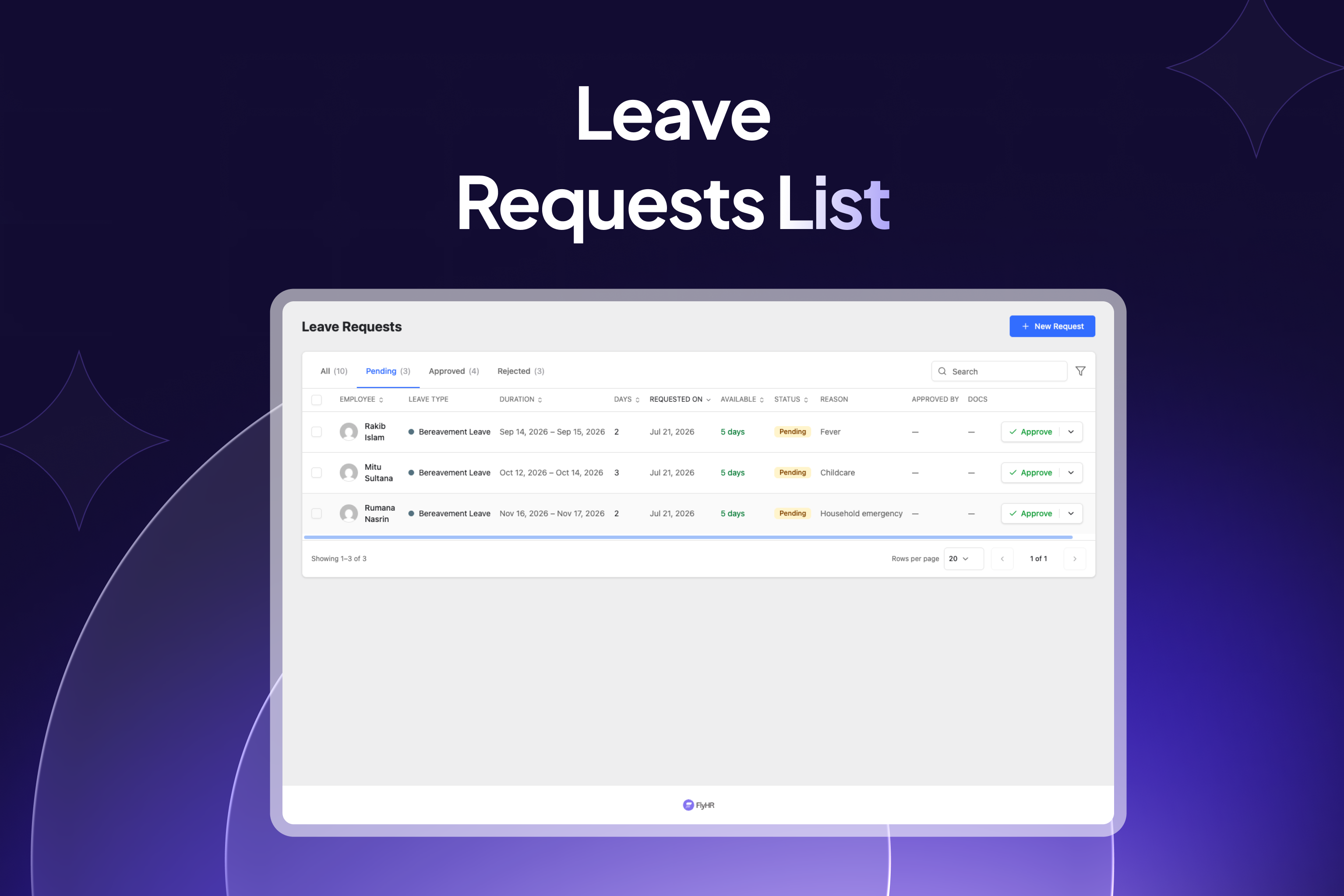
Staff request their own time off, managers approve it, and the balances take care of themselves.
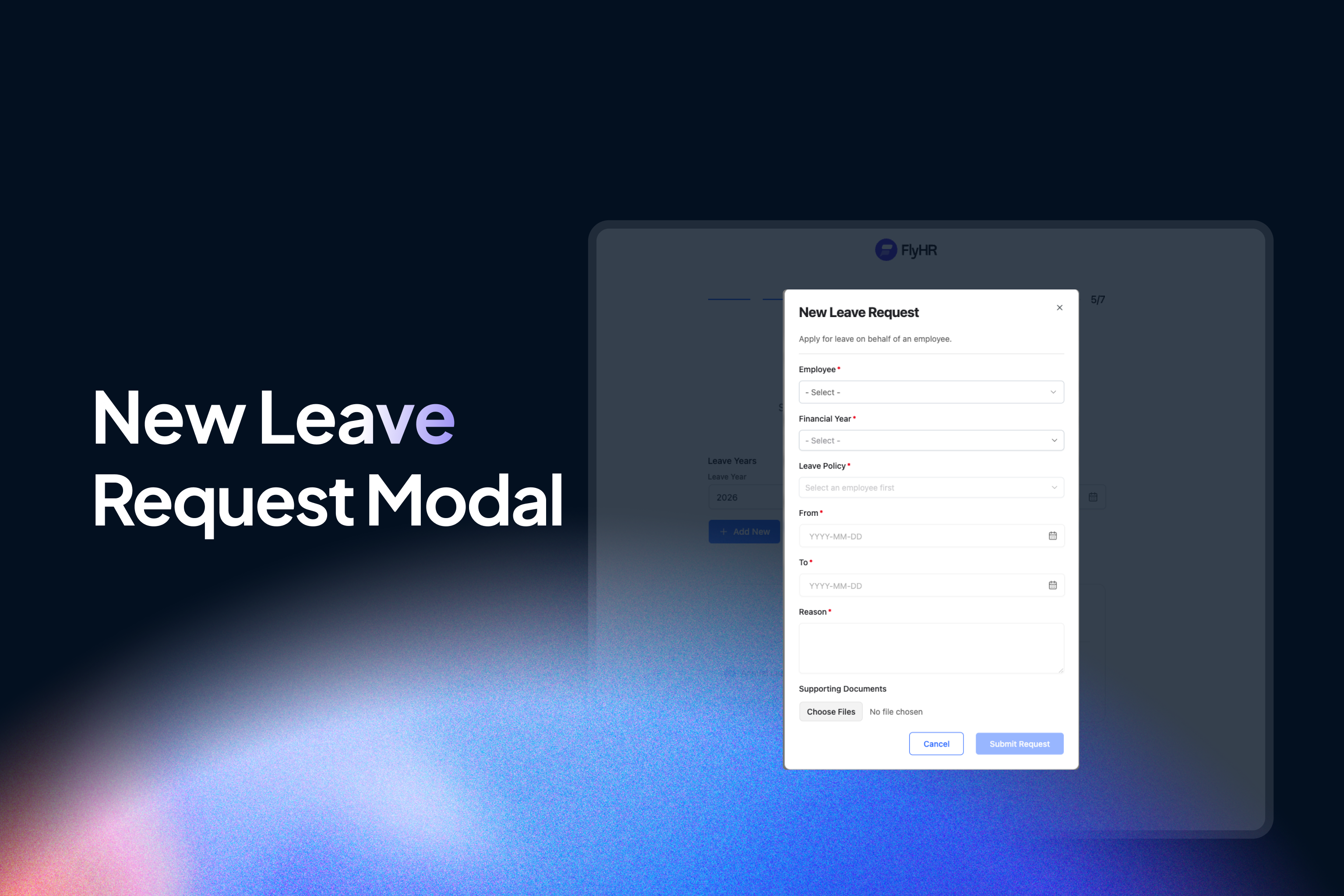
- Employee self-service – Staff submit their own requests, validated against their available balance before they can send it
- Two-tier approval – Department lead reviews first, then an HR manager gives final approval
- Mandatory rejection reasons – Rejections need a written explanation, so nobody is left guessing
- Automatic balance handling – Approved days are deducted and cancelled days are refunded, with no manual correction
- Bulk processing – Clear a queue of pending requests in one pass
- Email notifications – Automatic messages at each step of the request
Holidays and Working Schedule
- Public and company holidays – Single-day or spanning several days
- Interactive calendar – See who’s off and when, across the whole team
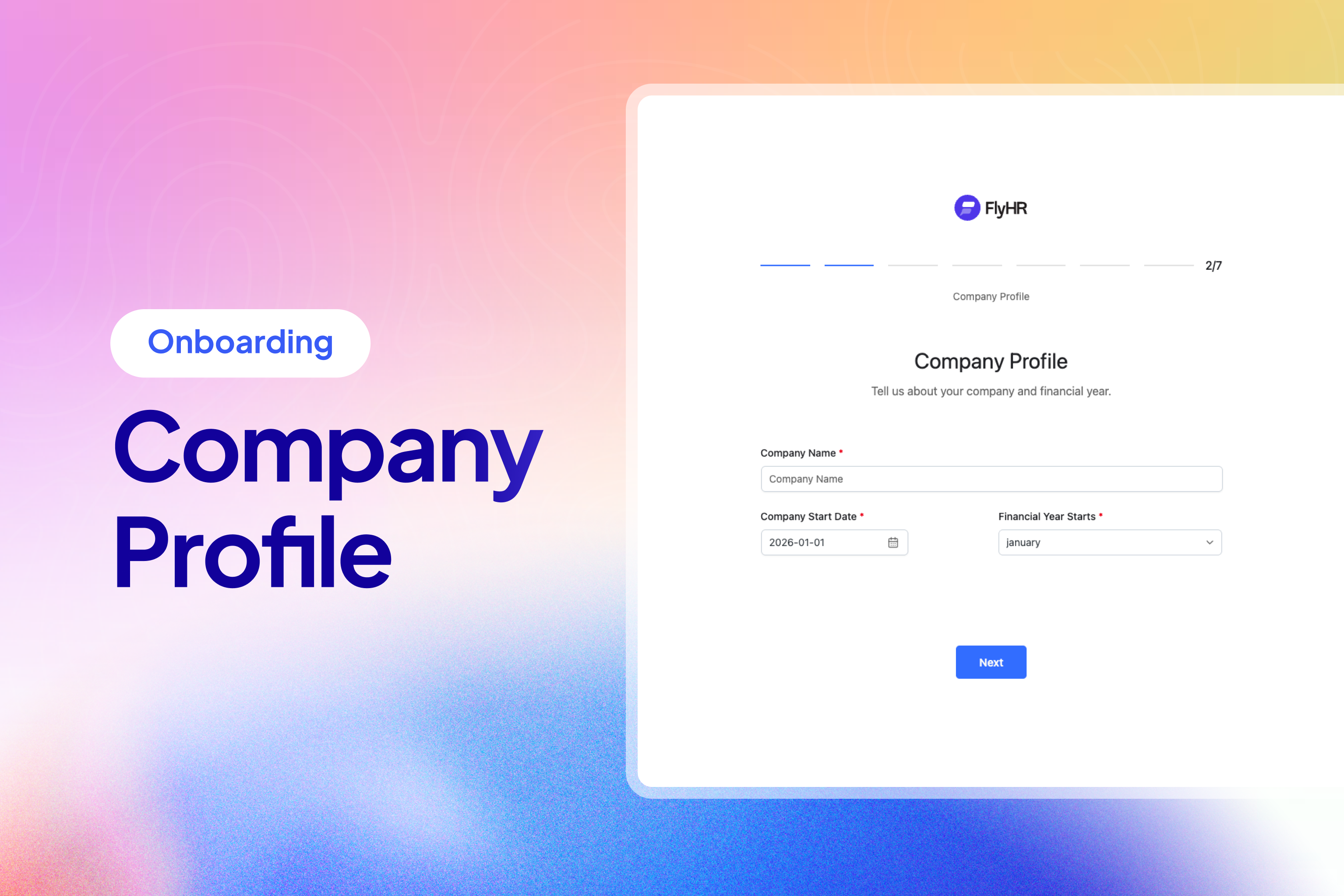
- Working days and financial year – Configure both to match your company
Administration and Security
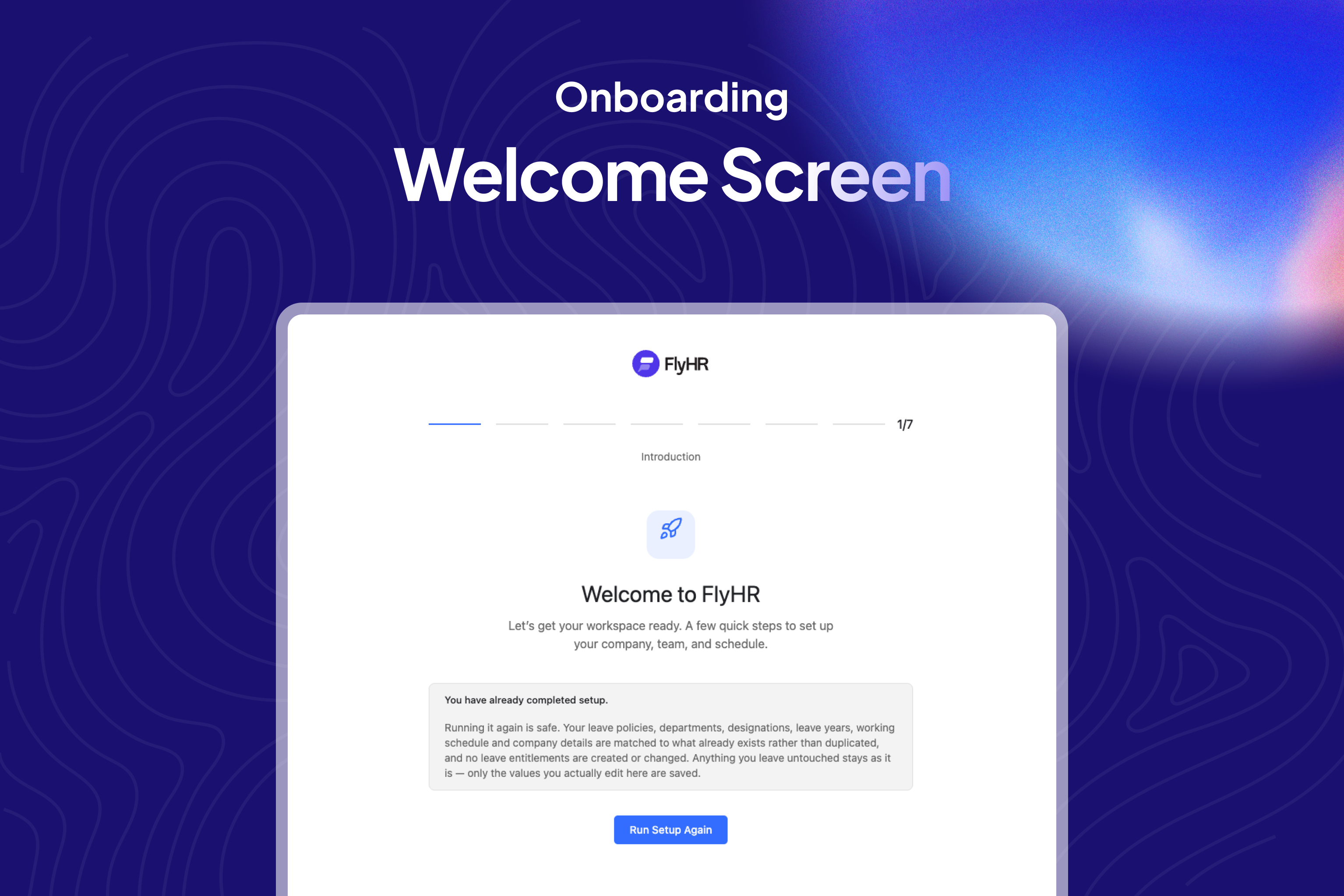
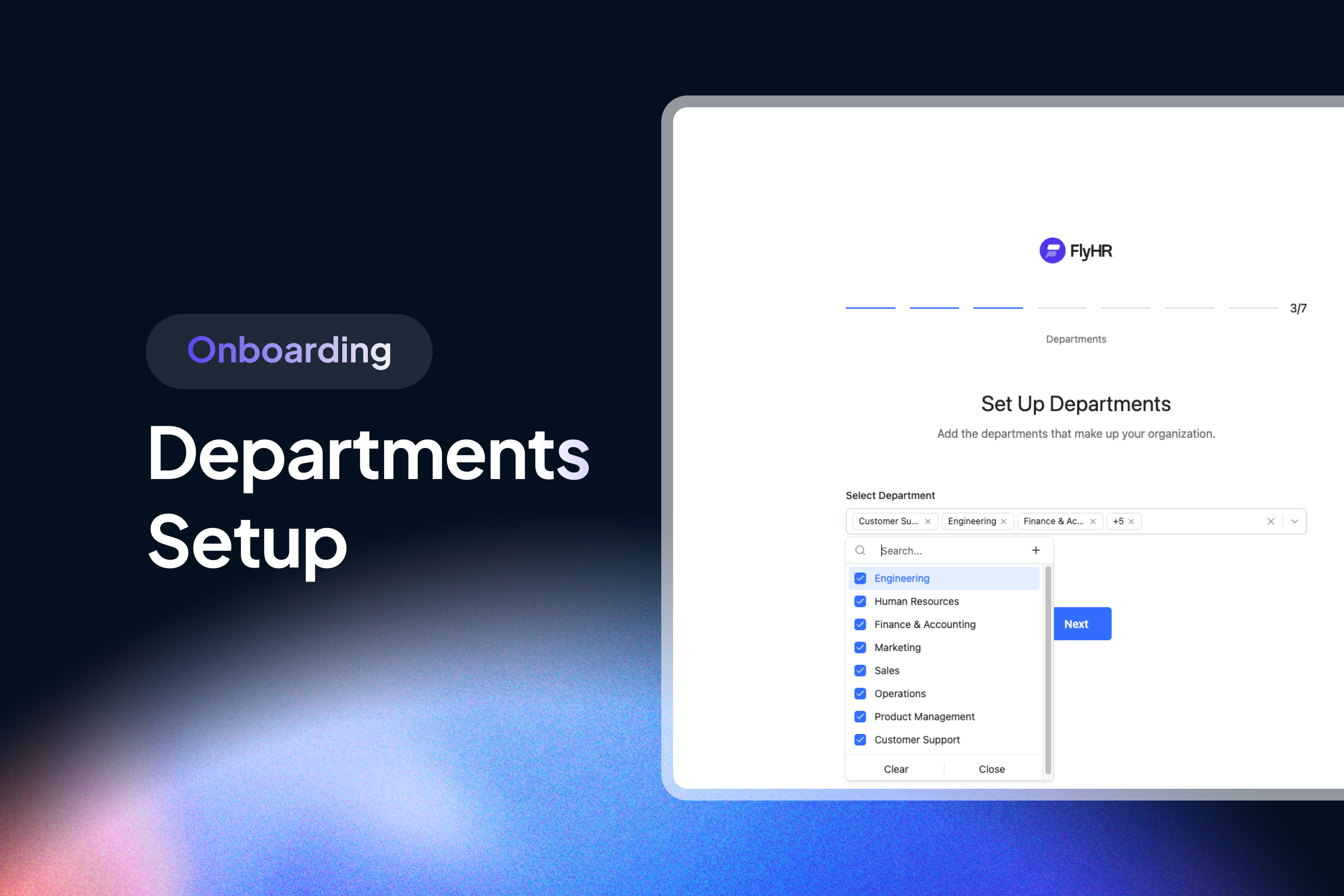
- Onboarding wizard – A first-run setup that has you going in minutes instead of an afternoon
- Light and dark themes – Plus a navigation layout you can adjust to your taste
- Role-based access control – Distinct HR Manager and Employee roles, so people only see what they should
Built for Developers
FlyHR is designed to be extended. Connect payroll, build a mobile app, or write your own reporting on top of it.
- Full REST API under the
/flyhr/v1/namespace - Endpoints for employees, departments, designations, leave types, policies, requests and holidays
- PSR-11 dependency injection container in the PHP backend
- Action Scheduler for background jobs, so heavy work never blocks a page load
- Dedicated
wp_flyhr_*database tables with a clean, namespaced codebase - Complete uncompiled source shipped in
assets/src/
Built by weDevs
FlyHR comes from the team behind WP ERP, the business management suite trusted by tens of thousands of WordPress sites. FlyHR is a fresh take on that experience, rebuilt from scratch for today’s WordPress. There’s more about the plugin and the team at flyhr.co.
What’s Included (Free)
- Unlimited employees, with no per-employee charge
- Employee directory with search, filtering and full profiles
- Job history ledger for status, employment, compensation and role changes
- WordPress user conversion and email conflict detection
- Private HR notes on employee records
- Termination, reactivation, restoration, and safe or force deletion
- Hierarchical departments with department leads
- Designation library with descriptions and active status
- Custom leave types and a multi-attribute policy builder
- Double-entry leave ledger with automatic refunds
- Leave requests with two-tier approval and mandatory rejection reasons
- Bulk approval processing and email notifications
- Public and company holidays with an interactive calendar
- Working day and financial year configuration
- First-run onboarding wizard
- Light and dark themes with adjustable navigation
- HR Manager and Employee roles
- REST API under the
flyhr/v1namespace
Source Code & Build Process
The JavaScript and CSS files shipped in the assets/dist/ directory are compiled and minified production builds generated with webpack. The complete, human-readable source code for these files is included inside this plugin so it can be freely reviewed, studied, modified, and rebuilt:
assets/src/– the full React/TypeScript application and Tailwind CSS source.webpack.config.js– the build configuration that compilesassets/src/intoassets/dist/.package.json,tsconfig.json,postcss.config.js– the tooling configuration.
No external download is required – everything needed to read and rebuild the compiled assets ships with the plugin.
Build tools
The frontend is built with webpack via @wordpress/scripts, using pnpm as the package manager. PHP dependencies are managed with Composer.
Building the compiled assets from source
From the plugin directory:
- Install PHP dependencies:
composer install - Install JavaScript dependencies:
pnpm install - Create the production builds in
assets/dist/:pnpm build - For development with hot reloading, run:
pnpm dev
Running pnpm build reads the source in assets/src/ and regenerates every minified file in assets/dist/.
Installation
Automatic installation
- Search for FlyHR in Plugins > Add New.
- Click Install Now, then Activate.
- Follow the onboarding wizard to create your first department, designation and leave type.
Manual installation
- Download the plugin ZIP file from WordPress.org.
- Go to Plugins > Add New > Upload Plugin and choose the file.
- Click Install Now, then Activate.
After activation
FlyHR sets up its own database tables and walks you through a short wizard. You will create a department, a designation and a leave type, and from there you can start adding employees. Nothing else needs configuring before you are useful.
Frequently asked questions
Is FlyHR really free?
Yes. FlyHR is free and released under the GPL. There are no per-employee charges and no limit on how many people you can add.
Does my employee data go to any external service?
No. FlyHR is fully self-hosted. Every record sits in your own WordPress database on your own server. Nothing is sent anywhere else, and there’s no API key or account to sign up for.
Do employees need WordPress accounts?
Not necessarily. You can keep employee records without WordPress users at all, which is handy for staff who’ll never log in. When you do want someone to submit their own leave requests, FlyHR converts their record into a WordPress user with the correct role in one step.
How is leave tracking different from other HR plugins?
Most plugins keep a single number per employee and adjust it up or down. FlyHR records every entitlement, deduction and refund as an entry in a double-entry ledger. Balances can always be explained, cancellations and rejections restore days automatically, and you get a full history instead of just a current figure.
Can department leads approve leave?
Yes. FlyHR uses two-tier approval. The department lead you’ve assigned reviews the request first, then an HR manager gives final approval. Rejections at either stage require a written reason.
Can I set up different leave rules for different groups of employees?
Yes. The leave policy builder scopes a policy across multiple attributes, so contractors, a specific department or a particular office location can each get their own entitlements. You don’t have to apply one rule to the whole company.
Will FlyHR slow down my site, and does it work with my theme?
It shouldn’t, and yes it does. FlyHR uses its own dedicated wp_flyhr_* tables instead of stuffing everything into wp_posts and wp_postmeta, so your posts tables stay clean. Heavy operations run in the background through Action Scheduler rather than blocking page loads. The whole plugin runs inside the WordPress admin, so your theme doesn’t affect it and it doesn’t affect your frontend.
Does FlyHR have a REST API?
Yes. Endpoints are registered under the /flyhr/v1/ namespace, covering employees, departments, designations, leave types, policies, requests and holidays. The backend uses a PSR-11 container, so extending it is straightforward.
What happens when an employee leaves the company?
Run the termination workflow. The record is kept with its full job history rather than erased, so your records stay intact for reporting and compliance. If that person is rehired later, you can reactivate and restore them instead of starting a new record from scratch.
Is FlyHR translation ready?
Yes. All strings are translatable, in both the PHP backend and the React interface, using standard WordPress translation tools.
I already use WP ERP. Should I switch?
FlyHR is a separate plugin with its own database tables, not an upgrade path from WP ERP. If you’re happy with WP ERP HRM, stay there. FlyHR is for people who want a faster, more modern interface and a ledger-based approach to leave.
Where do I report bugs or request features?
Use the support forum on the plugin page, or the contact details at flyhr.co. Please include your WordPress version, PHP version and the steps to reproduce the issue, since that’s usually the difference between a quick fix and a long back-and-forth.
Changelog
First public release of FlyHR. Install it to manage employees, departments, leave policies and approvals directly from WordPress.
0.1.0
- Initial release
- Employee management with job history, notes, photo, and termination
- Departments and designations
- Leave types, policies, and per-employee entitlements
- Leave requests with approvals, rejections, and email notifications
- Holidays and a combined leave calendar
- Financial years and per-weekday workday settings
- First-run setup wizard
- HR Manager and Employee roles with per-record permission checks
- REST API under the
flyhr/v1namespace
Screenshots
For developers
Is this your plugin? Show off the numbers.
Add a live badge to your site, docs or GitHub README. It updates on its own — no account needed.
Best FlyHR: HR Management & Leave… alternatives
All employee management plugins →





FAQ
FlyHR: HR Management & Leave Manage…: quick answers
Straight answers, pulled from live WordPress.org data.
Live data from WordPress.org · checked Oct 9, 2026
Is FlyHR: HR Management & Leave Ma… free?
Yes. FlyHR: HR Management & Leave Ma… is free to download and use from the official WordPress.org plugin directory.
Is FlyHR: HR Management & Leave Ma… safe to use in 2026?
FlyHR: HR Management & Leave Ma… works, but test it on a staging site before relying on it in 2026. Was last updated 2 months ago, and scores 60/100 on our health check.
How many websites use FlyHR: HR Management & Leave Ma…?
FlyHR: HR Management & Leave Ma… is active on <10 WordPress websites and has been downloaded 190 times since it launched in August 2026. It was downloaded 89 times in the last 30 days.
Does FlyHR: HR Management & Leave Ma… work with WordPress 7.1?
Yes. The developer has tested FlyHR: HR Management & Leave Ma… up to WordPress 7.1.3, the latest release. It requires WordPress 6.4 or newer.
What PHP version does FlyHR: HR Management & Leave Ma… need?
FlyHR: HR Management & Leave Ma… requires PHP 7.4 or higher. Most hosts run PHP 8.x today, so it works on any modern WordPress hosting.
When was FlyHR: HR Management & Leave Ma… last updated?
The latest version, 0.1.0, was released on August 25, 2026 (2 months ago).
Who makes FlyHR: HR Management & Leave Ma…?
FlyHR: HR Management & Leave Ma… is developed and maintained by weDevs.
What are the best alternatives to FlyHR: HR Management & Leave Ma…?
The most popular alternatives to FlyHR: HR Management & Leave Ma… are VikAppointments Services Bo… (500+ installs), Clockinator Lite (90+ installs) and HR Press Lite (60+ installs).
Powered by PageForge
Want thousands of pages that rank like these? Build them in an afternoon.
This directory runs on the same engine as PageForge. Turn any spreadsheet, CSV or API into thousands of fast, SEO-ready WordPress pages — with schema, internal links and AI-written copy baked in.
- CSV, Google Sheets & API data sources
- AI content, schema & internal links per page
- Works with Elementor, Gutenberg, Yoast & Rank Math
- Free on WordPress.org — no credit card


