



Flux Redirect
Monitor 404 requests and create redirects with regex support, post search, and smart destination suggestions.

Use with caution
Flux Redirect works, but test it on a staging site before relying on it in 2026. Was last updated 3 months ago, and scores 55/100 on our health check.
- Small user base (<10 active installs)
- Very few reviews so far
How does it stack up?
Side-by-side on installs, updates, ratings & support



Daily downloads
Download spikes usually follow a new release — each site that auto-updates counts as a download.
Rankings
Where Flux Redirect stands todayWordPress.org search rankings
Live position in the plugin search, top 100| Keyword | Position |
|---|---|
| 404 | >100 |
| broken links | >100 |
| redirect | >100 |
| regex | >100 |
| seo | >100 |
About Flux Redirect
From the official readme · v3.9.1Description
Flux Redirect is a lightweight redirect manager for site owners who want to turn broken links into useful redirects.
Features include:
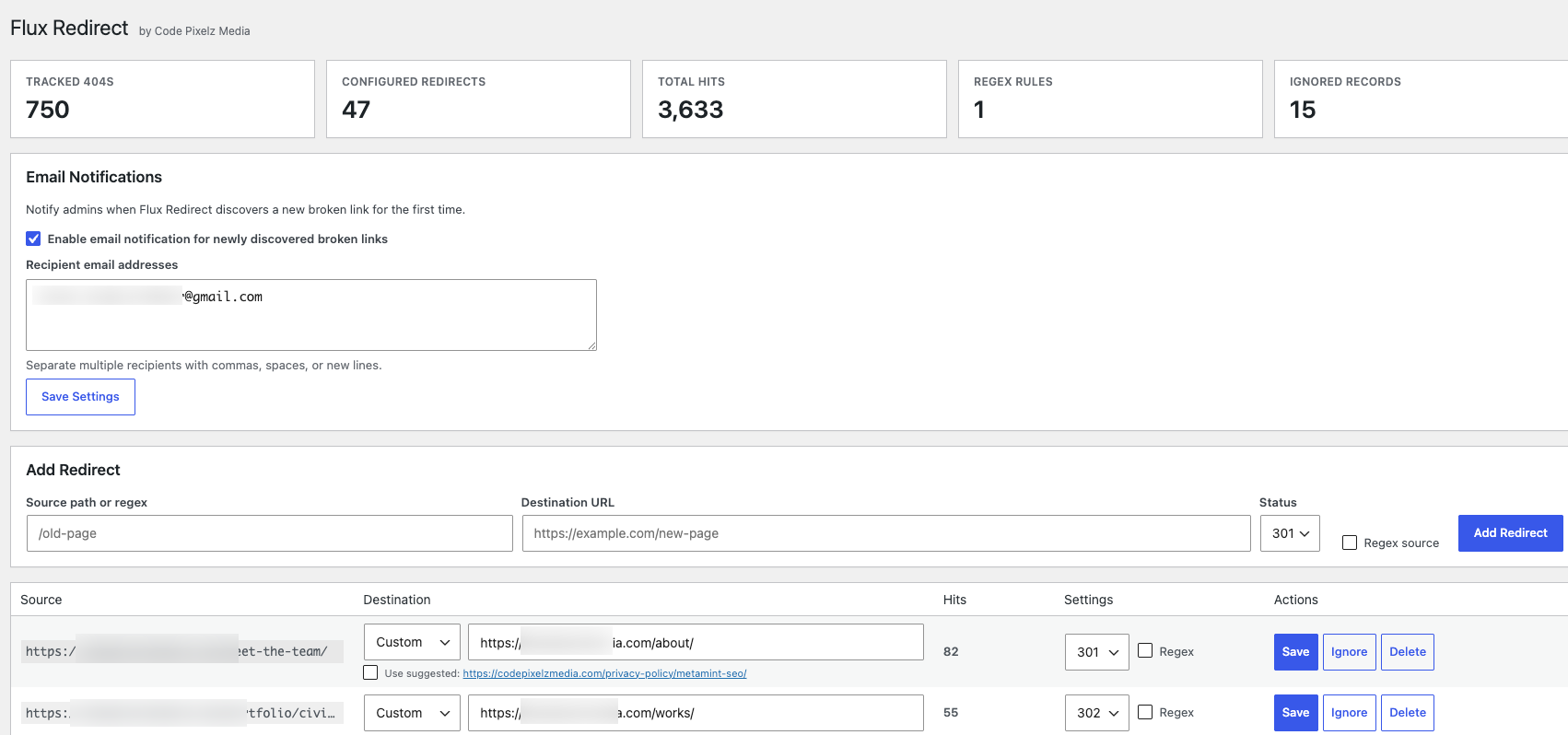
- Automatic 404 path tracking with optional referrer capture.
- Manual redirect creation from the WordPress admin.
- CSV import and export for migrating redirects from other tools.
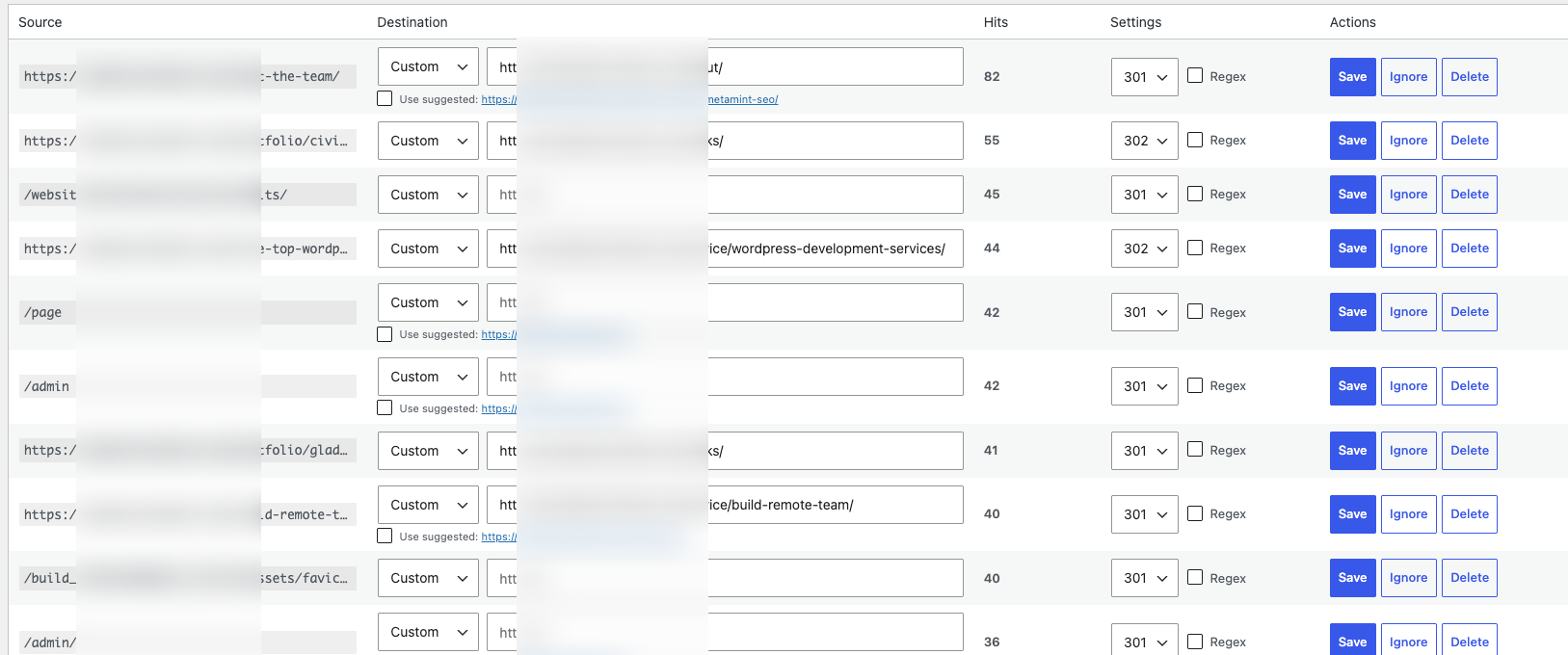
- Bulk ignore, delete, and create-redirect actions in the admin table.
- 301, 302, 307, and 308 redirect status codes.
- Optional regex source rules.
- Post and page destination search.
- Suggested destinations based on similar post and page slugs.
- Dashboard stats for tracked 404s, configured redirects, hits, regex rules, and ignored records.
- Optional email notifications when a new broken link is discovered.
- Optional auto-expire cleanup for stale untouched 404 records.
- Ignore and delete controls for unwanted 404 records.
Flux Redirect does not call external services and does not collect personal profiles or IP addresses.
Installation
- Upload the
flux-redirectfolder to the/wp-content/plugins/directory, or install it from the WordPress Plugins screen. - Activate the plugin through the Plugins screen in WordPress.
- Go to Flux Redirect in the WordPress admin menu.
- Add redirects manually, import a CSV, or let the plugin collect 404 requests automatically.
Frequently asked questions
Where do I manage redirects?
After activating the plugin, open Flux Redirect in the WordPress admin menu. Only users with the manage_options capability (typically Administrators) can view or change redirects.
Can I redirect to another domain?
Yes. Administrators can save full HTTP or HTTPS destination URLs. The plugin uses WordPress safe redirect handling and only permits the saved destination host for the active redirect.
Which redirect status code should I use?
Use 301 for permanent moves (most SEO cases). Use 302 for temporary moves. 307 and 308 keep the original request method and are useful when you need stricter temporary or permanent behavior. If you are unsure, 301 is the usual choice for renamed or removed content that has a lasting replacement.
Does Flux Redirect support regex rules?
Yes. Enable the Regex source option when adding or editing a redirect. Invalid regular expressions are rejected before saving or redirecting. Use regex only when you need one rule to cover many similar paths.
Can I import redirects from another plugin?
Yes. Export a CSV with broken_url, redirect_url, status_code, and is_regex columns. Common aliases such as source and target are accepted on import. This is useful when migrating from tools like Redirection, Yoast, or a server redirect export that can be mapped into those columns.
How do I export my current redirects?
On the Flux Redirect admin screen, use Export Redirects CSV. The download includes configured redirects only (rows that already have a destination URL).
What is the difference between Ignore and Delete?
Ignore hides a 404 record from the main list so it does not clutter your queue. Delete removes the record completely. If the same broken path is requested again after a delete, Flux Redirect can rediscover it as a new 404.
Can I fix many 404s at once?
Yes. Select the rows you want, choose a bulk action, and click Apply. You can bulk-ignore, bulk-delete, or bulk-create redirects to one shared destination URL and status code.
Why is the Referrer column empty?
Browsers and privacy tools do not always send a referrer. Flux Redirect only stores a referrer when the HTTP Referer header is present. An empty value is normal for direct visits, bookmarks, some apps, and privacy-restricted browsers.
What do the destination suggestions mean?
When Flux Redirect finds a published post or page slug similar to the broken path, it offers that URL as a suggested destination. Suggestions are optional helpers. Always review them before saving.
How do email notifications work?
Enable notifications in Settings and add one or more recipient addresses. Flux Redirect emails those recipients the first time a new broken path is discovered. Repeat hits on the same path do not send another email.
How does auto-expire work?
When enabled, a daily cleanup ignores or deletes open 404 records that have not been hit for the configured number of days. Configured redirects are never removed by auto-expire. This helps keep the table manageable on busy sites.
Does it track every visitor?
No. Flux Redirect stores the requested 404 path, a hit count, and the HTTP referrer URL when the browser provides one. It does not store IP addresses, user agents, or personal profiles.
Will this slow down my site?
Flux Redirect is designed to stay lightweight. It only evaluates redirect rules and records 404s on front-end requests. Active rules are cached briefly to reduce database lookups.
Can I use Flux Redirect with another redirect plugin?
You can, but overlapping redirect rules can cause confusing results. For the cleanest setup, keep one plugin as the primary redirect manager, or make sure the same source path is not handled in two places.
Do I need to edit .htaccess or server config?
No. Redirects are handled inside WordPress. That makes the plugin portable across hosts, though very high-traffic sites sometimes still prefer server-level redirects for maximum performance.
Changelog
Documentation update with expanded FAQs. Includes the 3.9.0 feature set: CSV migration, referrer capture, bulk actions, and auto-expire cleanup.
3.9.1
- Expanded the Frequently Asked Questions for clearer client-facing guidance.
- Bumped the plugin version for WordPress.org release packaging.
3.9.0
- Added CSV import and export for redirects.
- Captured referring URLs on 404 hits when available.
- Added bulk ignore, delete, and create-redirect actions in the admin table.
- Added auto-expire settings for stale untouched 404 records.
- Expanded settings UI for notifications and maintenance options.
3.8.0
- Split the plugin into focused include files for easier maintenance.
- Added dashboard stats cards.
- Added email notification settings for newly discovered broken links.
- Tightened admin table styling so row controls fit better on one line.
3.7.0
- Added manual redirect creation.
- Added ignore and delete actions for 404 records.
- Added 307 and 308 redirect status options.
- Hardened sanitization, escaping, nonce checks, capability checks, SQL usage, and redirect handling for WordPress.org submission readiness.
- Moved admin JavaScript and CSS into enqueued asset files.
3.6
- Initial redirect manager with 404 monitoring, regex redirects, suggestions, and AJAX post search.
Screenshots


For developers
Is this your plugin? Show off the numbers.
Add a live badge to your site, docs or GitHub README. It updates on its own — no account needed.
Best Flux Redirect alternatives
All 404 plugins →




FAQ
Flux Redirect: quick answers
Straight answers, pulled from live WordPress.org data.
Live data from WordPress.org · checked Oct 5, 2026
Is Flux Redirect free?
Yes. Flux Redirect is free to download and use from the official WordPress.org plugin directory.
Is Flux Redirect safe to use in 2026?
Flux Redirect works, but test it on a staging site before relying on it in 2026. Was last updated 3 months ago, and scores 55/100 on our health check.
How many websites use Flux Redirect?
Flux Redirect is active on <10 WordPress websites and has been downloaded 200 times since it launched in July 2026. It was downloaded 51 times in the last 30 days.
Does Flux Redirect work with WordPress 7.1?
Flux Redirect is officially tested up to WordPress 7.0.6, while the latest release is 7.1.2. It may still work, but try it on a staging site first.
What PHP version does Flux Redirect need?
Flux Redirect requires PHP 7.4 or higher. Most hosts run PHP 8.x today, so it works on any modern WordPress hosting.
When was Flux Redirect last updated?
The latest version, 3.9.1, was released on July 22, 2026 (3 months ago).
Who makes Flux Redirect?
Flux Redirect is developed and maintained by Utsav Singh Rathour.
What are the best alternatives to Flux Redirect?
The most popular alternatives to Flux Redirect are Redirection (2M+ installs), Broken Link Checker by AIOS… (300K+ installs) and Smart Custom 404 Error Page (100K+ installs).
Powered by PageForge
Want thousands of pages that rank like these? Build them in an afternoon.
This directory runs on the same engine as PageForge. Turn any spreadsheet, CSV or API into thousands of fast, SEO-ready WordPress pages — with schema, internal links and AI-written copy baked in.
- CSV, Google Sheets & API data sources
- AI content, schema & internal links per page
- Works with Elementor, Gutenberg, Yoast & Rank Math
- Free on WordPress.org — no credit card


