


Flex Shortcodes
Create reusable HTML snippets and insert them anywhere with [flexshortcodes], a block picker, or the classic editor button.

Solid choice
Flex Shortcodes is a solid plugin choice in 2026, with a few things worth checking first. Was last updated 2 weeks ago, and scores 64/100 on our health check.
- Actively developed — last update 2 weeks ago
- Tested with the latest WordPress (7.1)
- Small user base (<10 active installs)
- Very few reviews so far
How does it stack up?
Side-by-side on installs, updates, ratings & support



Daily downloads
Download spikes usually follow a new release — each site that auto-updates counts as a download.
Rankings
Where Flex Shortcodes stands todayWordPress.org search rankings
Live position in the plugin search, top 100| Keyword | Position |
|---|---|
| content | >100 |
| html | >100 |
| reusable content | >100 |
| shortcode | >100 |
| snippet | >100 |
About Flex Shortcodes
From the official readme · v1.0.3Description
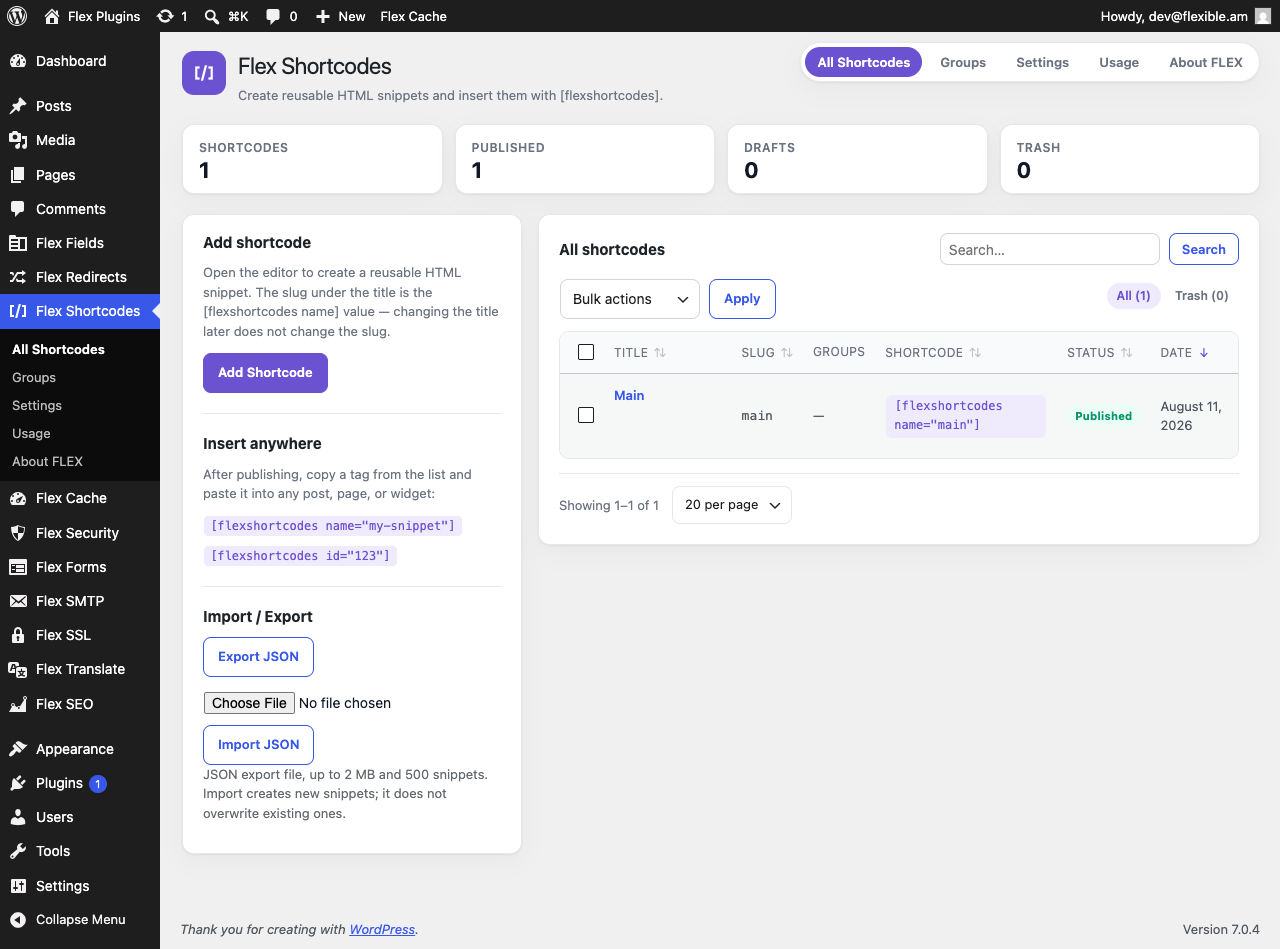
Flex Shortcodes stores HTML once and reuses it in posts, pages, widgets, and templates. Each snippet is a private WordPress post. Only published snippets print on the front end. PHP is never executed.
- Insert by slug:
[flexshortcodes name="promo-banner"]or by ID:[flexshortcodes id="123"] - Flex Shortcode block in the block editor, and a Flex Shortcode button in the classic editor
- Optional parameters:
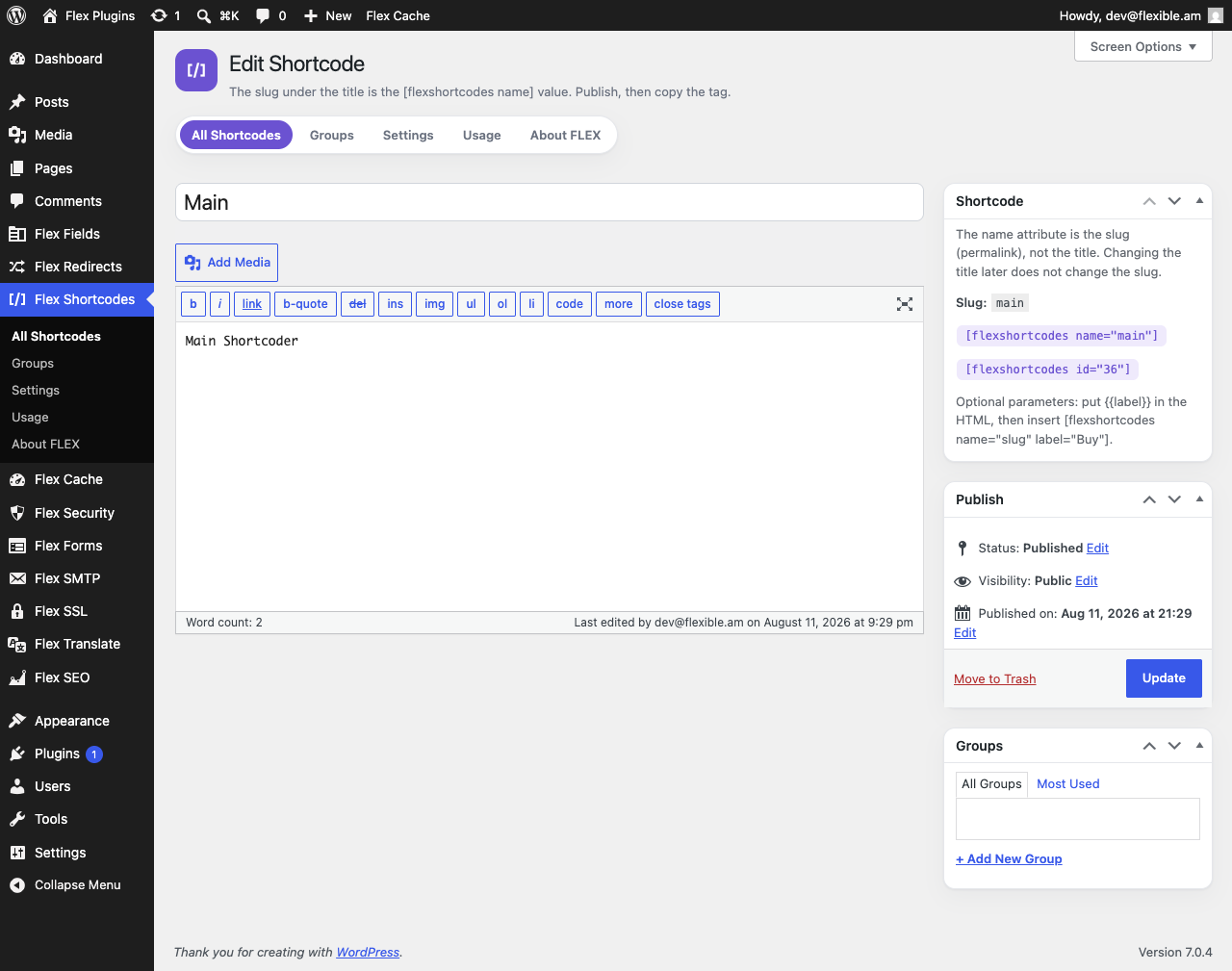
[flexshortcodes name="button" label="Buy"]fills{{label}}in the HTML - Groups to organize the admin list (they do not change front-end output)
- Duplicate a snippet, and find usages in posts, pages, and text widgets
- JSON import and export (groups included)
- Nested WordPress shortcodes, including other
[flexshortcodes]tags, with circular includes blocked - Optional wrapper (
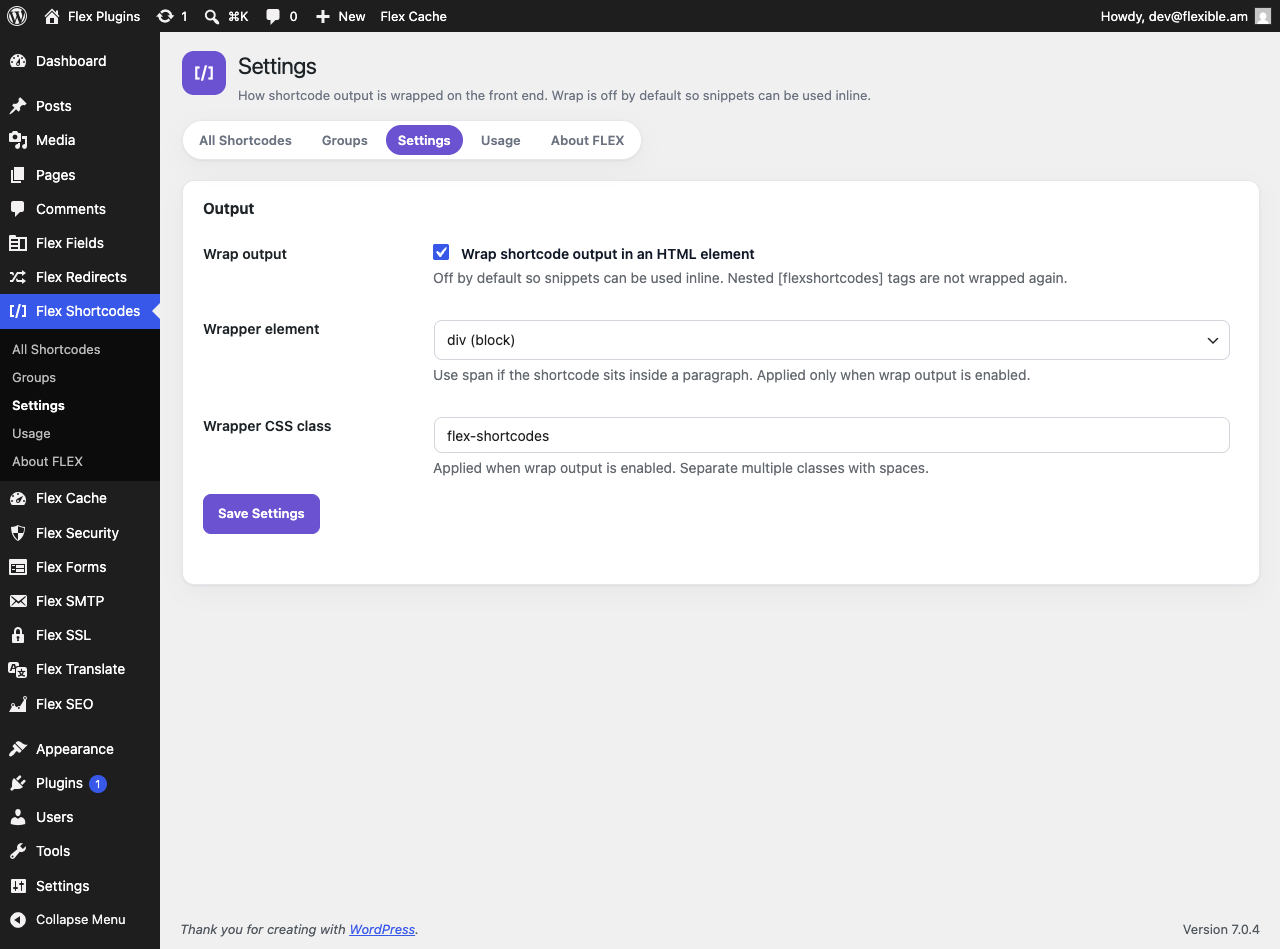
divorspan); off by default so snippets can be used inline - One-click copy from the list table and the editor sidebar
- HTML-only editor so TinyMCE does not rewrite markup
- Clean uninstall removes settings, snippet posts, and groups
No remote calls. CSS and JavaScript load from this plugin only.
Content rules
- Saved HTML follows your WordPress capabilities (
unfiltered_htmlfor trusted roles) - Front-end output is sanitized with
wp_kses_post()(post-allowed HTML only) - PHP is never executed
- Missing or unpublished shortcodes output nothing on the front end
- Parameter values are HTML-escaped;
nameandidare reserved for lookup
Privacy
Flex Shortcodes stores shortcode titles, HTML, and optional group names in your WordPress database as custom posts and a private taxonomy. It does not send data to external servers and does not load third-party services.
Installation
- Upload the
flex-shortcodesfolder to/wp-content/plugins/, or install the zip via Plugins → Add New → Upload Plugin. - Activate Flex Shortcodes.
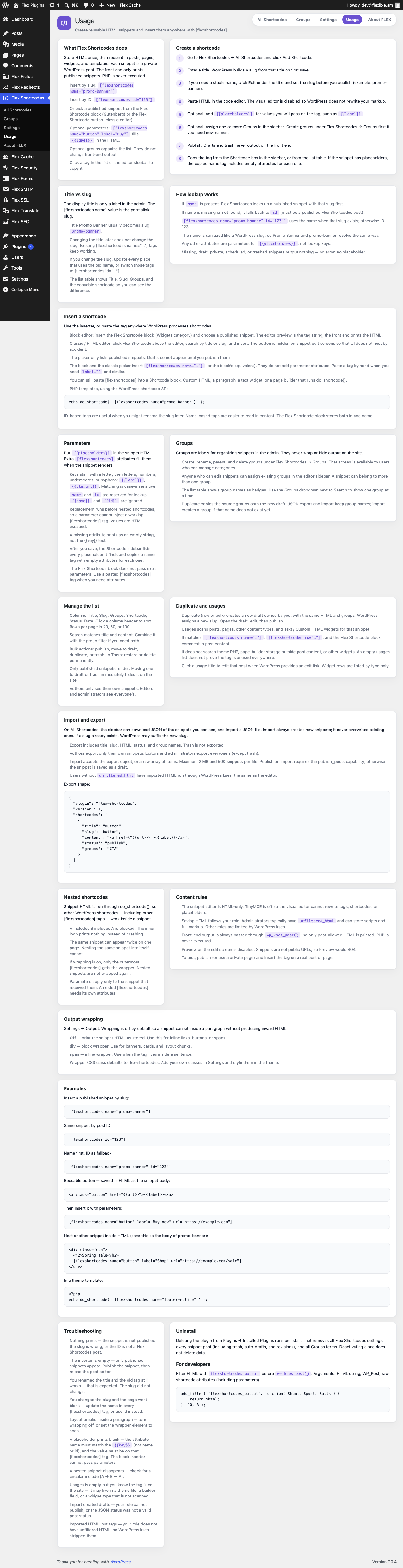
- Go to Flex Shortcodes → All Shortcodes, click Add Shortcode, paste HTML, and publish.
- Insert with the Flex Shortcode block, the classic Flex Shortcode button, or by pasting
[flexshortcodes name="your-slug"].
Frequently asked questions
How do I insert a shortcode?
Use [flexshortcodes name="slug"] where slug is the permalink slug, not the display title. The slug is created from the title on first save; editing the title later does not change it. You can also use [flexshortcodes id="123"], the Flex Shortcode block, or the classic editor button.
Can I pass parameters?
Yes. Put {{label}} (or another key) in the snippet HTML, then insert [flexshortcodes name="button" label="Buy"]. Keys start with a letter. name and id are reserved. Missing values print as empty strings. The block picker does not pass extra attributes; paste a tag when you need parameters.
What are groups?
Admin labels for filtering the list. Assign them in the snippet editor. Manage names under Flex Shortcodes → Groups if you can manage categories. Groups do not wrap or hide output on the site.
Can I nest shortcodes?
Yes. Snippet HTML runs through do_shortcode(), so other WordPress shortcodes (including other [flexshortcodes] tags) work. Circular nesting is blocked. Nested snippets need their own attributes.
Does this run PHP in shortcodes?
No. PHP is never executed. Only HTML, placeholders, and nested shortcodes are rendered.
How do import and export work?
Export downloads JSON of the snippets you can see (not trash). Import creates new snippets; it does not overwrite. Maximum 2 MB and 500 items per file.
What happens when I uninstall?
All Flex Shortcodes settings, flex_sc posts (including trash, auto-drafts, and revisions), and Groups terms are deleted. Deactivating alone does not delete data.
Changelog
About FLEX now lists every plugin in the FLEX suite.
1.0.3
- About FLEX lists the full suite, including Flex Clone and FLEX SMM & SEO.
1.0.2
- Tested up to WordPress 7.1.
- About FLEX uses current suite names, including Flex SEO and SMM, Flex Website Security, and Flex Maintenance.
- Refresh WordPress.org icon and banner artwork.
1.0.1
- About FLEX links the full plugin suite on WordPress.org.
- List flexfields and hovoqoch as contributors.
1.0.0
- Initial release:
[flexshortcodes]by slug or ID, HTML editor, parameters, groups, inserter, duplicate, usages, JSON import/export. - Display name and slug are Flex Shortcodes / flex-shortcodes (WordPress shortcodes; not related to any third-party “Shortcoder” product).
- PHP functions, options, hooks, and the shortcode tag use the
flexshortcodesprefix. - Front-end output is sanitized with
wp_kses_post().
Screenshots
For developers
Is this your plugin? Show off the numbers.
Add a live badge to your site, docs or GitHub README. It updates on its own — no account needed.
Best Flex Shortcodes alternatives
All content plugins →





FAQ
Flex Shortcodes: quick answers
Straight answers, pulled from live WordPress.org data.
Live data from WordPress.org · checked Sep 30, 2026
Is Flex Shortcodes free?
Yes. Flex Shortcodes is free to download and use from the official WordPress.org plugin directory.
Is Flex Shortcodes safe to use in 2026?
Flex Shortcodes is a solid plugin choice in 2026, with a few things worth checking first. Was last updated 2 weeks ago, and scores 64/100 on our health check.
How many websites use Flex Shortcodes?
Flex Shortcodes is active on <10 WordPress websites and has been downloaded 219 times since it launched in August 2026. It was downloaded 156 times in the last 30 days.
Does Flex Shortcodes work with WordPress 7.1?
Yes. The developer has tested Flex Shortcodes up to WordPress 7.1.2, the latest release. It requires WordPress 6.2 or newer.
What PHP version does Flex Shortcodes need?
Flex Shortcodes requires PHP 7.4 or higher. Most hosts run PHP 8.x today, so it works on any modern WordPress hosting.
When was Flex Shortcodes last updated?
The latest version, 1.0.3, was released on September 16, 2026 (2 weeks ago).
Who makes Flex Shortcodes?
Flex Shortcodes is developed and maintained by Flex Plugins.
What are the best alternatives to Flex Shortcodes?
The most popular alternatives to Flex Shortcodes are One Click Demo Import (1M+ installs), Advanced Excerpt (80K+ installs) and Rara One Click Demo Import (20K+ installs).
Powered by PageForge
Want thousands of pages that rank like these? Build them in an afternoon.
This directory runs on the same engine as PageForge. Turn any spreadsheet, CSV or API into thousands of fast, SEO-ready WordPress pages — with schema, internal links and AI-written copy baked in.
- CSV, Google Sheets & API data sources
- AI content, schema & internal links per page
- Works with Elementor, Gutenberg, Yoast & Rank Math
- Free on WordPress.org — no credit card


