


Final POS – Drag & Drop Point of Sale Builder
Short Description: Transform your WooCommerce store with Final POS, the drag-and-drop point of sale builder that syncs with your shop.

Use with caution
Final POS works, but test it on a staging site before relying on it in 2026. It runs on 10+ sites, is rated 5/5 and was last updated 8 months ago, and scores 45/100 on our health check.
- Small user base (10+ active installs)
- Very few reviews so far
- Only tested up to WordPress 6.8 (latest is 7.1)
How does it stack up?
Side-by-side on installs, updates, ratings & support



Daily downloads
Download spikes usually follow a new release — each site that auto-updates counts as a download.
Rankings
Where Final POS stands todayWordPress.org search rankings
Live position in the plugin search, top 100| Keyword | Position |
|---|---|
| point-of-sale | #54 |
| pos | #89 |
| pos plugin | #51 |
| WooCommerce Point Of Sale | >100 |
| WooCommerce POS | >100 |
Version adoption
Share of active sites per release.
Rating breakdown
★★★★★★★★★★ 5 from 2 reviews
About Final POS
From the official readme · v1.3.9Description
The world’s first drag & drop builder for in-store checkout, self-service kiosks, mobile POS, and more. Final POS is a fully customizable point of sale (POS) solution and native app that integrates with your online store. Always in sync with your e-commerce shop, Final brings your Woo products, customers, and orders in-store. Stop compromising with one-size-fits-all POS software – Final merges cutting-edge point of sale architecture with the simplicity of popular website page builders for unparalleled control over your in-store checkout experience.
Create the in-store solution your staff and tailored to your exact needs. Build and deploy your custom point of sale with real-time webshop sync, dynamic data, custom actions, and more.
Unleash Your Creativity with Total Control
Final POS empowers you to design your own point of sale interface exactly how you envision it – whether that’s for in-person retail, mpop-up shops, restaurants, or any other business. Craft your own unique point-of-sale solution with unparalleled customization options and adapt it to your evolving business needs over time. With full control over screen layout and functionality, Final opens a new era of possibilities for in-store checkout.
Custom Functionality for Ultimate Efficiency
With Final POS, you’re not limited by pre-defined functionality or industry-specific features. Leverage dynamic data, automation, and conditional logic to optimize your checkout process and streamline workflows, unlocking the full potential of your e-commerce data in-store. Create the ultimate POS for speedy checkout, tailored to match your team’s workflow. Make a compact point-of-sale build for your mobile device with only the exact functionality you need for selling on the go. Design a premium self-checkout kiosk that rivals those of retail giants – Final POS makes it all possible.
Seamless WooCommerce Integration
Final POS doesn’t just stop at customization – it’s packed with features to streamline your business operations. Unify your in-store and online records with a single source of data for products, orders, and customers. From real-time sync between POS devices to offline mode for when the internet goes down, Final has you covered. Plus, integrated payments, cash management, and detailed reports in the Hub give you everything you need to run your business smoothly.
Final POS Features
- Pre-made POS templates to get you started
- Real-time sync between POS devices
- Offline mode for uninterrupted sales during internet outages
- Integrated card payments where available
- Cash management tools for streamlined operations
- Native app compatible with Android, iOS, and Windows devices
- Comprehensive reporting tools for deep insights
- Support for simple and variable product types (with more to come)
- Customer display options for enhanced engagement
Ready to take your point of sale to the next level? Try Final POS today and see the difference total customization can make.
Visit Final POS for detailed information.
Support
For any questions or issues regarding the Final POS plugin, please reach out to our support team. We are here to assist you and ensure a smooth experience with our product.
You can contact our support team through the following channels:
– Email: support@finalpos.com
– Live Chat: Visit our website and click on the chat icon in the bottom right corner.
Our support team is available during business hours, Monday to Friday, 9am to 5pm (GMT).
We strive to provide timely and helpful assistance to all our users. Don’t hesitate to reach out if you need any help or have any questions.
Third-Party Services
This plugin relies on third-party services, specifically the Final POS backend service, for its functionality. Upon launching the plugin, your backend will connect to our endpoint to verify if your store is synchronized with Final POS.
The extension will generate a WooCommerce API key and secret, creating a pairing key that will be displayed within the plugin. You can then paste this pairing key into Final Hub, and the plugin will confirm that your store is connected.
Service URL – Final POS Backend Service:
https://services.finalpos.com/v1/api
Terms of Use:
https://finalpos.com/policies/
Privacy Policy:
https://finalpos.com/policies/
By using this plugin, you acknowledge and agree that your data will be transmitted to and processed by these third-party services. Please review their terms and privacy policies to understand how your data will be handled.
Installation
- Upload the
finalposfolder to your/wp-content/plugins/directory. - Go to the Plugins page in WordPress and activate the Final POS plugin.
- Follow the setup instructions to pair your store with Final POS.
Changelog
1.3.9
- wording improvements
1.3.8
- Added ecommerce logs dashboard with filtering and color-coded log types
- Added logs submenu page
- UI improvements and better error handling
1.3.7
- Fixed critical error when deleting plugin
- Improved plugin lifecycle management (activation, deactivation, uninstall)
- Enhanced data cleanup following WordPress best practices
- PHPCS security compliance improvements
1.3.6
- Support for coming soon mode
- Increase webhook retry to 20
- Minor code improvements
1.3.5
- Updated service URLs and sign-up links
1.3.4
- Support stock transfers between HUB and WooCommerce
Screenshots
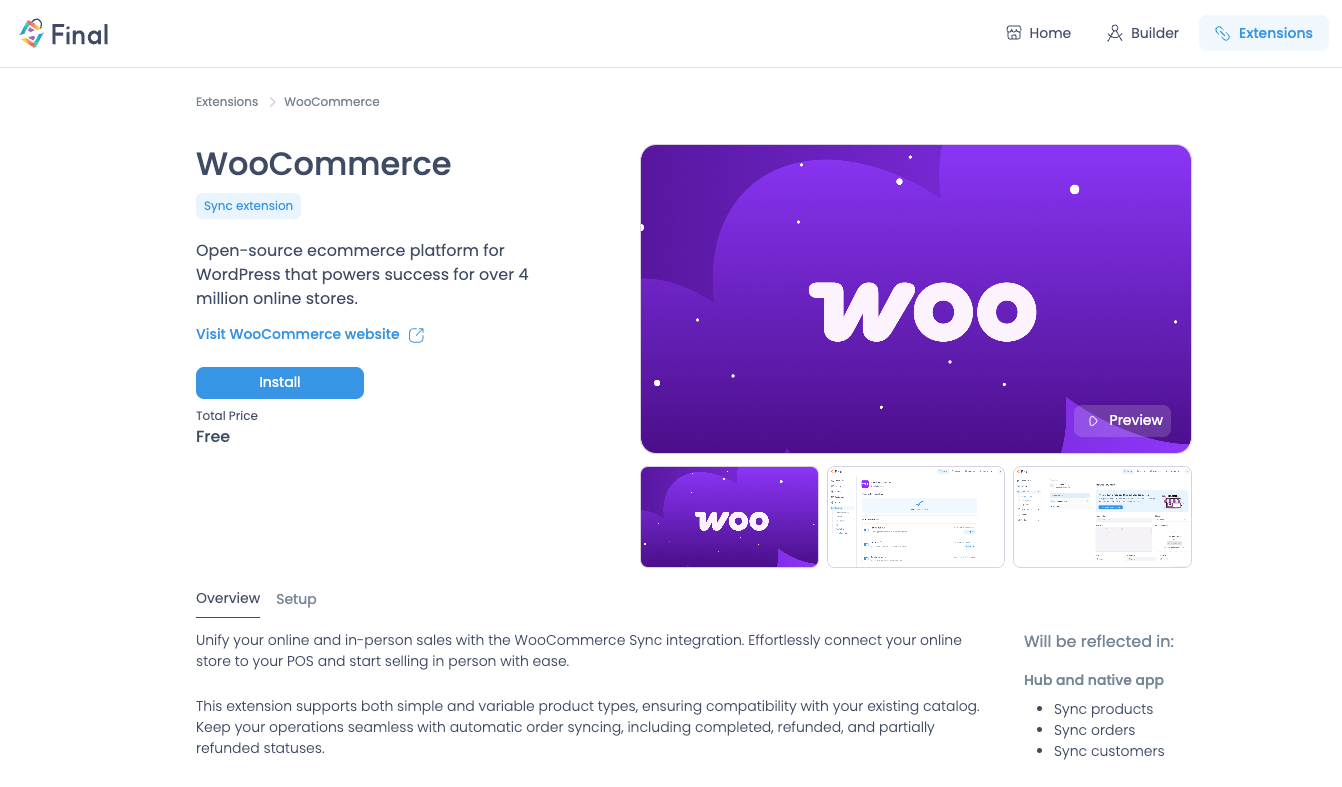
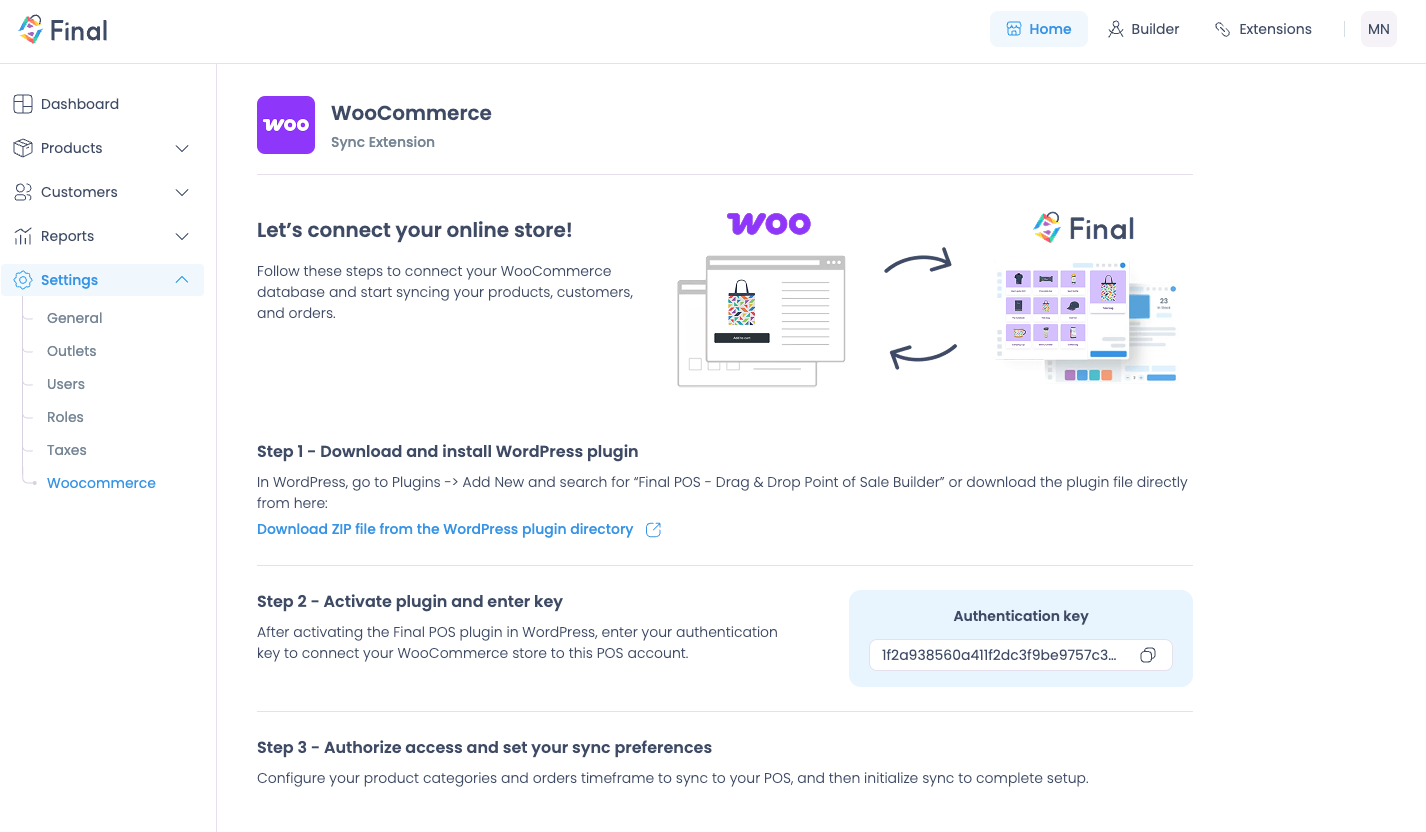
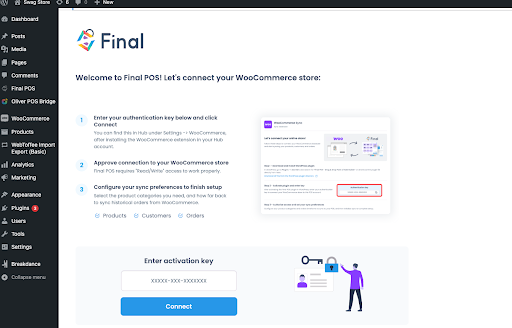
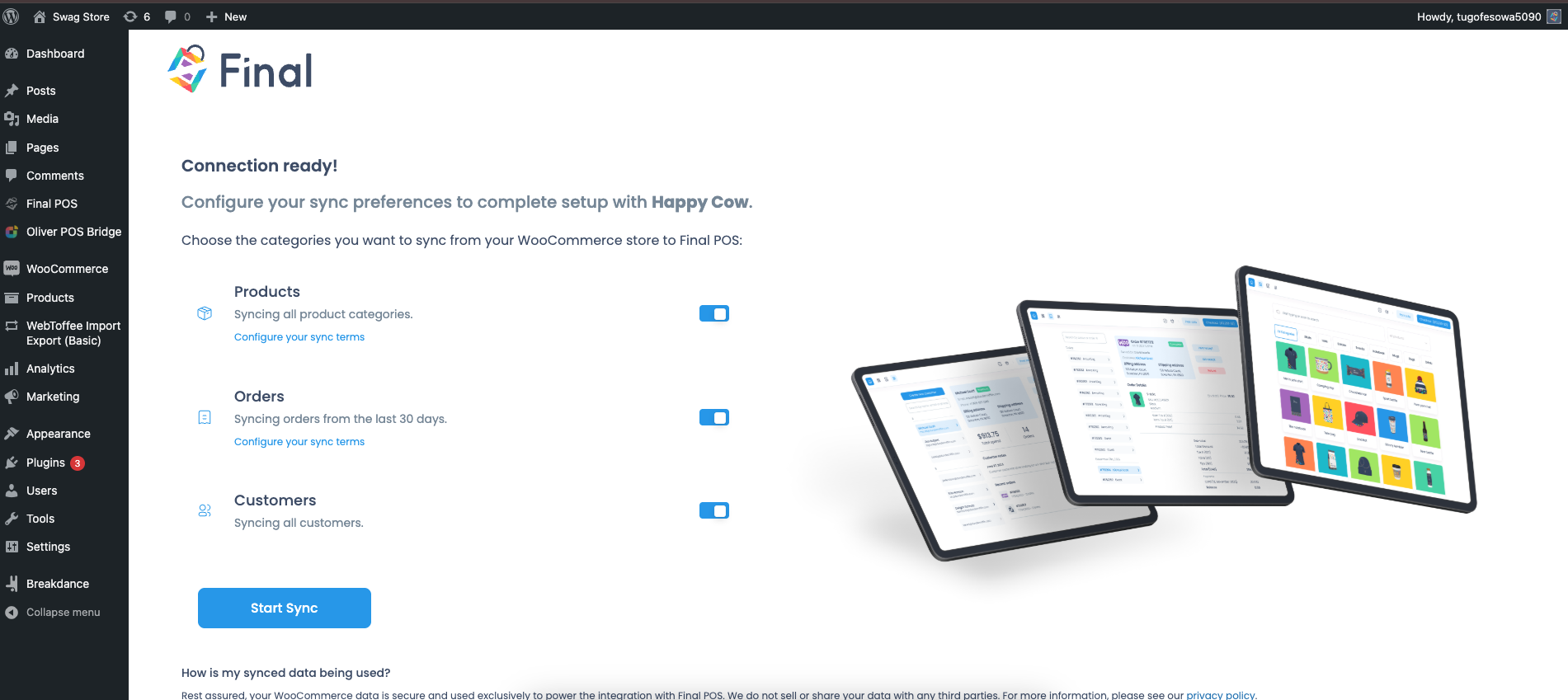
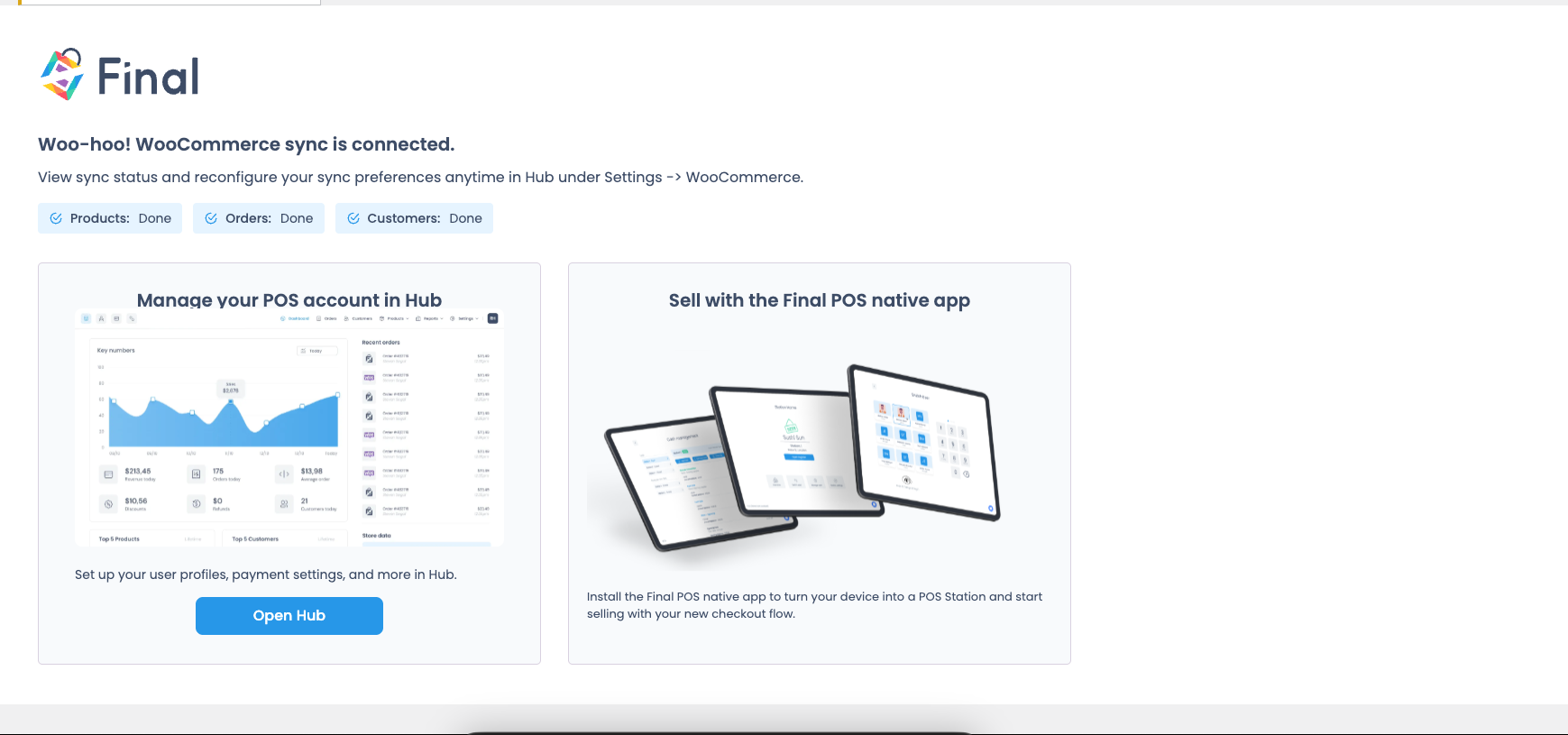
For developers
Is this your plugin? Show off the numbers.
Add a live badge to your site, docs or GitHub README. It updates on its own — no account needed.
Best Final POS alternatives
All point-of-sale plugins →





FAQ
Final POS: quick answers
Straight answers, pulled from live WordPress.org data.
Source: WordPress.org
Is Final POS free?
Yes. Final POS is free to download and use from the official WordPress.org plugin directory.
Is Final POS safe to use in 2026?
Final POS works, but test it on a staging site before relying on it in 2026. It runs on 10+ sites, is rated 5/5 and was last updated 8 months ago, and scores 45/100 on our health check.
How many websites use Final POS?
Final POS is active on 10+ WordPress websites and has been downloaded 4,707 times since it launched in October 2024. It was downloaded 207 times in the last 30 days.
Does Final POS work with WordPress 7.1?
Final POS is officially tested up to WordPress 6.8.13, while the latest release is 7.1.5. It may still work, but try it on a staging site first.
What PHP version does Final POS need?
Final POS requires PHP 7.4 or higher. Most hosts run PHP 8.x today, so it works on any modern WordPress hosting.
When was Final POS last updated?
The latest version, 1.3.9, was released on April 10, 2026 (8 months ago).
Who makes Final POS?
Final POS is developed and maintained by Final POS.
What are the best alternatives to Final POS?
The most popular alternatives to Final POS are WCPOS (5K+ installs), PayPal POS for WooCommerce (3K+ installs) and wePOS (2K+ installs).
Powered by PageForge
One template and a spreadsheet. A real page for every search.
PageForge turns each row of a CSV into a WordPress page with its own title, URL, SEO fields and schema, built on the layout you already designed. Free on WordPress.org.
- CSV and XLSX, plus Google Sheets on Professional and Enterprise
- Its own title, URL, SEO fields and schema for every page
- Works with the block editor, Elementor, Divi and Avada
- Free on WordPress.org, no credit card