



Fieldom
Open-source custom fields plugin with 26 field types, Repeater, Flexible Content, Options Pages, conditional logic, and JSON sync.

Use with caution
Fieldom works, but test it on a staging site before relying on it in 2026. Was last updated 4 months ago, and scores 49/100 on our health check.
- Small user base (<10 active installs)
- Very few reviews so far
How does it stack up?
Side-by-side on installs, updates, ratings & support



Daily downloads
Download spikes usually follow a new release — each site that auto-updates counts as a download.
Rankings
Where Fieldom stands todayWordPress.org search rankings
Live position in the plugin search, top 100| Keyword | Position |
|---|---|
| custom fields | >100 |
| field groups | >100 |
| flexible-content | >100 |
| meta box | >100 |
| repeater | >100 |
About Fieldom
From the official readme · v0.1.3Description
Fieldom gives agencies and developers a community-governed, feature-rich custom fields plugin for WordPress.
Every feature is built and maintained in the open. No freemium gates, no SaaS backend, no phone-home. Just a solid custom-fields plugin that runs entirely inside WordPress.
Key Features
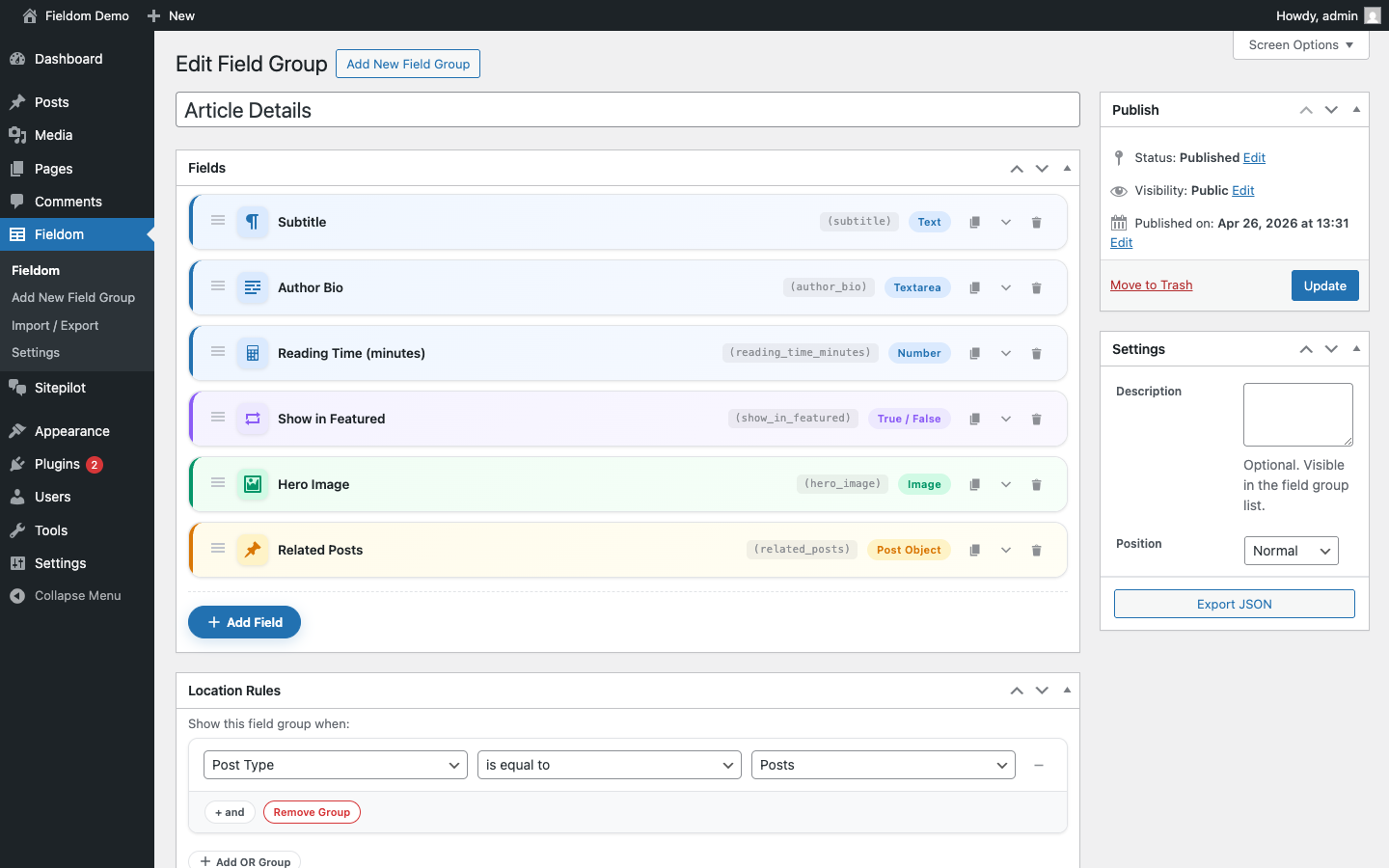
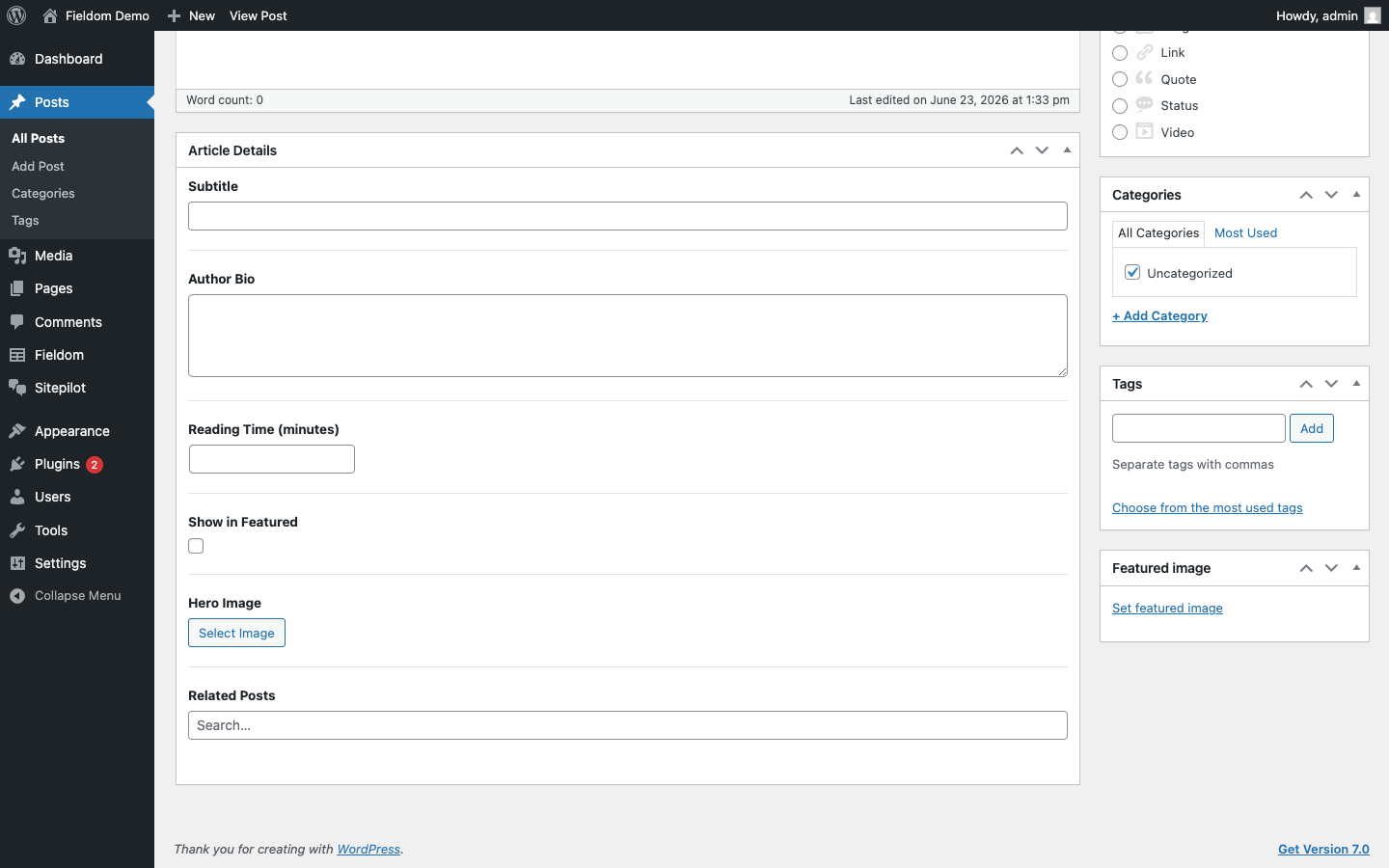
- 26 field types — text, textarea, number, select, checkbox, radio, true/false, date picker, time picker, color picker, URL, email, password, file, image, gallery, post object, taxonomy, user, link, WYSIWYG, message, tab, accordion, Repeater, and Flexible Content.
- Native Repeater field — supports drag-to-reorder rows, configurable sub-fields, and min/max row limits.
- Flexible Content field — multiple layouts each with their own sub-fields, drag-to-reorder blocks.
- Options Pages — register custom admin pages and store global settings outside of post meta.
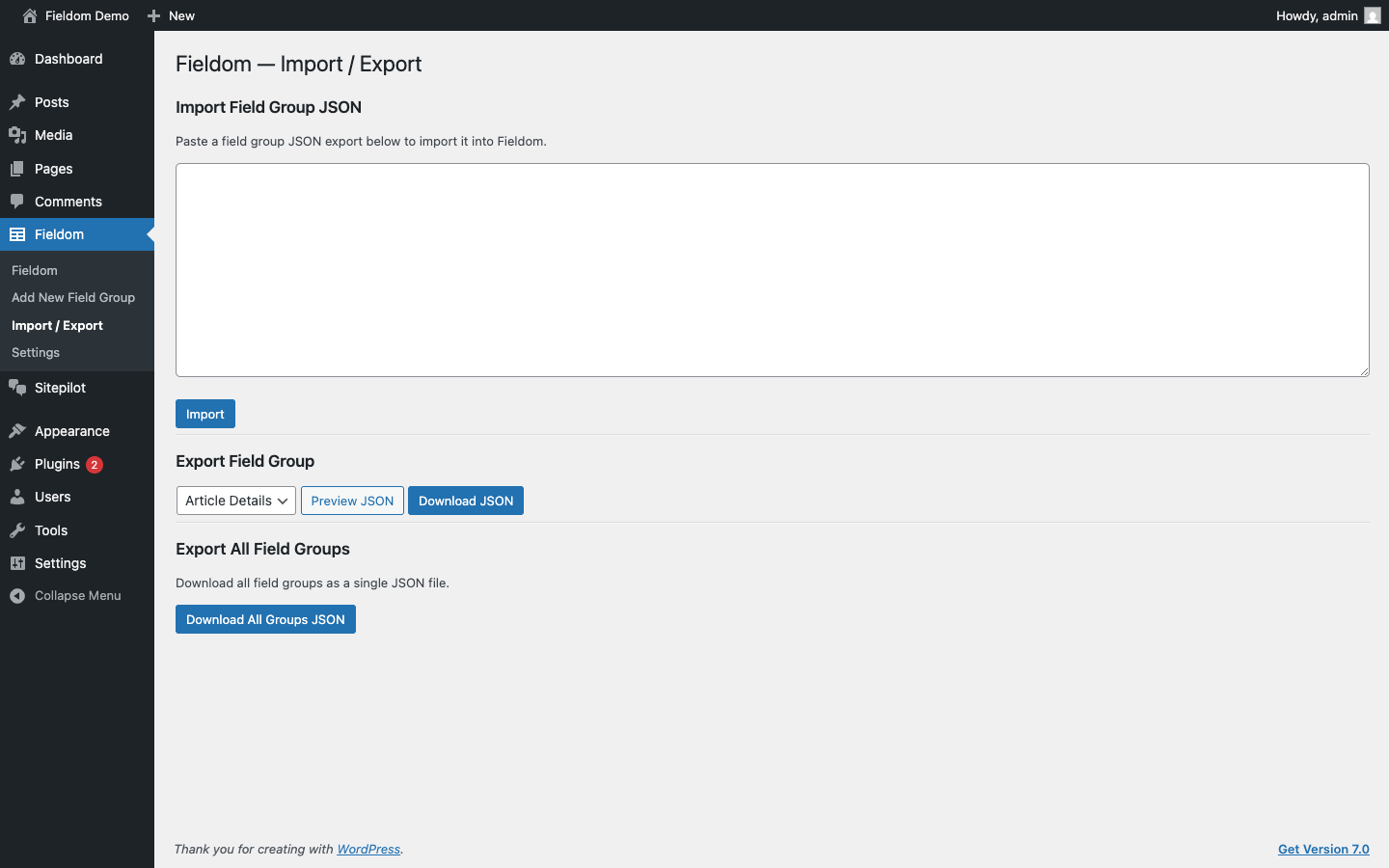
- JSON import / export — export field groups as JSON and import them on any site. Field types, choices, location rules, Repeater sub-fields, and Flexible Content layouts are all mapped automatically.
- Standard postmeta storage — values are stored in standard
wp_postmetausing established key conventions, compatible with any plugin that reads WordPress post meta. - Template helpers —
fieldforge_get(),fieldforge_the(),fieldforge_have_rows(),fieldforge_the_row(),fieldforge_sub_field(),fieldforge_the_sub_field(),fieldforge_update_field(),fieldforge_get_option(),fieldforge_update_option(). - Location rules — show field groups by post type, post status, user role, page parent, or page template. OR groups and AND rules.
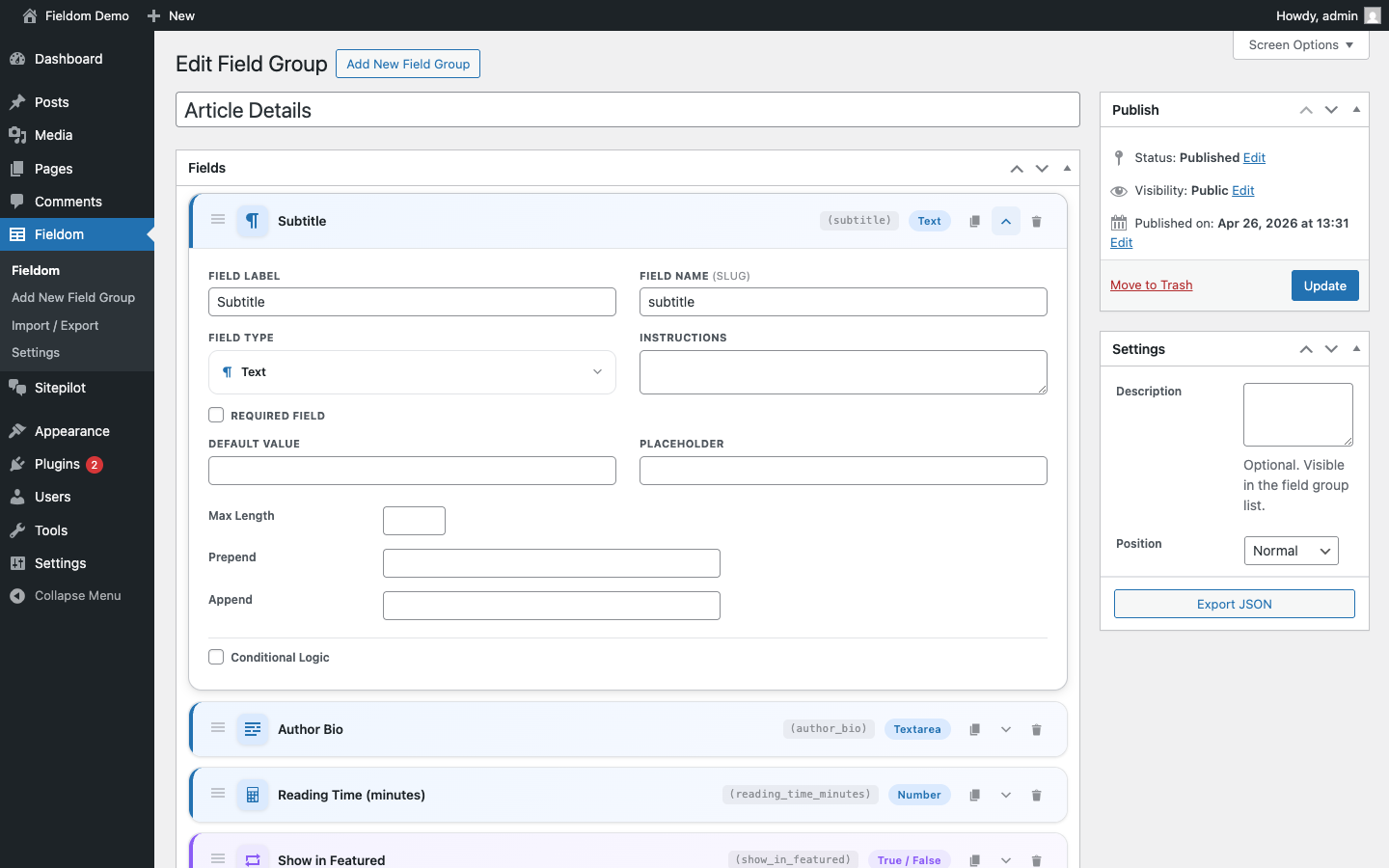
- Conditional logic — show or hide individual fields based on the values of other fields.
- REST API — field values exposed via the WordPress REST API with location-rule filtering.
- Local JSON sync — field groups saved as JSON files alongside your theme for version control.
- 100% GPL, no SaaS — runs entirely inside WordPress. No external services.
Basic Usage
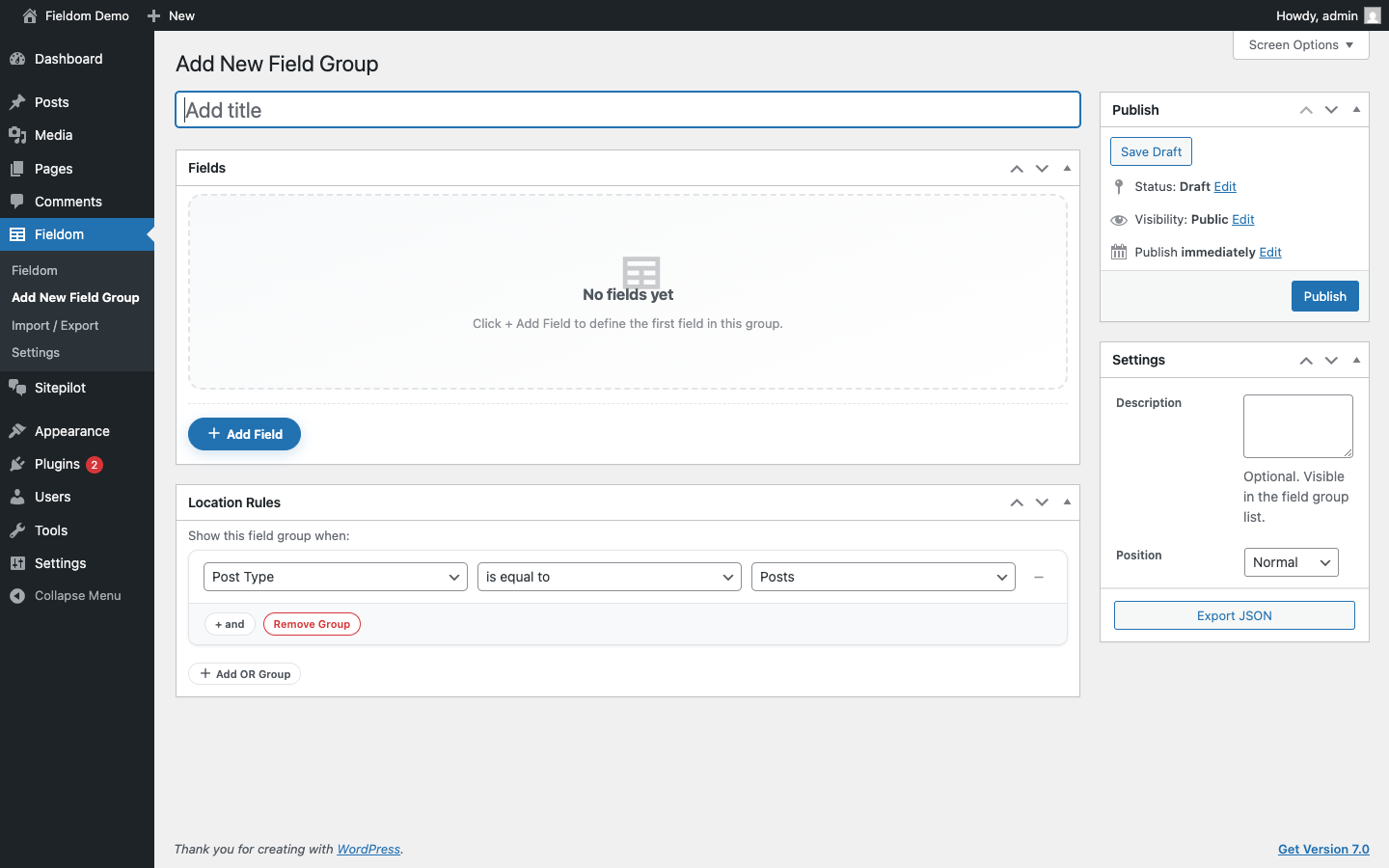
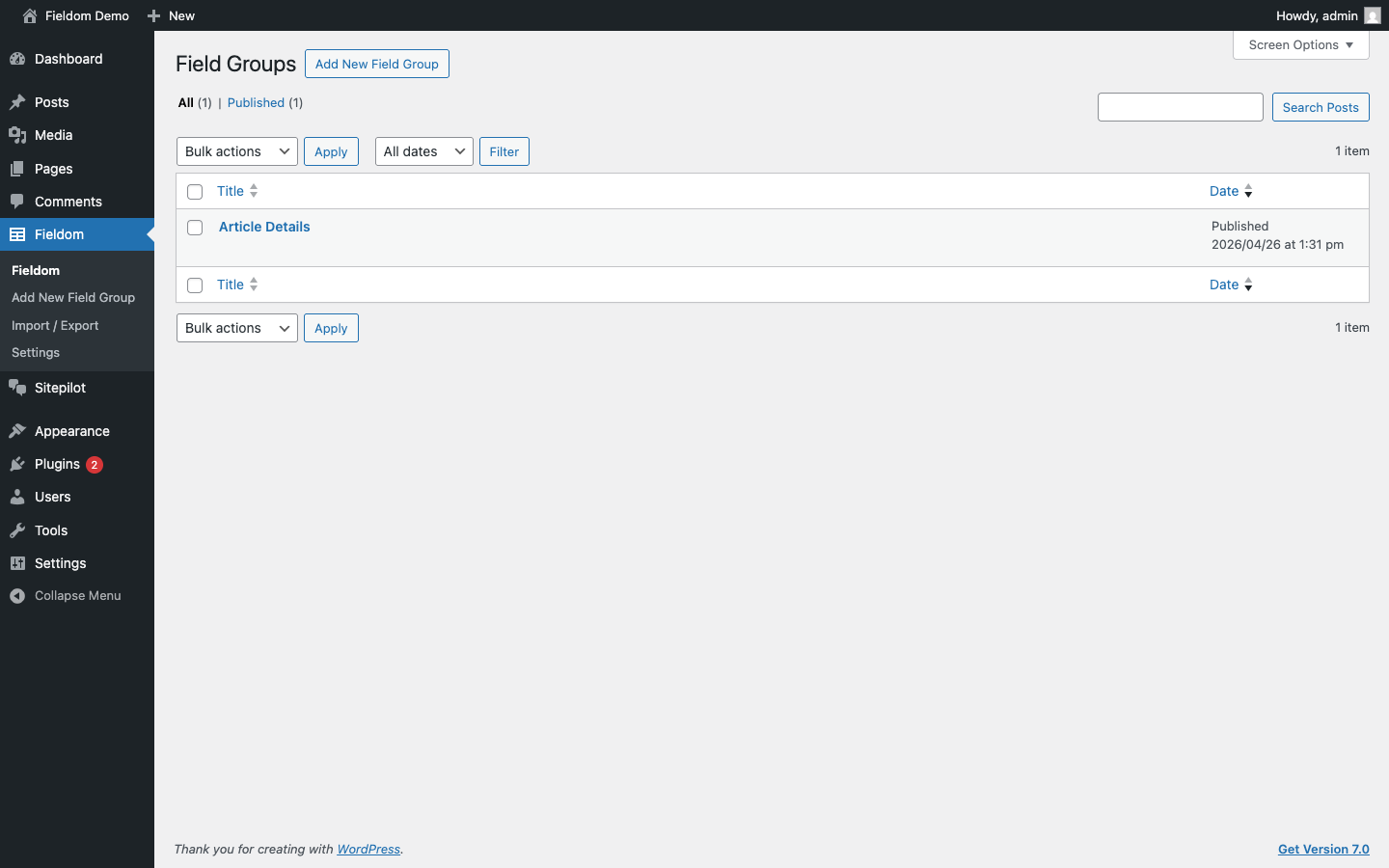
- Go to Fieldom → Add New to create a field group.
- Click + Add Field, choose a field type, give it a name and label.
- Set a location rule (e.g. “Post Type is equal to Post”).
- Publish the field group.
- Edit any matching post — your fields appear as a meta box.
In your theme templates:
<?php echo esc_html( fieldforge_get( 'subtitle' ) ); ?>
Or simply:
<?php fieldforge_the( 'subtitle' ); ?>
Repeater Usage
<?php while ( fieldforge_have_rows( 'team_members' ) ) : fieldforge_the_row(); ?>
    <h3><?php fieldforge_the_sub_field( 'name' ); ?></h3>
    <p><?php fieldforge_the_sub_field( 'role' ); ?></p>
<?php endwhile; ?>
JSON Import
Go to Fieldom → Import / Export, paste your field group JSON, and click Import. All supported field types and location rules are mapped automatically.
See docs/json-import.md in the plugin folder for the full import guide.
Roadmap
- v0.2 — Gutenberg / block editor field meta boxes
- v0.3 — Clone field
- v0.4 — Improved conditional logic UI builder
Installation
From the WordPress plugin directory
- Go to Plugins → Add New and search for “Fieldom”.
- Click Install Now, then Activate.
From a ZIP file
- Download the latest
fieldom.zipfrom the GitHub Releases page. - Go to Plugins → Add New → Upload Plugin.
- Upload the zip and click Install Now, then Activate.
From source
- Clone the repository into
wp-content/plugins/fieldom. - Run
composer installto install dev dependencies. - Activate the plugin from Plugins → Installed Plugins.
Frequently asked questions
What field types and features are included?
Fieldom includes 26 field types (text, textarea, number, email, URL, password, select, checkbox, radio, true/false, date picker, time picker, color picker, image, file, gallery, post object, taxonomy, user, link, WYSIWYG, message, tab, accordion, Repeater, and Flexible Content), plus Options Pages, conditional logic, a REST API, a JSON importer, and local JSON sync. The Clone field and Gutenberg block fields are on the roadmap.
Can I import existing field group configurations?
Yes — go to Fieldom → Import / Export and paste a field group JSON export. Fieldom maps all supported field types, choices, location rules, sub-fields, and Flexible Content layouts automatically.
Is it safe to use on a production site?
v0.1 is an early but stable release. The core save/load path is covered by a PHPUnit test suite running on PHP 7.4 through 8.3. We recommend testing on a staging site before deploying to production, and watching the GitHub releases for patch updates.
How do I display field values in my theme templates?
Use fieldforge_get( 'field_name' ) to return a value, or fieldforge_the( 'field_name' ) to echo it safely escaped. For Repeater fields, use the fieldforge_have_rows() / fieldforge_the_row() / fieldforge_sub_field() loop helpers.
Does Fieldom conflict with other custom field plugins?
Fieldom registers its own function names, CPT slugs, and meta keys and does not interfere with other custom field plugins. You can run multiple custom field plugins simultaneously.
Changelog
Initial release — no upgrade path needed.
0.1.3
- Branding: updated the in-plugin logo and replaced remaining old-name references with “Fieldom” across the admin menu, settings page, import/export screen, admin notices, and REST schema.
- Settings: clarified that the local JSON path must be inside the uploads directory.
0.1.2
- First build published to the WordPress.org plugin directory.
- Security: local JSON save path is now restricted to the uploads directory.
- Security: REST options endpoints enforce each options page’s own capability.
- Internationalization: all strings use the
fieldomtext domain. - Compatibility: tested up to WordPress 7.0.
0.1.1
- Fixed: sub-fields inside Repeater and Flexible Content rows rendering blank.
- Fixed: required True/False field unsaveable when set to “No”.
- Fixed: message field always rendering empty (key mismatch).
- Fixed: Flexible Content missing from field type selector in the group editor.
- Fixed: JSON importer not instantiated from plugin bootstrap.
- Fixed: Settings page options (local JSON path, debug log) not consumed by subsystems.
- Fixed: error_log() firing unconditionally in production.
- Fixed: REST API exposing field groups with no location rules.
- Fixed: duplicate conditional-logic script emission.
0.1.0
- Initial public release.
- 26 field types: text, textarea, number, email, URL, password, select, checkbox, radio, true/false, date picker, time picker, color picker, file, image, gallery, post object, taxonomy, user, link, WYSIWYG, message, tab, accordion, Repeater, and Flexible Content.
- Flexible Content field with multiple configurable layouts, drag-to-reorder blocks, and min/max limits.
- Options Pages — register global settings pages outside of post meta.
- Repeater field with drag-to-reorder rows and configurable sub-fields.
- JSON importer — maps field types, conditional logic rules, Flexible Content layouts, and Repeater sub-fields.
- JSON export and import for field groups.
- Template helpers:
fieldforge_get(),fieldforge_the(),fieldforge_have_rows(),fieldforge_the_row(),fieldforge_sub_field(),fieldforge_the_sub_field(),fieldforge_update_field(),fieldforge_get_option(),fieldforge_update_option(). - Location rules: post type, post status, user role, page parent, page template, taxonomy, format — with OR groups and AND rules.
- Conditional logic: show/hide fields based on other field values.
- REST API: field values for posts exposed via
/fieldforge/v1/fields/{id}with location-rule filtering. - Field validation: number enforces min/max, email validates format, URL validates format, text enforces maxlength.
- Local JSON sync — field groups saved as JSON files in the theme for version control.
- Field Group editor with drag-to-reorder fields, live field name auto-generation, type-specific settings panels, Repeater/Flexible Content sub-field editors, and dynamic location rule value dropdowns.
- PHPUnit test suite covering all field type sanitize/save/load cycles and JSON importer logic.
- GitHub Actions CI matrix on PHP 7.4, 8.0, 8.1, 8.2, 8.3.
Screenshots

For developers
Is this your plugin? Show off the numbers.
Add a live badge to your site, docs or GitHub README. It updates on its own — no account needed.
Best Fieldom alternatives
All custom fields plugins →



FAQ
Fieldom: quick answers
Straight answers, pulled from live WordPress.org data.
Live data from WordPress.org · checked Oct 13, 2026
Is Fieldom free?
Yes. Fieldom is free to download and use from the official WordPress.org plugin directory.
Is Fieldom safe to use in 2026?
Fieldom works, but test it on a staging site before relying on it in 2026. Was last updated 4 months ago, and scores 49/100 on our health check.
How many websites use Fieldom?
Fieldom is active on <10 WordPress websites and has been downloaded 250 times since it launched in June 2026. It was downloaded 64 times in the last 30 days.
Does Fieldom work with WordPress 7.1?
Fieldom is officially tested up to WordPress 7.0.7, while the latest release is 7.1.3. It may still work, but try it on a staging site first.
What PHP version does Fieldom need?
Fieldom requires PHP 7.4 or higher. Most hosts run PHP 8.x today, so it works on any modern WordPress hosting.
When was Fieldom last updated?
The latest version, 0.1.3, was released on June 23, 2026 (4 months ago).
Who makes Fieldom?
Fieldom is developed and maintained by arunrajiah.
What are the best alternatives to Fieldom?
The most popular alternatives to Fieldom are Advanced Custom Fields (ACF… (2M+ installs), Meta Box (500K+ installs) and Checkout Field Editor (Chec… (400K+ installs).
Powered by PageForge
Want thousands of pages that rank like these? Build them in an afternoon.
This directory runs on the same engine as PageForge. Turn any spreadsheet, CSV or API into thousands of fast, SEO-ready WordPress pages — with schema, internal links and AI-written copy baked in.
- CSV, Google Sheets & API data sources
- AI content, schema & internal links per page
- Works with Elementor, Gutenberg, Yoast & Rank Math
- Free on WordPress.org — no credit card


