


FenceAI Fence Quote Calculator
Let homeowners draw their fence on a satellite map, pick a style, and get a ballpark price, so you get the lead.

Solid choice
FenceAI Fence Quote Calculator is a solid plugin choice in 2026, with a few things worth checking first. Was last updated 4 weeks ago, and scores 64/100 on our health check.
- Actively developed — last update 4 weeks ago
- Tested with the latest WordPress (7.1)
- Small user base (<10 active installs)
- Very few reviews so far
How does it stack up?
Side-by-side on installs, updates, ratings & support



Daily downloads
Download spikes usually follow a new release — each site that auto-updates counts as a download.
Rankings
Where FenceAI Fence Quote Calcula… stands todayWordPress.org search rankings
Live position in the plugin search, top 100| Keyword | Position |
|---|---|
| contractor | #68 |
| estimate | >100 |
| fence | #5 |
| leads | >100 |
| quote | >100 |
About FenceAI Fence Quote Calculator
From the official readme · v1.0.1Description
FenceAI Fence Quote Calculator puts your FenceAI quote tool on a WordPress site.
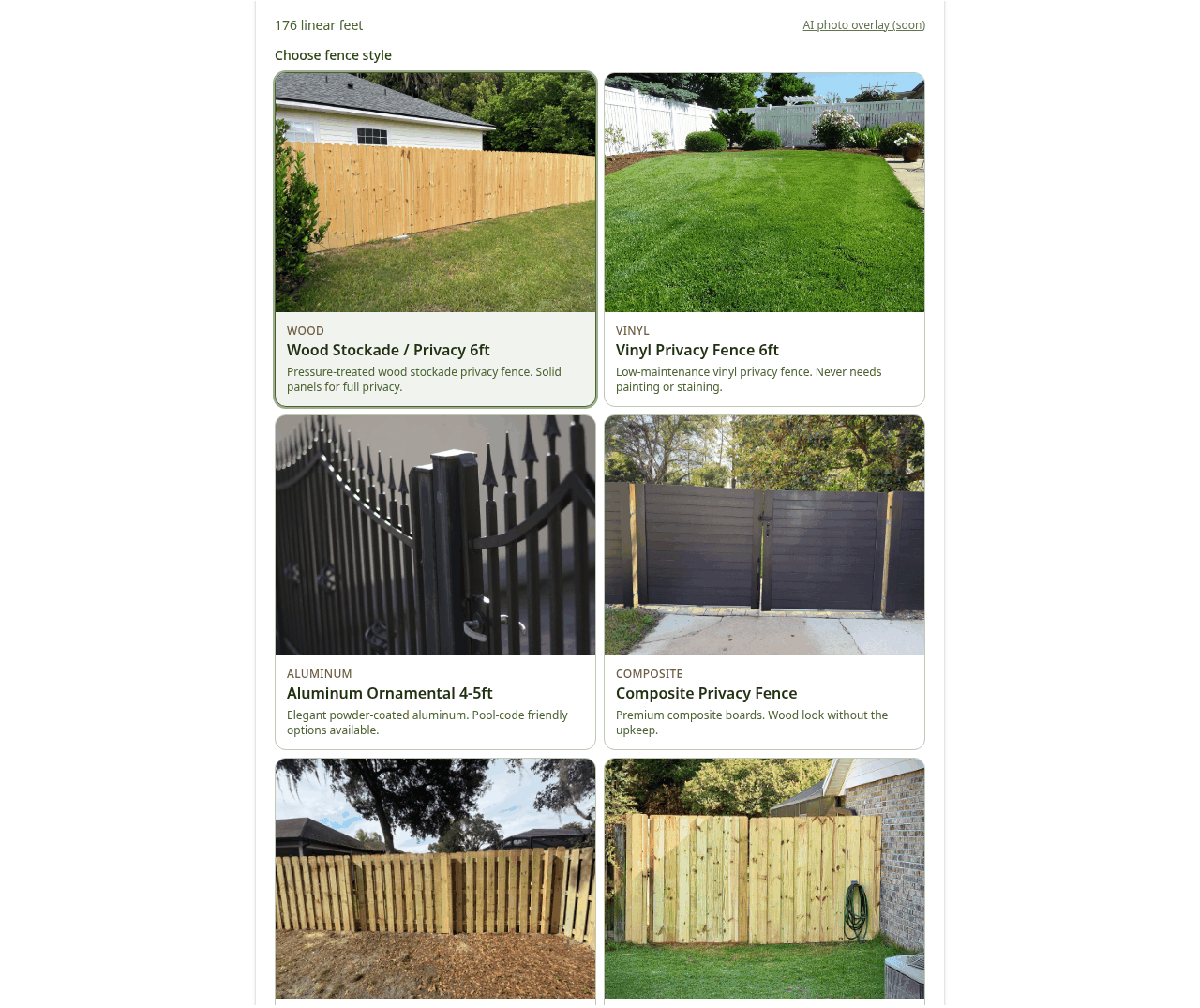
Homeowners draw their fence on a satellite map, pick a style, and send you the lead. The lead shows up in your FenceAI admin. This plugin does not store customer details.
A FenceAI account is required. Start at https://fenceai.app if you do not have one.
Connect
- Open Settings → FenceAI and enter your shop ID (the slug, for example gainesville-backyards).
- Click Check connection. A recognized shop shows Connected and the shop name.
- In the FenceAI shop admin, open Settings and add this website under Allowed websites. A new shop has none until you add one. Until you do, the quote tool cannot be framed on this site.
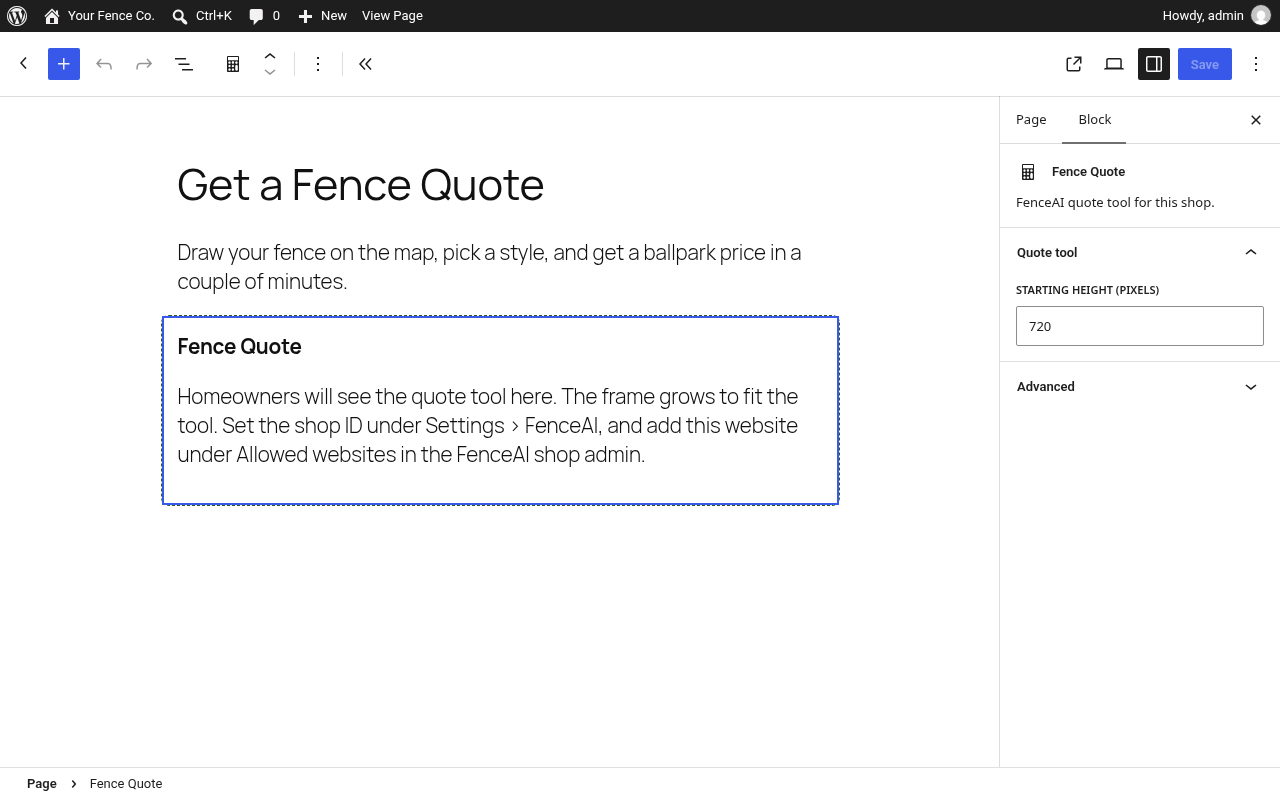
- Add the Fence Quote block to a page, or use the shortcode [fenceai_quote].
The frame grows and shrinks with the quote tool, so the page does not keep a fixed scroll box.
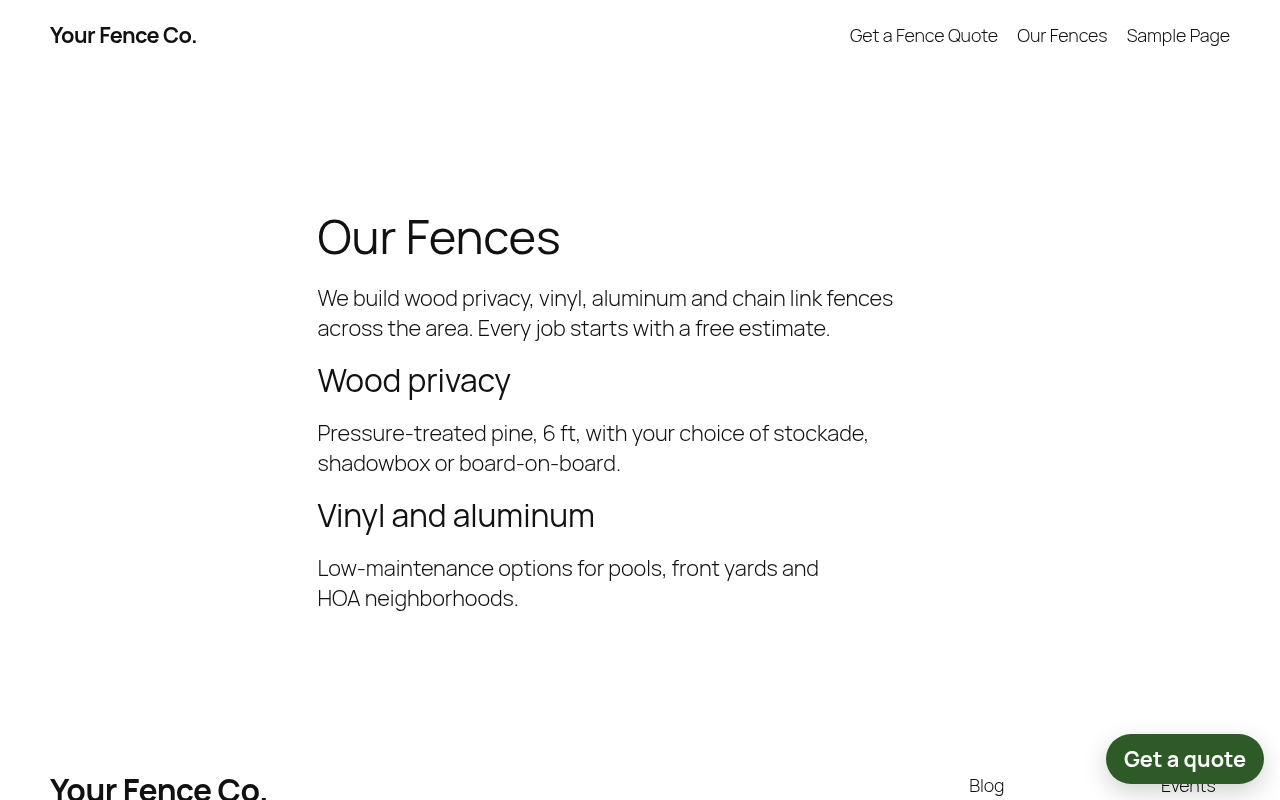
An optional floating “Get a quote” button can open the tool in a pop-up. It is off until you turn it on under Settings → FenceAI.
Crew accounts can add an AI voice agent that answers calls missed while the crew is out on jobs. That agent is part of FenceAI, not this plugin.
There is no tracking pixel in this plugin. It does not contact FenceAI until a shop ID is entered.
FENCEAI LLC
9200 NW 39th Ave, Ste 130 – 3224
Gainesville, FL 32606
(229) 466-5045
https://fenceai.app
External services
This plugin connects to FenceAI, a hosted quote tool operated by FENCEAI LLC.
The production host is https://fence-ai-vdg2.vercel.app.
The plugin does not contact that host until a site administrator enters a shop ID.
-
Connection check: when an administrator clicks “Check connection” on Settings → FenceAI, the plugin requests GET https://fence-ai-vdg2.vercel.app/api/public/tenant/{shop-id}. The shop ID is the only value sent. The response used by the plugin is whether the ID was recognized and the shop name. No homeowner data is sent.
-
Quote tool: after a shop ID is saved, a page with the Fence Quote block, the [fenceai_quote] shortcode, or the optional floating button (after the visitor opens it) loads https://fence-ai-vdg2.vercel.app/embed?tenant={shop-id} in an iframe. FenceAI serves the quote tool from that host. If the homeowner uses the tool, the address they search, the fence drawing, the style they pick, and the contact details they submit are sent to FenceAI and stored for that shop. This plugin does not store those details.
The plugin does not load scripts from FenceAI. The iframe resize listener is included in the plugin.
Terms: https://fenceai.app/terms
Privacy: https://fenceai.app/privacy
Installation
- Install the plugin from the WordPress.org directory, or upload the zip under Plugins → Add New → Upload Plugin.
- Activate FenceAI Fence Quote Calculator.
- Open Settings → FenceAI and enter your shop ID.
- Click Check connection.
- In the FenceAI shop admin, add this website under Allowed websites. A new shop has none until you add one.
- Add the Fence Quote block, or place [fenceai_quote] in a page. Optional: [fenceai_quote height=”640″] sets the starting height in pixels. The frame then resizes to the tool.
The block editor script is plain JavaScript. Source and build steps are in src/block/README.md inside the plugin.
Changelog
Saving settings shows the confirmation once.
1.0.1
- Saving Settings → FenceAI shows the confirmation once.
1.0.0
- First release. Fence Quote block, [fenceai_quote] shortcode, optional floating button, and shop connection check.
Screenshots


For developers
Is this your plugin? Show off the numbers.
Add a live badge to your site, docs or GitHub README. It updates on its own — no account needed.
Best FenceAI Fence Quote Calculator alternatives
All contractor plugins →





FAQ
FenceAI Fence Quote Calculator: quick answers
Straight answers, pulled from live WordPress.org data.
Source: WordPress.org
Is FenceAI Fence Quote Calculator free?
Yes. FenceAI Fence Quote Calculator is free to download and use from the official WordPress.org plugin directory.
Is FenceAI Fence Quote Calculator safe to use in 2026?
FenceAI Fence Quote Calculator is a solid plugin choice in 2026, with a few things worth checking first. Was last updated 4 weeks ago, and scores 64/100 on our health check.
How many websites use FenceAI Fence Quote Calculator?
FenceAI Fence Quote Calculator is active on <10 WordPress websites and has been downloaded 338 times since it launched in October 2026. It was downloaded 340 times in the last 30 days.
Does FenceAI Fence Quote Calculator work with WordPress 7.1?
Yes. The developer has tested FenceAI Fence Quote Calculator up to WordPress 7.1.5, the latest release. It requires WordPress 6.5 or newer.
What PHP version does FenceAI Fence Quote Calculator need?
FenceAI Fence Quote Calculator requires PHP 7.4 or higher. Most hosts run PHP 8.x today, so it works on any modern WordPress hosting.
When was FenceAI Fence Quote Calculator last updated?
The latest version, 1.0.1, was released on October 30, 2026 (4 weeks ago).
Who makes FenceAI Fence Quote Calculator?
FenceAI Fence Quote Calculator is developed and maintained by cancervero69.
What are the best alternatives to FenceAI Fence Quote Calculator?
The most popular alternatives to FenceAI Fence Quote Calculator are Contractor Commerce Integra… (20+ installs), Primiko (<10 installs) and Smart Home Remodeling Cost… (<10 installs).
Powered by PageForge
One template and a spreadsheet. A real page for every search.
PageForge turns each row of a CSV into a WordPress page with its own title, URL, SEO fields and schema, built on the layout you already designed. Free on WordPress.org.
- CSV and XLSX, plus Google Sheets on Professional and Enterprise
- Its own title, URL, SEO fields and schema for every page
- Works with the block editor, Elementor, Divi and Avada
- Free on WordPress.org, no credit card