



FAZ Cookie Manager
Free cookie consent with GDPR, CCPA, ePrivacy, Google Consent Mode v2, IAB TCF v2.3, and built-in Cookie Policy generator. No cloud required.

Safe pick
Yes — FAZ Cookie Manager is a safe, well-maintained plugin to use in 2026. It runs on 3K+ sites, is rated 5/5 and was last updated 5 days ago, and scores 84/100 on our health check.
- Loved by users — 5/5 from 30 reviews
- Actively developed — last update 5 days ago
- Tested with the latest WordPress (7.1)
- Momentum — downloads up 62.7% vs the previous 30 days
How does it stack up?
Side-by-side on installs, updates, ratings & support



Daily downloads
Download spikes usually follow a new release — each site that auto-updates counts as a download.
Rankings
Where FAZ Cookie Manager stands todayWordPress.org search rankings
Live position in the plugin search, top 100| Keyword | Position |
|---|---|
| CCPA | #19 |
| consent | #42 |
| cookie | #7 |
| GDPR | #64 |
| privacy | #30 |
Version adoption
Share of active sites per release.
Rating breakdown
★★★★★★★★★★ 5 from 30 reviews
About FAZ Cookie Manager
From the official readme · v1.39.0Description
Tired of cookie consent plugins that lock essential features behind paywalls, require cloud accounts, or send your visitors’ data to third-party servers?
FAZ Cookie Manager is a WordPress plugin that helps you implement cookie consent and privacy workflows for international regulations — completely free, with no strings attached.
No account to create. The plugin requires no cloud service connection. Basic features like consent logging and geo-targeting are included — no premium plan needed. Core consent features run on your own server, and you own all your data.
Why FAZ Cookie Manager?
Most cookie consent plugins follow the same pattern: a free version with crippled features, and a paid tier starting at $10-50/month that unlocks what you actually need (cookie scanning, consent logs, Google Consent Mode, IAB TCF). FAZ Cookie Manager breaks that model:
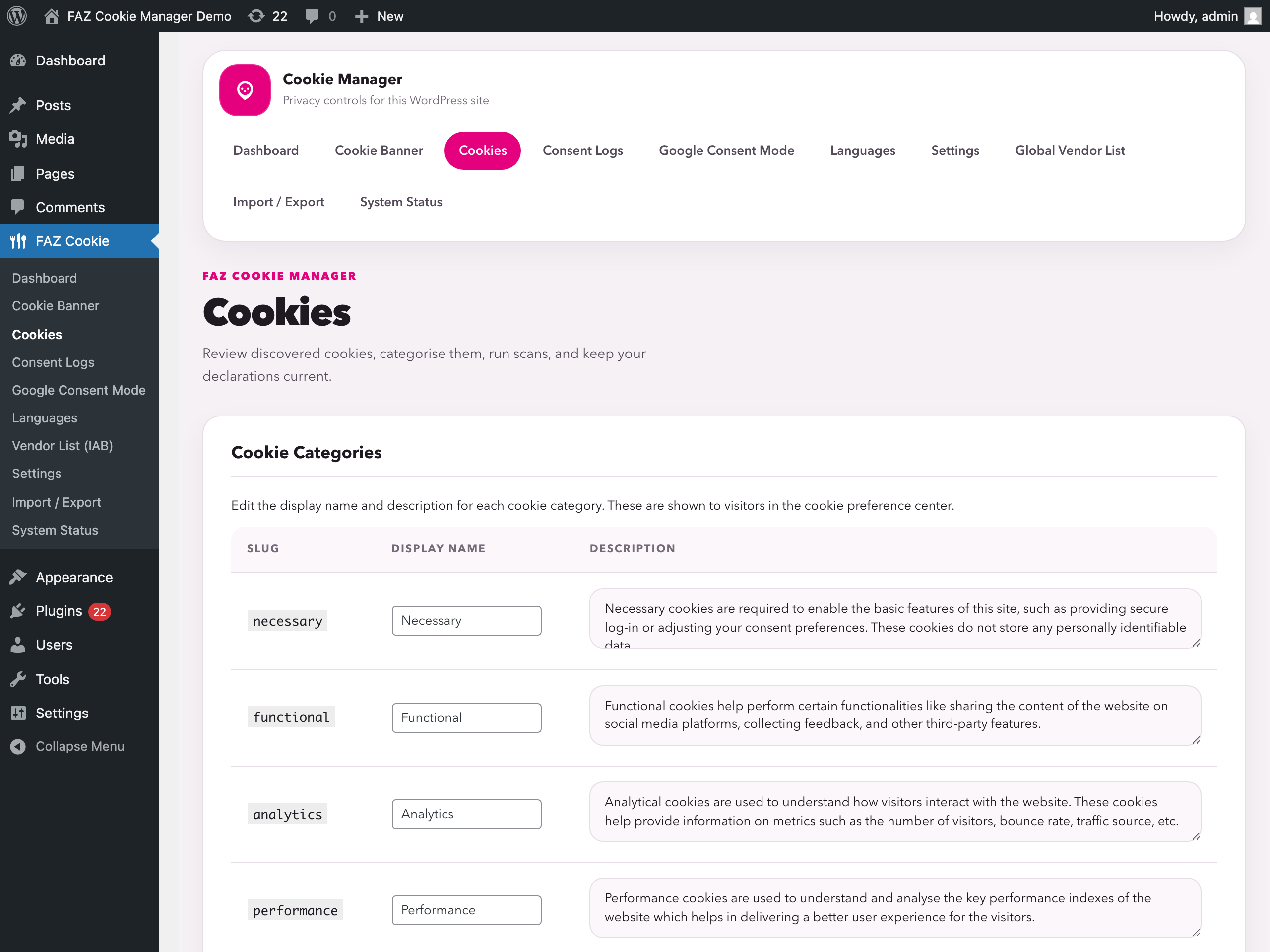
- Cookie scanner — scans your site directly from your browser. No external service, no API limits, no waiting.
- Finds the cookies a JavaScript scanner cannot see — cookies set by PHP before the page renders, including
HttpOnlyones your browser hides from scripts, are captured from the server response itself: from pages, AJAX, REST calls and sub-resources, then replayed across the URLs the crawl actually visited. Those are exactly the cookies that get set before consent, so a declaration built without them is incomplete. - Cookie Policy generator — a jurisdiction-aware policy page (GDPR / CCPA / LGPD / POPIA) built from your own company details and the scanner’s live cookie inventory, published with
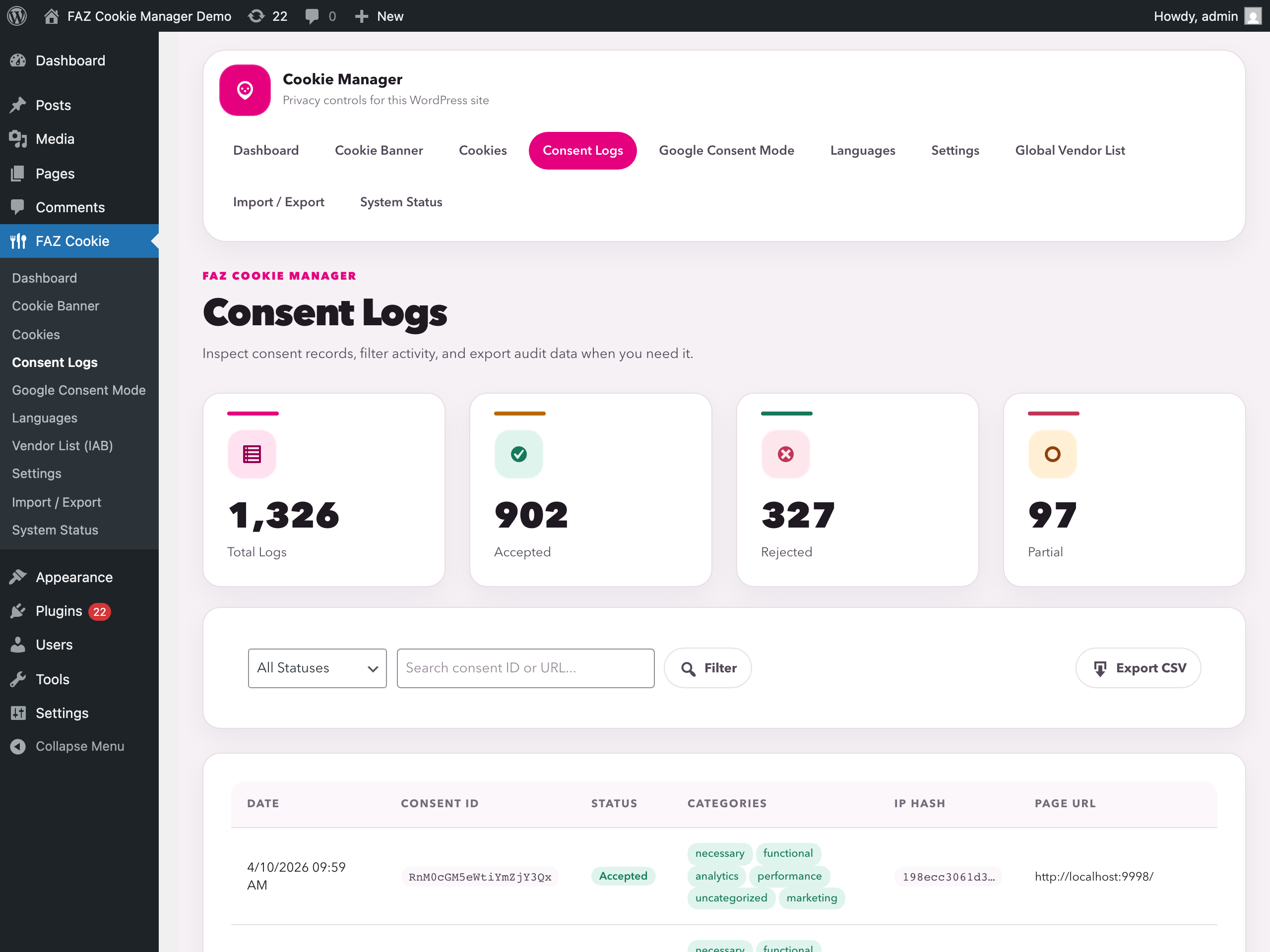
[faz_cookie_policy_complete]. Ships in en, it, fr, de, es, pt-BR, bg and cs, and every section can be rewritten per jurisdiction and language. - Consent logging with CSV export — every consent is recorded locally in your database. Export anytime for audits.
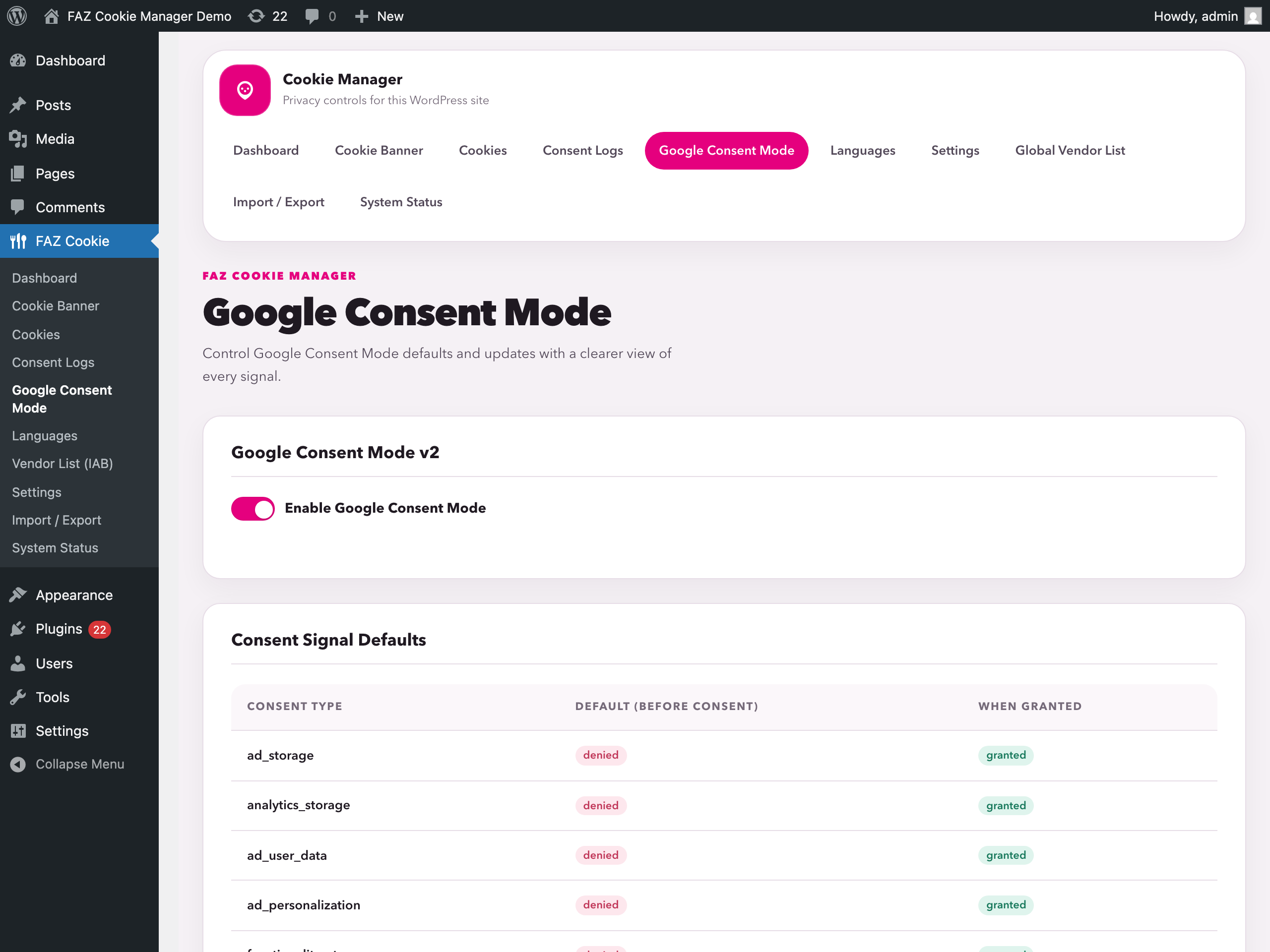
- Google Consent Mode v2 — all 7 consent signals sent to Google tags. No premium required.
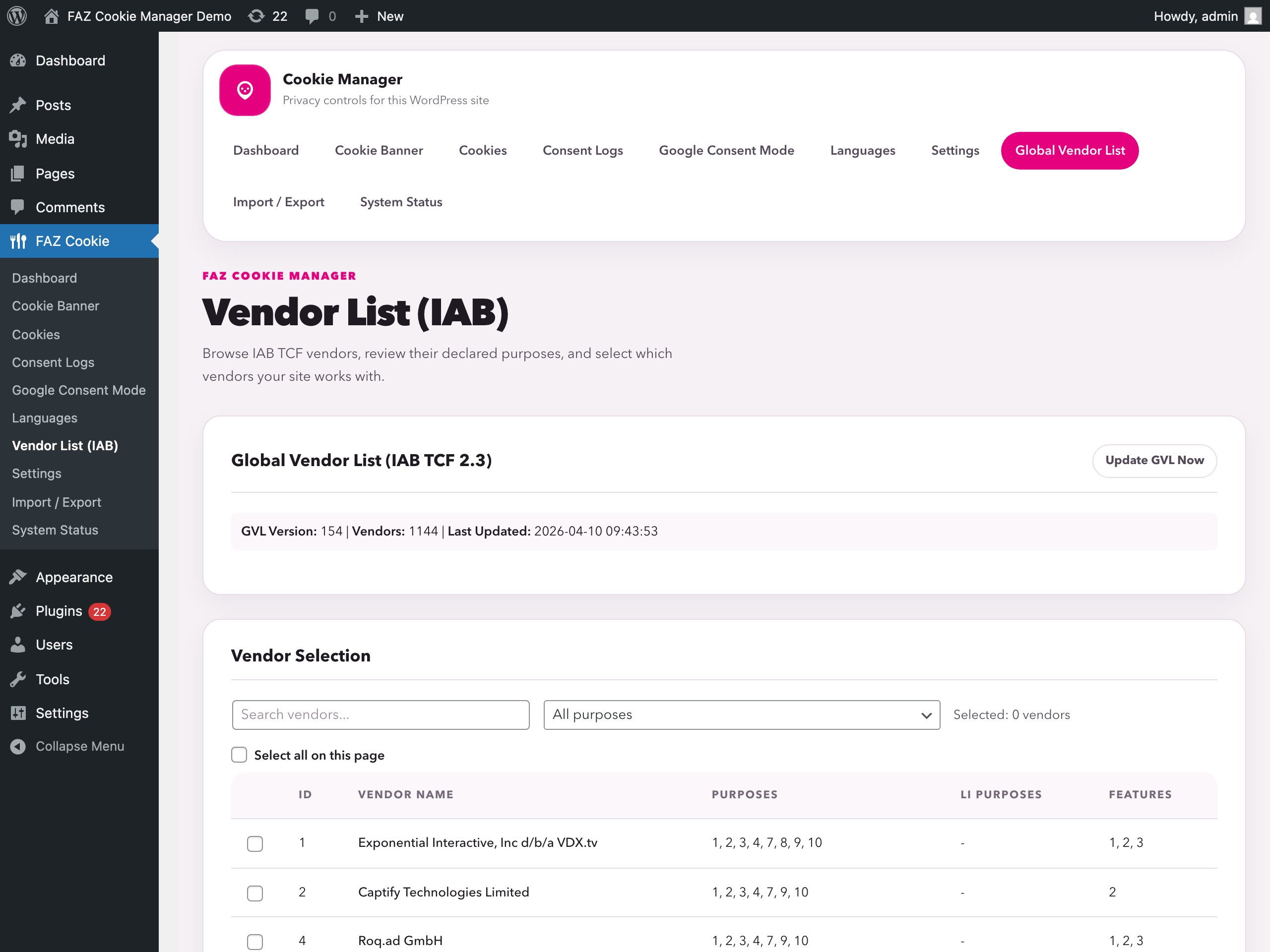
- IAB TCF v2.3 — full Transparency and Consent Framework API and UI. Operating as a recognised CMP needs your own registered IAB Europe CMP ID; without one the TCF interface stays inactive and no TC string is produced, so invalid signals are never broadcast to vendors.
- Script blocking — mark a script
type="text/plain" data-faz-category="analytics"to hold it until that category is accepted; it runs on its own as soon as consent is granted, and on every later page load. - Geo-targeting and 180+ languages — serve the right banner per region and translate every string, or use a built-in translation.
- Guided setup wizard — a first-run wizard detects your environment (multilingual plugin, page cache, WooCommerce, existing consent data) and configures jurisdiction-appropriate defaults, explaining each choice in plain language. Existing sites are treated as already set up and are never nagged.
- A/B test your consent banner — run two or more existing banners with a persistent random split and read the accept rate per variant. Only active, independently compliant banners take part, so improving your wording can never quietly become a dark pattern. Off by default.
- Schrems II transfer disclosure — flag per cookie that a service sends personal data to a country without an EU adequacy decision, with the safeguard you rely on. Worded neutrally: it states the fact and your described safeguard, and never claims that safeguard is legally sufficient. Off by default.
- Age-appropriate consent (GDPR Art. 8) — an optional age-confirmation checkbox above the buttons. It gates only Accept, never Reject or withdraw, so the two keep equal weight. This is a self-declared affirmation and is not a substitute for the parental-consent verification Art. 8(2) requires. Off by default.
- Ad-blocker resilience — keeps the legally required notice visible when a cosmetic filter list hides elements whose class contains “cookie” or “consent”. A single deferred re-assert: no loop, no cookie wall. It protects a mandatory notice; it does not circumvent a privacy tool. Off by default.
- Editable “Do Not Sell” opt-out text — customise the title, description and toggle label of the CCPA / US State Laws opt-out popup, per language.
- E-commerce & payment friendly — a per-gateway opt-in (PayPal, Stripe, Square, Braintree, Klarna, Mollie, Amazon Pay) lets payment SDKs load before consent when you enable that gateway, so pre-consent blocking never breaks a payment button. Off by default; a real WooCommerce checkout/cart is exempt automatically.
- Cache & object-cache compatible — purges and bypasses FlyingPress, LiteSpeed, WP Rocket, W3 Total Cache and more on save, epoch-invalidates Redis / Memcached object caches, and keeps WPML, Polylang, TranslatePress, Weglot and qTranslate (original, X, XT and forks) banners in the right language behind a full-page cache. Details in the FAQ.
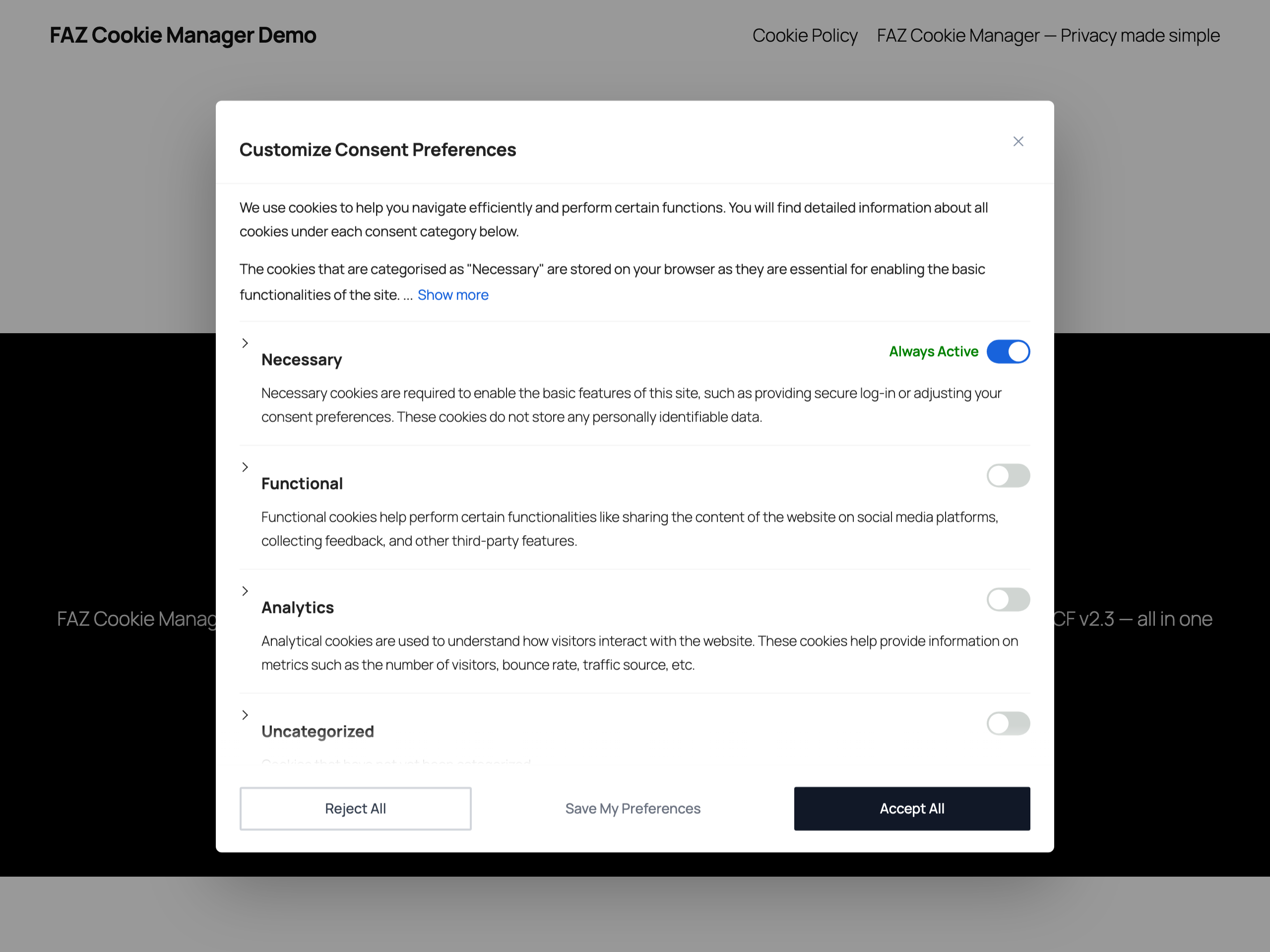
- Microsoft UET/Clarity, revisit widget, accessibility — consent integration for Microsoft tags, a floating button so visitors can change their mind, and keyboard/screen-reader support throughout.
Helps with these frameworks
This plugin assists consent and privacy workflows. It does not itself create, provide, or guarantee legal compliance, and you remain responsible for the final configuration for your site and jurisdiction.
- GDPR (EU General Data Protection Regulation) — Opt-in consent, granular categories, right to withdraw
- CCPA / CPRA (California Consumer Privacy Act) — “Do Not Sell or Share” opt-out link
- ePrivacy Directive (EU Cookie Law) — Consent-based script blocking support
- Italian Garante Privacy — 6-month consent expiry setting and consent logging controls
- EDPB Guidelines — No scroll-as-consent, no pre-checked categories, equal button prominence options
- LGPD (Brazil General Data Protection Law) — Consent-based model
- POPIA (South Africa Protection of Personal Information Act) — Conservative consent-based preset under s.11(1)(a); other s.11(1)(b)-(f) justifications require separate assessment
Try it Live
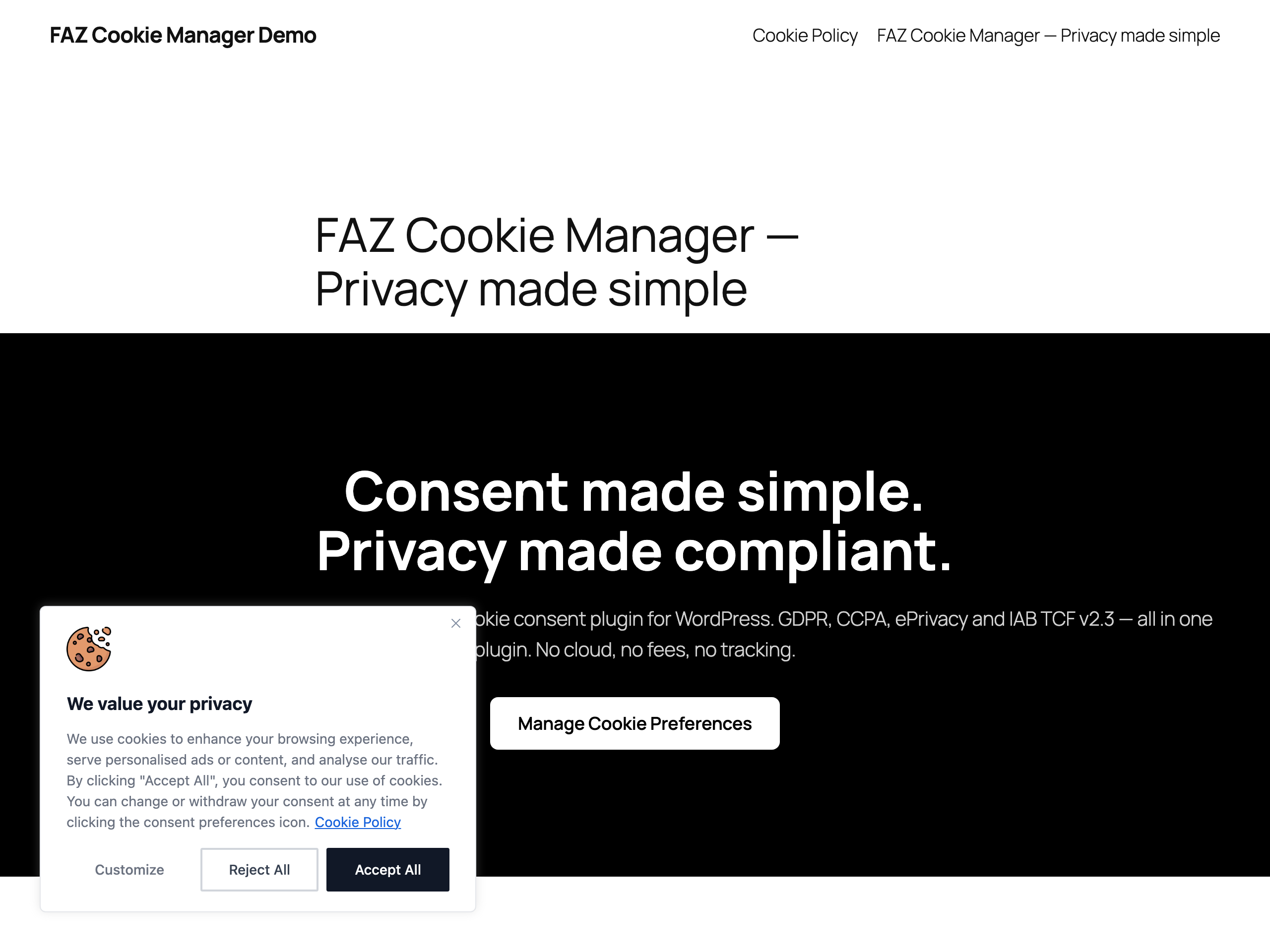
Try FAZ Cookie Manager in WordPress Playground — no account, no install, runs entirely in your browser.
How it works
- Install and activate — the cookie banner appears immediately with sensible defaults
- Scan your site to detect cookies automatically
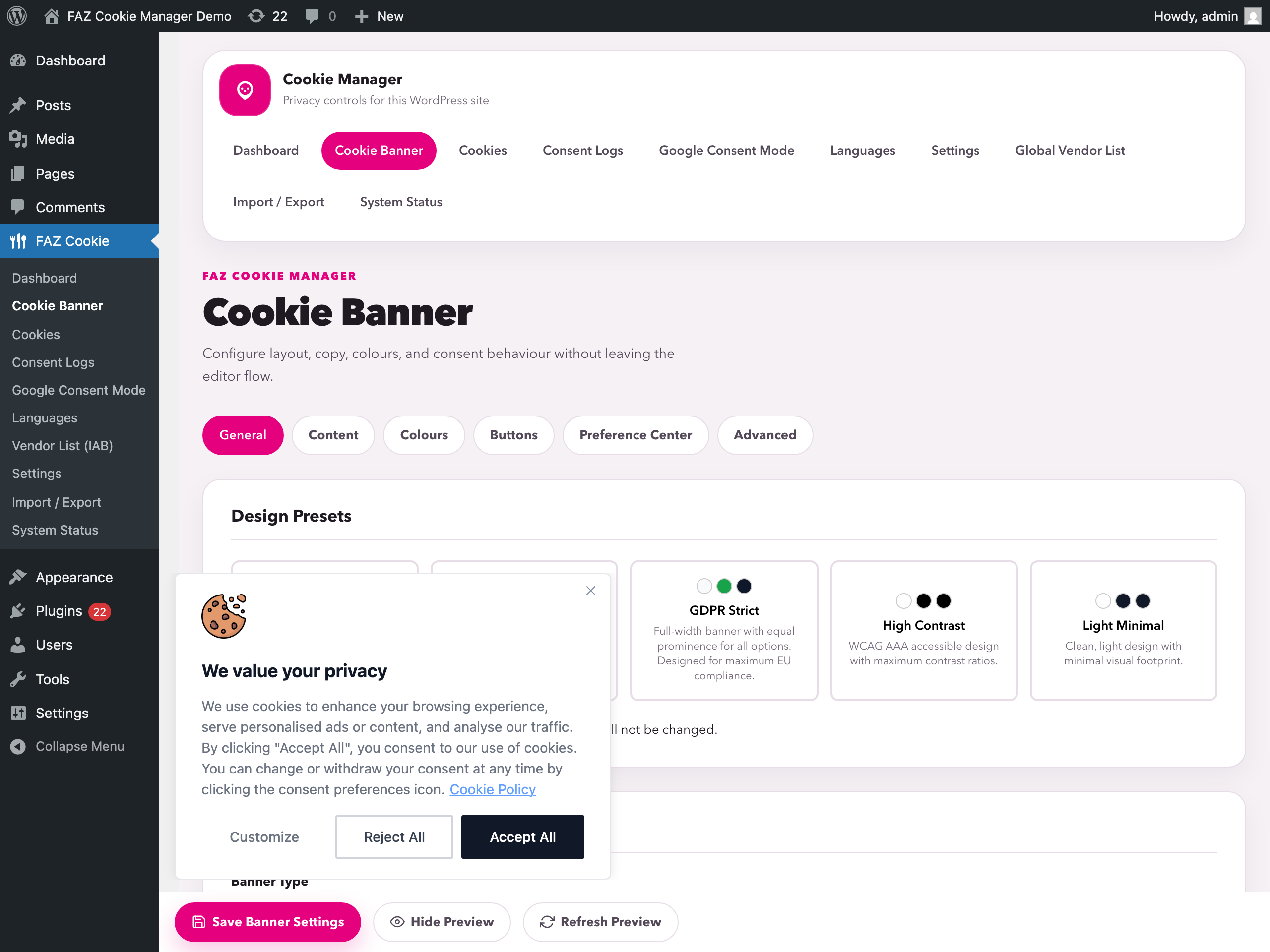
- Customize the banner design, text, and colors to match your brand
- Enable Google Consent Mode or IAB TCF if you use advertising tools
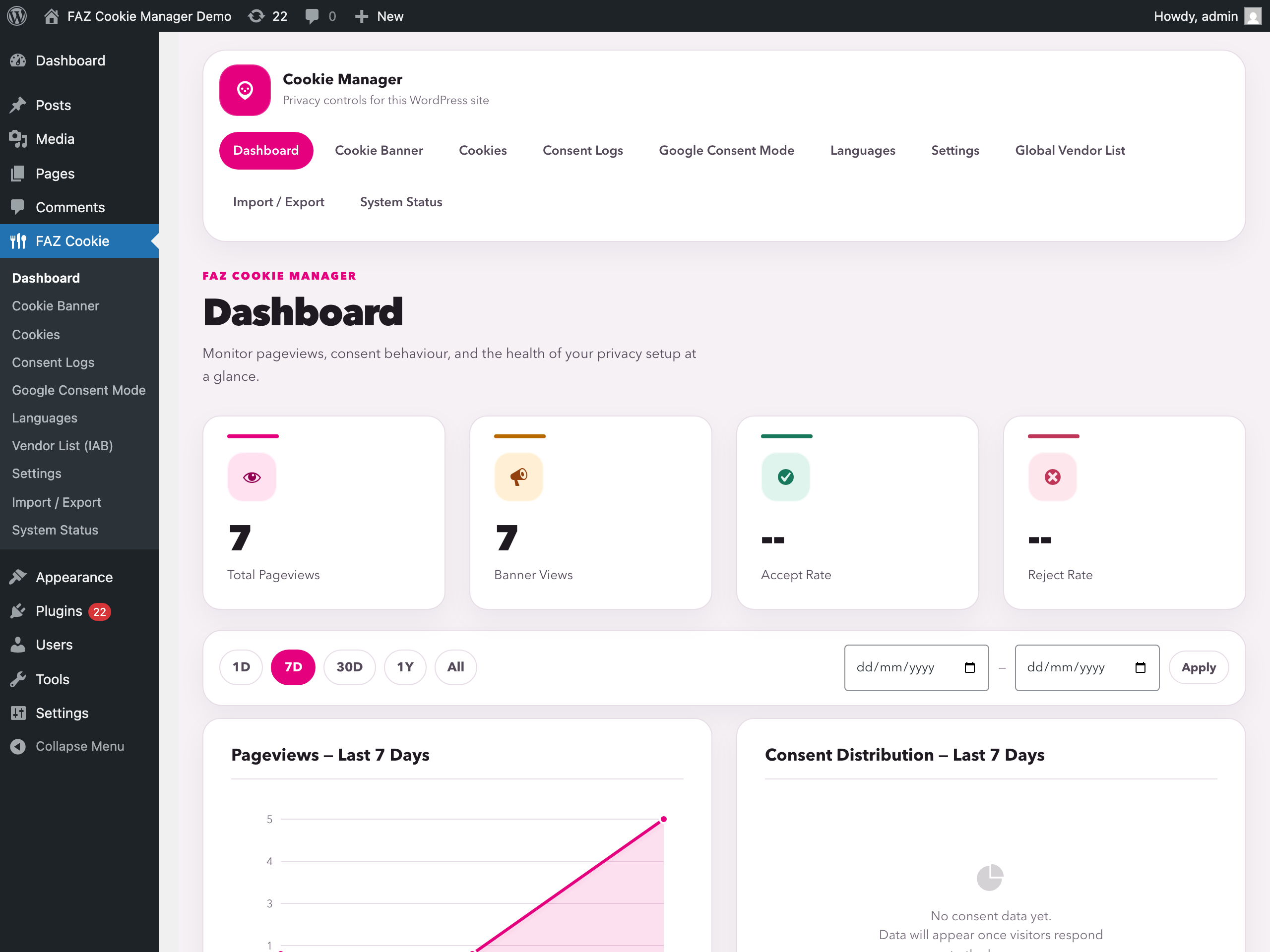
- Monitor consent analytics on the dashboard
Core banner functionality runs on your WordPress site. Optional update/download features may contact GitHub, IAB Europe, MaxMind, ipinfo.io (opt-in VPN detection), or the AMP CDN depending on which features you enable and use.
Cookie Policy generator
A dedicated Cookie Policy admin tab and the [faz_cookie_policy_complete] shortcode build a policy page from the cookies your site actually sets.
- Jurisdiction-aware — GDPR (EU/EEA/UK), CCPA/CPRA, LGPD or POPIA, each with the legal references and sections that framework requires.
- Auto-populated — the inventory renders live from the scanner, so a newly discovered cookie appears with its category, duration and description.
- Multilingual — en, it, fr, de, es, pt-BR, bg, cs; override per render with
lang="it"or let the browser decide. - Editable per jurisdiction and language — replace any section with your own Markdown, placeholders included; leave one empty and it keeps receiving reviewed updates.
- Your company data — name, address, DPO email, retention period. Never seeded from
admin_emailorblogname. - Email obfuscation — enabled by default; turn off “Obfuscate public email addresses” in Cookie Policy settings if needed. Privacy contact and privacy officer addresses are encoded as HTML entities, including the legacy cookie policy contact link. Works without JavaScript in Chrome, Firefox and Safari; readable addresses and existing email links are preserved. Deters simple scrapers, not HTML-decoding bots.
- Honest by default — a localised disclaimer states the templates are a starting point, not legal advice.
The older [faz_cookie_policy] and [faz_cookie_table] shortcodes and the faz/cookie-table block are unchanged.
Multi-banner geo-routing and multilingual content
Two orthogonal features that combine freely: the visitor’s country decides which banner is served, the visitor’s browser language decides the translation shown inside it.
Geo-routing picks a banner per country — typically a strict GDPR banner for the EU/EEA/UK and a CCPA opt-out banner for California — resolving the country from Cloudflare’s CF-IPCountry header (opt-in), then a server GeoIP module or extension, then the self-hosted MaxMind GeoLite2 database. All four are local to your server or your CDN edge; no visitor IP is sent to a third party for country resolution. When none of them is available the most-protective GDPR ruleset is applied to every visitor. Translations live inside each banner and are resolved client-side from navigator.languages, so a country-targeted banner still works behind a full-page cache.
In practice that means two banner rows rather than eight: one EU banner holding English, Italian, German, French and Polish, one US banner holding English and Spanish.
External Services
Summary. This plugin is cloud-free: consent is stored on your own site and there is no vendor account, dashboard or telemetry. Below is the full outbound picture, one heading per item — the optional features that contact an external host (none run unless you enable them), the public REST endpoints this plugin exposes on your own domain, and a note on third-party domain strings that appear in the code as matching patterns and are never contacted. Each entry states its trigger, what leaves your server, and the provider’s terms.
GitHub / Raw GitHubusercontent (Open Cookie Database)
Used to refresh the built-in cookie definitions snapshot for the optional auto-categorize feature.
Triggered when: you click the definitions update action in the Cookies screen, or once a week after explicitly enabling “Update cookie definitions weekly” in Settings. Automatic updates are off by default; disabling the option cancels scheduled downloads. Failed downloads retain the existing database. The bundled snapshot remains available without enabling network updates.
Data sent: your server IP address and standard HTTP request headers.
Service URLs:
* https://raw.githubusercontent.com/fabiodalez-dev/Open-Cookie-Database/master/open-cookie-database.json
Terms of Service / Privacy Policy:
* https://docs.github.com/en/site-policy/github-terms/github-terms-of-service
* https://docs.github.com/en/site-policy/privacy-policies/github-privacy-statement
IAB Europe / vendor-list.consensu.org
Used to download the Global Vendor List and purpose translations for the optional IAB TCF feature.
Triggered when: you manually update the vendor list, and weekly while IAB TCF is enabled.
Data sent: your server IP address and standard HTTP request headers.
Service URLs:
* https://vendor-list.consensu.org/v3/vendor-list.json
* https://vendor-list.consensu.org/v3/purposes-en.json
Privacy Policy:
* https://iabeurope.eu/privacy-policy/
MaxMind
Used to download a GeoLite2 database for optional geo-targeting. You choose the edition in Settings → GeoIP Database: the smaller Country edition (default, country-level only) or the larger City edition (adds region/subdivision data for sub-national province/state routing such as Quebec Law 25). City is a much larger download; pick it only if you rely on region-level routing.
Triggered when: you enter a MaxMind license key in Settings and start the database download.
Data sent: your server IP address, the license key you provide, and standard HTTP request headers.
Service URL:
* https://download.maxmind.com/app/geoip_download
Terms of Service / Privacy Policy:
* https://www.maxmind.com/en/terms-of-use
* https://www.maxmind.com/en/privacy-policy
ipinfo.io (optional live VPN detection and admin preview)
The live geo-ruleset runtime applies jurisdiction-specific consent defaults and mandatory controls. If an administrator explicitly enables ipinfo.io, the jurisdiction pipeline may use it to classify a visitor as VPN/proxy/Tor and apply the most-protective fallback; the Geo-routing admin preview uses the same detector. Leave this integration disabled to keep visitor geolocation entirely on trusted headers and the local GeoLite2 database.
Triggered when: an administrator has configured an ipinfo API key, confirmed the transfer terms, and enabled the integration, then either a visitor-facing jurisdiction lookup or an admin preview runs the geo detector. Without that explicit opt-in, ipinfo is never called.
Data sent: the visitor IP address or the IP entered/resolved for an admin preview, the configured API key, and standard HTTP request headers. The result is cached locally for 24 hours hash-keyed by IP.
Service URL:
* https://ipinfo.io/{ip}/privacy
Terms of Service / Privacy Policy:
* https://ipinfo.io/terms-of-service
* https://ipinfo.io/privacy-policy
* DPA (Data Processing Agreement) available on request: https://ipinfo.io/contact
Plugin REST endpoint /faz/v1/banner (public)
Serves the banner configuration to the visitor’s browser under Cache Compatibility Mode, so a full-page cache can store one visitor-invariant HTML document while the banner still resolves per request. Hosted by this WordPress install; no third-party host is involved.
Triggered when: Cache Compatibility Mode is enabled and a visitor loads a page with no stored consent.
Data sent: nothing about the visitor. The response carries banner text, categories and styling only.
Service URL:
* https://{your-site}/wp-json/faz/v1/banner
Plugin REST endpoints /faz/v1/amp-consent/check and /update (public)
Used by the plugin’s AMP banner to reconcile the AMP consent cache with the first-party FAZ consent cookie. Both are hosted by the same WordPress install. Requests must pass AMP CORS provenance checks — the publisher origin, or that publisher’s exact HTTPS Google AMP Cache origin with the matching __amp_source_origin. Arbitrary origins, another publisher’s cache subdomain, and requests without AMP provenance are rejected before consent can change. Sites on another registered AMP cache can add their own verified exact origin with the faz_amp_consent_allowed_cache_origin filter.
Triggered when: an AMP page checks an existing decision, or the visitor saves AMP cookie preferences.
Data sent: banner scope, consent state, per-category purpose choices, and the AMP-generated user ID that amp-consent includes. FAZ neither stores nor logs that ID, and does not derive its consent identifier from it. The update endpoint tries to synchronise the first-party cookie with SameSite=None; Secure; a browser that blocks third-party cookies may refuse it behind an AMP Cache, and the bridge then fails closed and asks again rather than claiming cross-origin parity it cannot guarantee.
Service URLs:
* https://{your-site}/wp-json/faz/v1/amp-consent/check
* https://{your-site}/wp-json/faz/v1/amp-consent/update
AMP Project CDN
Used only on AMP pages when the AMP consent integration is active, to load the official amp-consent component required by AMP.
Triggered when: an AMP page renders the AMP consent banner.
Data sent: the visitor IP address and standard browser request data to the AMP CDN.
Service URL:
* https://cdn.ampproject.org/v0/amp-consent-0.1.js
Documentation / Privacy:
* https://amp.dev/documentation/components/amp-consent
* https://policies.google.com/privacy
Google tag (Google Analytics, Google Ads, Google Tag Manager)
Used only when you enter one or more Google tag IDs under Google Consent Mode → Google Tag, to load Google’s tag in the visitor’s browser on your behalf. The plugin loads nothing from Google while that field is empty.
Triggered when: a visitor accepts the consent category the tag belongs to (Analytics for G-/GT- IDs, Marketing for AW-/DC- IDs, the catalogue category of Google Tag Manager for GTM- IDs). With Advanced Consent Mode enabled, the gtag.js tags for G-/GT-/AW-/DC- IDs load on page view before consent in Google’s cookieless mode; Tag Manager containers wait for consent unless you also turn on “Also load the Google Tag Manager container before consent”, in which case they load on page view as well, behind the same denied consent default. Nothing is loaded on pages where the consent banner is turned off.
Data sent: by the visitor’s browser, directly to Google: the visitor IP address, standard browser request data, the configured tag IDs, and whatever the tag itself collects under the consent state the plugin signals. Your server sends nothing to Google.
Service URLs:
* https://www.googletagmanager.com/gtag/js
* https://www.googletagmanager.com/gtm.js
Terms of Service / Privacy Policy:
* https://marketingplatform.google.com/about/analytics/terms/us/
* https://policies.google.com/privacy
Note on third-party domain strings inside the plugin codebase
The source contains third-party domain names (js.stripe.com, connect.facebook.net, googletagmanager.com and …
Installation
From the WordPress.org plugin directory (recommended)
- In your WordPress dashboard go to Plugins > Add New Plugin
- Search for FAZ Cookie Manager
- Click Install Now, then Activate
- Go to FAZ Cookie in the admin sidebar to configure your banner
Manual installation
- Download the ZIP from wordpress.org/plugins/faz-cookie-manager
- In your WordPress dashboard go to Plugins > Add New Plugin > Upload Plugin
- Upload the ZIP and click Install Now, then Activate
- Go to FAZ Cookie in the admin sidebar to configure your banner
Changelog
The full changelog (every release back to 1.0.0) lives at:
https://github.com/fabiodalez-dev/FAZ-Cookie-Manager/blob/main/CHANGELOG.md
and on the GitHub Releases page:
https://github.com/fabiodalez-dev/FAZ-Cookie-Manager/releases
1.39.0
- Added: Box banners can now use the Pushdown preference centre: the categories open inside the corner box, with Accept, Reject and Save one click away and equal button widths on phones (#392). CCPA / Do Not Sell banners keep the popup.
- Added: Brand Logo: a new “Logo position” setting puts the logo beside the title and text instead of above them (#393).
- Added: Banner buttons: a hover border colour, and a 0.2-second colour transition for buttons with hover colours (skipped for reduced motion). Revisit widget: size, icon or image size, and a border colour. All empty by default, so existing banners look the same.
- Fixed: HubSpot forms embedded with the legacy hbspt.forms.create() code only appeared after a reload (#396). The inline call is now held with its library and runs after consent; the same applies to the inline calls of Mixpanel, Segment, Heap, PostHog, TikTok, Sentry, Klaviyo, AdSense and Google Maps.
- Fixed: an array posted into a banner colour or size field raised PHP warnings in the preview and save.
1.38.0
- Added: Google Consent Mode → Advanced Settings: a new opt-in, off by default, loads the Google Tag Manager container before consent when Advanced Consent Mode is on (#385), so Google tags configured inside Tag Manager send cookieless pings for visitors who have not consented. The container loads for every visitor, unless per-service consent is on and the visitor switches off the Google Tag Manager service, and it never loads early on AMP or on a page without wp_head(). The settings page warns that the site owner becomes responsible for the consent settings of every non-Google tag inside it.
- Added: qTranslate support (qTranslate-XT, qTranslate-X, qTranslate, mqTranslate, qTranslate Plus and zTranslate): the banner follows the language chosen in qTranslate instead of the browser language. With Cache Compatibility Mode on and qTranslate’s query mode (?lang=), cached pages show the default language; the URL modes (/en/ or per domain) are followed.
- Fixed: Keyboard access: after a choice, focus moves to the cookie icon, which has a visible focus ring; the icon moves focus into the banner it reopens, Customise into the preferences, Tab stays inside the open dialog, and Escape returns focus to the button that opened the preferences. All banner layouts.
- Added: Banner → Colours: background opacity and text alignment; Save button colours, hover colours for the banner buttons, and a custom image for the revisit widget. All empty by default, so existing banners look the same.
- Added: Cookie Policy: privacy contact and DPO addresses are obfuscated as HTML character references by default, so scrapers that read the page source do not get them (#383, by roboes). Visitors see and use them as before.
- Added: Turkish banner, preference centre and category texts (#381, by gven09), and Turkish cookie duration units.
- Fixed: the opt-out popup no longer says a Global Privacy Control signal was detected when the browser sends none, and with the signal the Do Not Sell checkbox is ticked and locked.
- Fixed: FullCalendar calendars (for example PowerPack Event Calendar) did not render with FAZ active (#391).
- Fixed: Divi’s mobile menu could be empty with Polylang (#376), the output buffer broke Breakdance’s builder JSON responses (#356), and a WordPress notice appeared on every page because of a closing script tag in a comment (#361).
1.37.0
- Fixed: With Geo-Targeting on and only a CCPA banner active, visitors who need opt-in consent saw no banner at all (#377): visitors from the EU and the UK, and every visitor on a site that cannot detect the country. They now see your banner as an opt-in banner, with its look and policy links, the default GDPR text and Accept and Reject buttons, and nothing optional runs until they choose. AMP and language swaps show the same banner.
- Fixed: The cache-safe jurisdiction bootstrap now works on CCPA-only sites, so those pages can be cached again.
- Added: The notice that explains this also appears on the WordPress Dashboard, and offers an administrator-only check that reopens the banner on your site without clearing consent.
1.36.1
- Fixed: On a site set to Croatian the banner was shown in English, because the banner and category texts come from bundled catalogues and Croatian had none. Both are now included. Banner texts that a site had already saved while they were still the English defaults are shown in the language of the banner; any text you changed stays as you wrote it.
1.36.0
- Added: Banner → Buttons → Button Order chooses the order of the notice buttons (#367). The four orders offered all keep Accept All and Reject All next to each other, because position is part of the equal weight the EDPB and the Garante ask for between accepting and refusing. The order is written into the markup, so keyboard focus follows what is on screen.
- Added: Google Consent Mode → Google Tag: enter up to five Google tag IDs (G-, GT-, AW-, DC-, GTM-) and the plugin loads them itself (#366). Each tag waits for the consent a pasted copy would get: Google Analytics for Analytics, Google Ads and Floodlight for Marketing, each with its own loader, and the Tag Manager container for its category. The tags are printed already blocked, so they also stay held on a page excluded from script blocking. With Advanced Consent Mode on, gtag.js loads before consent behind the denied default and the container still waits. The settings page warns when the home page already loads one of the IDs from elsewhere.
- Fixed: On a domain served through a translation proxy such as the GTranslate Translation Proxy the banner broke: the consent bar ended up inside the revisit button, without its buttons. The banner markup now travels in a template element the proxy translates without breaking it, so the banner also shows in the translated language. The FAQ names GTranslate’s X-GT-ClientIP header (HTTP_X_GT_CLIENTIP).
- Fixed: On phones the templates reordered the notice buttons with CSS, putting Reject last and away from Accept, while keyboard focus followed a different order (#368). Phones now show the buttons in the same order as desktop, the one chosen under Button Order.
1.35.0
- Added: A cookie declared by hand under Cookies is now a consent service of its own (#360). It appears in window.getFazConsent().services under a stable Service ID shown in the cookie dialog and exposed read-only by the REST API; with per-service consent on it also gets its own toggle in the preference centre and is honoured by the cookie shredder. The id is fixed at the first save, so a later rename or slug edit never moves the key a returning visitor’s choice is stored under. Cookies that belong to a known provider, scanner-discovered cookies and Necessary cookies are not exposed as separate services, and script blocking is unchanged.
- Added: “Also run the opt-in script on every page load while the category stays accepted” in the cookie dialog. A booking widget or chat loader declared as a per-cookie opt-in script now runs on every later page for a returning visitor who accepted, not only on the page where they clicked accept. It never runs on a first visit, on a record written by Global Privacy Control or Do Not Sell that the visitor has not answered, or for a rejected category.
- Added: A provider privacy policy URL per cookie, shown as a “Read the provider’s privacy policy” link under the cookie in the preference centre, the generated cookie policy and the [faz_cookie_table] shortcode. Only absolute http(s) addresses are accepted.
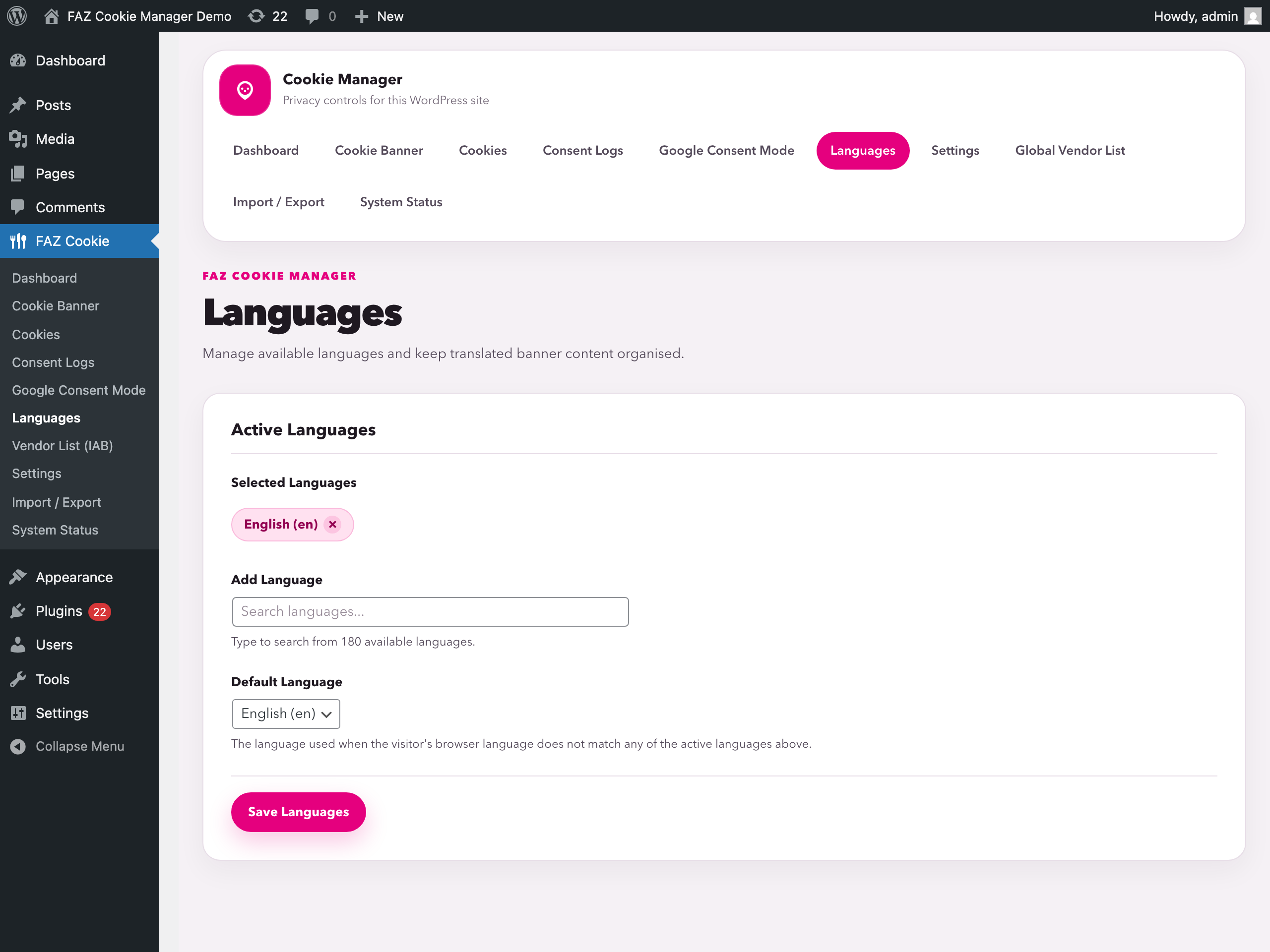
Screenshots
For developers
Is this your plugin? Show off the numbers.
Add a live badge to your site, docs or GitHub README. It updates on its own — no account needed.
Best FAZ Cookie Manager alternatives
All CCPA plugins →




FAQ
FAZ Cookie Manager: quick answers
Straight answers, pulled from live WordPress.org data.
Live data from WordPress.org · checked Nov 16, 2026
Is FAZ Cookie Manager free?
Yes. FAZ Cookie Manager is free to download and use from the official WordPress.org plugin directory.
Is FAZ Cookie Manager safe to use in 2026?
Yes — FAZ Cookie Manager is a safe, well-maintained plugin to use in 2026. It runs on 3K+ sites, is rated 5/5 and was last updated 5 days ago, and scores 84/100 on our health check.
How many websites use FAZ Cookie Manager?
FAZ Cookie Manager is active on 3K+ WordPress websites and has been downloaded 39,023 times since it launched in April 2026. It was downloaded 14,225 times in the last 30 days.
Does FAZ Cookie Manager work with WordPress 7.1?
Yes. The developer has tested FAZ Cookie Manager up to WordPress 7.1.4, the latest release. It requires WordPress 5.0 or newer.
What PHP version does FAZ Cookie Manager need?
FAZ Cookie Manager requires PHP 7.4 or higher. Most hosts run PHP 8.x today, so it works on any modern WordPress hosting.
When was FAZ Cookie Manager last updated?
The latest version, 1.39.0, was released on November 11, 2026 (5 days ago).
Who makes FAZ Cookie Manager?
FAZ Cookie Manager is developed and maintained by fabiodalez.
What are the best alternatives to FAZ Cookie Manager?
The most popular alternatives to FAZ Cookie Manager are Complianz GDPR/CCPA Cookie… (1M+ installs), CookieYes (1M+ installs) and GDPR Cookie Compliance (300K+ installs).
Powered by PageForge
Want thousands of pages that rank like these? Build them in an afternoon.
This directory runs on the same engine as PageForge. Turn any spreadsheet, CSV or API into thousands of fast, SEO-ready WordPress pages — with schema, internal links and AI-written copy baked in.
- CSV, Google Sheets & API data sources
- AI content, schema & internal links per page
- Works with Elementor, Gutenberg, Yoast & Rank Math
- Free on WordPress.org — no credit card


