


Fade Slider
A modern, responsive Bootstrap 5.3 carousel slider plugin with smooth fade/slide animations, works perfectly on all devices and themes.

Use with caution
Fade Slider works, but test it on a staging site before relying on it in 2026. It runs on 100+ sites, is rated 5/5 and was last updated 7 months ago, and scores 47/100 on our health check.
- Small user base (100+ active installs)
- Very few reviews so far
- Only tested up to WordPress 6.9 (latest is 7.1)
Daily downloads
Download spikes usually follow a new release — each site that auto-updates counts as a download.
Rankings
Where Fade Slider stands todayWordPress.org search rankings
Live position in the plugin search, top 100| Keyword | Position |
|---|---|
| Bootstrap 5.3 Carousel | #1 |
| bootstrap slider | #9 |
| carousel | >100 |
| Fade Slider | #3 |
| slider | >100 |
Version adoption
Share of active sites per release.
Rating breakdown
★★★★★★★★★★ 5 from 3 reviews
About Fade Slider
From the official readme · v2.6Description
Fade Slider is a lightweight, modern carousel/slider plugin built on Bootstrap 5.3. It provides smooth fade and slide animations with full responsiveness and works seamlessly with any WordPress theme.
Key Features
- Bootstrap 5.3 carousel component with native animations
- Fade and slide animation modes
- Fully responsive design (mobile, tablet, desktop)
- Adaptive height scaling for different screen sizes
- Touch and keyboard navigation support
- Customizable interval, pause behavior, and autoplay
- Slide titles, descriptions, and clickable URLs
- Indicator dots and navigation arrows
- Responsive caption display with mobile optimization
- Works with any theme (includes Bootstrap or uses CDN)
- Automatic Bootstrap duplicate detection (prevents conflicts)
- Drag and drop slide reordering with visual feedback
- Auto-save slide order when reordered
Custom Options
1. Install and activate the plugin
2. Create a new slider in the admin panel (Fade Slider menu)
3. Configure animation type (Fade or Slide)
4. Set carousel interval (delay between slides in milliseconds)
5. Add slides with images, titles, descriptions, and URLs
6. Set slider height/width (auto-scales to 70% on tablet, 60% on mobile, 50% on small phones)
7. Choose to show/hide captions on small devices
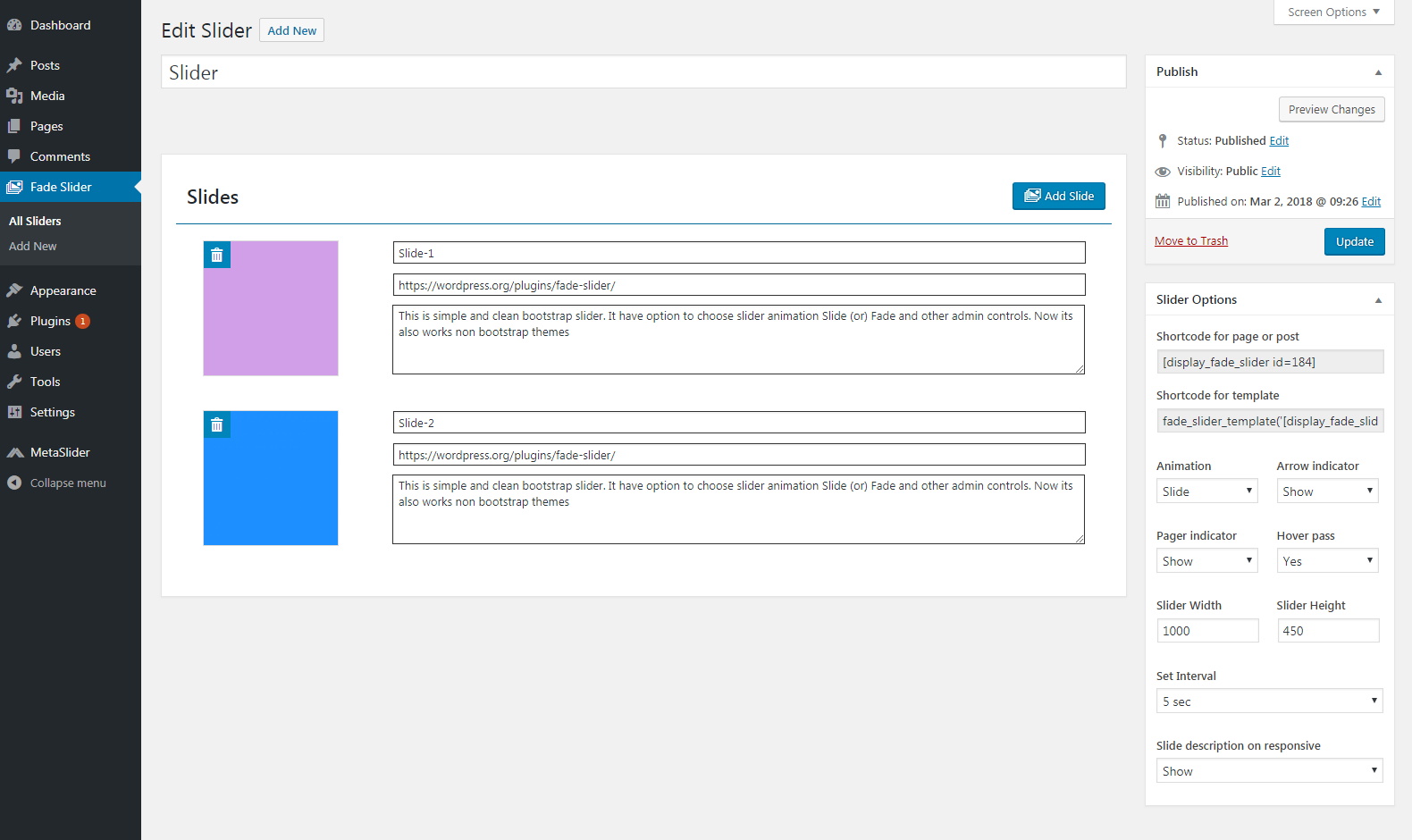
8. **Drag and drop slides to reorder** - Simply click and drag a slide thumbnail to change its display order. Visual feedback shows where the slide will be placed
9. Add shortcode to page/post: [display_fade_slider id=SLIDER_ID]
10. Or use template: <?php fade_slider_template('[display_fade_slider id=SLIDER_ID]'); ?>
Shortcode Usage
[display_fade_slider id=1]
Configuration Options
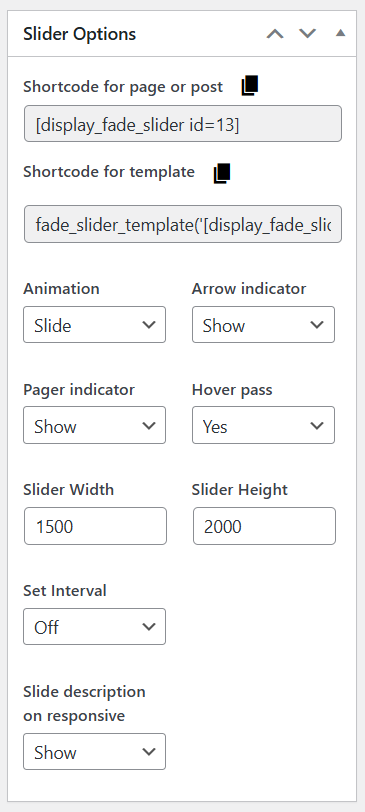
- Animation: Choose between Fade or Slide effects
- Interval: Set auto-play delay (milliseconds) or turn off with ‘off’
- Hover Pause: Pause slider on mouse hover
- Show Indicators: Display bottom dot navigation
- Show Arrows: Display prev/next buttons
- Description Responsive: Hide captions on mobile devices (only shows on desktop/tablet)
- Slider Height and Width: Auto-responsive scaling
Frequently Asked Questions
-
Which Bootstrap version is required?
Bootstrap 5.3.3 is automatically loaded via CDN. If your theme already includes Bootstrap 5.3+, the plugin will automatically detect and avoid duplication.
-
Do I need to install Bootstrap separately?
No. Bootstrap 5.3 is loaded automatically via CDN. The plugin includes intelligent duplicate detection to prevent conflicts with theme-provided Bootstrap.
-
Does it work on mobile devices?
Yes. The plugin is fully responsive with adaptive height scaling:
- Desktop (≥1200px): Full configured dimensions
- Tablet (768px-1199px): 70% of viewport height
- Mobile (≤767px): 50-60% of viewport height
- Small phones (≤375px): 40% of viewport height
-
Can I customize animations?
Yes. Two animation modes are available: Fade (opacity transition) and Slide (horizontal transition).
-
Is there keyboard/touch support?
Yes. The carousel supports touch gestures, arrow keys for navigation, and full accessibility features.
-
How do I hide captions on mobile?
In slider settings, select “Hide” for “Description Responsive” option. Captions will only show on tablets and desktops (≥768px).
-
How do I reorder slides?
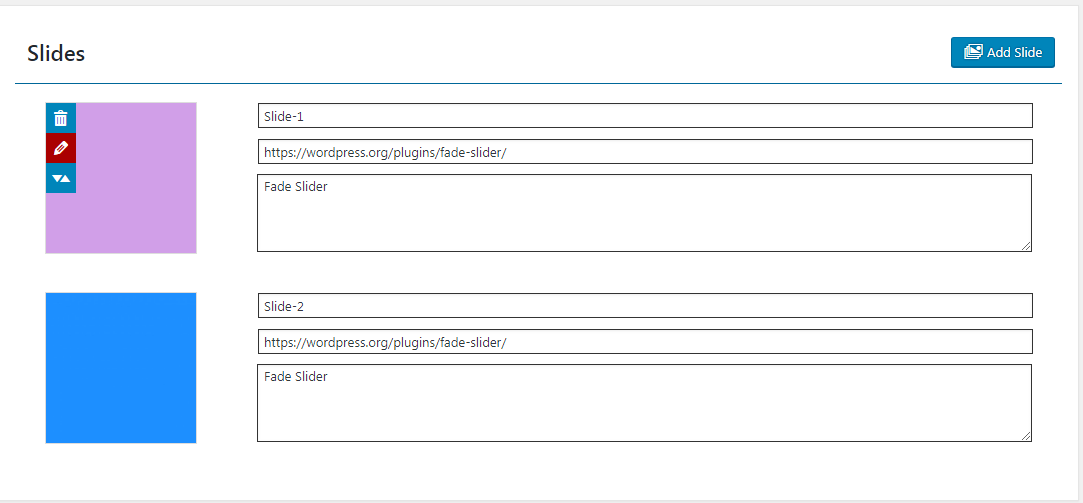
You can easily drag and drop slides to change their display order. Click and hold on a slide thumbnail, then drag it to the desired position. The slide order is automatically saved when you release it. Visual highlighting shows where the slide will be positioned.
-
Can I edit slide images after adding them?
Yes. Click the edit icon (pencil) on any slide thumbnail to change the image. Click the trash icon to remove a slide entirely.
Installation
- Upload the plugin files to
/wp-content/plugins/fade-slider/directory - Activate the plugin through the ‘Plugins’ menu in WordPress
- Go to “Fade Slider” in the admin menu
- Create a new slider and configure your options
- Add slides with images and optional titles/descriptions
- Use the shortcode [display_fade_slider id=SLIDER_ID] in pages or posts
Changelog
Important: Version 2.6 requires Bootstrap 5.3+. If your theme provides Bootstrap, the plugin will automatically detect it and avoid duplication. The CDN fallback ensures compatibility with any theme. Your existing sliders will continue to work with automatic responsive scaling.
1.0
- New: Fade Slider plugin
1.1
- Update Admin options and admin UI
2.0
- Update bootstrap version v3x to v3.3.7x
- Add multisite options
- Add intervel and nav controls
- Support Non Bootsrrap themes
- Multi slide options added.
- Slide title, description and url fields added
- Light weight plugin
2.1
- Admin UI changed
- Update metabox issues
- Silder Width and Height option added
- Slider description have option to show responsive
2.3
- Add edit slide option.
- Add re-order slides option.
- Add regenerate slide sizes.
2.5
- Update bootstrap 4.3.1.
- Fixed slide dimention issue.
Screenshots

For developers
Is this your plugin? Show off the numbers.
Add a live badge to your site, docs or GitHub README. It updates on its own — no account needed.
FAQ
Fade Slider: quick answers
Straight answers, pulled from live WordPress.org data.
Live data from WordPress.org · checked Sep 30, 2026
Is Fade Slider free?
Yes. Fade Slider is free to download and use from the official WordPress.org plugin directory.
Is Fade Slider safe to use in 2026?
Fade Slider works, but test it on a staging site before relying on it in 2026. It runs on 100+ sites, is rated 5/5 and was last updated 7 months ago, and scores 47/100 on our health check.
How many websites use Fade Slider?
Fade Slider is active on 100+ WordPress websites and has been downloaded 6,275 times since it launched in April 2016. It was downloaded 154 times in the last 30 days.
Does Fade Slider work with WordPress 7.1?
Fade Slider is officially tested up to WordPress 6.9.9, while the latest release is 7.1.2. It may still work, but try it on a staging site first.
When was Fade Slider last updated?
The latest version, 2.6, was released on February 28, 2026 (7 months ago).
Who makes Fade Slider?
Fade Slider is developed and maintained by Anandaraj Balu.
Powered by PageForge
Want thousands of pages that rank like these? Build them in an afternoon.
This directory runs on the same engine as PageForge. Turn any spreadsheet, CSV or API into thousands of fast, SEO-ready WordPress pages — with schema, internal links and AI-written copy baked in.
- CSV, Google Sheets & API data sources
- AI content, schema & internal links per page
- Works with Elementor, Gutenberg, Yoast & Rank Math
- Free on WordPress.org — no credit card


