


Eway Payment Gateway
Take credit card payments via Eway in some popular WordPress plugins

Solid choice
Eway Payment Gateway is a solid plugin choice in 2026, with a few things worth checking first. It runs on 800+ sites, is rated 4.3/5 and was last updated 1 week ago, and scores 68/100 on our health check.
- Actively developed — last update 1 week ago
- Tested with the latest WordPress (7.1)
- Momentum — downloads up 278.3% vs the previous 30 days
- Small user base (800+ active installs)
Daily downloads
Download spikes usually follow a new release — each site that auto-updates counts as a download.
Rankings
Where Eway Payment Gateway stands todayWordPress.org search rankings
Live position in the plugin search, top 100| Keyword | Position |
|---|---|
| awpcp | #2 |
| Event Espresso | #6 |
| Events Manager | >100 |
| eway | #3 |
| woocommerce | >100 |
Version adoption
Share of active sites per release.
Rating breakdown
★★★★★★★★★★ 4.3 from 15 reviews
About Eway Payment Gateway
From the official readme · v5.3.1Description
The Eway Payment Gateway adds integrations for the Eway credit card payment gateway through Rapid API Direct Payments. These plugins are supported:
- WP eCommerce shopping cart plugin
- WooCommerce shopping cart plugin
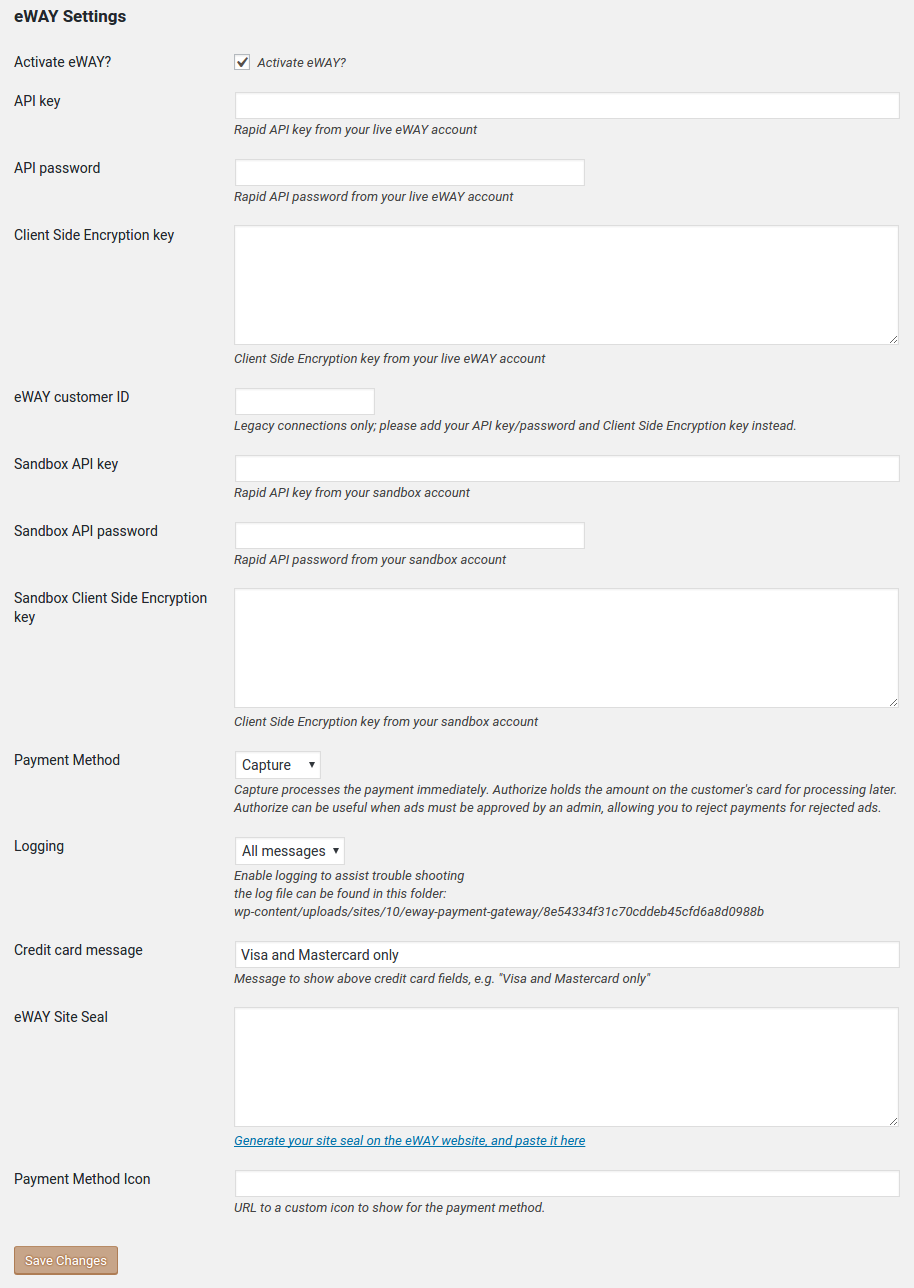
- WordPress Classifieds Plugin classified ads plugin
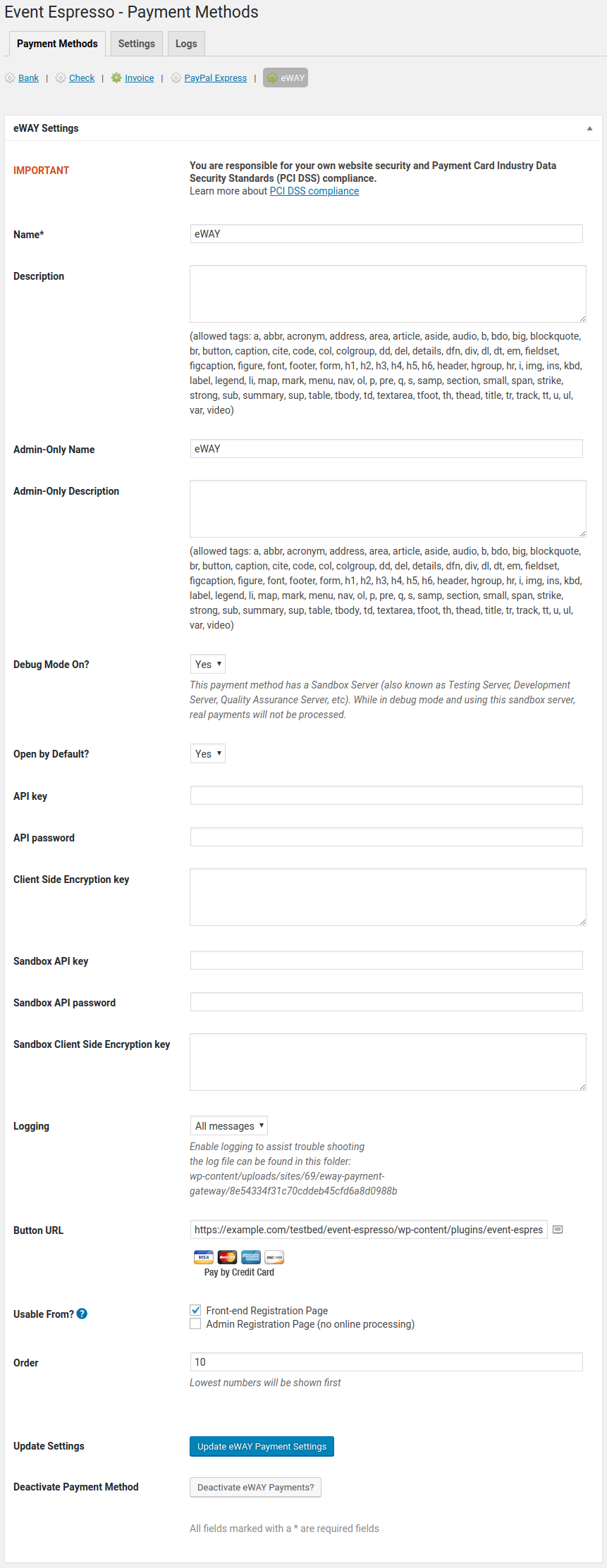
- Event Espresso 4
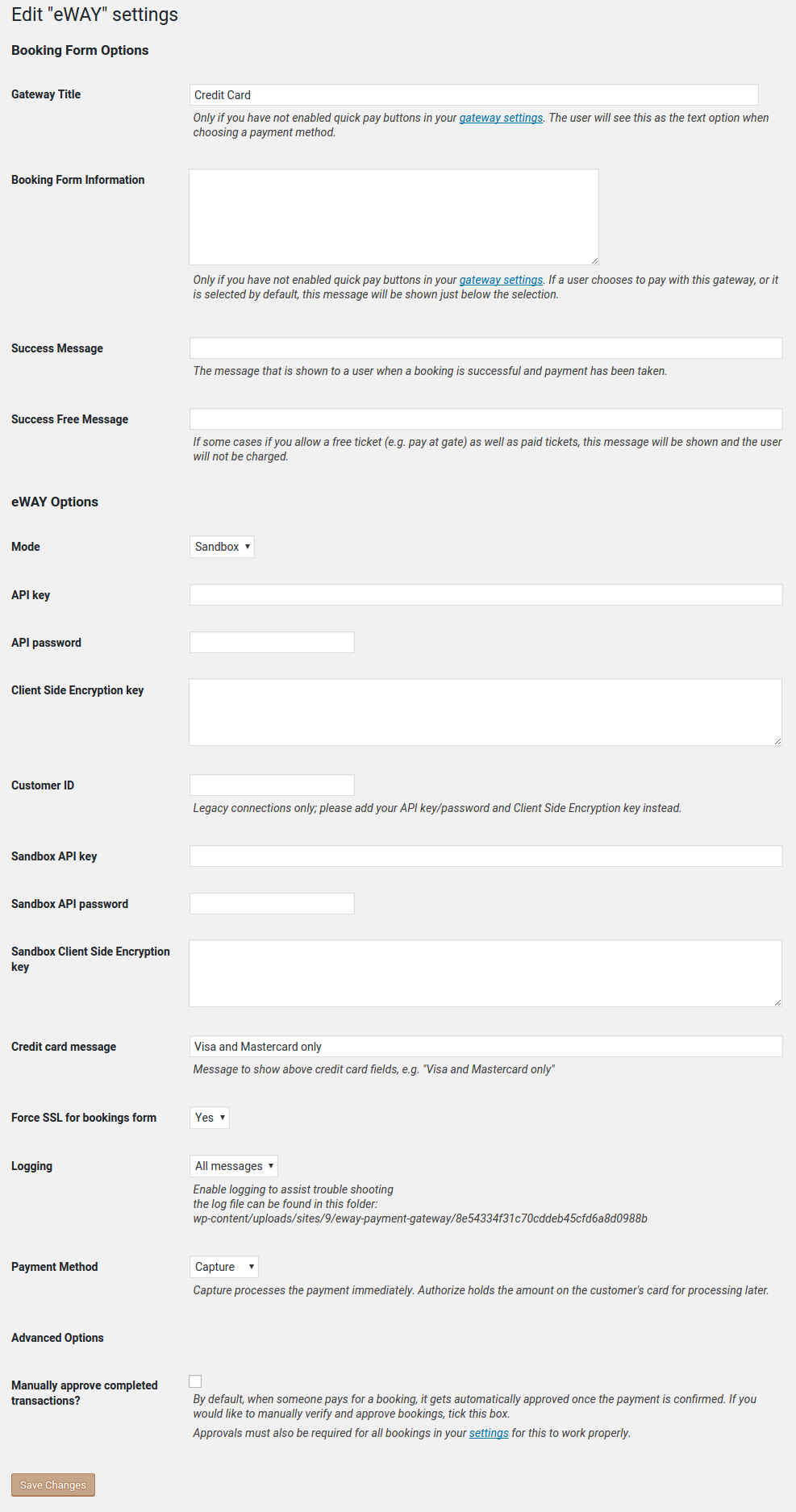
- Events Manager Pro event bookings plugin
Looking for a Gravity Forms integration? Try Gravity Forms Eway.
Features
- card holder’s name can be different to the purchaser’s name
- basic data validation performed before submitting to Eway
- Eway transaction ID and bank authcode are recorded for successful payments
- supports Authorize (PreAuth) for drop-ship merchants / delayed billing
- supports Beagle anti-fraud measures (for supporting plugins)
- it’s free!
Requirements
- you need to install one of the ecommerce plugins listed above
- you need an SSL/TLS certificate for your hosting account
- you need an account with Eway Australia
- this plugin uses Eway’s Rapid API Direct Payments, and does not support Eway’s Responsive Shared Page
Translations
Many thanks to the generous efforts of our translators:
- English (en_GB) — the English (British) translation team
If you’d like to help out by translating this plugin, please sign up for an account and dig in.
Sponsorships
- Another WordPress Classifieds Plugin integration generously sponsored by Michael Major Media
- Events Manager Pro integration generously sponsored by Michael Major Media
- Event Espresso 4 integration generously sponsored by Rural Aid
Thanks for sponsoring new features for Eway Payment Gateway!
Privacy
Information gathered for processing a credit card transaction is transmitted to Eway for processing, and in turn, Eway passes that information on to your bank. Please review Eway’s Privacy Policy for information about how that affects your website’s privacy policy. By using this plugin, you are agreeing to the terms of use for Eway.
Frequently asked questions
Configuring for WP eCommerce
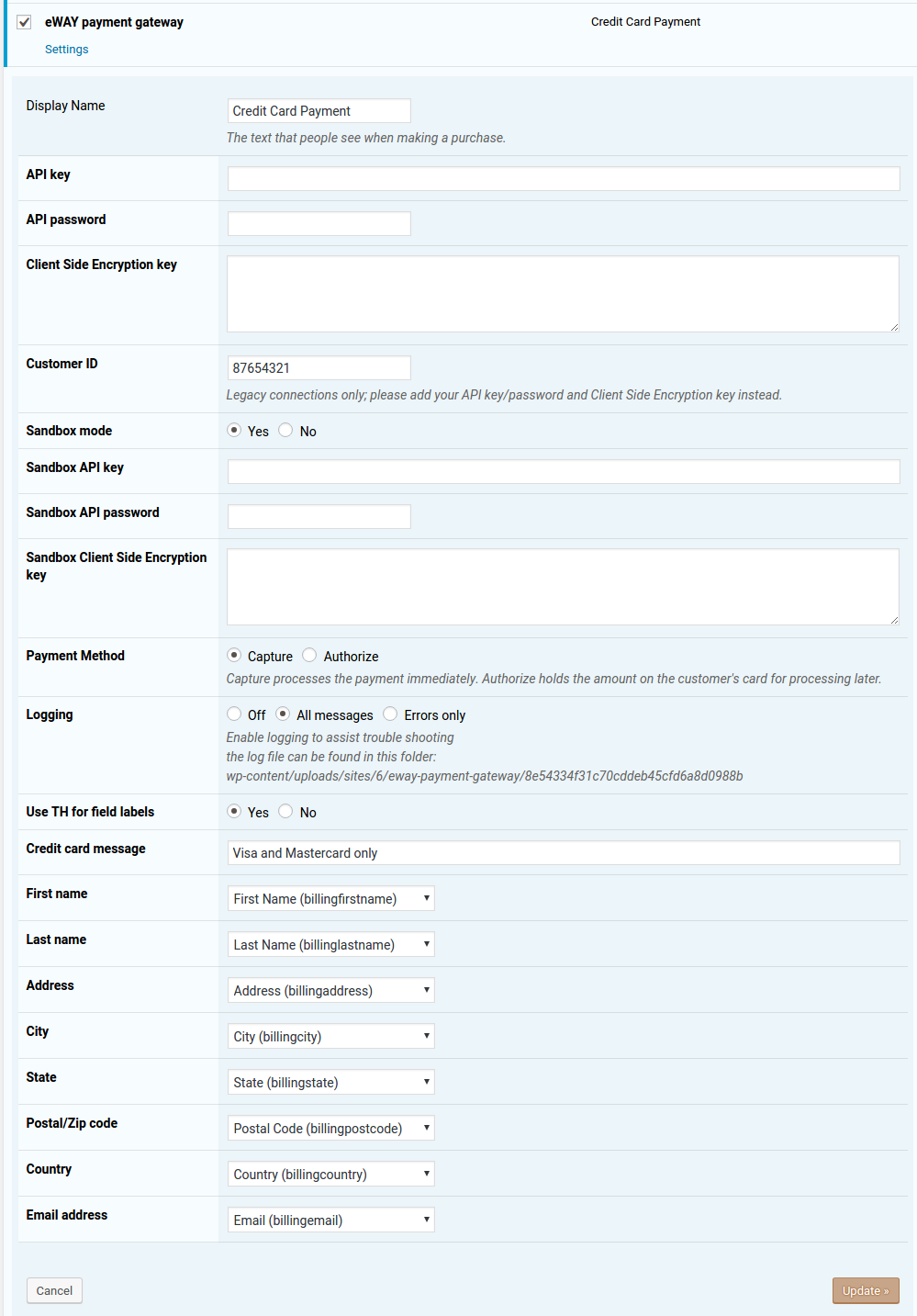
Navigate to ‘Settings > Store > Payments’ on the menu Activate the Eway payment gateway and click the Update button Edit the Eway payment gateway settings by hovering your mouse over the gateway’s name and clicking the hidden ‘edit’ link Enter your Rapid API key/password and Client Side Encryption keys for your live site and the sandbox Select the appropriate settings for your site, including which checkout fields map to Eway fields
Configuring for WooCommerce
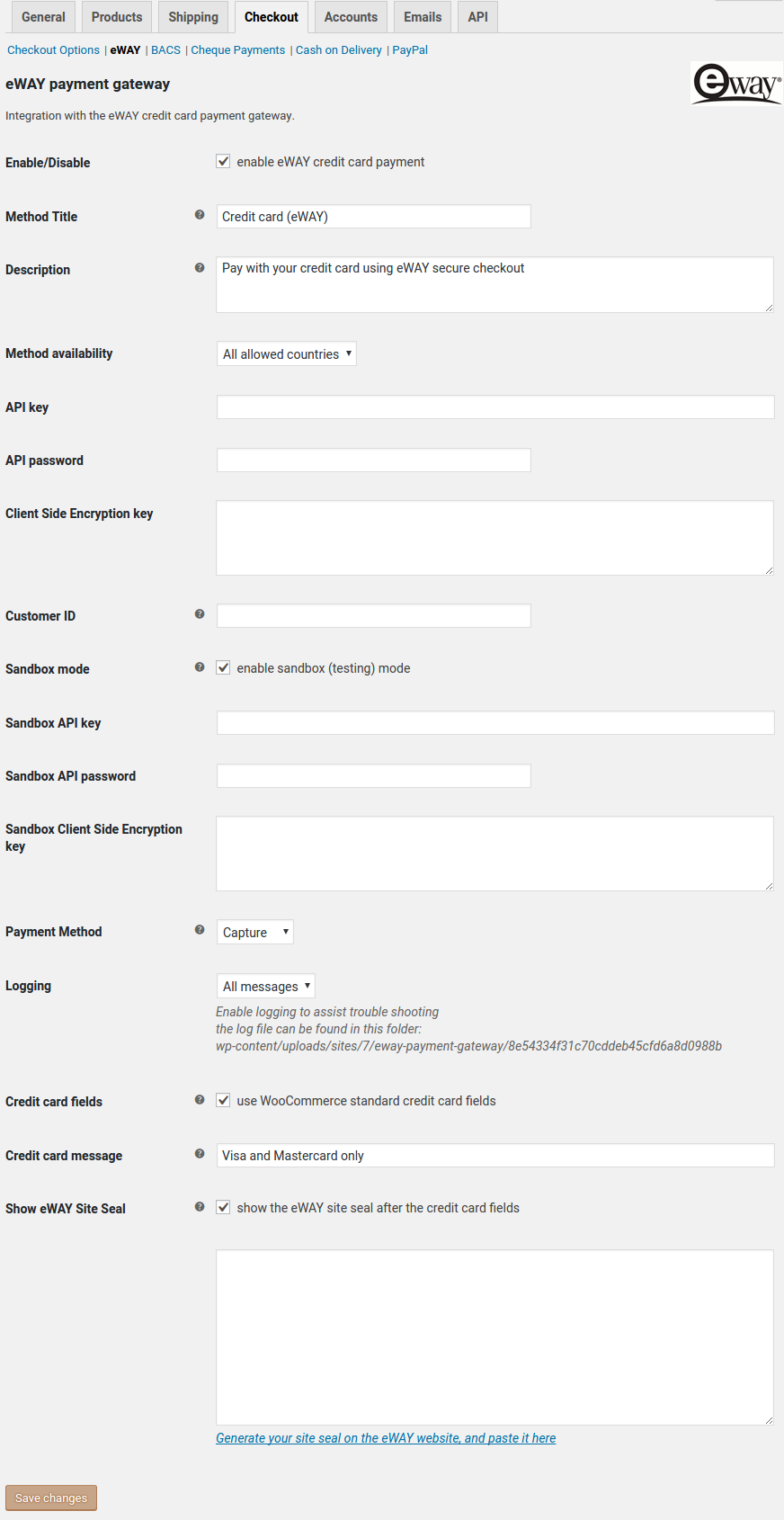
Navigate to ‘WooCommerce > Settings > Payment Gateways’ on the menu Select Eway from the Payment Gateways menu Tick the field ‘Enable/Disable’ to enable the gateway Enter your Rapid API key/password and Client Side Encryption keys for your live site and the sandbox Select the appropriate settings for your site
Configuring for Another WordPress Classifieds Plugin
Navigate to ‘Classified > Settings > Payment’ on the menu Click the Activate Eway checkbox Enter your Rapid API key/password and Client Side Encryption keys for your live site and the sandbox Select the appropriate settings for your site
Configuring for Event Espresso
Navigate to ‘Event Espresso > Payment Methods’ on the menu Select Eway from the Payment Methods menu Click the Activate Eway Payments button Enter your Rapid API key/password and Client Side Encryption keys for your live site and the sandbox Select the appropriate settings for your site
Configuring for Events Manager
Navigate to ‘Events > Payment Gateways’ on the menu Click the Activate link underneath the Eway gateway name Click the Settings link underneath the Eway gateway name Enter your Rapid API key/password and Client Side Encryption keys for your live site and the sandbox Select the appropriate settings for your site
How do I test payments with Eway?
You should always test your payments first in the Eway sandbox. You will need to sign up for a sandbox account, and copy your Rapid API key/password and Client Side Encryption key from the sandbox MyEway. When you go to pay, only use dummy card numbers like 4444333322221111. This allows you to make as many test purchases as you like, without billing a real credit card. What is the sandbox and how do I get it? Test Credit Card Numbers
What is Eway?
Eway is a leading provider of online payments solutions with a presence in Australia, New Zealand, and Asia. This plugin integrates with Eway so that your website can safely accept credit card payments.
Is recurring billing supported?
Not yet. I know it can be done but I haven’t had a website that needs it yet, so have not written the code for it. If you just need a simple way to record recurring payments such as donations, you might want to try Gravity Forms and Gravity Forms Eway which does support recurring payments.
Do I need an SSL/TLS certificate for my website?
Yes. This plugin uses the Direction Connection method to process transactions, so you must have HTTPS encryption for your website.
What’s the difference between the Capture and Authorize payment methods?
Capture charges the customer’s credit card immediately. This is the default payment method, and is the method most websites will use for credit card payments. Authorize checks to see that the transaction would be approved, but does not process it. Eway calls this method PreAuth. Once the transaction has been authorized, you can complete it manually in your MyEway console. You cannot complete PreAuth transactions from WordPress. NB: PreAuth is currently only available for Australian, Singapore, Malaysian, & Hong Kong merchants. Do not select Authorize if you are a New Zealand merchant!
Do I need to set the Client-Side Encryption Key?
Client-Side Encryption is required for websites that are not PCI certified. It encrypts sensitive credit card details in the browser, so that only Eway can see them. All websites are encouraged to set the Client-Side Encryption Key for improved security of credit card details. If you get the following error, you must add your Client-Side Encryption key: V6111: Unauthorized API Access, Account Not PCI Certified You will find your Client-Side Encryption key in MyEway where you created your API key and password. Copy it from MyEway and paste into the Eway Payments settings page.
Why do I get an error “Invalid TransactionType”?
V6010: Invalid TransactionType, account not certified for eCome only MOTO or Recurring available It probably means you need to set your Client-Side Encryption key; see above. It can also indicate that your website has JavaScript errors, which can prevent Client-Side Encryption from working. Check for errors in your browser’s developer console. If your website is PCI Certified and you don’t want to use Client-Side Encryption for some reason, then you will still get this error in the sandbox until you enable PCI for Direct Connections in MyEway: Settings > Sandbox > Direction Connection > PCI
What is Beagle Lite?
Beagle Lite is a service from Eway that provides fraud protection for your transactions. It uses information about the purchaser to suggest whether there is a risk of fraud. Configure Beagle Lite rules in your MyEway console. NB: Beagle Lite fraud detection requires an address for each transaction. Be sure to add an Address field to your forms, and make it a required field. The minimum address part required is the Country, so you can just enable that subfield if you don’t need a full address.
Where do I find the Eway transaction number?
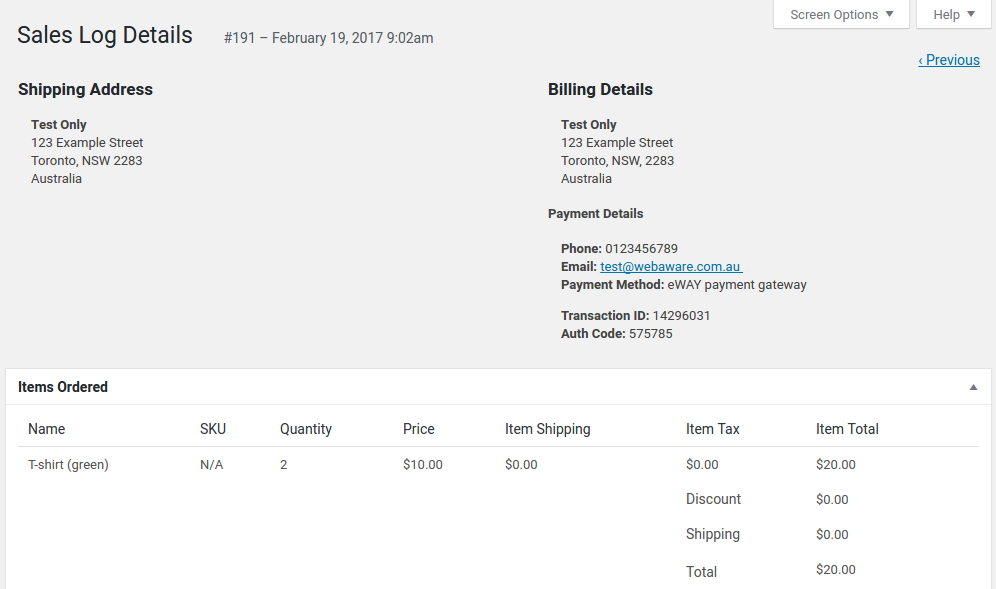
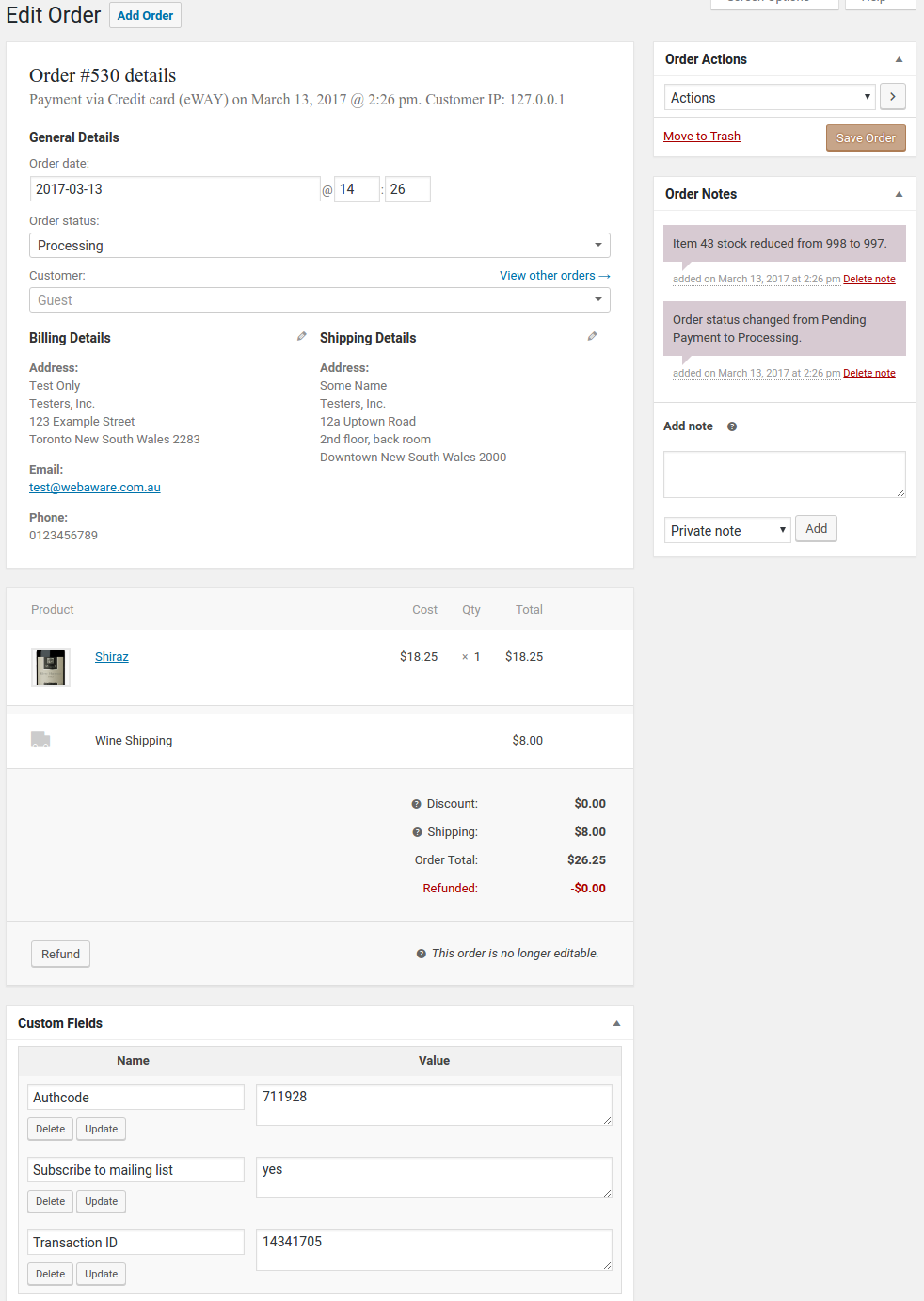
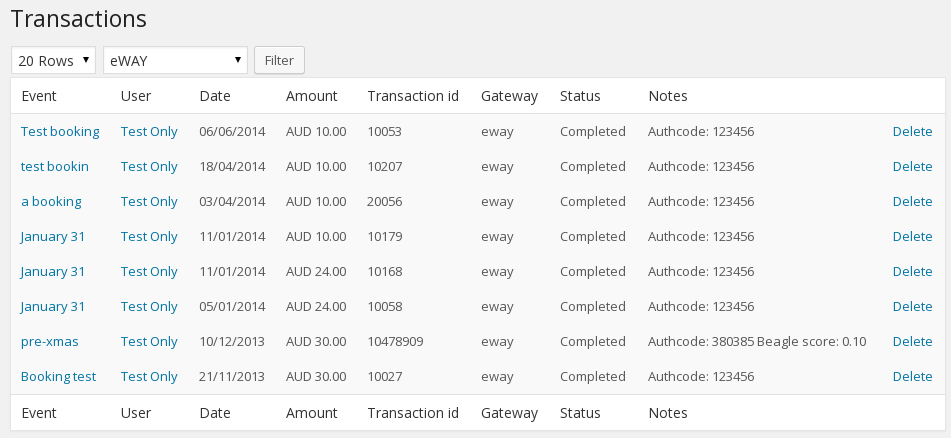
WP eCommerce: the Eway transaction number and the bank authcode are shown under Billing Details when you view the sales log for a purchase in the WordPress admin. WooCommerce: the Eway transaction number and the bank authcode are shown in the Custom Fields block when you view the order in the WordPress admin. Event Espresso: the Eway transaction number and the bank authcode are shown in the Payment Details block when you view the transaction in the WordPress admin. Events Manager: from the Payment Gateways menu item or the Bookings menu item, you can view a list of transactions; the Eway…
Can I use this plugin with the WP eCommerce Gold Cart?
Yes, if you deactivate the Gold Cart’s Eway payment gateway and activate this one.
I get an SSL error when my checkout attempts to connect with Eway
This is a common problem in local testing environments. Please read this post for more information.
Can I use this plugin on any shared-hosting environment?
The plugin will run in shared hosting environments, but requires PHP 7.4 or later.
WP eCommerce filter hooks
Developers can refer to the code for filter hook parameters. wpsc_merchant_eway_invoice_desc for modifying the invoice description wpsc_merchant_eway_invoice_ref for modifying the invoice reference wpsc_eway_credentials for modifying the Eway credentials used in the transaction
WooCommerce filter hooks
Developers can refer to the code for filter hook parameters. woocommerce_eway_invoice_desc for modifying the invoice description woocommerce_eway_invoice_ref for modifying the invoice reference woocommerce_eway_icon for changing the payment gateway icon woocommerce_eway_credentials for modifying the Eway credentials used in the transaction woocommerce_eway_method_capture to allow per-order capture or authorize woocommerce_eway_error_msg to allow developers to provide richer error messages
Another WordPress Classifieds Plugin filter hooks
Developers can refer to the code for filter hook parameters. awpcp_eway_invoice_desc for modifying the invoice description awpcp_eway_invoice_ref for modifying the invoice reference awpcp_eway_icon for changing the payment gateway icon awpcp_eway_checkout_message for changing the message above the checkout form awpcp_eway_credentials for modifying the Eway credentials used in the transaction
Changelog
fixed cardholder name in WooCommerce not auto-filling from 1Password; let WordPress auto-load the text domain
The full changelog can be found on GitHub. Recent entries:
5.3.1
Released 2026-09-24
- fixed: cardholder name in WooCommerce not auto-filling from 1Password
- changed: let WordPress auto-load the text domain
5.3.0
Released 2024-06-07
- changed: set the WooCommerce order transaction ID property; still also setting custom Transaction ID meta data, for now
- changed: marked as tested up to WooCommerce 8.9
Screenshots
For developers
Is this your plugin? Show off the numbers.
Add a live badge to your site, docs or GitHub README. It updates on its own — no account needed.
FAQ
Eway Payment Gateway: quick answers
Straight answers, pulled from live WordPress.org data.
Live data from WordPress.org · checked Oct 1, 2026
Is Eway Payment Gateway free?
Yes. Eway Payment Gateway is free to download and use from the official WordPress.org plugin directory.
Is Eway Payment Gateway safe to use in 2026?
Eway Payment Gateway is a solid plugin choice in 2026, with a few things worth checking first. It runs on 800+ sites, is rated 4.3/5 and was last updated 1 week ago, and scores 68/100 on our health check.
How many websites use Eway Payment Gateway?
Eway Payment Gateway is active on 800+ WordPress websites and has been downloaded 67,732 times since it launched in April 2012. It was downloaded 749 times in the last 30 days.
Does Eway Payment Gateway work with WordPress 7.1?
Yes. The developer has tested Eway Payment Gateway up to WordPress 7.1.2, the latest release. It requires WordPress 5.1 or newer.
What PHP version does Eway Payment Gateway need?
Eway Payment Gateway requires PHP 7.4 or higher. Most hosts run PHP 8.x today, so it works on any modern WordPress hosting.
When was Eway Payment Gateway last updated?
The latest version, 5.3.1, was released on September 24, 2026 (1 week ago).
Who makes Eway Payment Gateway?
Eway Payment Gateway is developed and maintained by webaware.
Powered by PageForge
Want thousands of pages that rank like these? Build them in an afternoon.
This directory runs on the same engine as PageForge. Turn any spreadsheet, CSV or API into thousands of fast, SEO-ready WordPress pages — with schema, internal links and AI-written copy baked in.
- CSV, Google Sheets & API data sources
- AI content, schema & internal links per page
- Works with Elementor, Gutenberg, Yoast & Rank Math
- Free on WordPress.org — no credit card


