


eStorePOS – Point of Sale (POS) for WordPress eCommerce
A complete point of sale (POS) system for WordPress eCommerce with barcode scanning, inventory sync, checkout, receipts, reports, and labels.

Solid choice
eStorePOS is a solid plugin choice in 2026, with a few things worth checking first. Is rated 5/5 and was last updated 4 weeks ago, and scores 71/100 on our health check.
- Actively developed — last update 4 weeks ago
- Tested with the latest WordPress (7.1)
- Small user base (<10 active installs)
- Very few reviews so far
Daily downloads
Download spikes usually follow a new release — each site that auto-updates counts as a download.
Rankings
Where eStorePOS stands todayWordPress.org search rankings
Live position in the plugin search, top 100| Keyword | Position |
|---|---|
| barcode pos | #29 |
| ecommerce pos | #18 |
| point-of-sale | >100 |
| pos | >100 |
| retail pos | #24 |
Rating breakdown
★★★★★★★★★★ 5 from 1 reviews
About eStorePOS
From the official readme · v1.0.3Description
Website | Demo | Join Waitlist for Pro
eStorePOS is a fast, responsive point of sale (POS) plugin for WordPress eCommerce that brings in-person checkout to your store. Sell online and in store from one system with shared products, customers, orders, inventory, taxes, and coupons.
There is no separate product catalog to import or maintain. eStorePOS connects your retail counter to your existing store data, keeping online and in-person sales together.
Current eCommerce integration: eStorePOS currently works with FluentCart. Support for additional WordPress eCommerce platforms is planned.
A Complete Point of Sale (POS) for WordPress eCommerce
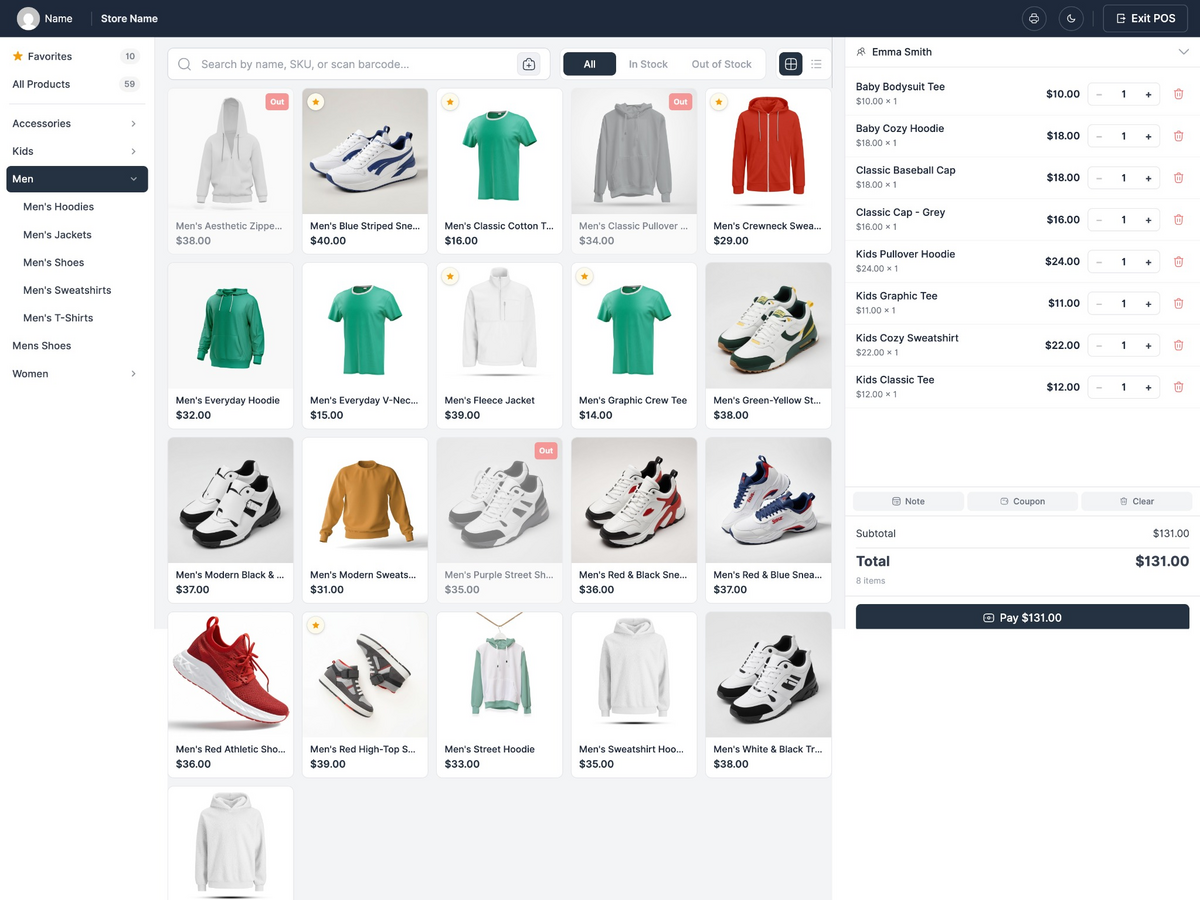
Open the full-screen POS register from your WordPress dashboard, find or scan a product, add a customer, take payment, and print the receipt. Every completed sale becomes an eCommerce order and follows the inventory and tax rules of your connected store platform.
eStorePOS is designed for retail stores, boutiques, grocery shops, bookshops, electronics stores, market stalls, pop-up shops, service counters, and other businesses that sell both online and in person with WordPress.
Why Choose eStorePOS?
- Built for WordPress eCommerce: Use your existing products, variations, customers, orders, inventory, coupons, and taxes.
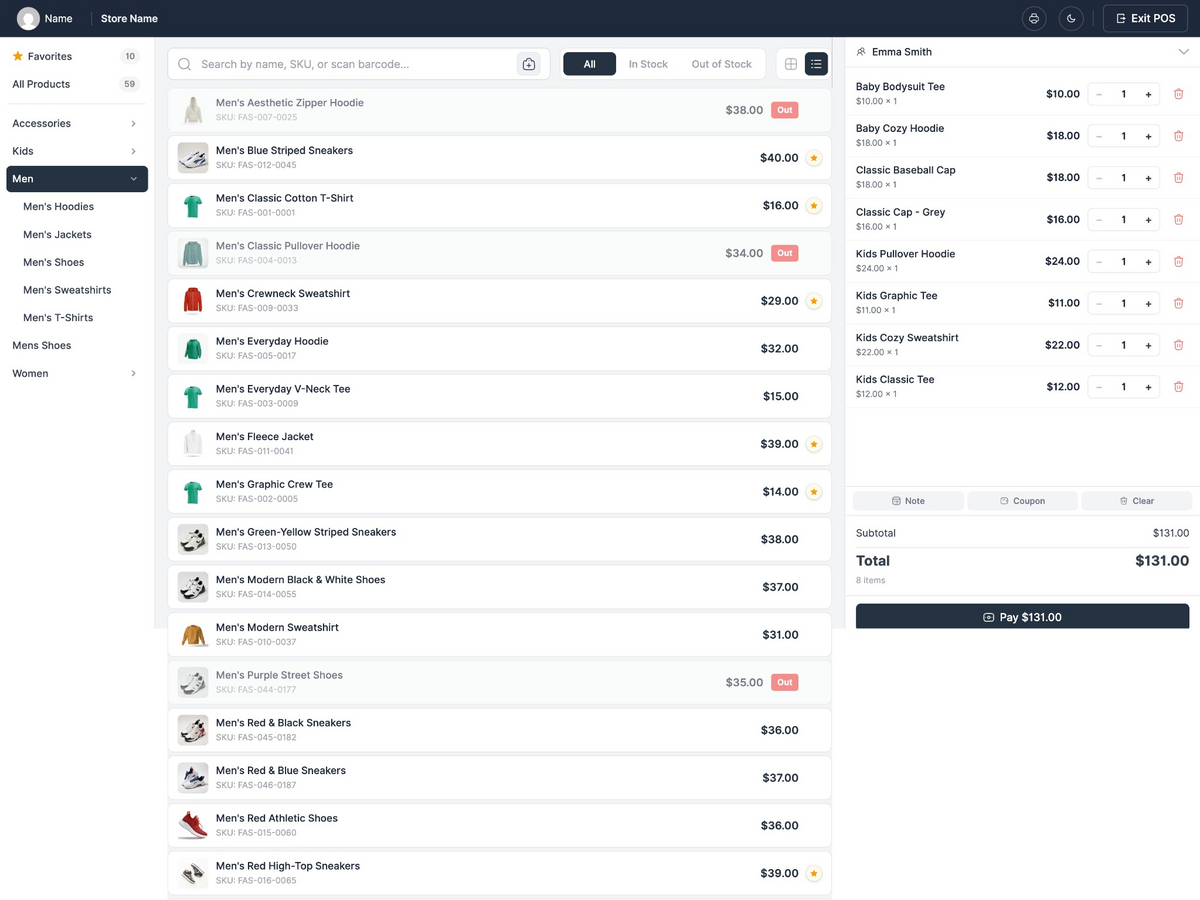
- Fast counter checkout: Sell from a responsive, full-screen POS interface with product search, category filters, barcode scanning, and keyboard-friendly controls.
- Powerful free version: Process sales, manage customers, print branded receipts, create barcode labels, issue refunds, and view reports without moving your store data to another platform.
- One source of truth: Keep online and in-store sales inside the same WordPress eCommerce system.
- Self-hosted and private: eStorePOS does not call an external service. Your store and POS data remain on your website.
- Works with common POS hardware: Use a standard barcode scanner, a supported device camera, and receipt or label printers available through your browser.
eStorePOS Features
Here is a quick look at what you can do with eStorePOS.
Fast Product Search and Selling
- Full-screen POS interface for desktop, tablet, and mobile
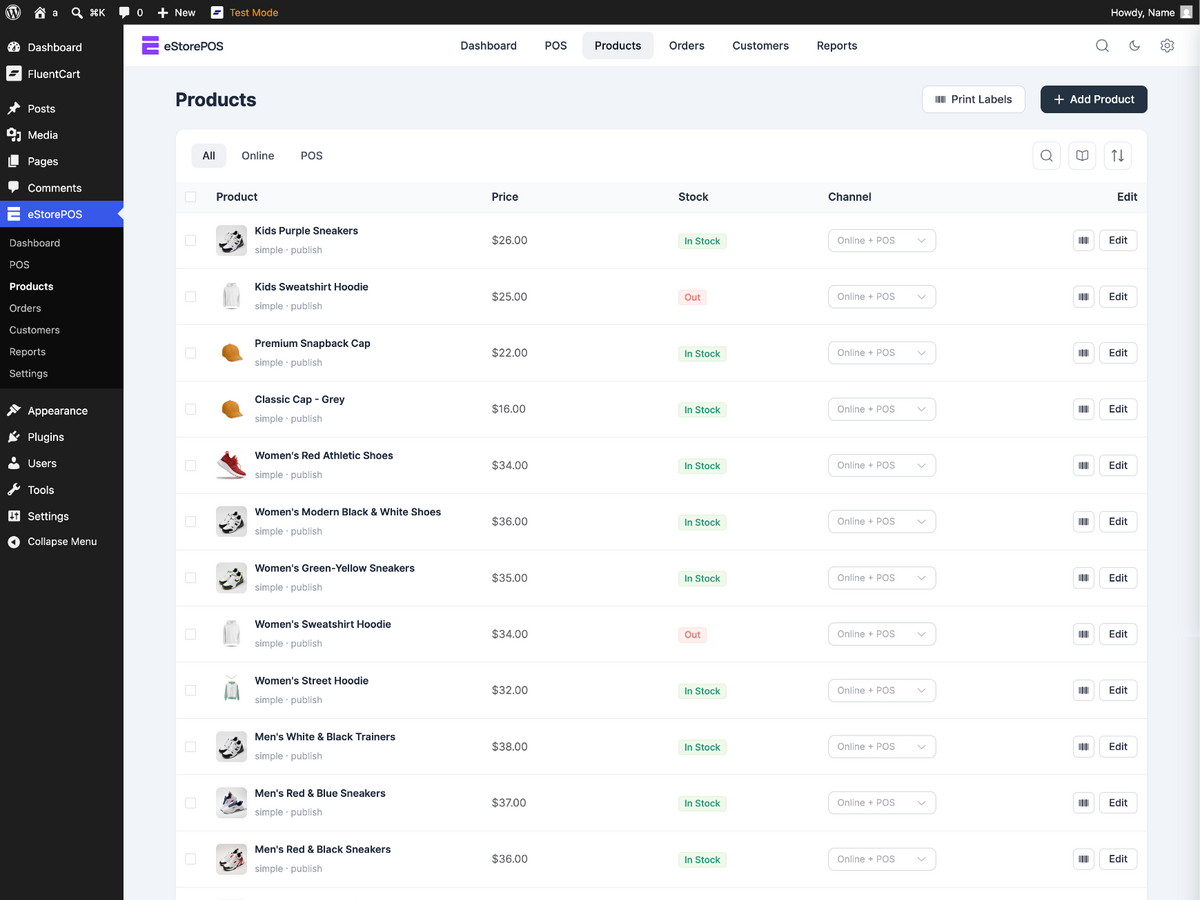
- Visual product grid with category tabs
- Live product search
- Product quick view
- Product variations and attributes
- Hardware barcode scanner support
- Barcode scanning with a supported device camera
- Light and dark display modes
Cart and Checkout
- Add, remove, and update products from the POS cart
- Per-line quantity controls
- Per-line discounts
- Coupon support from your connected eCommerce platform
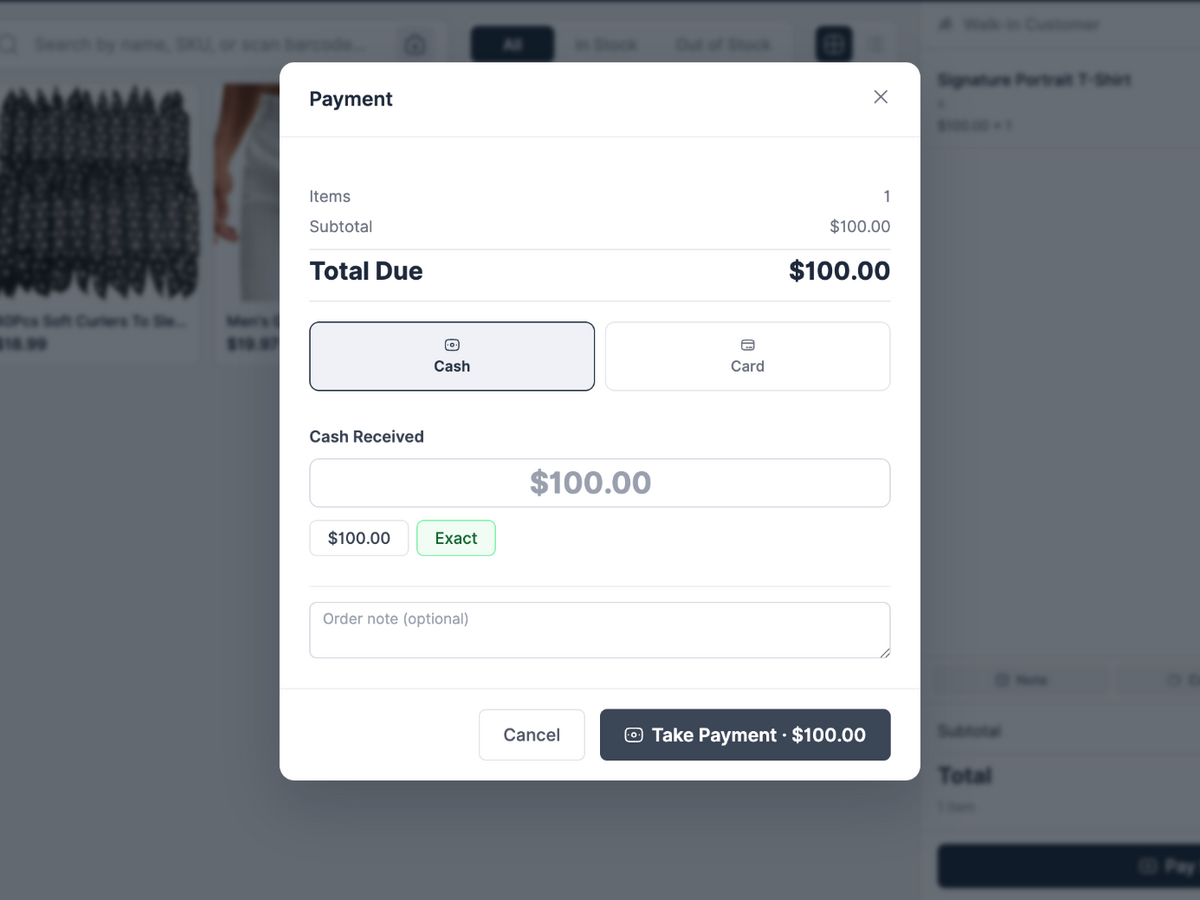
- Cash checkout with automatic change calculation
- Manual card checkout
- Optional card reference or last four digits
- Walk-in guest checkout
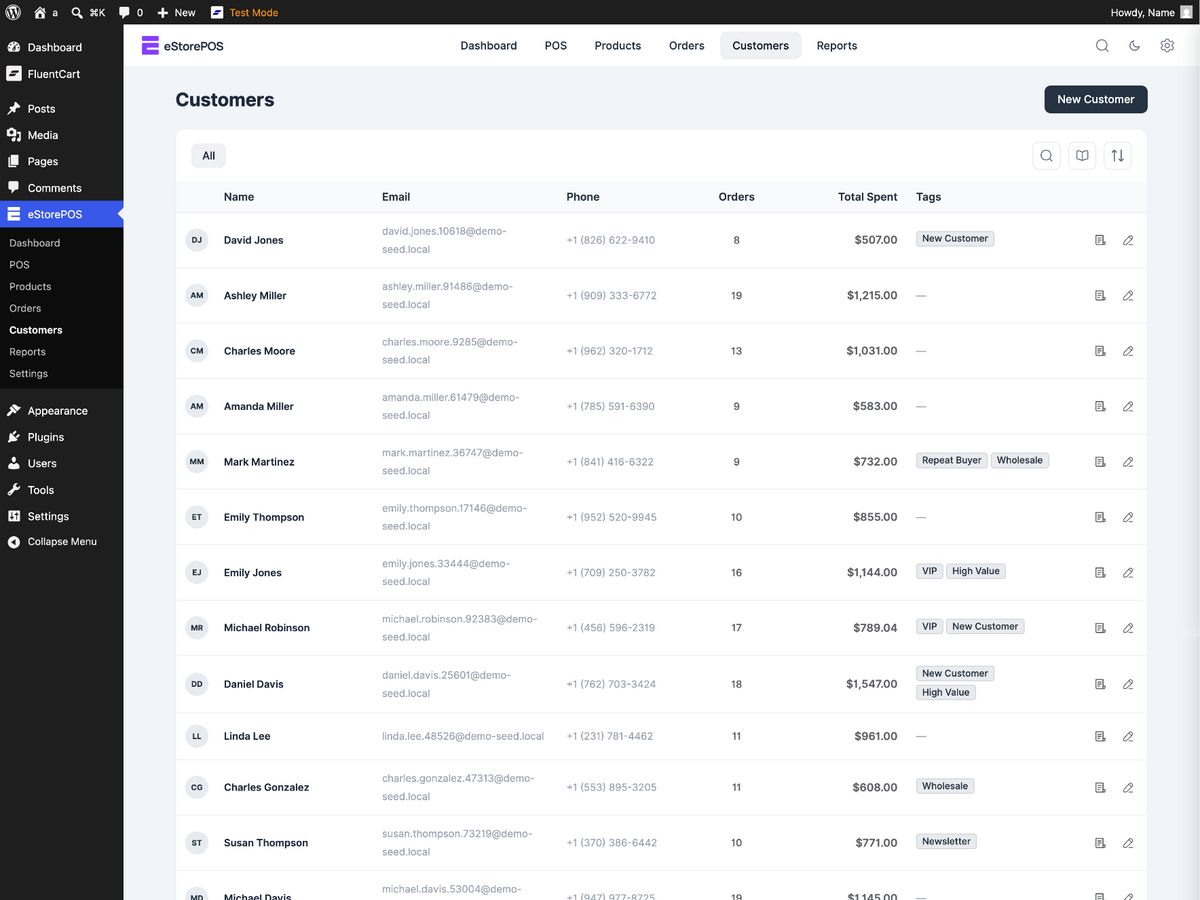
- Customer lookup and customer creation at the counter
Shared Inventory, Orders, and Tax
- Create orders in your eCommerce store
- Use the same products and variations as your online store
- Update your store inventory after a sale
- Apply your existing tax rules
- Keep POS and eCommerce customer records together
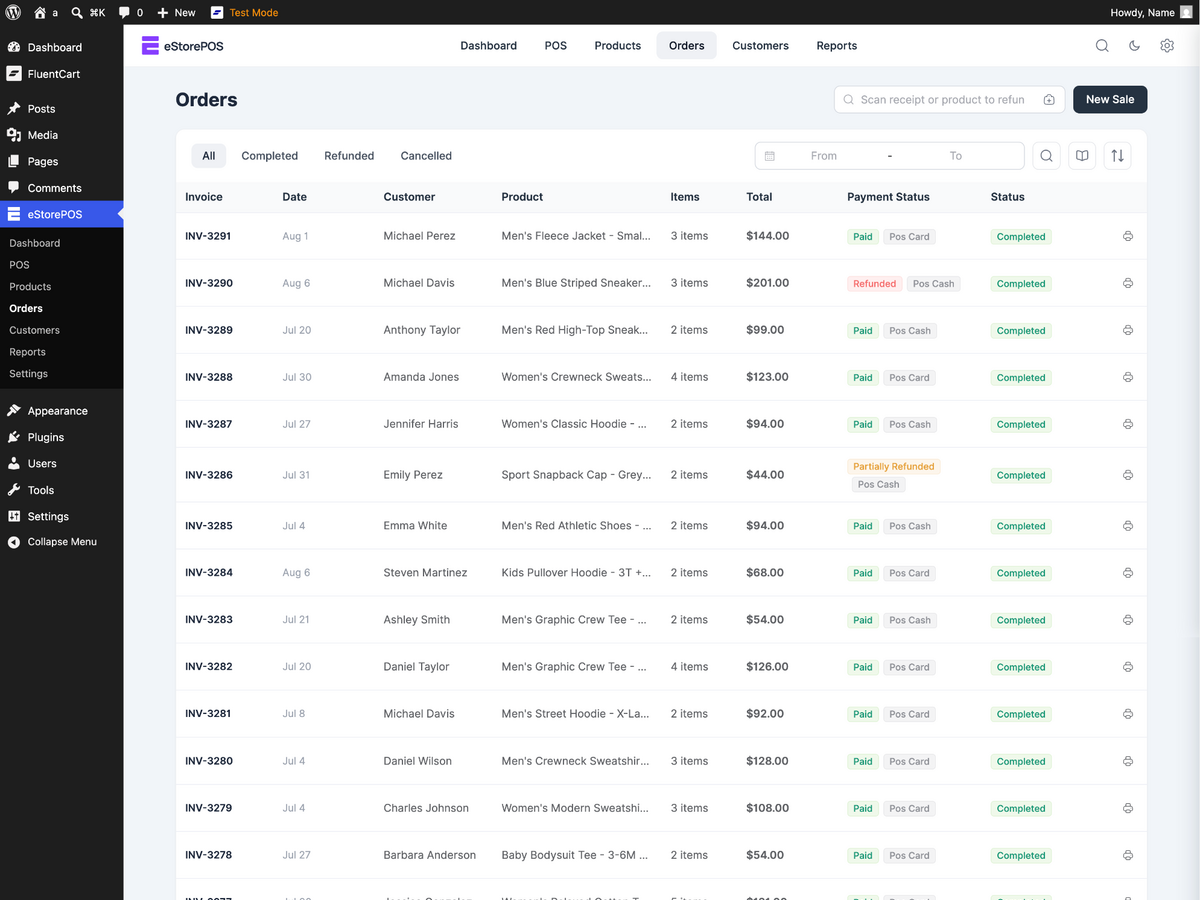
- View POS orders and complete order details
- Reprint receipts from previous sales
- Process refunds through your connected store platform
Receipt Printing and Customization
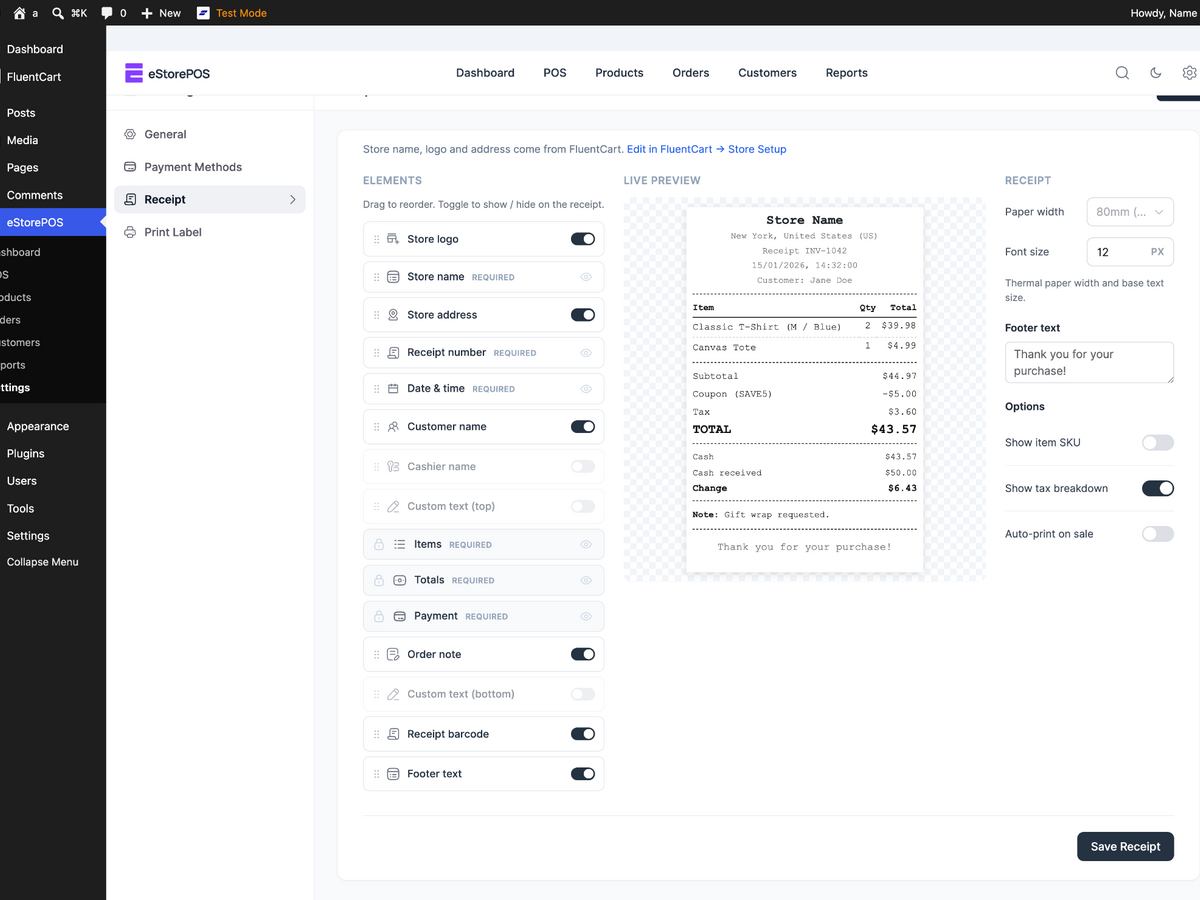
- Print receipts automatically or manually
- Add your store name and logo
- Customize receipt header and footer content
- Show or hide receipt fields
- Print through any receipt printer available to your browser
Barcode Generator and Label Printing
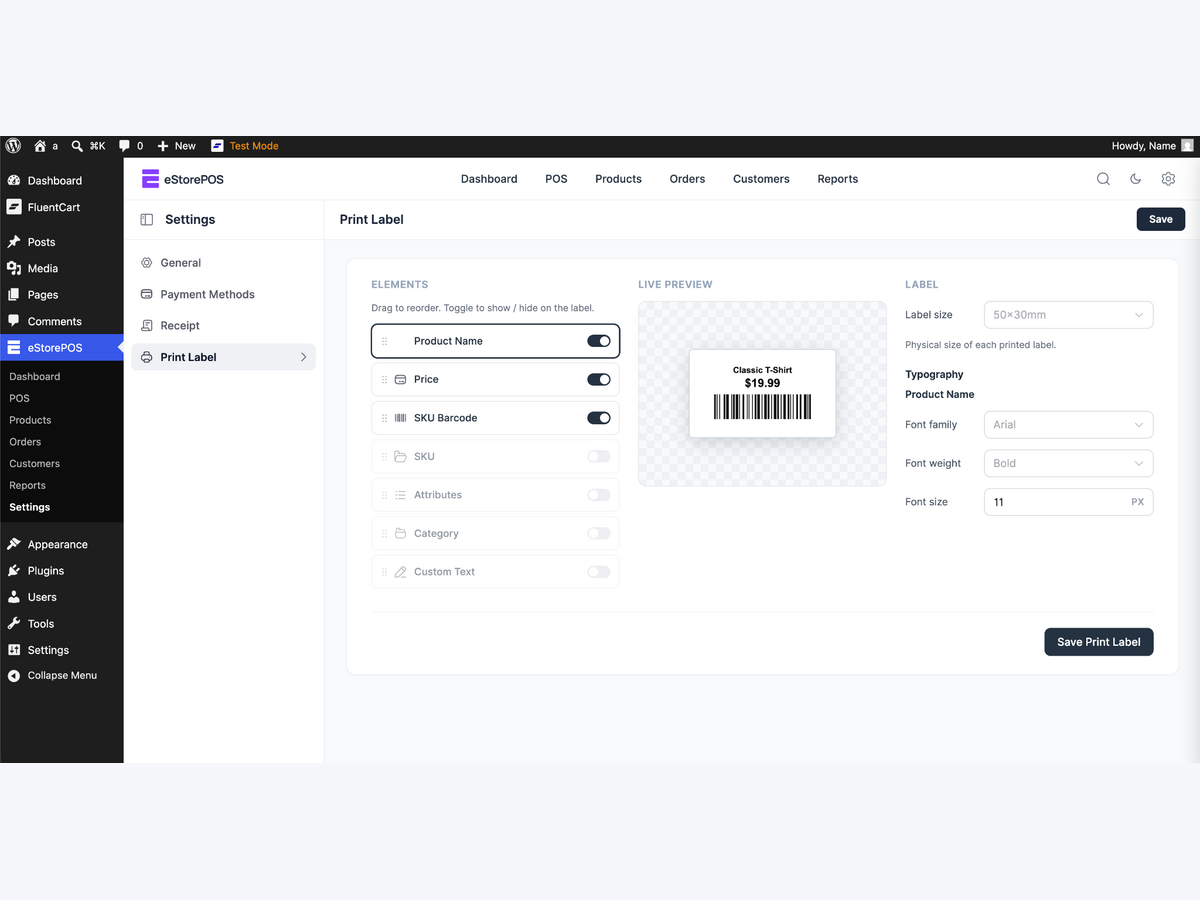
- Design and print product barcode labels inside WordPress
- Include product name, price, SKU, barcode, variations, and attributes
- Set the exact label width and height
- Print one label per page for thermal roll printers
- Use browser printing for thermal or sheet label printers
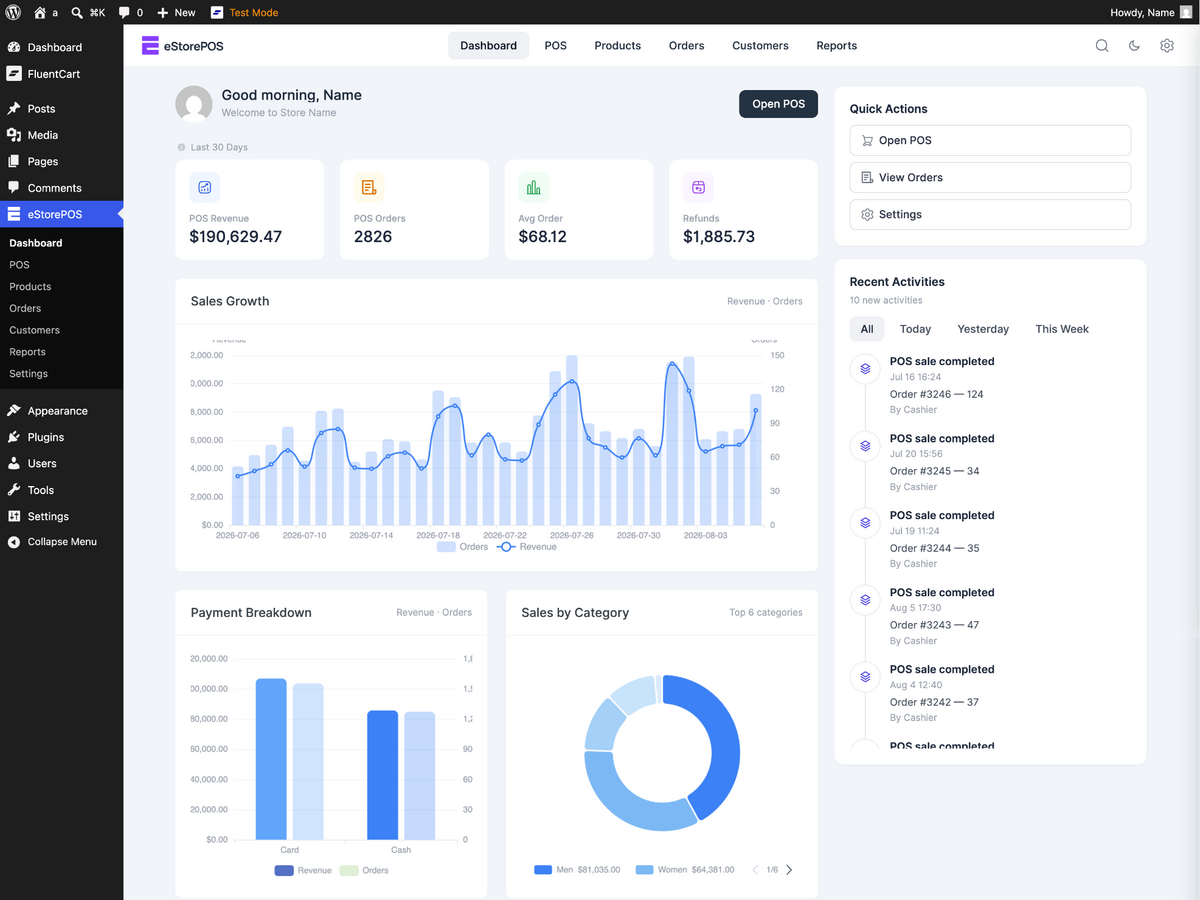
POS Reports and Dashboard
- Daily sales totals
- Payment-method breakdown
- Sales reports
- Order reports
- Customer reports
- Product reports
- Custom date ranges
- Period-over-period comparisons
eStorePOS Pro
Need more control across staff, registers, and locations? eStorePOS Pro adds advanced tools for growing retail operations.
Cashiers and PIN Login
- Create unlimited cashier accounts with fast PIN login
- Track sales and performance by cashier
- Force logout from the admin area
- Use a role-permission matrix to control what each role can do
Shifts and Cash Drawer Control
- Open a shift with a counted cash float and close it with expected-versus-actual totals
- Count cash by denomination with currency-aware values
- Detect overages and shortages with required reasons and configurable alert thresholds
- Enable blind close mode so cashiers count without seeing the expected amount
- Handover shifts with the opening amount pre-filled from the previous close
- Record Cash In, Cash Out, and Safe Drop activity with a complete audit log
- Log drawer openings and track No Sale events
- Generate a cash-reconciliation report for every shift
Multiple Outlets and Counters
- Create unlimited outlets and counters
- Bind each device to a counter so staff can start with a PIN
- Track inventory separately for each outlet
- Transfer stock between outlets with a complete transfer history
- Configure outlet-specific settings and tax overrides
- Assign staff to specific counters
Advanced Selling
- Open multiple cart tabs to serve several customers at once
- Hold or park unlimited carts and resume them later
- Split a payment between cash and card
- Apply percentage or flat discounts with limits for each role
- Show a live cart on a customer-facing second screen
Loyalty Points
- Award points on every sale using a configurable earning rate
- Redeem points manually, after a checkout prompt, or automatically
- Protect previously earned value when the points rate changes
- Show points on receipts and maintain a complete customer points history
- Award loyalty points for online orders
Advanced Receipts and Reports
- Print gift receipts with prices hidden
- View cashier performance reports
- View shift and cash-reconciliation reports
- Compare outlet performance
- Review payment-method breakdowns
- Export report data to CSV
POS Hardware and Device Support
eStorePOS runs in a modern web browser and adapts to desktop, tablet, and mobile screens. You can use a standard keyboard-style USB or Bluetooth barcode scanner. Camera scanning depends on browser camera access and device support.
Receipts and barcode labels use your browser’s print system. If your browser and operating system can print to a receipt, thermal, or sheet printer, eStorePOS can generate print-ready output for it.
Card Payment Notice
eStorePOS records card payments manually. Process the payment on your own card terminal, confirm the sale in the POS, and optionally enter a reference or the last four digits.
eStorePOS does not connect to a card processor and does not collect, store, or transmit card numbers.
Privacy and Data Ownership
eStorePOS does not call an external service. Products, customers, orders, inventory, taxes, payment records, receipts, and reports remain on your WordPress website.
Network (LAN) printing: if you enable the optional network printer and enter its local IP address, eStorePOS opens a direct TCP connection from your WordPress server to that printer on your own local network (RAW/JetDirect, port 9100) to send the receipt. This is a local connection to hardware you configure — no data is sent to any external or third-party service. Network printing is off by default; only local (private) IP addresses are accepted.
Installation
- In your WordPress dashboard, go to Plugins > Add New Plugin.
- Search for eStorePOS and click Install Now, or upload the
estoreposplugin folder to/wp-content/plugins/. - Activate eStorePOS from the Plugins screen.
- Open eStorePOS in the WordPress admin sidebar.
- Click Open POS and start selling.
Changelog
1.0.3
- Added: silent, pixel-perfect thermal receipt printing plus a dedicated printer setup screen.
- Added: automatic cash-drawer open after a cash sale (ESC/POS drawer kick).
- Added: product grid now defaults to showing In-Stock items.
- Improved: clearer discount lines on printed receipts and tidier spacing on the Settings screen.
- Improved: faster checkout keyboard flow for quicker tendering.
- Improved: full translation support wired across the POS screen.
- Fixed: sales report Revenue no longer distorted by refunded orders (tax is now netted by refunds).
- Fixed: unknown or stale POS links now return to the dashboard instead of showing a blank page.
- Security: hardened a permission check on a dashboard quick-action.
1.0.2
- Added: choose a product’s Sales Channel (Online + POS / POS only / Online only) right from FluentCart’s “Add New Product” screen.
- Fixed: WordPress sidebar and admin-bar POS links not switching the on-screen section.
- Improved: the “Install FluentCart” prompt no longer shows across every admin page — only when FluentCart is present but outdated.
1.0.1
- Improved: friendlier empty-state messages on the POS screen (empty cart, no product search results, no customers).
- Added: full “View details” popup on the Plugins screen (Description, Installation, FAQ, Changelog tabs).
- Changed: clearer plugin description.
- Compatibility: tested up to WordPress 7.0.
1.0.0
- Initial release.
Screenshots
For developers
Is this your plugin? Show off the numbers.
Add a live badge to your site, docs or GitHub README. It updates on its own — no account needed.
FAQ
eStorePOS: quick answers
Straight answers, pulled from live WordPress.org data.
Live data from WordPress.org · checked Oct 27, 2026
Is eStorePOS free?
Yes. eStorePOS is free to download and use from the official WordPress.org plugin directory.
Is eStorePOS safe to use in 2026?
eStorePOS is a solid plugin choice in 2026, with a few things worth checking first. Is rated 5/5 and was last updated 4 weeks ago, and scores 71/100 on our health check.
How many websites use eStorePOS?
eStorePOS is active on <10 WordPress websites and has been downloaded 464 times since it launched in August 2026. It was downloaded 121 times in the last 30 days.
Does eStorePOS work with WordPress 7.1?
Yes. The developer has tested eStorePOS up to WordPress 7.1.3, the latest release. It requires WordPress 6.5 or newer.
What PHP version does eStorePOS need?
eStorePOS requires PHP 7.4 or higher. Most hosts run PHP 8.x today, so it works on any modern WordPress hosting.
When was eStorePOS last updated?
The latest version, 1.0.3, was released on September 29, 2026 (4 weeks ago).
Who makes eStorePOS?
eStorePOS is developed and maintained by estorepos.
Powered by PageForge
Want thousands of pages that rank like these? Build them in an afternoon.
This directory runs on the same engine as PageForge. Turn any spreadsheet, CSV or API into thousands of fast, SEO-ready WordPress pages — with schema, internal links and AI-written copy baked in.
- CSV, Google Sheets & API data sources
- AI content, schema & internal links per page
- Works with Elementor, Gutenberg, Yoast & Rank Math
- Free on WordPress.org — no credit card


