



Essential Shortcodes
Essential Shortcodes makes it easy to display user information and date/time data anywhere on your WordPress site using simple shortcodes.

Consider an alternative
Essential Shortcodes shows warning signs in 2026 — compare the alternatives below before installing. It runs on 10+ sites and was last updated 1 year ago, and scores 32/100 on our health check.
- Small user base (10+ active installs)
- Very few reviews so far
- No update in over a year
- Only tested up to WordPress 6.8 (latest is 7.1)
How does it stack up?
Side-by-side on installs, updates, ratings & support


Daily downloads
Download spikes usually follow a new release — each site that auto-updates counts as a download.
Rankings
Where Essential Shortcodes stands todayWordPress.org search rankings
Live position in the plugin search, top 100| Keyword | Position |
|---|---|
| date | >100 |
| >100 | |
| shortcodes | >100 |
| user info | >100 |
| username | >100 |
Version adoption
Share of active sites per release.
About Essential Shortcodes
From the official readme · v1.1Description
Essential Shortcodes makes it easy to display user information and date/time data anywhere on your WordPress site using simple shortcodes.
🎯 Free Version Includes:
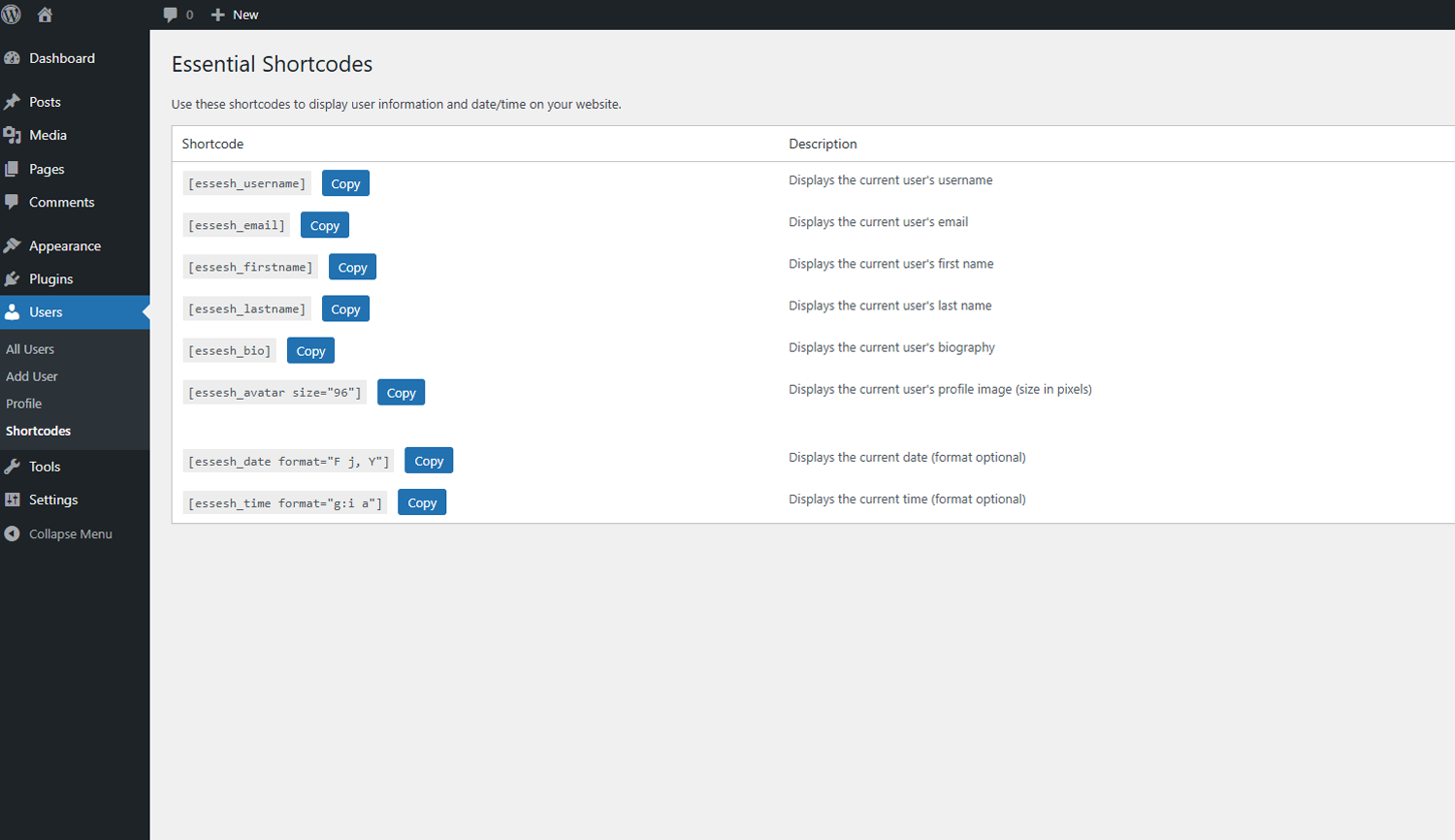
[essesh_username]– Display current user’s username[essesh_email]– Display current user’s email address[essesh_firstname]– Display current user’s first name[essesh_lastname]– Display current user’s last name[essesh_bio]– Display current user’s biography[essesh_avatar size="96"]– Display current user’s avatar (customizable size)[essesh_date format="F j, Y"]– Display current date (customizable format)[essesh_time format="g:i a"]– Display current time (customizable format)
✨ Key Features:
- Easy-to-use admin interface with copy-to-clipboard functionality
- Responsive design that works with any theme
- Secure code following WordPress best practices
- Lightweight and fast loading
- Translation ready
🚀 Upgrade to Essential Shortcodes Pro
Get access to 40+ professional shortcodes with advanced features:
Pro Categories Include:
* Advanced User Info (8 shortcodes) – User ID, role, registration date, post count, etc.
* Site Information (7 shortcodes) – Site details, WordPress version, theme info, etc.
* Dynamic Content (6 shortcodes) – Random posts, latest content, breadcrumbs, etc.
* Advanced Date/Time (5 shortcodes) – Countdown timers, business hours, seasons, etc.
* Statistics & Analytics (4 shortcodes) – User counts, site age, page views, etc.
* Conditional Content (8 shortcodes) – Show/hide content based on user role, device, dates, etc.
Pro Exclusive Features:
* Visual Shortcode Builder – Create custom shortcodes without coding
* Advanced Analytics Dashboard – Track shortcode usage and performance
* Custom Quotes Manager – Add your own inspirational quotes
* Business Hours Manager – Set and display business hours
* Page View Tracking – Built-in analytics for your content
* Priority Support – Get help when you need it
* Regular Updates – New shortcodes added regularly
👉 Get Essential Shortcodes Pro – $15 USD
Perfect for:
* Membership sites – Display personalized user information
* Business websites – Show contact info, business hours, and stats
* Blogs & News sites – Display dynamic content and user engagement
* E-commerce sites – Show user accounts and personalized content
* Any WordPress site – Add dynamic, personalized content easily
Installation
- Upload the plugin files to
/wp-content/plugins/essential-shortcodesdirectory, or install through WordPress plugins screen - Activate the plugin through the ‘Plugins’ screen in WordPress
- Go to Users > Shortcodes to see all available shortcodes with copy buttons
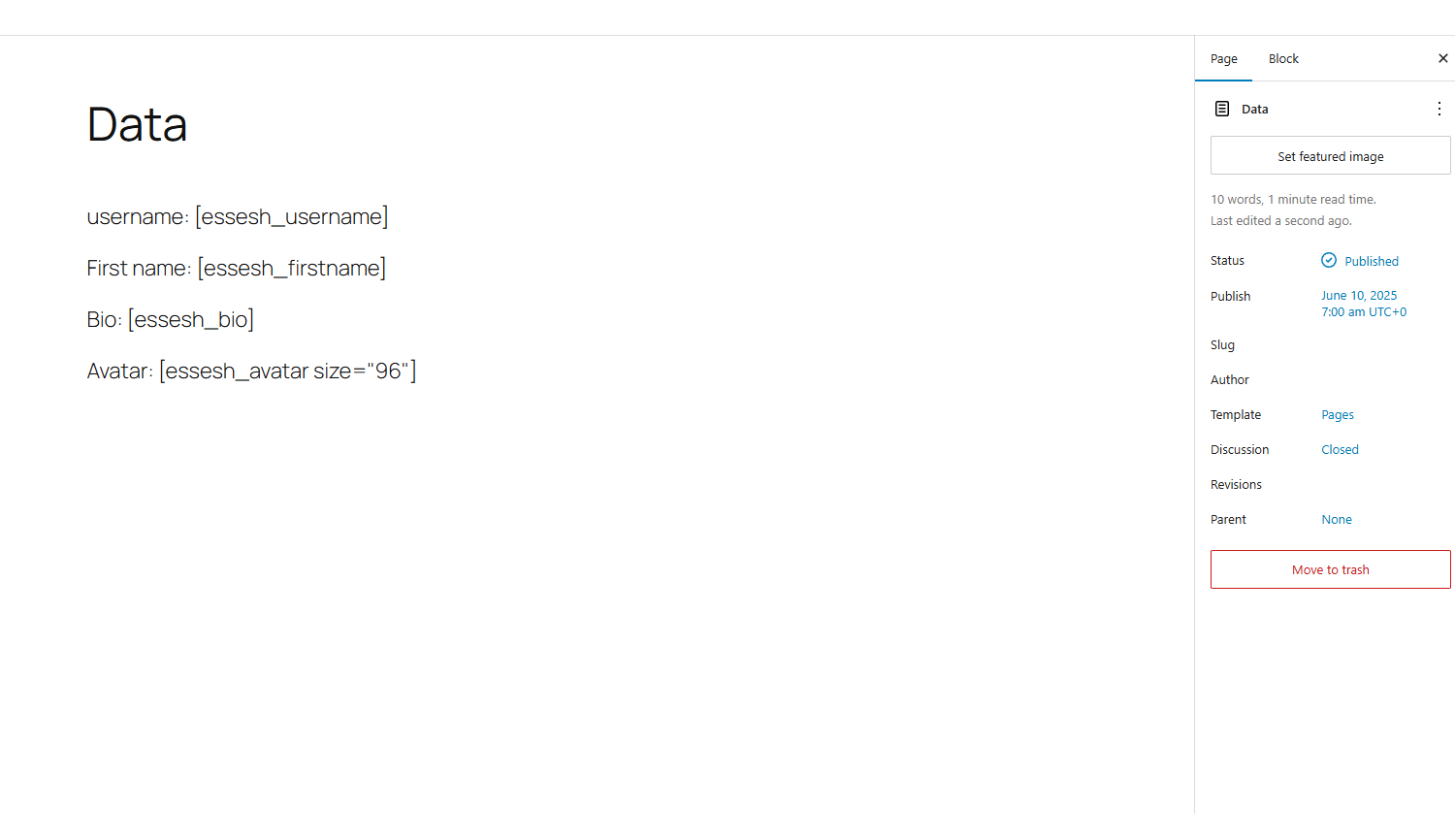
- Use shortcodes anywhere on your site – posts, pages, widgets, etc.
Frequently asked questions
What happens if a user is not logged in?
User-related shortcodes will display “Not logged in” for guests. Date and time shortcodes work for all visitors.
Can I customize the date and time formats?
Yes! Use any PHP date format: [essesh_date format="Y-m-d"] or [essesh_time format="H:i:s"]
Can I change the avatar size?
Yes! Use the size parameter: [essesh_avatar size="150"] (size in pixels)
What’s the difference between Free and Pro versions?
The free version includes 8 essential shortcodes for basic user info and date/time. The Pro version includes 40+ advanced shortcodes, conditional content, analytics, visual builder, and much more.
Do you offer support for the free version?
Yes! We provide community support through WordPress.org forums. Pro users get priority email support.
Is Essential Shortcodes Pro worth the upgrade?
If you need advanced functionality like conditional content, site statistics, dynamic content, or user analytics, then absolutely! Pro saves hours of development time and includes features you won’t find elsewhere.
Changelog
Updated shortcode names.
1.1
- Improved admin interface with proper WordPress enqueue system
- Added modern clipboard API support with fallback
- Enhanced security and performance
- Better error handling and user feedback
1.0
- Initial release with 8 essential shortcodes
- Basic admin interface
- Copy-to-clipboard functionality
Ready to take your WordPress site to the next level?
Upgrade to Essential Shortcodes Pro Today! →
Screenshots

For developers
Is this your plugin? Show off the numbers.
Add a live badge to your site, docs or GitHub README. It updates on its own — no account needed.
Best Essential Shortcodes alternatives
All date plugins →





FAQ
Essential Shortcodes: quick answers
Straight answers, pulled from live WordPress.org data.
Live data from WordPress.org · checked Oct 10, 2026
Is Essential Shortcodes free?
Yes. Essential Shortcodes is free to download and use from the official WordPress.org plugin directory.
Is Essential Shortcodes safe to use in 2026?
Essential Shortcodes shows warning signs in 2026 — compare the alternatives below before installing. It runs on 10+ sites and was last updated 1 year ago, and scores 32/100 on our health check.
How many websites use Essential Shortcodes?
Essential Shortcodes is active on 10+ WordPress websites and has been downloaded 524 times since it launched in June 2025. It was downloaded 54 times in the last 30 days.
Does Essential Shortcodes work with WordPress 7.1?
Essential Shortcodes is officially tested up to WordPress 6.8.11, while the latest release is 7.1.3. It may still work, but try it on a staging site first.
What PHP version does Essential Shortcodes need?
Essential Shortcodes requires PHP 7.4 or higher. Most hosts run PHP 8.x today, so it works on any modern WordPress hosting.
When was Essential Shortcodes last updated?
The latest version, 1.1, was released on June 11, 2025 (1 year ago).
Who makes Essential Shortcodes?
Essential Shortcodes is developed and maintained by haohunter.
What are the best alternatives to Essential Shortcodes?
The most popular alternatives to Essential Shortcodes are WP Meta and Date Remover (90K+ installs), Hide/Remove Metadata (20K+ installs) and WP Date and Time Shortcode (10K+ installs).
Powered by PageForge
Want thousands of pages that rank like these? Build them in an afternoon.
This directory runs on the same engine as PageForge. Turn any spreadsheet, CSV or API into thousands of fast, SEO-ready WordPress pages — with schema, internal links and AI-written copy baked in.
- CSV, Google Sheets & API data sources
- AI content, schema & internal links per page
- Works with Elementor, Gutenberg, Yoast & Rank Math
- Free on WordPress.org — no credit card


