


ERI File Library
Easily upload, manage, and track downloads of your shared files

Use with caution
ERI File Library works, but test it on a staging site before relying on it in 2026. It runs on 10+ sites and was last updated 2 months ago, and scores 57/100 on our health check.
- Small user base (10+ active installs)
- Very few reviews so far
How does it stack up?
Side-by-side on installs, updates, ratings & support



Daily downloads
Download spikes usually follow a new release — each site that auto-updates counts as a download.
Rankings
Where ERI File Library stands todayWordPress.org search rankings
Live position in the plugin search, top 100| Keyword | Position |
|---|---|
| download | >100 |
| file manager | >100 |
| file sharing | >100 |
| links | >100 |
| tracking | >100 |
Version adoption
Share of active sites per release.
About ERI File Library
From the official readme · v1.1.5Description
ERI File Library is a simple WordPress plugin designed for effortless file sharing and download tracking. Easily upload and manage your files with a straightforward interface for quick organization and access.
Features
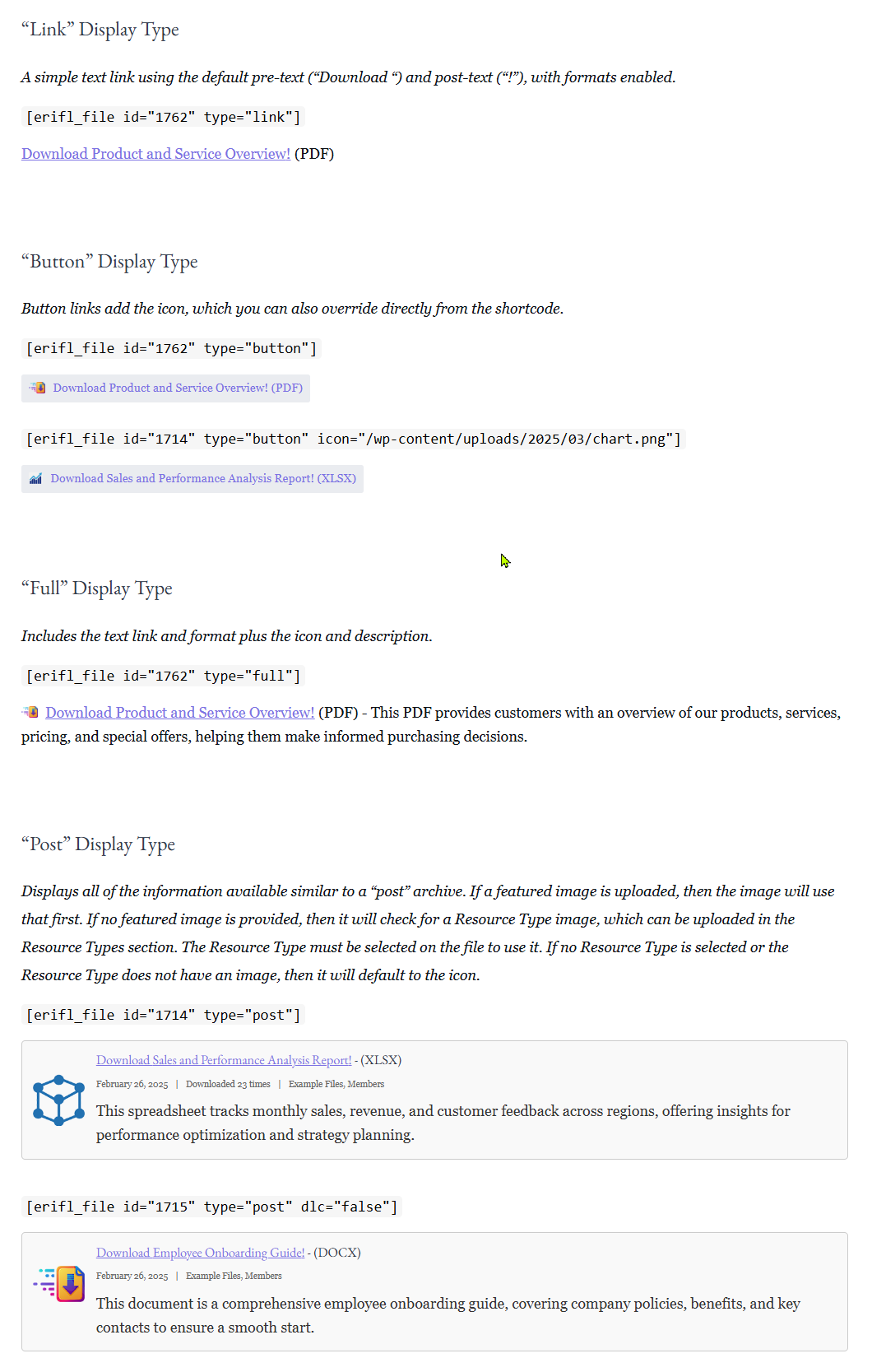
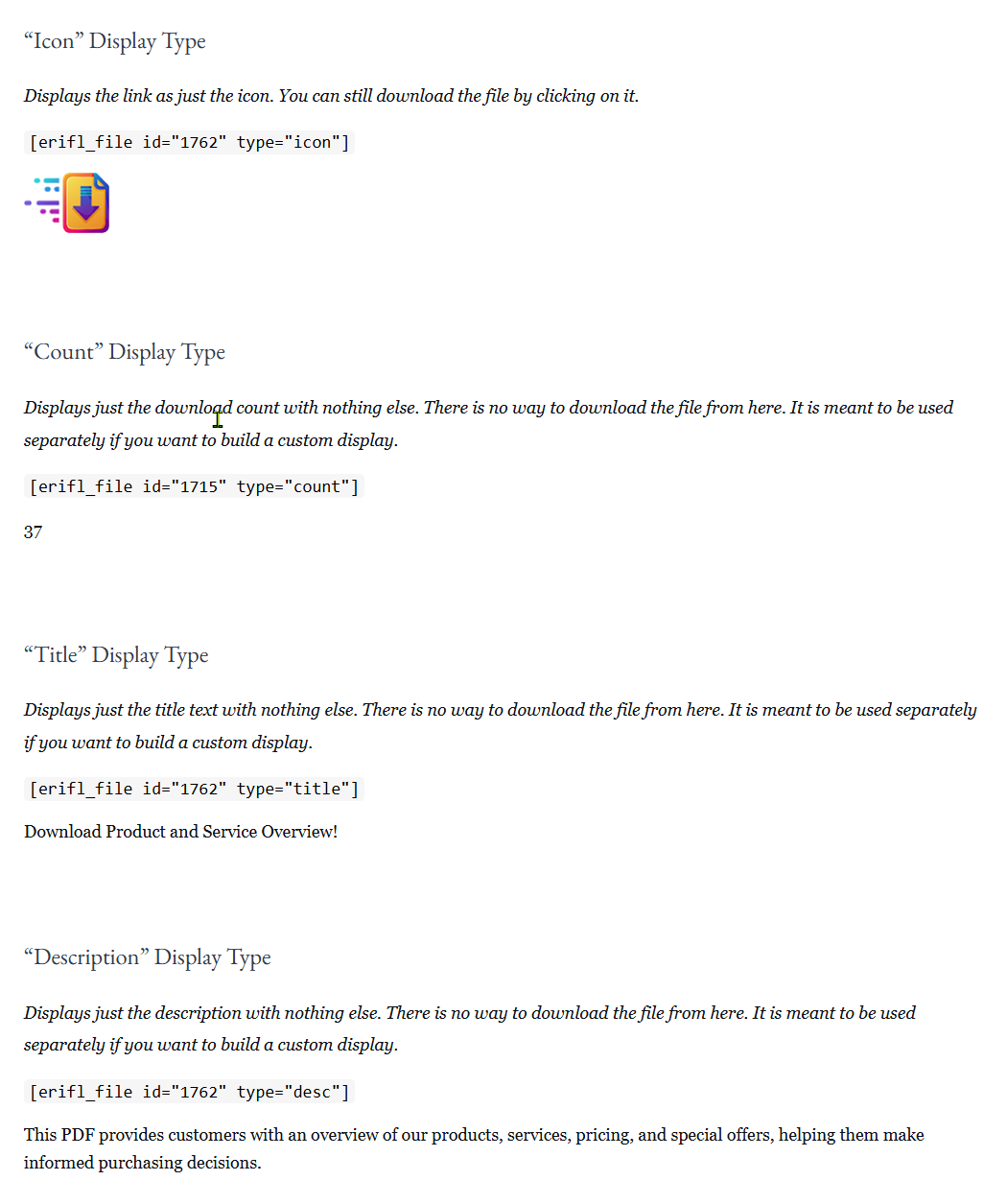
- Flexible display options: Customize link appearances with various HTML elements and attributes.
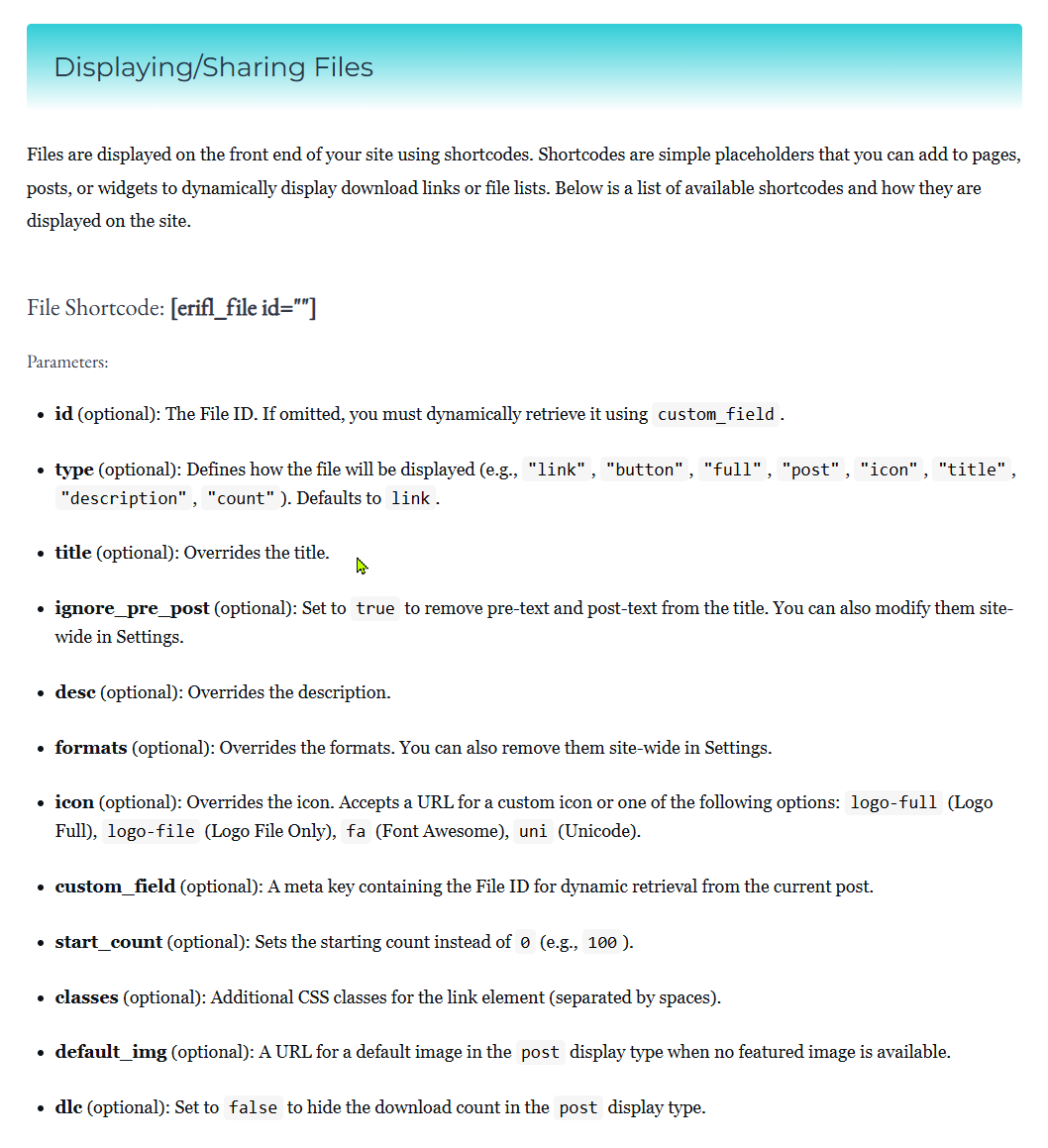
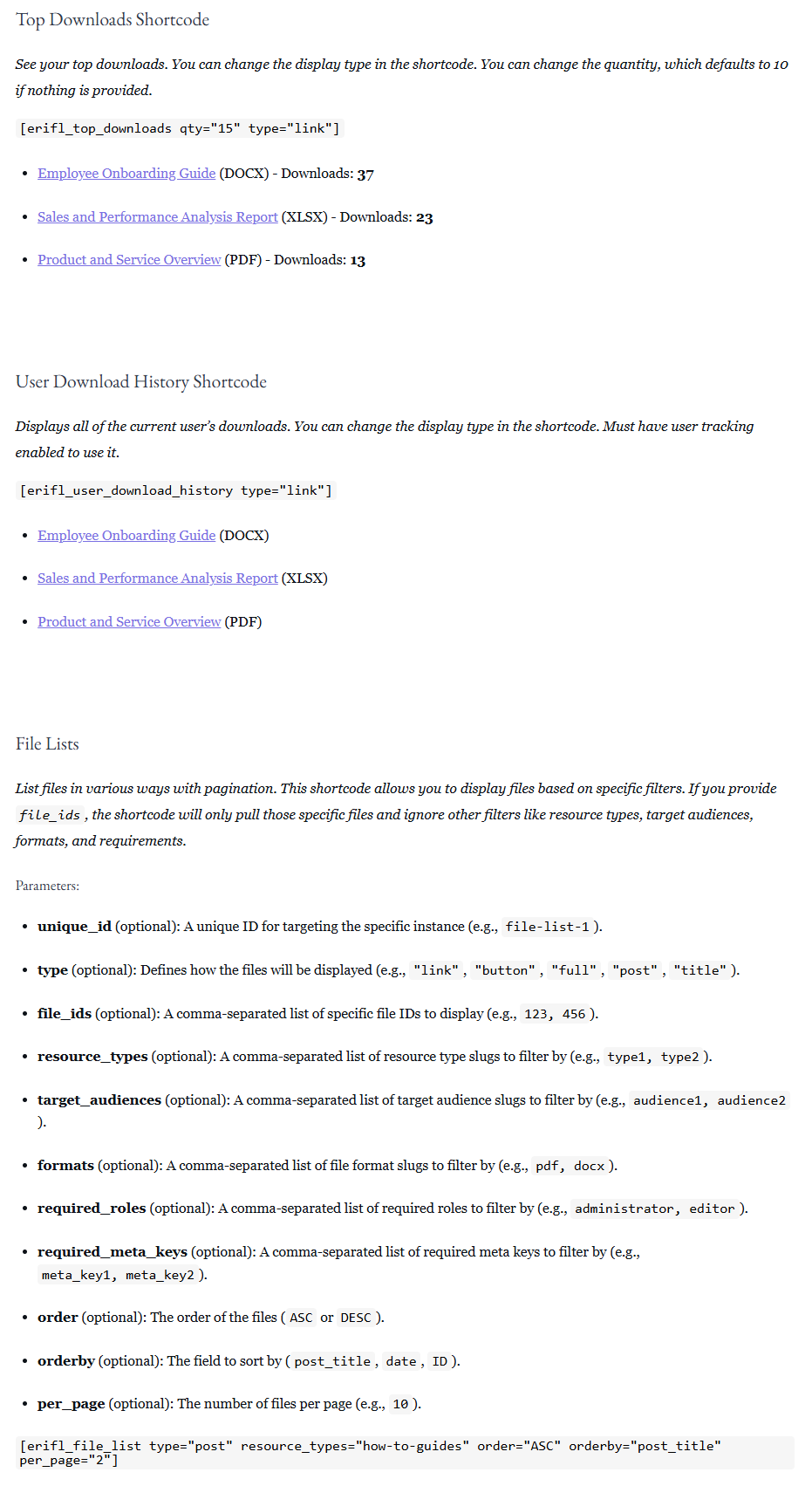
- Shortcodes: Easily integrate downloads into your site with shortcodes.
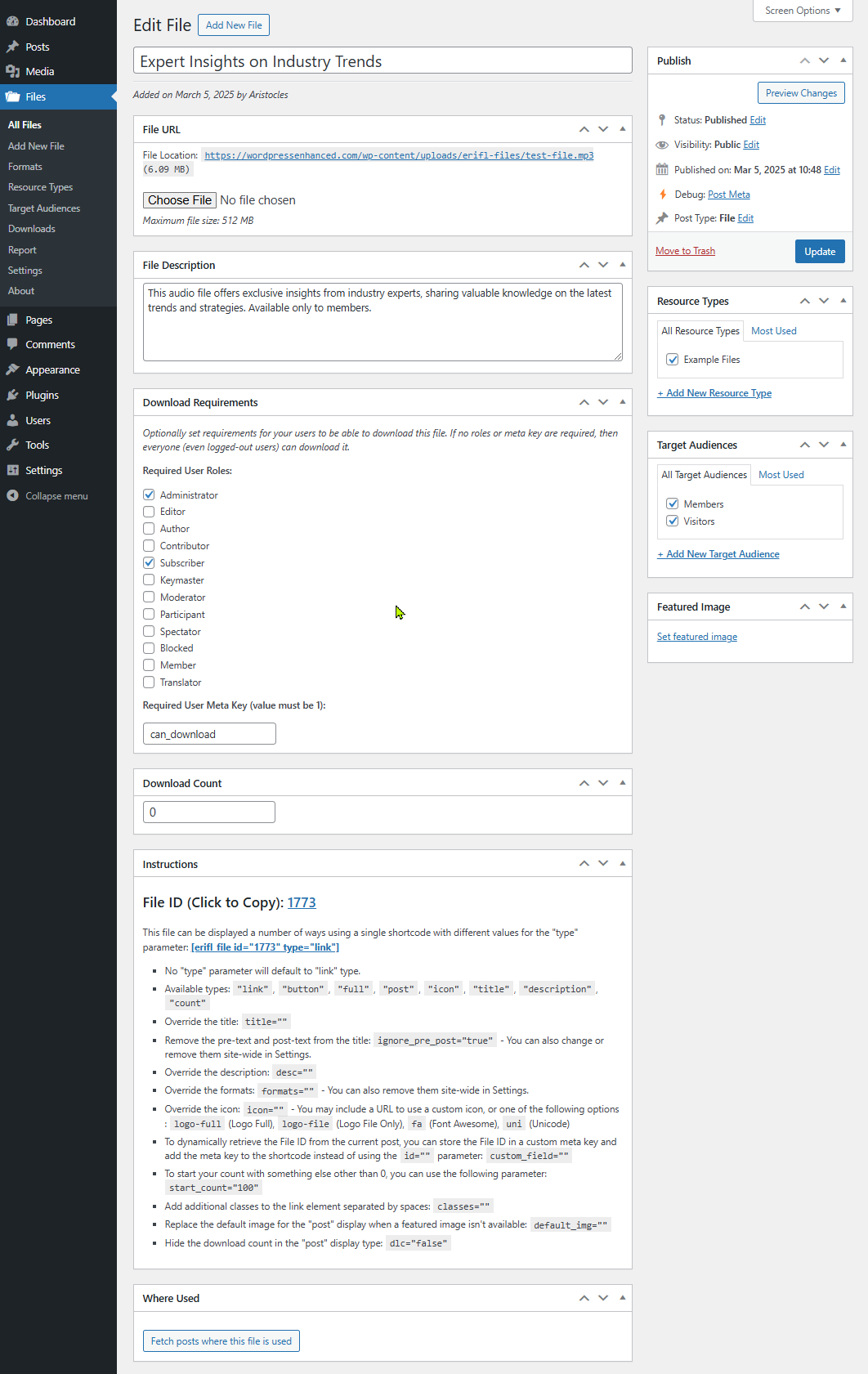
- Custom access controls: Restrict downloads by user role or meta key.
- Detailed tracking: Monitor download counts, track user interactions, and log download dates.
This plugin does not have the option to sell downloads, but it can be integrated with another payment platform by requiring a specific role or meta key to download specific files.
Installation
- Upload the plugin files to the
/wp-content/plugins/eri-file-librarydirectory. - Activate the plugin through the ‘Plugins’ menu in WordPress.
- Start uploading and managing your downloads!
Frequently asked questions
How do I track downloads?
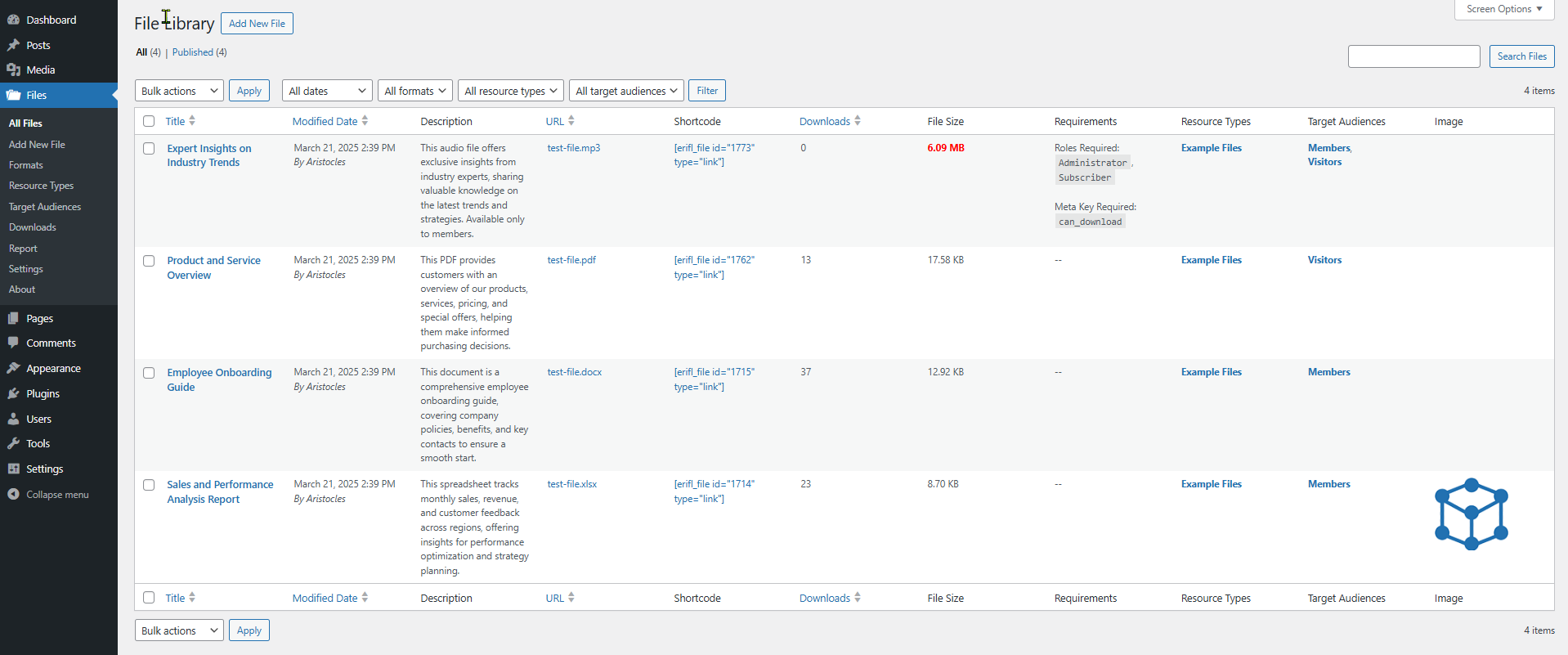
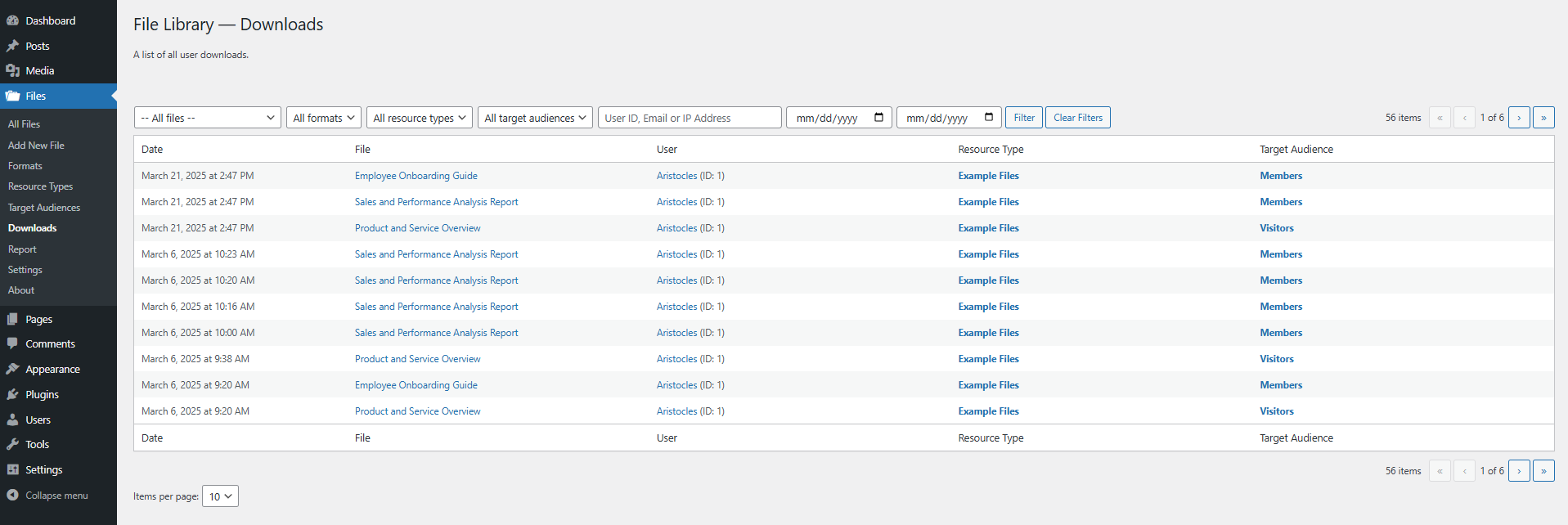
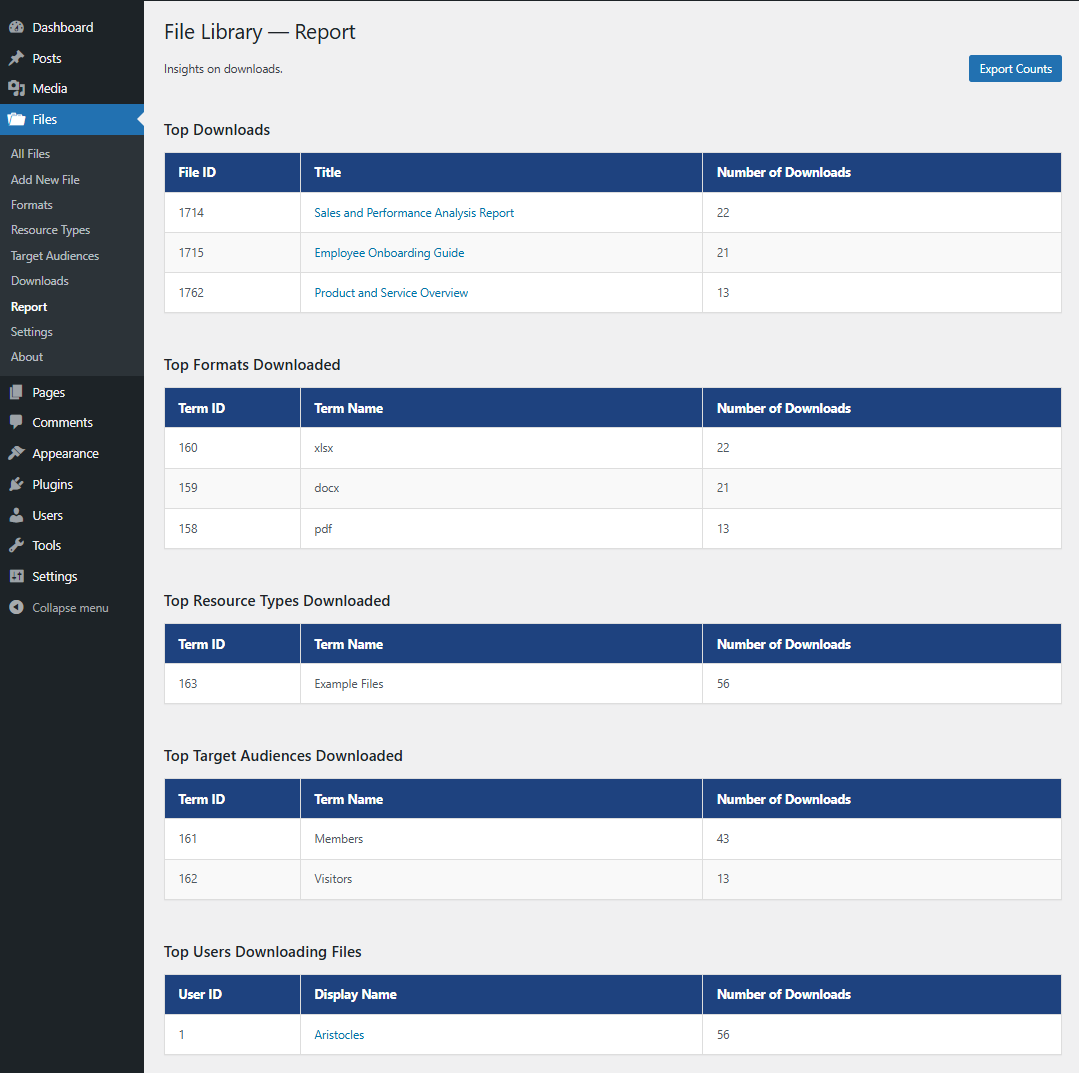
Download counts are automatically recorded for each file. If you want to additionally track user interactions and dates, you will need to enable it. Navigate to Files > Settings, and select the “Enable User Tracking” option. Doing so will create a new table in your database where each download is logged. “Downloads” and “Report” pages will appear under Files in the admin menu where you can see your collected data.
Are there hooks available for Developers?
Yes, there are plenty. The following hooks are available: * erifl_download_file_url ( String $url, Array $file, Integer $user_id, String $user_ip ) — Filter the URL for the file when a user is downloading it. $file contains the file data, $user_id is the ID of the user if they are logged in, and $user_ip is the IP address of the user if they are logged out. * erifl_after_file_downloaded ( Array $file, String $url, Integer $user_id, String $user_ip ) — Action fired after a file has been downloaded. $file contains the file data, $url is the download URL, $user_id is the ID of the user, and…
Where can I request features and get further support?
We recommend using our website support forum as the primary method for requesting features and getting help. You can also reach out via our Discord support server or the WordPress.org support forum, but please note that WordPress.org doesn’t always notify us of new posts, so it’s not ideal for time-sensitive issues.
Changelog
1.1.5
- Fix: Downloads failing for logged-out users on cached pages (403 error) due to expired nonces baked into cached HTML.
1.1.4
- Update: Added taxonomy filters (formats, resource types, target audiences, and any additional taxonomies) to the Report page
- Update: Report page now exports counts filtered by the selected taxonomy terms
- Tweak: Replaced the Report page date-range dropdown with a single Filter button matching the Downloads page layout
- Fix: Additional taxonomy filters on the Downloads page were not being applied or retained after filtering
- Fix: Filtering by multiple taxonomies on the Downloads page now requires files to match all selected terms instead of any
- Fix: Duplicate rows appearing in Top Downloads and exported counts caused by duplicate post meta from migration
1.1.3
- Compatibility: Tested with WordPress 7.0
- Fix: Where Used feature in file edit screen showing pages where all shortcodes are used, not just for this file
1.1.2
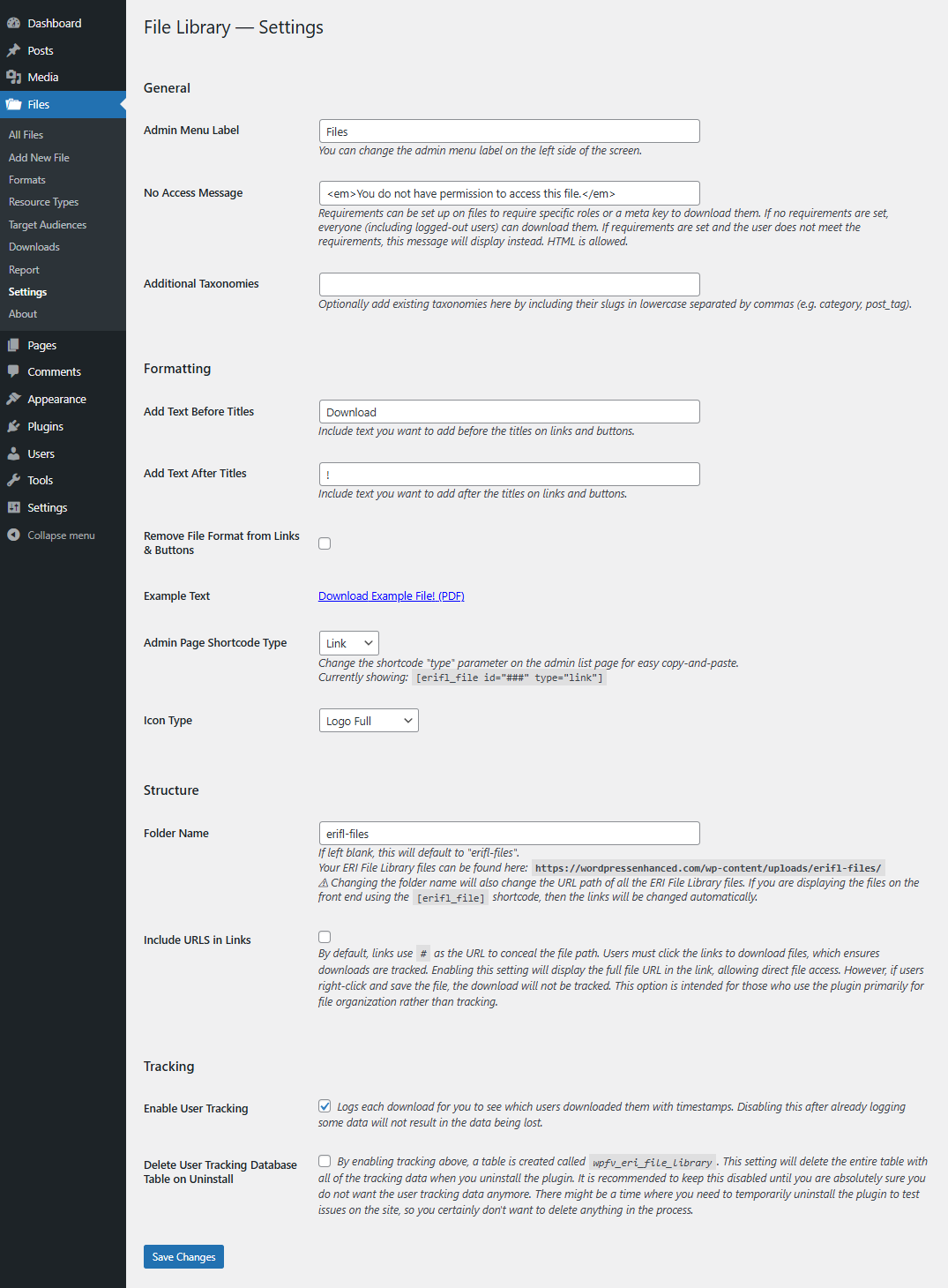
- Update: Added an option in settings to change the shortcode file class
- Tweak: Added all classes to the erifl_classes hook
- Update: Added filters to the reports page when tracking downloads
1.1.1
- Update: Added a rate limiter with an option in settings to combine limits to all downloads
- Fix: Unauthorized access due to missing capability check in AJAX action (props Athiwat Tiprasaharn via WordFence Vulnerability Report)
1.1.0
- Update: New support links
Screenshots
For developers
Is this your plugin? Show off the numbers.
Add a live badge to your site, docs or GitHub README. It updates on its own — no account needed.
Best ERI File Library alternatives
All download plugins →





FAQ
ERI File Library: quick answers
Straight answers, pulled from live WordPress.org data.
Live data from WordPress.org · checked Sep 29, 2026
Is ERI File Library free?
Yes. ERI File Library is free to download and use from the official WordPress.org plugin directory.
Is ERI File Library safe to use in 2026?
ERI File Library works, but test it on a staging site before relying on it in 2026. It runs on 10+ sites and was last updated 2 months ago, and scores 57/100 on our health check.
How many websites use ERI File Library?
ERI File Library is active on 10+ WordPress websites and has been downloaded 1,202 times since it launched in March 2025. It was downloaded 86 times in the last 30 days.
Does ERI File Library work with WordPress 7.1?
ERI File Library is officially tested up to WordPress 7.0.6, while the latest release is 7.1.2. It may still work, but try it on a staging site first.
What PHP version does ERI File Library need?
ERI File Library requires PHP 7.4 or higher. Most hosts run PHP 8.x today, so it works on any modern WordPress hosting.
When was ERI File Library last updated?
The latest version, 1.1.5, was released on July 17, 2026 (2 months ago).
Who makes ERI File Library?
ERI File Library is developed and maintained by PluginRx.
What are the best alternatives to ERI File Library?
The most popular alternatives to ERI File Library are Download Plugin (60K+ installs), Export Media Library (30K+ installs) and Download Plugins and Themes… (30K+ installs).
Powered by PageForge
Want thousands of pages that rank like these? Build them in an afternoon.
This directory runs on the same engine as PageForge. Turn any spreadsheet, CSV or API into thousands of fast, SEO-ready WordPress pages — with schema, internal links and AI-written copy baked in.
- CSV, Google Sheets & API data sources
- AI content, schema & internal links per page
- Works with Elementor, Gutenberg, Yoast & Rank Math
- Free on WordPress.org — no credit card


