


EnConvert DOCX to PDF
Add a Word-document-to-PDF converter to any WordPress page or post via shortcode. Powered by the EnConvert API.

Use with caution
EnConvert DOCX to PDF works, but test it on a staging site before relying on it in 2026. Was last updated 1 month ago, and scores 60/100 on our health check.
- Tested with the latest WordPress (7.1)
- Small user base (<10 active installs)
- Very few reviews so far
How does it stack up?
Side-by-side on installs, updates, ratings & support



Daily downloads
Download spikes usually follow a new release — each site that auto-updates counts as a download.
Rankings
Where EnConvert DOCX to PDF stands todayWordPress.org search rankings
Live position in the plugin search, top 100| Keyword | Position |
|---|---|
| converter | >100 |
| document | >100 |
| docx | #39 |
| docx to pdf | #22 |
| >100 |
About EnConvert DOCX to PDF
From the official readme · v1.0.0Description
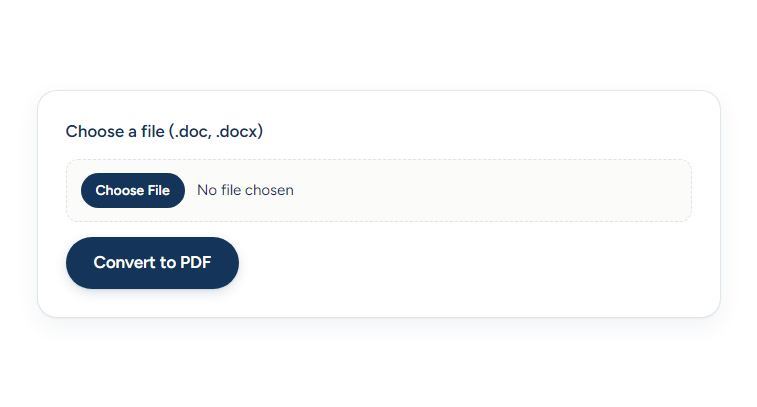
Let visitors upload a Word document (.doc or .docx) and download a PDF. The plugin renders a native form on your site and sends the file directly to the EnConvert API for conversion. No iframe, no extra tracking — just a clean form on your page.
How it works:
- Create a free EnConvert account.
- Generate a public API key (
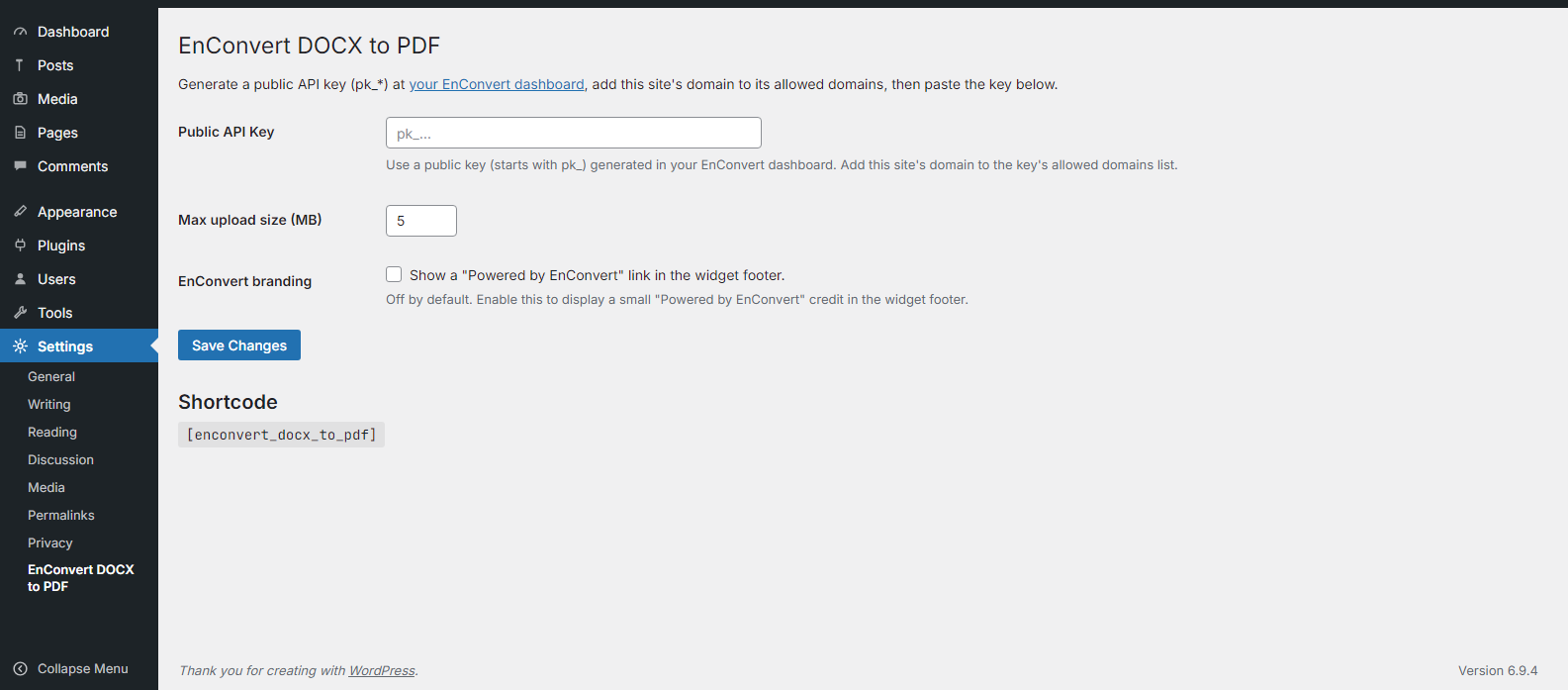
pk_*) on your EnConvert API keys page. - Add your WordPress site’s domain to the key’s allowed-domains list.
- Paste the key into the plugin settings.
- Drop
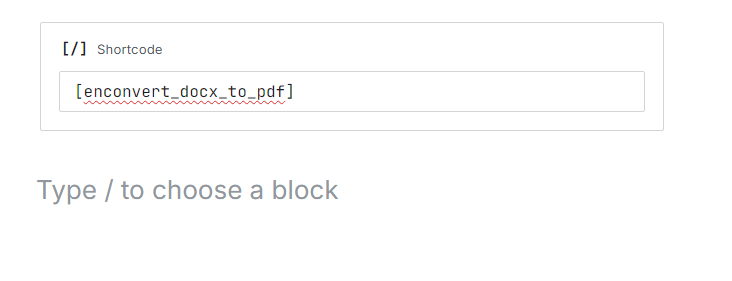
[enconvert_docx_to_pdf]into any page, post, or shortcode block.
New to EnConvert? Visit the EnConvert homepage, or try this conversion online at enconvert.com/convert/doc-to-pdf.
Free tier available — 100 monthly conversions, no credit card. Paid tiers raise the limit and increase the max file size.
Third-Party Service
This plugin sends visitor-uploaded files directly from the visitor’s browser to the EnConvert API:
https://api.enconvert.com— receives the uploaded file and returns a presigned URL for the PDF download.
The visitor’s browser sends an X-API-Key header containing the public API key configured in plugin settings. The API validates the key and the requesting domain (the page’s origin) before accepting the conversion. Your WordPress server is not involved in the conversion request.
- Service: EnConvert — https://enconvert.com
- Terms of Service: https://enconvert.com/terms
- Privacy Policy: https://enconvert.com/privacy
By using this plugin, you and your visitors agree to EnConvert’s Terms of Service and Privacy Policy.
Installation
- Upload the
enconvert-docx-to-pdffolder to/wp-content/plugins/, or install via the Plugins menu. - Activate the plugin.
- In your EnConvert dashboard, create a public API key (
pk_*) and add this site’s domain to its allowed-domains list (wildcards like*.example.comwork). - In WordPress, go to Settings → EnConvert DOCX to PDF and paste the public key.
- Insert
[enconvert_docx_to_pdf]in any page, post, or Shortcode block.
Frequently asked questions
Where do I get a public API key?
Sign in at enconvert.com and go to Dashboard → API Keys. Create a key of type “Public” (pk_*). Public keys are designed for browser use and are restricted to the domains you list.
Why a public key instead of a secret key?
Secret keys (sk_*) cannot be used from a browser — the API rejects them with a 403 error. Public keys (pk_*) are safe to use in front-end code because they are restricted to a list of domains you control. If someone copies your key, it will not work on their site.
Does this plugin send files through my WordPress server?
No. The uploaded file goes directly from the visitor’s browser to api.enconvert.com. Your WordPress server never touches the file or the converted output.
My conversion fails with “Domain not authorized”. What now?
The domain serving the WordPress page is not in the API key’s allowed-domains list. Open your EnConvert dashboard, edit the key, and add your site’s domain. Wildcards like *.example.com cover all subdomains.
Does it work in the block editor?
Yes. WordPress includes a built-in Shortcode block. Add it and paste [enconvert_docx_to_pdf]. The form renders both inside the editor preview and on the published page.
What are the conversion limits?
The free tier includes 100 conversions per month and a 5 MB max file size. Paid tiers raise both limits; see enconvert.com/pricing.
Does it work with multisite?
Yes, but each site needs to activate the plugin and configure its own API key. The plugin has not been tested as a network-activated plugin.
Changelog
Initial release.
1.0.0
- Initial release. Native form, public-key authentication, direct API calls.
Screenshots
For developers
Is this your plugin? Show off the numbers.
Add a live badge to your site, docs or GitHub README. It updates on its own — no account needed.
Best EnConvert DOCX to PDF alternatives
All converter plugins →





FAQ
EnConvert DOCX to PDF: quick answers
Straight answers, pulled from live WordPress.org data.
Live data from WordPress.org · checked Sep 28, 2026
Is EnConvert DOCX to PDF free?
Yes. EnConvert DOCX to PDF is free to download and use from the official WordPress.org plugin directory.
Is EnConvert DOCX to PDF safe to use in 2026?
EnConvert DOCX to PDF works, but test it on a staging site before relying on it in 2026. Was last updated 1 month ago, and scores 60/100 on our health check.
How many websites use EnConvert DOCX to PDF?
EnConvert DOCX to PDF is active on <10 WordPress websites and has been downloaded 197 times since it launched in July 2026. It was downloaded 67 times in the last 30 days.
Does EnConvert DOCX to PDF work with WordPress 7.1?
Yes. The developer has tested EnConvert DOCX to PDF up to WordPress 7.1.2, the latest release. It requires WordPress 5.0 or newer.
What PHP version does EnConvert DOCX to PDF need?
EnConvert DOCX to PDF requires PHP 7.4 or higher. Most hosts run PHP 8.x today, so it works on any modern WordPress hosting.
When was EnConvert DOCX to PDF last updated?
The latest version, 1.0.0, was released on August 22, 2026 (1 month ago).
Who makes EnConvert DOCX to PDF?
EnConvert DOCX to PDF is developed and maintained by enconvert.
What are the best alternatives to EnConvert DOCX to PDF?
The most popular alternatives to EnConvert DOCX to PDF are FOX (50K+ installs), Crypto Converter ⚡ Widget (1K+ installs) and Post Type Converter (1K+ installs).
Powered by PageForge
Want thousands of pages that rank like these? Build them in an afternoon.
This directory runs on the same engine as PageForge. Turn any spreadsheet, CSV or API into thousands of fast, SEO-ready WordPress pages — with schema, internal links and AI-written copy baked in.
- CSV, Google Sheets & API data sources
- AI content, schema & internal links per page
- Works with Elementor, Gutenberg, Yoast & Rank Math
- Free on WordPress.org — no credit card


