



miniOrange Embed Files for SharePoint/OneDrive
Embed, manage, and sync Microsoft SharePoint and OneDrive documents, folders, lists, and files within WordPress pages, posts, or the media library.

Safe pick
Yes — miniOrange Embed Files for Shar… is a safe, well-maintained plugin to use in 2026. It runs on 700+ sites, is rated 5/5 and was last updated 2 months ago, and scores 83/100 on our health check.
- Loved by users — 5/5 from 41 reviews
- Tested with the latest WordPress (7.1)
- Small user base (700+ active installs)
How does it stack up?
Side-by-side on installs, updates, ratings & supportDaily downloads
Download spikes usually follow a new release — each site that auto-updates counts as a download.
Rankings
Where miniOrange Embed Files for… stands todayWordPress.org search rankings
Live position in the plugin search, top 100| Keyword | Position |
|---|---|
| embed document | #10 |
| media library | >100 |
| microsoft | #60 |
| OneDrive | #5 |
| sharepoint | #1 |
Version adoption
Share of active sites per release.
Rating breakdown
★★★★★★★★★★ 5 from 41 reviews
About miniOrange Embed Files for SharePoint/O…
From the official readme · v2.5.6Description
miniOrange SharePoint WordPress plugin provides complete SharePoint/OneDrive integration for WordPress. Easily embed documents, folders, and entire libraries directly into WordPress pages or posts. Additionally, sync files from SharePoint or OneDrive to the WordPress media library for reuse across your site.
The plugin supports both SharePoint Online and SharePoint On-Premise environments, OneDrive for Business, and OneDrive Personal accounts. With secure OAuth 2.0 authentication, dynamic access control, and compatibility with major WordPress forms, membership, and eCommerce plugins, this solution is perfect for business, education, and enterprise environments.
With the new SharePoint Copilot integration, you can also add AI-powered SharePoint search to WordPress, letting users find and analyze documents using natural language.
Your privacy matters. This plugin is fully self-contained and does not use or rely on any miniOrange servers or services. No data is routed through miniOrange.
🔗 Live Demo & More Info: Microsoft SharePoint OneDrive Integration
📺 Watch How It Works:
Highlights
- Embed SharePoint/OneDrive folders & files directly into WordPress
- Advanced access controls & role-based permissions
- Form submission sync to SharePoint lists
- Works with both Online and On-Premise SharePoint
- Gutenberg block and shortcode support
External Services
This plugin connects to Microsoft SharePoint and OneDrive APIs via Microsoft Graph to enable document synchronization, preview, and embedding directly within WordPress.
The plugin uses Microsoft Graph API for the following purposes:
– Authenticating with SharePoint and OneDrive accounts (via OAuth 2.0).
– Fetching documents and folders from SharePoint/OneDrive libraries.
– Generating secure preview links and download URLs.
– Managing access tokens locally to maintain integration.
What Data Is Sent and When
-
During authentication (one-time setup by the site admin):
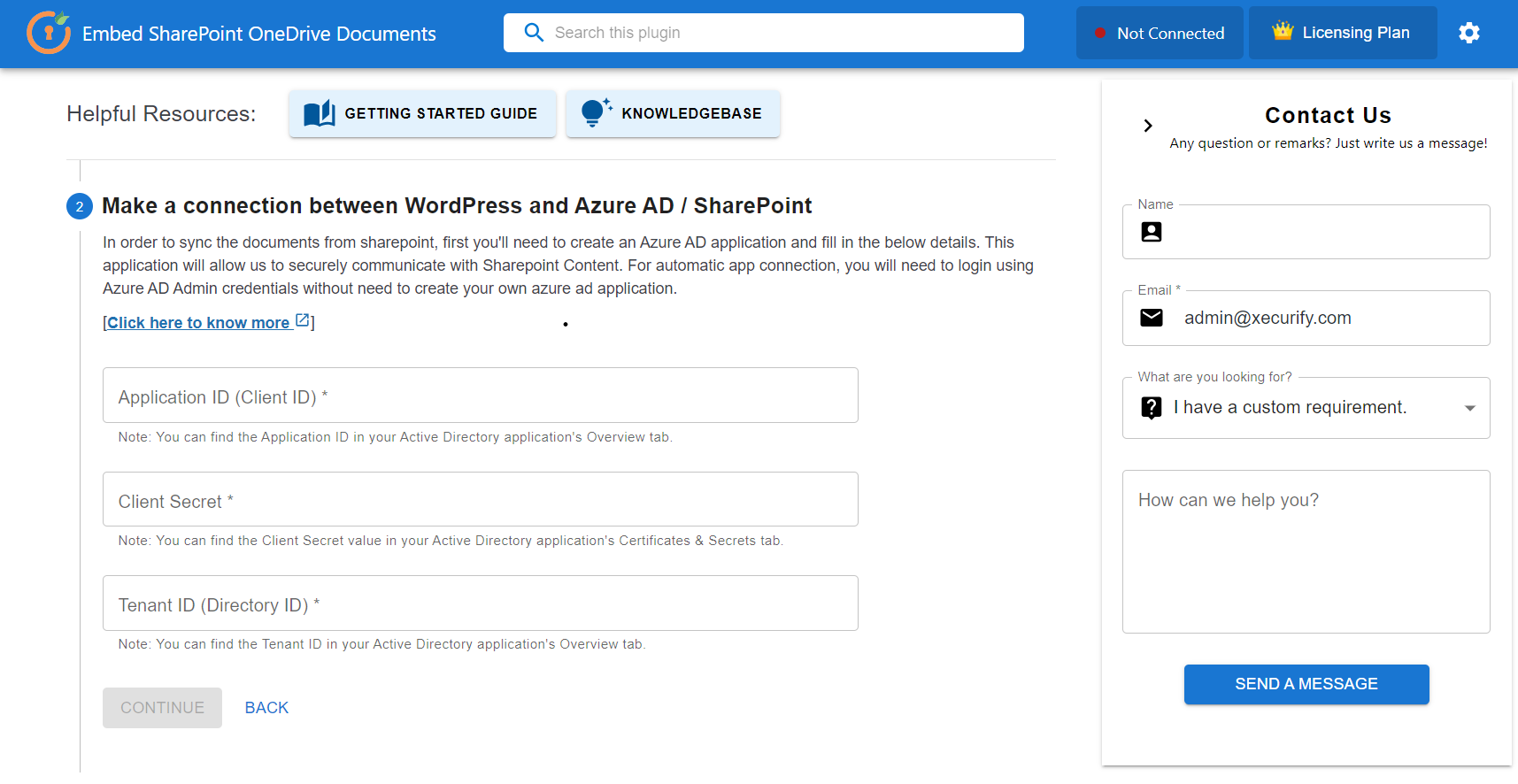
- The plugin sends the Client ID, Client Secret (if applicable), and Redirect URI to Microsoft Servers. These are values configured by the site owner in the Azure portal.
- The authorization code is exchanged for an access token, which is stored locally.
-
When users browse or embed SharePoint/OneDrive content:
- The plugin sends requests to Microsoft Graph for metadata (e.g., document/folder names, paths, IDs) to generate preview/download links.
No user credentials, personal information, or business data is collected, transmitted, or stored by miniOrange at any point.
All communication occurs directly between your WordPress site and Microsoft Graph API servers.
Service Provider
All external communication is limited strictly to Microsoft Graph API, provided by Microsoft Corporation.
Use of this plugin implies consent to connect to Microsoft Graph for integration purposes in accordance with Microsoft’s terms and privacy policy.
Features
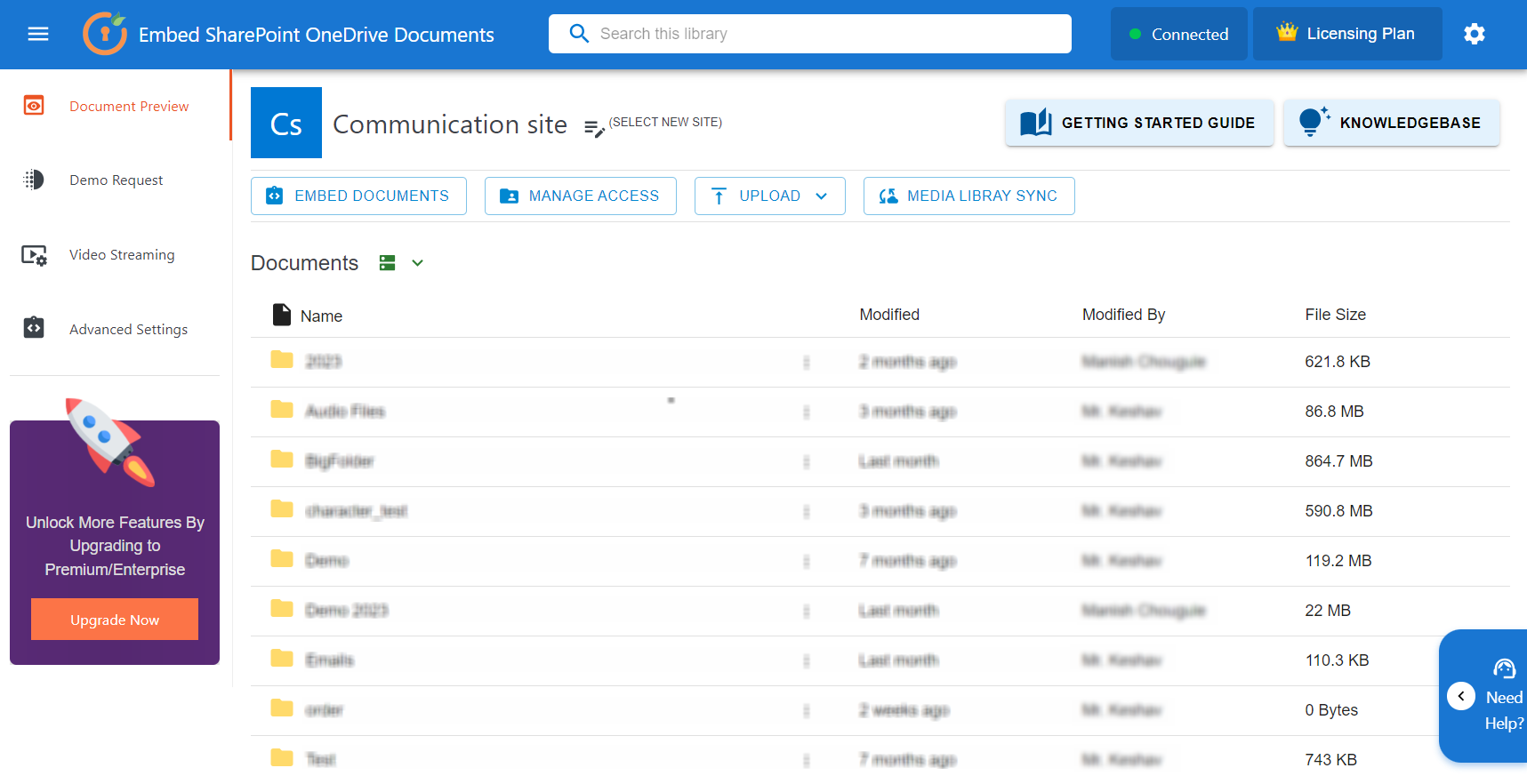
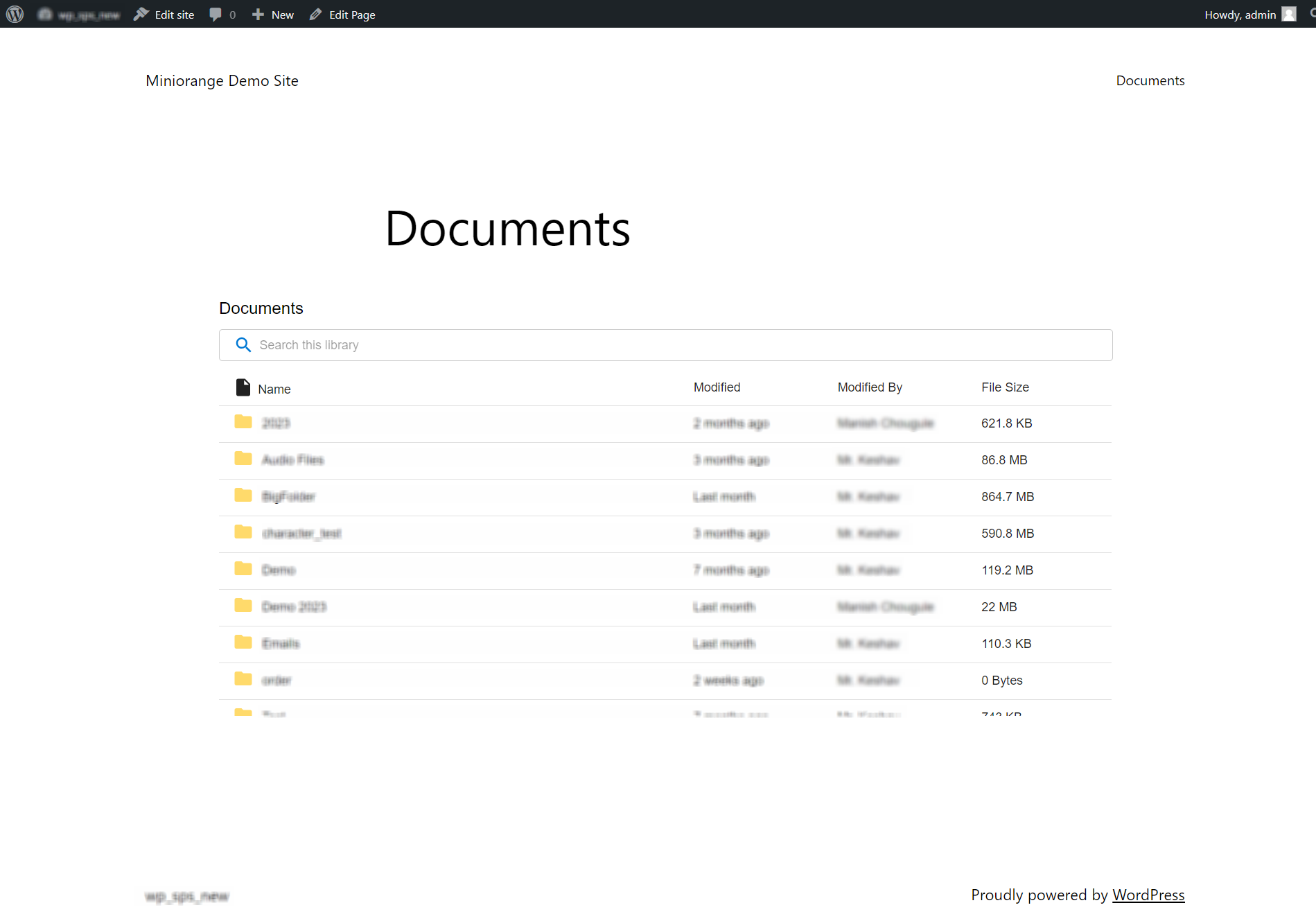
Embed SharePoint/OneDrive Documents
– Display PDFs, Word docs, Excel sheets, videos, and images from SharePoint/OneDrive.
– Sync documents into the WordPress media library for use with ACF or page builders.
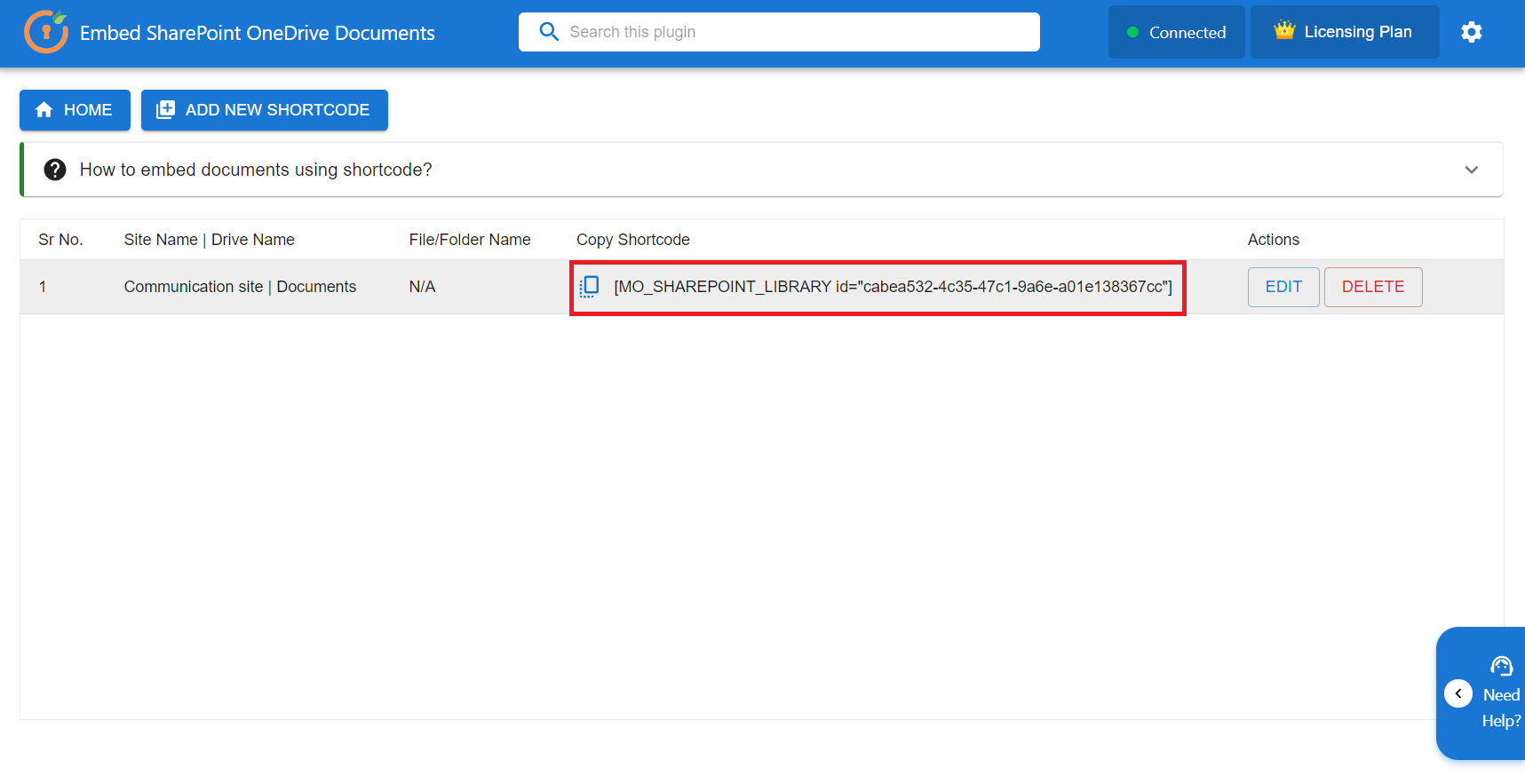
– Use shortcodes to embed any document anywhere on your site.
Powerful Shortcode Generator
– Generate secure shortcodes for public or restricted views.
– Set individual permissions for different WordPress users and roles.
– Allow preview, download and upload access for the embedded folders and documents.
– Select from Grid, List or Table View for the embedded files.
– Embed images, videos in gallery view.
AI Assistant & SharePoint Copilot (MCP) for WordPress
– Add AI-powered, natural-language search to your SharePoint and OneDrive content — just describe what you need and the AI Assistant finds and reads the exact file.
– “Ask your PDF” chat, semantic AI search, and instant AI summaries for PDF, Word, Excel, and PowerPoint documents, with every answer citing its source.
– Built on the WordPress Abilities API with granular, admin-controlled SharePoint AI abilities — document search, list sites, list document libraries, browse folders, view file details, read document text, and get current user.
– Bring your own AI provider: use the WordPress AI Client / Connectors (OpenAI, Google Gemini, Anthropic Claude) or a plugin-level API key.
– Microsoft Copilot / MCP (Model Context Protocol) connector lets external AI assistants and AI clients securely query your Microsoft 365 and SharePoint data using natural language.
– Also integrates with external AI clients like Cursor, Claude, and ChatGPT through the MCP connector.
– Permission-aware and private: answers respect each user’s Microsoft 365 / SharePoint access, secured with OAuth 2.0 PKCE and Microsoft Graph — credentials are never shared and no data is routed through miniOrange.
– Learn more: SharePoint Copilot for WordPress
– Learn more: AI Assistant for WordPress
Guided Setup & Onboarding
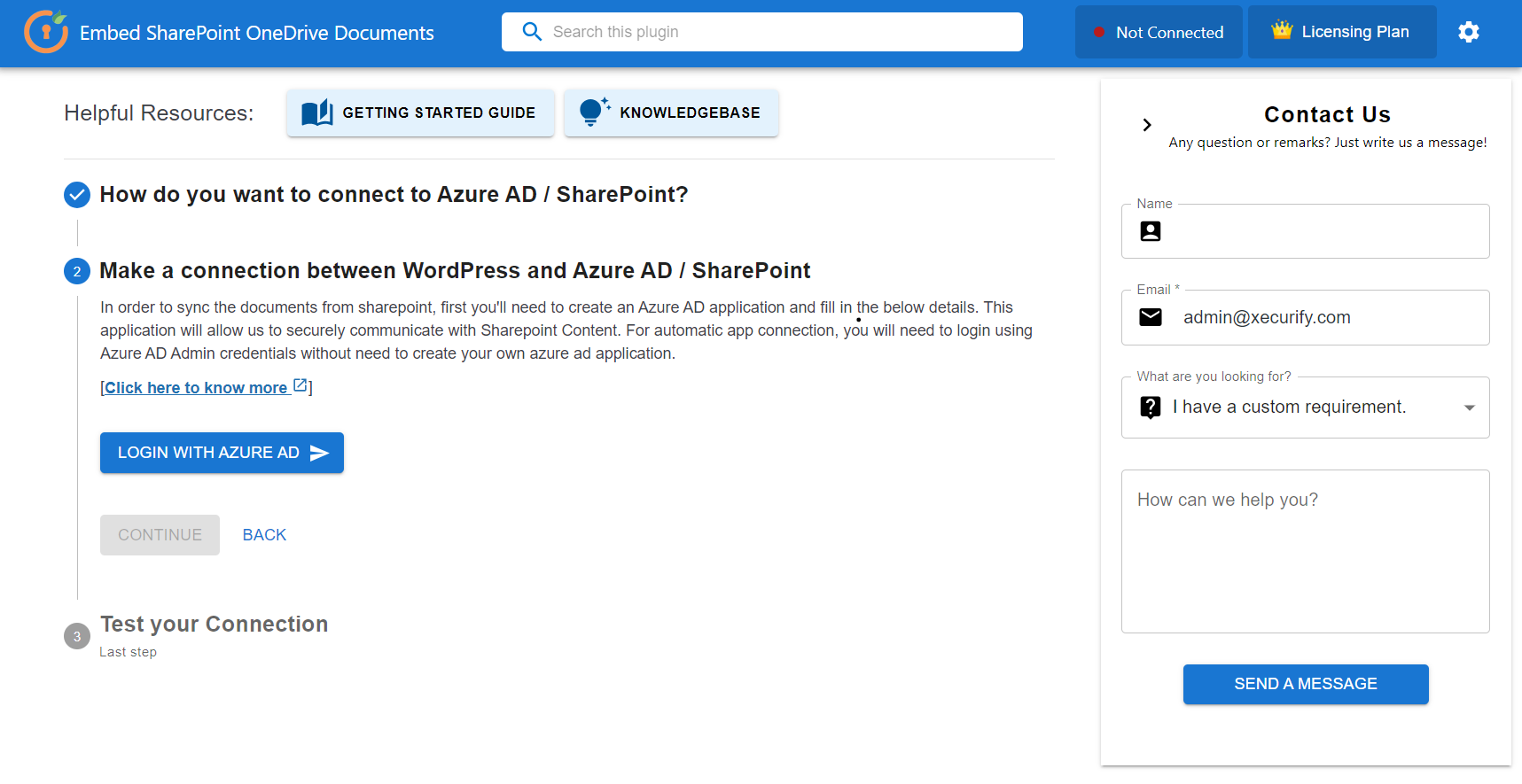
– Step-by-step setup wizard for faster, easier SharePoint/OneDrive plugin configuration.
– Interactive guided tour of key plugin sections and settings.
– Contextual, in-plugin guidance that reduces onboarding time for new users.
– Improved user experience — getting started is now easier than ever, from first install through everyday configuration.
Access Control & Permissions
– Restrict access based on user roles, email domain, WooCommerce plans, or membership level.
– Secure embedded files using dynamic URL to prevent direct file URL access from WordPress.
Automated Sync & Form Integration
– Sync Gravity Forms, Contact Form 7, or Fluent Forms submissions to SharePoint lists or folders.
– Automatically convert form data into PDF and store in SharePoint.
– Create WordPress posts/pages based on SharePoint data updates.
User Profile & Metadata Sync
– Sync SharePoint user attributes like “About Me,” “Skills,” etc.
– Create new WordPress users from SharePoint list entries.
– Keep profiles updated in both platforms.
Advanced File Management
– Upload, edit, delete, and preview SharePoint/onedrive files from WordPress without storing them locally.
– Use the WordPress dashboard to manage SharePoint/OneDrive directories.
Enhanced Search & Views
– Search SharePoint files using metadata or full-text.
– Display libraries in list, grid, or table view.
– Provide document preview in popup or new tab.
Notification & Alert System
– Notify users of file uploads, updates, or new assignments.
– Send automatic alerts to SharePoint users or WooCommerce customers.
Supported Applications
– SharePoint Online & OnPremise
– OneDrive Enterprise & Personal
Shortcode Embedding
– Embed SharePoint Site as Shortcode
– SharePoint Drive as Shortcode
– File/Folders as Shortcode
– Individual Document (PDF / DOC / PPT / Excel / PPT / Video ) in Preview or Edit Mode
File/Folder Action
– Preview in SharePoint / OneDrive
– Popup Display
– Download / Upload / Search
Look & Feel
– List / Grid / Lightbox / View
– Sorting based on Standard SharePoint Columns
– Filters for file types, custom column values and date-time.
WP Posts Synchronization
– Sync SharePoint/onedrive files to WordPress media library as an attachment.
– Sync to WordPress Custom Post Types ( WP CPT Sync ).
– Maintain SharePoint/OneDrive folder structure using WordPress Taxonomies and Terms.
– Assign WordPress tags to the files and folders.
SharePoint Artifacts
– Sync Custom Columns, News, Articles, Events & Lists.
3rd Party Integrations
– ACF ( Advanced Custom Fields )
– Gravity Forms
– Formiddable Form
– Contact Form 7
– WooCommerce
Top Use Cases
Display SharePoint & OneDrive Content in Real Time
Use shortcodes to embed SharePoint folders, document libraries, and OneDrive directly inside any WordPress page or post. Changes in Microsoft 365 appear on your site instantly — no re-uploading needed.
– Browse folders and libraries inline.
– Preview documents without leaving the page.
– Download or upload files from allowed locations.
Show and Restrict the Right Files for Every User
Control who can view, download, or upload SharePoint and OneDrive content. When users sign in with Azure AD SSO, their Microsoft 365 permissions automatically carry over, so each person only sees what they are already allowed to access.
– Restrict access by WordPress roles, specific email addresses, or login state.
– Control view, preview, download, and upload permissions separately.
– File visibility automatically mirrors Microsoft 365 permissions after Azure AD SSO login.
– No duplicate configuration needed between WordPress and Microsoft 365.
Connect Multiple Microsoft 365 Sources from One Dashboard
Organizations often store files across multiple Microsoft platforms. Connect SharePoint sites, OneDrive for Business accounts, and personal OneDrive accounts all from a single plugin dashboard.
– Manage all Microsoft 365 file sources from one place.
– Embed content from any connected source using shortcodes.
– Keep departmental and personal storage logically separated.
Sync Microsoft 365 Files into the WordPress Media Library
Instead of embedding shortcodes for every folder, sync Microsoft 365 files directly into the WordPress Media Library. Editors can then use them naturally inside pages, posts, and page builders, just like any regular WordPress media.
– Files appear in the native Media Library without any shortcodes.
– Editors work with a familiar WordPress interface.
– Compatible with Gutenberg, Elementor, and other page builders.
Turn SharePoint Documents into Dynamic WordPress Content
Automatically sync SharePoint and OneDrive file metadata like titles, descriptions, categories, and custom fields into WordPress Custom Post Types. Build dynamic content pages powered directly by your Microsoft 365 data.
– File metadata maps to Custom Post Type fields automatically.
– Build searchable document portals from SharePoint data.
– Content stays current as files change in Microsoft 365.
Support & More
- 📧 Email: office365support@xecurify.com
- 📞 Book a call: Contact Form
- 🌐 Explore more plugins: miniOrange WordPress Plugins
Installation
From WordPress.org
- Download the plugin from the WordPress repository.
- Upload the
embed-sharepoint-onedrive-documentsfolder to your/wp-content/plugins/directory. - Activate the plugin through the ‘Plugins’ menu in WordPress.
From the WordPress Dashboard
- Go to
Plugins > Add New. - Search for
Embed SharePoint OneDrive Documents. - Install and activate the plugin.
For Any Assistance
- Email us at office365support@xecurify.com
- Visit Contact Us
Frequently asked questions
How do I configure the plugin?
Refer to the plugin setup guide for basic configuration or email our support team for personalized help at office365support@xecurify.com.
Getting “Token type is not allowed” error?
Please follow the resolution guide here: Token Type Error Resolution
Can I control who accesses embedded documents?
Yes, access can be restricted by user roles, email domains, logged-in status, WooCommerce purchases, or membership plugins.
Does it support SharePoint On-Premise?
Yes, the plugin works with both SharePoint Online and On-Premise versions.
Changelog
Security Fixes
2.5.6
- Security Fixes
2.5.5
- Major: Added the AI Assistant — SharePoint Abilities API and AI-powered search & document summaries for SharePoint/OneDrive (OpenAI, Google Gemini, Anthropic Claude via the WordPress AI Connector or a plugin API key; MCP support for external AI clients).
- New: Step-by-step setup wizard and guided onboarding for faster configuration.
- Fixed: Feedback form issues on plugin deactivation.
- UI improvements across the plugin.
2.5.4
- Added cross-marketing for all miniOrange Azure integrations with WordPress
2.5.3
- Improved SharePoint shortcode selection.
- Fixed feedback form and .aspx folder path issues.
- Removed unused assets.
- Fixed reverse migration and test connection race conditions.
- Fixed an issue where the preview URL became inconsistent after reconnection.
2.5.2
- Resolved issues with support and Feedback Forms.
- Minor UI improvements.
2.5.1
- Introduced copilot search with SharePoint.
- Major UI changes.
Screenshots
For developers
Is this your plugin? Show off the numbers.
Add a live badge to your site, docs or GitHub README. It updates on its own — no account needed.
Best miniOrange Embed Files for Sh… alternatives
All embed document plugins →| Rank | Plugin | Active installs |
|---|---|---|
| 1 |
 Document Viewer
Embed Word, Excel, PowerPoint and PDF files in WordPress using Microsoft Office Viewer or…
Document Viewer
Embed Word, Excel, PowerPoint and PDF files in WordPress using Microsoft Office Viewer or…
|
2K+ |
FAQ
miniOrange Embed Files for SharePoi…: quick answers
Straight answers, pulled from live WordPress.org data.
Live data from WordPress.org · checked Oct 19, 2026
Is miniOrange Embed Files for Shar… free?
Yes. miniOrange Embed Files for Shar… is free to download and use from the official WordPress.org plugin directory.
Is miniOrange Embed Files for Shar… safe to use in 2026?
Yes — miniOrange Embed Files for Shar… is a safe, well-maintained plugin to use in 2026. It runs on 700+ sites, is rated 5/5 and was last updated 2 months ago, and scores 83/100 on our health check.
How many websites use miniOrange Embed Files for Shar…?
miniOrange Embed Files for Shar… is active on 700+ WordPress websites and has been downloaded 35,474 times since it launched in July 2022. It was downloaded 1,263 times in the last 30 days.
Does miniOrange Embed Files for Shar… work with WordPress 7.1?
Yes. The developer has tested miniOrange Embed Files for Shar… up to WordPress 7.1.3, the latest release. It requires WordPress 5.5 or newer.
What PHP version does miniOrange Embed Files for Shar… need?
miniOrange Embed Files for Shar… requires PHP 5.6 or higher. Most hosts run PHP 8.x today, so it works on any modern WordPress hosting.
When was miniOrange Embed Files for Shar… last updated?
The latest version, 2.5.6, was released on September 3, 2026 (2 months ago).
Who makes miniOrange Embed Files for Shar…?
miniOrange Embed Files for Shar… is developed and maintained by miniOrange.
What are the best alternatives to miniOrange Embed Files for Shar…?
The most popular alternatives to miniOrange Embed Files for Shar… are Document Viewer (2K+ installs).
Powered by PageForge
Want thousands of pages that rank like these? Build them in an afternoon.
This directory runs on the same engine as PageForge. Turn any spreadsheet, CSV or API into thousands of fast, SEO-ready WordPress pages — with schema, internal links and AI-written copy baked in.
- CSV, Google Sheets & API data sources
- AI content, schema & internal links per page
- Works with Elementor, Gutenberg, Yoast & Rank Math
- Free on WordPress.org — no credit card


