


Elfsight Blocks for Elementor — 80+ Widgets
80+ Premium and free custom Elementor blocks and widgets for WordPress by Elfsight.

Consider an alternative
Elfsight Blocks for Elementor shows warning signs in 2026 — compare the alternatives below before installing. It runs on 2K+ sites, is rated 1/5 and was last updated 11 months ago, and scores 38/100 on our health check.
- Momentum — downloads up 38.6% vs the previous 30 days
- Very few reviews so far
- Only tested up to WordPress 6.8 (latest is 7.1)
How does it stack up?
Side-by-side on installs, updates, ratings & support



Daily downloads
Download spikes usually follow a new release — each site that auto-updates counts as a download.
Rankings
Where Elfsight Blocks for Element… stands todayWordPress.org search rankings
Live position in the plugin search, top 100| Keyword | Position |
|---|---|
| addon | >100 |
| editor | >100 |
| elementor | >100 |
| extension | >100 |
Version adoption
Share of active sites per release.
Rating breakdown
★★★★★★★★★★ 1 from 2 reviews
About Elfsight Blocks for Elementor
From the official readme · v1.2.0Description
Elfsight provides you with a wide range of premium and free custom Elementor widgets right for your WordPress website. Whatever your business sphere is – ecommerce, blogging, or other, Elfsight blocks library is there to assist you with increasing conversion rate, improving the user experience, reducing the bounce rate, getting more visitors and followers, collecting information and supporting users of your website. You don’t need coding skills to embed our widget into your Elementor page. Simply start creating your custom plugin and make the most of your website in just a few clicks!
What makes ELFSIGHT BLOCKS LIBRARY special:
- Free support available any time you need.
- User-friendly editor and intuitive customization.
- Compatible with any browser.
- Works great on any device – mobile responsive.
- Easy to personalize – choose the placement, color, size, fonts and many more.
- No need to look for a developer or learn coding – the installation is a breeze.
- Cloud solutions provide instant problem fixes and high loading speed.
- Always stable version of the blocks thanks to regular updates.
- Suitable for any WordPress theme.
- Can be added to any page of WordPress site.
- Text in any language is supported.
- Get access to all blocks with one subscription.
- Possibility to integrate with Gutenberg Editor.
Introduce these ELEMENTOR WIDGETS INTO YOUR WORDPRESS website without effort:
Elementor Social Feed Blocks – Add Instagram, Facebook, Twitter, LinkedIn or Pinterest Feed widget to your WordPress website. Keep your audience connected with your social media and get new followers easily with automatic updates and fresh content every day.
Elementor Reviews Blocks – Showcase testimonials from Google, Airbnb, Tripadvisor, Amazon and other resources on your WordPress page and prove to your audience you’re a reliable partner. Draw new purchases and uplevel social trust.
Elementor Chats Blocks – Provide your audience with a fast way to connect to you through Whatsapp, Facebook, Telegram and other popular messenger widgets. Use diverse display positions, select categories of visitors who can see the chat, add your company logo and caption text, show an inviting welcome message and more.
Elementor Ecommerce Blocks – Boost sales by means of our Countdown Timer, Pricing Table, Popup and Click to Call button widgets. Create a feeling of scarcity, remind your users of the upcoming sales period and represent your payment plans easily. Make the best of your sales strategy!
Elementor Form Builder – Create various filling forms for your WordPress homepage and collect insights from your current and potential customers. Design feedback forms, rating requests and other formats. Make data collection a breeze!
Elementor File Embed Blocks – Insert files of all popular formats into the pages of your WordPress website. Attach the following types: PDF, Docx, Xlsx, Jpeg, and other formats. Embed your certificates, technical documentation, instructions, and more in a few seconds!
Elementor Galleries and Sliders – Capture users’ attention with attractive galleries and sliders on your WordPress website! Use our Slider, Photo Gallery or Portfolio to showcase visual content the most representative way. Add visual effects and scale the image / video size the way you need swiftly.
Elementor Social icons and Share buttons – Expand the reach of your content, making use of our social blocks. Provide your audience with a new way to stay in touch with you and get new loyal followers in a few clicks!
Elementor Audio Blocks – Playback audio tracks, books, podcasts and radio shows on the pages of your WordPress website. Entertain and educate your audience with our extremely customizable tools and diversify the content types on your web page easily.
Others Elementor Blocks – Choose the block for almost any use case: FAQ, Event Calendar, Weather and many more.
Check the whole list of our WordPress blocks and find the ones that suit you best!
Free customer support available any time you need
In case you face any difficulties with the installation process or come across any other questions, please contact our customer support team to get useful tips and answers to the frequently asked questions.
Installation
Please remember you MUST have Elementor Page Builder Plugin installed to be able to use this plugin.
- Upload the elfsight-addons-for-elementor.zip file via the plugin page of WordPress by clicking ‘Add New’ and selecting the zip from your local computer.
- Activate the plugin through the ‘Plugins’ menu in WordPress.
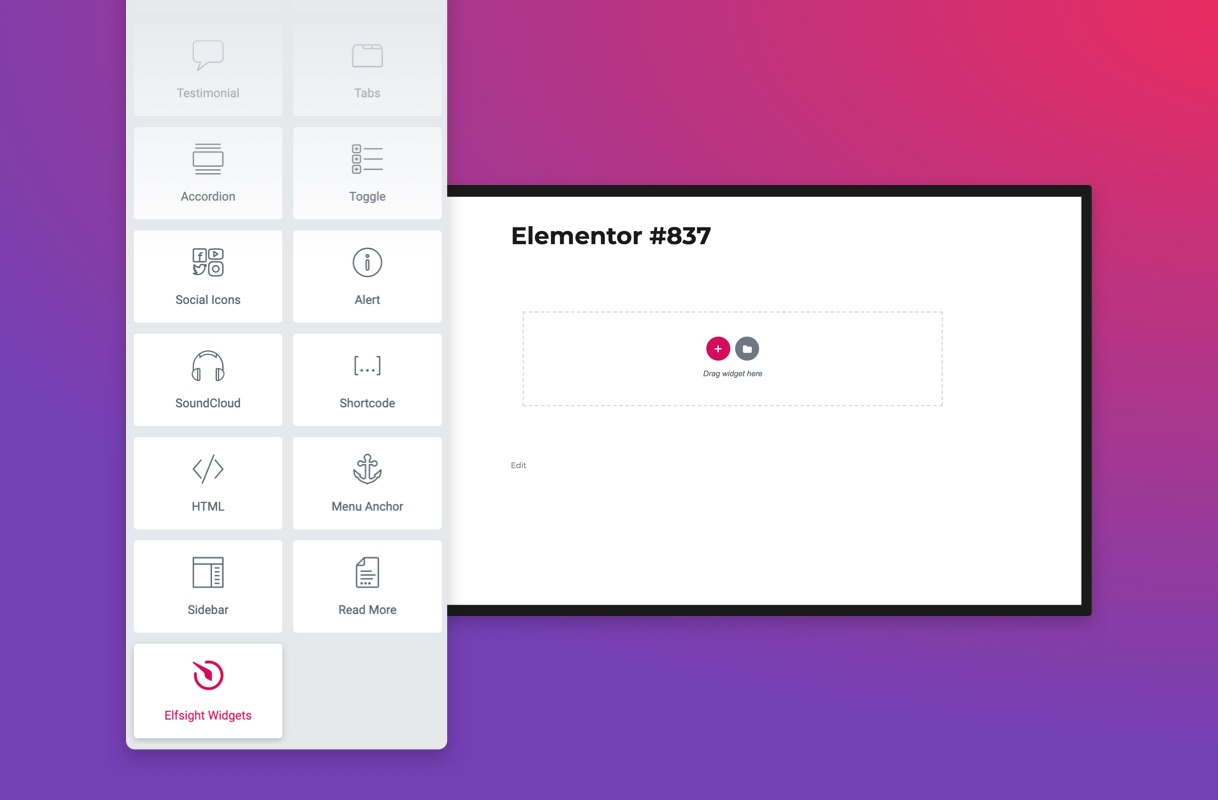
- You can find Elfsight Addons under the category “General” on your Elementor element/widget list.
Screenshots


For developers
Is this your plugin? Show off the numbers.
Add a live badge to your site, docs or GitHub README. It updates on its own — no account needed.
Best Elfsight Blocks for Elementor alternatives
All addon plugins →




FAQ
Elfsight Blocks for Elementor: quick answers
Straight answers, pulled from live WordPress.org data.
Source: WordPress.org
Is Elfsight Blocks for Elementor free?
Yes. Elfsight Blocks for Elementor is free to download and use from the official WordPress.org plugin directory.
Is Elfsight Blocks for Elementor safe to use in 2026?
Elfsight Blocks for Elementor shows warning signs in 2026 — compare the alternatives below before installing. It runs on 2K+ sites, is rated 1/5 and was last updated 11 months ago, and scores 38/100 on our health check.
How many websites use Elfsight Blocks for Elementor?
Elfsight Blocks for Elementor is active on 2K+ WordPress websites and has been downloaded 26,078 times since it launched in February 2020. It was downloaded 708 times in the last 30 days.
Does Elfsight Blocks for Elementor work with WordPress 7.1?
Elfsight Blocks for Elementor is officially tested up to WordPress 6.8.13, while the latest release is 7.1.5. It may still work, but try it on a staging site first.
What PHP version does Elfsight Blocks for Elementor need?
Elfsight Blocks for Elementor requires PHP 5.2.4 or higher. Most hosts run PHP 8.x today, so it works on any modern WordPress hosting.
When was Elfsight Blocks for Elementor last updated?
The latest version, 1.2.0, was released on December 28, 2025 (11 months ago).
Who makes Elfsight Blocks for Elementor?
Elfsight Blocks for Elementor is developed and maintained by elfsight.
What are the best alternatives to Elfsight Blocks for Elementor?
The most popular alternatives to Elfsight Blocks for Elementor are Primary Addon for Elementor (6K+ installs), G-Forms hCaptcha (2K+ installs) and ACF: Rus-To-Lat (2K+ installs).
Powered by PageForge
One template and a spreadsheet. A real page for every search.
PageForge turns each row of a CSV into a WordPress page with its own title, URL, SEO fields and schema, built on the layout you already designed. Free on WordPress.org.
- CSV and XLSX, plus Google Sheets on Professional and Enterprise
- Its own title, URL, SEO fields and schema for every page
- Works with the block editor, Elementor, Divi and Avada
- Free on WordPress.org, no credit card