



Elastic Email Sender
Reconfigures wp_mail() to send email using Elastic Email API instead of SMTP.

Use with caution
Elastic Email Sender works, but test it on a staging site before relying on it in 2026. It runs on 10K+ sites, is rated 4.8/5 and was last updated 10 months ago, and scores 45/100 on our health check.
- Proven at scale on 10K+ active sites
- Only tested up to WordPress 6.9 (latest is 7.1)
How does it stack up?
Side-by-side on installs, updates, ratings & support



Daily downloads
Download spikes usually follow a new release — each site that auto-updates counts as a download.
Rankings
Where Elastic Email Sender stands todayWordPress.org search rankings
Live position in the plugin search, top 100| Keyword | Position |
|---|---|
| Email Marketing | #36 |
| email sender | #4 |
| mailer | #31 |
| transactional email | #9 |
Version adoption
Share of active sites per release.
Rating breakdown
★★★★★★★★★★ 4.8 from 10 reviews
About Elastic Email Sender
From the official readme · v1.2.22Description
Elastic Email Sender allows you to connect your WordPress with our powerful, low-cost Elastic Email API and start sending marketing or transactional emails!
Please follow the information below and find out more about how we can help you send your emails in a more efficient way.
In case of any questions or concerns, feel free to contact us anytime.
What is the Elastic Email Sender plugin?
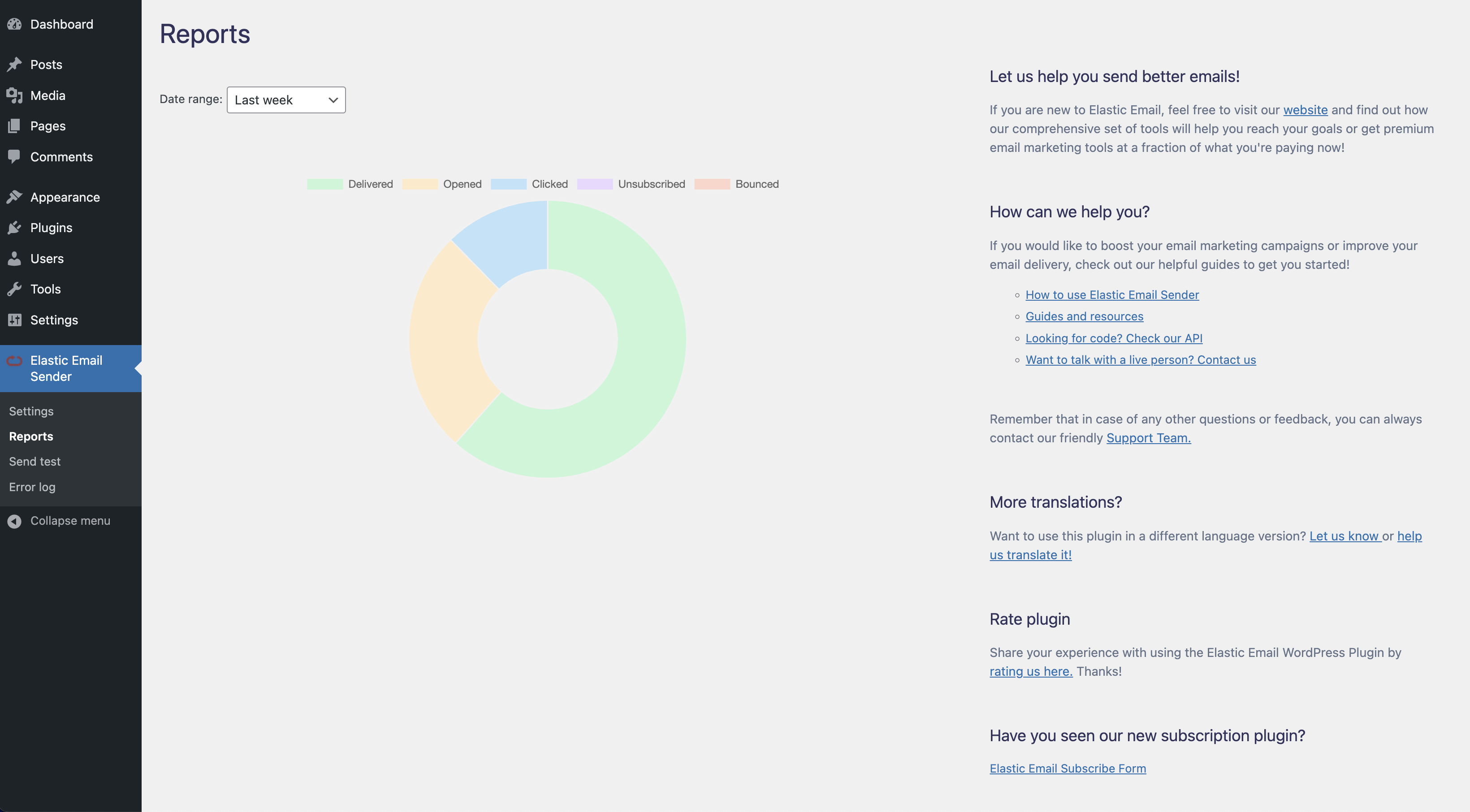
The Elastic Email Sender plugin is an easy way to maintain all the aspects related to your email campaigns. From creating and sending your emails to monitoring and managing campaign stats.
Elastic Email Sender replaces the WordPress default wp_mail() function by using API integration with Elastic Email to send an outgoing email from your WordPress installation.
Thanks to this, you can track all the parameters of your delivery, use Private IP addresses to get full control over your sending, maintain reputation and delivery and secure your data better than ever. You can also use your own domain and analyze your data with ease.
Elastic Email Sender is compatible with almost every solution available on the market including WooCommerce, Contact Form 7, Ninja Forms, Flamingo, Caldera Forms, bbPress
How to get started?
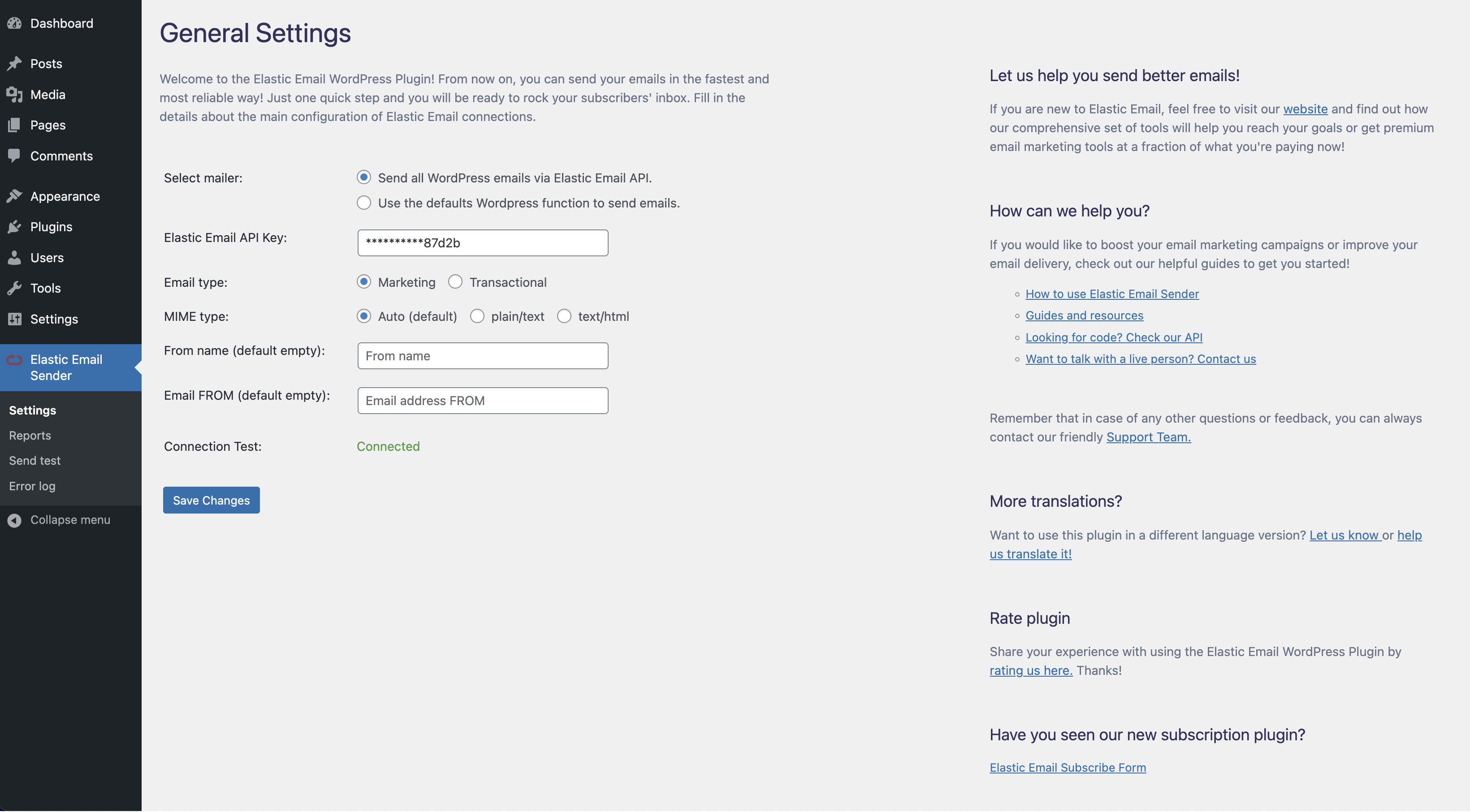
Just sign into your Elastic Email account, copy the API Key. Next, please login to your WordPress dashboard, add the Elastic Email Sender plugin and paste there the API Key from your Elastic Email account.
Translations
You can translate Elastic Email Sender on translate.wordpress.org.
Installation
To connect WordPress to Elastic Email:
1. Log into your WordPress dashboard and click Plugins in the left sidebar.
2. Click Add New at the top of the page and then, search for “Elastic Email Sender” and click “Install Now”.
3. Click Activate Plugin.
4. Enter your Elastic Email API key in the plugin settings with permission Plugin, and click Save Changes.
5. If you do it successfully, you can start sending emails!
Installation in Network
To connect WordPress to Elastic Email:
1. Log into your WordPress dashboard (Network Admin) and click Plugins in the left sidebar or dropdown menu.
2. Click Add New at the top of the page and then, search for “Elastic Email Sender” and click “Install Now”.
3. Click Network Activate.
4. Enter your Elastic Email API key in the plugin settings with permission Plugin, and click Save Changes.
5. If you do it successfully, you can start sending emails!
Frequently asked questions
Where can I find more details?
Please take a look at the Elastic Email resources first. If you can’t find the answer, please contact our Support Team.
How to get started with Elastic Email?
Start with Elastic Email by creating a new account on our website.
What kind of emails can I send with the Elastic Email Sender plugin?
Elastic Email Sender has an option to switch between transactional and marketing emails. This means that from now on, you can easily decide what kinds of emails you would like to send. By default, you will be sending marketing emails that can be used for all kinds of marketing announcements: newsletters, marketing updates, sales offers, etc. But if you would like to send more technical emails like notifications about your service or app status, password reset or notifications about orders, you can use transactional emails that can be used for all kinds of transactions between users and…
How to set up a domain to start sending?
Find out how to verify your domain on our Resources page.
Where do I find my Elastic Email API Key?
You can find the Elastic Email API Key in Settings account.
Where can I find private IP address settings?
All the details about the private IPs are available in Settings/Private IPs account.
I can’t send any attachments.
Make sure you allowed for the use of custom headers by checking the “Allow Custom Headers” option in Settings/Sending.
Can I send mail as plain text?
Please make sure that you have the “Auto Create Text Body” turned on in your Sending Settings. If yes, your emails are also available as plain text. Support Forum
Changelog
1.2.22
- Minor fixes and optimizations
1.2.21
- Bug fixes and improved application performance
Screenshots

For developers
Is this your plugin? Show off the numbers.
Add a live badge to your site, docs or GitHub README. It updates on its own — no account needed.
Best Elastic Email Sender alternatives
All Email Marketing plugins →





FAQ
Elastic Email Sender: quick answers
Straight answers, pulled from live WordPress.org data.
Live data from WordPress.org · checked Sep 26, 2026
Is Elastic Email Sender free?
Yes. Elastic Email Sender is free to download and use from the official WordPress.org plugin directory.
Is Elastic Email Sender safe to use in 2026?
Elastic Email Sender works, but test it on a staging site before relying on it in 2026. It runs on 10K+ sites, is rated 4.8/5 and was last updated 10 months ago, and scores 45/100 on our health check.
How many websites use Elastic Email Sender?
Elastic Email Sender is active on 10K+ WordPress websites and has been downloaded 293,766 times since it launched in June 2017. It was downloaded 1,260 times in the last 30 days.
Does Elastic Email Sender work with WordPress 7.1?
Elastic Email Sender is officially tested up to WordPress 6.9.9, while the latest release is 7.1.2. It may still work, but try it on a staging site first.
What PHP version does Elastic Email Sender need?
Elastic Email Sender requires PHP 7.0 or higher. Most hosts run PHP 8.x today, so it works on any modern WordPress hosting.
When was Elastic Email Sender last updated?
The latest version, 1.2.22, was released on December 3, 2025 (10 months ago).
Who makes Elastic Email Sender?
Elastic Email Sender is developed and maintained by Elastic Email.
What are the best alternatives to Elastic Email Sender?
The most popular alternatives to Elastic Email Sender are Hostinger Reach (1M+ installs), MailPoet (500K+ installs) and Newsletter (200K+ installs).
Powered by PageForge
Want thousands of pages that rank like these? Build them in an afternoon.
This directory runs on the same engine as PageForge. Turn any spreadsheet, CSV or API into thousands of fast, SEO-ready WordPress pages — with schema, internal links and AI-written copy baked in.
- CSV, Google Sheets & API data sources
- AI content, schema & internal links per page
- Works with Elementor, Gutenberg, Yoast & Rank Math
- Free on WordPress.org — no credit card


