


EgyDevInfo Size Chart for WooCommerce
Size charts with a "Find my size" helper and a cm/inch switch, shown next to the Size option to help shoppers pick the right size.

Solid choice
EgyDevInfo Size Chart for WooCo… is a solid plugin choice in 2026, with a few things worth checking first. Was last updated 3 weeks ago, and scores 64/100 on our health check.
- Actively developed — last update 3 weeks ago
- Tested with the latest WordPress (7.1)
- Small user base (<10 active installs)
- Very few reviews so far
How does it stack up?
Side-by-side on installs, updates, ratings & support


Daily downloads
Download spikes usually follow a new release — each site that auto-updates counts as a download.
Rankings
Where EgyDevInfo Size Chart for W… stands todayWordPress.org search rankings
Live position in the plugin search, top 100| Keyword | Position |
|---|---|
| product size chart | >100 |
| Size Chart | #92 |
| size finder | #47 |
| size guide | >100 |
| woocommerce | >100 |
About EgyDevInfo Size Chart for WooCommerce
From the official readme · v1.3.3Description
A wrong size costs a store twice: the return shipping, and the sale. That is even more true for cash-on-delivery stores, where a shopper who is unsure about the size can simply refuse the parcel at the door.
EgyDevInfo Size Chart for WooCommerce is built to help shoppers pick the right size before they order:
- “Find my size”. Shoppers type the measurements they know (chest, waist, height, weight, foot length…) and get a size. When measurements point to different sizes, it suggests the larger one and explains why. It runs entirely in the browser: nothing is sent or stored.
- Right next to the Size option. On variable products the “Size chart” link sits beside the Size dropdown, where the shopper is actually choosing. Attributes named Size, Sizes, مقاس / المقاس, Taille, Größe, Talla and similar are detected automatically.
- Real tables, not just pictures. Size tables are readable on phones, work with screen readers and translation plugins, and switch between cm and inches (and kg and lb) with one tap. The shopper’s choice is remembered.
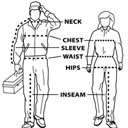
- “How to measure” tab with simple diagrams and your own step-by-step instructions.
- Arabic and RTL ready, including templates for regional garments.
Set up in minutes
- Starter templates with EU / Egypt, UK and US size columns: women’s tops and dresses, men’s shirts, trousers and jeans, kids by age, and shoes by foot length. Plus abaya/galabeya by height and martial arts uniforms by height and weight. Template values are typical ranges: adjust them to your own garments.
- Paste from Excel or Google Sheets: copy your existing size table and paste it in. Column types are detected for you.
- Create a chart once, use it everywhere: assign charts to product categories (subcategories inherit them), override or hide the chart on single products, and set an optional global chart for everything else.
- Images are supported too, on their own or above a table.
Egyptian sizes
Most Egyptian stores label shoes and clothing with European (EU) numbers, so the templates show one “EU / Egypt” column next to the UK and US equivalents. Trousers also list the waist size in inches (UK / US), which many Egyptian jeans brands use. You can rename or add columns, for example your own brand’s numbering.
Where it can appear
- Next to the Size option on variable products (default), falling back to before the Add to cart button on other products.
- After the price, before or after the Add to cart button, or after the product meta.
-
Anywhere with the Size Chart block (including block theme product templates) or the shortcode:
[egydevinfo_size_chart] shows the current product’s chart button.
[egydevinfo_size_chart chart_id=”12″ display=”inline”] shows a chart directly on a page, for example a Size Guide page.
[egydevinfo_size_chart product_id=”34″] shows a specific product’s chart.
Lightweight
- The storefront script is plain JavaScript with no jQuery and no libraries, and nothing loads from external servers.
- The popup uses the browser’s native
<dialog>element, so it sits above sticky headers and page builder sections without z-index workarounds. - Assets load only where a chart appears.
- Keyboard accessible: tabs work with arrow keys, Esc closes the popup, and focus returns to the button.
Everything is free
All features described here are in this plugin. There is no paid version and nothing is locked.
Privacy
This plugin does not collect personal data, set cookies, or contact external services. Measurements typed into “Find my size” never leave the shopper’s browser. The only thing stored in the browser is the shopper’s cm/inch preference (in localStorage). In your database it stores its settings, your size charts (a private post type), category assignments (term meta) and product overrides (product meta).
Installation
- Install and activate WooCommerce.
- Install and activate this plugin.
- Go to WooCommerce > Size Charts > Add size chart. Start from a template or paste your table.
- In the Where to show this chart box, tick the categories that should use it (subcategories inherit it) or “Use as the global chart”, then publish. You can also choose a category’s chart in Products > Categories.
- Optional: set a global chart, the button label, position and colors in WooCommerce > Size Chart Settings.
- Optional: on any product, use the Size chart box to choose a different chart or hide it.
Frequently asked questions
Can I show UK, US or my own size numbers?
Yes. Add a column of type “Text” for each size system (for example UK, US, EU / Egypt, or your factory’s numbering). Text columns are shown as typed and are not converted by the cm/inch switch. The first column is the size name shoppers choose and that “Find my size” recommends.
How does “Find my size” choose a size?
For each measurement the shopper enters, it finds the smallest size whose range covers that measurement. It then suggests the largest of those sizes, so the garment fits every measurement given, and it shows which size each measurement points to. If a measurement is bigger than the chart’s largest size, it says so and suggests contacting the store. For this to work, list sizes from smallest to largest and set body measurement columns to the “Length” or “Weight” type. Values can be single numbers (26) or ranges (88-92).
Which chart does a product show?
The product’s own setting in its Size chart box: its own chart, or hide. The product’s categories, most specific first (“Clothing > Shirts” wins over “Clothing”). Categories at the same depth are checked alphabetically, then parent categories. The global chart. If none of these applies, nothing is shown.
The link does not appear next to my Size dropdown
The link is added when the variable product has a variation attribute whose name or label contains “size” (or a translation such as مقاس or Taille). If your attribute has another name, developers can use the egydevinfo_size_chart_is_size_attribute filter, or you can pick another button position in the settings. Some variation swatch plugins replace the dropdown completely. If the link disappears with such a plugin, choose “Before the Add to cart button” as the position.
Does it work with block themes and page builders?
Yes. Add the Size Chart block to your Single Product template in the Site Editor, or use the [egydevinfo_size_chart] shortcode in any page builder.
Can shop managers use it?
Yes. Size charts use product permissions, and the settings page uses the manage_woocommerce capability.
I used the earlier “GH Size Chart (Global)” plugin
Your global image, button label, colors and position are imported automatically as a size chart. After checking the result you can delete the old plugin.
Changelog
Adds Support and Rate links. Includes the 1.3.2 output escaping hardening.
1.3.3
- New: “Support” and “Rate this plugin” links on the Plugins screen.
- New: a one-time, dismissible review request on the plugin’s own screens, shown 14 days after your first published chart. “Maybe later” hides it for 30 days.
1.3.2
- Security hardening: generated inline CSS and admin output are escaped at the point of output.
- Removed a stray development file from the package.
1.3.1
- New: assign a chart to the global slot and to categories directly from the chart editor (“Where to show this chart”). A new chart is pre-selected as the global chart when the store has none yet.
- Improved: when a product is set to “Automatic” but no chart applies, its Size chart box lists the categories that were checked and how to fix it.
- Improved: fewer database queries in the admin (no meta queries for category usage or upgrade lookups).
1.3.0
- New: size tables with a cm/inch (and kg/lb) switch that is remembered per shopper.
- New: “Find my size” helper.
- New: “How to measure” tab with diagrams and your own steps.
- New: reusable size charts (WooCommerce > Size Charts) with starter templates and paste from Excel or Google Sheets.
- New: “Size chart” link next to the Size option on variable products (new default position).
- New: Size Chart block, and
chart_idanddisplay="inline"shortcode options. - Changed: category and product charts now point to a size chart instead of an image. Existing images are converted to charts automatically.
1.2.0
- Per-category charts, per-product override or hide, button position setting and shortcode.
- Native
<dialog>popup without jQuery. - Fixed: shop managers could not save settings.
1.1.4
- Private release as “GH Size Chart (Global)”.
Screenshots


For developers
Is this your plugin? Show off the numbers.
Add a live badge to your site, docs or GitHub README. It updates on its own — no account needed.
Best EgyDevInfo Size Chart for Woo… alternatives
All product size chart plugins →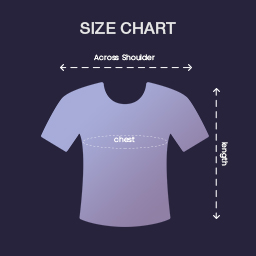


FAQ
EgyDevInfo Size Chart for WooCommer…: quick answers
Straight answers, pulled from live WordPress.org data.
Live data from WordPress.org · checked Oct 17, 2026
Is EgyDevInfo Size Chart for WooCo… free?
Yes. EgyDevInfo Size Chart for WooCo… is free to download and use from the official WordPress.org plugin directory.
Is EgyDevInfo Size Chart for WooCo… safe to use in 2026?
EgyDevInfo Size Chart for WooCo… is a solid plugin choice in 2026, with a few things worth checking first. Was last updated 3 weeks ago, and scores 64/100 on our health check.
How many websites use EgyDevInfo Size Chart for WooCo…?
EgyDevInfo Size Chart for WooCo… is active on <10 WordPress websites and has been downloaded 118 times since it launched in September 2026. It was downloaded 120 times in the last 30 days.
Does EgyDevInfo Size Chart for WooCo… work with WordPress 7.1?
Yes. The developer has tested EgyDevInfo Size Chart for WooCo… up to WordPress 7.1.3, the latest release. It requires WordPress 6.3 or newer.
What PHP version does EgyDevInfo Size Chart for WooCo… need?
EgyDevInfo Size Chart for WooCo… requires PHP 7.4 or higher. Most hosts run PHP 8.x today, so it works on any modern WordPress hosting.
When was EgyDevInfo Size Chart for WooCo… last updated?
The latest version, 1.3.3, was released on September 29, 2026 (3 weeks ago).
Who makes EgyDevInfo Size Chart for WooCo…?
EgyDevInfo Size Chart for WooCo… is developed and maintained by Egypt Web Developers - مُطَوِّرِي مِصْرَ.
What are the best alternatives to EgyDevInfo Size Chart for WooCo…?
The most popular alternatives to EgyDevInfo Size Chart for WooCo… are Product Size Charts Plugin… (9K+ installs), Sizor Product Size Chart Fo… (8K+ installs) and Product Size Chart for Wooc… (600+ installs).
Powered by PageForge
Want thousands of pages that rank like these? Build them in an afternoon.
This directory runs on the same engine as PageForge. Turn any spreadsheet, CSV or API into thousands of fast, SEO-ready WordPress pages — with schema, internal links and AI-written copy baked in.
- CSV, Google Sheets & API data sources
- AI content, schema & internal links per page
- Works with Elementor, Gutenberg, Yoast & Rank Math
- Free on WordPress.org — no credit card


