


Eazy Ad Unblocker
Eazy Ad Unblocker notifies the user about ad blockers like AdBlock, AdGuard AdBlocker, AdBlock Plus, Ghostery, etc. Eazy Ad Unblocker works on Microsoft Edge, FireFox, Google Chrome and Opera browsers. If users have…

Use with caution
Eazy Ad Unblocker works, but test it on a staging site before relying on it in 2026. It runs on 100+ sites, is rated 4/5 and was last updated 1 year ago, and scores 42/100 on our health check.
- Small user base (100+ active installs)
- No update in over a year
- Only tested up to WordPress 6.8 (latest is 7.1)
Daily downloads
Download spikes usually follow a new release — each site that auto-updates counts as a download.
Rankings
Where Eazy Ad Unblocker stands todayWordPress.org search rankings
Live position in the plugin search, top 100| Keyword | Position |
|---|---|
| ad-unblocker | #1 |
| anti-adblock | #7 |
Version adoption
Share of active sites per release.
Rating breakdown
★★★★★★★★★★ 4 from 11 reviews
About Eazy Ad Unblocker
From the official readme · v1.2.6Description
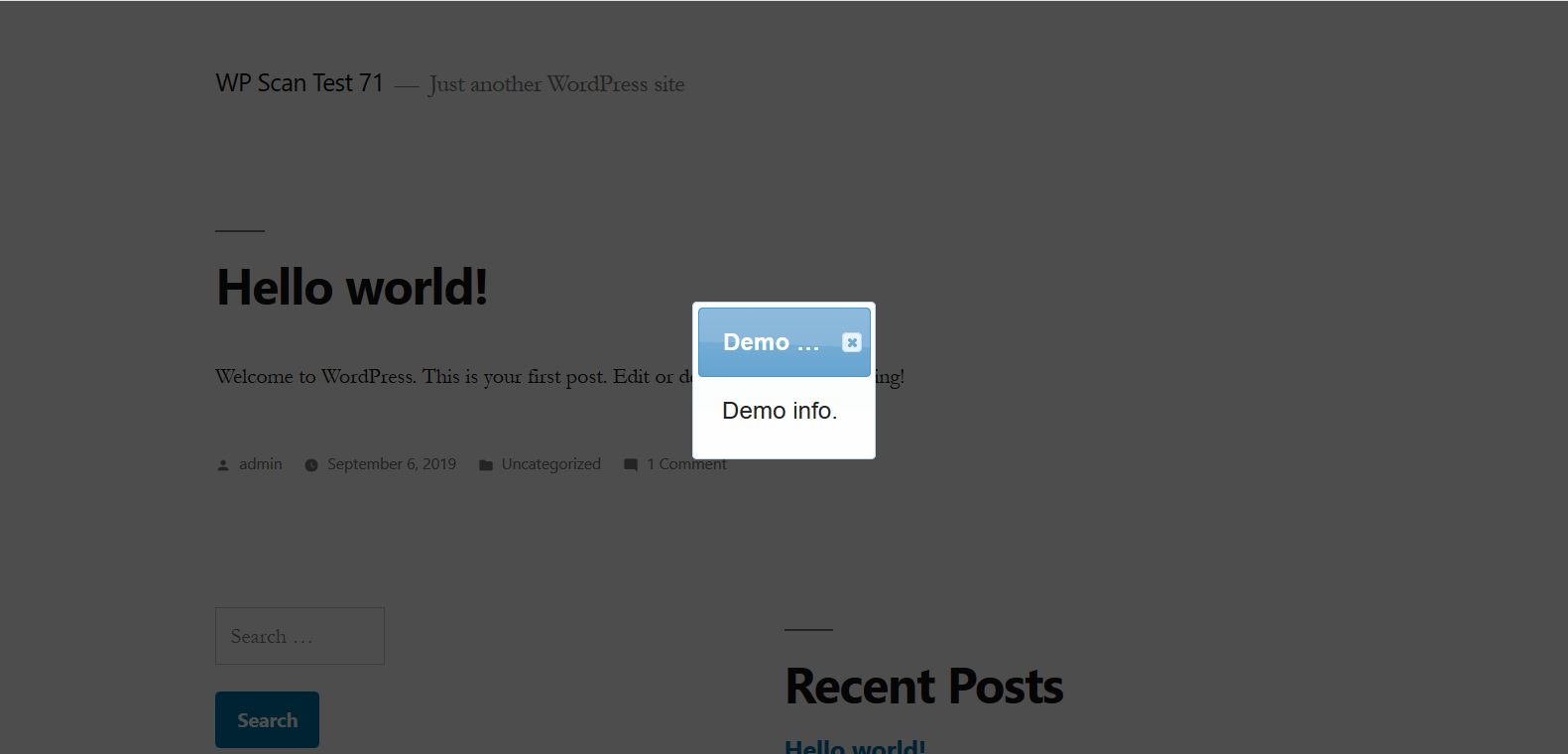
Eazy Ad Unblocker notifies the user about ad blockers like AdBlock, AdGuard AdBlocker, AdBlock Plus, Ghostery, etc.
Eazy Ad Unblocker works on Microsoft Edge, FireFox, Google Chrome and Opera browsers. If users have their adblocker on while surfing
the web in these browsers, they will be prompted to switch their adblocker off or whitelist the site they are currently viewing
via a modal popup. Users will not be able to view the website content clearly, nor will they be able to view the source of the page
they are on, unless they deactivate the adblocker or whitelist the site in their adblocker settings. There will be an option to close the
popup so that they are not locked out of the site completely. It will be in the form of a button marked ‘X’.
There is an option to completely black-out the content in the popup background through opacity settings. The admin of the site can
also configure the text and heading of the modal popup. The popup close button is controllable from wp-admin. You can also
set the width of the popup for larger devices like ipads, laptops, desktops if you don’t like the popup to be totally spread out.
You can now choose from among six themes to style the popup.
Thanks for the art work to Rochana Deb!
Testing
Browse to the site where you installed this plugin.
To test the popup, activate the ad blocker in your browser for the site.
Refresh your page if it does not auto-refresh. You should see a popup and verify that
it cannot be dismissed in any way except disabling your adblocker or whitelisting your site in it.
There is a button marked with a cross on the top right corner of the popup. Click it to close the popup.
You should also not be able to view source for the page you are on by pressing Ctrl+U.
Features
The following features exist in this plugin:
- It prevents users from using the site when adblockers are active for them.
- There is no way to dismiss the popup without deactivating the ad blockers.
- The users cannot view the source of the page they are on when the plugin is active.
- The popup background opacity can be adjusted.
- The user also cannot view or use web developer tools to bypass the popup or view the popup html.
- The popup auto-scales to the content visible in it.
- The plugin checks whether ad blockers are on or not, not if the page has ads.
- The popup’s title, text and opacity are editable. You can also add media such as images, videos and
audio clips to the body text. Audio and video are HTML5 based. - The admin can configure, from the backend, whether to show a close button in the popup or not.
- The popup dialog is responsive.
- The popup can be disabled on individual pages and posts.
- The popup width can be set for larger devices like ipads and desktop screens from the admin section.
- The popup style theme can be changed.
- CSS classes and id attributes are random for defence against ad blockers.
- Deleting the plugin deletes its data as well.
- Tested with PHP 8.1 and WordPress 6.3.2
- Tested with PHP 8.2 and WordPress 6.6
- Adblock popup can be disabled on posts by category and tag.
Installation
There are two ways to install the plugin once you have obtained the zip archive of the plugin.
Option 1: Unzip the plugin to install it
- Unzip the archive with the name beginning with eazy-ad-unblock.
- Connect to your website via FTP.
- Browse to ‘/wp-content/plugins/’ directory in FTP.
- Upload the entire ‘eazy-ad-unblock’ folder to FTP.
- Login to the Admin Dashboard ‘/wp-admin’ of your website.
- Browse the plugins page. You will see ‘Eazy Ad Unblocker’ plugin in the listing.
- Activate the plugin in step 6 above.
Option 2: Upload the plugin archive as is
- Login to your admin dashboard ‘/wp-admin’.
- Under ‘Plugins’ in the left sidebar, you will see an ‘Add New’ menu. Click it.
- You will be taken to the plugin install page. Click ‘Upload Plugin’ button on top of this page.
- A form will open up prompting to upload a Zip file. Upload your plugin archive and click the submit button.
- Click the ‘Activate Plugin’ button under the ‘Plugin installed successfully.’ message.
- You will see the message ‘Plugin Activated’ on the plugin listing page.
IMPORTANT: Either way, you need to configure the plugin for first-time use in your site.
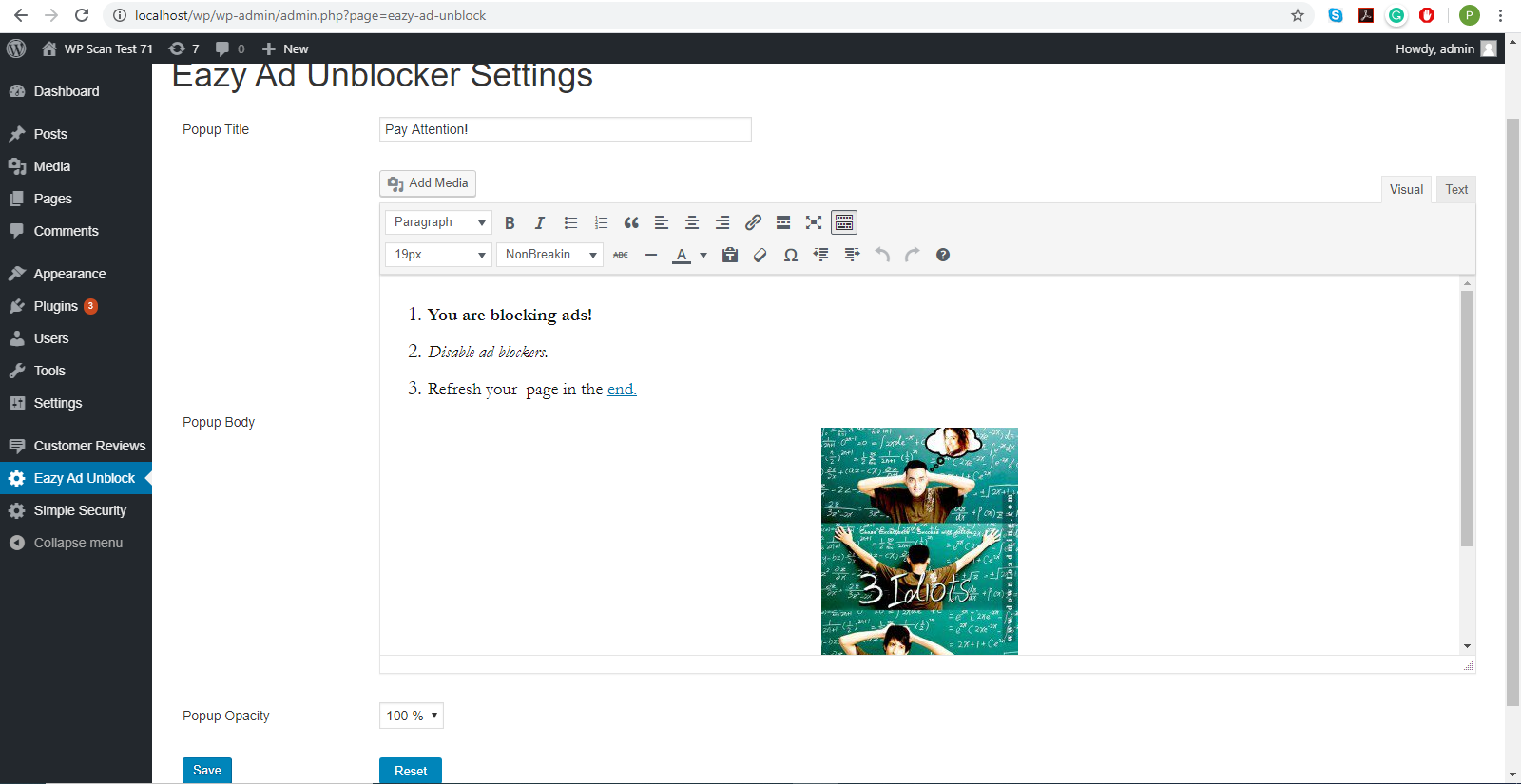
- Click on the ‘Eazy Ad Unblock’ menu in the left sidebar of your admin dashboard.
- Configure your popup according to your needs on the page that opens up.
- You can enter the title, body text and opacity of the popup background. An opacity of 100%
blacks out the content behind the popup. Opacity of 0% will make the content behind the popup
completely visible or, in other words, the popup background will be completely transparent. - Although you can add media in the body text, avoid using wallpapers thousands of pixels tall or wide.
Likewise, do not add videos that are hundreds of megabytes in size. - Don’t forget to click ‘Save’ at the bottom.
Changelog
Upgrade for Wordpress 6.8.1
1.2.6 2025/06/15
- Tested with WordPress 6.8.1
1.2.5 2024/08/26
- Disable adblock popup on post by category and tag
1.2.4 2024/07/17
- Tested with PHP 8.2 and WordPress 6.6
1.2.3 2023/11/05
- Tested with PHP 8.1 and WordPress 6.3.2
1.2.2 2023/01/15
- Tested with PHP 8.0 and WordPress 6.1.1
Screenshots

For developers
Is this your plugin? Show off the numbers.
Add a live badge to your site, docs or GitHub README. It updates on its own — no account needed.
FAQ
Eazy Ad Unblocker: quick answers
Straight answers, pulled from live WordPress.org data.
Live data from WordPress.org · checked Oct 10, 2026
Is Eazy Ad Unblocker free?
Yes. Eazy Ad Unblocker is free to download and use from the official WordPress.org plugin directory.
Is Eazy Ad Unblocker safe to use in 2026?
Eazy Ad Unblocker works, but test it on a staging site before relying on it in 2026. It runs on 100+ sites, is rated 4/5 and was last updated 1 year ago, and scores 42/100 on our health check.
How many websites use Eazy Ad Unblocker?
Eazy Ad Unblocker is active on 100+ WordPress websites and has been downloaded 18,299 times since it launched in April 2020. It was downloaded 111 times in the last 30 days.
Does Eazy Ad Unblocker work with WordPress 7.1?
Eazy Ad Unblocker is officially tested up to WordPress 6.8.11, while the latest release is 7.1.3. It may still work, but try it on a staging site first.
What PHP version does Eazy Ad Unblocker need?
Eazy Ad Unblocker requires PHP 7.2 or higher. Most hosts run PHP 8.x today, so it works on any modern WordPress hosting.
When was Eazy Ad Unblocker last updated?
The latest version, 1.2.6, was released on June 15, 2025 (1 year ago).
Who makes Eazy Ad Unblocker?
Eazy Ad Unblocker is developed and maintained by debp85.
Powered by PageForge
Want thousands of pages that rank like these? Build them in an afternoon.
This directory runs on the same engine as PageForge. Turn any spreadsheet, CSV or API into thousands of fast, SEO-ready WordPress pages — with schema, internal links and AI-written copy baked in.
- CSV, Google Sheets & API data sources
- AI content, schema & internal links per page
- Works with Elementor, Gutenberg, Yoast & Rank Math
- Free on WordPress.org — no credit card


