



Easy Weather Widget
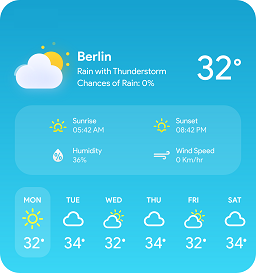
Easy Weather Widget provides you with an easy to use widget which outputs weather information. When creating the widget just enter in your U.S. zip code and save, it will display the current weather on your site.

Consider an alternative
Easy Weather Widget shows warning signs in 2026 — compare the alternatives below before installing. It runs on 70+ sites, is rated 4.3/5 and was last updated 9 years ago, and scores 34/100 on our health check.
- Small user base (70+ active installs)
- No update in 8 years
- Only tested up to WordPress 4.9 (latest is 7.1)
How does it stack up?
Side-by-side on installs, updates, ratings & support



Daily downloads
Download spikes usually follow a new release — each site that auto-updates counts as a download.
Rankings
Where Easy Weather Widget stands todayWordPress.org search rankings
Live position in the plugin search, top 100| Keyword | Position |
|---|---|
| weather | >100 |
| widget | >100 |
Version adoption
Share of active sites per release.
Rating breakdown
★★★★★★★★★★ 4.3 from 6 reviews
About Easy Weather Widget
From the official readme · v3.2.5Description
Easy Weather Widget provides you with an easy to use widget which outputs weather information. When creating the widget just enter in your U.S. zip code and save, it will display the current weather on your site.
I completely rewrote the widget and made it filterable. You need to obtain and enter an API key, which has a free tier that should cover many use cases to obtain at Settings > General in your WP backend. See http://openweathermap.org/api for more information.
The following filters are available:
eww_template to override the output template for the widget, see below for more information.
note, if you are overriding the template, please heed the notice to comply with the OpneWeatherMap license which states the OpenWeatherMap name must be mentioned as a weather source in a visible part of the application. (obtained 8/2016 from http://openweathermap.org/price)
eww_ioc_container to override the IoC container if you want to use different classes in the application (including the API to grab weather data)
Usage of eww_template filter
Add a “views” directory and file named “custom-eww.php” to your template directory. The “custom-eww.php” file will be your custom template for this example.
Example of using a custom template from within your theme PHP 5.3+ which allows closures
    <?php

        add_filter( 'eww_template', function ( $template ){
            $template_dir = get_template_directory();
            return $template_dir . '/views/custom-eww.php';
        } );
        ?>
Grunt
This plugin takes advantage of Grunt for validating JavaScript, SASS compilation and minification. To take advantage of Grunt you have to have both npm and Grunt installed. Visit the respective sites for the applications and make sure they are installed. Once installed, if you want to edit/fork this plugin, it will be helpful to be familiar with these two tools.
Installation
- If installing manually, unzip and copy the resulting directory to your plugin directory.
- Activate the plugin through the ‘Plugins’ menu in WordPress.
- Add the “Easy Weather Widget” widget to any widgetized area/sidebar and configure as desired.
Changelog
I totally rewrote the plugin. This is going to be a brand new widget and will need to be reconfigured. Contact me if you run into any issues and I’ll help you out.
3.2.5
- Validate that this plugin works with WordPress 4.9.1
3.2.4
- Fix for missing
wi-day-partly-cloudyclass (changed towi-day-cloudy)
3.2.3
- Add translation domain
3.2.0
- Fix translation issue
- Clean up the widget’s markup
- Adapt the SCSS to be more BEM like
- Fix some issues where we were not implementing interfaces properly
3.1.0
- Adding more information to help show users how to obtain an API
- Refactor IoC container for cache
- Add filter to hook into IoC container
3.0.1
- Internal efficiency updates
- Fix bugs for unset widgets throwing warnings
For developers
Is this your plugin? Show off the numbers.
Add a live badge to your site, docs or GitHub README. It updates on its own — no account needed.
Best Easy Weather Widget alternatives
All weather plugins →




FAQ
Easy Weather Widget: quick answers
Straight answers, pulled from live WordPress.org data.
Live data from WordPress.org · checked Oct 9, 2026
Is Easy Weather Widget free?
Yes. Easy Weather Widget is free to download and use from the official WordPress.org plugin directory.
Is Easy Weather Widget safe to use in 2026?
Easy Weather Widget shows warning signs in 2026 — compare the alternatives below before installing. It runs on 70+ sites, is rated 4.3/5 and was last updated 9 years ago, and scores 34/100 on our health check.
How many websites use Easy Weather Widget?
Easy Weather Widget is active on 70+ WordPress websites and has been downloaded 23,348 times since it launched in October 2012. It was downloaded 86 times in the last 30 days.
Does Easy Weather Widget work with WordPress 7.1?
Easy Weather Widget is officially tested up to WordPress 4.9.34, while the latest release is 7.1.3. It may still work, but try it on a staging site first.
When was Easy Weather Widget last updated?
The latest version, 3.2.5, was released on December 30, 2017 (9 years ago).
Who makes Easy Weather Widget?
Easy Weather Widget is developed and maintained by Mat Gargano.
What are the best alternatives to Easy Weather Widget?
The most popular alternatives to Easy Weather Widget are Location Weather (10K+ installs), Weather Atlas Widget (8K+ installs) and wp-forecast (4K+ installs).
Powered by PageForge
Want thousands of pages that rank like these? Build them in an afternoon.
This directory runs on the same engine as PageForge. Turn any spreadsheet, CSV or API into thousands of fast, SEO-ready WordPress pages — with schema, internal links and AI-written copy baked in.
- CSV, Google Sheets & API data sources
- AI content, schema & internal links per page
- Works with Elementor, Gutenberg, Yoast & Rank Math
- Free on WordPress.org — no credit card


