


Gallery – Photo Albums Plugin
Gallery Image – Photo Albums Plugin will help you to create gallery, filterable image gallery, photo album, portfolio and also simple picture to an image slider, image carousel, youtube and vimeo video gallery and audio…

Safe pick
Yes — Gallery – Photo Albums Plugin is a safe, well-maintained plugin to use in 2026. It runs on 2K+ sites, is rated 3.8/5 and was last updated 4 weeks ago, and scores 82/100 on our health check.
- Actively developed — last update 4 weeks ago
- Tested with the latest WordPress (7.1)
- Momentum — downloads up 286.7% vs the previous 30 days
How does it stack up?
Side-by-side on installs, updates, ratings & support



Daily downloads
Download spikes usually follow a new release — each site that auto-updates counts as a download.
Rankings
Where Gallery stands todayWordPress.org search rankings
Live position in the plugin search, top 100| Keyword | Position |
|---|---|
| gallery | #67 |
| image gallery | #71 |
| image slider | >100 |
| photo gallery | #34 |
| slider | >100 |
Version adoption
Share of active sites per release.
Rating breakdown
★★★★★★★★★★ 3.8 from 277 reviews
About Gallery – Photo Albums Plugin
From the official readme · v1.3.171Description
Homepage | Documentation | Support | Demo | Premium Version
Gallery Image – Photo Albums Plugin will help you to create gallery, filterable image gallery, photo album, portfolio and also simple picture to an image slider, image carousel, youtube and vimeo video gallery and audio playlist. This free gallery plugin represents a perfect solution for your website.
This gallery plugin also very customizable that allow you to adjust colors, positions, grid, media sizes, hover effect and much more with one easy control panel. That easy control panel for experts it would save your time, and for you who do not have more knowledge about web programming, of course this Image Gallery plugin will allow you to manage all of your media much more easily.
Gallery and Photo Albums Demo
Demo for Lite and Pro Version
- Image Gallery
- Photo Albums
- Gallery / Grid Gallery / Photo Gallery
- Photo Albums Lite
- Gallery / Grid Gallery / Photo Gallery Lite
- Image Slider
- Image Slider Fotorama
- Image Carousel
- Gallery with Pagination
- Portfolio
- Video Gallery
- Google Maps / Google Street View
- Embed from Reverbnation or Soundcloud
- Gallery with Default Lightbox ( Light, dark transparent skins )
- Gallery with Photobox
- Gallery with FooBox
- Gallery with FancyBox 2
- Gallery with ColorBox
- Gallery with LightBox 2
- Gallery with PrettyPhoto
- Gallery with PhotoSwipe
- Demo Video Gallery
- Demo Audio Gallery
Gallery / Image Gallery
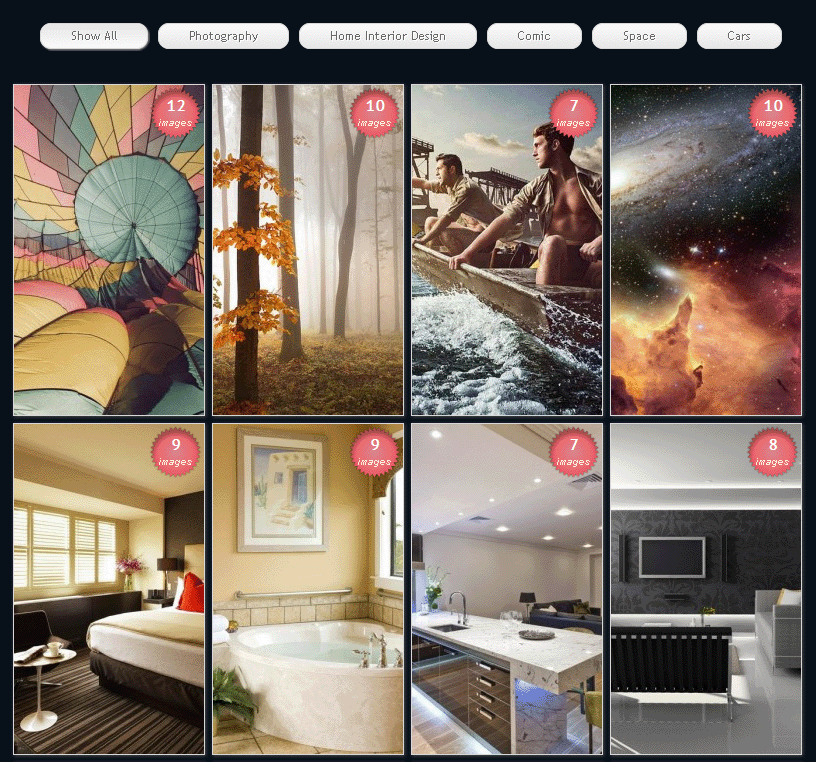
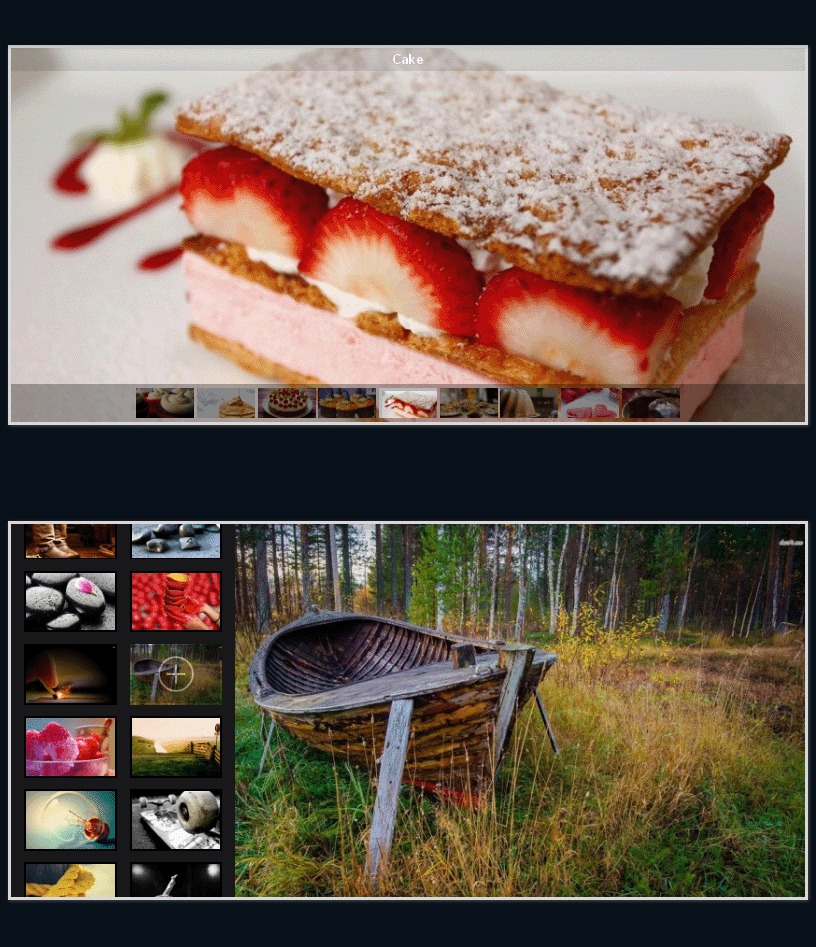
Just create gallery using Multiple Image ( Slider ) media type , select/uploads an images and save the media, after that put the gallery using Easy Media Shortcode Generator. DONE! Your gallery will ready just in minutes. NO NEED to RE-UPLOAD all your images, NO NEED to SET ANY FOLDER PERMISSION. You can choose and insert an images that already uploaded in WordPress media library. When you upgrade to pro version you will be able to create gallery with pagination, gallery with filter / category and gallery with more than 10 lightbox styles. Learn more here
Photo Albums
With Lite Version you can create up to 3 photo album or gallery ( max 15 images per album ). You can upgrade to Pro Version to be able to create unlimited galleries and photo albums.
Image Slider / Photo Slider
With Pro version you can create image slider easily. We also already provide another plugin to create image slider. Please try Image Slider Plugin.
Image Carousel
In Pro version you will easily built Image Carousel. Same as the slider features, we also provide separated plugin named Image Carousel plugin. Enjoy it!
Video
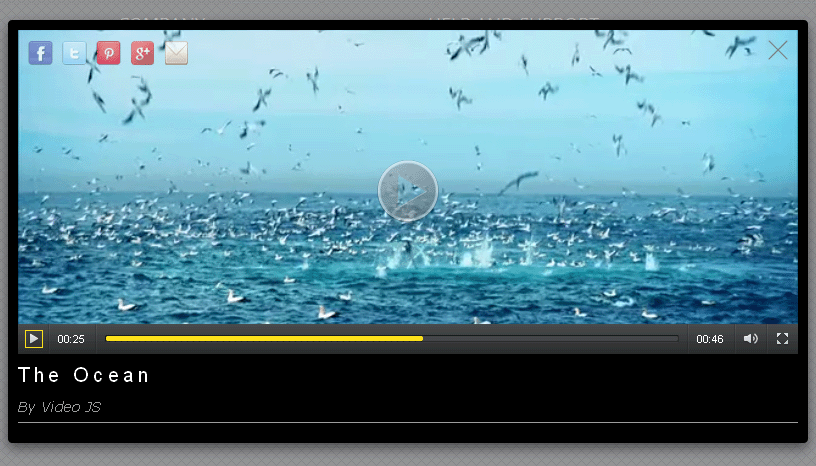
This plugin allows you to embed and displaying videos using lightbox overlay. You can embed Youtube, Vimeo and MP4 video. Pro version of this media gallery plugin will provide a good video interface created with HTML5.
Audio
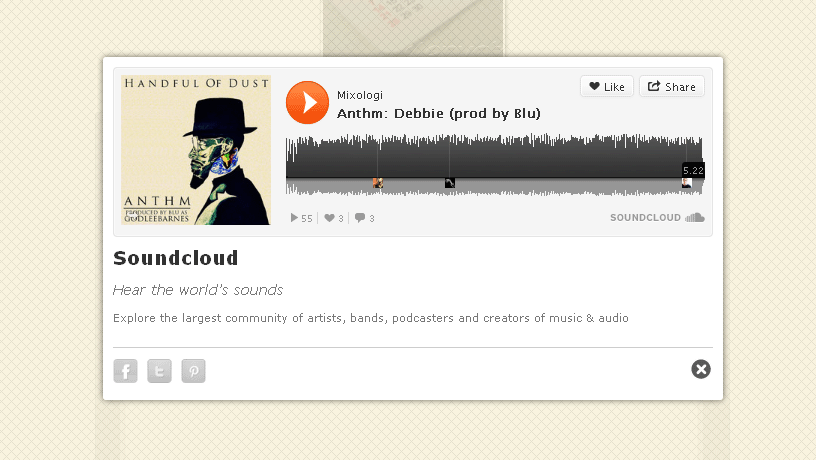
Not only Video, Easy Media Gallery also allows you to embed audio. You can embed mp3 audio format with ease. We also added another feature that enabled you to embed audio from Soundcloud and Reverbnation in Pro Version.
Google Maps
The Importance of Getting Your Business Listed in Google Maps. With PRO Version you can embed Google maps, Google street view and Google business view easily.
Video and Audio Features
Easy Media Gallery supports a wide range of video and audio. Simply link to hosted video or Youtube/Vimeo and also mp3 audio. You can embed video from the following sites :
- YouTube
- Vimeo
- Veoh
- DailyMotion
- MetaCafe
- Google Video
- Livestream
- Revver
- Rutube
- Flickr
- Ustream
- Youku
- Tudou
- Viddler
- MP4 (MP4 HTML5 player for Pro version and Flash player for Lite version), MOV, SWF, M4V, M4A, FLV
And also can be used to embed audio from :
- Soundcloud
- Reverbnation
- 4shared
- Self hosted MP3
UPGRADE TO PRO VERSION
Take your gallery to the next level with Gallery Pro Version, which gives you additional features such as:
- Super Easy to use for Beginners
- Create unlimited number of gallery or album
- Adjustable Gallery Rows/Columns/Spacings
- Various Animation Types for Slider or Lightbox Gallery
- No coding, the plugin takes care of everything
- Media / gallery are built on-the-fly as you enter and select options
- Works with all modern browsers, degrades gracefully for others
- Fully CSS3 compliant with text shadowing, box shadowing, gradients, etc
- Color picker for unlimited color combinations
- Display your media gallery on different theme
- 3 Skins for main Lightbox See Example
- More than 10 lightboxes for your gallery or photo albums See Example
- Backup & Restore Settings
- Powerfull control panel and Shortcode Manager make getting started super easy
- Responsive & Mobile Optimized
- Extensive Documentation & Tutorial Videos
- 24/7 Technical Support
GALLERY PRO FEATURES AND DEMO
- You can see all awesome features here Best Gallery and Portfolio plugin features.
- You can learn more by watching the video from YouTube Channel.
Recommended Plugins
The following are other recommended plugins by the author:
- Page Builder – Powerful page builder revolutionizing website creation.
- Media Library Folders – User-friendly WordPress plugin that helps you manage your media library images by organizing them into folders.
- Contact Form Plugin – The Best Contact Form Plugin to create awesome Contact Form just in minutes.
- Slider Plugin – Easy Image Slider Widget – Displaying your image as slider in widget/sidebar area with very easy. Allows you to customize it to looking exactly what you want.
- Instagram Feed Plugin – Display your Instagram media as masonry gallery in WordPress site with very easily.
- Icon Fonts Plugin – Select and insert icon into your post or page just in one click. More than 2.5k icons available.
- Gallery Lightbox – Gallery Lightbox – Displays all gallery images into the lightbox slider in just a few seconds.
- Image Carousel – Touch enabled WordPress plugin that lets you create a beautiful responsive image carousel.
- Popup Builder Plugin – The Best Popup and Subscription Form Plugin to display notify popup, announcement and subscribe form with very ease, fancy and elegant.
Translation
- Italiano / Italia
- Deutsch / Deutschland
- Espanol / Espana
- French
- French (Belgium)
- Bahasa Indonesia
- Nederlands / Nederland
- Polski / Polska
- Brasil
- Hebrew
- Romana / Romania
- Hungarian
- Russian
- Russian – Ukraine
- Malay / Malaysia
- Turkish
- Slovak
- Swedish
- Chinese – Singapore
- Bulgarian
- Portuguese
- Spanish (Chile)
NOTE
If you would like to create your own language pack or update the existing one, you can send the text of PO and MO files for GhozyLab and we’ll add it to the plugin. You can download the latest version of the program for work with PO and MO files Poedit.
Technical Support
If any problem occurs or if you think, that you found a bug please contact us at here.
Installation
For automatic installation:
The simplest way to install is to click on ‘Plugins’ then ‘Add’ and type ‘Gallery – Photo Albums – Portfolio’ in the search field.
For manual installation 1:
- Login to your website and go to the Plugins section of your admin panel.
- Click the Add New button.
- Under Install Plugins, click the Upload link.
- Select the plugin zip file (easy-media-gallery.x.x.x.zip) from your computer then click the Install Now button.
- You should see a message stating that the plugin was installed successfully.
- Click the Activate Plugin link.
For manual installation 2:
- You should have access to the server where WordPress is installed. If you don’t, see your system administrator.
- Copy the plugin zip file (easy-media-gallery.zip) up to your server and unzip it somewhere on the file system.
- Copy the “easy-media-gallery” folder into the /wp-content/plugins directory of your WordPress installation.
- Login to your website and go to the Plugins section of your admin panel.
- Look for “Easy Media Gallery” and click Activate.
For Mac Users
- Go to your Downloads folder and locate the folder with the plugin.
- Right-click on the folder and select Compress.
- Now you have a newly created .zip file which can be installed as described here.*
- Click “Install Now” button.
- Click “Activate Plugin” button for activating the plugin.
Frequently asked questions
How to Get Rid UPGRADE Notification
Just go to Easy Media > Settings > Miscellaneous > and TURN OFF Upgrade Notification option
How to Create Audio Gallery?
You can learn more by watching the video from YouTube Channel.
Is there any documentation with detail for this plugin?
To make the plugin easy for everyone, the documentation comes with detailed videos explaining each step necessary to setup and use Gallery – Photo Albums – Portfolio: How to Create Simple Photo Albums How to Create Simple Gallery How to Change Media Columns How to Create Google Maps Media Types How to Create Audio (mp3) Media Types How to Create Video (Youtube) Media Types How to Insert Image into Media Description How to Change Media Border Size and Color How to Publish Gallery – Photo Albums – Portfolio ( Standard Method ) How to Publish Gallery – Photo Albums – Portfolio ( Advanced Method )
Images not showing up or Show a spinning icon and never finish loading
Sometimes you may face problem that your images only show a spinning icon and never finish loading, the issue is clearly that there are javascript conflict with your theme and/or some other plugins or there is the possibility of the use an outdated version of jQuery ( below version 1.8.3 ). Let’s find out what causes of this issue: Please try to deactivating all plugins except Easy Media Gallery for a while to see if this resolves the problem. If this works, re-activate the plugins one by one until you find the problematic plugin(s). If this still does not work please try the second options…
How do I use the shortcode to my post/page template?
There are 2 ways to use the shortcode, once you’ve created your media, you can use them in your website simply using the Gallery / Photo Albums shortcode wizard on top of each page or post editor. or you can display it where you want and as you want outside your post/page using wordpress do_shortcode. See example below:
How to show media in sidebar widget
Create new Post/Page. Click Easy Media Shortcode button and create a shortcode, after that copy the shortcode. Go to Appearance > Widgets > and drag the Text widget from the left side to the sidebar area that you want it in on the right side. Paste the shortcode code and click save. Done!
How can I get support?
We are not able to provide anything other than community based support for Lite Version. Please consider upgrading to Professional Version for support.
How can I say thanks?
Just recommend our plugin to your friends! or If you really love Gallery – Photo Albums – Portfolio, any donation would be appreciated! It helps to continue the development and support of the plugin. But seriously, I just want to drink coffee for free, so help a developer out. You can use this link Donate GhozyLab.
Changelog
1.3.171
- Update : WordPress 6.9+ and Gutenberg compatibility
- Fixed : Shortcode generator modal in Block and Classic Editor
- Fixed : Settings panel accordion interaction
- Fixed : Security hardening and output escaping
- Fixed : Many other PHP and CSS clean and optimization
1.3.170
- Update : WordPress 6.3 compatibility
- Fixed : Many other PHP and CSS clean and optimization
1.3.169
IMPORTANT! SECURITY BUGS FIX, PLEASE UPDATE NOW!= 1.3.169 =
* Update : WordPress 5.9 compatibility
* Fixed : Sorter image not works as expected
* Fixed : Many other PHP and CSS clean and optimization
1.3.167
- Update : WordPress 5.8 compatibility
- Fixed : Many other PHP and CSS clean and optimization
1.3.165
- Fixed : Many other PHP and CSS clean and optimization
1.3.163
- Update : WordPress 5.7 compatibility
- Fixed : Shortcode button not appear in WordPress Classic Block
Screenshots





For developers
Is this your plugin? Show off the numbers.
Add a live badge to your site, docs or GitHub README. It updates on its own — no account needed.
Best Gallery – Photo Albums Plugin alternatives
All gallery plugins →



FAQ
Gallery – Photo Albums Plugin: quick answers
Straight answers, pulled from live WordPress.org data.
Live data from WordPress.org · checked Sep 26, 2026
Is Gallery – Photo Albums Plugin free?
Yes. Gallery – Photo Albums Plugin is free to download and use from the official WordPress.org plugin directory.
Is Gallery – Photo Albums Plugin safe to use in 2026?
Yes — Gallery – Photo Albums Plugin is a safe, well-maintained plugin to use in 2026. It runs on 2K+ sites, is rated 3.8/5 and was last updated 4 weeks ago, and scores 82/100 on our health check.
How many websites use Gallery – Photo Albums Plugin?
Gallery – Photo Albums Plugin is active on 2K+ WordPress websites and has been downloaded 1,658,018 times since it launched in March 2013. It was downloaded 1,883 times in the last 30 days.
Does Gallery – Photo Albums Plugin work with WordPress 7.1?
Yes. The developer has tested Gallery – Photo Albums Plugin up to WordPress 7.1.2, the latest release. It requires WordPress 4.6 or newer.
What PHP version does Gallery – Photo Albums Plugin need?
Gallery – Photo Albums Plugin requires PHP 7.2 or higher. Most hosts run PHP 8.x today, so it works on any modern WordPress hosting.
When was Gallery – Photo Albums Plugin last updated?
The latest version, 1.3.171, was released on September 1, 2026 (4 weeks ago).
Who makes Gallery – Photo Albums Plugin?
Gallery – Photo Albums Plugin is developed and maintained by GhozyLab.
What are the best alternatives to Gallery – Photo Albums Plugin?
The most popular alternatives to Gallery – Photo Albums Plugin are Smart Slider 3 (800K+ installs), Slider, Gallery, and Carous… (500K+ installs) and Photo Gallery, Sliders, Pro… (300K+ installs).
Powered by PageForge
Want thousands of pages that rank like these? Build them in an afternoon.
This directory runs on the same engine as PageForge. Turn any spreadsheet, CSV or API into thousands of fast, SEO-ready WordPress pages — with schema, internal links and AI-written copy baked in.
- CSV, Google Sheets & API data sources
- AI content, schema & internal links per page
- Works with Elementor, Gutenberg, Yoast & Rank Math
- Free on WordPress.org — no credit card


