



Dresium – AI Virtual Try-On & Fitting Room for WooCommerce
AI virtual try-on for WooCommerce: shoppers see clothes on themselves before buying. Boost conversions, cut returns. 1,000 free credits.

Solid choice
Dresium is a solid plugin choice in 2026, with a few things worth checking first. Is rated 5/5 and was last updated 15 hours ago, and scores 71/100 on our health check.
- Actively developed — last update 15 hours ago
- Tested with the latest WordPress (7.1)
- Momentum — downloads up 222.7% vs the previous 30 days
- Small user base (<10 active installs)
- Very few reviews so far
How does it stack up?
Side-by-side on installs, updates, ratings & supportDaily downloads
Download spikes usually follow a new release — each site that auto-updates counts as a download.
Rankings
Where Dresium stands todayWordPress.org search rankings
Live position in the plugin search, top 100| Keyword | Position |
|---|---|
| ai fashion | #24 |
| Try On | >100 |
| virtual fitting room | #1 |
| virtual try on | #37 |
| woocommerce | >100 |
Rating breakdown
★★★★★★★★★★ 5 from 1 reviews
About Dresium
From the official readme · v3.6.12Description
Dresium is an AI virtual try-on and virtual fitting room for WooCommerce fashion stores. Shoppers upload one photo and instantly see themselves wearing your clothes, dresses and outfits, right on the product page. No app, no account, no setup for your customers.
Try the full plugin for free. Install, click one button and you get 1,000 welcome credits instantly — enough to test every feature on your real store without entering a credit card. Credits are consumed only when a real shopper generates a virtual try-on; nothing is charged for failed generations or for your own testing clicks that don’t produce an image.
Let your customers try before they buy: more confidence at checkout, higher conversion rates and fewer returns caused by “it didn’t look like that on me”.
Why fashion stores use Dresium
- Boost conversions — shoppers see the product on their own body, not just on a model
- Cut returns — fewer surprises on fit and look means fewer returned orders
- Free for your customers — the Try-On button works for guest visitors and logged-in users alike, no signup required
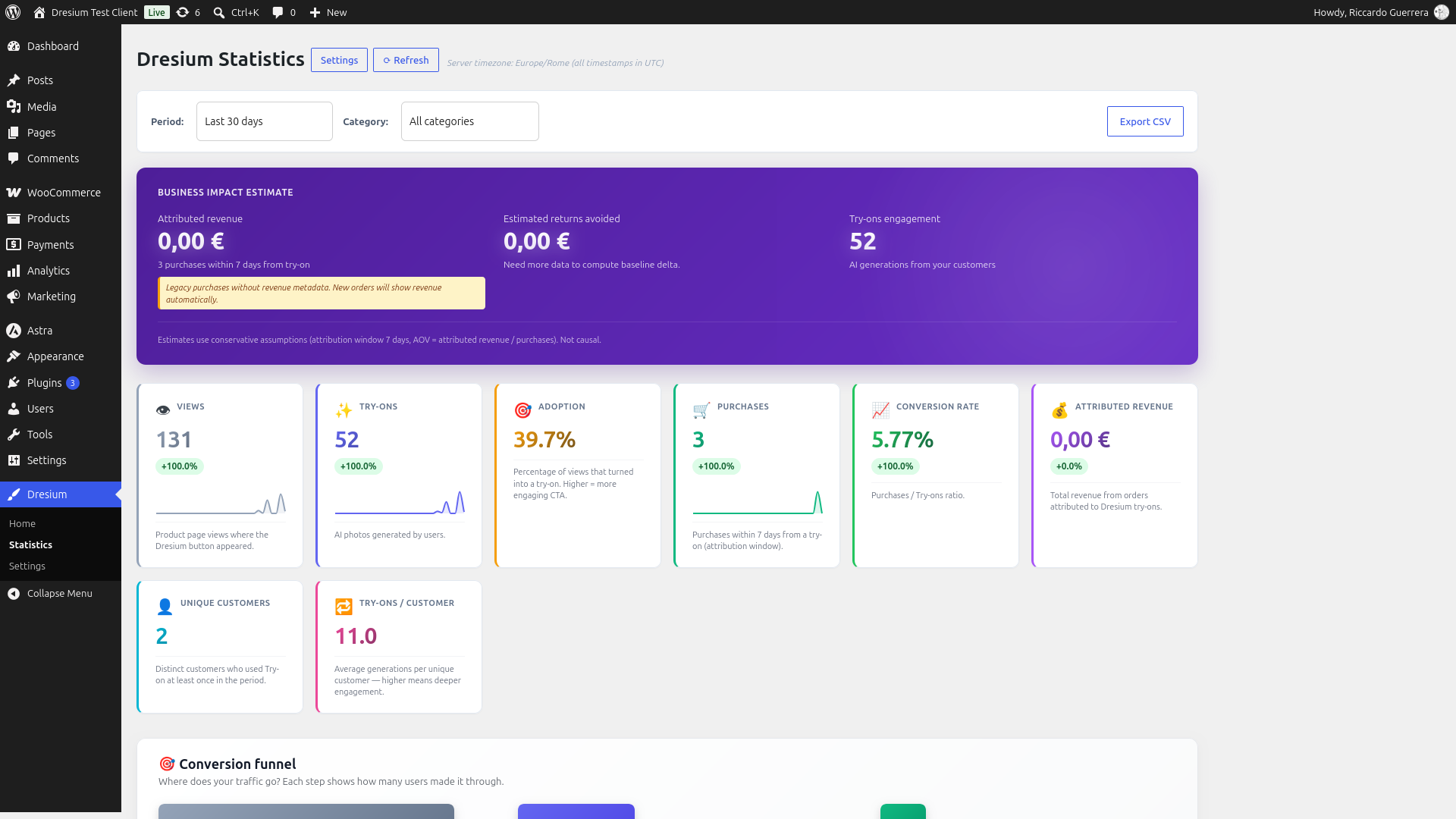
- Measure real impact — built-in analytics show try-ons, purchases, conversion rate and revenue attributed to the virtual try-on
- Pay only for results — you (the merchant) pay per successful try-on generation; failed generations are refunded automatically
How the AI virtual try-on works
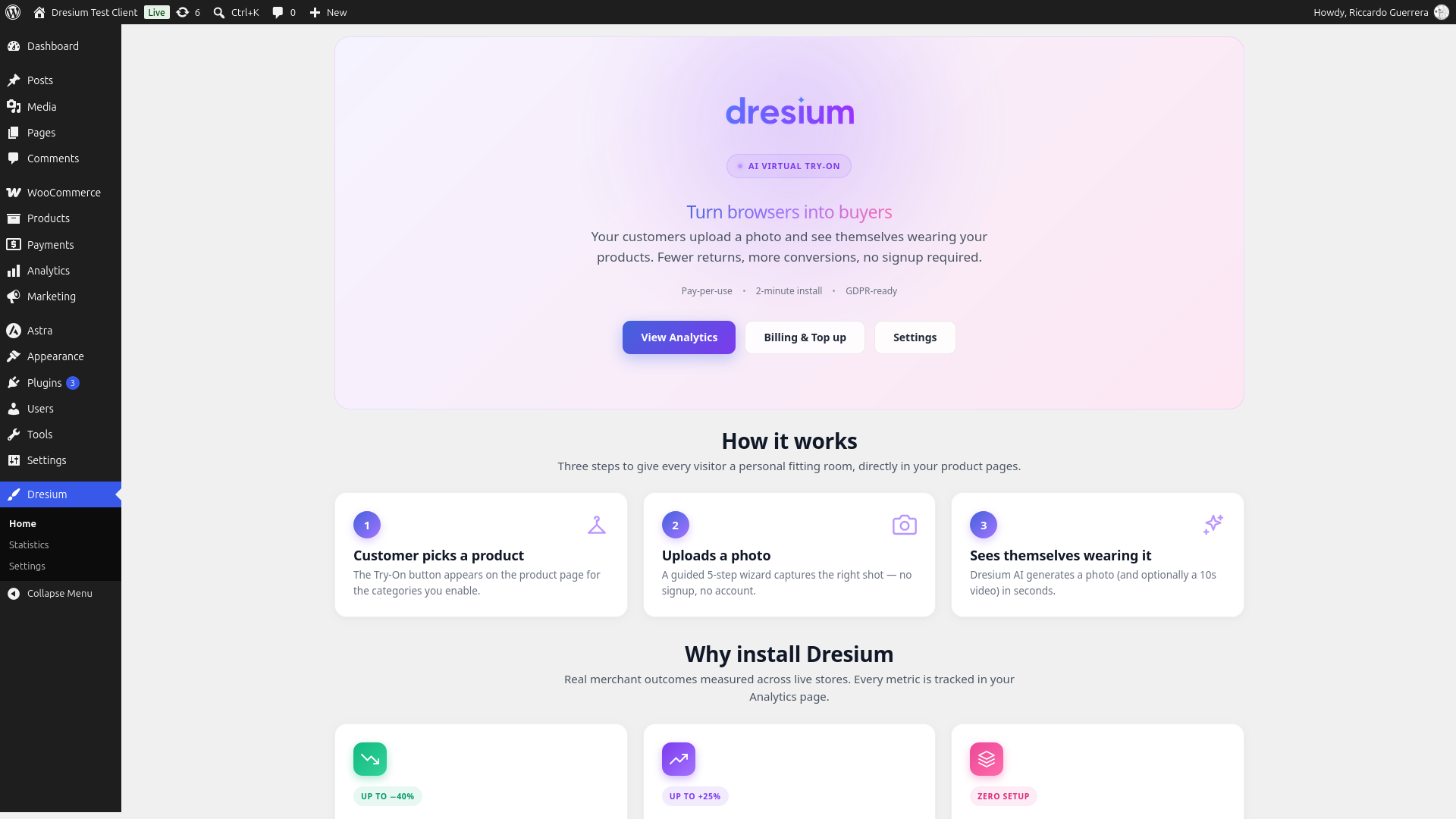
- The shopper clicks “Try it on” on a product page
- They upload a photo, take one with the camera or pick a sample model
- Dresium’s AI generates a realistic image of the shopper wearing that product in seconds
- They can zoom, save the result to their gallery or share it on WhatsApp, then add to cart
Key features
- Zero-setup virtual fitting room — the Try-On button is injected automatically into WooCommerce product pages
- Three integration methods — automatic hook (default), Gutenberg block
Dresium Try-On CTA, or shortcode[dresium_tryon] - Analytics dashboard — real-time views, try-ons, purchases, conversion rate and attributed revenue with 7/30/90-day filters
- Order attribution — automatic tracking of purchases and refunds within a 7-day attribution window from the try-on
- Full appearance customization — button size, color palette presets, custom colors, typography, border radius, CTA text override
- Category gating — show the virtual try-on only on the categories you choose (dresses, shirts, jackets, etc.)
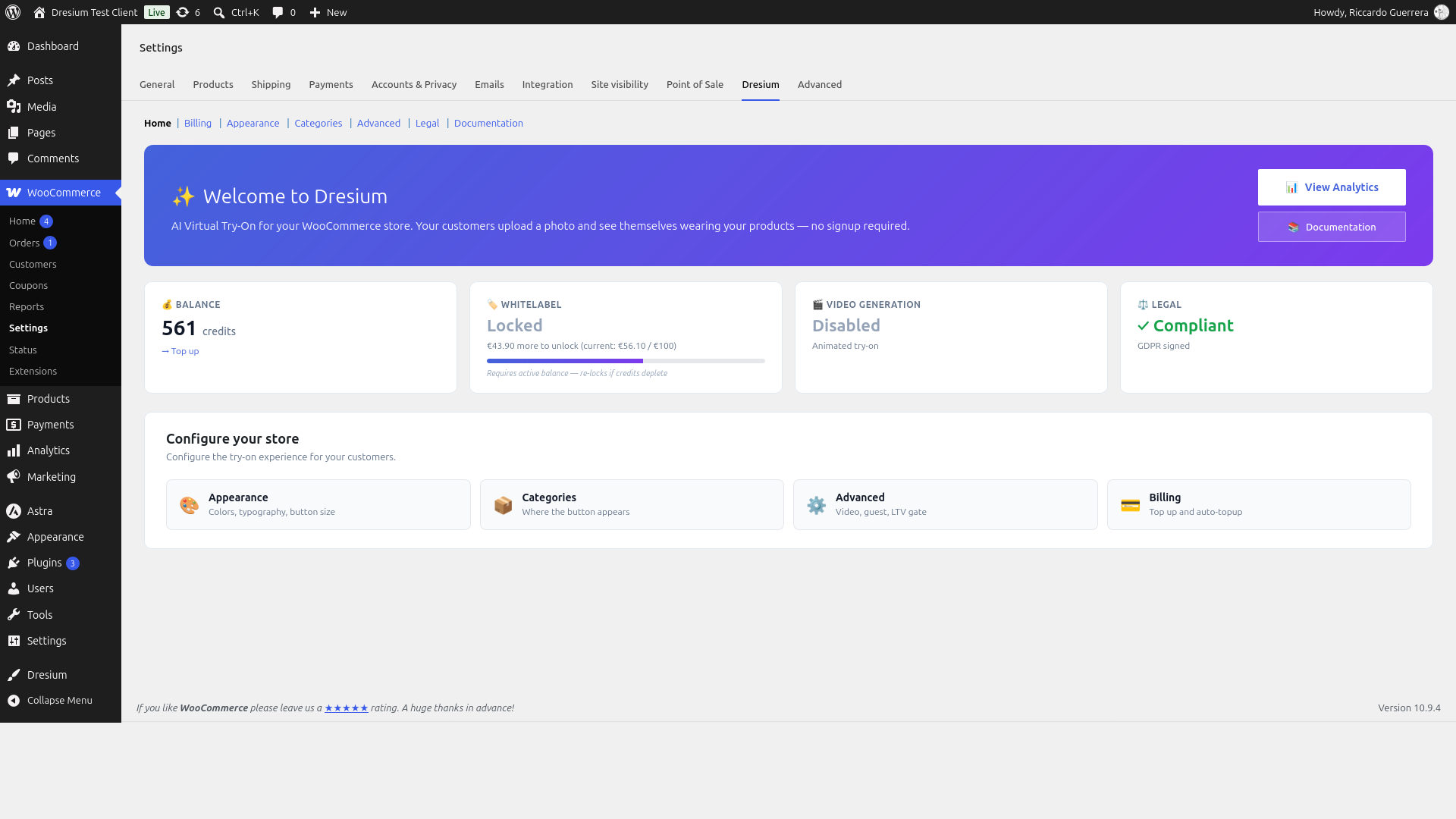
- Whitelabel branding and AI video try-on — unlocked when your credit balance reaches the whitelabel threshold (€100 by default)
- Auto-topup — keeps the service always available with no interruptions
- GDPR-ready — Privacy Policy, Data Processing Agreement (GDPR Article 28) and Terms of Service signature flow inside the WooCommerce settings
- Multi-language storefront — Italian, English, French, German and Spanish out of the box
- Works with your builder and theme — Elementor, Divi, WPBakery, Oxygen, Bricks and themes such as Storefront, Astra, Kadence, Woodmart and Flatsome
- HPOS compatible — full support for WooCommerce High-Performance Order Storage
Pricing
Dresium is free to install. You pay only for the AI generations your customers actually produce (pay-per-use), with credits deposited from the Billing tab. At the current pricing a try-on generation costs €0.10 (10 credits × €0.01 per credit). Pricing is configured server-side and the Billing screen always shows the up-to-date value before you top up. See the FAQ for details on pricing and currency.
Getting started
- Install and activate the plugin (WooCommerce must also be active)
- Complete the B2B onboarding form in WooCommerce > Settings > Dresium (registers your store on Dresium and provisions an HMAC-secured API key)
- Sign the legal documents (Privacy, DPA, Terms) from the Legal tab — required before the Try-On button becomes visible to your customers
- Configure appearance, categories and advanced settings
- Deposit credits from the Billing tab (optional auto-topup)
- The virtual try-on button automatically appears on product pages within the enabled categories
Requirements
- WordPress 6.6 or higher
- WooCommerce 9.9 or higher
- PHP 7.4 or higher
- SSL/HTTPS required (Dresium API is HTTPS-only)
Third-Party Services
This plugin relies on the following external services:
Dresium API (Virtual Try-On Service)
- Service Provider: Dresium / EasyAdv S.r.l.
- Purpose: AI-powered virtual try-on image generation
- When data is sent: Each time a customer clicks “Try it on” and uploads a photo
- Data transmitted: Customer photo (for AI processing), product images (for overlay generation), your store domain and merchant ID (for HMAC authentication)
- Data handling: Photos are processed in real-time and not permanently stored unless the customer explicitly saves them to their personal gallery. Photos are never shared with third parties or used for AI training. Dresium acts as data processor and uses the AI services listed below as sub-processors.
- Data Processing Agreement: Merchants must accept a DPA before the Try-On button is exposed to customers, establishing Dresium as data processor under GDPR Article 28. The signature flow is inside the plugin (Legal tab).
- Terms of Service
- Privacy Policy
- Data Processing Agreement
Gemini AI by Google (AI Sub-Processor)
- Service Provider: Google LLC
- Purpose: AI image generation for virtual try-on processing
- When data is sent: When Dresium API processes a virtual try-on request, it may route image generation to Gemini AI
- Data transmitted: Customer photos and product images are transmitted via Dresium servers to Google for AI processing
- Data handling: Data is processed by Google solely for image generation. Dresium maintains data processor responsibilities.
- Gemini API Terms of Service
- Google Privacy Policy
Grok AI by xAI (AI Sub-Processor)
- Service Provider: xAI Corp.
- Purpose: AI image and video generation for virtual try-on processing
- When data is sent: When Dresium API processes a virtual try-on request, it may route image or video generation to Grok AI
- Data transmitted: Customer photos and product images are transmitted via Dresium servers to xAI for AI processing
- Data handling: Data is processed by xAI solely for image and video generation. Dresium maintains data processor responsibilities.
- Terms of Service
- Privacy Policy
Claude AI by Anthropic (AI Sub-Processor)
- Service Provider: Anthropic PBC
- Purpose: AI-powered customer support agent
- When data is sent: When a user interacts with the Dresium support chatbot
- Data transmitted: Chat messages and conversation context are transmitted to Anthropic for response generation
- Data handling: Data is processed by Anthropic solely for customer support purposes. No customer photos are sent to this service.
- Terms of Service
- Privacy Policy
WhatsApp Sharing (Social Sharing Feature)
- Service Provider: WhatsApp LLC (Meta Platforms, Inc.)
- Purpose: Allow users to share their virtual try-on results via WhatsApp
- When data is sent: Only when a user explicitly clicks the “Share on WhatsApp” button
- Data transmitted: A sharing URL is opened via the WhatsApp API (api.whatsapp.com) – no image data is sent directly, only a link to the shared page
- WhatsApp Terms of Service
- WhatsApp Privacy Policy
Installation
- Go to Plugins > Add New in your WordPress admin
- Search for “Dresium”
- Click “Install Now” and then “Activate”
- Ensure WooCommerce is installed and active
- Go to WooCommerce > Settings > Dresium and complete the onboarding form
- Sign the legal documents in the Legal tab
- Deposit initial credits from the Billing tab (or enable auto-topup)
Frequently asked questions
How does virtual try-on work in WooCommerce?
Dresium adds a “Try it on” button to your product pages. The shopper uploads a photo and the AI generates an image of them wearing the product. Everything happens on your store, with no redirect to external sites.
Is it a virtual fitting room for clothes?
Yes. Dresium works as an AI virtual fitting room for clothing: t-shirts, shirts, jackets, dresses, pants, hoodies and more. Enable the Try-On button only on your fashion categories from the Categories tab.
Do my customers need to register on Dresium?
No. Dresium 3.x is a B2B service: you (the merchant) buy credits, your customers use the virtual try-on for free with no signup required. Guest access is enabled by default.
How much does a try-on cost?
The plugin is free to install. Each successful image generation consumes credits from your Dresium balance, and failed generations are refunded automatically. At the current pricing a try-on generation costs €0.10 (10 credits × €0.01 per credit). Pricing is dynamic: the credit price, credits per generation and minimum recharge are configured server-side by Dresium and fetched by the plugin every hour. The Billing tab always shows the current cost per generation that will apply to your next top-up. Existing credits are always spent at the rate contracted at purchase — future pricing changes…
Which currency are credits billed in?
Credits are billed in EUR (€) via secure Stripe checkout. Merchants outside the Eurozone see the checkout amount in EUR; the actual charge on your card is in your local currency at your bank’s daily exchange rate (banks typically add a 0–3% FX fee depending on the card issuer; fintech cards such as Revolut, Wise or N26 usually have 0% FX fee).
Does virtual try-on really reduce returns?
Shoppers see the product on themselves before buying, which removes many “it looked different” returns. The Analytics dashboard tracks purchases and refunds attributed to try-ons, so you can measure the effect on your own store.
Does it work with any theme?
Dresium is designed to work with most WooCommerce themes. It has been tested with Storefront, Astra, Kadence, Woodmart and Flatsome. The button can be positioned via three integration methods: automatic hook, Gutenberg block, or the [dresium_tryon] shortcode.
How do I add the Try-On button on a theme with a page builder (Divi, Elementor, WPBakery)?
Themes built with page builders often replace the WooCommerce product page layout with their own, which prevents the automatic hook from firing. In this case, add the button manually where you want it inside the builder: Divi: add a “Text” or “Code” module and paste the shortcode [dresium_tryon] Elementor: add the “Shortcode” widget and paste [dresium_tryon] WPBakery: add a generic shortcode element with [dresium_tryon] Gutenberg / Block editor: search for the “Dresium Try-On CTA” block The shortcode reads the current product from the WooCommerce loop, so no parameters are required. When you…
Can I use Dresium on platforms other than WooCommerce?
Yes, Dresium is available as an official Shopify app: https://apps.shopify.com/dresium. For other e-commerce platforms (BigCommerce, Magento, custom systems) a universal JavaScript SDK is on the roadmap. Contact support@dresium.com if you want to be notified when it is released.
Is it compatible with HPOS?
Yes, Dresium is fully compatible with WooCommerce High-Performance Order Storage (HPOS).
How are customer photos handled?
Photos are transmitted over HTTPS to Dresium servers for AI processing. They are not permanently stored unless the customer explicitly saves them. Photos are never shared with third parties or used for AI training. See the Data Processing Agreement for full details.
Is it GDPR compliant?
Yes. Before the Try-On button is exposed to customers, you must sign a Data Processing Agreement inside the Legal tab (GDPR Article 28). If the DPA is not signed, the button stays invisible on the storefront and no data is transmitted. Customers can request deletion of their photos at any time.
How does the attribution work?
When a customer generates a try-on and purchases the same product within 7 days, the sale is attributed to Dresium in the Analytics dashboard. Refunds within the same window are subtracted from attributed revenue. Guest purchases (no customer_id) are not attributed.
Changelog
Minor patch: pricing cache fallback values aligned to the real production rate (was 10× too high when the Dresium server was temporarily unreachable — merchants saw inflated prices in the admin screens). No changes to paywall, modal, checkout or customer-facing flows.
3.6.12
Minor patch on 3.6.11:
- Fixed: fallback pricing displayed to merchants was 10× the real production rate. The plugin’s internal pricing cache has hardcoded fallback values used when the Dresium server is temporarily unreachable. The fallbacks had been written assuming €0.10 per credit / €1.00 per try-on, while the real production rate is €0.01 per credit / €0.10 per try-on. If the cache ever failed (e.g. first-load pre-fetch, brief server outage) merchants saw inflated prices in the Dresium admin screens. Aligned to the correct production values.
- No functional changes to the paywall, modal, checkout or any customer-facing flow.
3.6.11
Consolidates patches 3.6.4–3.6.11 shipping customer paywall UX polish and critical fixes. Recommended for all merchants who have enabled the paywall.
- Fixed (critical): customers paid for packs but received no credits. Server-side endpoint path was built with a doubled
/woocommerce/prefix, causing silent 404 on the post-payment hook. Add-pack and refund-pack calls now target the correct route; existing stuck orders can be re-processed by cycling the order status (e.g. Completed → Pending → Completed). - Fixed (critical): checkout page was empty on themes using the Gutenberg “Checkout” block. The native WC block does not support the pay-for-order flow. Added a plugin-owned page
/dresium-paywall-pay/auto-provisioned on first load, rendering a standalone shortcode[dresium_paywall_pay]that replicatesWC_Shortcode_Checkout::order_pay()independently of the theme block. - Fixed (critical): “critical error” on checkout form submit.
WC_Form_Handler::pay_actionreads$wp->query_vars['order-pay']which was not populated on the custom page, causing a null-reference fatal. The plugin now injects the query var from the GET parameter beforepay_actionruns. - Fixed: paywall modal did not open on daily/monthly cap exhaustion. Server-side daily cap now returns
monthly_limit_requires_purchase(HTTP 402) when paywall is configured, and client-side 402 handler correctly branches on this code before falling back to the generic error message. Daily cap is now paywall-aware (customer with an active pack bypasses the daily cap, zero friction post-purchase). - New: paywall modal redesign. Full visual rework aligned with Dresium’s design system: hero header with blurred product photo + rotated card + sparkles badge (same pattern as the webapp paywall), credits-per-try-on chip, pack cards with automatic grey gradient, “Best value” badge on the pack with the best price/credits ratio, footer badges “One-time · No expiry”, disclaimer. Fully responsive on mobile.
- New: per-pack color override via JSON. Merchants can add an optional
colorfield (hex#RGBor#RRGGBB) to each pack in the pricing JSON to customize the pack button accent color. If omitted, a progressive grey gradient is applied automatically. Server-side validation strict. - i18n: 6 new strings in Italian, English, French, German, Spanish for the paywall redesign (chip, best-value badge, per-each unit, footer badges, disclaimer).
- Docs: merchant guide (IT + EN) updated with new sections on offline payment manual order completion, pack color customization, and checkout page styling (3 levels: theme inheritance, custom CSS, template override). Available in
docs/merchant/in the repo.
3.6.3
Follow-up on 3.6.2: refunding a paywall order invalidates pack credits (prevents revenue loss); webhook error messages sanitized; per-customer rate limit on checkout; storefront hides paywall modal when merchant below welcome-gating.
3.6.2
Hotfix on 3.6.1: paywall WC was fully blocked (settings endpoint mismatch); duplicate purchase tracking when both Shopify orders/create and orders/paid fired; refund-on-failure underpaid merchants 10x on metered generations (legacy bug); pack creation server error now returns 500 instead of 400 (retry-able).
3.6.1
Patch release for the customer paywall feature introduced in 3.6.0. Recommended for all merchants who have enabled the paywall.
- Security: customer paywall checkout now validates pack parameters server-side. Previously the AJAX order endpoint trusted the credits/price pair from the client, so a crafted request could buy 100,000 credits for 1 cent. The endpoint now requires an exact match against the merchant’s configured pricing and checks the welcome-gating threshold before creating the order.
- Fixed: merchant was being charged credits even when a customer pack had paid for the try-on. The merchant balance is now correctly refunded on paywall-paid generations, restoring the “100% revenue to the merchant” design.
- Fixed: Shopify shoppers paying via async gateways (bank transfer, Klarna, PayPal pending) did not receive their pack credits. Added subscription to
orders/paidso the pack is created once payment is confirmed, not only at order creation. Existing Shopify merchants must re-authorize the app after this update (one-click banner in Shopify admin). - Fixed: Shopify shoppers without a saved default address could not complete a paywall checkout. The draft order no longer uses
useCustomerDefaultAddress, so Shopify’s standard inline billing-address prompt is used. - Fixed: paywall checkout button broken on sites with aggressive full-page caching (WP Rocket, LiteSpeed, Cloudflare APO). Added a parallel HMAC time-based token (
dresium_token), same pattern as the v3.4.18 fix for the try-on REST calls. - Fixed: pack could fail to be created after a Shopify re-install if the uninstall cleanup failed. The Prisma session lookup now sorts offline sessions by expiry and picks the most recent, avoiding revoked access tokens.
- Welcome-gating is now pre-sale only; pricing JSON is fail-loud on save.
3.6.0
- New: real-time webhook for try-on events. Merchants can receive HTTP POST notifications on their server when a shopper try-on completes or fails. Two event types (
tryon.completed,tryon.failed), JSON payload signed with HMAC-SHA256 (verifyX-Dresium-Signature), fire-and-forget via WordPress cron (5s timeout, non-blocking). Useful for custom analytics, usage counting, CRM/email automation, or correlating try-on activity with conversion. Configure in Settings → Dresium → Advanced → “Webhook (try-on events)”. - New: customer paywall to sell additional try-on packs. Merchants can monetize their integration by offering credit packs to shoppers who have exhausted the monthly allowance. 100% of the pack revenue goes to the merchant — Dresium takes no cut. Payment through native WooCommerce checkout; credits auto-added when the order reaches Completed/Processing; FIFO consumption; failed generations refund the pack. Available only after €100 cumulative on top-ups (same gating as white-label). Configure pack pricing (JSON array of credits + price_cents + currency, max 10 packs) in Settings → Dresium → Advanced → “Customer paywall”.
- Technical: new table
dresium_customer_credit_packs(DB version 2.59.0, auto-migrated on upgrade). Pack consumption uses conditional UPDATE with retry for atomic FIFO under concurrent load; refund-on-failure uses LIFO on the most recently debited pack. - Technical: new
monthly_limit_requires_purchaseerror code (HTTP 402) returned when the monthly cap triggers with paywall active + welcome gating unlocked + no active pack. The legacymonthly_customer_limit_exceeded429 is still returned when the paywall is OFF (backward compatibility).
Screenshots


For developers
Is this your plugin? Show off the numbers.
Add a live badge to your site, docs or GitHub README. It updates on its own — no account needed.
Best Dresium alternatives
All ai fashion plugins →| Rank | Plugin | Active installs |
|---|---|---|
| 2 |
 aisthetix: Virtual Try-On & Size Guide for WooCommerce
Help shoppers order the right size the first time, so fewer orders come back as refunds…
aisthetix: Virtual Try-On & Size Guide for WooCommerce
Help shoppers order the right size the first time, so fewer orders come back as refunds…
|
<10 |
FAQ
Dresium: quick answers
Straight answers, pulled from live WordPress.org data.
Live data from WordPress.org · checked Oct 19, 2026
Is Dresium free?
Yes. Dresium is free to download and use from the official WordPress.org plugin directory.
Is Dresium safe to use in 2026?
Dresium is a solid plugin choice in 2026, with a few things worth checking first. Is rated 5/5 and was last updated 15 hours ago, and scores 71/100 on our health check.
How many websites use Dresium?
Dresium is active on <10 WordPress websites and has been downloaded 1,442 times since it launched in April 2026. It was downloaded 739 times in the last 30 days.
Does Dresium work with WordPress 7.1?
Yes. The developer has tested Dresium up to WordPress 7.1.3, the latest release. It requires WordPress 6.6 or newer.
What PHP version does Dresium need?
Dresium requires PHP 7.4 or higher. Most hosts run PHP 8.x today, so it works on any modern WordPress hosting.
When was Dresium last updated?
The latest version, 3.6.12, was released on October 18, 2026 (15 hours ago).
Who makes Dresium?
Dresium is developed and maintained by dresium.
What are the best alternatives to Dresium?
The most popular alternatives to Dresium are aisthetix: Virtual Try-On &… (<10 installs).
Powered by PageForge
Want thousands of pages that rank like these? Build them in an afternoon.
This directory runs on the same engine as PageForge. Turn any spreadsheet, CSV or API into thousands of fast, SEO-ready WordPress pages — with schema, internal links and AI-written copy baked in.
- CSV, Google Sheets & API data sources
- AI content, schema & internal links per page
- Works with Elementor, Gutenberg, Yoast & Rank Math
- Free on WordPress.org — no credit card


