



Doohickey's Dev Tools
Essential web development utilities right in your WordPress dashboard — CSS generators, color tools, code formatters, and more.

Consider an alternative
Doohickey's Dev Tools shows warning signs in 2026 — compare the alternatives below before installing. Was last updated 7 months ago, and scores 36/100 on our health check.
- Small user base (<10 active installs)
- Very few reviews so far
- Only tested up to WordPress 6.9 (latest is 7.1)
Daily downloads
Download spikes usually follow a new release — each site that auto-updates counts as a download.
Rankings
Where Doohickey's Dev Tools stands todayWordPress.org search rankings
Live position in the plugin search, top 100| Keyword | Position |
|---|---|
| code tools | >100 |
| color picker | >100 |
| css generator | >100 |
| developer-tools | >100 |
| web development | >100 |
About Doohickey's Dev Tools
From the official readme · v1.0.4Description
Doohickey’s Dev Tools puts a full suite of developer utilities right inside your WordPress admin. No more juggling browser tabs and bookmarking random websites — everything you need is one click away.
Free Tools
CSS Tools
* Gradient Generator — Linear and radial gradients with unlimited color stops
* Box Shadow Generator — Visual box-shadow builder with layered shadows
* Border Generator — Shorthand and per-side border controls
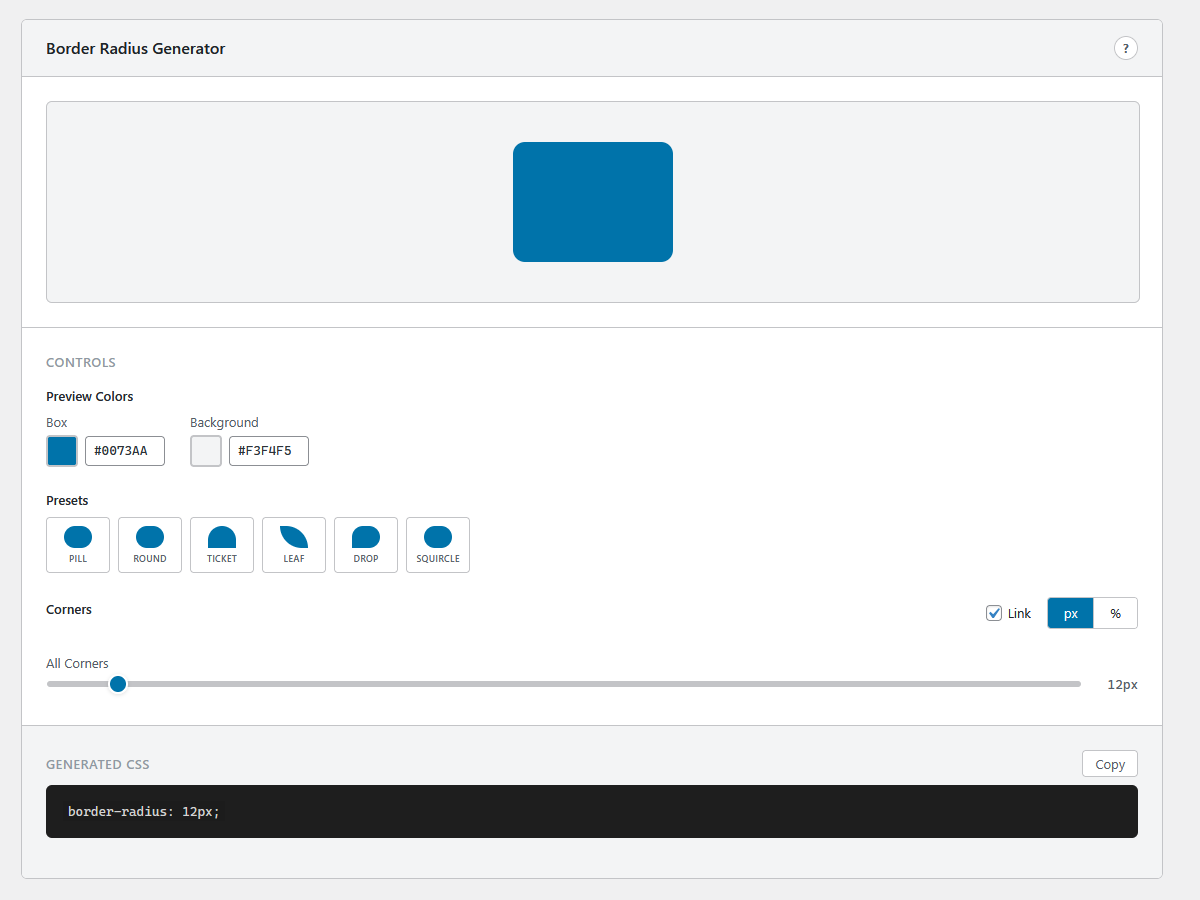
* Border Radius Generator — Per-corner radius with visual preview
* Clip-Path Maker — Polygon, circle, ellipse, and inset clip paths
* Flexbox Generator — Visual flexbox playground with container controls
* CSS Grid Generator — Set columns, rows, gaps, and alignment visually
Color Tools
* Color Picker — HSV color picker with HEX, RGB, and HSL output
* Contrast Checker — WCAG 2.1 AA/AAA compliance testing
* Color Converter — Convert between HEX, RGB, HSL, and CMYK
Code Tools
* String Utilities — Case conversion, reverse, slug, character/word count
* Encoder / Decoder — Base64, URL encoding, HTML entities, and more
Generators
* Placeholder Image — Custom-sized placeholder images for mockups
* Lorem Ipsum — Paragraphs, sentences, or words of filler text
* QR Code Generator — Instant QR codes from any text or URL
SEO & Meta
* Schema.org Generator — Structured data for Article, Local Business, and FAQ
* Meta Tag Generator — SEO meta tags, Open Graph, and Twitter Cards
Converters
* SVG to PNG — Client-side SVG conversion with scale options
* HTML to Markdown — Convert HTML markup to clean Markdown
* Markdown Preview — Live Markdown editor with rendered preview
* Aspect Ratio Calculator — Calculate ratios from dimensions, scale with locked ratios, common size presets
Pro Version
Upgrade to Doohickey’s Dev Tools Pro for additional tools and features:
- Palette Generator — Interactive color wheel with 7 harmony modes. Export as CSS or SCSS variables.
- Code Formatter — Auto-format JSON, HTML, CSS, JavaScript, and SQL
- Diff Checker — Side-by-side text comparison with highlighted differences
- HTML Table Generator — Visual table builder with CSV import
- Test Data Generator — Generate realistic fake data (names, emails, addresses, etc.)
- Flexbox — Per-item controls (flex-grow, flex-shrink, flex-basis, align-self, order)
- CSS Grid — Templates (Holy Grail, Dashboard, 12-Col, etc.), custom definitions, per-cell spans
- Placeholder Image — Social media presets and Data URI export
- Schema.org — 5 additional types (Product, Person, Organization, Event, Recipe)
- QR Code — Custom logo overlay
Why Doohickey’s Dev Tools?
- Zero external dependencies — Everything runs client-side in your browser
- No data leaves your site — Your code and content stay private
- Copy-ready output — One-click copy for all generated CSS, HTML, and code
- Consistent interface — Every tool follows the same clean, intuitive layout
- Lightweight — Single JavaScript bundle, loads only on the tools page
Source Code & Build Instructions
The full source code for this plugin, including uncompiled JavaScript and CSS, is available at:
https://github.com/mosaiclifecreative/doohickeys-dev-tools
To build from source:
- Clone the repository
- Run
npm installto install dependencies - Run
npm run buildto compile the production bundle - The compiled files are output to the
build/directory
The project uses @wordpress/scripts for building. Source files are in admin/js/ (JSX) and admin/css/ (CSS).
Installation
- Go to Plugins → Add New in your WordPress admin
- Search for “Doohickey’s Dev Tools”
- Click Install Now, then Activate
- Navigate to Doohickey’s in your admin sidebar
- Start building!
Frequently asked questions
Does this plugin affect my site’s frontend?
No. Doohickey’s Dev Tools only loads on its own admin page. It adds zero scripts, styles, or markup to your public-facing site.
Do I need to be online for the tools to work?
Most tools work entirely offline once the page is loaded. The QR Code generator and Placeholder Image generator use client-side rendering. No external API calls are made.
What does the Pro version include?
Pro unlocks 5 additional tools (Palette Generator, Code Formatter, Diff Checker, HTML Table Generator, Test Data Generator) plus advanced features in 5 more tools. The Pro version is available separately at mosaiclifecreative.com.
Is my code/data sent anywhere?
Never. All processing happens in your browser. Nothing is transmitted to external servers.
Changelog
1.0.4
- Fixed: plugin no longer deactivates itself after updating from 1.0.2
1.0.3
- Smooth upgrade path: free version auto-deactivates when Pro is installed
- Updated installation instructions
1.0.2
- Renamed plugin to Doohickey’s Dev Tools
- New slug: doohickeys-dev-tools
- Updated Freemius configuration for WordPress.org compliance
- Free tools are fully functional with no locked features
- Pro tools and features available separately via upgrade
1.0.1
- Renamed to “by Mosaic Life Creative”
- Default gradient fix
- Tested up to WordPress 6.9
1.0.0
- Initial release
- 21 free developer tools across 6 categories
- Modern React-powered interface
- Fully client-side — no external API calls
Screenshots




For developers
Is this your plugin? Show off the numbers.
Add a live badge to your site, docs or GitHub README. It updates on its own — no account needed.
FAQ
Doohickey's Dev Tools: quick answers
Straight answers, pulled from live WordPress.org data.
Live data from WordPress.org · checked Oct 12, 2026
Is Doohickey's Dev Tools free?
Yes. Doohickey's Dev Tools is free to download and use from the official WordPress.org plugin directory.
Is Doohickey's Dev Tools safe to use in 2026?
Doohickey's Dev Tools shows warning signs in 2026 — compare the alternatives below before installing. Was last updated 7 months ago, and scores 36/100 on our health check.
How many websites use Doohickey's Dev Tools?
Doohickey's Dev Tools is active on <10 WordPress websites and has been downloaded 535 times since it launched in February 2026. It was downloaded 57 times in the last 30 days.
Does Doohickey's Dev Tools work with WordPress 7.1?
Doohickey's Dev Tools is officially tested up to WordPress 6.9.10, while the latest release is 7.1.3. It may still work, but try it on a staging site first.
What PHP version does Doohickey's Dev Tools need?
Doohickey's Dev Tools requires PHP 7.4 or higher. Most hosts run PHP 8.x today, so it works on any modern WordPress hosting.
When was Doohickey's Dev Tools last updated?
The latest version, 1.0.4, was released on March 5, 2026 (7 months ago).
Who makes Doohickey's Dev Tools?
Doohickey's Dev Tools is developed and maintained by mosaiclifecreative.
Powered by PageForge
Want thousands of pages that rank like these? Build them in an afternoon.
This directory runs on the same engine as PageForge. Turn any spreadsheet, CSV or API into thousands of fast, SEO-ready WordPress pages — with schema, internal links and AI-written copy baked in.
- CSV, Google Sheets & API data sources
- AI content, schema & internal links per page
- Works with Elementor, Gutenberg, Yoast & Rank Math
- Free on WordPress.org — no credit card


