


Discontinued Product Stock Status for WooCommerce
This plugin allows you to mark a product as ‘Discontinued’ in your WooCommerce catalog, guide your buyers to other products & recover potential sales.

Safe pick
Yes — Discontinued Product Stock Stat… is a safe, well-maintained plugin to use in 2026. It runs on 500+ sites, is rated 4.4/5 and was last updated 4 weeks ago, and scores 80/100 on our health check.
- Actively developed — last update 4 weeks ago
- Tested with the latest WordPress (7.1)
- Momentum — downloads up 311.3% vs the previous 30 days
- Small user base (500+ active installs)
How does it stack up?
Side-by-side on installs, updates, ratings & support


Daily downloads
Download spikes usually follow a new release — each site that auto-updates counts as a download.
Rankings
Where Discontinued Product Stock… stands todayWordPress.org search rankings
Live position in the plugin search, top 100| Keyword | Position |
|---|---|
| discontinued | #2 |
| products | >100 |
| stock-status | #5 |
| tools | >100 |
| woocommerce | >100 |
Version adoption
Share of active sites per release.
Rating breakdown
★★★★★★★★★★ 4.4 from 10 reviews
About Discontinued Product Stock Status for W…
From the official readme · v1.7.2Description
Discontinued Product Stock Status for WooCommerce allows you to list a product as ‘Discontinued’ in your WooCommerce catalog, optionally write a custom message to guide your buyers to newer or other products and thus helping you recover lost sales and SEO traffic in the process.
Usually a store owner only uses 2 Stock status in WooCommerce – ‘In Stock’ and ‘Out of Stock’. So, they tend to put a product in ‘Out of Stock’ status even when the product is actually discontinued or will no longer be available in future or they would just delete the product page.
However, either of these actions are a loss-loss for store owners and buyers. When a product is ‘out of stock’ the buyer assumes that product will be back in stock in some time when in reality the product has been discontinued and will never be available for purchase in future. Similarly, if a store owner deletes the product page then all the SEO traffic that product page was getting is lost as the product page no longer exists. Either way, it ends up in lost revenue for the store owner.
So, to solve this problem this plugin adds a custom stock status ‘Discontinued’ so that store owners no longer have to use ‘Out of Stock’ status for discontinued products and allows them to correctly inform and guide the buyers easily.
- Supports all default WooCommerce product types – Simple, Variation & Grouped.
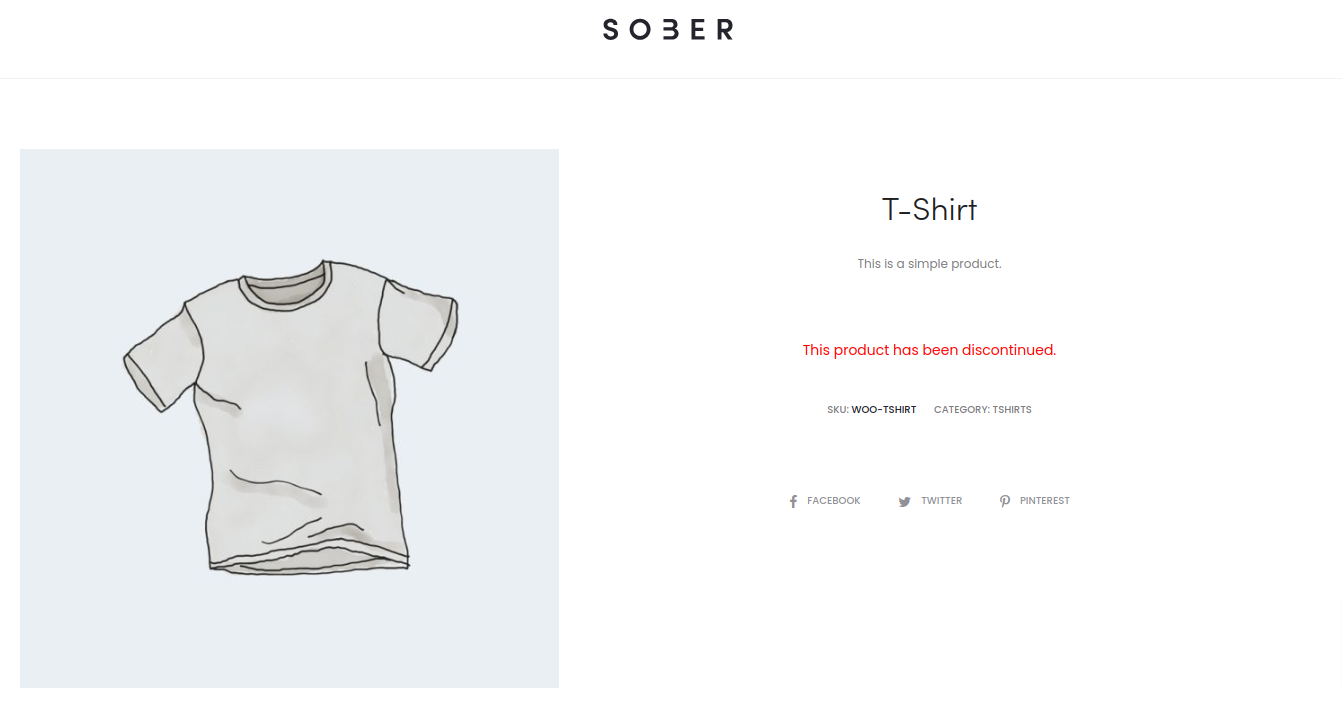
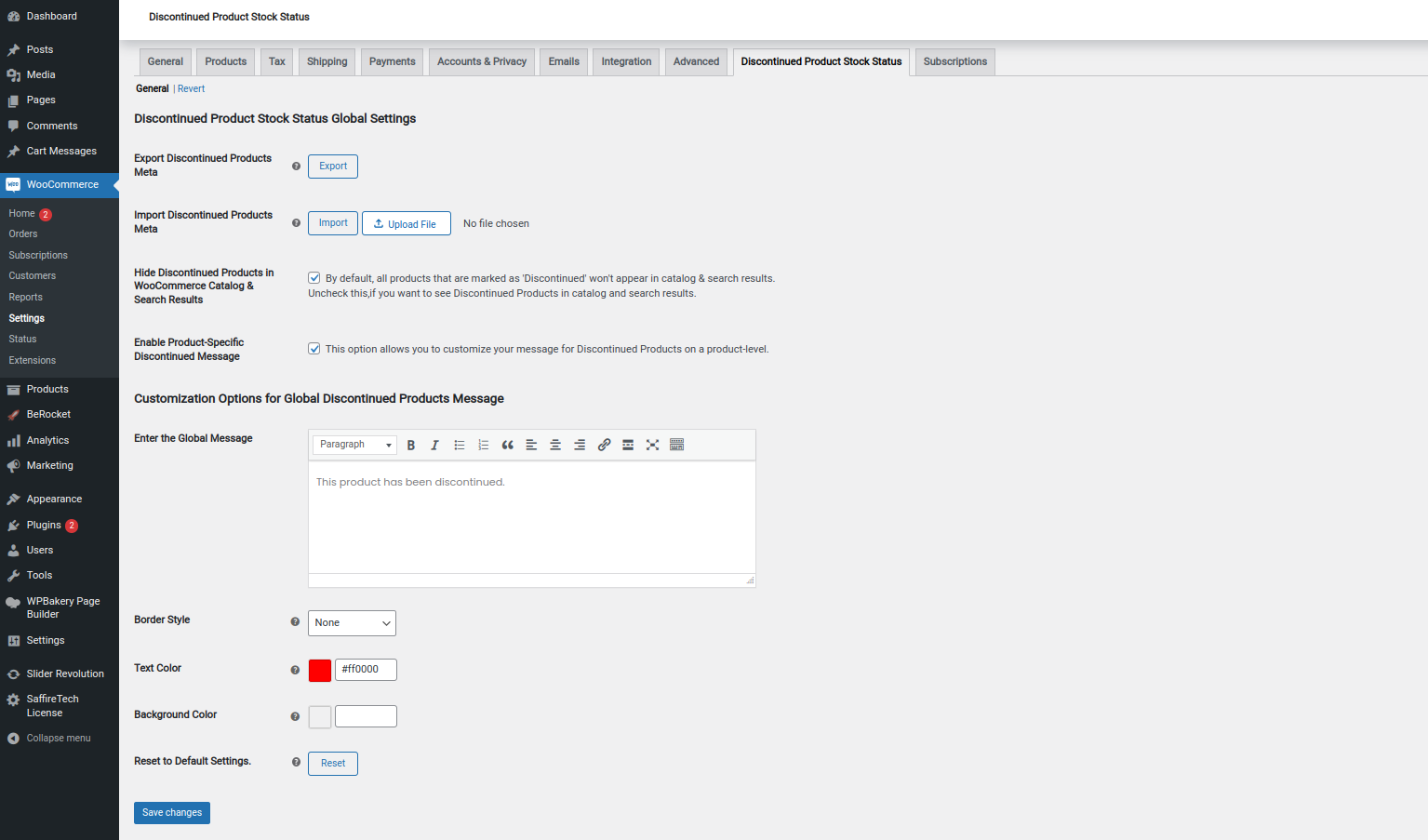
- Allows store owners to set a Global message for Discontinued products.
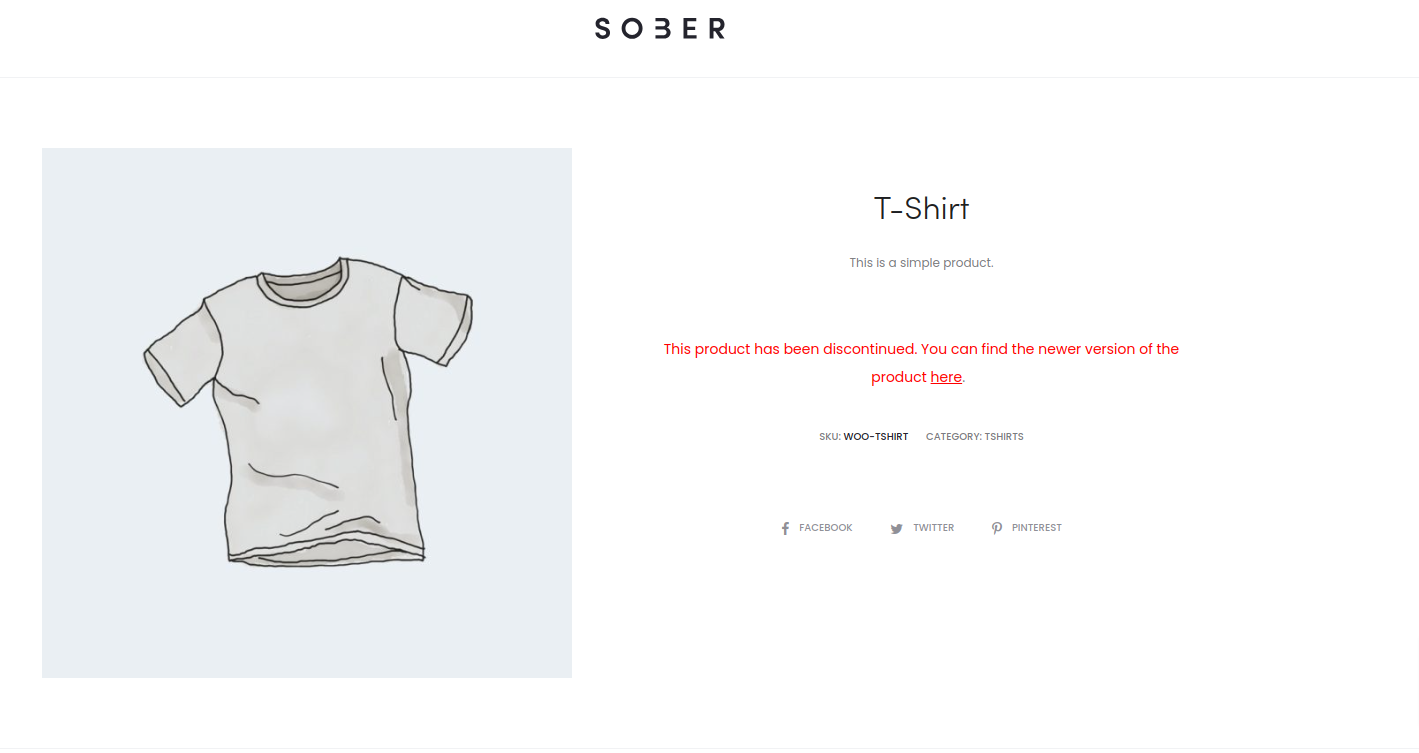
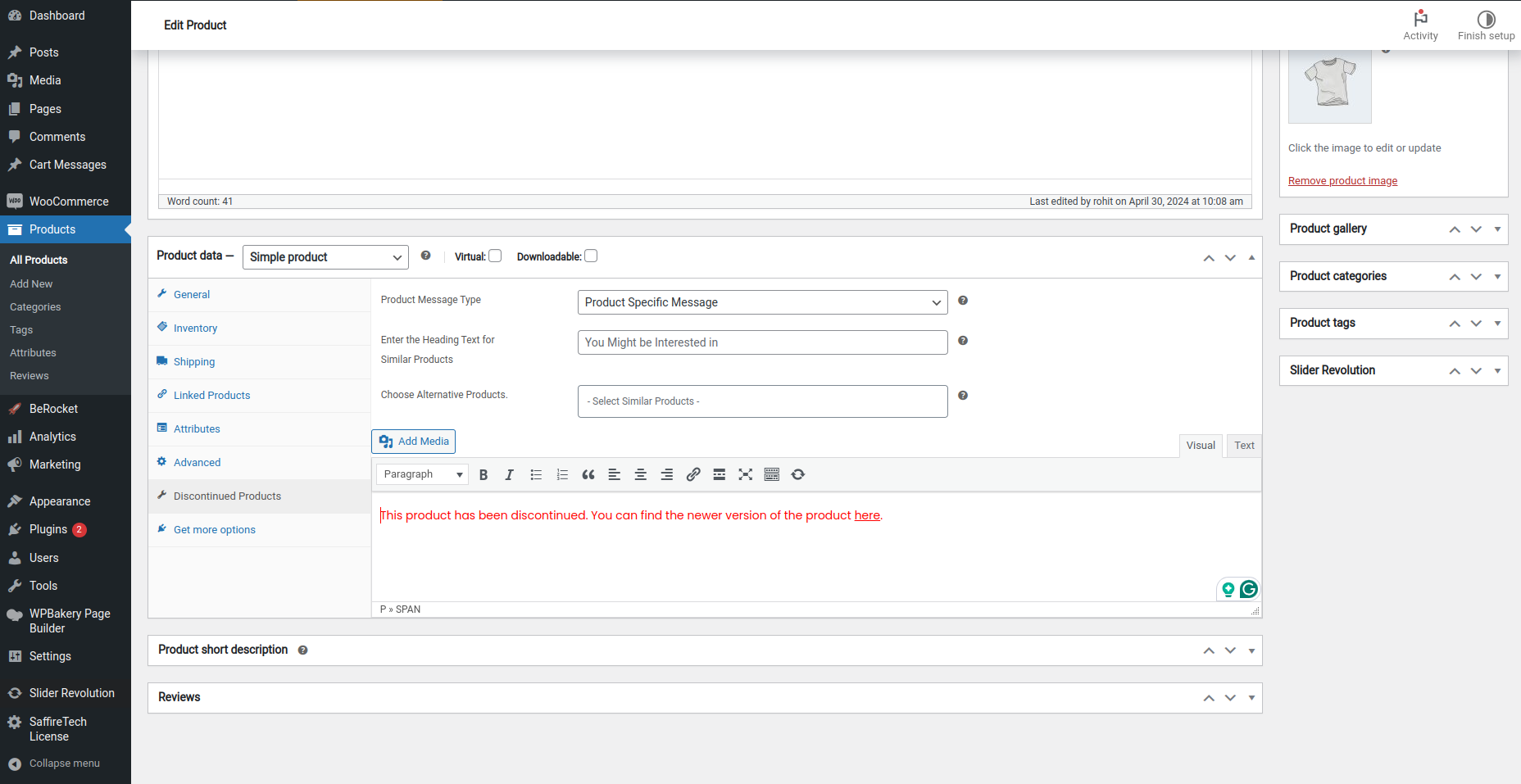
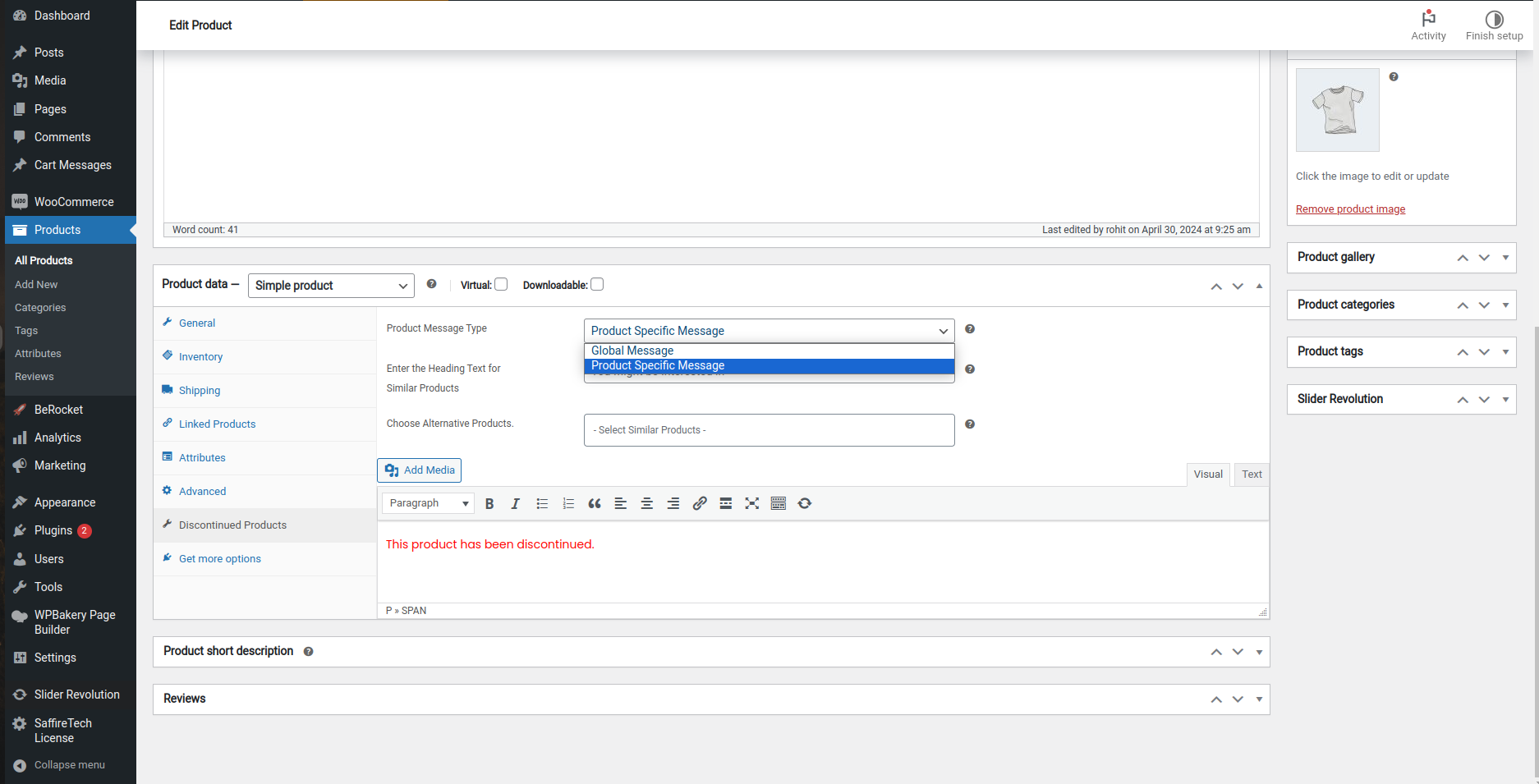
- Allows store owners to set product specific messages after setting discontinued stock status.
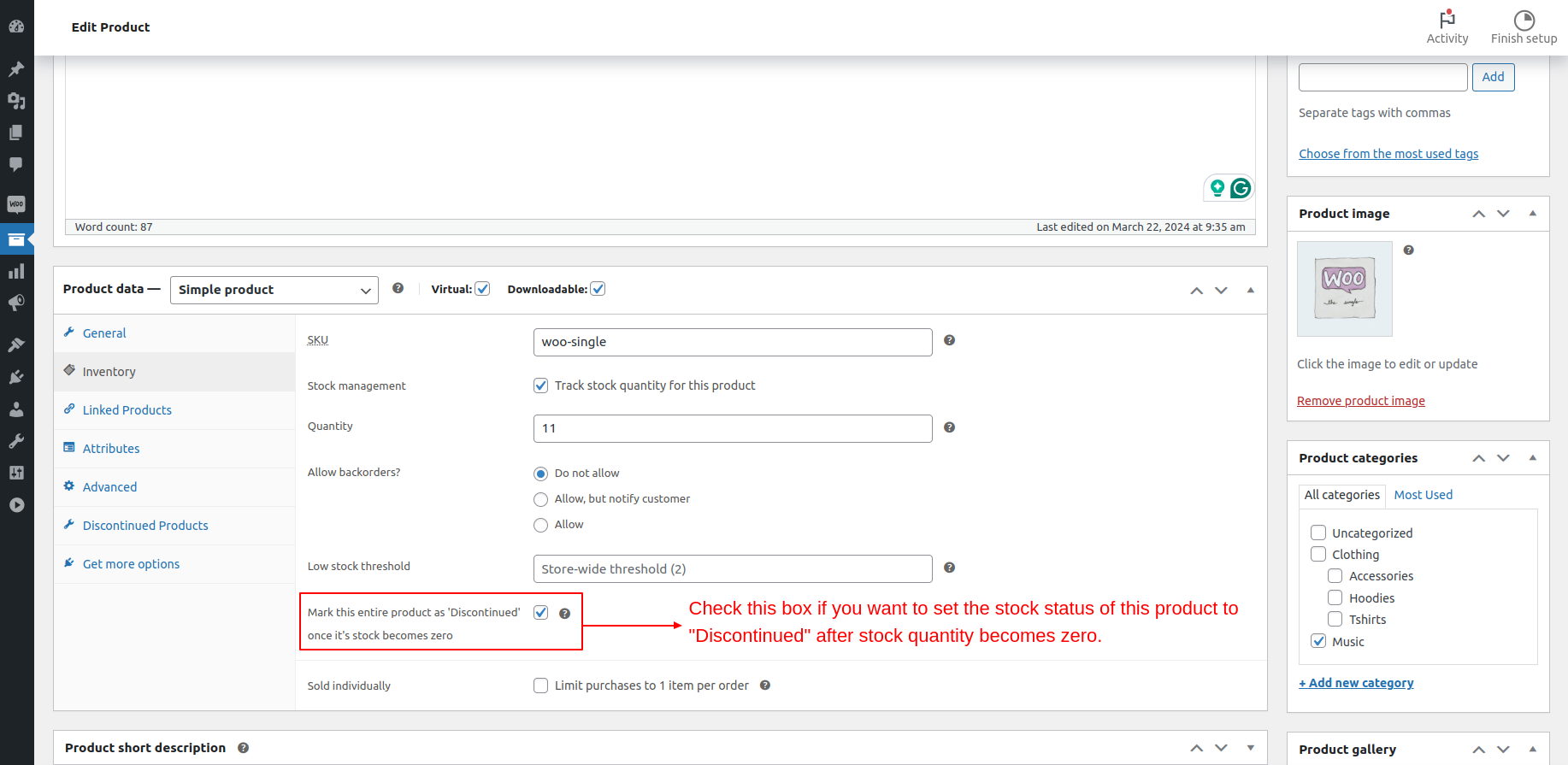
- Allows you to mark a simple / variable product as discontinued in advance, so after the stock quantity of an ‘instock’ product reaches zero, the product is automatically shown as discontinued. This is very useful for products that have reached end-of-life (EOL products). Thus preventing buyers from buying something that is not going to be available in future.
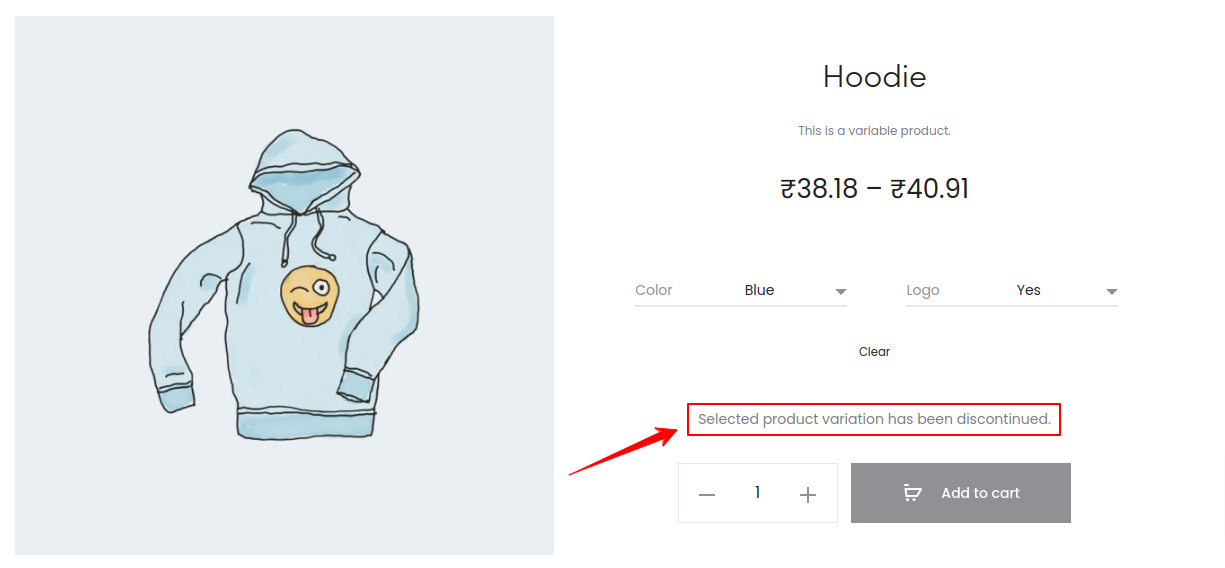
- Allows store owners to set Variation-level specific messages for discontinued variations of a variable product.
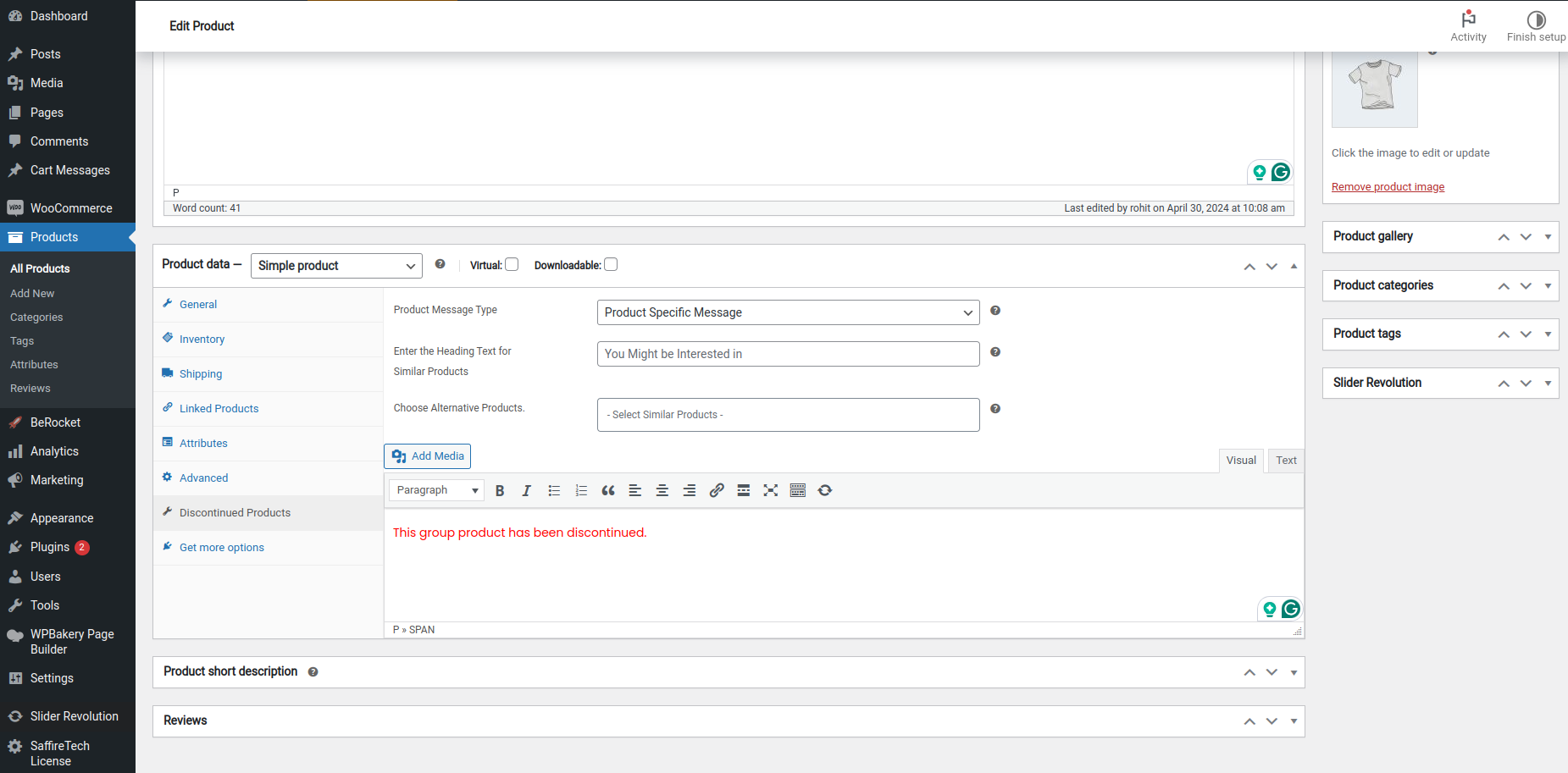
- Store owners can also set a generic message on a Product level for variations & Grouped products.
With Discontinued Stock Status Pro for WooCommerce, you can unlock the following features:
- Store owners now have the ability to display a grid of Alternative Products on the Discontinued Product Page itself. This allows users to conveniently explore other similar options directly on the page, providing a helpful way to discover alternatives for the discontinued item and recover potential sales.
- Options to customize Global Discontinued Message – WYSIWYG Editor for Message, Background Color, Font Color, Borders etc.
- Discontinued Products Export Settings – If you’re migrating your products to another site, then you can now also export all the messages and settings of your Discontinued Products and import them in your new site so that all your product settings are retained.
- Compatibility with WooCommerce Subscriptions and WooCommerce Product Bundles – The PRO version supports additional product types of simple subscription, variable subscription and product bundle.
Recover Lost Sales
Now no longer lose sales because of a miscommunication with buyers. Show them the correct status for the discontinued products, guide them and convert them.
Don’t lose SEO Traffic
You have put a ton of money and effort into upping your SEO game and removing a product page is shooting yourself in the foot.
Now with this plugin, you can show correct status for the discontinued products and avoid losing the SEO traffic
Recommended Plugins:
HIRE THE EXPERTS
Need a tailor-made solution for WooCommerce that solves complex business problems? Our team of experienced developers have helped many businesses like yours to accomplish these goals. Hire us as your WooCommerce Developers today!
Keep up to date with us by subscribing to the newsletter, following us on Twitter and liking us on Facebook.
If you enjoy using the software we’d love it if you could give us a review!
Installation
This section describes how to install the plugin and get it working.
1. Upload the discontinued-products-stock-status-woocommerce plugin folder to your /wp-content/plugins/ directory
2. Activate the plugin through the \\’Plugins\\’ menu in WordPress
3. Visit the \\’ WooCommerce Discontinued Products\\’ menu item in your admin sidebar.
Changelog
1.7.2 2026-09-17
- New – Compatibility with WordPress 7.1.
- New – Compatibility with WooCommerce 11.1.0.
1.7.1 2025-12-30
- Fix – Added Sanitization and Coding Standards.
1.7.0 2025-12-25
- Fix – Critical issue fixed
1.6 2025-12-22
- Fix – Code improvements aligned with WordPress guidelines.
1.5.7 2025-12-08
- Fix – Added a fallback to product ID detection to fix inconsistent grayscale behavior.
1.5.6 2025-12-04
- Fix – Fixed the issue where the grayscale effect was not applied to some discontinued products.
Screenshots

For developers
Is this your plugin? Show off the numbers.
Add a live badge to your site, docs or GitHub README. It updates on its own — no account needed.
Best Discontinued Product Stock St… alternatives
All discontinued plugins →FAQ
Discontinued Product Stock Status f…: quick answers
Straight answers, pulled from live WordPress.org data.
Live data from WordPress.org · checked Oct 14, 2026
Is Discontinued Product Stock Stat… free?
Yes. Discontinued Product Stock Stat… is free to download and use from the official WordPress.org plugin directory.
Is Discontinued Product Stock Stat… safe to use in 2026?
Yes — Discontinued Product Stock Stat… is a safe, well-maintained plugin to use in 2026. It runs on 500+ sites, is rated 4.4/5 and was last updated 4 weeks ago, and scores 80/100 on our health check.
How many websites use Discontinued Product Stock Stat…?
Discontinued Product Stock Stat… is active on 500+ WordPress websites and has been downloaded 14,068 times since it launched in July 2022. It was downloaded 580 times in the last 30 days.
Does Discontinued Product Stock Stat… work with WordPress 7.1?
Yes. The developer has tested Discontinued Product Stock Stat… up to WordPress 7.1.3, the latest release. It requires WordPress 5.0 or newer.
What PHP version does Discontinued Product Stock Stat… need?
Discontinued Product Stock Stat… requires PHP 7.2 or higher. Most hosts run PHP 8.x today, so it works on any modern WordPress hosting.
When was Discontinued Product Stock Stat… last updated?
The latest version, 1.7.2, was released on September 17, 2026 (4 weeks ago).
Who makes Discontinued Product Stock Stat…?
Discontinued Product Stock Stat… is developed and maintained by SaffireTech.
What are the best alternatives to Discontinued Product Stock Stat…?
The most popular alternatives to Discontinued Product Stock Stat… are WP Hardening (discontinued) (10K+ installs), Discontinued Products (300+ installs) and Discontinued Products for W… (10+ installs).
Powered by PageForge
Want thousands of pages that rank like these? Build them in an afternoon.
This directory runs on the same engine as PageForge. Turn any spreadsheet, CSV or API into thousands of fast, SEO-ready WordPress pages — with schema, internal links and AI-written copy baked in.
- CSV, Google Sheets & API data sources
- AI content, schema & internal links per page
- Works with Elementor, Gutenberg, Yoast & Rank Math
- Free on WordPress.org — no credit card


