



Engraver – Personalize and Customize WooCommerce Products
Personalize WooCommerce products with custom text, images, logos, and more. Perfect for engraving, gifts, print-on-demand, and custom products.

Solid choice
Engraver is a solid plugin choice in 2026, with a few things worth checking first. Is rated 5/5 and was last updated 3 weeks ago, and scores 66/100 on our health check.
- Actively developed — last update 3 weeks ago
- Small user base (<10 active installs)
- Very few reviews so far
How does it stack up?
Side-by-side on installs, updates, ratings & support
Daily downloads
Download spikes usually follow a new release — each site that auto-updates counts as a download.
Rankings
Where Engraver stands todayWordPress.org search rankings
Live position in the plugin search, top 100| Keyword | Position |
|---|---|
| engraving | #13 |
| personalized products | >100 |
| product customizer | >100 |
| Product Personalization | #75 |
| woocommerce | >100 |
Rating breakdown
★★★★★★★★★★ 5 from 1 reviews
About Engraver
From the official readme · v1.0.4Description
Engraver for WooCommerce makes it easy to sell personalized products from your WooCommerce store. Let customers add names, messages, logos, images, QR codes, and other customizations before placing an order.
Whether you sell engraved gifts, custom apparel, promotional products, phone cases, jewelry, awards, or print-on-demand products, Engraver provides everything you need to offer product personalization for your customers.
Unlock all features with Pro Version
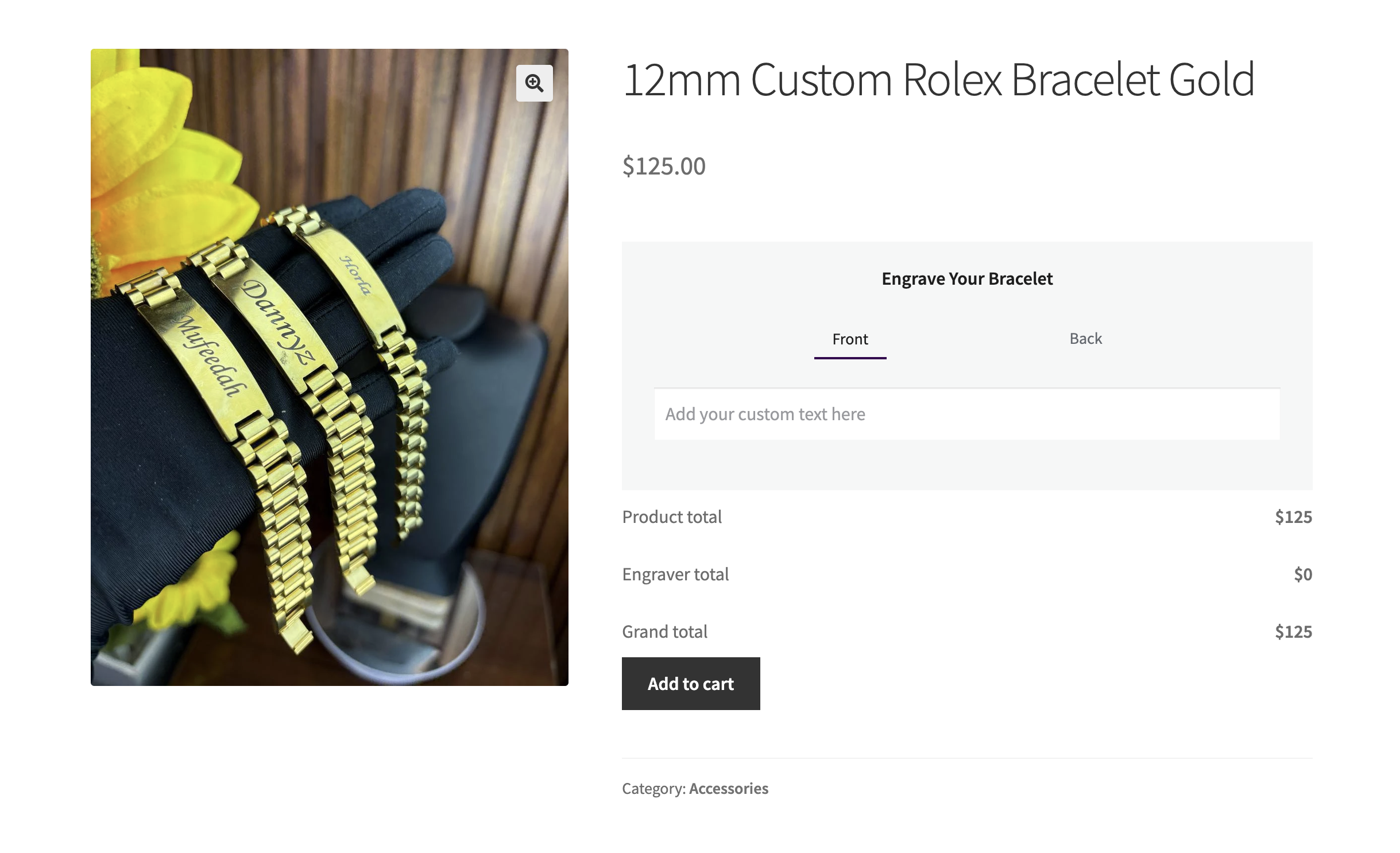
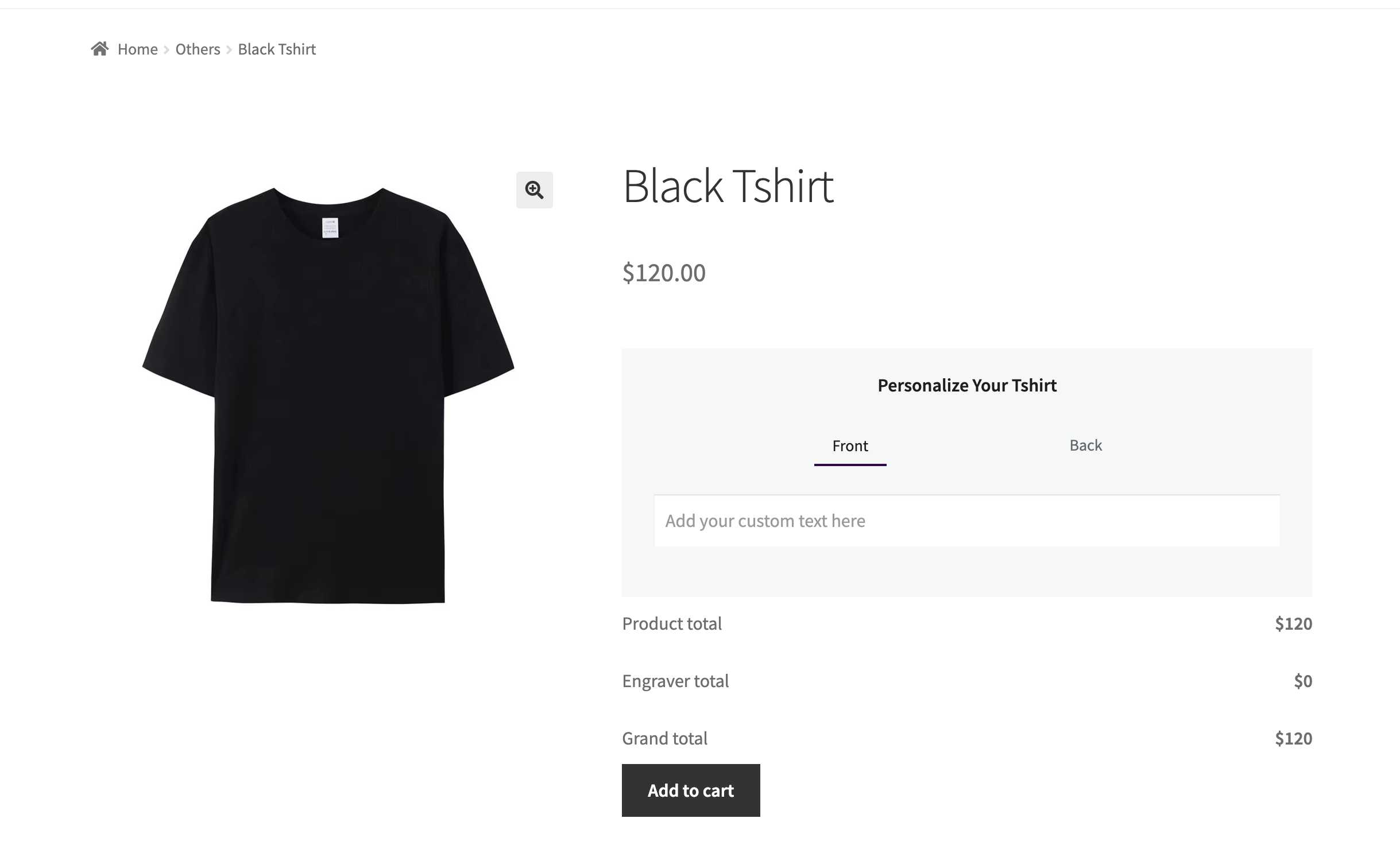
Demo Jewellery | Demo Tshirt Design | Demo Love Notes Magazine
Key Features
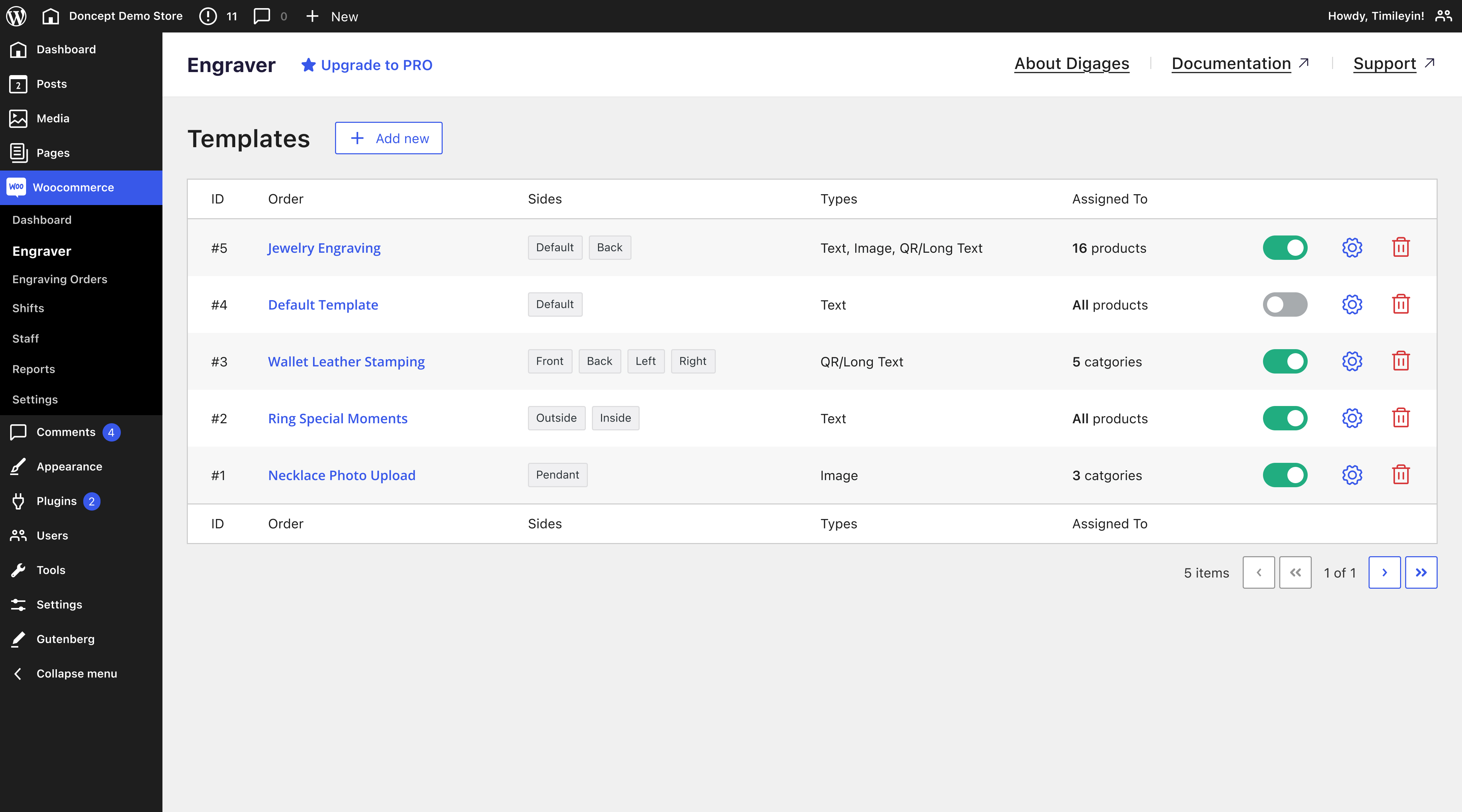
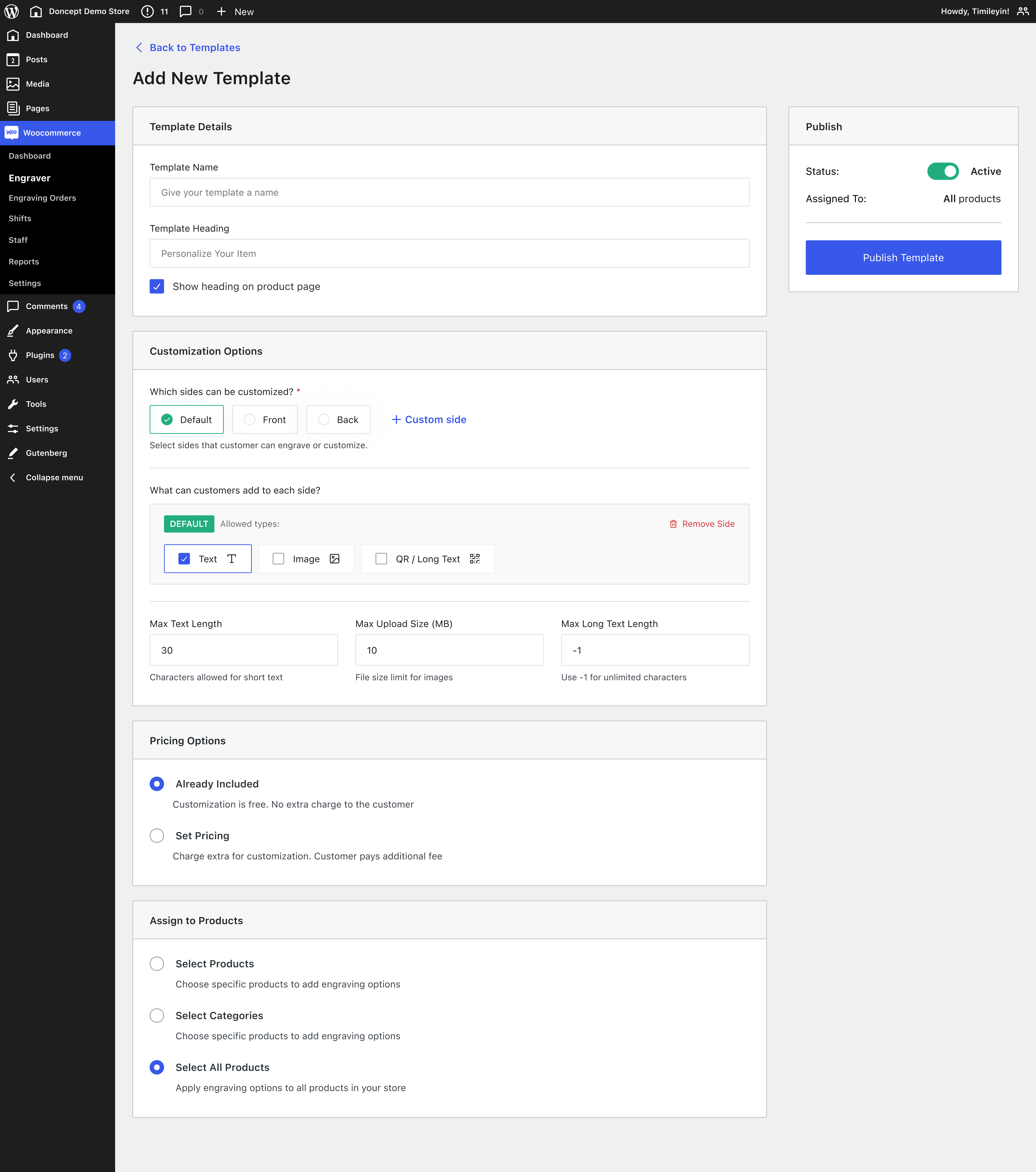
- Template System: Create multiple engraving templates and apply them to individual products, categories, or your entire WooCommerce store.
- Multiple Engraving Sides: Let customers personalize the front, back, edge, or any custom side of a product.
- Custom Text: Allow customers to add names, messages, initials, long messages, QR codes, and other personalized content.
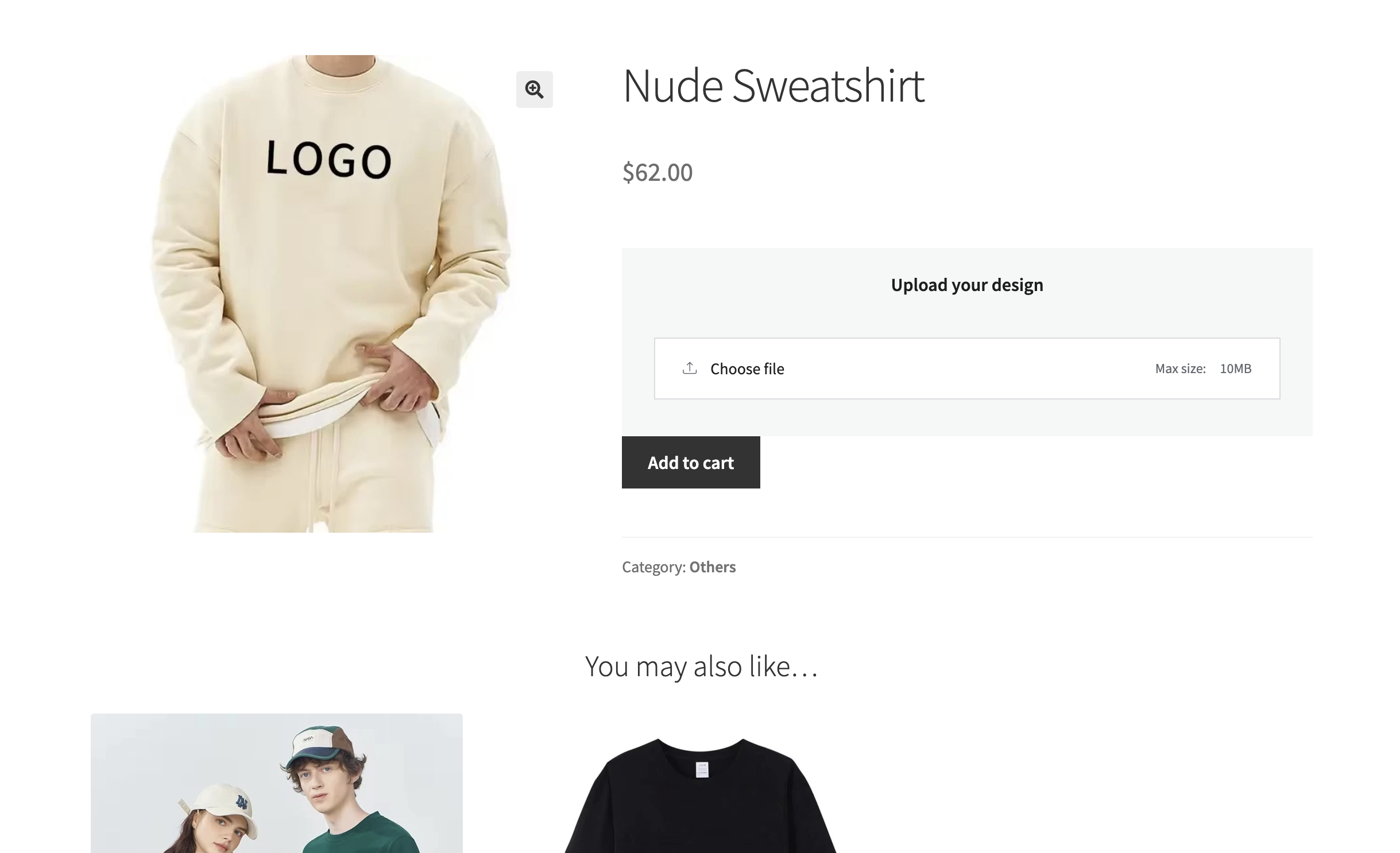
- Image Uploads [PRO]: Let customers upload logos, artwork, signatures, or photos for product customization.
- Included with Product: Bundle engraving and personalization into your product at no additional cost.
- Charge for Personalization [PRO]: Add optional fees for engraving, custom text, image uploads, QR codes, and more.
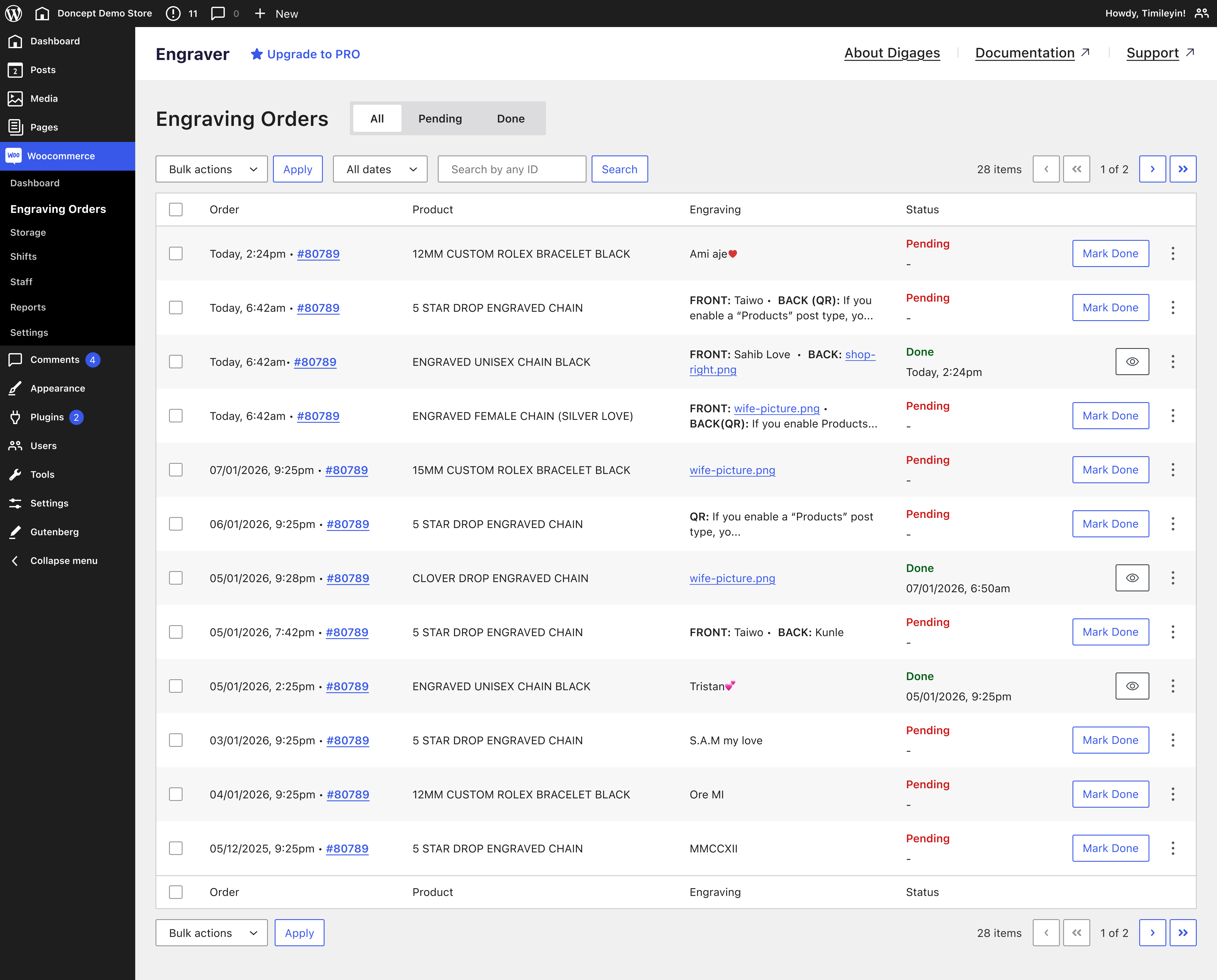
- Engraving Orders Dashboard: Manage all personalized orders from one place with engraving details included in WooCommerce orders.
- WooCommerce Integration: Built natively for WooCommerce with zero setup. Works seamlessly with your existing products, checkout, and order management.
- Engraving Status Tracking: Track engraving progress with statuses like Pending, and Done.
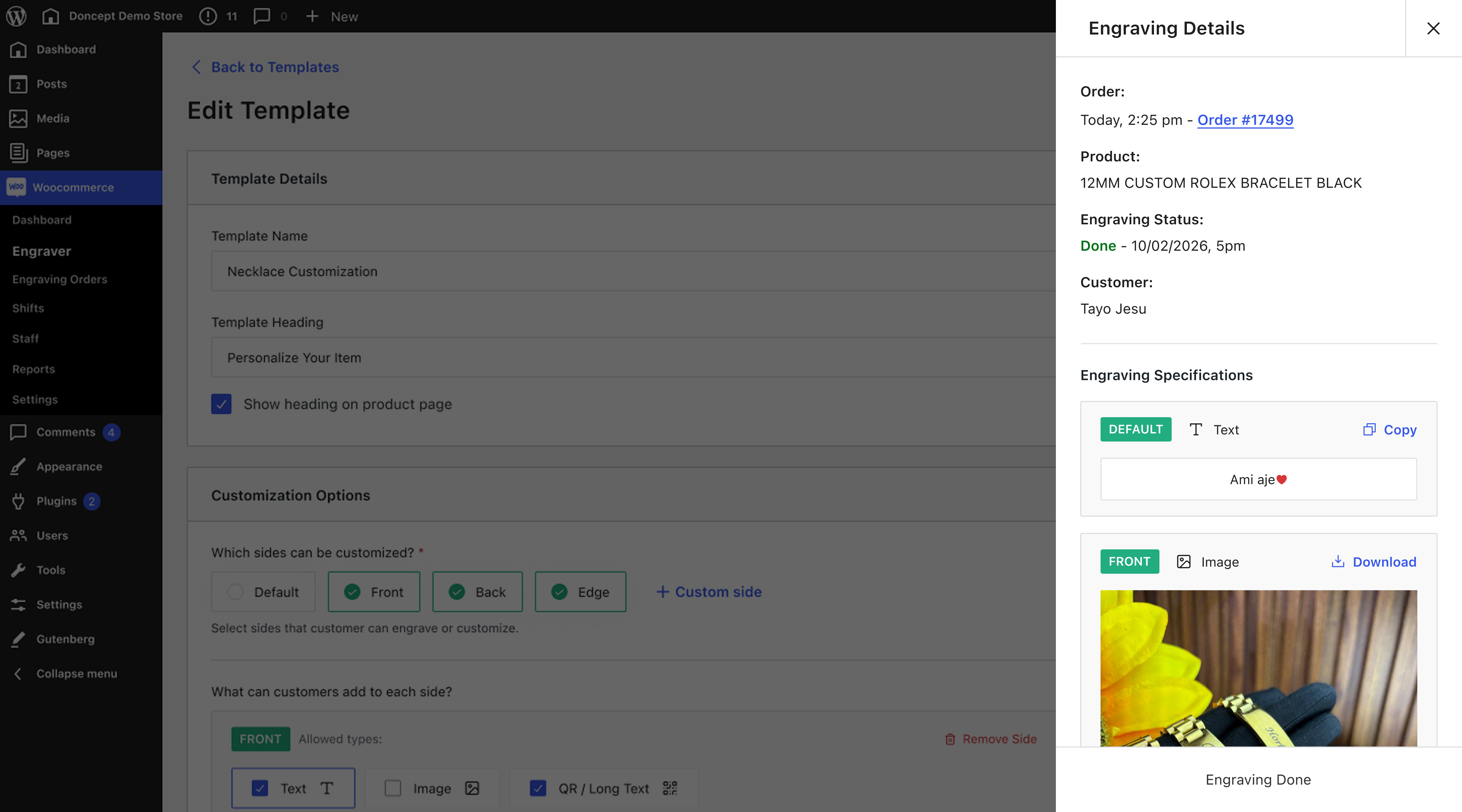
- Fulfillment Ready: View structured engraving details, copy customer text, and download uploaded files directly from the order.
- Unlimited Templates [PRO]: Create and manage unlimited engraving templates for different products and categories.
- Product and Category Assignment: Apply engraving templates to multiple products or categories with a single click.
- Premium Support [PRO]: Create support tickets and get fast, prioritized assistance whenever you need help.
Perfect For
Whether you sell personalized gifts, engraved products, or custom merchandise, Engraver helps you offer product personalization directly from your WooCommerce store.
- Gift Shops: Personalize gifts with names, messages, dates, and special occasions.
- Jewelry Stores: Offer custom engraving for rings, necklaces, bracelets, watches, and more.
- Print-on-Demand Stores: Let customers personalize apparel, mugs, tumblers, and other custom products.
- Trophy & Award Shops: Add recipient names, award titles, and custom messages.
- Phone Case & Accessory Stores: Personalize phone cases, laptop sleeves, and accessories with text and QR codes.
- Laser Engraving Businesses: Collect engraving requests with structured personalization details.
- Corporate & Promotional Products: Customize branded merchandise with company names, employee names, or logos.
- Handmade & Craft Stores: Sell personalized handmade products without manual order collection.
- Holiday & Seasonal Stores: Create custom products for birthdays, weddings, Christmas, Valentine’s Day, Mother’s Day, Father’s Day, and other special occasions.
- WooCommerce Stores: Add product personalization to any WooCommerce store without custom development.
📄 Quick Guides
- Engraver for WooCommerce: Complete Usage Guide
- Understanding the Engraver Dashboard
- How to Sell Personalized Products on WooCommerce
- How to Sell Custom Jewelry Online with WooCommerce
- Why Customers Love Personalized Products in WooCommerce
Read more in our documentation
What’s Next?:
If you like this plugin, then consider checking out our other plugins:
-
Direct Invoices – Invoicing & Payment Requests for WordPress
-
Engraver for WooCommerce – Personalize and Customize WooCommerce Products
Credits
Built by Digages.
Installation
Using The WordPress Dashboard:
- Go to WordPress Admin > Plugins > Add New Plugin from the left-hand menu.
- In the search box, type Engraver by Digages.
- Click on Install Now when you see Engraver – Personalize and Customize WooCommerce Products.
- After installation, click Activate.
Frequently asked questions
Does Engraver for WooCommerce work with any WooCommerce theme?
Yes. Engraver works with most WooCommerce-compatible themes and integrates directly into your product pages without requiring any additional setup.
How do I set up the plugin?
Getting started is quick and simple. Install the plugin, create an engraving template, and assign it to your WooCommerce products. Follow our complete setup guide
Do I need technical knowledge to set it up?
No. Engraver is built to work out of the box with WooCommerce, so you can start offering personalized products without any coding or technical knowledge.
Can I charge customers for engraving?
Yes. You can include engraving in your product price or, with the PRO version, charge additional fees based on the type of customization, such as text, image uploads, or QR codes.
Can customers engrave multiple parts of a product?
Yes. You can allow customers to personalize multiple sides of a product, including the front, back, edge, or any custom side you define.
Where can I see engraving details after an order is placed?
All engraving details are available in WooCommerce orders page, order emails, and the Engraving Orders dashboard, where you can easily copy customer text and download uploaded files.
What’s the difference between engraving, personalization, and customization?
They all refer to allowing customers to modify a product before purchasing. “Engraving” is commonly used for jewelry and engraved products, “personalization” is popular for gifts, while “customization” is a broader term that includes text, images, logos, QR codes, and other design options.
What’s the difference between the Free and PRO versions?
The free version includes the core personalization features, including engraving templates, custom text, QR codes, multiple engraving sides, fulfillment management, and WooCommerce integration. The PRO version unlocks image uploads, paid personalization, unlimited templates, and premium support.
How can I upgrade to PRO?
You can purchase a PRO license from the Engraver website
Changelog
Adds per-template archive button text and optional customization, and fixes custom side labels and frontend spacing.
1.0.4
- Fixed: Custom side labels containing spaces are preserved when templates are edited.
- Added: Configurable product archive button text for each template.
- Added: Option to make product customization optional.
- Changed: Added spacing below the frontend customization widget.
1.0.3
- Added: Product category assignment is now available in the free version.
- Changed: All Upgrade to PRO links now point to the Engraver for WooCommerce product page.
1.0.2
- Fixed: Minor CSS firefox issues
1.0.1
- Fixed: Minor issues
1.0.0
- Added default template creation on installation.
- Added tabbed admin screen with Template, License, and Help Center sections.
- Added WooCommerce engraving template and order-management features.
Screenshots
For developers
Is this your plugin? Show off the numbers.
Add a live badge to your site, docs or GitHub README. It updates on its own — no account needed.
Best Engraver alternatives
All engraving plugins →FAQ
Engraver: quick answers
Straight answers, pulled from live WordPress.org data.
Live data from WordPress.org · checked Oct 3, 2026
Is Engraver free?
Yes. Engraver is free to download and use from the official WordPress.org plugin directory.
Is Engraver safe to use in 2026?
Engraver is a solid plugin choice in 2026, with a few things worth checking first. Is rated 5/5 and was last updated 3 weeks ago, and scores 66/100 on our health check.
How many websites use Engraver?
Engraver is active on <10 WordPress websites and has been downloaded 423 times since it launched in July 2026. It was downloaded 181 times in the last 30 days.
Does Engraver work with WordPress 7.1?
Engraver is officially tested up to WordPress 7.0.6, while the latest release is 7.1.2. It may still work, but try it on a staging site first.
What PHP version does Engraver need?
Engraver requires PHP 7.4 or higher. Most hosts run PHP 8.x today, so it works on any modern WordPress hosting.
When was Engraver last updated?
The latest version, 1.0.4, was released on September 14, 2026 (3 weeks ago).
Who makes Engraver?
Engraver is developed and maintained by Digages.
What are the best alternatives to Engraver?
The most popular alternatives to Engraver are Live Font Preview for WooCo… (10+ installs) and Snelgraveren Product Design… (<10 installs).
Powered by PageForge
Want thousands of pages that rank like these? Build them in an afternoon.
This directory runs on the same engine as PageForge. Turn any spreadsheet, CSV or API into thousands of fast, SEO-ready WordPress pages — with schema, internal links and AI-written copy baked in.
- CSV, Google Sheets & API data sources
- AI content, schema & internal links per page
- Works with Elementor, Gutenberg, Yoast & Rank Math
- Free on WordPress.org — no credit card


