


Different Menu in Different Pages – Conditional Menu
Easily assign different menus to pages, posts, user roles, devices, and custom URLs using advanced conditional menu visibility rules.

Use with caution
Different Menu in Different Pag… works, but test it on a staging site before relying on it in 2026. It runs on 3K+ sites, is rated 4.1/5 and was last updated 11 months ago, and scores 56/100 on our health check.
- Only tested up to WordPress 6.8 (latest is 7.1)
How does it stack up?
Side-by-side on installs, updates, ratings & supportDaily downloads
Download spikes usually follow a new release — each site that auto-updates counts as a download.
Rankings
Where Different Menu in Different… stands todayWordPress.org search rankings
Live position in the plugin search, top 100| Keyword | Position |
|---|---|
| conditional menu | #8 |
| different menu | #5 |
| menu visibility | #36 |
| navigation | >100 |
| user roles | >100 |
Version adoption
Share of active sites per release.
Rating breakdown
★★★★★★★★★★ 4.1 from 20 reviews
About Different Menu in Different Pages
From the official readme · v2.4.5Description
Different Menu in Different Pages lets you control menu visibility with flexible conditional rules.
Display unique navigation menus based on pages, posts, categories, tags, templates, user roles, devices, and more — creating a fully personalized user experience.
For example:
– Show one menu on your homepage and a different one on product pages.
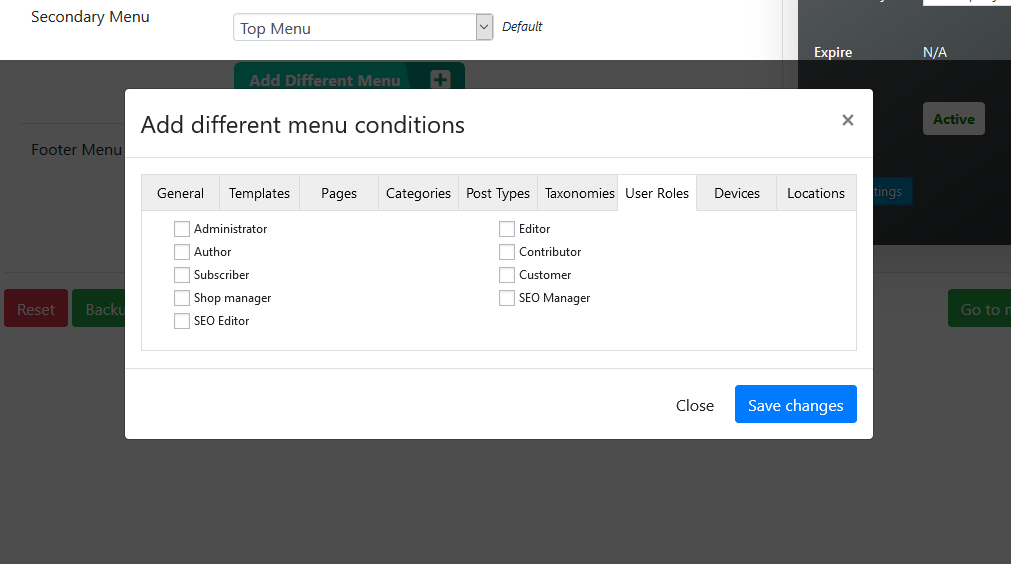
– Display menus only for logged-in users or specific user roles.
– Assign menus dynamically by URL patterns, post types, or page templates.
🎯 Key Features
✓ Show menus to logged-in, logged-out, or all users.
✓ Restrict menus by user roles or exclude certain roles.
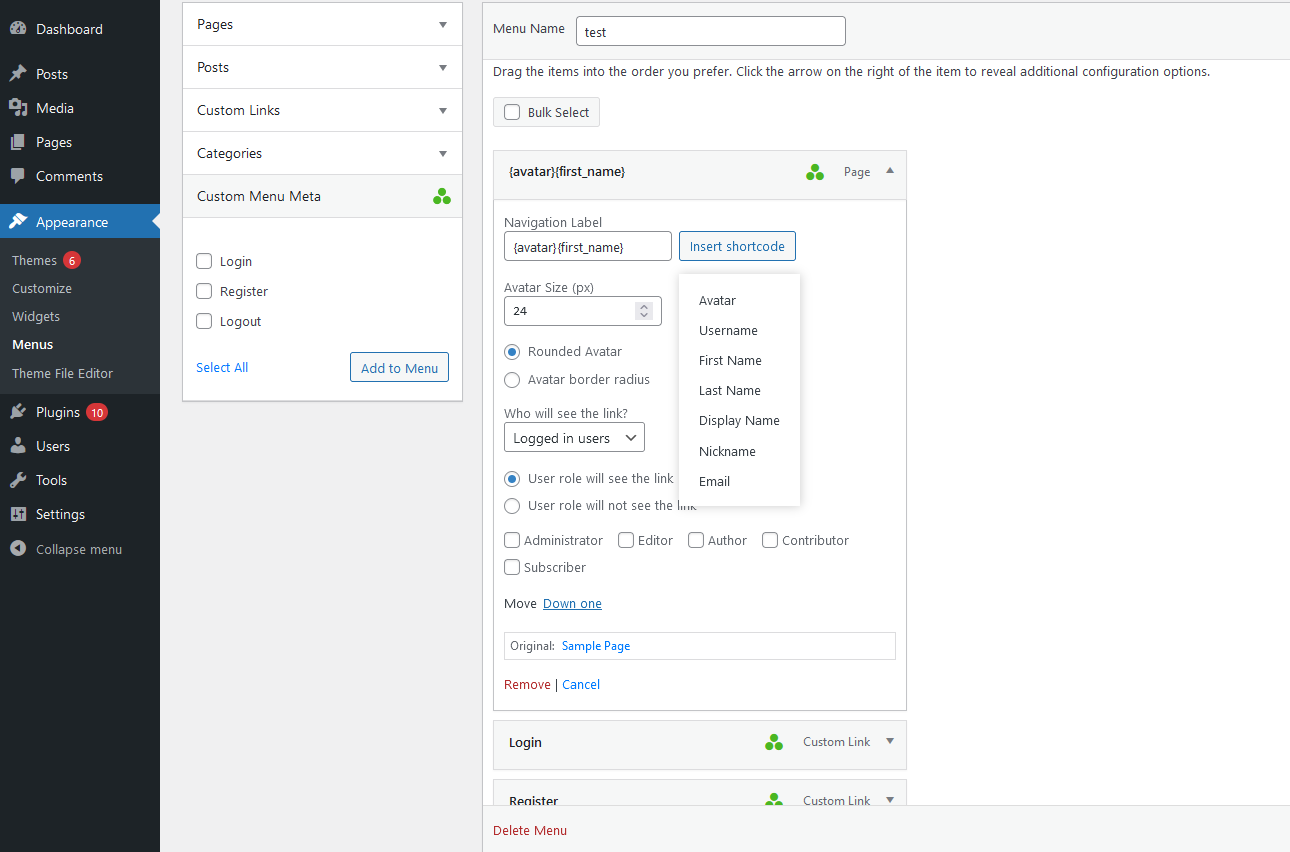
✓ Insert dynamic data in menu items using shortcodes:
{username}, {display_name}, {first_name}, {last_name}, {nickname}, {email}, {avatar} (with size options).
✓ Create unlimited conditional menus from the settings page.
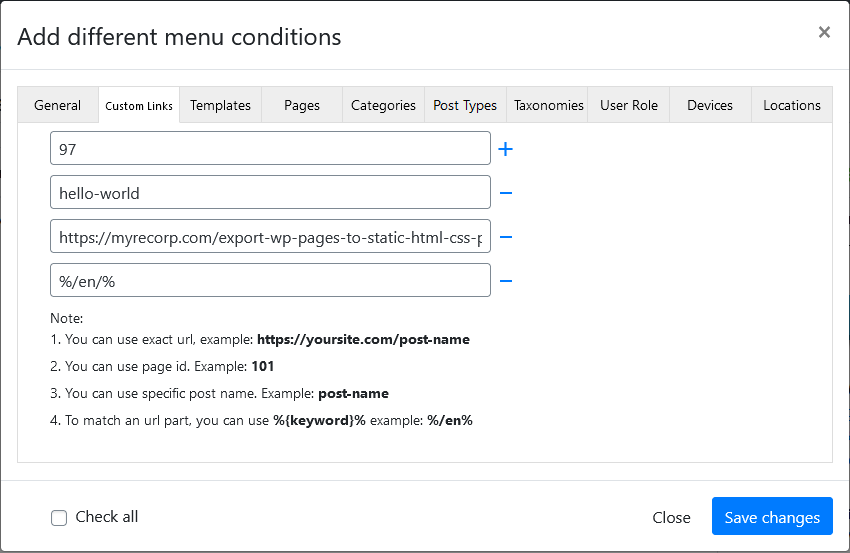
✓ Assign menus by exact URL, page ID, slug, or URL pattern (%keyword%).
✓ Assign menus to special pages (Home, Front Page, Blog, 404, Search).
✓ Support for RTL (right-to-left) layouts.
✓ Duplicate any existing menu using the Menu Duplicator tool.
✓ Modern AJAX-based interface for fast settings updates.
🌟 Pro Features
The Pro version includes even more control and flexibility:
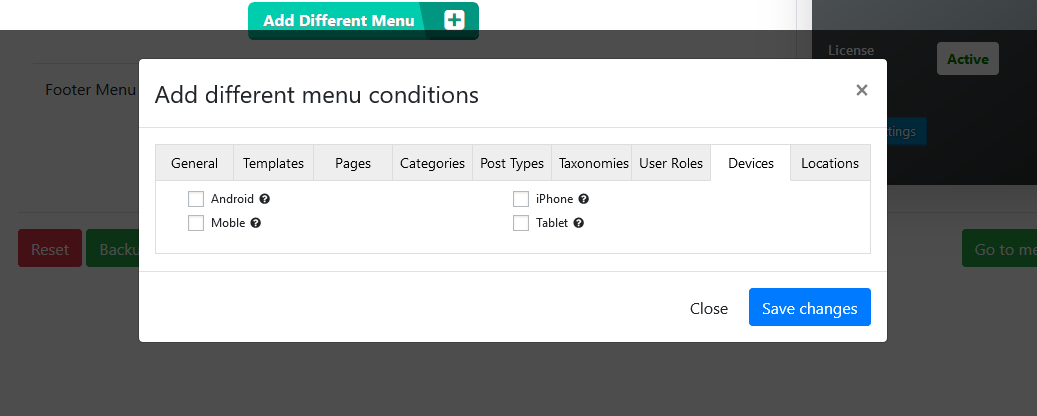
✓ Assign menus for specific devices (desktop, mobile, tablet) or operating systems (Android, iOS).
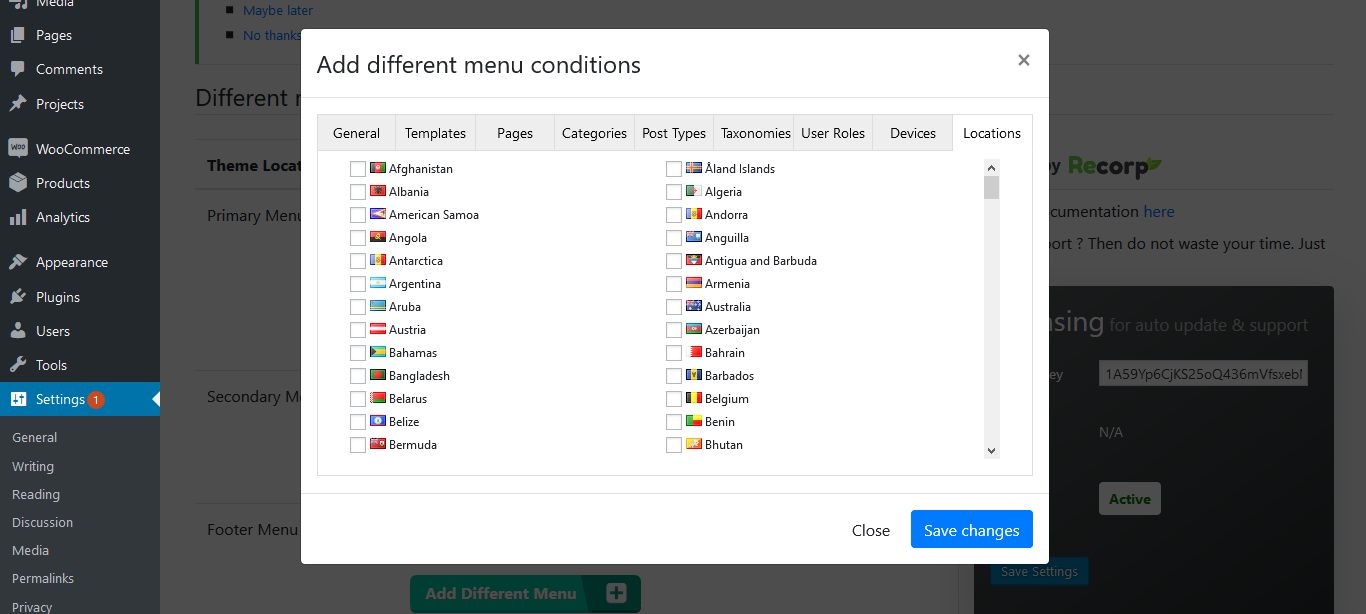
✓ Create multilingual or country-specific menus (no extra plugins needed).
✓ Quick search filter for settings.
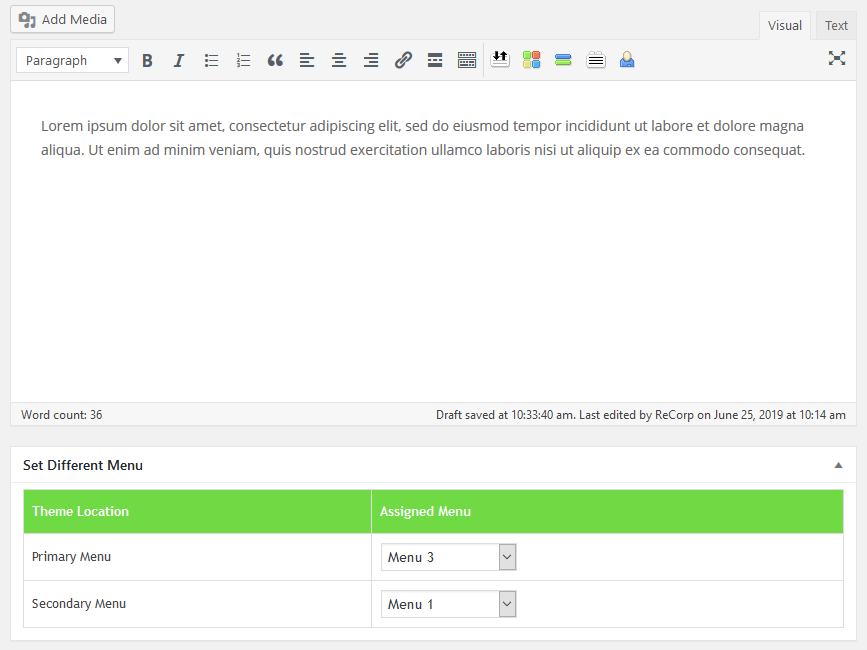
✓ Assign menus directly from the post/page editor.
✓ Backup & Restore menu rules easily.
✓ Temporarily disable a menu without deleting it.
✓ Unlimited conditional menus support.
✓ Elementor header/footer navigation compatibility.
👉 Upgrade to the Pro version for advanced functionality at myrecorp.com.
Installation
- Upload the
different-menus-in-different-pagesfolder to/wp-content/plugins/, or install via the WordPress Plugin Installer. - Activate the plugin through Plugins → Installed Plugins.
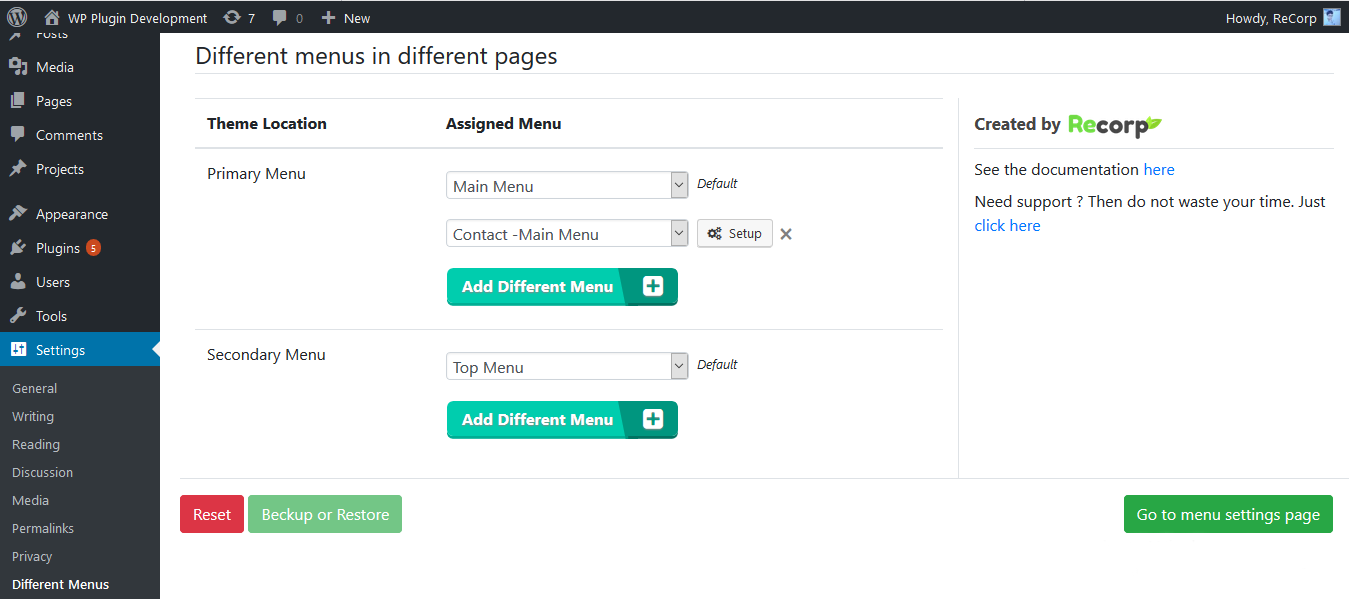
- Navigate to Settings → Different Menus.
- Click Add Different Menu and choose one of your existing menus.
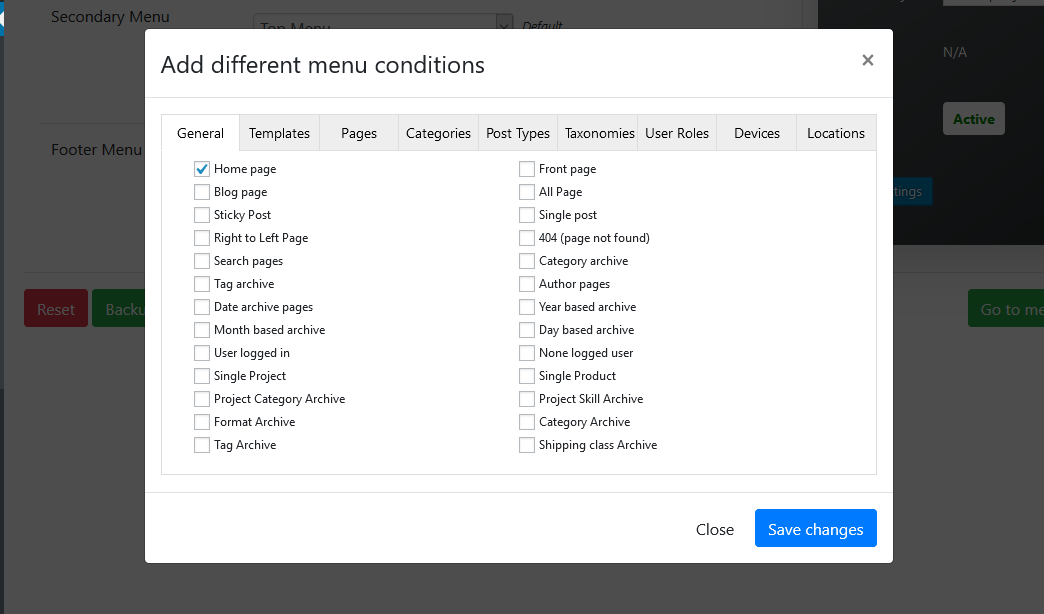
- Configure your visibility conditions (pages, URLs, roles, etc.) and click Save.
- Visit your site’s frontend to see the new conditional menu in action.
Frequently asked questions
What does “conditional menu” mean?
A conditional menu is displayed only when specific rules are met — such as user roles, page types, or custom URLs.
How do I assign different menus to specific pages or user roles?
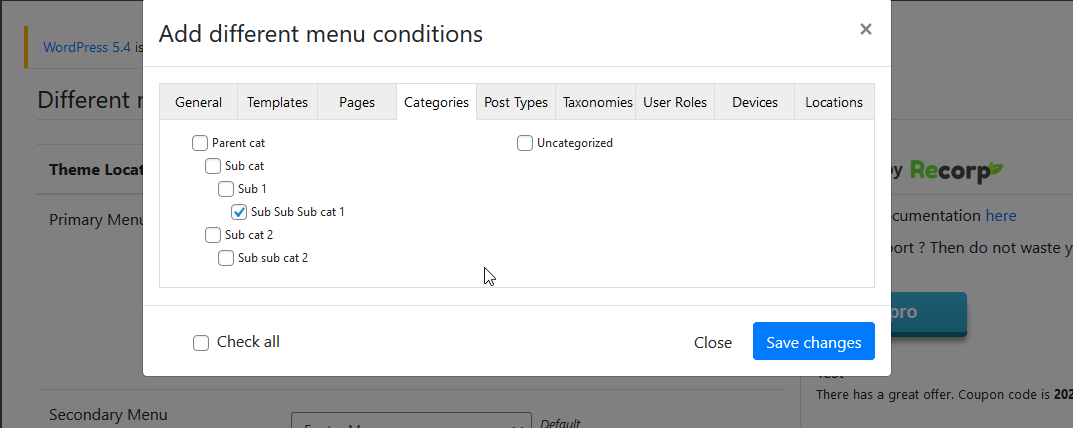
Go to Settings → Different Menus → Add Different Menu. Select your existing menu, then choose conditions like page IDs, templates, or user roles under Visibility Rules. Save to apply the menu to matching conditions.
Can I show a menu only to logged-in or logged-out users?
Yes. Choose Logged In Users or Logged Out Users under visibility rules.
What shortcodes are available for menu items?
You can personalize menu items with: {username}, {display_name}, {first_name}, {last_name}, {nickname}, {email}, {avatar} (supports size attributes).
What extra features does the Pro version include?
Device-based menus, multilingual menus, backup/restore, search filters, quick assignment from editor, and Elementor header/footer compatibility.
Where can I find support?
Visit the plugin’s support forum or our website myrecorp.com.
Changelog
⚠️ Important Security Fix — Update immediately to ensure your site’s protection.
2.4.3
- Minor fixes and performance improvements.
2.4.2
- Miscellaneous updates and fixes.
2.4.1
- General improvements.
2.4.0
- Fixed multiple security vulnerabilities.
2.3.2
- Fixed tooltip display issues.
2.3.1
- Resolved pagination errors.
Screenshots
For developers
Is this your plugin? Show off the numbers.
Add a live badge to your site, docs or GitHub README. It updates on its own — no account needed.
Best Different Menu in Different P… alternatives
All conditional menu plugins →| Rank | Plugin | Active installs |
|---|---|---|
| 2 |
 IF Menu Visibility
Add login-based visibility control to WordPress menus. Show or hide menu items depending on…
IF Menu Visibility
Add login-based visibility control to WordPress menus. Show or hide menu items depending on…
|
100+ |
FAQ
Different Menu in Different Pages: quick answers
Straight answers, pulled from live WordPress.org data.
Live data from WordPress.org · checked Sep 26, 2026
Is Different Menu in Different Pag… free?
Yes. Different Menu in Different Pag… is free to download and use from the official WordPress.org plugin directory.
Is Different Menu in Different Pag… safe to use in 2026?
Different Menu in Different Pag… works, but test it on a staging site before relying on it in 2026. It runs on 3K+ sites, is rated 4.1/5 and was last updated 11 months ago, and scores 56/100 on our health check.
How many websites use Different Menu in Different Pag…?
Different Menu in Different Pag… is active on 3K+ WordPress websites and has been downloaded 65,376 times since it launched in June 2019. It was downloaded 427 times in the last 30 days.
Does Different Menu in Different Pag… work with WordPress 7.1?
Different Menu in Different Pag… is officially tested up to WordPress 6.8.10, while the latest release is 7.1.2. It may still work, but try it on a staging site first.
What PHP version does Different Menu in Different Pag… need?
Different Menu in Different Pag… requires PHP 5.4 or higher. Most hosts run PHP 8.x today, so it works on any modern WordPress hosting.
When was Different Menu in Different Pag… last updated?
The latest version, 2.4.5, was released on October 19, 2025 (11 months ago).
Who makes Different Menu in Different Pag…?
Different Menu in Different Pag… is developed and maintained by recorp.
What are the best alternatives to Different Menu in Different Pag…?
The most popular alternatives to Different Menu in Different Pag… are IF Menu Visibility (100+ installs).
Powered by PageForge
Want thousands of pages that rank like these? Build them in an afternoon.
This directory runs on the same engine as PageForge. Turn any spreadsheet, CSV or API into thousands of fast, SEO-ready WordPress pages — with schema, internal links and AI-written copy baked in.
- CSV, Google Sheets & API data sources
- AI content, schema & internal links per page
- Works with Elementor, Gutenberg, Yoast & Rank Math
- Free on WordPress.org — no credit card


