


Default Featured Image
Add a Default Featured Image for all posts & pages.

Solid choice
Default Featured Image is a solid plugin choice in 2026, with a few things worth checking first. It runs on 50K+ sites, is rated 4.8/5 and was last updated 5 months ago, and scores 64/100 on our health check.
- Proven at scale on 50K+ active sites
- Loved by users — 4.8/5 from 69 reviews
- Momentum — downloads up 22.1% vs the previous 30 days
How does it stack up?
Side-by-side on installs, updates, ratings & support



Daily downloads
Download spikes usually follow a new release — each site that auto-updates counts as a download.
Rankings
Where Default Featured Image stands todayWordPress.org search rankings
Live position in the plugin search, top 100| Keyword | Position |
|---|---|
| image | #20 |
| media | >100 |
Version adoption
Share of active sites per release.
Rating breakdown
★★★★★★★★★★ 4.8 from 69 reviews
About Default Featured Image
From the official readme · v1.8.2Description
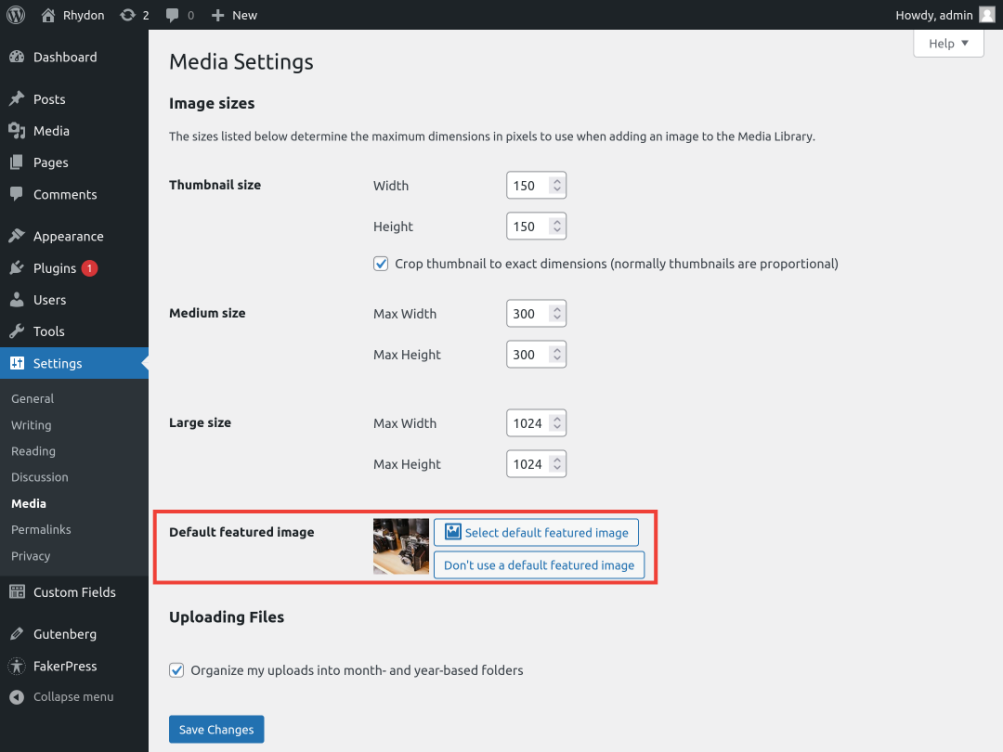
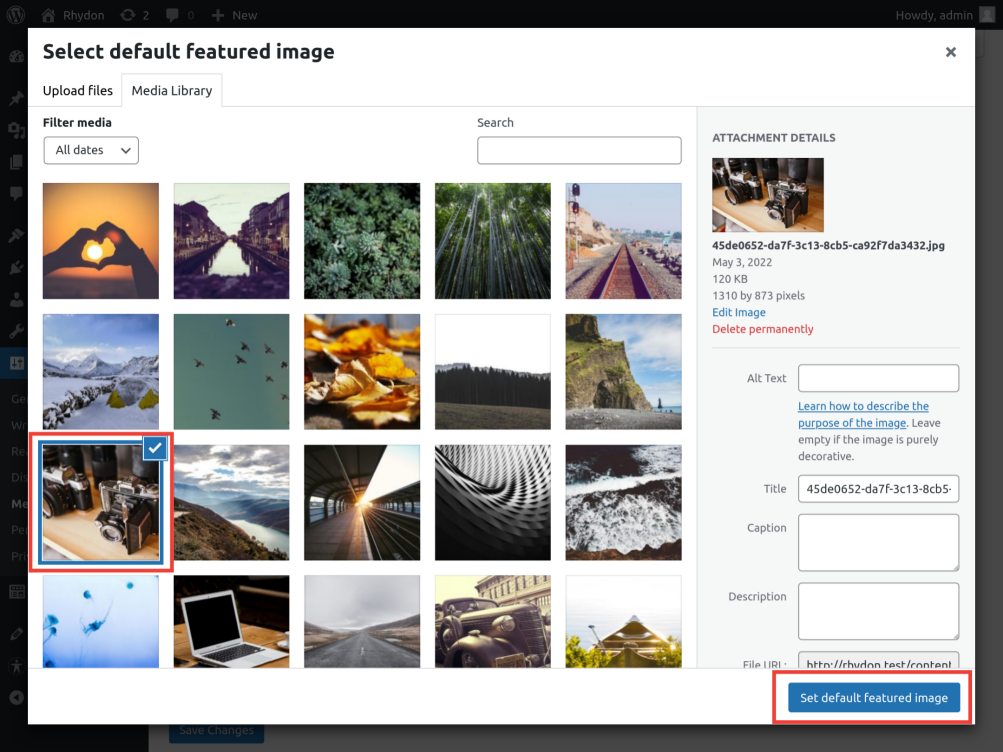
Add a default featured image to the media settings page. This featured image will show up if no featured image is set. Simple as that.
Take a look at FAQ for the basic questions.
Feel free to contact me on the forum or on the github repository.
Installation
- Unzip the folder to the
/wp-content/plugins/directory - Activate the plugin through the ‘Plugins’ menu in WordPress
- Go to the settings->media page and select an image.
Changelog
Update makes sure that the set image will show. Everywhere.
1.8.2
- Fixed typo in uninstall script.
1.8.1
- Small refactor, no code or feature changes.
- Removed wp.org assets from plugin zip.
1.8.0
- Expose the DFI option via the rest API.
1.7.3
- PHP 7.4 and WP 6.2 are now required. This is to use the new WP_HTML_Tag_Processor functions.
- Fixed a bug where classes were overridden.
1.7.2.1
- Development is now done in git.
1.7.2
- Added extra context to a translation as suggested by Alex Lion
Screenshots
For developers
Is this your plugin? Show off the numbers.
Add a live badge to your site, docs or GitHub README. It updates on its own — no account needed.
Best Default Featured Image alternatives
All image plugins →





FAQ
Default Featured Image: quick answers
Straight answers, pulled from live WordPress.org data.
Source: WordPress.org
Is Default Featured Image free?
Yes. Default Featured Image is free to download and use from the official WordPress.org plugin directory.
Is Default Featured Image safe to use in 2026?
Default Featured Image is a solid plugin choice in 2026, with a few things worth checking first. It runs on 50K+ sites, is rated 4.8/5 and was last updated 5 months ago, and scores 64/100 on our health check.
How many websites use Default Featured Image?
Default Featured Image is active on 50K+ WordPress websites and has been downloaded 571,430 times since it launched in December 2012. It was downloaded 5,906 times in the last 30 days.
Does Default Featured Image work with WordPress 7.1?
Default Featured Image is officially tested up to WordPress 7.0.9, while the latest release is 7.1.5. It may still work, but try it on a staging site first.
What PHP version does Default Featured Image need?
Default Featured Image requires PHP 7.4 or higher. Most hosts run PHP 8.x today, so it works on any modern WordPress hosting.
When was Default Featured Image last updated?
The latest version, 1.8.2, was released on June 17, 2026 (5 months ago).
Who makes Default Featured Image?
Default Featured Image is developed and maintained by Jan-Willem.
What are the best alternatives to Default Featured Image?
The most popular alternatives to Default Featured Image are Imsanity (200K+ installs), Firelight Lightbox (200K+ installs) and Responsive Lightbox & Galle… (100K+ installs).
Powered by PageForge
One template and a spreadsheet. A real page for every search.
PageForge turns each row of a CSV into a WordPress page with its own title, URL, SEO fields and schema, built on the layout you already designed. Free on WordPress.org.
- CSV and XLSX, plus Google Sheets on Professional and Enterprise
- Its own title, URL, SEO fields and schema for every page
- Works with the block editor, Elementor, Divi and Avada
- Free on WordPress.org, no credit card