


DebugPay Toolkit for Payfast
Payfast payment diagnostics for WooCommerce with local logs, ITN/callback checks, sandbox/live labels, and order debug reports.

Use with caution
DebugPay Toolkit for Payfast works, but test it on a staging site before relying on it in 2026. Was last updated 3 months ago, and scores 55/100 on our health check.
- Small user base (<10 active installs)
- Very few reviews so far
How does it stack up?
Side-by-side on installs, updates, ratings & support



Daily downloads
Download spikes usually follow a new release — each site that auto-updates counts as a download.
Rankings
Where DebugPay Toolkit for Payfast stands todayWordPress.org search rankings
Live position in the plugin search, top 100| Keyword | Position |
|---|---|
| diagnostics | >100 |
| payfast | #13 |
| payment gateway | >100 |
| payment logs | >100 |
| woocommerce | >100 |
About DebugPay Toolkit for Payfast
From the official readme · v1.5.0Description
DebugPay Toolkit for Payfast helps WooCommerce store owners, developers, and support teams investigate Payfast payment issues without acting as a payment gateway.
Use it when Payfast payment activity appears successful but a WooCommerce order stays pending, failed, cancelled, on-hold, or unpaid. The plugin creates local payment logs, order debug panels, and reports for comparing order activity, callback delivery, ITN observations, sandbox/live mode signals, and common mismatch symptoms.
The plugin records WooCommerce order creation events for Payfast-related orders, order status changes, likely Payfast ITN/callback metadata on recognized WooCommerce callback routes, and environment diagnostics. It does not change order statuses automatically.
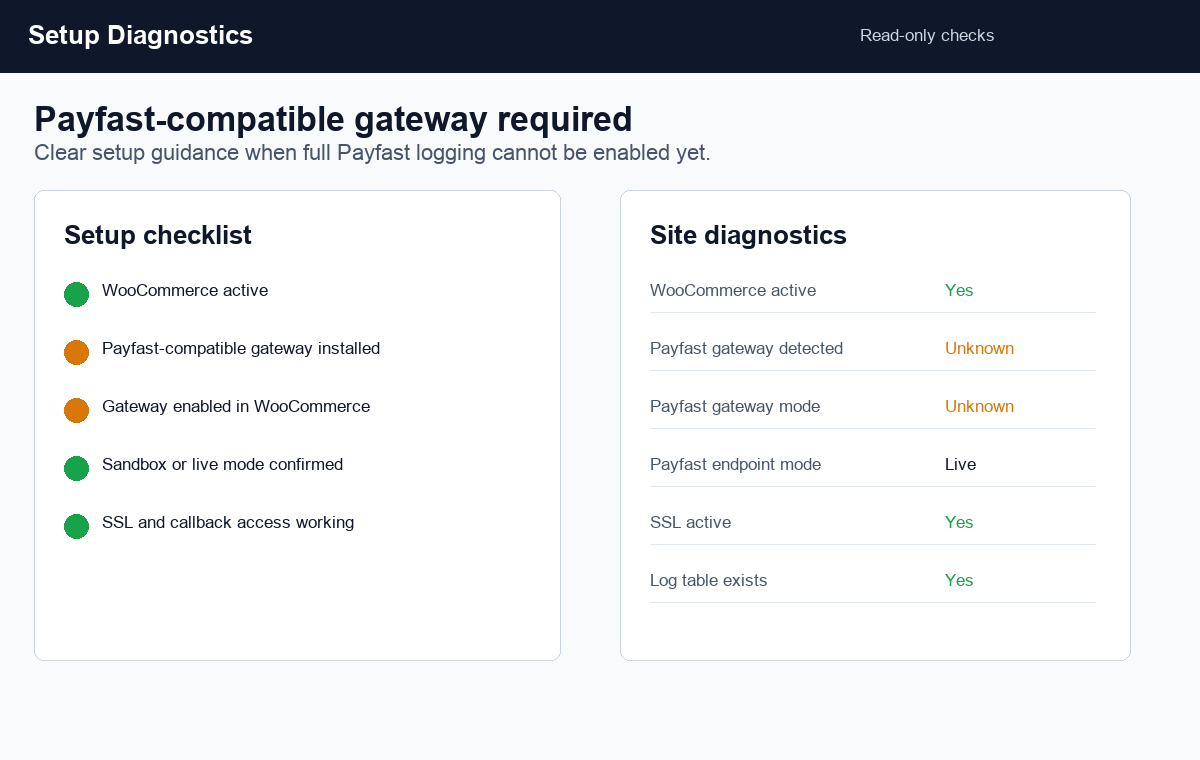
This plugin does not include, register, enable, or replace a payment gateway. For full logging, your site must already have an active Payfast-compatible WooCommerce gateway that creates Payfast orders and receives Payfast callbacks. If no compatible gateway is detected, the admin screen shows setup diagnostics and a non-affiliated checklist.
DebugPay Toolkit for Payfast is an independent diagnostic tool and is not affiliated with, endorsed by, or sponsored by Payfast, WooCommerce, Woo, Automattic, or WordPress.
Key Features
- Custom database table for local diagnostic logs.
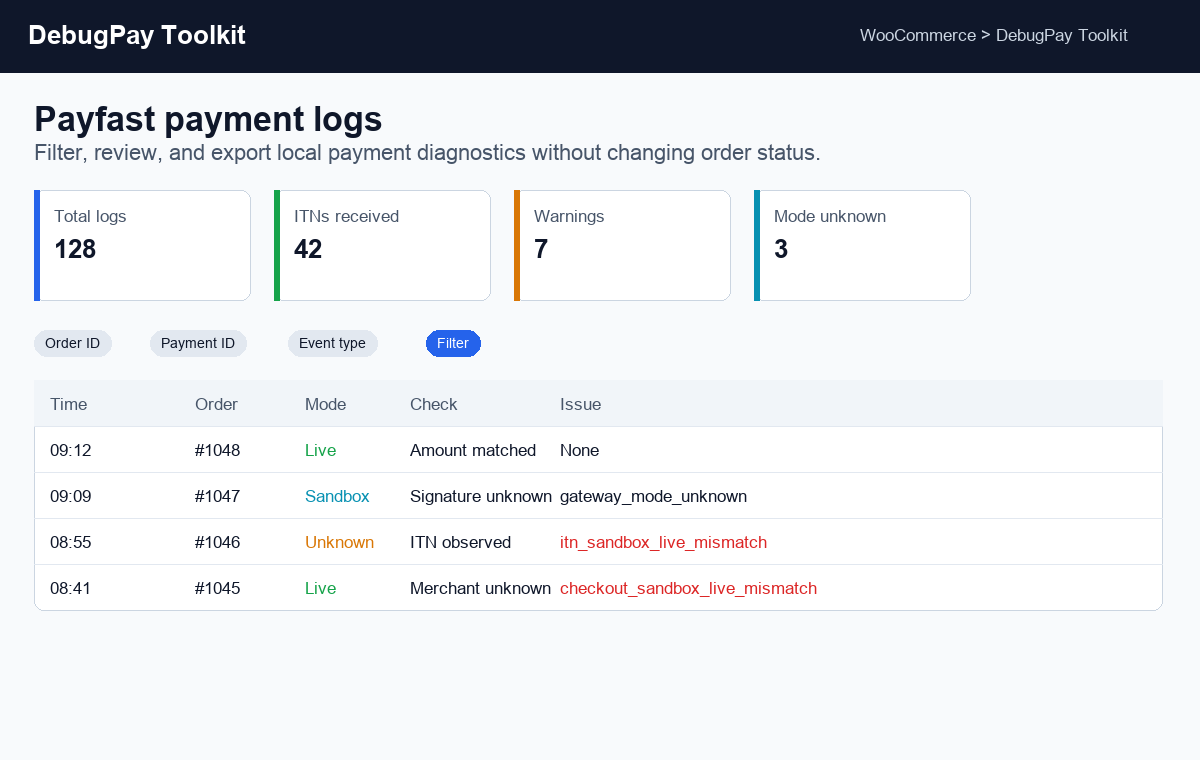
- WooCommerce > DebugPay Toolkit admin page.
- Summary cards, AJAX filters, AJAX pagination, log detail view, CSV export, and clear logs action.
- Settings for logging, retention, maximum logs, customer data masking, and uninstall cleanup.
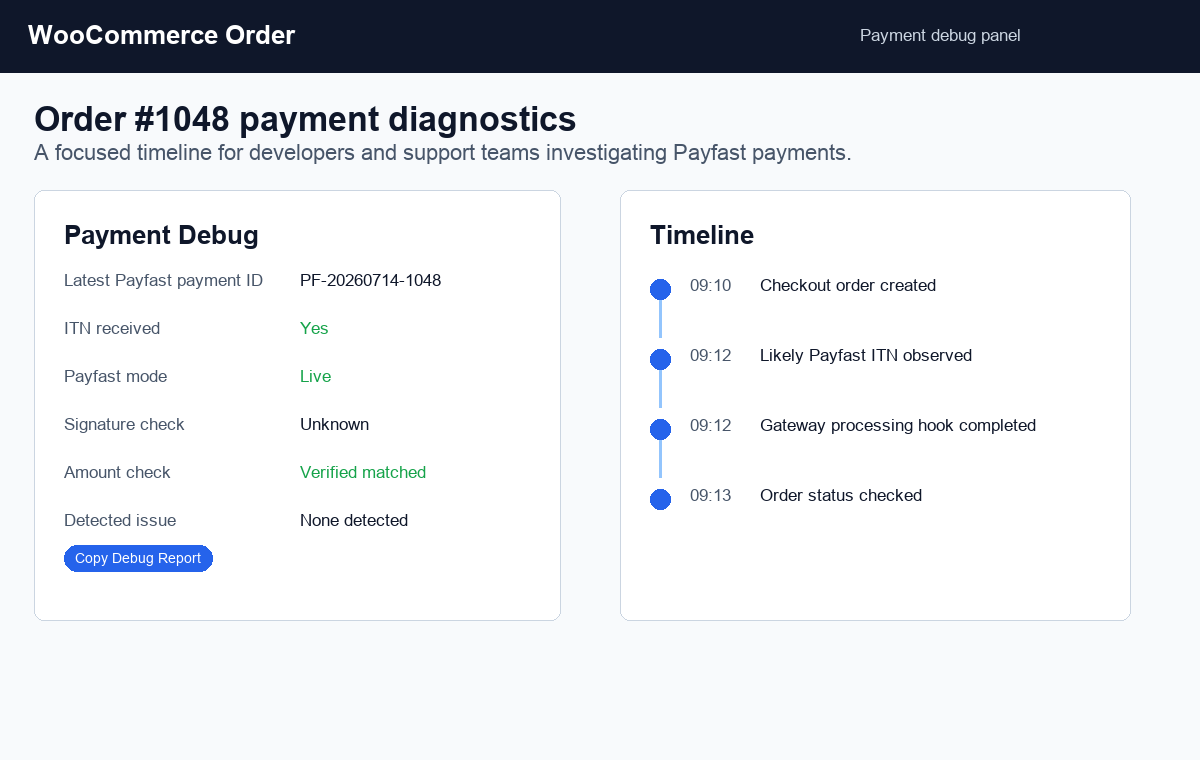
- WooCommerce order admin payment debug panel.
- Human-readable copyable debug reports.
- Payfast Health Check with setup status, last activity, ITN/callback observation, issue counts, and recommended actions.
- Payfast Callback Readiness Check for SSL, permalinks, gateway detection, mode labels, and ITN history.
- Payfast Test Run Assistant for reviewing a manually tested WooCommerce order by order ID.
- Payfast Support Pack for sanitized order, health, and log context.
- Sanitized diagnostic report export for developers and support teams.
- Built-in issue guide for common Payfast payment gateway and WooCommerce order update problems.
- Issue classification for common payment/order mismatch scenarios.
- Site diagnostics for WooCommerce, Payfast gateway detection, SSL, permalinks, WP debug, and log table status.
- Setup guidance when no Payfast-compatible WooCommerce gateway is detected.
- Sandbox/live diagnostics that label activity as Sandbox, Live, or Unknown when safe signals are available.
- WordPress.org Live Preview blueprint for a quick browser-based demo environment.
What This Plugin Does Not Do
- It does not create, register, enable, or replace a Payfast payment gateway.
- It does not process payments or collect card or bank details.
- It does not automatically mark orders paid, cancel orders, or retry callbacks.
- It does not store Payfast passphrases, API secrets, passwords, or sensitive tokens.
- It does not claim official affiliation with Payfast, WooCommerce, Woo, Automattic, or WordPress.
Privacy
This plugin does not phone home, track usage, or load remote assets. It stores diagnostic data locally in your WordPress database.
The plugin avoids storing passwords, secrets, passphrases, API keys, sensitive tokens, and card or bank details. Diagnostic log rows include event details, order/payment identifiers, request IP address, and user agent. Customer email and billing phone are masked in generated reports by default.
Sandbox/live diagnostics are read-only. The plugin may inspect safe gateway settings, endpoint hostnames, and callback context to label activity as Sandbox, Live, or Unknown. It does not modify gateway mode and does not read or store Payfast passphrases, API secrets, or sensitive credentials.
Installation
- Upload the plugin folder to
/wp-content/plugins/debugpay-toolkit-for-payfast/. - Activate the plugin from the Plugins screen.
- Make sure a Payfast-compatible WooCommerce payment gateway is installed and enabled if you want full payment logging.
- Open WooCommerce > DebugPay Toolkit.
- Confirm logging is enabled and review diagnostics.
Frequently asked questions
Is this a Payfast payment gateway for WooCommerce?
No. This plugin is a Payfast payment diagnostics and logging tool for WooCommerce. You still need an active Payfast-compatible WooCommerce gateway to accept payments and receive full logging.
Will this fix Payfast orders that stay pending?
No. The plugin does not change order status or alter payment processing. It helps identify why a Payfast-related WooCommerce order may remain pending, failed, cancelled, on-hold, or unpaid.
Does this plugin change WooCommerce order statuses?
No. The plugin only logs diagnostics and builds reports. It does not mark orders paid, cancel orders, or retry callbacks.
Can it diagnose Payfast ITN or callback problems?
Yes, it can log likely Payfast ITN/callback activity on recognized WooCommerce callback routes and show whether an ITN was observed. It does not take over gateway validation or guarantee that a callback was accepted by the payment gateway.
Does this plugin validate Payfast signatures?
Only when a verified value is available from a safe integration point. The plugin does not request or store your Payfast passphrase and does not replace the gateway validation flow, so callback observations usually show signature status as “Unknown” rather than pretending validation passed.
Does it compare Payfast paid amount with the WooCommerce order total?
Only when both values are safely available. If the plugin cannot confidently compare the paid amount and order total, the amount check remains “Unknown”.
What is the Test Run Assistant?
It is a read-only checklist and order analyzer for a manual Payfast test order. It reviews local logs, ITN/callback observation, sandbox/live mode, and known mismatch signals. It does not create orders, process payments, contact Payfast, or change WooCommerce order status.
What is the Support Pack?
The Support Pack creates a local, sanitized text summary for one WooCommerce order, including order status, Payfast mode labels, recent logs, health status, and support questions. Review it before sharing.
What happens if WooCommerce or Payfast is inactive?
The plugin does not fatal error. It shows an admin notice if WooCommerce is unavailable and reports Payfast gateway detection as no or unknown where appropriate. If no Payfast-compatible WooCommerce gateway is detected, it shows setup guidance and a checklist. It does not provide or enable a payment gateway.
Does the plugin send data to an external service?
No. It does not phone home, track usage, or load remote assets. Diagnostic data is stored locally in your WordPress database.
Can I delete plugin data on uninstall?
Yes. Enable “Delete data on uninstall” in WooCommerce > DebugPay Toolkit before uninstalling.
Changelog
Adds a read-only Payfast Callback Readiness Check and copyable callback troubleshooting report.
1.5.0
- Added Payfast Callback Readiness Check for local ITN/callback troubleshooting.
- Added copyable Callback Readiness Report with site URL, possible WooCommerce callback route, gateway detection, sandbox/live labels, SSL, permalinks, and ITN history.
- Added manual checklist for gateway URL confirmation, public HTTPS access, firewall/caching rules, WooCommerce logs, PHP errors, and post-test log review.
- Kept callback checks local and read-only: no test callbacks, no Payfast connection, and no gateway or order status changes.
1.4.0
- Added Payfast Support Pack with sanitized WooCommerce order, mode, health, and log context.
- Added suggested support questions for ITN/callback delivery, sandbox/live mode, gateway credentials, logs, firewall rules, and caching.
- Improved dashboard cards so text values such as Unknown, Observed, and issue labels display correctly.
- Kept the support pack read-only and local-only.
1.3.0
- Added Payfast Test Run Assistant, order-based diagnostics, and Copy Test Run Report.
- Kept the assistant read-only with no payment, gateway, or order status changes.
1.2.0
- Added Payfast Health Check with gateway detection, SSL/permalink checks, activity, ITN/callback observation, issue counts, and Copy Health Summary.
1.1.0
- Added diagnostic report export and Issue Guide for Payfast ITN/callback, sandbox/live, amount mismatch, and WooCommerce order status troubleshooting.
1.0.0
- Initial release with Payfast payment logging, WooCommerce order diagnostics, ITN/callback observations, AJAX filters, CSV export, sandbox/live labels, privacy masking, and HPOS-compatible order panels.
Screenshots
For developers
Is this your plugin? Show off the numbers.
Add a live badge to your site, docs or GitHub README. It updates on its own — no account needed.
Best DebugPay Toolkit for Payfast alternatives
All diagnostics plugins →





FAQ
DebugPay Toolkit for Payfast: quick answers
Straight answers, pulled from live WordPress.org data.
Live data from WordPress.org · checked Oct 6, 2026
Is DebugPay Toolkit for Payfast free?
Yes. DebugPay Toolkit for Payfast is free to download and use from the official WordPress.org plugin directory.
Is DebugPay Toolkit for Payfast safe to use in 2026?
DebugPay Toolkit for Payfast works, but test it on a staging site before relying on it in 2026. Was last updated 3 months ago, and scores 55/100 on our health check.
How many websites use DebugPay Toolkit for Payfast?
DebugPay Toolkit for Payfast is active on <10 WordPress websites and has been downloaded 373 times since it launched in July 2026. It was downloaded 75 times in the last 30 days.
Does DebugPay Toolkit for Payfast work with WordPress 7.1?
DebugPay Toolkit for Payfast is officially tested up to WordPress 7.0.7, while the latest release is 7.1.3. It may still work, but try it on a staging site first.
What PHP version does DebugPay Toolkit for Payfast need?
DebugPay Toolkit for Payfast requires PHP 7.4 or higher. Most hosts run PHP 8.x today, so it works on any modern WordPress hosting.
When was DebugPay Toolkit for Payfast last updated?
The latest version, 1.5.0, was released on July 21, 2026 (3 months ago).
Who makes DebugPay Toolkit for Payfast?
DebugPay Toolkit for Payfast is developed and maintained by Ravi Khadka.
What are the best alternatives to DebugPay Toolkit for Payfast?
The most popular alternatives to DebugPay Toolkit for Payfast are Performance Lab (100K+ installs), Server Info (3K+ installs) and Commerza for WooCommerce (90+ installs).
Powered by PageForge
Want thousands of pages that rank like these? Build them in an afternoon.
This directory runs on the same engine as PageForge. Turn any spreadsheet, CSV or API into thousands of fast, SEO-ready WordPress pages — with schema, internal links and AI-written copy baked in.
- CSV, Google Sheets & API data sources
- AI content, schema & internal links per page
- Works with Elementor, Gutenberg, Yoast & Rank Math
- Free on WordPress.org — no credit card


