


Dashboard Plus
Everything you need to customize your WordPress Dashboard , Login Page.

Consider an alternative
Dashboard Plus shows warning signs in 2026 — compare the alternatives below before installing. Was last updated 10 months ago, and scores 36/100 on our health check.
- Small user base (<10 active installs)
- Very few reviews so far
- Only tested up to WordPress 6.9 (latest is 7.1)
- Needs PHP 8.1 or newer
How does it stack up?
Side-by-side on installs, updates, ratings & support



Daily downloads
Download spikes usually follow a new release — each site that auto-updates counts as a download.
Rankings
Where Dashboard Plus stands todayWordPress.org search rankings
Live position in the plugin search, top 100| Keyword | Position |
|---|---|
| branding | >100 |
| customizer | >100 |
| dashboard | >100 |
| live preview | >100 |
| wp login | >100 |
About Dashboard Plus
From the official readme · v1.3.3Description
🌟 Make WordPress look like your platform—brand the login & dashboard.
🌟 DashboardPlus – Transform Your WordPress Login & Dashboard Experience ✨== 🚀
- DashboardPlus gives you full control over your WordPress Login Page and Admin Dashboard, allowing you to create a professional, branded, and user-friendly experience — without writing a single line of code.
- Make your WordPress backend look like your brand, not WordPress.
🎨 Login Page Customization ✨== 🚀
✅ Add your own logo
✅ Change background image / gradient / color
✅ Customize login form width, radius, shadow & spacing
✅ Change button styles, hover effects & fonts
✅ Show or hide WordPress branding
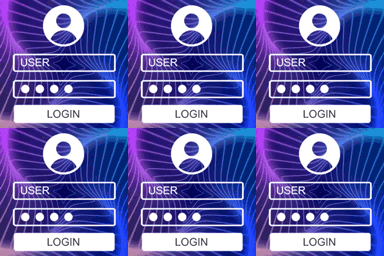
✅ Live preview changes in real time (Customizer-based)
Your login page becomes a professional entry point to your website.
🧭 Dashboard Customization ✨== 🚀
Take control of the WordPress admin dashboard:
✅ Rebrand the admin area with your logo & color theme
✅ Create custom dashboard welcome widgets
✅ Hide unnecessary menus for specific user roles
✅ Remove WordPress nag screens, footer credits, updates message
✅ Replace the default “Welcome to WordPress” screen
✅ Organize dashboard for clients, teams & members
Give your users a clean and guided environment they’ll appreciate.
🏢 Perfect For ✨== 🚀
-
Agencies managing client sites
-
Branding-conscious businesses
-
Membership platforms
-
LMS / E-learning dashboards
-
Multi-user teams
-
Freelancers delivering premium websites
-
Make WordPress feel professional, polished, and uniquely yours.
🚀 Upgrade Your Brand — From First Login to Daily Workflow ✨== 🚀
-
Your WordPress experience shouldn’t look generic.
-
With DashboardPlus, your website’s identity is seen and felt everywhere.
💡 Why DashboardPlus? ✨== 🚀
✨ Features 🚀 Description
1. Live Customizer Controls 🚀 Edit and preview in real time — no refresh needed.
2. Custom Background 🚀 Upload images, set solid colors, gradients, or patterns.
3. Logo Controls 🚀 Change, resize, hide, or fully replace the default login logo.
4. Button Styling 🚀 Adjust size, color, radius, border, and hover states.
5. Form Design Options 🚀 Control padding, width, background, shadow, and radius.
6. Typography Settings 🚀 Change text size, labels, links, and tagline.
7. One-click default restore 🚀 Reset everything back to WordPress default anytime.
8. Version text 🚀 Customize version text
9. Footer text 🚀 Customize footer text
Installation
=Automatic installation=
1. Automatic installation is the easiest option .
2. Log in to your WordPress dashboard, navigate to the Plugins menu, and click “Add New.”
3. In the search field type “DashboardPlus ” then click “Search Plugins.”
4. Find “DashboardPlus” and install it by! Click “Install Now,”
=Manual installation=
1. Download the dashboardplus.zip file to your computer.
2. Unzip the file.
3. Upload the plugin to your ‘wp-content/plugins’ directory, or install automatically via your admin panel.
4. Activate the plugin through the ‘Plugins’ menu in WordPress.
Frequently asked questions
What is the advantage of the Dashboard Plus “?
Presents an elegant style with ease.
Changelog
1.3.3 – December 04, 2025
- Tested up 6.9
- logo , banner , screenshot improved
1.3.2 – November 26, 2025
- Improved search in automatic installation
- background image optimized
- Fixed loginsection backgrund issue
1.3.1 – November 24, 2025
- fixed activation issues
- Fixed page cusotm background image issue
- set default options
1.3.0 – November 11, 2025
- fully formatted readme.txt
- updated tags and dashboard
1.2.0 – November 06, 2025
- fully formatted readme.txt
- fixed version issue
1.1.0 – November 06, 2025
- Added live Customizer preview for login page
Screenshots


For developers
Is this your plugin? Show off the numbers.
Add a live badge to your site, docs or GitHub README. It updates on its own — no account needed.
Best Dashboard Plus alternatives
All branding plugins →




FAQ
Dashboard Plus: quick answers
Straight answers, pulled from live WordPress.org data.
Live data from WordPress.org · checked Sep 30, 2026
Is Dashboard Plus free?
Yes. Dashboard Plus is free to download and use from the official WordPress.org plugin directory.
Is Dashboard Plus safe to use in 2026?
Dashboard Plus shows warning signs in 2026 — compare the alternatives below before installing. Was last updated 10 months ago, and scores 36/100 on our health check.
How many websites use Dashboard Plus?
Dashboard Plus is active on <10 WordPress websites and has been downloaded 1,084 times since it launched in March 2025. It was downloaded 41 times in the last 30 days.
Does Dashboard Plus work with WordPress 7.1?
Dashboard Plus is officially tested up to WordPress 6.9.9, while the latest release is 7.1.2. It may still work, but try it on a staging site first.
What PHP version does Dashboard Plus need?
Dashboard Plus requires PHP 8.1 or higher. Most hosts run PHP 8.x today, so it works on any modern WordPress hosting.
When was Dashboard Plus last updated?
The latest version, 1.3.3, was released on December 4, 2025 (10 months ago).
Who makes Dashboard Plus?
Dashboard Plus is developed and maintained by Muhammad Ijaz Anjum.
What are the best alternatives to Dashboard Plus?
The most popular alternatives to Dashboard Plus are White Label CMS (200K+ installs), Theme My Login (50K+ installs) and Custom Login (10K+ installs).
Powered by PageForge
Want thousands of pages that rank like these? Build them in an afternoon.
This directory runs on the same engine as PageForge. Turn any spreadsheet, CSV or API into thousands of fast, SEO-ready WordPress pages — with schema, internal links and AI-written copy baked in.
- CSV, Google Sheets & API data sources
- AI content, schema & internal links per page
- Works with Elementor, Gutenberg, Yoast & Rank Math
- Free on WordPress.org — no credit card


