

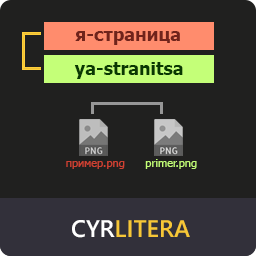
Cyrlitera – Transliteration of Links and File Names
Convert Cyrillic and Georgian URLs and file names to Latin. Works for all post types, pages, and terms. Custom characters, URL redirects & more.

Safe pick
Yes — Cyrlitera is a safe, well-maintained plugin to use in 2026. It runs on 40K+ sites, is rated 4.6/5 and was last updated 1 week ago, and scores 93/100 on our health check.
- Proven at scale on 40K+ active sites
- Loved by users — 4.6/5 from 62 reviews
- Actively developed — last update 1 week ago
- Tested with the latest WordPress (7.1)
- Momentum — downloads up 69.1% vs the previous 30 days
How does it stack up?
Side-by-side on installs, updates, ratings & support


Daily downloads
Download spikes usually follow a new release — each site that auto-updates counts as a download.
Rankings
Where Cyrlitera stands todayWordPress.org search rankings
Live position in the plugin search, top 100| Keyword | Position |
|---|---|
| cyrillic | #2 |
| Georgian | #2 |
| multilingual | #35 |
| slugs | #9 |
| transliteration | #1 |
Version adoption
Share of active sites per release.
Rating breakdown
★★★★★★★★★★ 4.6 from 62 reviews
About Cyrlitera
From the official readme · v1.3.9Description
Cyrlitera converts Cyrillic and Georgian URLs and file names to Latin. It works for all post types, pages, and terms. It gives you options to define your own custom characters and enable automatic redirects.
How It Works
Transliteration is the process of converting characters from one writing system to another, such as converting Cyrillic symbols to Latin. Because most web software and URLs are designed around Latin characters, using Cyrillic or other non-Latin symbols in links or file names can lead to unreadable URLs, accessibility issues, and even broken links. Transliteration ensures your URLs and file names remain clean, readable, and compatible across all platforms.
Cyrlitera automatically replaces Cyrillic and Georgian characters with Latin equivalents to create clean and readable URLs for posts, categories, taxonomies, products, and custom post types. It also fixes incorrect file names by removing unsafe characters and transliterating them during upload, helping prevent 404 errors and broken media links.
Examples
Cyrillic URL before transliteration:
https://example.com/%D0%BF%D1%80%D0%B8%D0%B2%D0%B5%D1%82-%D0%BC%D0%B8%D1%80
Same URL transliterated to Latin:
https://example.com/privet-mir
Incorrect file names before transliteration:
%D0%BC%D0%BE%D0%B5_image_290.jpg
A+nice+picture.png
Readable transliterated file names:
moe_image_290.jpg
a-nice-picture.png
By using Latin-based file names and URLs, you avoid issues with encoding, broken links, and unreadable paths. This plugin performs the transliteration automatically each time a file is uploaded, ensuring your media library stays clean and consistent.
Features
- Automatically transliterates all new permalinks for posts, pages, categories, tags, and custom post types.
- Automatically transliterates all new attachment file names on upload, with an option to convert them to lowercase.
- Creates automatic redirects from old URLs to new transliterated ones to prevent broken links.
- Supports multiple alphabets, including Russian, Belarusian, Ukrainian, Bulgarian, and Georgian.
- Fully customizable character mapping – define your own characters and their Latin substitutions to support any language.
- Preserves original permalinks, keeping old URLs intact so nothing is lost during conversion.
- Optional conversion of existing slugs, allowing you to transliterate existing URLs.
- Rollback tool that lets you restore original URLs if needed.
Support
We’re here to help. Feel free to open a new thread on the [Support Forum] (https://wordpress.org/support/plugin/cyrlitera/).
Useful Resources
- If you like this plugin, you’re sure to love our other plugins as well.
- Our blog is a great place to learn more about WordPress.
- Get the most out of your website with our helpful WordPress YouTube Tutorials.
Installation
- In your WordPress admin, go to Plugins > Add New
- In the Search field, type “Cyrlitera”
- Under “Cyrlitera” by Themeisle, click the Install Now link
- Once the process is complete, click the Activate Plugin link
- Go to Settings → Cyrlitera to configure the plugin
Changelog
Version 1.3.9 (2026-11-16)
- Enhanced security
- Updated dependencies
Version 1.3.8 (2026-11-04)
- Fixed frontend timeouts when converting titles to URL slugs
- Updated dependencies
Version 1.3.7 (2026-09-30)
- Updated dependencies
- Added AI agent support: let AI assistants transliterate your slugs and change your Cyrlitera settings.
Version 1.3.6 (2026-07-29)
- Updated dependencies
Version 1.3.5 (2026-07-24)
- Updated dependencies
- Enhanced security
Version 1.3.4 (2026-05-19)
- Improved compatibility with WP 7.0
- Updated dependencies
Version 1.3.3 (2026-05-07)
- Update dependencies
Version 1.3.2 (2026-01-12)
- Improved and simplified settings page layout
- Updated newsletter
- Enhanced security and updated dependencies
Version 1.3.1 (2025-12-16)
- Enhanced security
Version 1.3.0 (2025-11-06)
Cyrlitera plugin has been acquired by Themeisle 🎉
We’re happy to announce that Themeisle is now the new owner of Cyrlitera. This acquisition will help ensure the plugin’s continued development, better support, and exciting new updates in the future.
Your existing setup will continue to work as usual — no action is required on your part.
1.2.0 (05.12.2024)
- Added: Compatibility with WordPress 6.7
1.1.9 (21.03.2024)
- Added: Compatibility with WordPress 6.5
- Added: Compatibility with php 8.3
1.1.7 (21.11.2023)
- Added: Compatibility with WordPress 6.4
- Added: Compatibility with php 8.2
1.1.7 (22.03.2023)
- Fixed: Freemius framework conflict
- Added: Compatibility with WordPress 6.2
1.1.6 (30.05.2022)
- Added: Compatibility with WordPress 6.0
Screenshots


For developers
Is this your plugin? Show off the numbers.
Add a live badge to your site, docs or GitHub README. It updates on its own — no account needed.
Best Cyrlitera alternatives
All cyrillic plugins →


FAQ
Cyrlitera: quick answers
Straight answers, pulled from live WordPress.org data.
Source: WordPress.org
Is Cyrlitera free?
Yes. Cyrlitera is free to download and use from the official WordPress.org plugin directory.
Is Cyrlitera safe to use in 2026?
Yes — Cyrlitera is a safe, well-maintained plugin to use in 2026. It runs on 40K+ sites, is rated 4.6/5 and was last updated 1 week ago, and scores 93/100 on our health check.
How many websites use Cyrlitera?
Cyrlitera is active on 40K+ WordPress websites and has been downloaded 325,481 times since it launched in March 2018. It was downloaded 20,896 times in the last 30 days.
Does Cyrlitera work with WordPress 7.1?
Yes. The developer has tested Cyrlitera up to WordPress 7.1.5, the latest release. It requires WordPress 5.6 or newer.
What PHP version does Cyrlitera need?
Cyrlitera requires PHP 7.4 or higher. Most hosts run PHP 8.x today, so it works on any modern WordPress hosting.
When was Cyrlitera last updated?
The latest version, 1.3.9, was released on November 16, 2026 (1 week ago).
Who makes Cyrlitera?
Cyrlitera is developed and maintained by Themeisle.
What are the best alternatives to Cyrlitera?
The most popular alternatives to Cyrlitera are Cyr-To-Lat (300K+ installs), Cyr to Lat Enhanced (80K+ installs) and Cyr to Lat Reloaded (30K+ installs).
Powered by PageForge
One template and a spreadsheet. A real page for every search.
PageForge turns each row of a CSV into a WordPress page with its own title, URL, SEO fields and schema, built on the layout you already designed. Free on WordPress.org.
- CSV and XLSX, plus Google Sheets on Professional and Enterprise
- Its own title, URL, SEO fields and schema for every page
- Works with the block editor, Elementor, Divi and Avada
- Free on WordPress.org, no credit card